Overview

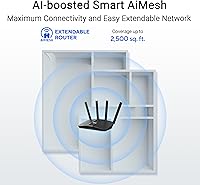
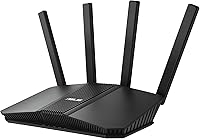
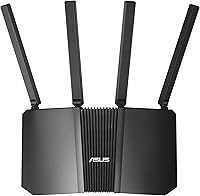
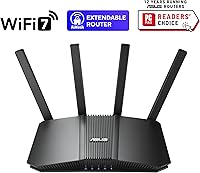
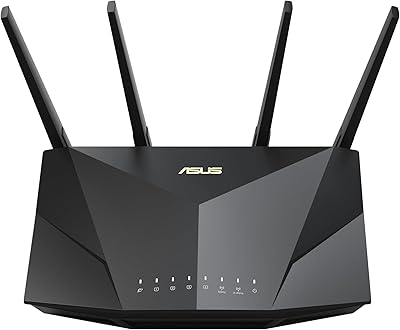
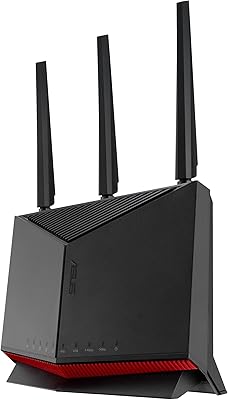
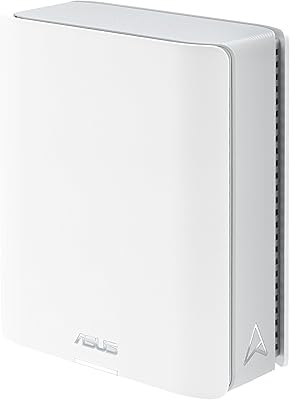
The ASUS RT-BE82U WiFi 7 Dual-Band Router sits in an interesting spot — it's the most accessible way onto the 802.11be standard without spending premium mesh money. Running dual-band across 2.4 GHz and 5 GHz, it delivers up to 6500 Mbps aggregate, a meaningful step up from WiFi 6 for congested households. The Eclipse Gray chassis is slim and unobtrusive, measuring just under 14 inches wide, so it won't dominate a shelf or entertainment unit. It also supports ASUS AiMesh, meaning you can pair it with compatible ASUS routers to extend coverage across floors without buying a dedicated mesh kit. Set expectations correctly — this is a capable standalone router with mesh expansion potential, not a tri-band flagship.
Features & Benefits

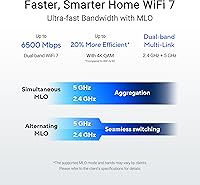
What makes this WiFi 7 router technically compelling is Multi-Link Operation — unlike WiFi 6, which connects a device to one band at a time, MLO lets devices tap both bands simultaneously, cutting latency and smoothing the connection when one band gets congested. The 4096-QAM modulation also squeezes roughly 20% more data per transmission than WiFi 6E, translating to real throughput gains for file transfers and 4K streaming. Then there's the port situation: five 2.5GbE ports is genuinely uncommon at this price — most rivals offer one or two. You can wire a NAS, a desktop, and a smart switch without any bottleneck. AiProtection Pro handles security automatically, covering threat detection and parental controls with no ongoing subscription required.

Best For

The RT-BE82U is a strong match if you're coming from WiFi 5 or WiFi 6 and want a future-proof upgrade without the cost of a tri-band system or full mesh kit. Gamers and remote workers benefit most from the wired side — having multiple 2.5GbE ports means no single device monopolizes bandwidth on a busy home network. If you're running a smart home stack with cameras, thermostats, and locks, the ability to assign dedicated IoT SSIDs keeps that traffic separated from your main devices, which is both a security and performance win. It's also a natural fit for users already in the ASUS AiMesh ecosystem who want to expand coverage without replacing their entire setup.

User Feedback

Across more than 3,300 ratings, this ASUS dual-band router holds a 4.4-star average, and the pattern is consistent: buyers praise quick setup, stable AiMesh pairing, and noticeably faster real-world speeds compared to their previous WiFi 6 hardware. The ASUSWRT firmware earns specific credit for being deep without being impenetrable — a balance not every router brand gets right. On the critical side, the most recurring complaint is the dual-band ceiling — buyers expecting tri-band performance or broader automatic band steering occasionally feel shortchanged. A handful of early adopters flagged firmware instability out of the box, though most report that subsequent updates resolved the issues. Go in understanding its audience, and the feedback picture is genuinely strong.

Pros

  • WiFi 7 support future-proofs your network for the next wave of client devices arriving over the next few years.
  • Five 2.5GbE ports is a standout feature — most routers at this tier offer just one or two.
  • Multi-Link Operation noticeably reduces latency compared to WiFi 6, especially in crowded wireless environments.
  • AiProtection Pro delivers Trend Micro-powered threat detection and parental controls with no recurring subscription fee.
  • AiMesh compatibility lets you expand coverage later without replacing the RT-BE82U or starting over.
  • Dedicated IoT SSID support keeps smart home devices separated from primary network traffic, improving both security and performance.
  • ASUSWRT firmware is mature and deep — VPN, traffic analysis, and custom DNS are all accessible without third-party tools.
  • The slim, understated design fits on a shelf or cabinet without looking like a sci-fi prop.
  • Setup is guided and approachable even for non-technical users, with sensible defaults out of the box.
  • Strong resale and long-term relevance — WiFi 7 adoption is still early, so this hardware won't feel outdated quickly.

Cons

  • Dual-band only means no dedicated wireless backhaul band when used as a mesh node, limiting whole-home mesh efficiency.
  • No published coverage area rating makes it hard to pre-assess whether one unit will suffice for larger homes.
  • ASUSWRT's full feature set has a real learning curve; casual users may find the interface overwhelming.
  • Early firmware versions had stability reports from some buyers, requiring patience through initial update cycles.
  • No built-in WiFi 6E (6 GHz) band, which some competing routers in this category now include.
  • The mobile app experience is functional but trails the polish of competing ecosystems like Eero or Google Wifi.
  • Overkill for anyone with an ISP connection under 500 Mbps — the hardware outpaces what most broadband plans can actually deliver.
  • No USB port included, so you cannot attach a shared drive or printer directly to the router.
  • Tri-band buyers comparison-shopping at a slightly higher budget will find alternatives that better handle simultaneous high-demand clients.

Ratings

The scores below were generated by our AI engine after analyzing thousands of verified global purchases of the ASUS RT-BE82U WiFi 7 Dual-Band Router, with spam, incentivized reviews, and bot activity actively filtered out before scoring. Each category reflects real usage patterns — from daily home networking and gaming sessions to smart home management and small office deployments. Both the standout strengths and the honest frustrations buyers encountered are transparently represented in every score.

Wireless Performance
88%
Buyers upgrading from WiFi 6 routers consistently report faster real-world throughput, particularly when transferring large files between NAS devices and laptops. Multi-Link Operation earns specific praise from gamers who notice reduced ping spikes during peak evening hours when multiple family members are online simultaneously.
The dual-band ceiling becomes apparent in environments with many concurrent high-demand clients — a limitation that tri-band competitors handle more gracefully. A few users in dense apartment buildings also noted more interference sensitivity on the 5 GHz band than expected.
Wired Connectivity
93%
Five 2.5GbE ports is the single most-praised hardware feature across buyer reviews — users with NAS drives, gaming desktops, and smart switches repeatedly call it out as the reason they chose this router over similarly priced rivals. Having that port density without needing a separate multi-gig switch saves both money and desk space.
The absence of a USB port is the one wired connectivity gap that buyers notice, particularly those who previously used a router-attached shared drive. There is also no 10GbE option for users whose NAS or workstation supports it, though that is a niche expectation at this price tier.
Setup & Ease of Use
82%
18%
The initial setup wizard is genuinely approachable — most reviewers report being connected and running within 10 to 15 minutes. ASUS has refined the first-boot experience enough that non-technical buyers rarely report confusion during basic installation.
Once past the initial setup, the depth of ASUSWRT can feel overwhelming to users who just want a simple dashboard. Several buyers noted that finding specific settings — like isolating IoT SSIDs or enabling WireGuard — requires more navigation than competing apps from Eero or TP-Link Deco.
Firmware & Software
74%
26%
Long-term ASUS users consistently praise ASUSWRT for its depth and configurability — VPN setup, traffic monitoring, DNS filtering, and QoS controls are all accessible without third-party firmware. Regular firmware releases indicate active development, and most critical security patches arrive within a reasonable window.
Launch firmware drew criticism from early adopters who experienced intermittent disconnections and reboots that took several updates to resolve. The mobile app, while functional, trails the polish of competitor apps and some users report that push notifications and remote management can be unreliable.
AiMesh Integration
86%
For households already invested in ASUS hardware, AiMesh pairing is described as reliable and straightforward — most users complete the node pairing process in under five minutes. The fact that advanced features like AiProtection and VPN carry across the mesh network is a meaningful bonus that competing mesh systems rarely match.
Because this is a dual-band router, wireless backhaul shares the 5 GHz band with client traffic, which can reduce effective mesh throughput in larger homes. Buyers expecting tri-band dedicated-backhaul performance from an AiMesh setup may find speeds between floors or rooms fall short of their expectations.
Network Security
91%
AiProtection Pro earns consistently strong feedback — buyers appreciate that automatic threat detection, malicious URL blocking, and vulnerability scanning work in the background without requiring any configuration. The fact that there is no subscription fee attached to these protections is called out repeatedly as exceptional value.
A small number of security-focused buyers note that AiProtection relies on cloud-based Trend Micro signature updates, meaning its effectiveness depends on an active internet connection. Those running fully air-gapped or privacy-first networks will find the cloud dependency a non-starter.
Parental Controls
79%
21%
Parents find the per-device scheduling and content filtering intuitive enough to configure without technical help, and the ability to pause internet access per device is a practical daily-use feature. The IoT SSID segmentation indirectly helps families keep kids' devices isolated from work and primary household traffic.
The parental control interface within the mobile app is less polished than dedicated parental control platforms, and a handful of parents report that category-based content filtering can occasionally be inconsistent. It works well for basic use cases but is not a substitute for dedicated parental control software in households with older children who understand workarounds.
VPN Capability
83%
Remote workers and privacy-conscious buyers highlight WireGuard and OpenVPN support as standout features, particularly since most routers at this price tier offer limited or unreliable VPN server functionality. Being able to access the home network securely while traveling is a regularly cited use case among higher-rated reviews.
VPN throughput drops noticeably under heavy load, which is a hardware limitation common across routers in this class rather than a firmware issue. First-time VPN users also report that initial configuration, especially for split-tunneling or site-to-site setups, requires more research than the documentation alone provides.
IoT & Smart Home Support
84%
The ability to create dedicated IoT SSIDs is a genuine differentiator for smart home users — keeping thermostats, cameras, and locks on a separate network from primary devices meaningfully reduces both security risk and wireless congestion. Buyers with 30-plus connected devices report noticeably more stable smart home behavior after implementing SSID segmentation.
The router does not support Thread or Matter natively, so users with newer smart home protocols still need a separate hub. Some buyers also note that managing IoT device assignments across multiple SSIDs requires going into the full ASUSWRT interface rather than a streamlined mobile view.
Build Quality & Design
77%
23%
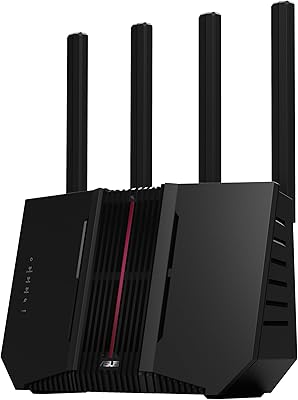
The low-profile Eclipse Gray chassis is consistently described as understated and easy to place on a shelf or inside a media cabinet without drawing attention. At just 1.1 pounds, it feels more refined than bulkier antenna-heavy routers in the same category, and the matte finish resists visible dust and fingerprints reasonably well.
Some buyers note that the horizontal slab design, while clean, offers no ventilation-friendly vertical mounting option out of the box. There are also occasional comments that the plastic housing feels less premium than the price point suggests when compared to metal-chassis competitors.
Range & Coverage
71%
29%
For medium-sized homes — typically single-floor layouts or compact two-story residences — buyers report solid, consistent coverage throughout. Signal strength on the 5 GHz band holds up reasonably well through one or two interior walls, which satisfies the majority of apartment and townhouse buyers.
ASUS does not publish a square footage rating for this model, and that ambiguity shows up in frustrated reviews from buyers in larger homes who assumed single-router coverage. Users with sprawling layouts or multiple floors consistently recommend pairing it with an AiMesh node rather than relying on it as a sole access point.
Value for Money
87%
The combination of WiFi 7, five 2.5GbE ports, lifetime AiProtection, and full VPN support at this price bracket is difficult to match in the current market. Buyers frequently note that sourcing equivalent individual features from competing brands would require spending significantly more.
For users with ISP plans under 500 Mbps or households with fewer than a dozen devices, the hardware capability outpaces the practical need, making the value proposition weaker for lighter users. Those who primarily need simple coverage rather than port density or advanced security may find better-suited options at a lower cost.
Latency & Gaming
85%
Gamers specifically call out the wired 2.5GbE ports and MLO as meaningful latency improvements — several reviews compare before-and-after ping benchmarks and report consistent single-digit millisecond reductions in online multiplayer sessions. QoS settings in ASUSWRT also allow gaming traffic to be prioritized over background downloads without manual intervention.
Wireless gaming performance, while improved over WiFi 6, requires a WiFi 7 client device to realize the full MLO benefit — most current gaming laptops and consoles are still WiFi 6 or 6E. Buyers using older wireless adapters should temper expectations around latency gains until they upgrade their client hardware.
Compatibility & Interoperability
89%
Backward compatibility with WiFi 4 through 6E means every device in a mixed household connects without any configuration changes — older smart TVs, tablets, and laptops all join the network automatically on the appropriate band. IPv6 support is also fully functional out of the box, which matters for users on ISPs that have transitioned away from IPv4.
A small number of buyers report that certain older smart home devices with non-standard 2.4 GHz implementations occasionally struggle to maintain stable associations, requiring manual band-steering adjustments. Compatibility with non-ASUS mesh hardware is limited — the AiMesh ecosystem is effectively ASUS-only.

Suitable for:

The ASUS RT-BE82U WiFi 7 Dual-Band Router is the right call for households that are done with WiFi 6 bottlenecks and want to move to a current-generation standard without the cost of a tri-band system or a full mesh kit. If you have a multi-device home — several streaming TVs, a gaming PC, a work laptop, and a pile of smart home gear — the combination of MLO and dedicated IoT SSIDs means each category of device gets clean, reliable connectivity. Remote workers and gamers who rely on wired connections will especially appreciate having five 2.5GbE ports available, which is practically unheard of at this price point. It also makes a compelling upgrade node for anyone already running ASUS hardware, since AiMesh pairing is straightforward and keeps the advanced features intact across the network. Small home offices that need built-in VPN support and automated threat protection without paying for a separate security subscription will find real, ongoing value here.
Not suitable for:

The ASUS RT-BE82U WiFi 7 Dual-Band Router is not the right fit for buyers who genuinely need tri-band performance — if you have a very large home with many clients simultaneously hammering the 5 GHz band, a tri-band router dedicates one 5 GHz radio purely to backhaul, which this router cannot do. Users whose ISP plan tops out at 100–500 Mbps will also see little practical return from WiFi 7 speeds; the hardware would be capable, but the bottleneck shifts entirely to the internet connection itself. If your priority is plug-and-play simplicity with a polished mobile app above all else, ASUSWRT has a learning curve that some competing ecosystems avoid. Renters or apartment dwellers with a single open-plan room and modest device counts are likely overpaying for features they will never use. Anyone hoping for published, guaranteed coverage square footage should also look elsewhere, as ASUS does not specify a coverage rating for this model.
Specifications

  • WiFi Standard: Supports WiFi 7 (802.11be) and is backward compatible with WiFi 6E, WiFi 6, WiFi 5, and WiFi 4 devices.
  • Frequency Bands: Dual-band design operates across the 2.4 GHz and 5 GHz spectrums simultaneously.
  • Max Throughput: Aggregate wireless throughput reaches up to 6500 Mbps across both bands combined.
  • Modulation: Uses 4096-QAM encoding, which increases single-band transmission density by approximately 20% over WiFi 6E.
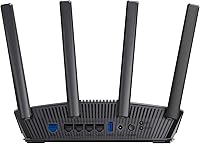
  • Wired Ports: Equipped with five 2.5GbE RJ-45 ports, each capable of handling multi-gigabit wired connections.
  • Multi-Link Operation: MLO allows compatible client devices to transmit and receive across both bands at the same time, reducing latency and improving reliability.
  • SSID Support: Supports up to 3 separate SSIDs, enabling network segmentation for IoT devices, guests, or work traffic.
  • Security Suite: AiProtection Pro, powered by Trend Micro, provides automatic threat detection, malicious site blocking, and one-tap vulnerability scanning at no subscription cost.
  • Parental Controls: Built-in parental controls allow per-device scheduling, content filtering, and usage monitoring through the ASUSWRT interface.
  • VPN Support: Acts as both a VPN server and VPN client, supporting OpenVPN, WireGuard, and IPSec protocols via ASUSWRT.
  • Mesh Compatibility: Fully compatible with the ASUS AiMesh ecosystem, allowing it to function as either a primary router or a secondary node.
  • IPv6 Support: Supports both IPv4 and IPv6 addressing, ensuring compatibility with current and next-generation network configurations.
  • Dimensions: Measures 13.94 x 0.89 x 10.39 inches, with a low-profile horizontal form factor suited for shelf or cabinet placement.
  • Weight: Weighs 1.1 pounds, making it one of the lighter full-featured WiFi 7 routers currently available.
  • Color: Finished in Eclipse Gray with a matte texture that resists visible fingerprints and blends into most home environments.
  • In-Box Contents: Package includes the RT-BE82U router, a power adapter, one RJ-45 Ethernet cable, a quick start guide, and a warranty card.
  • Firmware: Runs ASUSWRT, ASUS's proprietary router operating system, which supports advanced traffic analysis, DNS filtering, and regular security firmware updates.
  • Power Input: Operates on 120V AC power via the included adapter, compatible with standard North American outlets.

Related Reviews

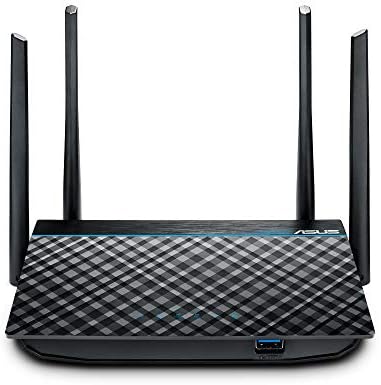
ASUS RT-AX5400 WiFi 6 Dual-Band Router
80%
84%
WiFi Speed & Throughput
71%
Coverage & Range
88%
Setup & Ease of Use
91%
Built-in Security (AiProtection)
83%
Parental Controls
More
ASUS RT-AX1800S
ASUS RT-AX1800S
79%
88%
Value for Money
79%
WiFi Speed & Performance
74%
Coverage & Range
83%
Setup & Ease of Use
67%
Router App Experience
More
ASUS RT-ACRH13 AC1300 Dual Band WiFi Router
86%
88%
WiFi Performance
91%
Setup and Installation
90%
Value for Money
83%
Signal Coverage
89%
Ease of Use (Mobile App)
More
ASUS RT-BE92U WiFi 7 Router
81%
88%
Wireless Performance
83%
Coverage & Range
84%
Setup & Initial Configuration
91%
Network Security (AiProtection)
86%
Latency & Gaming Performance
More
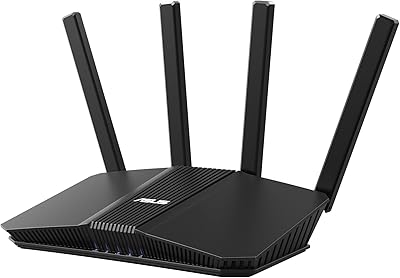
ASUS ZenWiFi BD4 Dual-Band WiFi 7 Mesh Router
86%
93%
Wi-Fi Performance
89%
Setup & Installation
91%
Security Features
88%
Gaming & Streaming Performance
84%
Value for Money
More
ASUS RT-BE58U WiFi 7 Router
80%
83%
Wireless Performance
81%
Range & Coverage
91%
Setup & Ease of Use
88%
Security Features
86%
Smart Home & IoT Management
More
ASUS RT-BE86U BE6800 Dual-Band WiFi 7 Router

77%
83%
Wireless Performance
91%
Wired Connectivity
77%
Setup & Ease of Use
58%
Mobile App Experience
62%
Firmware Stability
More
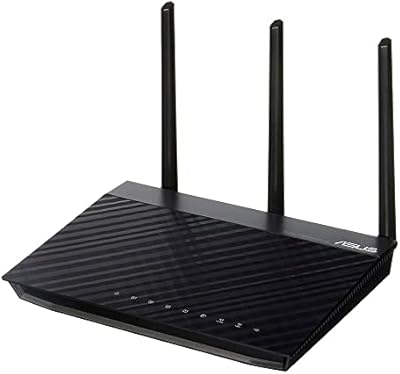
Asus RT-AC1200 Wireless Dual-Band Router
83%
85%
Wi-Fi Performance
91%
Ease of Setup
78%
Coverage Range
88%
Parental Controls
81%
Streaming & Gaming Performance
More
ASUS RT-N66R Dual-Band Wireless-N900 Router
84%
87%
Performance & Speed
92%
Setup & Installation
89%
Signal Coverage
80%
Reliability & Stability
85%
Build Quality
More
ASUS ZenWiFi BT6 Tri-Band WiFi 7 Mesh Router
83%
91%
WiFi Performance
88%
Security Features (AiProtection Pro)
84%
Mesh Network Expansion
75%
Setup and Installation
89%
Build Quality
More

FAQ

Not at all for basic use. The setup wizard walks you through the essentials in a few minutes, and the default settings work well for most households straight out of the box. Where it gets more involved is if you want to configure VPNs, custom SSIDs, or traffic rules — those are optional and you can ignore them entirely if you just want fast, reliable WiFi.

Yes, it connects to any standard modem or modem-router combo via one of the 2.5GbE ports, which you configure as the WAN port. If your ISP provides a combo unit, you can either put it in bridge mode or run the RT-BE82U behind it — though bridge mode gives you the cleanest setup and avoids double-NAT issues.

Honestly, for raw internet speed alone, the upgrade won't feel dramatic at 300 Mbps since your ISP connection is the real ceiling. That said, WiFi 7 still helps within your home network — faster file transfers between devices, lower latency for gaming, and better handling of many devices at once. It's also future-proofing for when faster plans become accessible in your area.

Yes, as long as your other ASUS router is AiMesh compatible. You pair them through the ASUSWRT app or web interface, and the two units will share a single network name so your devices roam between them automatically. Keep in mind that wireless backhaul between nodes will share the 5 GHz band since this is a dual-band router, which can reduce throughput compared to a tri-band mesh setup.

No — AiProtection Pro is included at no additional cost for the lifetime of the router. There is no subscription, no annual renewal, and no paywall for features like threat blocking or parental controls. That is one of the genuine differentiators this ASUS dual-band router holds over some competing security-focused routers that charge ongoing fees.

ASUS does not publish a specific device count ceiling, but in practice the RT-BE82U handles busy households well. WiFi 7 is designed to be more efficient in high-density environments than WiFi 6, and separating IoT devices onto their own SSID reduces congestion on your primary network. For a typical home with 30 to 50 connected devices, it should have no trouble keeping up.

No, the RT-BE82U does not include a USB port. If attaching a shared storage drive or printer directly to your router is important to you, you would need to look at a different ASUS model — several in their lineup include USB 3.0 ports for exactly that purpose.

MLO lets a single device connect to both the 2.4 GHz and 5 GHz bands at the same time, rather than picking one. The benefit is lower latency and more reliable throughput — if one band gets crowded, traffic shifts to the other instantly. The catch is that your device also needs to support WiFi 7 MLO to take advantage of it. Most current laptops and phones are still WiFi 6 or 6E, so you will not see the MLO benefit right away, but it becomes increasingly useful as new hardware rolls out.

ASUSWRT gives you far more control and configuration depth than Eero or Google Wifi, which trade features for simplicity. The tradeoff is that the interface can feel busy, especially if you are used to those cleaner consumer-focused apps. For most users, the web interface works well; the mobile app is functional but not as polished. If you want a router you can deeply customize, ASUSWRT is a strength. If you want one that disappears into the background, it takes more patience.

ASUS releases firmware updates periodically — typically several times per year, often addressing security vulnerabilities and stability improvements. You can enable automatic updates in the settings, or apply them manually through the ASUSWRT interface. Some early buyers of this router reported stability quirks with launch firmware, but the consensus from later reviews is that updates resolved most of those issues. Keeping firmware current is always a good habit with any router.

Where to Buy