Overview

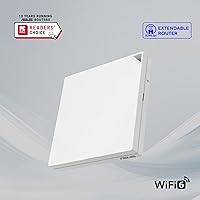
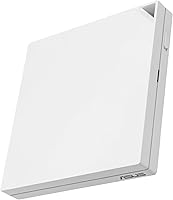
The ASUS RT-AX57 Go WiFi 6 Travel Router is a compact, palm-sized device built for people who need a reliable private network wherever they land. About the size of a small paperback and weighing just 7.4 ounces, it slips easily into a carry-on or laptop bag. It runs on dual-band WiFi 6, handling up to 70 connected devices across the 2.4 GHz and 5 GHz bands — more than enough for a hotel room full of gadgets. It supports three connectivity modes: plug into a wired port, tether to your phone's mobile data, or piggyback on public WiFi through WISP mode. USB-C powered, it works with any modern travel charger or power bank. In the mid-range space, it competes directly with GL.iNet and TP-Link alternatives.
Features & Benefits

One of the more practical touches on this travel router is the physical mode-switch toggle — a small lever that lets you flip between tethering, WISP, and wired router modes without opening an app or navigating menus. That kind of hardware shortcut matters when you are standing at a hotel desk trying to get connected quickly. On the security side, AiProtection pairs with DNS over TLS and a Safe Browsing filter for genuinely layered protection, not just marketing checkboxes. The one-touch VPN activation supports multiple protocols and up to 30 providers, which is convenient — though configuring a specific protocol from scratch still requires some comfort with network settings. AiMesh compatibility means this portable WiFi 6 router can fold into a full home mesh setup when you are back at your desk.

Best For

This travel router was clearly built with a specific kind of user in mind. If you are among the hotel and cruise travelers who want a private, secure bubble over sketchy public WiFi, it fits the brief well. Remote workers who depend on VPN connections will appreciate having dedicated hardware for that rather than relying on software clients alone. Digital nomads toggling between mobile tethering and cafe WiFi will find the three-mode design genuinely useful day-to-day. It also works as a lightweight guest portal device for small business owners or Airbnb hosts wanting to offer managed WiFi access without sharing main network credentials. Anyone already running ASUS gear at home can drop the RT-AX57 Go into an existing AiMesh setup with minimal extra configuration.

User Feedback

With 133 ratings averaging 4.1 out of 5, this portable WiFi 6 router has a broadly positive reception, though the review count is modest enough that the overall picture could still shift with more data. Buyers frequently praise the quick initial setup and, notably, the physical toggle switch — a feature that clearly resonates with people who do not want to troubleshoot connectivity through an app late at night in a hotel room. On the critical side, some users flag range limitations in larger spaces and occasional hiccups with the ASUS Router app losing its connection to the device. A handful also note that real-world tethering speeds fall short of headline figures. VPN activation gets mixed marks — easy to turn on, less straightforward to fine-tune for specific protocols.

Pros

  • Creates a private, password-protected network over hotel or cruise ship WiFi in minutes
  • Physical mode-switch toggle lets you change connectivity modes without opening any app
  • USB-C power means one fewer dedicated charger to pack — any phone brick or power bank works
  • Supports up to 70 devices, so connecting laptops, phones, tablets, and smart TVs simultaneously is not a problem
  • Built-in AiProtection with DNS over TLS adds a real layer of security on untrusted public networks
  • VPN activation is quick for supported providers, with up to 30 services pre-configured
  • AiMesh compatibility lets this travel router double as a mesh node at home when you are not traveling
  • Compact enough at 4.7 x 4.7 x 0.8 inches and 7.4 ounces to fit in any laptop bag without bulk
  • Guest portal feature is genuinely useful for small business owners or anyone hosting temporary visitors
  • Comes with a flannel carry bag, RJ-45 cable, and stand — a thoughtful travel-ready kit out of the box

Cons

  • Range is limited compared to even entry-level home routers, making it a poor fit for larger spaces
  • Real-world tethering speeds often fall noticeably short of the advertised AX3000 peak figures
  • The ASUS Router app can lose its connection to the device, requiring restarts to restore app control
  • VPN protocol configuration beyond one-touch activation requires hands-on technical knowledge
  • The device can run warm during extended or high-load sessions, which may concern some users
  • 133 total ratings is a relatively small sample, so the 4.1-star average may not yet reflect long-term reliability
  • WISP mode performance is heavily dependent on the quality of the underlying public WiFi being shared
  • No dedicated Ethernet LAN ports beyond the one combo WAN/LAN port limits wired device flexibility
  • Setup, while marketed as three steps, can require extra troubleshooting in complex hotel network environments
  • Not a cost-effective option for buyers who rarely travel or have no need for VPN or public WiFi security

Ratings

Our AI-generated scores for the ASUS RT-AX57 Go WiFi 6 Travel Router were produced by analyzing verified global user reviews, with spam, bot-generated, and incentivized feedback actively filtered out before scoring. The ratings reflect a balanced picture drawn from real buyer experiences across hotel stays, remote work setups, and everyday travel use. Both the genuine strengths and the recurring frustrations are transparently represented in every category below.

Portability & Form Factor
93%
Travelers consistently highlight how little space and weight this router demands — at under half a pound and roughly the footprint of a drink coaster, it disappears into a laptop bag without friction. The included flannel pouch and compact stand add to the feeling that ASUS genuinely designed this for life on the move.
A small number of users note that the flat, square shape can be slightly awkward to stand upright in tight hotel desk setups without the included stand. The form factor is optimized for portability over ergonomics, which rarely matters but occasionally comes up.
Ease of Setup
88%
The three-step setup process gets consistent praise from non-technical buyers who expected more friction. Many hotel and cruise travelers specifically mention getting connected within a few minutes of unpacking, which is exactly the experience this device promises to deliver.
A portion of users report that setup becomes less smooth when connecting in network environments with stricter captive portal configurations, such as corporate hotel systems or cruise ship networks requiring repeated re-authentication. Edge cases aside, the out-of-box experience is genuinely above average.
Connectivity Modes
84%
The physical toggle switch draws real appreciation — being able to flip between tethering, WISP, and wired router mode without opening an app is a practical advantage that frequent travelers notice immediately. Buyers who regularly split time between mobile data and public WiFi find the tri-mode design solves a real problem cleanly.
WISP mode performance is inherently tied to the quality of the upstream public WiFi, which means the router cannot compensate for a slow or congested hotel network. A handful of users express frustration when blaming the device for poor speeds that are actually a product of the source connection.
VPN Performance & Usability
74%
26%
One-touch activation works well for the most popular consumer VPN services, and remote workers traveling internationally praise the ability to maintain a secure tunnel without configuring software on every individual device. Having the VPN run at the router level is a meaningful convenience for multi-device users.
Once you move beyond the pre-configured provider list, setup becomes noticeably more involved and assumes comfort with protocol-level networking concepts. Several reviewers expected a fully guided experience and found the manual configuration steps more technical than the marketing language suggested.
WiFi Speed & Throughput
71%
29%
For the everyday tasks travelers actually need — video calls, email, light streaming, and VPN-encrypted browsing — the WiFi 6 performance is more than adequate across a typical hotel room or RV setup. Users connecting multiple devices simultaneously report stable, usable speeds without contention issues.
Real-world throughput, particularly in tethering mode, lands well below the AX3000 headline figure in most user-reported scenarios. Buyers expecting near-gigabit performance will be disappointed; this is a router optimized for reliability and portability, not raw speed benchmarks.
Network Security
89%
AiProtection combined with DNS over TLS encryption gives this travel router a security stack that competes with dedicated security appliances costing considerably more. Remote workers handling sensitive data on unfamiliar networks specifically cite the layered approach as a key reason they chose this device over simpler alternatives.
Some technically inclined users note that AiProtection relies on cloud-based threat signature updates, which means its effectiveness depends on an active internet connection and continued ASUS support infrastructure. For most travelers this is a non-issue, but it is worth noting for security-conscious buyers.
WiFi Range
62%
38%
For a single hotel room, a cruise cabin, or a small RV interior, the signal coverage is adequate and rarely causes complaints from buyers using it in those intended environments. The 5 GHz band performs well at close range, delivering noticeably better throughput than older travel routers in the same footprint.
Range is a recurring criticism when users push beyond the device's intended scale — larger suites, multi-room setups, or trying to cover an open-plan office space all expose the limits quickly. This is not a device designed for whole-home coverage, and buyers who overlook that distinction are typically the disappointed ones.
App Experience
66%
34%
The ASUS Router app is generally well-regarded for its layout and the breadth of settings it exposes, and first-time setup through the app is smoother than navigating a web interface. Users who manage multiple ASUS devices appreciate the unified control across their home and travel hardware.
A consistent thread in critical reviews involves the app losing its connection to the router and requiring a restart to restore control — an irritating bug for users who rely on it during travel when physical access to the device may be limited. The app experience is good on average but not yet reliable enough to be called polished.
Tethering Reliability
76%
24%
USB tethering with both Android and iOS devices works without significant complaints under typical conditions, and users appreciate not needing a SIM-equipped router or a dedicated mobile hotspot device. For digital nomads using this as a daily driver with a smartphone data plan, the tethering mode holds up well in practice.
Performance varies more than expected depending on the phone model, USB cable quality, and carrier, leading to inconsistent experiences that are difficult to troubleshoot. A small number of users report the tethered connection dropping intermittently, requiring a physical reconnection to restore.
Thermal Management
61%
39%
Under normal light-to-moderate use — browsing, video calls, low-bandwidth streaming — the unit stays warm but not alarmingly so, and most users running it in open air on a desk report no issues during typical travel sessions.
Extended high-load use, particularly when simultaneously running VPN and tethering for several hours, causes the unit to run noticeably hot. A handful of buyers express concern about sustained heat during long work sessions, and placing the router inside a bag or enclosed space worsens the issue significantly.
Value for Money
72%
28%
The combination of WiFi 6, tri-mode connectivity, built-in VPN, and AiMesh support in a device this size represents a genuinely competitive package for frequent travelers who will use all of those features. Buyers who need a do-it-all travel network solution find the price reasonable for what is included.
Casual travelers or those who only need basic hotel WiFi sharing can find comparable WISP-capable routers for considerably less. The value proposition weakens if even half the feature set goes unused, and at this price point, the app reliability issues and range limitations sting a bit more than they would on a budget device.
Build Quality
78%
22%
The matte white plastic shell feels more substantial than the price tier might suggest, and the physical toggle switch has a satisfying, well-engineered feel that holds up across repeated use. Several buyers specifically mention that the unit feels durable enough for regular travel packing and unpacking.
The all-plastic exterior shows scuffs and minor marks with regular travel use, and the glossy accents attract fingerprints. Nothing about the build feels fragile, but it does not convey premium durability either — it sits comfortably in the solid-but-not-exceptional range for the category.
In-Box Accessories
83%
The included flannel carry pouch, stand, and RJ-45 cable cover the basics without requiring immediate additional purchases — a detail that frequent travelers genuinely appreciate when unpacking in a new city. The kit feels considered rather than minimal.
The included power adapter may not be universally compatible in all countries without a plug adapter, and the RJ-45 cable at one meter is on the short side for hotel setups where the wall port and desk are not adjacent. Neither issue is a dealbreaker, but both come up in user comments.
Warranty & Support
79%
21%
A three-year manufacturer warranty is longer than most competitors offer at this price tier, and ASUS has a generally solid reputation for honoring it. Buyers who have needed to contact support describe the process as functional, if not exceptional.
Warranty terms vary by region, and some international buyers report confusion around what is and is not covered in their local market. ASUS support response times have also drawn mixed feedback, with some users waiting longer than expected for resolution on firmware-related issues.

Suitable for:

The ASUS RT-AX57 Go WiFi 6 Travel Router is a strong fit for anyone who spends meaningful time working or staying in places where the WiFi is shared, slow, or simply not trustworthy. Hotel guests, cruise ship passengers, and RV travelers will get the most out of it — the ability to create a private, password-protected network over a public connection is exactly what this device is built for. Remote workers who depend on VPN access for security will appreciate having a dedicated hardware layer handling that, rather than juggling software clients on each individual device. Digital nomads who shift daily between mobile data tethering and café or hotel WiFi will find the three-mode design a practical fit, especially with the physical toggle making switching genuinely fast. Small business owners or Airbnb hosts who want to offer guests a managed, isolated WiFi connection without handing over their main network credentials also have a real use-case here. Anyone already invested in the ASUS ecosystem gets the added bonus of dropping this router into an existing AiMesh setup at home when they are not on the road.

Not suitable for:

Buyers expecting home-router-grade coverage or raw throughput should look elsewhere — the ASUS RT-AX57 Go WiFi 6 Travel Router is purpose-built for portability, and that comes with real trade-offs in range and sustained performance. If you need to blanket a large space with strong signal, even a budget home router will outperform it. Users who are not comfortable with basic network configuration may find the VPN setup more involved than the one-touch marketing suggests; choosing protocols, entering credentials, and troubleshooting provider compatibility requires at least some technical patience. Those who rely heavily on mobile apps to manage their hardware should be aware that the ASUS Router app has received criticism for occasional dropped connections to the device. If your primary use case is a stable home network — not travel — spending the same money on a proper home router makes far more sense. And if you only occasionally travel and rarely use public WiFi, the value proposition here is harder to justify.

Specifications

  • WiFi Standard: This router uses WiFi 6 (802.11ax), with backward compatibility for 802.11a, 802.11b, 802.11n, and 802.11ac devices.
  • Band Configuration: Dual-band operation covers both 2.4 GHz (up to 574 Mbps) and 5 GHz (up to 2402 Mbps) simultaneously.
  • Max Throughput: Combined wireless throughput is rated at AX3000, with a 160 MHz channel width on the 5 GHz band for higher capacity.
  • Device Capacity: The router can support up to 70 connected devices at once, making it practical for multi-device travelers or small groups.
  • Connectivity Modes: Three operating modes are available: standard wired router, WISP (public WiFi sharing), and 4G/5G mobile tethering via USB.
  • Power Source: Powered entirely via USB-C, allowing use with standard travel chargers, laptop chargers, or portable power banks.
  • Dimensions: The unit measures 4.7 x 4.7 x 0.8 inches, keeping it flat and compact enough to slip into most laptop bags or pouches.
  • Weight: At 7.4 oz, the router adds minimal load to a travel bag and is lighter than most paperback books.
  • Operating System: Runs on ASUSWRT, ASUS's proprietary router firmware, which is managed via the ASUS Router mobile app or a web interface.
  • VPN Support: Supports multiple VPN protocols with one-touch activation and compatibility with up to 30 pre-configured VPN service providers.
  • Network Security: AiProtection provides commercial-grade threat detection, supplemented by DNS over TLS encryption and a Safe Browsing filter.
  • Mesh Compatibility: Fully compatible with AiMesh, allowing this unit to function as a mesh node within a larger ASUS router network at home.
  • Guest Portal: Includes a customizable guest portal feature, enabling businesses or hosts to provide managed, isolated WiFi access to visitors.
  • In the Box: Package includes the RT-AX57 Go router, a 1m RJ-45 cable, power adapter, flannel carry bag, stand, quick start guide, and warranty card.
  • Warranty: Covered by a 3-year manufacturer warranty, though coverage specifics may vary depending on the buyer's local regulations.

Related Reviews
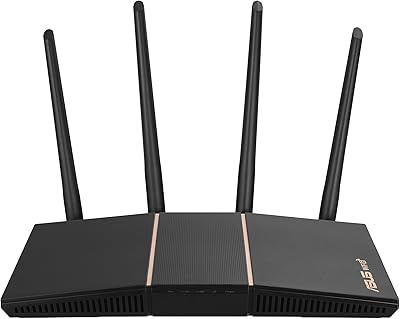
ASUS RT-AX57 WiFi 6 Router
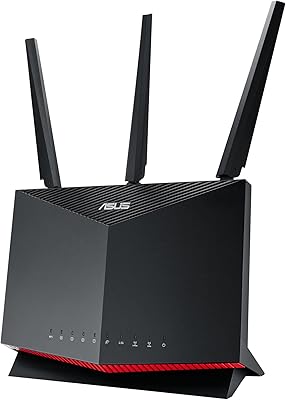
78%
83%
WiFi Performance
67%
Coverage Range
88%
Setup & Ease of Use
81%
Device Handling
91%
Network Security
More
ASUS RT-AX86U WiFi 6 Gaming Router
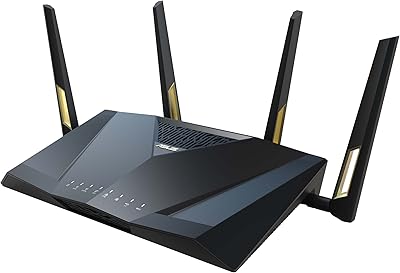
84%
91%
Wireless Performance
88%
Gaming Latency
86%
Range & Coverage
79%
Setup & Ease of Use
74%
Value for Money
More
ASUS RT-AX82U
ASUS RT-AX82U
82%
88%
Wireless Performance
91%
Gaming Latency
93%
Setup & Ease of Use
71%
Range & Coverage
82%
Build Quality & Design
More
ASUS RT-AX88U PRO WiFi 6 Router
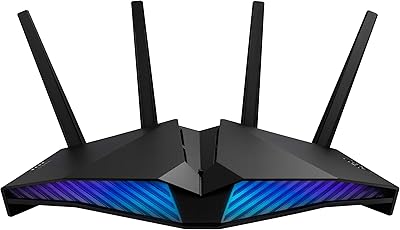
77%
88%
Wireless Performance
84%
Range & Coverage
91%
Multi-Device Handling
57%
Setup Experience
79%
Build Quality
More
ASUS RT-AX1800S
ASUS RT-AX1800S
79%
88%
Value for Money
79%
WiFi Speed & Performance
74%
Coverage & Range
83%
Setup & Ease of Use
67%
Router App Experience
More
ASUS RT-AX5400 WiFi 6 Dual-Band Router

80%
84%
WiFi Speed & Throughput
71%
Coverage & Range
88%
Setup & Ease of Use
91%
Built-in Security (AiProtection)
83%
Parental Controls
More
ASUS RT-BE58U WiFi 7 Router
80%
83%
Wireless Performance
81%
Range & Coverage
91%
Setup & Ease of Use
88%
Security Features
86%
Smart Home & IoT Management
More
ASUS RT-ACRH18 AC1750 Dual-Band WiFi Router
68%
88%
Setup & Installation
74%
Wi-Fi Speed & Performance
69%
Wireless Range & Coverage
66%
Connection Stability
71%
Multi-Device Handling
More
ASUS RT-AXE7800 Tri-Band WiFi 6E Router
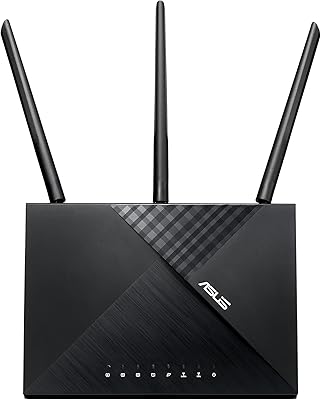
79%
88%
Wireless Performance
83%
Setup & Installation
79%
Signal Range & Coverage
91%
Network Security
84%
Parental Controls
More
ASUS RT-BE86U BE6800 Dual-Band WiFi 7 Router
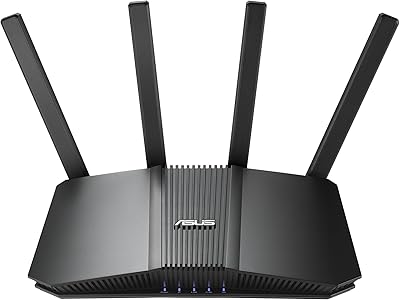
77%
83%
Wireless Performance
91%
Wired Connectivity
77%
Setup & Ease of Use
58%
Mobile App Experience
62%
Firmware Stability
More

FAQ

WISP mode lets the router connect to an existing public WiFi network — like in a hotel lobby — and rebroadcast it as your own private, password-protected network. Tethering is different: it uses your smartphone's mobile data connection (4G or 5G) via USB as the internet source, then shares that connection over WiFi. In simple terms, WISP uses existing WiFi as its upstream source, while tethering uses your phone's cellular data plan.

It runs on USB-C power, so any power bank or wall adapter with a USB-C output will work. There is no proprietary charger required, which is one of the genuinely convenient aspects of the design for travelers who already carry USB-C accessories.

Turning VPN on is straightforward — there is a one-touch activation option, and the router comes pre-configured to work with up to 30 popular VPN providers. That said, if you want to fine-tune protocols, configure a custom VPN server, or troubleshoot a provider that is not on the list, you will need some comfort with network settings. It is user-friendly for basic use, but not entirely hands-off for advanced configurations.

Yes, WISP mode is specifically designed for this scenario. The router connects to the hotel's WiFi on its WAN side, and you handle the captive portal login once through a browser. After that, all your devices connect to the router's private network and share that authenticated session without each one needing to log in separately.

Both brands target the same travel router market, but they differ in approach. GL.iNet devices tend to appeal more to technically inclined users who want open-source firmware (OpenWrt) and deep customization options. This ASUS model leans toward a more polished, consumer-friendly experience with its app management, AiProtection security suite, and AiMesh integration. If you are already in the ASUS ecosystem or prefer a guided setup over manual configuration, the RT-AX57 Go is the more approachable option.

Yes, iPhone tethering works via USB. You connect your iPhone to the router using a USB-A to Lightning or USB-C cable (depending on your iPhone model), enable Personal Hotspot on the phone, and select tethering mode on the router. It is worth noting that iOS tethering via USB is generally stable and tends to consume less phone battery than Bluetooth tethering.

Some users have noted that the unit runs noticeably warm during sustained high-load sessions, particularly when tethering or running VPN simultaneously. It is not unusual for compact routers to generate heat given the processing involved, but if you plan on leaving it running continuously for many hours, placing it in an open, ventilated spot rather than inside a bag or enclosed space is a good idea.

Yes, AiMesh compatibility means this portable WiFi 6 router can function as a mesh node alongside compatible ASUS routers at home. It is a nice dual-purpose value if you want one device that travels with you and fills a coverage gap at home when you are not on the road.

The router is rated for up to 70 devices, but real-world performance depends heavily on what those devices are doing. For a hotel room scenario with a handful of devices streaming, browsing, or on video calls, performance should be solid. Where you will notice strain is if multiple devices are simultaneously pulling heavy bandwidth — like 4K streaming on several screens at once — especially if the upstream public WiFi or tethered connection is itself limited.

The box includes a 1-meter RJ-45 Ethernet cable, power adapter, stand, flannel carry bag, and a quick start guide, so most users will not need to purchase anything extra for a typical travel setup. The main exception would be if your laptop lacks an Ethernet port — in that case, you would need a USB-C to Ethernet adapter to use the wired connection mode.

Where to Buy