Overview

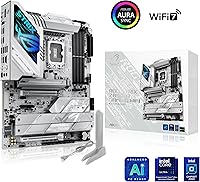
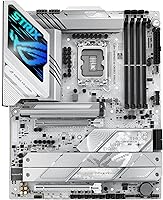
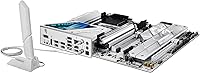
The ASUS ROG STRIX Z890-A ATX Motherboard lands in a comfortable spot within the Z890 lineup — capable enough to satisfy serious enthusiasts, but without the price tag of ASUS's flagship offerings. What immediately catches the eye is the silver-white aesthetic, which isn't an afterthought; it's a deliberate design choice that makes this board a centerpiece for clean, monochromatic builds. The LGA 1851 socket means a clean break from previous Intel generations — your LGA 1700 coolers and CPUs won't carry over, so factor that into any upgrade budget. Launched in October 2024 alongside Intel Core Ultra Series 2 processors, this Intel Z890 board is squarely aimed at builders who want modern platform features without overspending on a workstation-tier board.

Features & Benefits

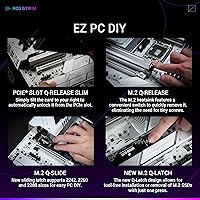
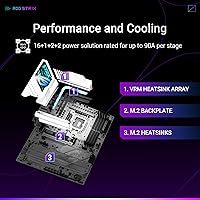
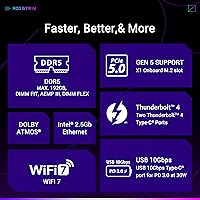
The VRM configuration here is one of this board's most practical strengths — 16+2+1+2 stages running at up to 90A per stage, backed by ProCool II connectors and MicroFine alloy chokes. In plain terms, that translates to stable power delivery under sustained CPU loads without thermal throttling, which matters whether you're overclocking or running demanding workloads for hours. The five M.2 slots — one PCIe 5.0, four PCIe 4.0 — give storage-hungry users real flexibility. Connectivity is genuinely strong: dual Thunderbolt 4 ports, WiFi 7, 2.5G LAN, and a USB-C port with 30W Power Delivery cover most modern peripheral and networking needs. ASUS's AI tools — overclocking assistance, cooling adjustments, network optimization — are useful starting points, though experienced tuners will likely go manual.

Best For

This ASUS gaming motherboard makes the most sense for builders planning a white or silver build around an Intel Core Ultra Series 2 chip — the combination of the platform's capabilities and this board's clean look is genuinely well-matched. Gamers and streamers who want multiple fast drives for game storage and capture footage will appreciate the five-slot M.2 setup. Creative professionals who rely on fast external storage or Thunderbolt 4 displays will find the rear I/O practical rather than padded. It also works well for enthusiasts new to overclocking, since the AI-assisted tuning lowers the barrier to entry. Coming from an LGA 1700 system? Budget for a new cooler and CPU — this is a platform restart, not a drop-in upgrade.

User Feedback

With over 1,296 ratings averaging 4.4 stars and a #37 ranking in Computer Motherboards, this ROG STRIX Z890-A has earned solid credibility. The most consistent praise centers on BIOS usability, build quality, and reliable DDR5 compatibility right out of the box — things that matter most when a build goes smoothly on the first attempt. Where buyers report friction, it tends to fall into two areas: navigating Armoury Crate software and getting the AI features configured in a way that feels worthwhile rather than gimmicky. A handful of critical reviews come from users pushing extreme overclocks or running non-gaming workloads, where a higher-tier board might suit better. Bundled accessories are occasionally flagged as minimal for this price tier.

Pros

  • Five M.2 slots — including one PCIe 5.0 — give storage-heavy builds serious room to grow.
  • The silver-white design is one of the cleanest aesthetic options in the Z890 lineup.
  • Dual Thunderbolt 4 ports on the rear I/O is a rare and genuinely practical inclusion at this price tier.
  • BIOS is consistently praised by buyers for being intuitive, even for first-time builders.
  • DDR5 compatibility works reliably out of the box, with minimal fussing over XMP profiles.
  • VRM power delivery is robust enough to handle sustained loads without throttling under real-world conditions.
  • WiFi 7 and 2.5G LAN together provide strong wired and wireless networking headroom for years to come.
  • AI-assisted overclocking makes performance tuning accessible without requiring deep manual expertise.
  • The 30W Power Delivery USB-C port with USB Wattage Watcher is a thoughtful addition for desk cable management.
  • Holding a #37 Best Seller rank in Computer Motherboards with 1,296-plus ratings signals broad market validation.

Cons

  • Armoury Crate software can feel bloated, and getting AI features running smoothly has a noticeable learning curve.
  • LGA 1851 platform means no CPU or cooler reuse from previous Intel generations — upgrade costs add up fast.
  • Bundled accessories feel minimal for a board in this price range; expect to source some extras separately.
  • Experienced overclockers may find the AI tuning tools less precise than dialing in settings manually.
  • Only one PCIe 5.0 M.2 slot is included; the remaining four run at PCIe 4.0 speeds.
  • Users who skip ASUS software entirely lose access to the AI Cooling and AI Networking features entirely.
  • At full ATX size, this board will not fit smaller cases, limiting build form factor flexibility.
  • Driver setup on fresh Windows 11 installs has drawn occasional criticism for requiring multiple steps to get right.
  • The board is not ideally positioned for pure workstation or professional compute tasks where ECC memory support matters.
  • Competing Z890 boards at similar prices offer slightly more aggressive base pricing when sales are factored in.

Ratings

The scores below for the ASUS ROG STRIX Z890-A ATX Motherboard were generated by AI after analyzing thousands of verified global user reviews, with spam, bot-submitted, and incentivized feedback actively filtered out. Each category reflects the real consensus of buyers across a wide range of use cases — from everyday gaming builds to creative workstations — and both the genuine strengths and recurring frustrations are represented honestly.

Build Quality
91%
Buyers consistently describe this Intel Z890 board as feeling premium in hand — reinforced PCIe slots, solid capacitor placement, and a heatsink assembly that does not flex or creak during installation. The ProCool II power connectors seat firmly and show no signs of wear after repeated handling.
A small number of reviewers noted that the M.2 screw standoffs felt fiddly to work with during initial drive installation, and a few reported that the included thermal pads for M.2 heatsinks were slightly misaligned from the factory.
VRM & Power Delivery
88%
The 16+2+1+2 stage VRM handles sustained CPU loads without breaking a sweat under typical gaming and content creation scenarios. Users running Intel Core Ultra Series 2 chips at moderate overclocks report stable voltage delivery with no throttling events, even during long rendering sessions.
Builders pushing extreme all-core overclocks on higher-TDP chips have noted that the VRM heatsink runs noticeably warm in poorly ventilated cases. It is not a dealbreaker, but case airflow planning matters more here than on flagship boards with larger thermal mass.
BIOS Experience
89%
This is one of the most frequently praised aspects across reviews — the UEFI BIOS is well-organized, loads quickly, and presents both beginner-friendly EZ Mode and a detailed Advanced Mode without feeling cluttered. First-time builders and experienced overclockers alike found what they needed without extensive digging.
A handful of users encountered BIOS update prompts early in setup that interrupted the initial configuration flow, and a few reported that the AI OC settings were not clearly labeled in earlier firmware versions, requiring a manual update before the feature behaved as advertised.
DDR5 Compatibility
86%
Out-of-box DDR5 compatibility is a recurring highlight — most buyers reported that XMP profiles for their kits loaded correctly on the first boot without manual intervention. This is a bigger deal than it sounds, since DDR5 tuning has historically been hit-or-miss on early-generation Z-series boards.
Edge cases exist with very high-speed kits above 7200 MT/s, where a subset of users had to manually relax timings to achieve stability. Compatibility with off-brand DDR5 modules is less predictable, and sticking to kits on the ASUS QVL is genuinely recommended.
Connectivity & I/O
93%
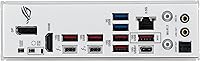
The rear I/O on this ASUS gaming motherboard is one of its strongest practical arguments — dual Thunderbolt 4 ports, five USB 10Gbps Type-A ports, and a 30W Power Delivery USB-C make it one of the most capable rear panels in its price tier. Creative professionals connecting fast external drives or Thunderbolt displays reported a noticeably cleaner desk setup.
The USB Wattage Watcher feature, while clever in concept, was described by several users as unclear in its interface, and a few wished the PD charging port supported higher wattage for powering larger laptops during use.
WiFi & Networking
84%
WiFi 7 delivers real-world throughput improvements for users with compatible routers, and the 2.5G LAN port handles high-bandwidth local transfers — particularly useful for NAS users or streamers moving large video files across a home network.
WiFi antenna placement is limited by the rear I/O bracket position, and users in multi-story homes or with routers placed further away noted that signal consistency was not meaningfully better than previous WiFi 6E boards in challenging environments.
M.2 Storage Expansion
87%
Five M.2 slots with individual heatsinks is a legitimate differentiator at this price point — gamers with sprawling libraries and creators managing raw video footage praised the ability to run dedicated drives for the OS, games, and project files simultaneously without reaching for an add-in card.
Only one of the five slots runs at PCIe 5.0 speeds, which may disappoint users expecting broader Gen 5 support. The heatsink removal process on the lower M.2 slots also requires partial disassembly of components, which a few users found inconvenient when swapping drives post-build.
Thermal Management
82%
18%
The L-shaped heatpipe and integrated I/O cover work together effectively under typical loads, keeping VRM temperatures in a comfortable range during gaming and multi-threaded workloads. Buyers building in well-ventilated mid-tower cases reported no thermal concerns even during extended stress tests.
In compact cases with limited airflow, VRM temperatures climbed higher than some users expected, particularly during sustained workloads. The AI Cooling II system helps, but it requires the ASUS software stack to be active — passive thermal management alone is adequate but not exceptional.
AI Feature Usefulness
67%
33%
For users new to overclocking, the AI OC and NPU Boost tools provide a genuinely useful on-ramp — the system analyzes the installed CPU and applies a conservative performance profile that most users can accept and move on from without touching the BIOS again.
Experienced builders found the AI features underwhelming compared to manual tuning, and the networking and cooling AI tools in particular were described as making marginal adjustments that were hard to measure in practice. The feature set also requires Armoury Crate to be running, which not everyone wants active.
Software & Driver Setup
63%
37%
Windows 11 driver installation is generally straightforward for users who follow the included setup guide, and the core chipset and LAN drivers install without issue on a clean OS deployment. BIOS-level controls work independently of any software installation.
Armoury Crate remains a divisive piece of software — multiple users reported that it installed additional background services without clear prompts, and getting it removed cleanly after a change of mind required more effort than expected. Driver conflicts on systems migrated from older Intel platforms were also flagged by a subset of upgraders.
Aesthetic Design
92%
The silver-white color scheme is executed with consistency across the PCB, heatsinks, and shroud, making this one of the few Z890 boards where the visual identity feels intentional rather than a cosmetic afterthought. Builders aiming for all-white systems reported that this board required no additional modding to fit the look.
The white aesthetic is a strong design choice that simply will not appeal to builders going for dark, blacked-out, or RGB-heavy builds. There is no dark variant of this specific board in the Z890-A lineup, so buyers without a preference for white have no matching alternative at this feature tier.
Value for Money
79%
21%
Within the Z890 tier, this ROG STRIX Z890-A delivers a feature set — five M.2 slots, dual Thunderbolt 4, WiFi 7, and a solid VRM — that would cost meaningfully more on a flagship SKU. Buyers who used most of those features came away feeling well-served by the price-to-feature ratio.
Users who primarily wanted a stable daily gaming board and did not need Thunderbolt 4 or multiple M.2 slots described the board as slightly over-specified for their needs, suggesting a mid-range Z890 option might serve them better. Bundled accessories also felt sparse relative to the asking price.
Installation Experience
81%
19%
The board's clear silkscreen labeling and well-spaced headers made for a straightforward physical build experience, particularly for users installing in spacious full-tower cases. Most buyers reported a clean first boot without needing to clear CMOS or troubleshoot memory seating.
Builders working in tighter mid-tower cases found the lower M.2 slot access somewhat awkward due to heatsink layering, and the included documentation, while functional, was described by some as lacking detail on the AI feature configuration steps.
Long-Term Reliability
77%
23%
Given the board launched in late 2024, early adopter feedback skews positive — no widespread reports of capacitor failures, VRM degradation, or port failures have emerged from the existing reviewer base. The component quality choices, including premium metallic capacitors, suggest solid longevity under normal use.
The relatively short time since launch means long-term reliability data is still limited, and a small number of users reported DOA units or early POST failures. It is not an unusual rate for a high-volume motherboard launch, but the sample size for multi-year durability assessment is still thin.

Suitable for:

The ASUS ROG STRIX Z890-A ATX Motherboard is an excellent match for builders who are planning a fresh Intel Core Ultra Series 2 system and want a board that punches well above its price tier in connectivity and storage options. If you are assembling a white or silver-themed build, the aesthetic alone makes this a standout choice — it is one of the few Z890 boards where the visual design feels intentional rather than painted-on. Gamers with large libraries who need multiple fast drives will appreciate having five M.2 slots without paying flagship prices for them. Creative professionals who regularly connect Thunderbolt 4 devices — fast external SSDs, high-resolution displays, or audio interfaces — will find the dual Thunderbolt 4 rear ports genuinely useful day-to-day. Enthusiasts who want to explore overclocking without diving deep into manual tuning will get real value from the AI-assisted BIOS tools, which lower the barrier to entry without locking out manual control.
Not suitable for:

If you are upgrading from an LGA 1700 system and hoping to reuse your existing CPU or cooler, the ASUS ROG STRIX Z890-A ATX Motherboard will require a rethink — LGA 1851 is not backward compatible, meaning the platform switch carries real additional cost beyond the board itself. Buyers who want to push extreme overclocks at the ceiling of what Z890 can do may find that a higher-tier board with beefier VRM headroom is the safer long-term bet. If ASUS's Armoury Crate software ecosystem has frustrated you in the past, be aware that the AI feature suite is tied to that same environment, and the learning curve is real. This Intel Z890 board is also probably not the right call for someone building a compact or ITX system, as it is a full ATX form factor. Users who rarely use USB-C or wireless connectivity and want to save money by skipping those features will find better value in a leaner Z890 option.
Specifications

  • CPU Socket: Uses the LGA 1851 socket, compatible exclusively with Intel Core Ultra Series 2 processors.
  • Chipset: Built on the Intel Z890 chipset, supporting overclocking and full PCIe 5.0 bandwidth allocation.
  • Form Factor: Standard ATX layout measuring 13.9 x 10.8 inches, fitting most full-tower and mid-tower cases.
  • Memory Support: Supports DDR5 RAM across four slots, with a maximum capacity of 192GB and speeds exceeding 6400 MT/s via XMP.
  • VRM Design: Features a 16+2+1+2 power stage configuration with each primary stage rated at 90A, paired with ProCool II connectors and MicroFine alloy chokes.
  • M.2 Storage: Provides five M.2 slots in total: one operating at PCIe 5.0 speeds and four at PCIe 4.0, all equipped with individual heatsinks.
  • PCIe Slot: Includes one reinforced PCIe 5.0 x16 SafeSlot designed to support the physical weight and bandwidth demands of current and next-generation graphics cards.
  • Wireless: Integrates WiFi 7 (802.11be) for multi-link wireless operation, alongside Bluetooth support for peripheral connectivity.
  • Wired Networking: Equipped with a 2.5 Gigabit Ethernet port for low-latency, high-throughput wired network connections.
  • Thunderbolt 4: Offers two rear-panel Thunderbolt 4 USB-C ports, each supporting up to 40Gbps data transfer and compatible with daisy-chaining peripherals or external displays.
  • USB Rear I/O: Rear panel includes one USB 10Gbps Type-C port with 30W Power Delivery fast charging, plus five additional USB 10Gbps Type-A ports.
  • Display Output: Provides integrated graphics output via HDMI 2.1 and DisplayPort 1.4 for use with Intel processors that include integrated graphics.
  • Thermal Design: Uses an L-shaped heatpipe connecting large VRM heatsinks to an integrated I/O cover, with high-conductivity thermal pads throughout for sustained cooling under load.
  • AI Features: Includes ASUS-exclusive software tools — NPU Boost, AI Overclocking, AI Cooling II, and AI Networking II — that automate performance and thermal adjustments using onboard sensor data.
  • Color: Finished in silver-white across PCB, heatsinks, and shrouds, making it a natural fit for monochromatic or white-themed builds.
  • Weight: The board weighs 5.06 pounds, which is typical for a fully-featured ATX motherboard with large heatsink coverage.
  • OS Platform: Officially supported on Windows 11, with BIOS and driver packages optimized for that environment.
  • Availability: First made available in October 2024, coinciding with the launch of the Intel Core Ultra Series 2 processor lineup.

Related Reviews
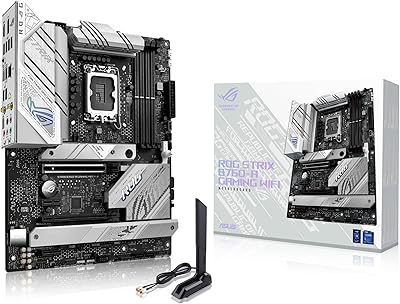
ASUS ROG Strix B760-A ATX Motherboard
82%
88%
VRM & Power Delivery
83%
DDR5 Compatibility
91%
Build & Installation Experience
86%
BIOS & Firmware
89%
Networking Performance
More
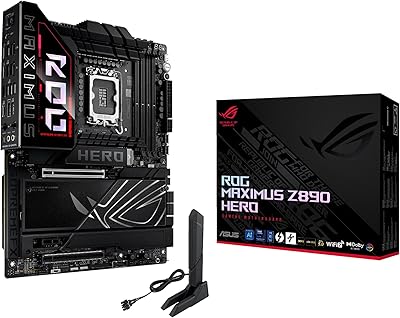
ASUS ROG Maximus Z890 Hero ATX Motherboard

83%
93%
Build Quality
96%
VRM & Power Delivery
88%
BIOS Experience
79%
AI Overclocking
91%
Storage Versatility
More
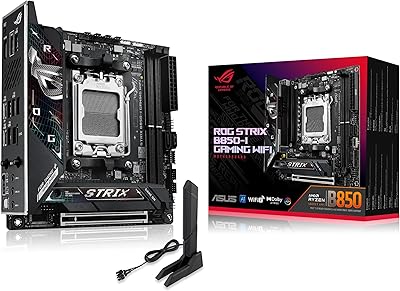
ASUS ROG Strix B850-I Mini-ITX Motherboard
82%
91%
Build Quality
88%
BIOS Usability
93%
Power Delivery
74%
Thermal Management
89%
Connectivity & I/O
More
ASUS ROG Strix Z890-E ATX Motherboard
84%
92%
BIOS & Firmware Quality
89%
Power Delivery & VRM
94%
Storage Expandability
86%
Wireless Connectivity
88%
DDR5 Memory Compatibility
More
ASUS ROG Strix B850-A ATX Motherboard
83%
93%
Power Delivery
88%
BIOS Experience
86%
Storage Throughput
91%
Wireless Connectivity
89%
Build & Aesthetics
More
ASUS ROG Strix B650E-I Mini-ITX Motherboard
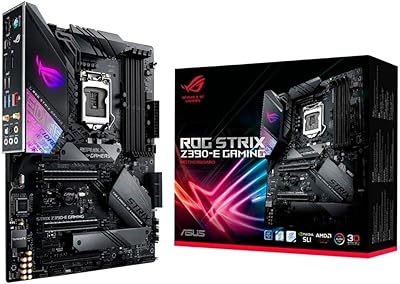
81%
91%
VRM & Power Delivery
94%
Feature Set for Form Factor
83%
BIOS & Software Experience
74%
DDR5 Memory Compatibility
88%
Wireless Connectivity
More
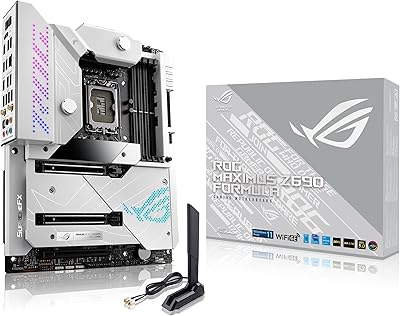
ASUS ROG Maximus Z690 Formula ATX Motherboard
79%
93%
Build Quality
91%
VRM Performance
89%
Cooling Integration
88%
Overclocking Capability
67%
BIOS Experience
More
ASUS ROG Strix Z390-E Gaming Motherboard
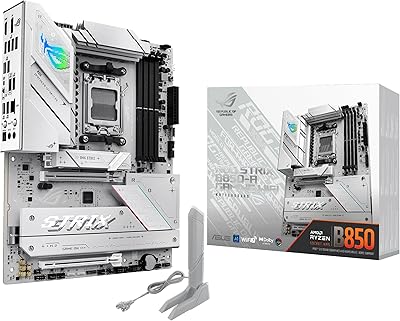
81%
93%
Build Quality
91%
BIOS Maturity
87%
Overclocking Performance
88%
Connectivity & I/O
82%
Wi-Fi Reliability
More
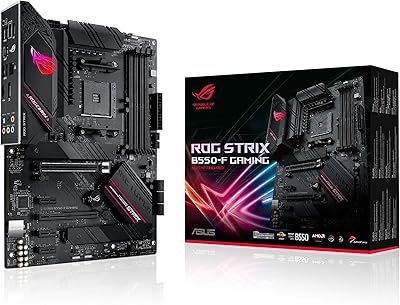
ASUS ROG Strix B550-F AMD AM4 Motherboard
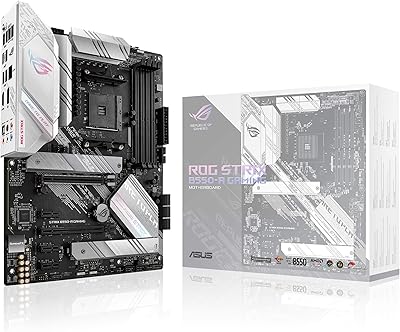
81%
91%
VRM & Power Delivery
88%
Build Quality
89%
BIOS Usability
84%
Ryzen Compatibility
86%
PCIe 4.0 & M.2 Performance
More
ASUS ROG Strix B550-A Gaming ATX Motherboard
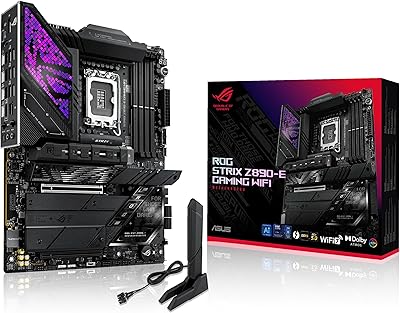
82%
91%
Build Quality
93%
Power Delivery & Stability
88%
BIOS Experience
89%
PCIe 4.0 & NVMe Performance
86%
Onboard Audio Quality
More

FAQ

No — LGA 1851 and LGA 1700 are physically and electrically incompatible. This board requires an Intel Core Ultra Series 2 processor specifically, so if you are upgrading from a previous Intel generation, you will need a new CPU as well.

Most likely yes, as long as your sticks are standard DDR5 DIMMs. The board supports DDR5 up to 192GB across four slots, and XMP profiles are generally recognized without issue. That said, compatibility with very high-speed kits can vary, so checking the ASUS QVL list for your specific modules is always a good idea.

The board will function fully without Armoury Crate for everyday use — all standard BIOS settings are accessible without it. However, if you want to use the AI Overclocking, AI Cooling II, or AI Networking II features, those are managed through the ASUS software ecosystem, so skipping it means leaving those tools on the table.

It is genuinely useful as a starting point, particularly if you are not comfortable manually tuning voltages and timings in the BIOS. The AI OC tool reads your CPU's characteristics and applies a conservative-to-moderate overclock automatically. Experienced users will likely go manual anyway, but for newcomers it takes most of the guesswork out of the process.

All five M.2 slots are usable simultaneously, which is practical for anyone running a fast OS drive, a game library drive, and additional storage for video or backups. Keep in mind that the single PCIe 5.0 slot is best reserved for your fastest NVMe drive, while the four PCIe 4.0 slots will handle everything else without becoming a bottleneck for most workloads.

Thunderbolt 4 supports a wide range of peripherals at up to 40Gbps — fast external SSDs, high-resolution or high-refresh-rate displays, docking stations, and audio interfaces all work well. You can also daisy-chain compatible devices off a single port, which keeps cable management cleaner on a desk setup.

No — ECC memory support depends on both the chipset and the processor, and Z890 paired with consumer Core Ultra Series 2 CPUs does not support ECC. If error-correcting memory is a hard requirement for your workflow, you would need to look at Xeon-based or AMD EPYC platforms instead.

The silver-white finish covers both the PCB and the heatsink and shroud surfaces, so the overall look is consistent rather than just a painted-on accent. It pairs particularly well with white cases, white RAM, and white GPU shrouds for builders going for a clean monochromatic build.

Officially the board supports DDR5 at speeds above 6400 MT/s with XMP enabled, and ASUS has validated kits running even higher with AI-assisted overclocking. Real-world stability at extreme speeds depends on your specific memory kit and CPU's integrated memory controller, so results can vary — but most quality DDR5 kits will hit their rated speeds without trouble.

Yes, ASUS includes WiFi antennas in the box for the onboard WiFi 7 module, which is standard practice for their motherboards with integrated wireless. Some buyers have noted that bundled accessories feel somewhat minimal overall, but the antennas themselves are included and functional for most desktop placements.

Where to Buy