
Overview

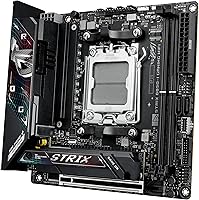
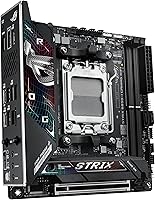
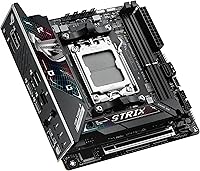
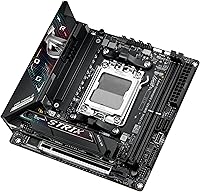
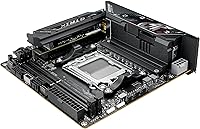
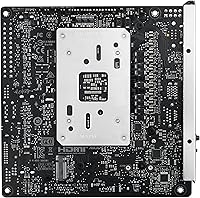
The ASUS ROG Strix B850-I Mini-ITX Motherboard is built for a specific kind of builder: someone who refuses to sacrifice performance just because they want a small PC. Fitting into cases that a full ATX board could never touch, this ROG Mini-ITX board sits on AMD's B850 chipset — a tier that punches well above mainstream without demanding the cost of a full X870 platform. Released in late 2024, it supports Ryzen 7000, 8000, and 9000 series processors, making it a genuinely forward-looking foundation. The ROG Strix pedigree brings serious power delivery credentials and Aura Sync RGB, balancing practical engineering with visual appeal inside a 6.69-inch square footprint.

Features & Benefits

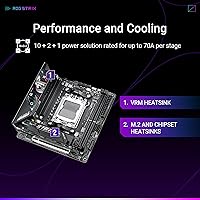
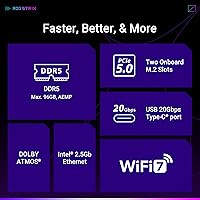
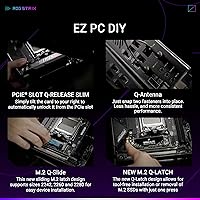
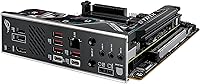
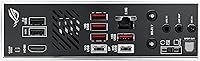
What makes this compact gaming motherboard stand out isn't any single spec — it's how much engineering ASUS packed into 6.69 square inches. The 10+2+1 power stage setup, rated at 70A per stage, handles even power-hungry Ryzen 9000 chips without thermal drama. Two PCIe 5.0 M.2 slots let you run a pair of next-gen NVMe drives at full speed simultaneously — no bandwidth sharing, no compromises. Connectivity is just as capable: WiFi 7 and 2.5G LAN cover wired and wireless use cases at speeds most builds won't outgrow soon. A 20Gbps USB Type-C port on the rear handles fast external storage natively. The AI Overclocking and AEMP tools won't replace hands-on tuning, but they give less experienced builders a useful and reliable starting point.

Best For

The B850-I Strix is a natural fit for SFF builds where every cubic centimeter matters. If you're planning a compact gaming rig or a content creation workstation that needs to live on a desk without dominating it, this board checks the right boxes. AM4 upgraders stepping into DDR5 territory will find a solid platform here — especially paired with a Ryzen 9000 chip. The dual M.2 slots and fast rear USB also appeal to video editors and streamers who move large files constantly. That said, if you need multiple PCIe expansion slots or heavy multi-device setups, a full ATX board will serve you better. This one rewards builders who know exactly what they want and aren't wasting space on features they'll never use.

User Feedback

With over 2,000 ratings and a 4.4-star average, the B850-I Strix has earned genuine credibility among verified buyers. The most consistent praise centers on BIOS usability — many users note how intuitive the interface is right away, even when dialing in DDR5 memory profiles. Build quality gets regular nods too, with most finding it a natural complement to premium Ryzen 9000 setups. On the critical side, some buyers flag the need to flash the BIOS before installing certain CPUs, which can be a hassle without a spare processor on hand. A few users in tighter enclosures also flag thermal headroom as a genuine concern. Most feel the feature-to-price ratio holds up well, though a handful question whether an X870 board might offer stronger long-term headroom.

Pros

  • Robust 10+2+1 power delivery handles even high-TDP Ryzen 9000 chips without throttling under load.
  • Dual PCIe 5.0 M.2 slots let you run two fast NVMe drives simultaneously at full bandwidth.
  • WiFi 7 and 2.5G LAN make this one of the most connectivity-complete Mini-ITX boards available today.
  • BIOS is widely praised for being intuitive and beginner-friendly straight out of the box.
  • The B850-I Strix offers near-flagship features at a noticeably lower cost than X870 Mini-ITX alternatives.
  • Rear 20Gbps USB Type-C handles modern fast storage devices and peripherals without an adapter.
  • AI Overclocking and AEMP give less experienced builders a reliable starting point without deep manual tuning.
  • Build quality feels premium, with an integrated I/O cover and solid heatsink coverage throughout.
  • Aura Sync RGB integration fits cleanly into existing ASUS ecosystem lighting setups.
  • Over 2,000 verified ratings at 4.4 stars signals consistent satisfaction across a wide range of builders.

Cons

  • Buyers may need to flash the BIOS before first boot if using a newer Ryzen processor without a spare CPU available.
  • Only one PCIe expansion slot means zero room for add-in cards alongside your GPU.
  • Sustained heavy workloads in very small, poorly ventilated cases can push thermal limits despite the heatsink design.
  • The price premium over competing B850 Micro-ATX boards is real and hard to ignore on a tighter budget.
  • AI Networking and AI Overclocking features feel more like nice extras than essential tools most users will rely on daily.
  • DDR5 base clock listed in specs is conservative; achieving higher XMP speeds depends heavily on memory kit compatibility.
  • Two memory slots instead of four limits maximum RAM capacity compared to larger form factor boards.
  • Mini-ITX cable management inside compact cases can be genuinely difficult, especially for first-time SFF builders.

Ratings

The ASUS ROG Strix B850-I Mini-ITX Motherboard scores below are generated by our AI system after analyzing thousands of verified global buyer reviews, with spam, bot-submitted, and incentivized feedback actively filtered out before scoring. The results reflect a balanced picture of what real builders praise and where frustrations genuinely surface. Both the standout strengths and the honest pain points are represented transparently across every category.

Build Quality
91%
Buyers consistently describe the board as feeling dense and well-engineered in hand, with a solid integrated I/O cover and heatsinks that do not flex or rattle. The PCIe slot retention mechanism and M.2 screw mounts earn specific praise from builders who have handled cheaper boards and immediately notice the difference.
A small number of users report that the M.2 heatsink thumb screws feel slightly under-torqued from the factory, requiring a careful re-tighten before first boot. At this price point, a handful of buyers expected more premium touches on the DIMM latch mechanism, which feels comparatively basic.
BIOS Usability
88%
The UEFI interface is widely praised for being approachable without sacrificing depth — new builders find it navigable within minutes, while experienced overclockers appreciate that the advanced options are genuinely there when needed. AEMP memory profile activation is a one-click process that most users report working correctly on the first attempt with quality DDR5 kits.
A recurring complaint involves the need to flash the BIOS before first boot on certain Ryzen 9000 CPUs, which catches unprepared builders without a compatible backup processor. BIOS update file sizes are also noted as large, and some users find the Armoury Crate software prompt during initial setup intrusive.
Power Delivery
93%
Running a Ryzen 9 9950X or similarly power-hungry chip under sustained all-core loads, users report no signs of throttling or voltage instability even in extended benchmarking sessions. The 70A-per-stage rating gives the board headroom most Mini-ITX competing designs simply cannot match, which matters when you are squeezing a flagship CPU into a small case.
The strength of the VRM also means it runs warm during heavy workloads, and in cases with limited airflow directed at the top of the board, VRM temperatures can climb more than expected. A dedicated VRM fan header would have been welcome for builders prioritizing sustained workstation loads over gaming bursts.
Thermal Management
74%
26%
The integrated heatsink design across VRM and M.2 zones does meaningful work given the board's footprint, and the primary M.2 slot cooler specifically keeps even PCIe 5.0 NVMe drives from throttling under sequential write workloads. Builders in mid-size ITX cases with decent airflow report stable temperatures throughout extended gaming sessions.
In very compact, low-airflow enclosures — the exact cases many Mini-ITX buyers prefer — thermal headroom becomes a genuine concern under sustained heavy CPU and storage loads simultaneously. Several users in popular dense SFF cases note that the secondary M.2 slot runs noticeably hotter than the primary, with no dedicated heatsink to assist it.
Connectivity & I/O
89%
Having WiFi 7, 2.5G LAN, and a 20Gbps USB Type-C all on a board this small is genuinely impressive and eliminates the need for add-in cards that a Mini-ITX build cannot accommodate anyway. Content creators moving large video files to fast external SSDs over the rear Type-C port report real-world transfer speeds that match the spec sheet.
The rear USB-A port count is limited compared to what ATX builders take for granted, and users with multiple peripherals find themselves relying on a USB hub more than they would like. A couple of reviewers also flag that the antenna placement for WiFi in certain compact cases can require awkward routing to achieve a clean build.
DDR5 Compatibility
82%
18%
With a broad range of DDR5 kits from major brands, AEMP profiles load and stick reliably, and most builders report achieving their kit's rated speed without hunting through obscure BIOS settings. The board handles DDR5-6000 and DDR5-6400 kits well with minimal fuss, which matters as memory prices at those speeds have become more accessible.
Edge cases exist with certain no-name or budget DDR5 kits that fail to POST cleanly at XMP speeds, requiring manual voltage tweaking or a fallback to slower JEDEC profiles. Two DIMM slots also means maximum capacity is capped compared to ATX alternatives, which limits builders planning memory-heavy workstation tasks.
WiFi 7 Performance
83%
On compatible WiFi 7 routers, users report throughput figures and latency numbers that clearly outperform their previous WiFi 6 or 6E setups, with online gaming latency staying impressively stable. The antenna design holds a consistent signal across reasonable distances without the dropouts some cheaper integrated WiFi solutions produce.
The real-world benefit is fully gated behind owning a WiFi 7 router, which many buyers do not yet have, leaving them using the board at WiFi 6E speeds in the meantime. A small number of users in interference-heavy apartment environments report slightly inconsistent performance that appears related to the antenna placement inside compact cases rather than the module itself.
Storage Performance
92%
Dual PCIe 5.0 M.2 slots running simultaneously without lane compromise is a genuine differentiator for a B850-class Mini-ITX board, and builders pairing two Gen5 NVMe drives report sequential read and write benchmarks that match standalone desktop PCIe 5.0 platform results. This matters practically for editors or streamers who capture and edit from separate high-speed volumes.
The second M.2 slot, while fully PCIe 5.0-capable, lacks a dedicated heatsink, and sustained writes on a Gen5 drive installed there will produce more heat than in the primary position. Installing and removing M.2 drives in the secondary slot is also fiddly in an assembled build due to its position beneath the GPU.
Overclocking Headroom
78%
22%
The power delivery foundation makes manual CPU overclocking stable and reproducible, and experienced builders pushing Ryzen 9000 chips report that the board holds requested voltages cleanly without significant droop under load. AI Overclocking serves as a useful baseline for those who want a quick improvement without committing to manual tuning.
The B850 chipset does impose some overclocking ceiling compared to X870E platforms, particularly for builders chasing extreme CPU frequency records or maximum memory bandwidth. The AI Overclocking feature, while convenient, is viewed by experienced overclockers as a safe but conservative tool rather than one that unlocks the board's full potential.
Software & Ecosystem
69%
31%
Aura Sync integration works reliably for builders already in the ASUS ecosystem, allowing unified lighting control across the board, compatible peripherals, and GPU in a single interface. The Armoury Crate app has improved meaningfully over older versions and most users find it functional for monitoring and RGB management.
Armoury Crate still carries a reputation for bloat and intrusive startup behavior, and a meaningful portion of buyers immediately uninstall it in favor of third-party alternatives. Users outside the ASUS ecosystem find the software largely unnecessary, and a few report conflicts with other RGB control utilities during initial setup.
Value for Money
76%
24%
Against the narrow field of premium B850 Mini-ITX boards, the feature density — dual PCIe 5.0 M.2, WiFi 7, strong VRM, and 20Gbps Type-C — makes the asking price defensible for builders who will actually use what they are paying for. Many buyers explicitly state it replaced their need to budget separately for a WiFi card or USB hub, softening the effective cost delta.
Compared to capable Micro-ATX B850 alternatives available at lower prices, the Mini-ITX tax is real and impossible to ignore for budget-conscious builders. A subset of reviewers question whether the premium over a competing X870 Mini-ITX option is justified given the chipset capability gap, particularly for heavy overclocking use cases.
First Boot Experience
71%
29%
When paired with a Ryzen 9000 CPU on a current BIOS revision, the out-of-box experience is smooth — POST is quick, the board detects DDR5 kits without drama, and initial BIOS navigation feels polished compared to competing brands at similar price points. Most buyers report a successful first boot and Windows installation without any notable hiccups.
The potential BIOS flash requirement before first-gen Ryzen 9000 CPU support represents the most cited frustration in the entire review pool, catching builders without a spare compatible processor in a genuinely difficult spot. ASUS does not include a USB BIOS flashback indicator light that clearly communicates progress, adding unnecessary anxiety to an already stressful first-build moment.
Aesthetics & Form
86%
The blacked-out PCB and ROG Strix styling look sharp inside windowed SFF cases, and the integrated I/O cover gives the rear a clean, finished appearance that cheaper boards with exposed solder and bare ports simply cannot match. Aura Sync RGB adds tasteful accent lighting without being garish, which many SFF builders specifically appreciate.
The ROG aesthetic is unmistakably gaming-focused, which does not land as well for builders assembling a professional workstation or a living room HTPC where understated looks matter. There is no white or alternative colorway option for the B850-I Strix, limiting its fit in light-themed builds that have become increasingly popular.

Suitable for:

The ASUS ROG Strix B850-I Mini-ITX Motherboard is the right call for builders who have made a deliberate choice to go small without giving anything up on performance. If you are assembling a compact gaming PC or a tight workstation that needs to fit in a limited desk footprint or a carry-friendly case, this board covers you with enough power headroom and storage bandwidth to satisfy even demanding workloads. AMD Ryzen 9000 and 7000 series owners will find the B850 chipset a practical sweet spot — enough overclocking support and DDR5 compatibility without the added cost of a full X870E platform. Content creators and streamers who constantly move large files will appreciate the dual PCIe 5.0 M.2 slots and the 20Gbps Type-C rear port working together. AM4 upgraders ready to commit to a modern DDR5 foundation will also feel at home here, especially those who want WiFi 7 and 2.5G LAN baked in from day one rather than added as afterthoughts.

Not suitable for:

The ASUS ROG Strix B850-I Mini-ITX Motherboard is a poor fit for builders who need expansion flexibility or plan to grow their system over time with additional cards and peripherals. Mini-ITX by design means one PCIe slot and limited real estate — if you want a discrete sound card, a capture card, or any multi-slot GPU setup, this form factor will frustrate you quickly. Builders running a budget-focused AMD build will also find the asking price hard to justify when capable Micro-ATX B850 boards exist at a lower cost. Anyone new to PC building who is not prepared for potential BIOS updates before first boot with certain Ryzen processors may hit an unexpected wall without a compatible CPU already on hand. Power users who push sustained heavy workloads in poorly ventilated, tiny enclosures should also think carefully — thermal ceiling in SFF cases is a real constraint no heatsink design fully eliminates.

Specifications

  • Form Factor: Mini-ITX board measuring 6.69 x 6.69 inches, designed to fit standard ITX cases and compatible small form factor enclosures.
  • Chipset: AMD B850 chipset, providing a capable mid-to-high tier platform for AM5 processors without requiring the premium X870 chipset.
  • CPU Socket: AMD AM5 (LGA1718) socket, compatible with Ryzen 7000, 8000, and 9000 series desktop processors.
  • Memory Support: Two DDR5 DIMM slots supporting dual-channel memory with a base clock of 2280 MHz and higher speeds via AEMP profiles.
  • Max Memory: Supports up to the DDR5 capacity limits defined by AMD AM5 platform specifications across its two available DIMM slots.
  • M.2 Storage: Two onboard M.2 slots, both running PCIe 5.0, with the primary slot covered by a dedicated large heatsink for sustained thermal performance.
  • Primary PCIe Slot: One PCIe 5.0 x16 slot for discrete graphics cards, supporting the latest GPU generations at full bandwidth.
  • Wireless: Integrated WiFi 7 (802.11be) module enables multi-band wireless connectivity with significantly higher throughput potential than previous WiFi standards.
  • Wired LAN: 2.5 Gigabit Ethernet port provides high-speed wired networking suitable for demanding local network transfers and low-latency gaming.
  • Rear USB: Rear I/O includes a USB 20Gbps Type-C port for fast connection of external SSDs, docks, and modern peripherals without a hub.
  • Power Delivery: 10+2+1 phase power solution rated at 70A per stage, paired with ProCool connectors for stable CPU power delivery under sustained loads.
  • BIOS Features: UEFI BIOS includes AI Overclocking, AEMP memory profiling, and AI Networking II to assist with system tuning and connectivity optimization.
  • RGB Lighting: Aura Sync RGB support allows lighting synchronization with compatible ASUS peripherals and components via the Armoury Crate software suite.
  • Thermal Design: Integrated I/O cover combined with oversized VRM and M.2 heatsinks uses high-conductivity thermal pads to manage heat in constrained enclosures.
  • Weight: The board weighs 2.82 pounds, which is typical for a feature-dense Mini-ITX design with integrated heatsink coverage.
  • Color: Finished in black with ROG Strix styling cues, designed to complement both windowed and closed-panel SFF case aesthetics.
  • Platform: Designed for Windows-based PC builds on the AMD AM5 platform, with full support for current-generation AMD desktop processors.
  • Release Date: First made available in September 2024, positioning it as a launch-window board for AMD Ryzen 9000 series processors.

Related Reviews
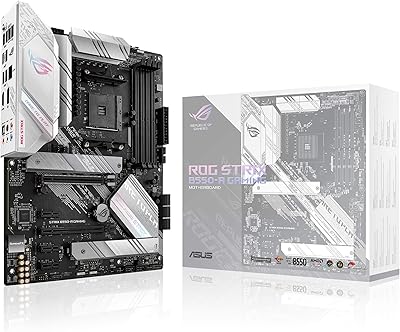
ASUS ROG Strix B850-A ATX Motherboard
83%
93%
Power Delivery
88%
BIOS Experience
86%
Storage Throughput
91%
Wireless Connectivity
89%
Build & Aesthetics
More
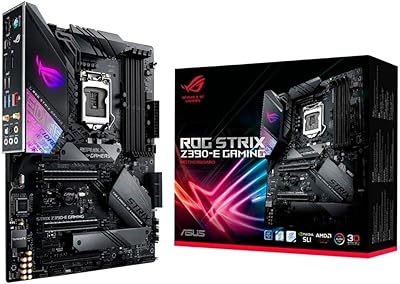
ASUS ROG Strix Z390-E Gaming Motherboard
88%
93%
Gaming Performance
90%
Overclocking Capabilities
88%
Wi-Fi Performance
85%
Ease of Installation
91%
Durability & Build Quality
More
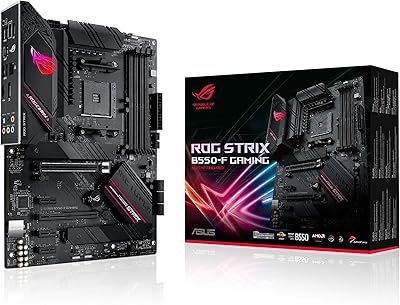
ASUS ROG Strix B550-F AMD AM4 Motherboard
81%
91%
VRM & Power Delivery
88%
Build Quality
89%
BIOS Usability
84%
Ryzen Compatibility
86%
PCIe 4.0 & M.2 Performance
More
ASUS ROG Strix B650E-I Gaming WiFi Motherboard
87%
93%
Performance
88%
Cooling Efficiency
90%
Installation Ease
91%
Connectivity (WiFi 6E, LAN)
85%
Build Quality
More
ASUS ROG Strix B550-A Gaming ATX Motherboard

82%
91%
Build Quality
93%
Power Delivery & Stability
88%
BIOS Experience
89%
PCIe 4.0 & NVMe Performance
86%
Onboard Audio Quality
More
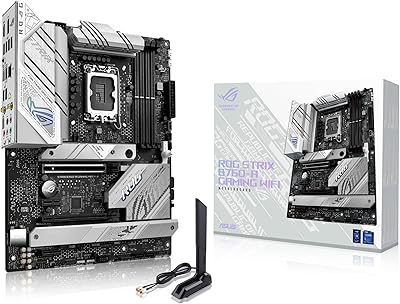
ASUS ROG Strix B760-A ATX Motherboard
82%
88%
VRM & Power Delivery
83%
DDR5 Compatibility
91%
Build & Installation Experience
86%
BIOS & Firmware
89%
Networking Performance
More
ASUS ROG Strix B650E-F Gaming WiFi Motherboard
85%
88%
Performance Under Load
91%
Ease of Setup
92%
WiFi and Networking
85%
Power Delivery Stability
78%
Cooling Requirements
More
ASUS ROG Strix Z790-A Gaming WiFi D4 Motherboard
84%
94%
Performance Under Load
89%
Thermal Management
75%
Ease of Installation
91%
Overclocking Capabilities
90%
Networking Speed & Reliability
More
ASUS ROG Strix X870E-E Gaming WiFi
88%
93%
Physical Build Quality
96%
Power Delivery Efficiency
94%
Storage Expansion Options
91%
Next-Gen Wireless Speed
92%
Tool-Free DIY Features
More
ASUS ROG STRIX X670E-F ATX Motherboard
82%
92%
VRM & Power Delivery
88%
BIOS Experience
86%
M.2 Storage Performance
71%
CPU Compatibility & Setup
89%
Thermal Design
More

FAQ

It depends on which specific board revision you receive. Some units ship with firmware that already supports Ryzen 9000 out of the box, but others may require a BIOS flash first. If you do not have a compatible older Ryzen chip to perform the update, check if ASUS or a local retailer offers a BIOS flashback service before assuming you are stuck.

Yes, the 10+2+1 power stage design rated at 70A per stage gives it a meaningful buffer beyond what even the most demanding Ryzen 9000 chips need under sustained load. That said, pairing it with a strong cooler and a case with decent airflow is still important, since the board cannot compensate for a thermally restricted enclosure.

No, it is a DDR5-only platform. The AM5 socket itself does not support DDR4, so you will need DDR5 DIMMs. If you are upgrading from an AM4 build, plan to purchase new memory alongside this board.

Most buyers report solid and stable wireless performance that outpaces older WiFi 5 or WiFi 6 setups in measurable ways, particularly for large file transfers over a compatible router. You will only see the full benefit of WiFi 7 if your router also supports it, but the board handles WiFi 6E and earlier standards as well.

Yes, both M.2 slots are PCIe 5.0, which is unusual even for premium Mini-ITX boards. You can run two high-speed NVMe drives at the same time without bandwidth sharing or lane splitting compromising either one.

It is a decent starting point rather than a replacement for manual tuning. The feature reads your CPU and memory configuration and applies a safe, stable overclock profile automatically. Experienced builders will likely tune beyond what it suggests, but for someone who just wants a bump in performance without diving into BIOS menus, it works reliably.

It depends on your case, not just the board. The B850-I Strix itself does not restrict cooler height — your case clearance spec is the limiting factor. Always check the maximum CPU cooler height your enclosure supports before ordering a tower cooler, as many popular SFF cases cap out between 55mm and 70mm.

Aura Sync works through ASUS Armoury Crate software, which you can set to run at startup or launch manually. Most users find the RGB setup straightforward, especially if they already own other Aura-compatible ASUS hardware. If you prefer a static color or no lighting at all, you can disable RGB entirely through the BIOS without needing the software installed.

The B850 chipset covers most of what everyday and enthusiast builders actually use — PCIe 5.0 storage, overclocking support, fast USB, and WiFi 7. The primary differences with X870 involve additional USB4 ports and slightly more PCIe lane availability, which matters most for very specific multi-device setups. For the majority of gaming and creative builds, the B850-I Strix hits a practical sweet spot without the X870 premium.

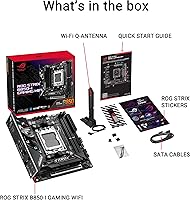
The ROG Strix B850-I includes SATA ports for connecting traditional 2.5-inch or 3.5-inch drives alongside the M.2 slots, making it possible to use existing storage in your build. That said, Mini-ITX cases often have limited drive bays, so check your enclosure's storage mounting options before assuming you can fit multiple SATA devices.

Where to Buy