Overview

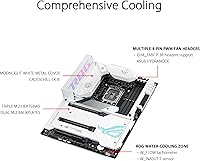
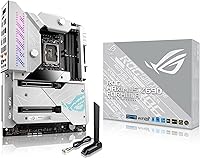
The ASUS ROG Maximus Z690 Formula ATX Motherboard is not a board you buy because it was the cheapest Z690 option on the shelf — it exists for builders who want the ceiling, not just the floor. Launched alongside Intel's 12th Gen Alder Lake platform, this ROG Maximus board occupies the upper tier of the Maximus lineage, a family long associated with hardcore overclocking and uncompromising build quality. The most distinctive feature out of the box is the EK CrossChill III integrated VRM waterblock — a direct collaboration with EK that eliminates the need to source a separate waterblock for your custom loop. If you are building a flagship rig and plan to actually use these capabilities, the Z690 Formula makes a compelling case.
Features & Benefits

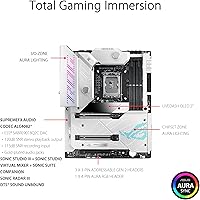
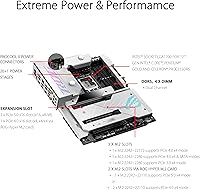
The power delivery on this flagship motherboard is built for sustained abuse. A 20+1 power stage configuration rated at 105A per phase means that when you are pushing a Core i9-12900K well beyond stock clocks, the VRM has headroom to spare. PCIe 5.0 slots and native DDR5 support mean the platform won't become a bottleneck as next-gen GPUs and NVMe drives mature. On the networking side, Wi-Fi 6E and onboard 10GbE Ethernet are genuinely useful for creators moving large video files across a local network. Thunderbolt 4 rounds things out for high-bandwidth peripherals or external displays. The AI overclocking and cooling tools offer a helpful starting point, though experienced tuners will quickly graduate to manual configuration.

Best For

This ROG Maximus board is a strong fit for a specific kind of builder. If you are pairing a Core i9 or i7 12th Gen chip with a custom liquid cooling loop, the integrated EK waterblock means one fewer component to plan around. Overclockers get a VRM built for longevity under sustained load, while content creators benefit from Thunderbolt 4 and the 10GbE connection for fast local transfers. Gamers planning a long-term flagship rig will appreciate DDR5 and PCIe 5.0 support that keeps the platform relevant as compatible hardware matures. That said, if your workload is everyday gaming at stock speeds, the Z690 Formula is honestly more board than you need — and the pricing reflects that without apology.

User Feedback

Across 267 ratings, the Z690 Formula holds a 4.0-star average — solid, but not a unanimous endorsement. Builders consistently praise the physical construction and the way the EK cooling integration feels like a thoughtful engineering decision rather than a marketing addition. Where opinions diverge is around value: some users note that modestly less expensive Z690 boards delivered comparable real-world gaming results, making the premium harder to justify without active overclocking. BIOS complexity is another recurring theme — enthusiasts appreciate the depth, but newcomers describe the learning curve as genuinely steep. ASUS Armoury Crate also drew criticism for feeling bloated and intrusive post-install. The consensus is clear: power users tend to love it, while casual builders find it overkill.

Pros

  • The integrated EK CrossChill III waterblock is a genuinely useful inclusion for custom loop builders, not just a marketing feature.
  • 20+1 power stages at 105A each provide serious, sustained overclocking headroom for demanding Intel 12th Gen CPUs.
  • Onboard 10GbE Ethernet makes a noticeable difference for creators transferring large files on a fast local network.
  • Thunderbolt 4 support handles high-bandwidth peripherals and external display daisy-chaining without needing an add-in card.
  • PCIe 5.0 and DDR5 support give the Z690 Formula long-term platform relevance as compatible hardware matures.
  • Triple M.2 slots with heatsinks plus the ROG Hyper M.2 expansion slot make storage configuration genuinely flexible.
  • Wi-Fi 6E delivers fast, low-latency wireless for users in environments where a wired connection is not practical.
  • Build quality is consistently praised by users — this board feels and behaves like a premium product from unboxing onward.
  • AI-assisted overclocking tools provide a useful starting baseline for users still learning the tuning process.
  • Ranked among the top motherboards in its category on Amazon, reflecting solid long-term buyer satisfaction for the target audience.

Cons

  • The BIOS has a steep learning curve that can frustrate less experienced builders during initial setup.
  • Early DDR5 compatibility quirks at launch caused headaches for some users, requiring BIOS updates to stabilize memory configurations.
  • Armoury Crate software is frequently criticized as bloated and difficult to cleanly remove post-install.
  • The price-to-performance gap narrows significantly for users who run their CPU at stock speeds and skip overclocking entirely.
  • At nearly 7.7 pounds, the board is heavy and dense, which can complicate installation in tighter or unconventional cases.
  • Some buyers reported that the real-world gaming performance advantage over mid-range Z690 alternatives was smaller than expected.
  • DDR5 memory costs at launch amplified the overall build expense considerably compared to DDR4-based Z690 alternatives.
  • The ROG ecosystem lock-in — software, aesthetics, accessories — may feel limiting for builders who mix brands freely.

Ratings

The ASUS ROG Maximus Z690 Formula ATX Motherboard scores here reflect AI-synthesized analysis of verified global buyer reviews, with spam, incentivized feedback, and bot activity actively filtered out before scoring. Ratings are grounded in real ownership experiences — from first-time DDR5 builds to long-term overclocking rigs — and transparently capture both what enthusiasts love and where real frustrations surfaced.
Build Quality
93%
Buyers consistently describe the physical construction as exceptional — heavy, dense, and confidence-inspiring straight out of the box. The dual embedded backplates, reinforced PCIe slot, and premium metallic capacitors give the board a structural rigidity that holds up well even during repeated hardware swaps in enthusiast testing environments.
A handful of users noted that the sheer weight and component density make initial installation more physically demanding than typical ATX boards, particularly when fitting the board into tighter mid-tower cases with limited clearance around the socket area.
VRM Performance
91%
The 20+1 power stage design at 105A per phase is repeatedly cited by overclockers as a genuine strength — users pushing Core i9-12900K chips beyond 5GHz reported stable voltage delivery under sustained all-core loads without thermal throttling events interrupting sessions.
The VRM headroom is largely wasted on users running stock or lightly boosted CPUs, and a few reviewers pointed out that boards at lower price points delivered comparable power delivery for non-overclocking workloads, making this strength irrelevant for that audience.
Cooling Integration
89%
The EK CrossChill III waterblock integration is the feature that most differentiates this board from competing flagship Z690 options. Custom loop builders praised how cleanly it connects to standard G1/4 fittings and how effectively it kept VRM temperatures in check during extended stress testing.
For air-cooled or AIO builds, the waterblock functions passively and performs adequately, but some users felt the premium embedded in the price for this feature was not fully recovered if they were not running a custom loop.
Overclocking Capability
88%
Among dedicated overclockers, the Z690 Formula earned strong marks for BIOS depth, the granularity of voltage and timing controls, and the stability achieved when pushing DDR5 kits beyond their rated XMP profiles — a meaningful differentiator from mid-range Z690 competitors.
AI Overclocking tools generated mixed feedback — the automated profiles were described as a useful starting point but not reliably optimal, and experienced tuners found the suggestions conservative enough that manual configuration was still necessary for peak results.
BIOS Experience
67%
33%
Experienced builders appreciated the BIOS depth, the clean layout of advanced menus, and the breadth of per-core tuning options available — calling it one of the more fully featured UEFI environments they had used across recent Intel platforms.
Newcomers to overclocking or first-time Z690 builders repeatedly flagged the BIOS as overwhelming, with multiple layers of settings and limited in-BIOS guidance. Several users required multiple restores and forum research before achieving stable boot sequences with aggressive DDR5 configurations.
DDR5 Compatibility
71%
29%
Once stable, the board handled high-frequency DDR5 kits well, and users who updated to later BIOS revisions reported improved memory training times and reliable compatibility with a broader range of DDR5 kits from major manufacturers.
At launch, DDR5 compatibility quirks were a recurring pain point — users reported prolonged POST times, training failures with certain kits, and occasional instability that required BIOS updates to resolve, which was frustrating for early adopters expecting a polished out-of-box experience.
Networking Performance
86%
The combination of Wi-Fi 6E and Marvell AQtion 10GbE was genuinely valued by content creators and prosumers who regularly transfer large video or project files across local networks — several noted that the 10GbE connection alone justified a meaningful portion of the board cost for their workflows.
For the majority of gaming-only users, 10GbE networking is difficult to take advantage of without a compatible router or NAS, and the feature effectively goes unused in standard home network setups, contributing to value perception issues for that segment.
Connectivity & I/O
84%
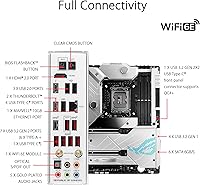
Twelve rear USB ports, Thunderbolt 4, and a comprehensive rear I/O shield were consistently praised — particularly by users running multiple peripherals, capturing devices, and external drives simultaneously without needing a separate hub or PCIe USB expansion card.
Some users noted that only two of the twelve USB ports are USB 2.0, which is fine for most purposes, but the absence of a USB4 port alongside Thunderbolt 4 was seen as a minor missed opportunity at a flagship price point.
Software & Ecosystem
53%
47%
Users who committed to the full ROG ecosystem found Armoury Crate useful for centralized control of fan curves, lighting synchronization across multiple ROG components, and monitoring during stress testing sessions without needing third-party tools.
Armoury Crate drew the most consistent criticism in user reviews — described as bloated, intrusive on startup, and difficult to fully uninstall. Multiple users reported that removing it cleanly required third-party uninstallers, and the software update process was flagged as unreliable.
Storage Flexibility
87%
Three onboard M.2 slots with individual heatsinks plus ROG Hyper M.2 expansion card support gave high-capacity storage builders a platform that could accommodate four or more NVMe drives without compromise — a genuine advantage for video editors and data-heavy workloads.
The ROG Hyper M.2 card is not included in the box, so users who need the fourth M.2 slot face an additional purchase. A few users also noted that populating all M.2 slots can disable certain SATA ports, which requires planning around if you are mixing storage types.
Value for Money
59%
41%
For the specific buyer who uses the EK waterblock, pushes active overclocks, and relies on 10GbE networking, the Z690 Formula justifies its cost in ways that competing boards cannot match — the integrated features replace multiple separate purchases that would otherwise add up quickly.
The recurring theme across critical reviews is that real-world gaming performance between this board and Z690 alternatives at lower price points is nearly indistinguishable at stock CPU speeds — making the premium feel difficult to justify for users who are not actively exploiting the headroom.
PCIe 5.0 Readiness
78%
22%
Having PCIe 5.0 on the primary GPU slot and M.2 slots meant this board was ahead of most Z690 options at launch, and buyers who anticipate upgrading to PCIe 5.0 storage or future GPUs viewed it as a meaningful long-term platform investment.
At the time of most buyer reviews, fully PCIe 5.0-compatible consumer hardware was not yet widely available, so the benefit remained largely theoretical for current-generation builds — making it a future-facing feature rather than an immediate, tangible advantage.
Thermal Management
83%
Beyond the VRM waterblock, the triple M.2 heatsinks and strategically placed thermal pads kept storage drive temperatures well within safe ranges during extended sequential read/write workloads — something builders noticed when comparing to boards with single or shared M.2 heatsinks.
A small number of users reported that the M.2 heatsinks, while effective, add meaningful friction to storage drive swaps during upgrades — the design prioritizes thermal performance over quick-access convenience, which is a minor but real trade-off.
Aesthetics & RGB
81%
19%
The visual design earned consistent praise from ROG fans — the board looks purposeful rather than garish, and the RGB implementation is restrained enough to work well in both windowed show builds and more understated setups with the lighting set to minimal modes.
Users who prefer non-RGB builds found the lighting elements harder to disable cleanly without Armoury Crate installed, and given the software complaints, this created a circular frustration for builders who wanted the hardware without the ecosystem commitment.

Suitable for:

The ASUS ROG Maximus Z690 Formula ATX Motherboard is purpose-built for enthusiast builders who intend to push their hardware — not just run it at stock settings and call it a day. If you are pairing a Core i9-12900K or i7-12700K with a custom liquid cooling loop, the integrated EK CrossChill III VRM waterblock removes a genuinely annoying planning step and ensures your power delivery stays cool under sustained overclocking loads. Content creators and prosumers who regularly move large files across a local network will find the onboard 10GbE Ethernet and Thunderbolt 4 connectivity worth their weight in saved time. Gamers building a long-term flagship rig benefit from DDR5 and PCIe 5.0 support, which keeps the platform competitive as compatible GPUs and storage drives continue to mature. Anyone already invested in the ROG ecosystem — whether for aesthetics, software, or hardware compatibility — will find this flagship motherboard slots in naturally and rewards the investment over a multi-year build lifecycle.
Not suitable for:

If your plan is to build a capable everyday gaming or work PC without touching overclocking settings, the Z690 Formula is going to leave money on the table. There are competent Z690 boards available at a meaningful discount that will deliver nearly identical real-world gaming frame rates for a user running a stock-clocked CPU — the premium here is specifically for the headroom, the cooling integration, and the connectivity extras. Newcomers to PC building may also find the BIOS depth intimidating rather than empowering; this board rewards users who already know what XMP profiles, LLC settings, and manual voltage curves mean. The Armoury Crate software suite, which you will almost certainly encounter during setup, has drawn consistent criticism for being bloated and pushy, and that friction is a real quality-of-life concern for users who prefer clean installs. In short, buyers who cannot realistically take advantage of the 20+1 power delivery, the EK waterblock, or the high-bandwidth networking should redirect their budget toward a mid-range Z690 board and invest the savings elsewhere in their build.

Specifications

  • CPU Socket: Uses the LGA 1700 socket, compatible with Intel 12th Gen Core processors including the Core i9-12900K, i7-12700K, and i5-12600K.
  • Form Factor: Standard ATX form factor measuring 14.41 x 12.36 inches, fitting most full-tower and mid-tower cases designed for ATX builds.
  • Chipset: Built on the Intel Z690 chipset, enabling full overclocking support for unlocked Intel 12th Gen CPUs.
  • Memory Support: Supports DDR5 RAM up to 64GB across four DIMM slots, with a base speed of 3200 MHz and support for higher speeds via overclocking profiles.
  • Power Delivery: Features a 20+1 teamed power stage design with each phase rated at 105A, paired with ProCool II connectors and MicroFine alloy chokes for stable high-load operation.
  • PCIe Support: Includes PCIe 5.0 slots for the primary GPU connection and NVMe storage, providing forward compatibility with next-generation discrete graphics cards and SSDs.
  • Storage Slots: Offers three onboard M.2 slots with individual heatsinks plus support for the ROG Hyper M.2 expansion card, accommodating up to four M.2 NVMe drives simultaneously.
  • Networking: Equipped with onboard Wi-Fi 6E for wireless connectivity and a Marvell AQtion 10Gb Ethernet controller for high-throughput wired network performance.
  • Thunderbolt 4: Includes a Thunderbolt 4 port on the rear I/O, supporting data transfer speeds up to 40Gbps and compatibility with TB4 displays and external storage enclosures.
  • USB Ports: Provides 12 rear USB ports in total, including USB 3.2 Gen 2x2, USB 3.2 Gen 2, and two USB 2.0 ports for legacy peripheral support.
  • VRM Cooling: Integrates an EK CrossChill III hybrid VRM heatsink that connects directly to a custom liquid cooling loop or operates passively with high-conductivity thermal pads.
  • Audio: Onboard audio solution includes ASUS-tuned components with two-way AI Noise Cancelation support for cleaner voice capture and playback during calls or streaming.
  • BIOS Features: The UEFI BIOS includes AI Overclocking and AI Cooling utilities that generate an automated tuning baseline based on the installed CPU and cooling configuration.
  • Dimensions: The board measures 14.41 x 12.36 x 4.69 inches (LxWxH) and weighs 7.69 pounds, reflecting the density of its onboard components and heatsink assembly.
  • Platform: Designed for use with Windows 11 and Windows 10, with full driver and software support provided through the ASUS support portal.
  • Launch Date: First made available in November 2021, coinciding with the initial retail launch of Intel 12th Gen Alder Lake desktop processors.
  • Market Rank: Holds a Best Sellers Rank of #290 in the Computer Motherboards category on Amazon, based on sustained sales performance since launch.
  • User Rating: Carries an average rating of 4.0 out of 5 stars from 267 verified customer ratings on Amazon as of available data.

Related Reviews
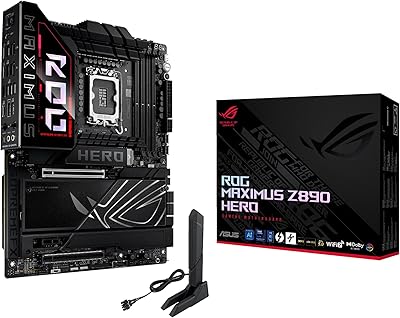
ASUS ROG Maximus Z890 Hero Motherboard
88%
96%
Performance
94%
Thermal Design & Cooling
92%
Power Delivery & Stability
90%
Connectivity (WiFi 7 & Thunderbolt 4)
89%
AI Features (Overclocking & Cooling)
More
Asus ROG Maximus Z690 Hero EVA
88%
94%
Build Quality
92%
Overclocking Performance
88%
Aesthetics & Design
90%
Thermal Management
89%
Connectivity (Wi-Fi 6E & Ethernet)
More
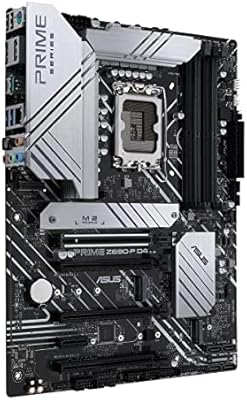
ASUS Prime Z690-P D4 ATX Motherboard
85%
89%
Overall Performance
88%
Cooling Efficiency
90%
Build Quality
87%
Ease of Installation
91%
Compatibility with Intel 12th Gen Processors
More
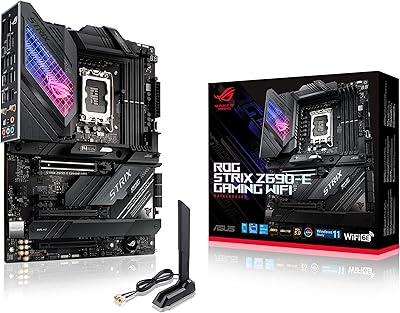
ASUS ROG Strix Z690-E Gaming WiFi Motherboard
84%
93%
Build Quality
88%
BIOS Experience
94%
Power Delivery
71%
DDR5 Compatibility
89%
Wireless Networking
More
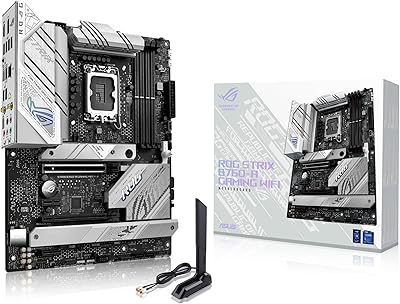
ASUS ROG Strix B760-A ATX Motherboard
82%
88%
VRM & Power Delivery
83%
DDR5 Compatibility
91%
Build & Installation Experience
86%
BIOS & Firmware
89%
Networking Performance
More
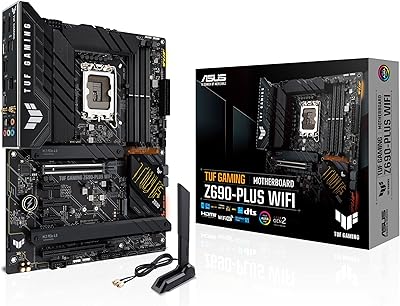
ASUS TUF Gaming Z690-Plus WiFi ATX Motherboard
86%
88%
Overall Performance
92%
Value for Money
90%
Build Quality
78%
Ease of Setup
91%
Networking Performance
More
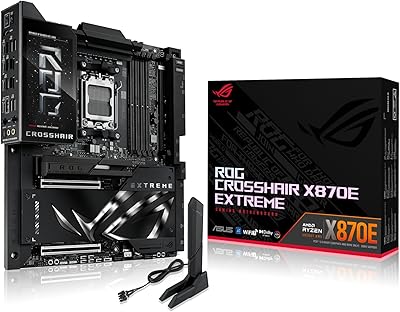
ASUS ROG Crosshair X870E Extreme AMD X870E AM5 E-ATX Gaming Motherboard
88%
94%
Performance
90%
Thermal Performance
88%
Ease of Setup
92%
AI Overclocking
89%
Connectivity
More
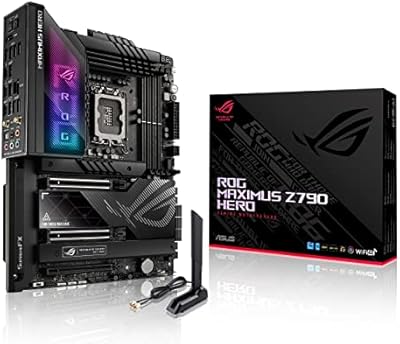
ASUS ROG Maximus Z790 Hero
87%
94%
Overclocking Performance
89%
Cooling Effectiveness
91%
Build Quality
86%
Networking Capabilities
93%
Power Delivery & Stability
More
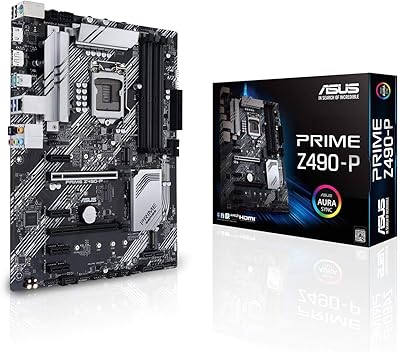
ASUS Prime Z490-P ATX Motherboard
83%
92%
Stability and Reliability
88%
Cooling Performance
85%
Ease of Installation
90%
Compatibility with Intel 10th Gen CPUs
87%
Value for Money
More
ASUS Prime X299-A II ATX Motherboard
78%
92%
Power Delivery
88%
Thermal Management
91%
Build Quality
83%
BIOS Experience
78%
CPU Compatibility
More

FAQ

No, the Z690 Formula works perfectly fine with air cooling or an AIO cooler on the CPU. The EK CrossChill III heatsink is a hybrid design — it can be connected to a custom loop for maximum VRM cooling, but it also functions passively with its built-in thermal pads when no liquid connection is made. The water cooling integration is a bonus for custom loop builders, not a requirement for everyone.

This board was designed and officially validated for 12th Gen Intel Alder Lake processors using the LGA 1700 socket. ASUS did release BIOS updates that added support for 13th Gen Raptor Lake CPUs on some Z690 boards, but you should verify the latest BIOS compatibility notes on the ASUS support page before purchasing if you plan to use a 13th Gen chip.

No. This ROG Maximus board is DDR5-only — there are no DDR4 DIMM slots. If you are coming from a DDR4 build, you will need to budget for new DDR5 memory kits, which were notably more expensive at launch and have since become more accessible in pricing.

Honest answer: it has a real learning curve. The BIOS is feature-dense, and the sheer number of options can be overwhelming if you have never manually tuned voltage, LLC settings, or memory subtimings before. The AI Overclocking tool provides a reasonable automated starting point, which helps, but this board is genuinely better suited to users who are at least comfortable with the basics of BIOS navigation.

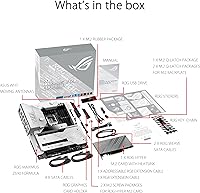
Yes, ASUS includes a magnetic base Wi-Fi antenna with the board for use with the onboard Wi-Fi 6E module. The antenna attaches to the rear I/O SMA connector and can be positioned for best signal reception.

The Z690 Formula has three onboard M.2 slots, each with its own dedicated heatsink. It also supports the ROG Hyper M.2 expansion card, which adds additional M.2 slots via the PCIe interface. For most builds, three simultaneous NVMe drives covers even aggressive storage configurations.

The board functions fully without Armoury Crate installed — you do not need it for the hardware to operate. That said, if you want to control RGB lighting or use the fan curve software outside of the BIOS, you will need it. Many users choose to skip Armoury Crate entirely and handle fan and lighting settings through the BIOS instead, which is a reasonable approach given the software criticisms.

Not at all. The primary PCIe slot runs at PCIe 5.0 x16, which provides far more bandwidth than any current consumer GPU can saturate. Even PCIe 4.0 graphics cards run without any meaningful bottleneck on this platform. The PCIe 5.0 slot is genuinely future-looking for when compatible GPUs become more common.

For a high-end build centered on a Core i9-12900K paired with a flagship GPU, a quality 850W to 1000W PSU is a sensible choice. The board itself uses significant power through its 20+1 VRM under full overclocking load, and pairing it with an underpowered supply could cause stability issues during sustained workloads or gaming sessions.

Thunderbolt 4 does technically support eGPU enclosures, though real-world performance through any TB4 connection is limited by the interface bandwidth compared to a direct PCIe slot. For gaming, an eGPU via Thunderbolt 4 is not recommended — the onboard PCIe 5.0 slot will always deliver significantly better GPU performance for that use case. The TB4 port is better suited for high-speed external storage, daisy-chained monitors, or professional peripherals.

Where to Buy