ASUS ROG Strix B550-F AMD AM4 Motherboard
Overview
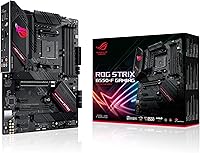
The ASUS ROG Strix B550-F AMD AM4 Motherboard sits in an interesting spot — capable enough to satisfy demanding builders, yet priced below the X570 tier that many don't actually need. Launched in mid-2020, it arrived ready for Zen 3 Ryzen 5000 processors, which gave it unusual longevity in an era when board compatibility was often an afterthought. As an ATX board carrying the ROG Strix badge, it signals a clear step above ASUS's Prime lineup without reaching the premium territory of the Crosshair flagships. For anyone building or upgrading within the AM4 ecosystem today, the B550-F occupies a sensible middle ground.
Features & Benefits
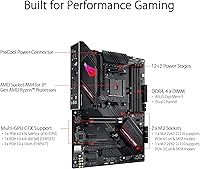
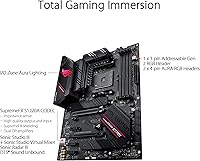
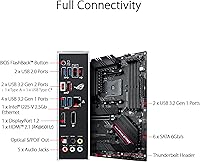
The 12+2 DrMOS power stages are arguably the headline spec — they provide stable, consistent power delivery even when running a high-core-count chip like the Ryzen 9 5900X under prolonged load. The primary M.2 slot runs at PCIe 4.0 x4, so a Gen 4 NVMe drive will hit its rated speeds without any bottleneck. Networking gets a real upgrade too: the 2.5Gb LAN with ASUS LANGuard outpaces standard gigabit by a meaningful margin for local file transfers or low-latency gaming sessions. A USB 3.2 Gen 2 Type-C rear port and Thunderbolt 3 header round out a connectivity lineup that covers most modern use cases.
Best For
This ROG Strix board is a natural fit for builders pairing it with a Ryzen 5000 series CPU — the 5600X, 5800X, or 5900X all land well within what the VRM can handle without stress. It also suits anyone who wants Gen 4 M.2 performance without stepping up to a full X570 platform. Aura Sync RGB integration will appeal to builders who care about clean aesthetics, and the 2.5Gb LAN makes it a solid pick for home office setups that move large files across a local network. Worth noting: this variant has no onboard WiFi, so wireless connectivity will require an add-in card or USB adapter.
User Feedback
With over 5,400 ratings averaging 4.6 out of 5, this AMD gaming motherboard has earned a broad and largely positive reception. Buyers frequently highlight the intuitive BIOS layout and solid physical build quality. Ryzen compatibility is generally praised, though a recurring note involves needing to flash an updated BIOS before a Zen 3 processor will boot — manageable, but worth planning ahead for. The most consistent criticism is the absence of WiFi on this SKU. Some longer-term owners have also questioned whether the AM4 platform still makes sense as a new purchase given newer AM5 options, which is a fair consideration for anyone buying in today.
Pros
- Strong 12+2 DrMOS power stages handle high-core-count Ryzen processors reliably without thermal throttling under load.
- PCIe 4.0 on the primary M.2 slot delivers full Gen 4 NVMe drive speeds with no bottleneck.
- 2.5Gb LAN is a genuine upgrade over standard gigabit for faster file transfers and lower-latency local networking.
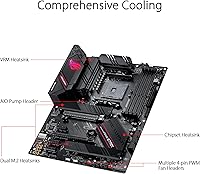
- Fanless VRM and chipset cooling keeps the board quiet under typical gaming and productivity workloads.
- BIOS is widely praised for being intuitive and well-organized, even for builders who are not overclocking veterans.
- Aura Sync RGB integration works reliably with other compatible components for a cohesive system aesthetic.
- Dual M.2 slots reduce the need for SATA drives and keep cable management cleaner inside the case.
- Build quality feels solid and premium relative to what you pay, consistent with the ROG Strix tier.
- USB 3.2 Gen 2 Type-C rear port and Thunderbolt 3 header add meaningful flexibility for modern peripherals.
- Over 5,400 user ratings averaging 4.6 out of 5 reflects genuinely broad, sustained satisfaction across diverse build types.
Cons
- No onboard WiFi — wireless connectivity requires a separate add-in card or USB adapter at additional cost.
- Zen 3 CPUs may require a BIOS update before the board posts, which can be a hurdle without a compatible older CPU.
- AM4 is a mature, end-of-life platform — long-term upgrade options are limited compared to AM5 builds started today.
- Only two M.2 slots may feel restrictive for power users who want three or more fast NVMe drives.
- No Bluetooth built in, which matters for users who rely on wireless audio, controllers, or peripherals.
- Some buyers report inconsistent RAM compatibility at rated XMP speeds above 3600MHz, requiring manual tuning.
- The second M.2 slot is PCIe 3.0, not PCIe 4.0 — worth knowing if you plan to run two Gen 4 drives.
- At its price point, competing boards from MSI and Gigabyte sometimes offer WiFi included, making comparisons worthwhile.
Ratings
The ASUS ROG Strix B550-F AMD AM4 Motherboard has been scored by our AI system after analyzing thousands of verified global user reviews, actively filtering out incentivized, bot-generated, and low-credibility submissions to surface genuine buyer sentiment. The scores below reflect both the real strengths that keep this board highly rated and the legitimate pain points that surfaced consistently across long-term owners. Nothing has been smoothed over — where users had complaints, the scores show it.
VRM & Power Delivery
Build Quality
BIOS Usability
Ryzen Compatibility
PCIe 4.0 & M.2 Performance
Networking (LAN)
Thermal Management
Connectivity & USB
RAM Overclocking
Audio Quality
Aesthetics & RGB
Value for Money
Software & Ecosystem
Long-Term Reliability
Suitable for:
The ASUS ROG Strix B550-F AMD AM4 Motherboard is a strong match for builders who are committed to the AM4 platform and want a board that can handle a Ryzen 5000 series CPU — including higher-core-count chips like the 5800X or 5900X — without paying X570 prices. The robust VRM design means it handles sustained workloads well, whether that is extended gaming sessions, video rendering, or compiling large codebases. PC enthusiasts who want Gen 4 NVMe speeds on their primary storage drive will get that without compromise on the main M.2 slot. The 2.5Gb LAN also makes this ROG Strix board a practical pick for home office or small studio setups where fast local network transfers matter. Anyone upgrading from an older AM4 board and wanting a meaningful step up in connectivity and power delivery will find the B550-F a logical landing point.
Not suitable for:
Buyers who need onboard WiFi should look elsewhere — the ASUS ROG Strix B550-F AMD AM4 Motherboard does not include wireless networking in this SKU, and adding a card later is an extra cost and step that not everyone wants to deal with. If you are starting a brand new build in today's market, it is also worth honestly weighing AM4 against AM5, since the newer platform offers a longer upgrade runway even if the entry cost is higher. Builders who need more than two M.2 slots or extensive PCIe lane availability for multi-GPU or heavy expansion setups will hit the B550 chipset's natural ceiling fairly quickly. Those who require WiFi 6, Bluetooth out of the box, or integrated 10Gb networking will need to budget for a different board entirely. And anyone planning to run a Zen 3 CPU immediately should be prepared to potentially flash a BIOS update first, which requires either a compatible older CPU on hand or a board from a retailer that has pre-flashed it.
Specifications
- CPU Socket: Uses the AMD AM4 socket, supporting 3rd Gen Ryzen (Matisse) and Ryzen 5000 series (Zen 3) processors out of the box with an updated BIOS.
- Chipset: Built on the AMD B550 chipset, which supports PCIe 4.0 on the CPU lanes while chipset lanes operate at PCIe 3.0.
- Form Factor: Standard ATX form factor measuring 13.3 x 10.7 x 2.7 inches, compatible with full-size and most mid-tower ATX cases.
- VRM Design: Features a 12+2 DrMOS power stage configuration paired with high-quality alloy chokes and durable capacitors for stable CPU power delivery.
- Memory Support: Four DDR4 DIMM slots supporting dual-channel configurations with XMP overclocking profiles up to 4400MHz; does not support DDR5.
- Primary M.2: The first M.2 slot runs at PCIe 4.0 x4, enabling full-speed Gen 4 NVMe drives to reach their rated sequential read and write performance.
- Secondary M.2: The second M.2 slot operates at PCIe 3.0 x4, suitable for Gen 3 NVMe drives or as additional high-speed storage without SATA dependency.
- Networking: Equipped with a 2.5Gb Intel LAN port protected by ASUS LANGuard surge protection circuitry; no onboard WiFi or Bluetooth is included.
- Rear USB: Rear I/O includes a USB 3.2 Gen 2 Type-C port alongside multiple Type-A ports and four USB 2.0 ports for legacy peripherals.
- Thunderbolt: Includes a Thunderbolt 3 header for connecting a compatible add-in card, enabling high-bandwidth external device connectivity when needed.
- Display Output: Provides HDMI 2.1 (up to 4K at 60Hz) and DisplayPort 1.2 outputs for use with AMD Ryzen APUs or integrated graphics scenarios.
- Audio: Onboard audio supports up to 32-bit/192kHz playback, suitable for high-resolution audio output through the rear analog ports.
- Cooling: Fanless VRM and chipset heatsinks use the ASUS StackCool 3+ passive design to dissipate heat without adding fan noise.
- RGB Lighting: Integrated Aura Sync RGB headers allow synchronization with compatible ASUS components and third-party RGB accessories through the Armoury Crate software.
- PCIe Slots: Includes a PCIe 4.0 x16 primary slot for the GPU, plus additional PCIe 3.0 slots for expansion cards such as WiFi adapters or capture cards.
- Weight: The board weighs 2.36 pounds, which is typical for a feature-rich ATX motherboard in this category.
- BIOS: Uses ASUS UEFI BIOS with an intuitive graphical interface supporting EZ Mode for beginners and Advanced Mode for experienced overclockers.
- Storage Headers: In addition to dual M.2 slots, the board provides multiple SATA 6Gb/s ports for connecting traditional SSDs or HDDs.
Related Reviews
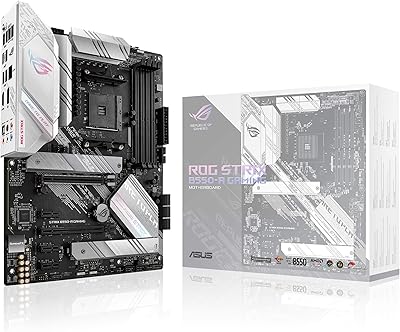
ASUS ROG Strix B550-A Gaming ATX Motherboard
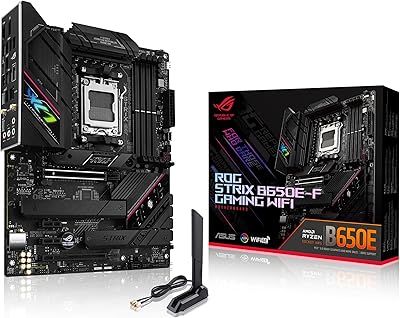
ASUS ROG Strix B650E-F Gaming WiFi Motherboard
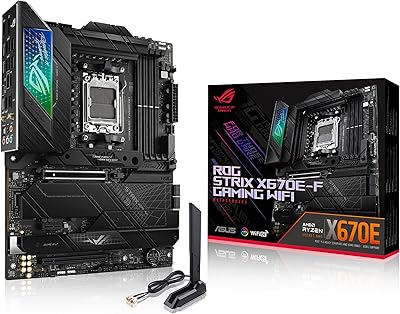
ASUS ROG STRIX X670E-F ATX Motherboard
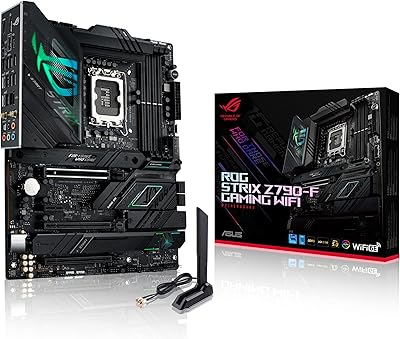
ASUS ROG Strix Z790-F Gaming Motherboard
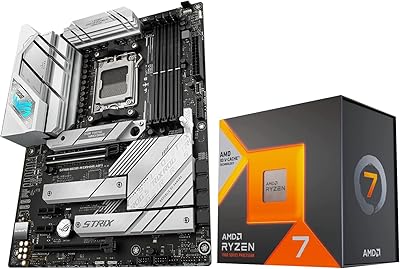
Micro Center 7800X3D B650-A CPU Motherboard Kit
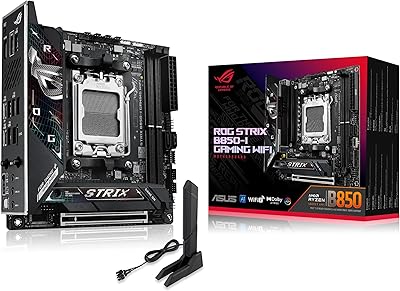
ASUS ROG Strix B850-I Mini-ITX Motherboard
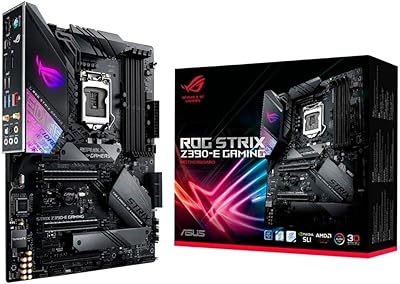
ASUS ROG Strix Z390-E Gaming Motherboard
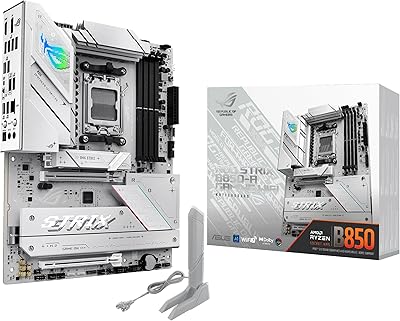
ASUS ROG Strix B850-A ATX Motherboard

ASUS ROG Strix B650E-I Mini-ITX Motherboard