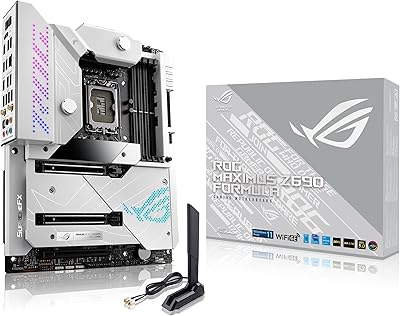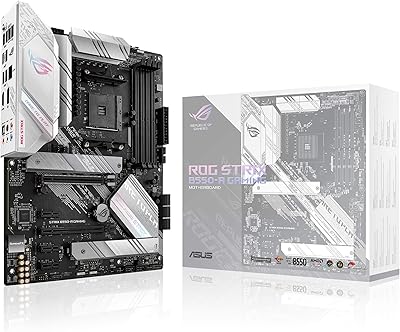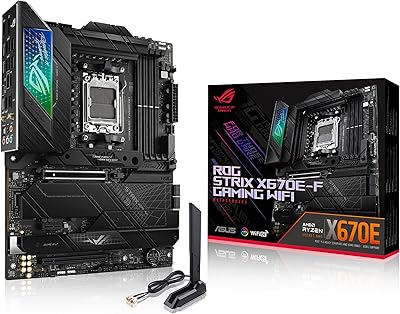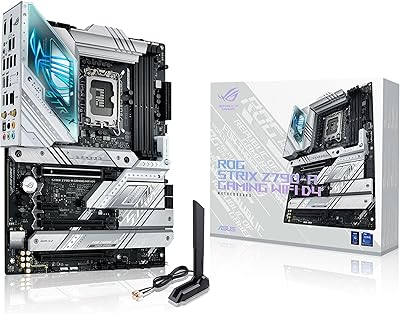
Overview

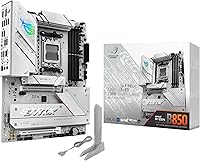
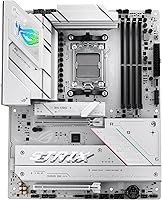
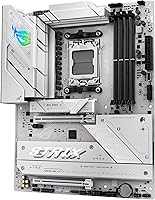
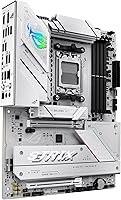
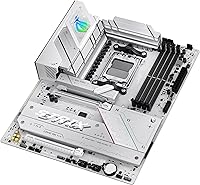
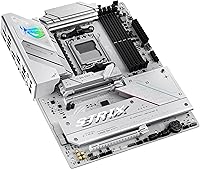
The ASUS ROG Strix B850-A ATX Motherboard arrived in January 2025 as a well-timed addition to AMD's mid-to-upper tier — the B850 chipset sits above B650 with full PCIe 5.0 support and stronger power delivery, without reaching X870 pricing. The most immediately striking thing about the B850-A is its white PCB and integrated I/O shroud, a deliberate choice that makes it stand out in a segment dominated by all-black designs. The AM5 platform also has a practical upside: AMD has committed to socket continuity, so this board should accept future Ryzen generations. For buyers comparing it to competing B850 offerings from MSI or Gigabyte, the differentiators come down to aesthetics, power delivery headroom, and ASUS's software ecosystem.

Features & Benefits

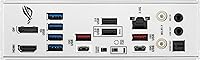
The power delivery on the B850-A is genuinely capable for a non-X chipset board — 14+2+2 power stages at 80A each, fed by dual 8-pin connectors, gives high-core-count Ryzen processors the current they need without thermal throttling concerns creeping in. Four M.2 slots bring PCIe 5.0 bandwidth to the primary drive bay, which is meaningful if you're pairing this with a Gen 5 SSD. DDR5 memory can run to 8000 MHz through ASUS's AEMP profile system — functionally similar to XMP and typically a one-click enable in the BIOS. The rear I/O includes WiFi 7 and a 20Gbps USB-C port, a combination that competing boards at this price don't always include. ASUS's AI Advisor handles basic component compatibility checks, while AI Networking II auto-prioritizes network traffic — both are functional additions, not marketing theater.

Best For

This ROG Strix board makes the most sense for Ryzen 7000 or 9000 series builders who want serious power headroom but aren't ready to pay the X870 premium. It's the obvious choice for white-themed PC builds — the cohesive aesthetic between the PCB, I/O shroud, and Aura Sync lighting is hard to replicate with a dark board. Content creators who run multiple SSDs simultaneously will get real value from four M.2 slots with high bandwidth on the primary. Gamers benefit from WiFi 7 built in, removing the need for an add-in card. AM4-to-AM5 upgraders should find this a solid entry point, with AMD's platform commitment helping justify the investment. Buyers who just need a dependable mid-range board without enthusiast-grade power delivery can probably step down to B650.

User Feedback

With 101 ratings averaging 4.6 out of 5, early reception for this white gaming motherboard is encouraging — though it's worth keeping perspective on the relatively modest review count before treating it as a definitive verdict. Buyers most consistently praise the BIOS quality, describing it as well-organized and less intimidating than other enthusiast-tier boards. The white color accuracy also gets positive mentions, with most buyers reporting it matches product photos well. On the downside, some reviewers mention minor installation friction, particularly with M.2 hardware. Value perception is generally favorable but split, especially among buyers who were cross-shopping X670 boards at comparable prices — a few felt the step up from B650 needs stronger day-to-day justification. Overall, the feedback is promising, but a larger sample would paint a clearer picture.

Pros

  • Robust 14+2+2 power delivery handles demanding multi-core Ryzen CPUs without breaking a sweat.
  • Four M.2 slots with PCIe 5.0 support on the primary bay gives serious storage bandwidth for content-heavy workloads.
  • WiFi 7 is included out of the box — no add-in card needed, no extra cost.
  • The white PCB and integrated I/O shroud create a cohesive look that stands out in a sea of all-black boards.
  • DDR5 memory support up to 8000 MHz with AEMP profiles makes fast RAM easy to enable.
  • Rear USB-C at 20Gbps is genuinely fast and not always guaranteed at this price tier.
  • AM5 socket compatibility with Ryzen 7000, 8000, and 9000 series gives this platform real upgrade longevity.
  • Early buyers consistently rate the BIOS as well-organized and approachable compared to competing enthusiast boards.
  • Aura Sync RGB ties neatly into a broader ASUS ecosystem if you're already running ROG or ASUS peripherals.
  • AI Networking II provides practical traffic prioritization that actually works during gaming sessions without manual setup.

Cons

  • The review pool sits at just over 100 ratings — too early to draw firm long-term reliability conclusions.
  • Some buyers report minor M.2 installation friction, particularly with screw hardware and slot access.
  • Value feels harder to justify if you're only pairing it with a lower-tier Ryzen CPU that won't use the power headroom.
  • The B850 chipset still can't match X870E for PCIe lane availability, which matters for highly expanded workstation builds.
  • ASUS's AI Advisor and AI Networking features carry marketing weight that can obscure what they actually do — expect a learning curve.
  • White builds require careful peripheral and case planning; the board's aesthetic works against mixed dark-and-white component choices.
  • A handful of reviewers felt the step up from B650 pricing needed stronger real-world justification in everyday use.
  • The dual 8-pin power connector requirement means older or budget power supplies may need to be replaced.
  • No integrated Thunderbolt 4 on the rear I/O, which may disappoint users coming from Intel-based systems.
  • Software suite can feel bloated on first install — ASUS bundles multiple utilities that not every user will want or need.

Ratings

The scores below reflect our AI-driven analysis of verified global buyer reviews for the ASUS ROG Strix B850-A ATX Motherboard, with spam, incentivized submissions, and bot activity actively filtered out before any scoring was applied. Ratings are calibrated to surface both what buyers genuinely love and where real frustrations surfaced — no whitewashing, no artificial inflation. The result is a balanced picture of where this board excels and where it asks for compromise.

Power Delivery
93%
Builders running Ryzen 9900X and 9950X chips under sustained all-core loads consistently report stable voltage and no thermal throttling events, even in compact mid-tower cases with average airflow. The dual 8-pin connector setup and 80A-rated stages give this board a ceiling well beyond what most AM5 CPUs will ever demand.
The dual 8-pin requirement is a genuine friction point for anyone running an older single-rail PSU — a small but vocal group of reviewers had to replace their power supply before the board would POST cleanly. Budget builders pairing modest CPUs here are effectively paying for headroom they will never use.
BIOS Experience
88%
Reviewers coming from older ASUS boards and competing brands note the UEFI layout feels cleaner and more logically organized than expected at this price tier, with AEMP memory profiles enabling reliably in one step. First-time builders specifically mention that the AI Advisor flag system helped them catch misconfigurations before they caused problems.
A handful of users reported that fan curve customization menus are buried deeper than they should be, requiring multiple submenu navigations to reach. Initial BIOS versions shipped on early units also showed minor instability with certain DDR5 kits above 7200 MHz until a firmware update resolved it.
Storage Throughput
86%
Having four M.2 slots with the primary wired to PCIe 5.0 is a tangible advantage for creators who shuttle large video project files between fast SSDs — sequential read speeds on compatible Gen 5 drives can exceed 12 GB/s on that primary slot without bottlenecking. Reviewers building NAS-adjacent workstations appreciate not having to sacrifice a PCIe slot for an M.2 expansion card.
Only the primary M.2 slot delivers PCIe 5.0 bandwidth; the remaining three run at PCIe 4.0, which some buyers discovered only after purchase when expecting broader Gen 5 coverage. Slot spacing also drew minor criticism — accessing the lower M.2 bays with a GPU installed requires removing it first, which makes drive swaps more tedious than they need to be.
Wireless Connectivity
91%
Gamers upgrading from WiFi 6E adapters report noticeably more stable connections in dense apartment environments where channel congestion has historically caused packet loss during competitive sessions. The integrated WiFi 7 module eliminates the awkward PCIe adapter bracket entirely, keeping the build cleaner and freeing an expansion slot.
The full benefits of WiFi 7 only materialize when paired with a compatible WiFi 7 router, which remains a relatively small portion of home networks in 2025. A few reviewers in older homes with thick walls noted that range performance, while good, was not dramatically different from their previous WiFi 6E card.
Build & Aesthetics
89%
The white PCB with matching integrated I/O shroud is executed with a consistency that buyers describe as genuinely satisfying in person — not cream, not off-white, but a clean neutral white that photographs well and holds up against white cases and coolers. The overall component quality feels premium relative to the price bracket, with solid capacitor placement and no flex issues reported during installation.
The white finish does show fingerprints and smudges more visibly than dark boards during installation, requiring extra care during handling. A small number of reviewers also found that the Aura Sync RGB zones are fewer and less dramatic than higher-end ROG boards, which may disappoint buyers expecting a showpiece lighting display.
Memory Compatibility
82%
18%
Most major DDR5 kit brands — Corsair, G.Skill, Kingston — activate AEMP profiles without issue, and hitting 6000 MHz to 7200 MHz for everyday gaming workloads is typically a one-setting BIOS change. The 192 GB maximum capacity also gives content creators and virtualization users genuine long-term scalability.
Pushing beyond 7600 MHz required early firmware updates for stability on some kits, and not all budget DDR5 modules include validated AEMP profiles, which means some buyers end up stuck at the default 4800 MHz speed until they manually tweak timings. This is partly a DDR5 platform immaturity issue rather than a board-specific flaw, but it still affects real buyers.
USB & I/O Ports
79%
21%
The rear 20 Gbps USB-C port is a genuine differentiator — docking stations and high-speed external SSDs running off that port hit real-world transfer speeds that make the port feel like a daily driver rather than a checkbox feature. Total rear port count is solid for a B850 board.
The absence of Thunderbolt 4 or USB 4 is a meaningful gap for users coming from Intel systems who relied on TB4 docks for their peripheral ecosystem. Some reviewers also noted they would have preferred an additional 10 Gbps USB-A port in place of one of the standard USB 3.2 Gen 1 slots.
Thermal Management
84%
VRM heatsink temperatures stay well-controlled under extended Cinebench runs even in cases with moderate airflow, which matches ASUS's claim of high-conductivity thermal pad implementation on the VRM sinks. Reviewers running 12-core and 16-core Ryzen CPUs at stock and light overclocks report no thermal throttling events over hours of continuous load.
In passively cooled or near-fanless case setups, VRM temps do climb to less comfortable levels during prolonged all-core workloads, so this board is not ideal for ultra-silent zero-fan builds. The chipset heatsink also runs notably warm during heavy M.2 I/O activity across multiple drives simultaneously.
Software Suite
68%
32%
Armoury Crate handles RGB sync, fan curves, and network prioritization from a single interface, which is convenient for users who actually engage with board software rather than ignoring it. AI Networking II's traffic prioritization function works passively once configured and does produce measurable latency improvements in congested home network environments.
Armoury Crate remains one of the most polarizing pieces of software in the PC building community — reviewers routinely criticize its resource usage, bloatware bundling, and aggressive update prompts. Several buyers specifically note they uninstalled the entire suite and managed settings directly through BIOS to avoid the overhead.
Installation Experience
76%
24%
The physical installation process is well-documented, and the board layout gives reasonable clearance between the CPU socket and primary M.2 slot for most air coolers. BIOS FlashBack support is a practical safety net that multiple reviewers mention as a confidence booster for first-time AM5 builders.
M.2 screw hardware placement caused friction for several reviewers, particularly on the lower slots where a GPU blocks comfortable access. A few buyers also noted that some included accessory labels were unclear about which standoffs corresponded to which M.2 slot length.
Value for Money
74%
26%
For a builder specifically targeting WiFi 7, PCIe 5.0 storage, strong VRM headroom, and a white aesthetic simultaneously, the B850-A is difficult to match without spending significantly more — bundling all four of those features into one board does represent genuine consolidated value. Reviewers pairing it with Ryzen 9000 series CPUs describe the combination as feeling well-matched.
Buyers cross-shopping against capable B650 boards with similar feature sets feel the price premium is harder to justify unless they specifically need PCIe 5.0 on the M.2 slot today. A vocal minority of reviewers feel the step up from B650 pricing outpaces the real-world performance delta for typical gaming-only builds.
Platform Longevity
87%
AMD's public commitment to AM5 socket support through at least 2027 gives this board a realistic upgrade path to future Ryzen generations, which reviewers cite as a key reason they chose AM5 over Intel's more frequently changing socket cadence. Buying into the platform now with a capable B850 board means the next CPU upgrade may not require a new motherboard.
Platform longevity arguments depend on AMD following through on stated roadmaps, which is an assumption rather than a guarantee. Buyers hoping for AM5 to span as many CPU generations as AM4 did may ultimately be disappointed if AMD transitions sooner than expected.
Audio Quality
77%
23%
The onboard ROG SupremeFX audio codec handles gaming headsets and mid-tier studio headphones without audible hiss or ground loop interference, which is a common complaint on cheaper boards. Reviewers using 80-ohm headphones directly off the rear audio jack report clean output without needing a separate DAC for casual listening.
Dedicated audio enthusiasts and streamers with high-impedance headphones or studio monitoring requirements will still want an external audio interface — onboard audio at this tier is solid but not a replacement for dedicated hardware. The software equalizer options within Armoury Crate are limited compared to standalone audio software.
Fan & Cooling Headers
81%
19%
The board provides a generous number of 4-pin PWM fan headers distributed across the board, making cable management cleaner in large builds without requiring a separate fan hub. Temperature-source assignment per header through BIOS gives experienced builders precise control over cooling curves without third-party software.
The physical placement of some fan headers near the board edges can create routing challenges in smaller mid-tower cases where cable length is a constraint. A few reviewers noted that the default fan curves out of the box run fans louder than necessary until manually calibrated.

Suitable for:

The ASUS ROG Strix B850-A ATX Motherboard is a strong fit for builders who want a capable AM5 platform without committing to X870-tier pricing. If you're pairing a Ryzen 7000 or 9000 series processor with ambitions to push it hard — whether through gaming, video editing, or multi-threaded workloads — the robust power delivery gives you real headroom that budget B650 boards simply don't offer. Content creators running multiple fast SSDs will appreciate having four M.2 slots with PCIe 5.0 access on the primary bay, which removes the storage bottleneck that shows up in more constrained builds. Gamers tired of managing separate WiFi adapters or hunting for fast USB-C on the back panel will find both included here without compromise. Perhaps most compellingly, this board is the go-to pick for anyone building a white or light-themed system — the white PCB and matching I/O shroud create a level of aesthetic cohesion that's genuinely rare at this price point. AM4 users making their first jump to AM5 will also find comfort in AMD's stated socket longevity, making this a platform investment that can reasonably absorb a future CPU upgrade.

Not suitable for:

The ASUS ROG Strix B850-A ATX Motherboard is not the right call for every builder, and it's worth being direct about where it falls short. If your build is purely budget-focused and you're pairing a modest Ryzen 7600 or similar entry-level CPU, the power delivery overkill here is money you won't recoup in performance — a solid B650 board would serve you just as well for less. Enthusiasts who plan to push extreme overclocking or need the absolute maximum PCIe lane count should look seriously at X870E boards, which offer more headroom that the B850 chipset simply can't match architecturally. Buyers committed to a dark or all-black build aesthetic will find the white PCB works against them, as mixing it with standard dark components produces a jarring visual result. If BIOS tinkering makes you nervous and you'd rather have a dead-simple plug-and-play experience, the feature density here can feel overwhelming during initial setup. Finally, anyone already satisfied with a capable B650 board and wondering whether to upgrade should know that the day-to-day performance difference may not justify the cost of switching.

Specifications

  • Chipset: Built on the AMD B850 chipset, which sits above B650 in AMD's current lineup and enables native PCIe 5.0 across both CPU and chipset lanes.
  • CPU Socket: Uses the AMD AM5 (LGA1718) socket, compatible with Ryzen 7000, 8000, and 9000 series desktop processors.
  • Form Factor: Standard ATX form factor measuring 12.01 x 9.61 inches, fitting any full-size or mid-tower ATX case.
  • Power Delivery: Features a 14+2+2 power stage configuration rated at 80A per stage, fed by dual 8-pin ProCool connectors for stable current under sustained load.
  • Memory Support: Supports DDR5 memory across four DIMM slots, with speeds up to 8000 MHz via AEMP profiles and a maximum capacity of 192 GB.
  • M.2 Storage: Provides four M.2 slots with PCIe 5.0 bandwidth available on the primary slot and PCIe 4.0 on the remaining slots.
  • Wireless: Integrated WiFi 7 (802.11be) with Bluetooth 5.4 handles wireless connectivity without requiring an add-in card.
  • Rear USB-C: Includes one USB Type-C port on the rear I/O running at 20 Gbps, suitable for fast external drives and modern peripherals.
  • PCIe Slots: Offers a full-length PCIe 5.0 x16 primary slot for graphics cards, with additional PCIe 4.0 slots for expansion cards.
  • RGB Lighting: Onboard Aura Sync RGB lighting is controllable through ASUS Armoury Crate software and syncs with compatible ASUS components and peripherals.
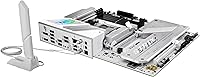
  • Color & Finish: Ships with a white PCB paired to an integrated I/O shroud in matching white, designed for light-themed builds.
  • Dimensions: Physical dimensions are 12.01 x 9.61 x 1.89 inches (L x W x H) and the board weighs 3.52 pounds.
  • Audio: Onboard audio is handled by the ROG SupremeFX codec, which typically delivers a signal-to-noise ratio sufficient for high-impedance headphones without a separate DAC.
  • LAN: Includes a 2.5 Gbps Intel LAN port on the rear I/O for wired networking alongside the WiFi 7 module.
  • BIOS Features: The UEFI BIOS includes ASUS AI Advisor for component compatibility guidance and AEMP memory profile support for one-click DDR5 speed enabling.
  • AI Networking: AI Networking II is an onboard utility that monitors and automatically prioritizes network traffic to reduce latency during gaming or streaming sessions.
  • Platform: Officially supported on Windows 11, with driver and software packages distributed through ASUS's support portal.
  • Availability: First made available in January 2025 as part of ASUS's initial wave of B850 chipset motherboards for the AM5 platform.

Related Reviews
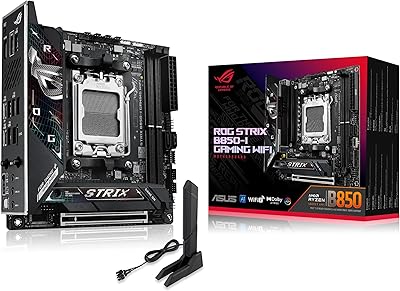
ASUS ROG Strix B850-I Mini-ITX Motherboard
82%
91%
Build Quality
88%
BIOS Usability
93%
Power Delivery
74%
Thermal Management
89%
Connectivity & I/O
More
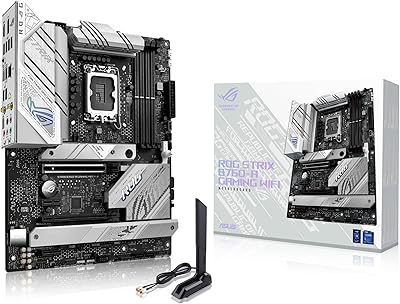
ASUS ROG Strix B760-A Gaming WiFi ATX Motherboard
87%
91%
Build Quality
88%
Performance Under Load
86%
Thermal Management
90%
Networking Speed (Wi-Fi & Ethernet)
85%
Installation & Setup
More
ASUS ROG Strix B550-A Gaming ATX Motherboard
82%
91%
Build Quality
93%
Power Delivery & Stability
88%
BIOS Experience
89%
PCIe 4.0 & NVMe Performance
86%
Onboard Audio Quality
More
ASUS ROG Maximus Z690 Formula ATX Motherboard
79%
93%
Build Quality
91%
VRM Performance
89%
Cooling Integration
88%
Overclocking Capability
67%
BIOS Experience
More
ASUS ROG Strix Z390-E Gaming Motherboard
88%
93%
Gaming Performance
90%
Overclocking Capabilities
88%
Wi-Fi Performance
85%
Ease of Installation
91%
Durability & Build Quality
More
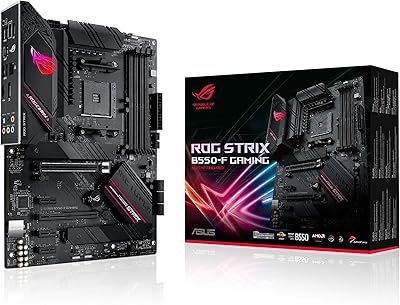
ASUS ROG Strix B550-F Gaming Motherboard
87%
91%
Performance in Gaming
87%
Ease of Setup
92%
Thermal Management
88%
Overclocking Capability
89%
Build Quality
More
ASUS ROG Strix B650E-I Gaming WiFi Motherboard
87%
93%
Performance
88%
Cooling Efficiency
90%
Installation Ease
91%
Connectivity (WiFi 6E, LAN)
85%
Build Quality
More
ASUS ROG STRIX X670E-F ATX Motherboard
82%
92%
VRM & Power Delivery
88%
BIOS Experience
86%
M.2 Storage Performance
71%
CPU Compatibility & Setup
89%
Thermal Design
More
ASUS ROG Strix Z790-A Gaming WiFi D4 Motherboard
84%
94%
Performance Under Load
89%
Thermal Management
75%
Ease of Installation
91%
Overclocking Capabilities
90%
Networking Speed & Reliability
More
ASUS ROG Strix Z690-E Gaming WiFi Motherboard
84%
93%
Build Quality
88%
BIOS Experience
94%
Power Delivery
71%
DDR5 Compatibility
89%
Wireless Networking
More

FAQ

Unfortunately, no. The AM5 socket is physically and electrically incompatible with Ryzen 5000 series processors, which use the older AM4 socket. You'll need a Ryzen 7000, 8000, or 9000 series CPU to use the B850-A.

It depends on the board's shipped firmware version. Boards manufactured and shipped after mid-2024 typically come with a BIOS that already supports Ryzen 9000 series out of the box, but it's worth checking ASUS's support page against your board's printed version sticker before assuming compatibility. If you only have a Ryzen 9000 CPU and no older processor to do the update, ASUS's BIOS FlashBack feature on this board lets you update without a CPU installed at all, using just a USB drive.

Only the primary M.2 slot on the ASUS ROG Strix B850-A ATX Motherboard is wired for PCIe 5.0 speeds. The remaining three M.2 slots run at PCIe 4.0, which is still fast by any practical measure — most current Gen 4 SSDs top out around 7 GB/s sequential read. If you specifically need two Gen 5 SSDs at full bandwidth simultaneously, you'd need to look at X870E boards with more PCIe 5.0 M.2 slots.

Based on buyer feedback, the white on this board is a clean, neutral white that matches product photos reasonably well — not warm or off-white in normal lighting. Under certain RGB lighting conditions it can take on a slight color cast, which is true of any white PCB. Overall, reviewers have been satisfied with the color accuracy.

AEMP (AMD Expo Memory Profile) is AMD's version of Intel's XMP — it's a preset memory profile stored on your RAM stick that tells the board to run at a rated speed above the DDR5 default of 4800 MHz. Enabling it in the BIOS takes one setting change and is generally stable if your RAM is rated for it. It's not overclocking in the traditional risky sense; you're just activating a profile the memory manufacturer already validated.

AMD Ryzen processors on AM5 do support unbuffered ECC DDR5 in principle, and the B850 chipset doesn't block it outright. However, ECC functionality depends on the specific CPU you pair it with — Ryzen 9000 series consumer chips do support basic ECC error detection. That said, this board is not a certified workstation platform, so if ECC reliability is mission-critical for your use case, a HEDT or server platform would be a more appropriate choice.

The board requires dual 8-pin CPU power connectors, so your PSU needs to have two EPS12V 8-pin cables — most modern mid-range and high-end power supplies include these, but budget or older units sometimes only have one. For the overall build, a 750W to 850W PSU is a reasonable target when pairing with a current Ryzen 9000 series CPU and a high-end GPU, though your specific GPU's TDP will determine the final requirement.

WiFi 7 is a meaningful step up from WiFi 6E, with lower latency and better performance in congested multi-device environments, assuming your router also supports it. For gaming, a good WiFi 7 connection on this ROG Strix board is genuinely competitive with wired in most home setups. That said, if you have the option to run an Ethernet cable, wired is still more consistent for latency-sensitive gaming. WiFi 7 here is more of a premium convenience than a replacement for wired.

No, the B850-A does not include Thunderbolt 4 or USB 4 on the rear I/O. The fastest rear port is the USB-C at 20 Gbps (USB 3.2 Gen 2x2). If Thunderbolt 4 or USB 4 connectivity is important to you — for example, for high-speed external docks or 40 Gbps storage — you'd need to add a PCIe Thunderbolt card or look at a different board that integrates it natively.

The honest answer is that for typical gaming workloads, day-to-day performance differences between B650 and B850 are modest at best — you won't feel the chipset upgrade in frame rates. Where the B850-A genuinely pulls ahead is in PCIe 5.0 storage access on the primary M.2 slot, the stronger power delivery for heavy multi-core workloads, and the inclusion of WiFi 7. If your B650 board is already working well, the upgrade math is tough to justify unless you specifically need those features or you're building fresh.

Where to Buy