Overview

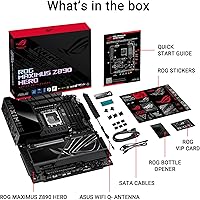
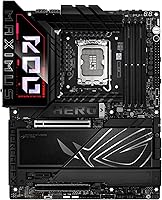
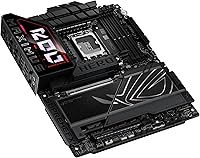
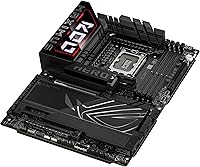
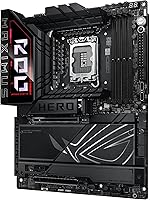
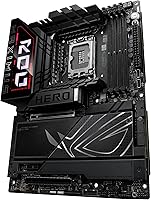
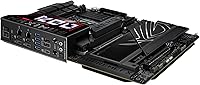
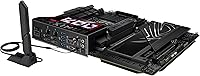
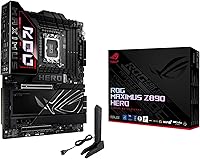
The ASUS ROG Maximus Z890 Hero ATX Motherboard sits at the top of ASUS's enthusiast lineup, built around the LGA 1851 socket and Intel Z890 chipset to support Intel Core Ultra series 2 processors. It launched in late 2024 alongside Intel's Arrow Lake platform, entering a market where competition at the high end is fierce. This is a full ATX board, and the physical construction reflects its tier — heatsinks are substantial, the PCB feels dense, and the overall layout is clearly designed for builders who know what they're doing. Casual upgraders looking for a straightforward plug-and-play experience should look elsewhere.
Features & Benefits

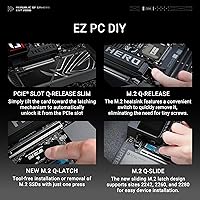
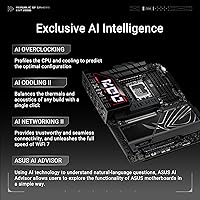
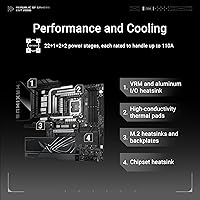
The ROG Maximus Z890 Hero packs a genuinely capable VRM configuration — 22+2+1+2 stages using 110A primary rails — which gives serious headroom when pushing Core Ultra series 2 chips hard. ASUS's AI Overclocking tool analyzes your CPU and memory combination to apply a stable overclock automatically, while AI Cooling II adjusts fan curves based on live thermal data rather than fixed presets. Storage options are unusually dense here, with three PCIe 5.0 M.2 slots and three PCIe 4.0 slots, each with a dedicated heatsink. WiFi 7 and Thunderbolt 4 round out a connectivity package that genuinely serves creative professionals and demanding gamers alike.

Best For

This Z890 enthusiast board is built for a specific type of builder — someone who plans to push their Core Ultra series 2 chip hard and actually wants six M.2 slots in play at once. Content creators moving large files regularly will appreciate Thunderbolt 4 connectivity on a board that also handles heavy storage workloads without compromise. Competitive gamers on wireless benefit from WiFi 7 in congested network environments, while the AI-assisted tools reduce manual BIOS tuning for overclockers who prefer automation. But if you won't overclock, don't use Thunderbolt peripherals, and only need two or three storage drives, the premium price tier is genuinely hard to justify over a capable mid-range Z890 alternative.

User Feedback

With 861 ratings averaging 4.2 stars, the consensus around ASUS's flagship Z890 offering is broadly positive but worth reading carefully. Experienced builders consistently highlight the BIOS experience — organized, responsive, and more approachable than previous ROG generations — and report that AI overclocking results are reliable rather than experimental. VRM thermal performance earns regular praise too. Where things get more complicated: a number of verified buyers flagged a steep learning curve with Armoury Crate software, and some early purchasers encountered memory compatibility issues that required BIOS updates to resolve. Against competing flagship Z890 boards, this one matches up on features, but the value argument remains genuinely contested depending on how fully you intend to use what you're paying for.

Pros

  • The 22+2+1+2 VRM stage configuration provides exceptional overclocking headroom for Core Ultra series 2 chips.
  • Six M.2 slots in total — three at PCIe 5.0 speeds — is an unusually generous storage layout for any ATX board.
  • AI Overclocking delivers reliable automated results, reducing time spent tweaking BIOS settings manually.
  • WiFi 7 support future-proofs wireless connectivity for routers that are only now becoming widely available.
  • Thunderbolt 4 on a desktop motherboard remains relatively rare and adds serious utility for creative professionals.
  • The BIOS interface is well-organized and more approachable than earlier ROG generations, according to consistent buyer feedback.
  • Thermal design across the VRM zone is thorough, with buyers reporting cool and stable temperatures even under extended load.
  • DDR5 memory tuning tools — including AEMP III and DIMM Flex — give enthusiasts granular control without requiring expert-level knowledge.
  • Build quality is consistently praised, with a premium feel that matches the price tier.

Cons

  • Armoury Crate software has a steep learning curve and has drawn complaints about stability from multiple verified buyers.
  • Early production runs had memory compatibility issues that required BIOS updates before certain DDR5 kits would post correctly.
  • The value proposition weakens considerably if you are not actively using overclocking, Thunderbolt, or multi-drive storage features.
  • This Z890 enthusiast board is heavy and physically large, which can complicate builds in tighter mid-tower cases.
  • AI Networking II features are difficult to evaluate meaningfully without a WiFi 7 router already in place.
  • Some buyers reported that initial AI Overclocking profiles were conservative and required manual refinement to hit real performance targets.
  • Software notifications and ROG ecosystem prompts can feel intrusive during early setup if you prefer a clean Windows environment.
  • Competing flagship Z890 boards from other manufacturers offer similar feature sets, making brand loyalty the deciding factor for some buyers at this tier.

Ratings

The scores below were generated by AI after systematically analyzing verified global user reviews for the ASUS ROG Maximus Z890 Hero ATX Motherboard, with automated filtering applied to remove incentivized, duplicate, and bot-suspected submissions. Drawing from 861 ratings across multiple regions, these scores reflect both the genuine strengths enthusiast builders praise and the friction points that surface repeatedly in critical feedback. Nothing has been smoothed over — where buyers consistently ran into trouble, the scores and commentary reflect that honestly.

Build Quality
93%
Builders consistently describe the physical construction as one of the most impressive they have handled at this tier — heatsinks feel substantial rather than decorative, the PCB has virtually no flex during installation, and the component layout shows clear engineering intent. For a board that will likely stay in a case for several years, that solidity matters.
A small number of users noted that the I/O shield integration, while premium-looking, made initial case fitting slightly fussier than expected. At this weight and density, cable management around the board also requires more planning than on lighter ATX alternatives.
VRM & Power Delivery
96%
Overclockers pushing Core Ultra series 2 chips to their limits consistently report that the power delivery stays cool and stable even under sustained heavy loads, with no throttling observed during extended stress testing. The ProCool II connectors add a meaningful layer of physical reliability that enthusiasts running 24/7 workloads genuinely appreciate.
The sheer capability of the VRM configuration is largely wasted on anyone running stock or lightly boosted settings, making this a strength that only a subset of buyers will ever fully exercise. There are no meaningful weaknesses reported here by experienced overclockers.
BIOS Experience
88%
Veteran builders frequently highlight that the BIOS on this Z890 enthusiast board is among the most logically organized they have encountered in the ROG lineup, with clear categorization of AI tools, memory tuning, and fan controls. Finding specific settings during a late-night overclock session is noticeably less frustrating than on previous ROG generations.
Newer builders without prior high-end motherboard BIOS experience reported feeling genuinely overwhelmed during first boot, particularly when navigating the AI feature submenus. A handful of users also noted occasional BIOS update instability that required a reflash to resolve.
AI Overclocking
79%
21%
For builders who want a performance boost without manually tuning voltages and frequencies, the AI Overclocking tool delivers a stable and reasonably aggressive profile on the first attempt. Users who simply wanted their system faster without a deep BIOS education found this feature alone worth the step up from a mid-range board.
Experienced overclockers found the AI-generated profiles conservative relative to what manual tuning can achieve, and often treated the output as a rough starting point rather than a finished result. The tool also provides limited transparency into why it chose specific settings, which frustrates technically minded users who want to learn from the process.
Storage Versatility
91%
Having six M.2 slots — three running at PCIe 5.0 speeds — is a genuine differentiator that content creators and workstation users repeatedly called out as a deciding factor in their purchase. The individual heatsinks on each slot keep drive temperatures in check even when multiple slots are running simultaneously under load.
A few technically thorough reviewers flagged that populating all six slots simultaneously may involve subtle PCIe lane trade-offs depending on CPU configuration, and the official documentation on this is less clear than it should be. Users who only need two or three drives see little practical benefit from this depth of storage infrastructure.
WiFi 7 Performance
83%
Buyers who had already upgraded to WiFi 7 routers reported noticeably lower wireless latency compared to their previous platforms, which translated to a tangible improvement in competitive online gaming and large file transfers over the home network. The antenna placement and signal stability also drew consistent praise.
Without a WiFi 7 router already in the home, buyers saw no performance improvement over a standard WiFi 6E setup, making this feature feel premature for most current home network configurations. A minority of users in dense apartment environments also noted occasional connection drops that required driver updates to stabilize.
Thunderbolt 4 Utility
81%
19%
Creative professionals who use Thunderbolt docks, external SSDs, or high-bandwidth capture devices found having Thunderbolt 4 natively on a desktop board a meaningful convenience, reducing the need for PCIe expansion cards. The port performed reliably with a wide range of tested peripherals according to verified buyers.
For the majority of gaming-focused buyers, the Thunderbolt 4 port remained unused, representing a premium feature that contributed to the board's cost without delivering personal value. Compatibility with a small number of third-party Thunderbolt hubs was also flagged as inconsistent across a few reviews.
DDR5 Memory Compatibility
72%
28%
Once properly configured, the memory subsystem handles high-speed DDR5 kits impressively, with AEMP III profiles loading cleanly for validated memory and NitroPath DRAM delivering stable results at speeds that would have required significant manual tuning on older platforms.
Early buyers encountered genuine compatibility issues with certain DDR5 kits that required BIOS updates before the system would POST correctly, which caused frustration for those building under time pressure. Even after updates, a handful of users reported that specific high-speed kits remained finicky and required manual subtiming adjustments.
Thermal Management
89%
The heatsink and heatpipe design keeps VRM temperatures impressively controlled during extended overclocked workloads, with users reporting that thermals were never a limiting factor even during all-day rendering or gaming sessions in warm ambient conditions.
The heatsink mass that enables this thermal performance contributes to the board's weight, which can cause minor installation challenges in tighter cases when maneuvering around other components. A few users also noted that the M.2 heatsink retention screws were fiddly to access when drives needed to be reseated.
Software & Ecosystem
61%
39%
For users willing to invest time in learning Armoury Crate, the integrated dashboard for monitoring AI feature outputs, fan behavior, and RGB lighting is genuinely comprehensive and eliminates the need for multiple third-party utilities running in the background.
Armoury Crate consistently ranks among the most criticized aspects of ASUS's flagship Z890 offering, with complaints spanning installation failures, background resource usage, and unwanted notification behavior. A significant portion of experienced builders opt to uninstall it entirely and manage the board through BIOS alone.
Installation Experience
74%
26%
For builders familiar with previous Intel ATX platforms, the physical installation process is intuitive, and the board's clear silkscreen labeling reduces the need to consult the manual repeatedly during a build. The LGA 1851 socket mechanism works smoothly and confidently seats the CPU.
First-time high-end builders found the initial setup process more involved than anticipated, largely due to the volume of BIOS prompts and AI configuration options presented during first boot. A small but consistent group of buyers also flagged that the included documentation could be more thorough for the AI feature setup process.
Value for Money
67%
33%
For builders who actively use overclocking, Thunderbolt peripherals, multiple PCIe 5.0 drives, and WiFi 7 simultaneously, the feature density at this price tier is difficult to match with competing Z890 boards without spending even more. The board's longevity and upgrade headroom strengthen the long-term value case.
The price-to-value debate is the most consistently divisive topic across all reviews — buyers who use fewer than half the board's premium features openly question whether the cost was justified. Competing Z890 flagship boards from other manufacturers offer comparable core performance for meaningfully less, making brand loyalty a deciding factor for many.
Connectivity Breadth
87%
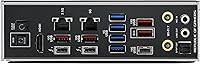
The rear I/O port selection is extensive and modern, covering USB Type-C, Thunderbolt 4, high-speed USB Type-A ports, and both 2.5GbE and WiFi 7 for networking, meaning most users will never need a PCIe expansion card purely for connectivity. Builders with complex peripheral setups consistently praised having everything accessible without adapters.
A handful of users noted that the rear I/O layout, while feature-rich, places certain ports in positions that are awkward to access once the board is installed in a mid-tower case with limited rear clearance. The absence of a 10GbE wired port was also flagged by a small group of network-intensive users as a missed opportunity at this tier.
Overclocking Headroom
94%
Dedicated overclockers reported that this board provides some of the most stable high-frequency memory and CPU overclocking they have achieved on an Intel platform, with the VRM and BIOS toolset offering granular control that holds up during extended competitive benchmarking sessions.
Extracting the maximum from the overclocking headroom requires a meaningful investment of time in BIOS tuning, and the AI tools alone do not deliver elite-level results without manual refinement. Builders expecting plug-and-play overclocking performance will be partially disappointed by the gap between AI profiles and hand-tuned configurations.

Suitable for:

The ASUS ROG Maximus Z890 Hero ATX Motherboard is purpose-built for builders who treat their PC as a serious tool rather than just a gaming machine. If you are dropping a Core Ultra series 2 processor into a rig where you plan to overclock, run multiple PCIe 5.0 SSDs simultaneously, and push DDR5 memory beyond stock speeds, this board has the power delivery and thermal infrastructure to support all of that without breaking a sweat. Content creators who routinely connect Thunderbolt 4 peripherals — external GPUs, high-speed capture cards, or professional storage arrays — will find the connectivity setup here unusually complete for a desktop board. AI workstation builders who want a platform ready for demanding local inference workloads also benefit from the dense storage layout and robust VRM headroom. Competitive gamers on wireless connections in crowded environments will genuinely notice the step up that WiFi 7 provides, particularly in latency-sensitive scenarios.
Not suitable for:

If your build priorities are straightforward — a solid gaming PC that boots fast, stays stable, and looks good — the ASUS ROG Maximus Z890 Hero ATX Motherboard is likely more board than you need or will ever fully use. Builders who have no intention of overclocking, who run two drives at most, and who connect via Ethernet rather than WiFi are essentially paying a steep premium for features that will sit completely idle. First-time builders should also think carefully here: the sheer density of options in the BIOS and the complexity of ASUS's software ecosystem can turn initial setup into a frustrating experience without prior familiarity. Budget-conscious upgraders moving from an older Intel platform will find that the total cost of entry — board, DDR5 memory, and a compatible Core Ultra series 2 CPU — adds up fast. There are capable Z890 boards at significantly lower price points that cover the needs of most users without the compromises in wallet size.
Specifications

  • CPU Socket: Uses the LGA 1851 socket, compatible exclusively with Intel Core Ultra series 2 (Arrow Lake) processors.
  • Chipset: Built on the Intel Z890 chipset, enabling full PCIe 5.0 lane allocation and advanced overclocking capabilities.
  • Form Factor: Standard ATX layout measuring 14.6 x 12.2 inches, fitting most full-tower and mid-tower cases with ATX support.
  • Memory Type: Supports DDR5 memory only, with four DIMM slots accommodating up to 192GB total capacity.
  • Memory Speed: Native DDR5 support with AEMP III profiles and NitroPath DRAM technology for speeds up to 8000MHz and beyond with tuning.
  • PCIe 5.0 M.2: Three onboard PCIe 5.0 x4 M.2 slots, each equipped with an individual heatsink and ROG M.2 Power Boost circuitry.
  • PCIe 4.0 M.2: Three additional PCIe 4.0 x4 M.2 slots provide ample legacy-speed NVMe storage expansion with cooling solutions included.
  • VRM Stages: Features a 22+2+1+2 power stage configuration using 110A primary rails with ProCool II connectors and MicroFine alloy chokes.
  • Wireless: Integrated WiFi 7 (802.11be) with Bluetooth 5.4 support for next-generation wireless connectivity and low-latency networking.
  • Thunderbolt: One Thunderbolt 4 port on the rear I/O delivers up to 40Gbps data transfer and supports daisy-chaining compatible peripherals.
  • USB Ports: Rear I/O includes USB Type-C ports alongside a full array of USB Type-A ports covering USB 3.2 Gen 2 and Gen 1 standards.
  • Thermal Design: Large VRM heatsinks are connected via a U-shaped heatpipe and bonded to power stages using high-conductivity thermal pads.
  • AI Features: Includes ASUS AI Overclocking, AI Cooling II, and AI Networking II for automated system optimization without manual BIOS intervention.
  • Weight: The board weighs 8.05 pounds, reflecting the substantial heatsink and component density typical of this performance tier.
  • Platform: Officially supported on Windows 11, with ASUS providing platform-specific driver packages and Armoury Crate software integration.
  • Memory Tech: DIMM Fit and DIMM Flex technologies help identify and resolve DDR5 compatibility issues during initial memory installation and POST.

Related Reviews
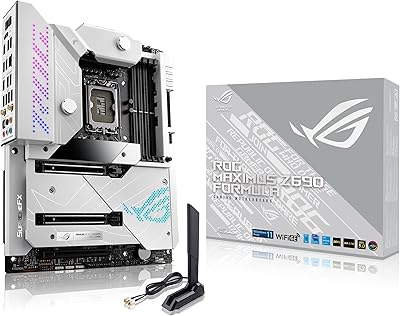
ASUS ROG Maximus Z690 Formula ATX Motherboard
79%
93%
Build Quality
91%
VRM Performance
89%
Cooling Integration
88%
Overclocking Capability
67%
BIOS Experience
More
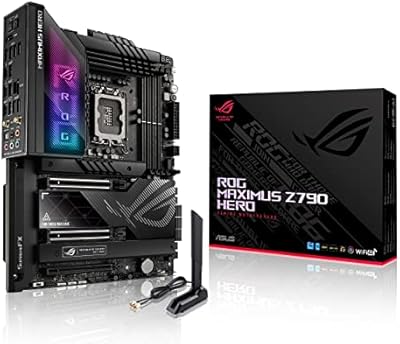
ASUS ROG Maximus Z790 Hero
87%
94%
Overclocking Performance
89%
Cooling Effectiveness
91%
Build Quality
86%
Networking Capabilities
93%
Power Delivery & Stability
More
ASUS ROG MAXIMUS Z690 HERO EVA Motherboard
81%
93%
Build Quality
91%
VRM Performance
52%
Value for Money
61%
DDR5 Compatibility
89%
Overclocking Capability
More
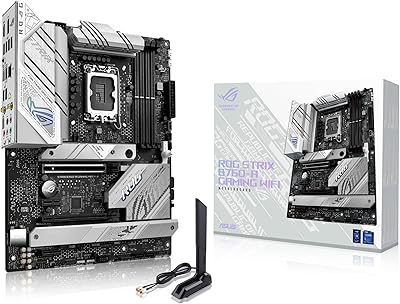
ASUS ROG Strix B760-A ATX Motherboard
82%
88%
VRM & Power Delivery
83%
DDR5 Compatibility
91%
Build & Installation Experience
86%
BIOS & Firmware
89%
Networking Performance
More
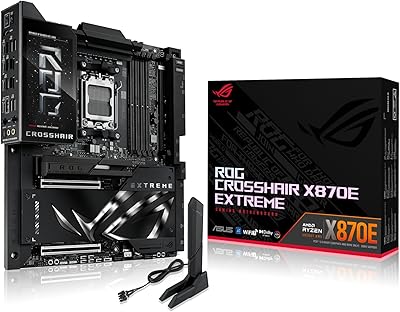
ASUS ROG Crosshair X870E Extreme AMD X870E AM5 E-ATX Gaming Motherboard
88%
94%
Performance
90%
Thermal Performance
88%
Ease of Setup
92%
AI Overclocking
89%
Connectivity
More
ASUS ProArt Z890-CREATOR WIFI ATX Motherboard
82%
91%
Build Quality
94%
Connectivity Breadth
83%
BIOS Experience
74%
DDR5 Stability
68%
Value for Money
More
ASUS Prime X299-A II ATX Motherboard
78%
92%
Power Delivery
88%
Thermal Management
91%
Build Quality
83%
BIOS Experience
78%
CPU Compatibility
More
ASUS Prime Z490-P ATX Motherboard
83%
92%
Stability and Reliability
88%
Cooling Performance
85%
Ease of Installation
90%
Compatibility with Intel 10th Gen CPUs
87%
Value for Money
More
ASUS PRIME Z890-P WIFI ATX Motherboard
81%
88%
Value for Money
91%
BIOS Experience
93%
Connectivity & I/O
84%
VRM & Power Delivery
89%
Wi-Fi 7 Performance
More
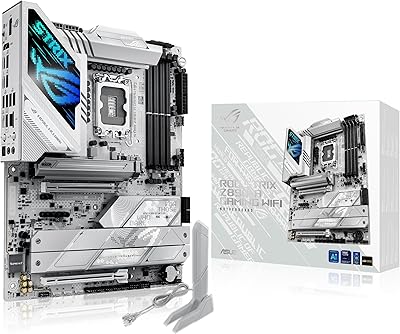
ASUS ROG STRIX Z890-A ATX Motherboard

83%
91%
Build Quality
88%
VRM & Power Delivery
89%
BIOS Experience
86%
DDR5 Compatibility
93%
Connectivity & I/O
More

FAQ

No — the ROG Maximus Z890 Hero uses the LGA 1851 socket, which is physically and electrically incompatible with older Intel sockets like LGA 1700 or LGA 1200. You will need an Intel Core Ultra series 2 (Arrow Lake) processor to use this board. There is no adapter or workaround for this.

Unfortunately not. This Z890 enthusiast board supports DDR5 exclusively, and the physical slot design is different from DDR4, so older modules will not fit. If you are upgrading from a DDR4 platform, you will need to budget for a new DDR5 kit alongside the board.

When you enable AI Overclocking in the BIOS, the board runs a brief profiling process that analyzes your specific CPU and memory combination to determine a stable performance profile. It then applies settings automatically rather than forcing you to manually dial in voltages and frequencies. The results are generally conservative and stable out of the box, though experienced overclockers often use it as a starting point and refine from there.

This is worth checking in the official ASUS QVL documentation for your specific CPU configuration, as PCIe lane allocation on Z890 can vary depending on which slots are populated and what CPU features are active. The three PCIe 5.0 slots are the priority high-bandwidth options, while the three PCIe 4.0 slots cover secondary storage. In most real-world builds, simultaneous use of all six slots is feasible but may involve minor lane sharing depending on configuration.

The Thunderbolt 4 port is backward compatible with USB4 and standard USB-C devices, so it is not wasted even without dedicated Thunderbolt peripherals. If you ever add a high-speed external SSD, a Thunderbolt dock, or a compatible display, the port will handle it. Think of it as future-proofing that also works as a high-speed USB-C port today.

You need a WiFi 7 router to access the full speed and latency advantages of WiFi 7. That said, the onboard wireless chip is backward compatible with WiFi 6E, WiFi 6, and older standards, so it will work fine with your current router — you just won't see WiFi 7-specific benefits until you upgrade the router as well.

If you have built PCs on previous Intel platforms, the physical installation process is largely familiar. The LGA 1851 socket uses a similar retention mechanism to LGA 1700, and the layout is well-labeled. Where complexity creeps in is the software side — Armoury Crate and the initial BIOS configuration can feel overwhelming if you want to customize the AI tools. Budget extra time for first-boot setup compared to a more basic board.

Early retail units did see some DDR5 kits requiring BIOS updates before posting correctly, which is fairly common with new platform launches. ASUS has since released multiple BIOS revisions that improved compatibility significantly. Before buying your memory kit, cross-reference ASUS's official QVL list for this board, and make sure you flash the latest BIOS before troubleshooting any memory issues.

It follows the standard ATX specification at 14.6 x 12.2 inches, so any case that supports ATX motherboards should accommodate it. That said, the board is physically dense with tall heatsinks, so check your case's CPU cooler clearance and the depth of any M.2 heatsinks before assuming everything will clear without issue. Most popular mid-tower ATX cases handle it without problems.

The BIOS handles all performance-critical functions — overclocking, fan curves, memory tuning, and boot settings — without needing Armoury Crate installed at all. Armoury Crate is primarily for RGB lighting control, AI feature dashboards, and driver updates. Many experienced builders on this Z890 enthusiast board skip Armoury Crate entirely and manage everything through the BIOS and individual driver installs, which avoids the software bloat complaints seen in some user reviews.

Where to Buy