Overview

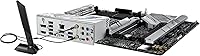
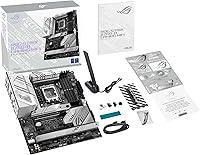
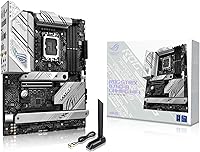
The ASUS ROG Strix B760-A ATX Motherboard sits in an interesting spot — it brings genuine ROG build quality and aesthetics to builders who don't want to spend Z790 money. Built around Intel's B760 chipset with an LGA 1700 socket, it supports 12th and 13th Gen Core processors, covering most of what people are actually buying right now. One decision worth flagging upfront: this is a DDR5-only board, so budget DDR4 kits are off the table entirely. That said, it carries a 4.5-star average across over 840 ratings and ranks #13 in Computer Motherboards — a solid signal that real buyers are largely satisfied. Just don't expect CPU overclocking; the B760 chipset simply doesn't allow it.
Features & Benefits

The VRM situation here is genuinely reassuring. A 12+1 power stage setup with ProCool connectors and alloy chokes keeps CPU power delivery stable under sustained loads — something cheaper B760 boards often compromise on. The PCIe 5.0 x16 SafeSlot handles heavy modern GPUs without flexing, and the reinforced latch makes card removal far less stressful. Networking is strong: Intel WiFi 6E and 2.5G Ethernet cover both wireless and wired connections capably. DDR5 support stretches to 7800 MHz, giving memory enthusiasts real tuning headroom even on a locked chipset. The BIOS FlashBack button and M.2 Q-Latch tool-free installation are small but meaningful touches that builders — especially first-timers — consistently appreciate.

Best For

The Strix B760-A makes the most sense for builders pairing it with a 13th Gen Core i5 or i7 who want solid thermals and ROG aesthetics without jumping to a Z790 board. It's also a strong pick for content creators and streamers who can take advantage of the integrated WiFi 6E and ASUS's two-way AI noise cancelation for home studio setups. First-time builders will find real value in how much the Q-Latch, Q-Release, and FlashBack features reduce build friction. If you're committing to DDR5 long-term and want a board that supports high-frequency kits out of the box, this is a smart foundation. That said, if CPU overclocking is your primary goal, a Z790 board is the right call instead.

User Feedback

With over 840 ratings at a 4.5-star average, this Intel B760 motherboard has built its reputation from a broad and credible base of real buyers. Consistent praise centers on the clean black-and-white aesthetic, an approachable yet deep BIOS, and reliable out-of-box DDR5 compatibility. The recurring sticking point is predictable: DDR5-only support means higher upfront RAM costs, particularly if you're chasing the upper frequency tiers. A handful of owners running high-TDP processors under sustained workloads report that VRM thermals hold up well, which aligns with the board's power stage spec on paper. Overall, review sentiment skews slightly toward experienced builders, though beginners repeatedly call out the tool-free installation features as a genuine confidence booster during their first build.

Pros

  • Robust 12+1 power stage VRM handles high-TDP Intel CPUs reliably under sustained workloads.
  • PCIe 5.0 x16 SafeSlot physically reinforces heavy GPU installations and prepares you for next-gen graphics cards.
  • Intel WiFi 6E and 2.5G Ethernet together provide fast, flexible networking for both wired and wireless setups.
  • BIOS FlashBack lets you update firmware without a working CPU or RAM installed — a genuine lifesaver during new platform launches.
  • DDR5 support up to 7800 MHz gives memory enthusiasts real tuning room even on a chipset that locks CPU multipliers.
  • Tool-free M.2 Q-Latch and PCIe Q-Release make drive installation and GPU swaps noticeably faster and less frustrating.
  • The Strix B760-A earns a 4.5-star average across over 840 real buyer ratings — a credible track record for a mid-range board.
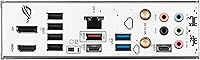
  • Nine rear USB ports including a USB 3.2 Gen 2x2 Type-C cover most peripherals without needing a hub.
  • Aura Sync RGB integration works cleanly with other ROG and ASUS components for a cohesive system aesthetic.
  • HDMI 2.1 and DisplayPort 1.4 outputs give iGPU users solid display options without a discrete graphics card.

Cons

  • DDR5-only design forces you to budget for premium RAM; existing DDR4 kits cannot be reused.
  • No CPU overclocking support — the B760 chipset hard-limits multiplier adjustments regardless of cooler or VRM quality.
  • Full ATX footprint rules out compact mITX and mATX case builds entirely.
  • High-frequency DDR5 kits needed to exploit the 7800 MHz ceiling add noticeably to overall build cost.
  • Competing B760 boards from MSI PRO and Gigabyte Aorus sometimes undercut this board on price with similar core specs.
  • ASUS AI software features like noise cancelation require driver setup and may feel redundant for users already running dedicated audio interfaces.
  • Limited native SATA ports may frustrate builders with large collections of 2.5-inch or 3.5-inch storage drives.
  • No Thunderbolt support, which matters to creators relying on Thunderbolt peripherals or fast external storage enclosures.

Ratings

The ASUS ROG Strix B760-A ATX Motherboard scores below are generated by our AI system after analyzing verified buyer reviews worldwide, with spam, bot-submitted, and incentivized feedback actively filtered out. Drawing from a pool of over 840 confirmed ratings, the scores reflect where this Intel B760 board genuinely delivers and where real buyers have run into friction. Both strengths and trade-offs are represented transparently so you can make an informed call.
VRM & Power Delivery
88%
Builders running Core i7-13700 CPUs under sustained multi-threaded workloads consistently report stable power delivery with no thermal throttling or voltage irregularities. The 12+1 stage setup with alloy chokes gives this board a clear edge over cheaper B760 options that cut corners on power components.
A small number of users pushing high-TDP chips like the Core i9-13900K in poorly ventilated cases noted that VRM temperatures climbed more than expected under all-core stress. For those specific edge cases, airflow planning becomes more important than it would be on a Z790 flagship.
DDR5 Compatibility
83%
Out-of-box DDR5 compatibility is consistently praised, with XMP profiles loading correctly on the first boot for most mainstream kits from Corsair, G.Skill, and Kingston. The support ceiling of 7800 MHz gives enthusiasts meaningful headroom to tune memory without switching platforms.
The DDR5-only design is the single most common complaint across the review pool — buyers who already owned DDR4 kits felt the additional RAM cost was an unwelcome surprise. Budget builders in particular flagged that fast DDR5 kits can add a meaningful chunk to the total build cost.
Build & Installation Experience
91%
First-time builders repeatedly single out the Q-Latch tool-free M.2 installation and PCIe Q-Release as features that made their build significantly less stressful. The BIOS FlashBack button also drew consistent praise from users who needed a firmware update before their new CPU would POST.
A handful of experienced builders felt the Q-Latch retention system required slightly more force than expected to engage cleanly, particularly with thicker NVMe drives. This is a minor issue but came up often enough to note.
BIOS & Firmware
86%
The UEFI BIOS dashboard is widely described as intuitive and well-organized, with integrated MemTest86 removing the need to boot from a separate diagnostic drive. Builders upgrading from older platforms noted the learning curve was gentler than anticipated.
A few users reported that fan curve configuration in the BIOS required more trial and error than the interface implied, especially when mixing PWM and DC fans. BIOS update notifications through Armoury Crate were also described as intrusive by some reviewers.
Networking Performance
89%
The combination of Intel WiFi 6E and 2.5G Ethernet is well-regarded, with streamers and remote workers noting noticeably lower wireless latency compared to older WiFi 5 boards. The ASUS LANGuard protection adds genuine peace of mind for anyone in a region prone to electrical storms.
A small subset of users encountered driver conflicts between the WiFi and Ethernet adapters immediately after Windows installation, requiring a manual driver update to resolve. This is not universal, but it did affect enough reviewers to be worth flagging.
PCIe Slot & GPU Support
87%
The reinforced PCIe 5.0 x16 SafeSlot handles heavy triple-fan GPUs without any visible flex, which builders with large RTX 4080 or RX 7900 XT cards specifically appreciated. The forward compatibility with PCIe 5.0 graphics cards also gives this board a longer useful lifespan.
With only one full-speed PCIe 5.0 x16 slot available, multi-GPU or high-bandwidth capture card setups are not well served. Users who also wanted to run a PCIe SSD in a full x4 slot simultaneously noted some bandwidth trade-offs.
USB Connectivity
84%
Nine rear USB ports covering a range of speeds means most users can connect all their daily peripherals — keyboard, mouse, DAC, webcam, and external drives — without reaching for a hub. The USB 3.2 Gen 2x2 Type-C at 20 Gbps is particularly well-suited for fast external SSDs.
Only two of the rear USB ports are USB 2.0, which can create compatibility friction with older peripherals or specific wireless receiver dongles that misbehave on USB 3 ports. A small number of users also noted the USB-C port's physical placement near the LAN port made simultaneous cable access slightly awkward.
Aesthetics & RGB
82%
18%
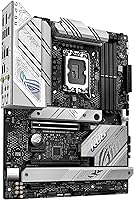
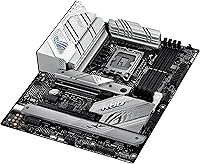
The white-accented heatsinks and brushed black PCB give the Strix B760-A a distinctive look that stands apart from the all-black boards most competitors offer at this price. Aura Sync integration with other ROG components works reliably through Armoury Crate for users building a themed system.
Armoury Crate, the software required to control RGB behavior, receives mixed feedback — some users find it bloated and resource-hungry compared to simpler RGB controllers. Builders who prefer minimal software installations sometimes felt the lighting customization came at too high a software overhead cost.
Thermal Management
81%
19%
The thick VRM heatsinks bridged with high-conductivity thermal pads keep power delivery components noticeably cooler than unheatsunk alternatives, which matters during long rendering sessions or gaming marathons. Most users in mid-tower cases with reasonable airflow reported no thermal-related issues at all.
The M.2 heatsink coverage, while functional, leaves the slot farthest from the CPU with less thermal dissipation than the primary slot. A few users running high-speed PCIe 5.0 SSDs in that secondary slot noted slightly elevated drive temperatures under sustained sequential writes.
Value for Money
76%
24%
For builders who want a board that combines genuine ROG build quality, WiFi 6E, PCIe 5.0, and a robust VRM without paying Z790 prices, this board represents a defensible value proposition. The bundled AIDA64 Extreme trial and integrated MemTest86 add practical utility that cheaper boards typically skip.
Competing B760 boards from MSI and Gigabyte offer similar chipset capabilities at a lower street price, often with the additional option of DDR4 support. Buyers who don't specifically need the ROG branding, BIOS FlashBack, or Q-Latch convenience features may find the price premium harder to justify.
Software Ecosystem
73%
27%
The integration between UEFI BIOS, Armoury Crate, and AI Noise Cancelation creates a reasonably cohesive software environment for users who are already invested in the ASUS ecosystem. The two-way noise cancelation software in particular draws positive comments from streamers using budget microphones.
Armoury Crate is frequently cited as the weakest link in the experience — it is resource-intensive, occasionally slow to launch, and has a reputation for prompting unnecessary background processes on startup. Users who prefer clean, minimal Windows installs often end up removing it entirely and losing RGB control in the process.
Overclocking Headroom
58%
42%
While CPU core overclocking is off the table on B760, memory overclocking via XMP and manual DRAM tuning is fully supported and works reliably. Users interested in squeezing extra memory bandwidth out of high-frequency DDR5 kits will find the BIOS memory tuning options reasonably thorough.
The B760 chipset hard-limits CPU multiplier adjustments, which is a genuine constraint for enthusiasts who bought this board expecting OC capability similar to a Z790. This is a chipset-level restriction, not an ASUS design flaw, but it still narrows the appeal for performance-focused buyers.
M.2 Storage Support
85%
Multiple M.2 slots with tool-free Q-Latch installation make SSD upgrades and additions fast and painless, even mid-build. Reviewers building NAS-adjacent workstations or editing rigs with multiple NVMe drives consistently praised the slot layout as accessible and logically organized.
The total number of M.2 slots is adequate rather than generous compared to some Z790 boards, and thermal throttling on the secondary slot under heavy sustained loads was reported by a small number of users running demanding storage workloads.
Display Output
79%
21%
HDMI 2.1 and DisplayPort 1.4 outputs on the rear I/O are a practical inclusion for users running integrated graphics for light desktop tasks or secondary monitor setups without a discrete GPU installed. This is especially useful during initial system testing before a GPU arrives.
iGPU display output performance is tied entirely to the processor's integrated graphics, so users expecting strong visual output through these ports without a dedicated GPU will find the experience underwhelming for anything beyond basic desktop use or video playback.

Suitable for:

The ASUS ROG Strix B760-A ATX Motherboard is a well-matched choice for builders putting together a mid-range Intel gaming or productivity rig around a 13th Gen Core i5 or i7, where the B760 chipset covers everything they actually need without requiring the premium of a Z790 board. If you're committed to DDR5 and want a platform that supports fast memory kits out of the box, this board gives you genuine headroom to grow. Content creators and streamers will find the integrated WiFi 6E and ASUS two-way AI noise cancelation genuinely useful, especially in home studio setups where running a dedicated Ethernet cable isn't always practical. First-time builders in particular stand to benefit from the tool-free M.2 Q-Latch, the PCIe Q-Release mechanism, and the BIOS FlashBack button — features that take real stress out of the build process. Anyone who values ROG aesthetics and wants Aura Sync RGB integration without stepping up to a flagship chipset price will find this board hits a comfortable balance.
Not suitable for:

The ASUS ROG Strix B760-A ATX Motherboard is a clear pass for anyone whose primary motivation is CPU overclocking — the B760 chipset simply does not support it, full stop, and no amount of BIOS tuning will change that. If CPU OC is on your roadmap, a Z790 board like the ROG Strix Z790-A or competitors from MSI and Gigabyte in the same price tier are the right direction. Budget-conscious builders who were hoping to reuse existing DDR4 memory will also hit a wall here, since this is a DDR5-only platform and fast DDR5 kits carry a meaningful cost premium over comparable DDR4. Those building compact systems should also note this is a full ATX form factor, so smaller mITX or mATX cases are off the table. If your build priorities lean heavily toward maximum chipset connectivity — extra PCIe lanes, more SATA ports, or native Thunderbolt support — a Z790 or even a competing B760 with a different feature profile from MSI PRO or Gigabyte Aorus might serve you better.
Specifications

  • Chipset: This board is built on the Intel B760 chipset, which supports 12th and 13th Gen Intel Core processors but does not allow CPU core overclocking.
  • CPU Socket: The LGA 1700 socket accommodates Intel 12th and 13th Gen Core, Pentium Gold, and Celeron processors.
  • Form Factor: Standard ATX form factor measuring 9.6 x 12 x 2.75 inches, requiring a mid-tower or full-tower ATX-compatible case.
  • Memory Type: Supports DDR5 RAM exclusively; DDR4 memory modules are not compatible with this platform.
  • Max Memory Speed: Memory can be configured up to 7800 MHz through XMP and DOCP profiles, depending on the installed kit.
  • PCIe Slot: One reinforced PCIe 5.0 x16 SafeSlot serves as the primary GPU slot, with physical reinforcement to support heavy graphics cards.
  • Wireless: Onboard Intel WiFi 6E (802.11ax) supports the 6 GHz band alongside 2.4 GHz and 5 GHz for low-latency wireless connectivity.
  • Ethernet: Intel 2.5G wired LAN is included with ASUS LANGuard circuit protection against electrical surges.
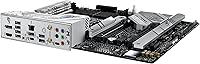
  • Rear USB: The rear I/O panel provides nine USB ports total, including one USB 3.2 Gen 2x2 Type-C port delivering up to 20 Gbps.
  • VRM Design: A 12+1 power stage configuration with ProCool II connectors and alloy chokes ensures stable CPU power delivery under sustained loads.
  • M.2 Storage: Multiple M.2 slots are included, each secured via the tool-free Q-Latch mechanism, eliminating the need for a screwdriver during SSD installation.
  • Display Output: Integrated graphics output is available via HDMI 2.1 and DisplayPort 1.4 on the rear I/O, supporting resolutions up to 4K.
  • RGB Lighting: Aura Sync addressable RGB headers allow synchronization with compatible ASUS components and third-party RGB peripherals through the Armoury Crate software.
  • BIOS Features: The BIOS FlashBack button enables firmware updates without a CPU or RAM installed, which is particularly useful when using a newly released processor.
  • Front Panel USB: A USB 3.2 Gen 2 front-panel connector header is included, enabling high-speed front I/O on supported cases.
  • Audio: Onboard audio is paired with ASUS two-way AI Noise Cancelation software to reduce background noise during calls or streams.
  • Dimensions: The board measures 9.6 inches by 12 inches with a height of 2.75 inches and weighs 4.21 pounds.
  • Software Bundle: A 60-day AIDA64 Extreme trial subscription and integrated MemTest86 in the UEFI BIOS are included for diagnostics and system validation.

Related Reviews
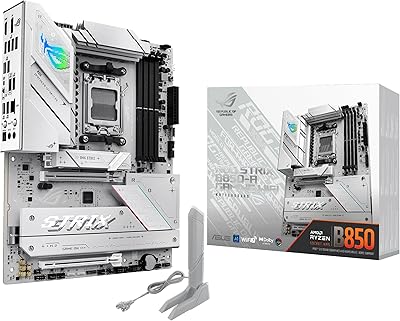
ASUS ROG Strix B850-A ATX Motherboard
83%
93%
Power Delivery
88%
BIOS Experience
86%
Storage Throughput
91%
Wireless Connectivity
89%
Build & Aesthetics
More
ASUS ROG Strix B650E-I Gaming WiFi Motherboard
87%
93%
Performance
88%
Cooling Efficiency
90%
Installation Ease
91%
Connectivity (WiFi 6E, LAN)
85%
Build Quality
More
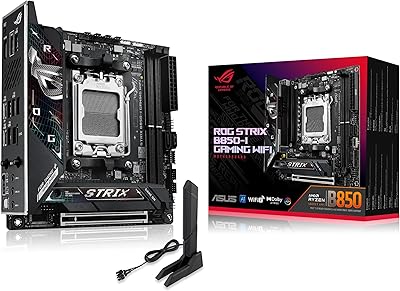
ASUS ROG Strix B850-I Mini-ITX Motherboard
82%
91%
Build Quality
88%
BIOS Usability
93%
Power Delivery
74%
Thermal Management
89%
Connectivity & I/O
More
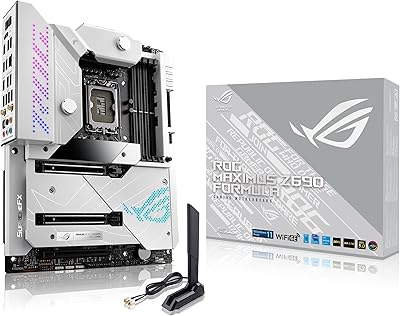
ASUS ROG Maximus Z690 Formula ATX Motherboard
79%
93%
Build Quality
91%
VRM Performance
89%
Cooling Integration
88%
Overclocking Capability
67%
BIOS Experience
More
ASUS ROG Strix B550-A Gaming ATX Motherboard
82%
91%
Build Quality
93%
Power Delivery & Stability
88%
BIOS Experience
89%
PCIe 4.0 & NVMe Performance
86%
Onboard Audio Quality
More
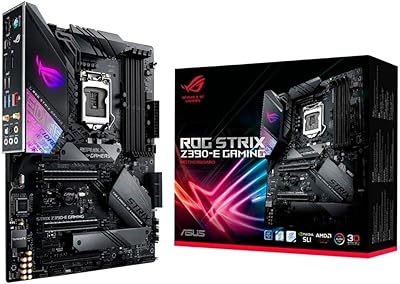
ASUS ROG Strix Z390-E Gaming Motherboard
88%
93%
Gaming Performance
90%
Overclocking Capabilities
88%
Wi-Fi Performance
85%
Ease of Installation
91%
Durability & Build Quality
More
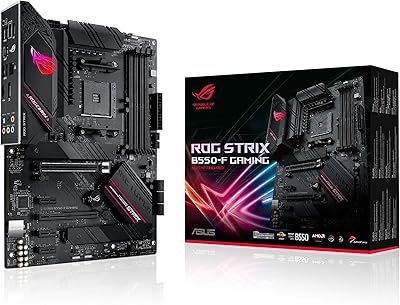
ASUS ROG Strix B550-F AMD AM4 Motherboard
81%
91%
VRM & Power Delivery
88%
Build Quality
89%
BIOS Usability
84%
Ryzen Compatibility
86%
PCIe 4.0 & M.2 Performance
More
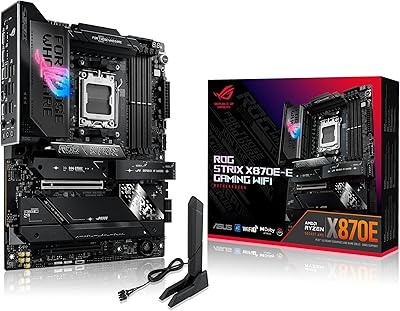
ASUS ROG Strix X870E-E Gaming WiFi
88%
93%
Physical Build Quality
96%
Power Delivery Efficiency
94%
Storage Expansion Options
91%
Next-Gen Wireless Speed
92%
Tool-Free DIY Features
More
ASUS ROG Strix Z790-A Gaming WiFi D4 Motherboard
84%
94%
Performance Under Load
89%
Thermal Management
75%
Ease of Installation
91%
Overclocking Capabilities
90%
Networking Speed & Reliability
More
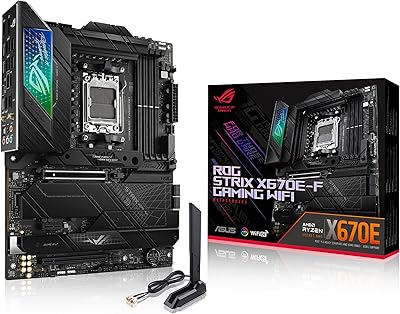
ASUS ROG STRIX X670E-F ATX Motherboard
82%
92%
VRM & Power Delivery
88%
BIOS Experience
86%
M.2 Storage Performance
71%
CPU Compatibility & Setup
89%
Thermal Design
More

FAQ

Unfortunately, no. The Strix B760-A is a DDR5-only platform, so DDR4 kits are not physically or electrically compatible. If you're reusing RAM from an older build, you'll need to budget for a new DDR5 kit alongside this board.

The B760 chipset does not support CPU core multiplier overclocking, so your processor will run at its rated boost speeds but cannot be pushed beyond that. If overclocking your CPU is a priority, you'll want to look at a Z790-based board instead. Memory overclocking via XMP profiles is still fully supported, though.

Both generations work fine. The LGA 1700 socket on this board supports 12th Gen Alder Lake and 13th Gen Raptor Lake processors, so if you're buying a Core i5-12400 or stepping up to a Core i7-13700, either will seat correctly.

It's genuinely one of the more practical features on this board, especially if you're buying it to pair with a brand-new CPU. FlashBack lets you update the BIOS using just a USB drive and the dedicated button on the rear I/O — no processor, RAM, or display connected. That means if a future Intel CPU requires a BIOS update to POST, you can handle it before the CPU even arrives.

For most desktop builds, a wired 2.5G Ethernet connection will give you lower and more consistent latency than any wireless option. That said, having Intel WiFi 6E built in is genuinely useful if your desk setup makes running a cable impractical, or if you want a clean build without extra PCIe adapters. Streamers and home studio users in particular tend to find it worth having as a reliable backup.

The board includes multiple M.2 slots, and all of them use ASUS's Q-Latch tool-free retention mechanism. You can seat and secure an NVMe SSD without needing a screwdriver at all, which is a small but appreciated detail during a long build session.

You need an ATX mid-tower or full-tower case. The board is a standard ATX form factor at 9.6 by 12 inches, so compact mITX or mATX cases won't fit. Most mainstream ATX cases from brands like Fractal, Lian Li, or NZXT will accommodate it without issue.

Yes, it's actually one of the more beginner-friendly options in the ROG lineup. The tool-free M.2 Q-Latch, PCIe Q-Release for GPU removal, and BIOS FlashBack all reduce the chances of something going wrong during assembly. The UEFI BIOS is also well-organized and comes with integrated MemTest86, so you can validate your memory installation without downloading third-party tools.

The 12+1 power stage setup is more robust than what you typically see on entry-level B760 boards, and the heatsinks are bridged with high-conductivity thermal pads. That said, the B760 chipset targets mainstream builders rather than extreme workloads, so pairing this board with a 125W or higher unlocked processor for heavy all-core loads is not its ideal use case. For a Core i5 or i7, the VRM is more than adequate.

All three are solid B760 options, and the right choice depends on priorities. The MSI PRO B760-P and Gigabyte B760 Aorus Elite sometimes come in slightly cheaper and offer DDR4 variants, which is a meaningful cost advantage if you already own DDR4 RAM. This ROG B760 board differentiates itself with a stronger VRM configuration, the Q-Latch and Q-Release convenience features, BIOS FlashBack, and the ROG aesthetic with full Aura Sync support — making it a better fit for builders who value those extras over the lowest possible motherboard price.

Where to Buy