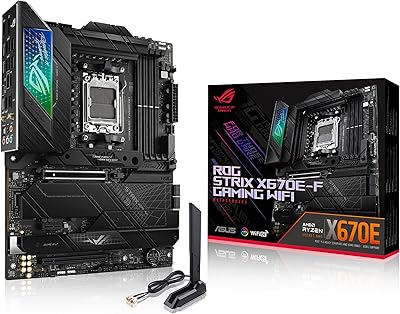
ASUS ROG Strix Z390-E Gaming Motherboard
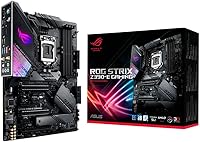
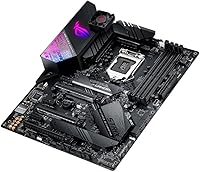
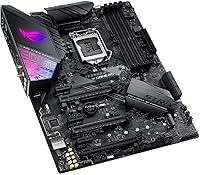

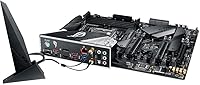
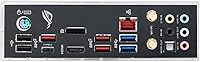
Overview
The ASUS ROG Strix Z390-E Gaming Motherboard landed in late 2018 as one of the more compelling options for enthusiast builders jumping onto Intel's 9th Gen launch. The ROG Strix name carries real weight in the ASUS lineup — it sits comfortably above the TUF series but stops short of the Maximus flagship tier, landing in a sweet spot for builders who want serious hardware without an extreme price tag. One thing worth stating plainly: the LGA1151 platform is a closed generation. If you are building a brand-new system in 2024 or later, this board is best treated as a secondary build option or a used-market find rather than a fresh primary investment.
Features & Benefits
Dual M.2 slots is the kind of spec that matters more in practice than it reads on a box. With both running NVMe at PCIe 3.0 x4 speeds, you can set up a fast boot drive and a secondary storage drive without touching any of the six SATA ports — a genuinely clean configuration for a gaming or workstation build. The built-in 802.11ac Wi-Fi with MU-MIMO handles wireless reliably enough that most users skip a wired connection entirely during daily gaming. FanXpert 4 gives real control over cooling curves, and while 5-Way Optimization handles automated tuning, experienced builders typically fine-tune manually. The pre-mounted I/O shield is a small detail that saves noticeable frustration during installation.
Best For
This ROG Strix board makes the most sense for builders pairing it with a Core i7-9700K or i9-9900K who want solid overclocking headroom without climbing to Maximus-tier pricing. Gamers who want to cut cable clutter will appreciate the onboard Wi-Fi and the capable SupremeFX audio, which handles most headsets and desktop speakers without any add-in cards. The Aura Sync support is a genuine draw if your GPU, RAM, and case lighting are already inside the ASUS ecosystem. This ASUS gaming motherboard also turns up frequently in used-market builds, where its well-documented BIOS and active community forums make it a dependable choice for second-hand buyers willing to do a little homework before powering on.
User Feedback
With close to 1,900 ratings averaging 4.5 out of 5, the Z390-E has clearly earned consistent trust over several years of real-world use. The two things praised most consistently are BIOS maturity and physical build quality — experienced builders specifically highlight how the layout avoids the cramped slot placement common on cheaper boards. The main caveat worth knowing upfront: if you drop in a 9th Gen CPU on a board that has never been flashed, you may need an 8th Gen chip on hand first to complete the BIOS update. Armoury Crate draws genuinely mixed responses — some users find it convenient, while others remove it entirely and handle fan curves directly through the BIOS instead.
Pros
- Dual M.2 slots let you run two NVMe drives simultaneously without giving up any SATA ports.
- Onboard 802.11ac Wi-Fi with MU-MIMO means no extra wireless card needed in your build.
- The BIOS is well-developed and mature, making manual overclocking approachable even for intermediate builders.
- SupremeFX S1220A audio holds up well for gaming headsets and desktop speakers without a dedicated sound card.
- The reinforced SafeSlot PCIe x16 and ESD guards add meaningful protection for expensive GPUs.
- Pre-mounted I/O shield is a small but genuinely appreciated detail that speeds up the build process.
- FanXpert 4 delivers granular fan curve control directly through the BIOS for users who skip the software suite.
- Board layout is clean and well-spaced, reducing cable management headaches inside mid-tower and full-tower cases.
- Nearly 1,900 ratings averaging 4.5 out of 5 reflects consistently positive real-world ownership experience.
- Strong community documentation and forum support make troubleshooting far less frustrating than with lesser-known brands.
Cons
- The LGA1151 platform is a dead end — there is no CPU upgrade path beyond 9th Gen Intel processors.
- Out-of-box 9th Gen compatibility is not guaranteed; a BIOS flash using an 8th Gen CPU may be required first.
- Armoury Crate software is widely reported as bloated, and its background processes can be difficult to fully disable.
- Paying a premium price for a discontinued-generation board is hard to justify for a primary new build in 2024.
- DDR4 memory is the only supported RAM type, which limits future-proofing compared to current DDR5 platforms.
- The Z390-E sits in a crowded price segment where competing boards from MSI and Gigabyte offer similar specs.
- Aura Sync RGB ecosystem value is limited to users already invested in compatible ASUS components.
- Used-market buyers take on additional risk since warranty coverage from ASUS is unlikely to apply to second-hand units.
Ratings
Our AI scoring engine analyzed thousands of verified global reviews for the ASUS ROG Strix Z390-E Gaming Motherboard, actively filtering out incentivized submissions, duplicate accounts, and bot-generated feedback to surface what real builders actually experienced. The scores below reflect both the genuine strengths that keep this board highly regarded years after launch and the honest pain points that matter when making a buying decision. Nothing has been smoothed over — if something frustrated buyers, it shows up in the numbers.
Build Quality
BIOS Maturity
Overclocking Performance
Connectivity & I/O
Wi-Fi Reliability
Audio Quality
Thermal Management
Software Experience
Memory Compatibility
Installation Experience
RGB & Aesthetics
Value for Money
Long-Term Stability
9th Gen CPU Compatibility
Suitable for:
The ASUS ROG Strix Z390-E Gaming Motherboard is a strong fit for builders who already own or plan to source an Intel 8th or 9th Gen CPU — particularly anyone pairing it with a Core i7-9700K or i9-9900K and wanting real overclocking headroom without paying flagship board prices. Gamers who prefer a clean, cable-light setup will get genuine value from the onboard Wi-Fi and the SupremeFX audio codec, since both remove the need for separate add-in cards. If you are deep in the ASUS Aura Sync ecosystem with a compatible GPU, RAM kit, and case fans, the RGB integration works well as a cohesive system rather than a gimmick. This board also makes a lot of sense for used-market or refurbished builds, where its proven BIOS, mature community documentation, and durable construction make it one of the safer LGA1151 bets available at a reduced second-hand price. Content creators putting together a capable secondary workstation on the Z390 platform will find the dual M.2 support and USB 3.1 Gen 2 rear ports genuinely useful for day-to-day workflows.
Not suitable for:
Anyone building a brand-new PC in 2024 or later should think carefully before committing to this platform — the Z390 chipset and LGA1151 socket are a closed generation with no upgrade path beyond 9th Gen Intel CPUs, which means longevity is inherently limited compared to current platforms. Budget-conscious builders will likely find better value in newer mid-range boards that support more modern CPUs and DDR5 memory without paying a premium for aging hardware. If you are planning to drop a 9th Gen CPU into this board straight out of the box, be aware that a BIOS update may be required first, which can mean needing access to a compatible 8th Gen chip — a real logistical hassle if you do not have one available. Users who prefer lean, software-free Windows installs may find Armoury Crate frustrating, as its background services and inconsistent update behavior are a recurring complaint that ASUS has never fully resolved. Finally, anyone who does not need onboard Wi-Fi, extensive RGB control, or premium audio and just wants a no-frills Z390 board would be overpaying for features they will never use.
Specifications
- Form Factor: Standard ATX form factor measuring 13.5 x 10.75 inches, compatible with full-tower and most mid-tower cases.
- CPU Socket: LGA1151 socket supports Intel 8th and 9th Generation Core, Pentium, and Celeron processors exclusively.
- Chipset: Intel Z390 chipset enables overclocking, dual-channel memory configuration, and full PCIe lane allocation.
- Memory Support: Four DDR4 DIMM slots support up to 64 GB of RAM, with a base speed of 2133 MHz and overclocked profiles reaching 4266+ MHz.
- M.2 Storage: Two M.2 slots are included: one supports PCIe 3.0 x4 and SATA modes (2242 to 22110 lengths), and the second supports PCIe 3.0 x4 only (2242 to 2280 lengths).
- SATA Ports: Six SATA 6 Gb/s ports are available for traditional HDDs and SSDs, and they remain fully accessible when both M.2 slots are in use.
- Wireless: Integrated 802.11a/b/g/n/ac Wi-Fi with 2x2 MU-MIMO antenna support provides reliable wireless connectivity without a separate adapter.
- USB Connectivity: Rear I/O includes USB 3.1 Gen 2 ports (up to 10 Gb/s) alongside USB 3.1 Gen 1 and USB 2.0 headers for front-panel connections.
- Audio: Onboard SupremeFX S1220A codec delivers high-fidelity audio output suitable for gaming headsets and desktop speaker setups.
- Display Output: HDMI and DisplayPort outputs are available for use with integrated graphics on compatible Intel CPUs.
- PCIe Slots: The primary PCIe x16 slot features ASUS SafeSlot reinforcement and ESD protection to secure heavy graphics cards and prevent socket damage.
- RGB Lighting: Aura Sync-compatible addressable RGB headers allow synchronized lighting control across compatible ASUS GPUs, RAM, and peripherals.
- I/O Shield: A pre-mounted I/O shield is included from the factory, simplifying installation and ensuring a clean rear panel fit from the start.
- Fan Control: FanXpert 4 software and 5-Way Optimization provide both manual and automated thermal and fan speed management across multiple headers.
- Bluetooth: Bluetooth 5.0 is included alongside the onboard Wi-Fi module for connecting wireless peripherals and audio devices.
- LAN: Intel I219V Gigabit Ethernet controller handles wired networking with low CPU overhead and stable throughput for online gaming.
- Power Connectors: The board requires a standard 24-pin ATX power connector and one 8-pin CPU power connector for stable operation under load.
- Dimensions: Physical dimensions are 13.5 x 10.75 inches (length x width), conforming to the standard ATX specification.
Related Reviews
ASUS ROG Strix X870E-E Gaming WiFi
ASUS ROG Strix Z690-E Gaming WiFi Motherboard
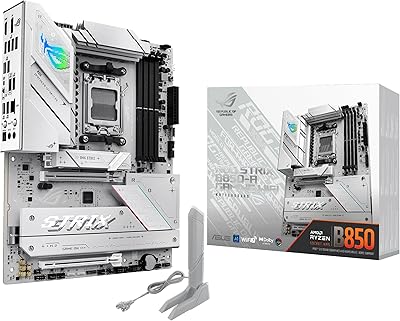
ASUS ROG Strix B850-A ATX Motherboard
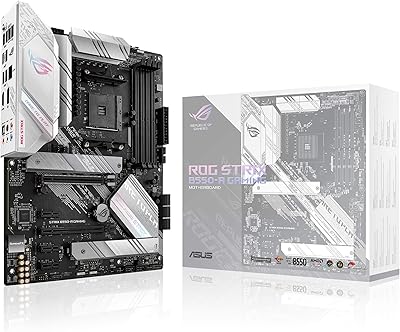
ASUS ROG Strix B550-A Gaming ATX Motherboard
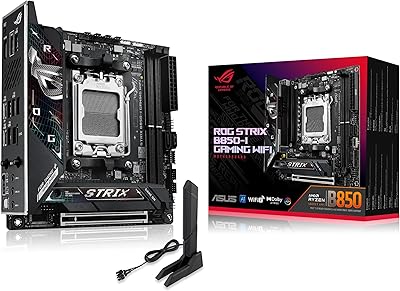
ASUS ROG Strix B850-I Mini-ITX Motherboard
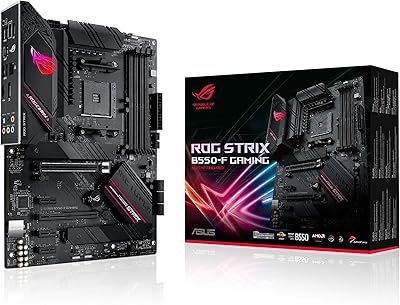
ASUS ROG Strix B550-F AMD AM4 Motherboard
ASUS ROG Strix Z890-E ATX Motherboard

ASUS ROG Strix B650E-I Mini-ITX Motherboard
ASUS ROG Strix X670E-A Motherboard