Overview

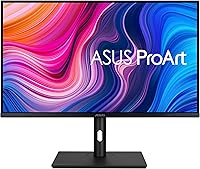
The ASUS ProArt PA328CGV 32-inch Monitor is a professional-grade display built specifically for creative workflows — not a casual office screen, not a budget pick. What sets it apart from the crowded IPS market is its Calman Verified calibration, meaning the panel ships with factory-confirmed Delta E < 2 color accuracy rather than leaving that work to you. That is a meaningful distinction when you are billing clients for color-critical deliverables. New buyers also receive a complimentary Adobe Creative Cloud subscription, which is genuinely useful for designers already in that ecosystem. Worth noting upfront: the 3.5-star Amazon rating from 87 reviews deserves honest scrutiny, and we address that directly below.
Features & Benefits

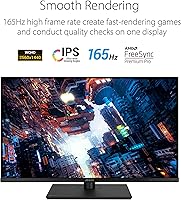
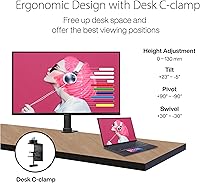
The PA328CGV covers 95% DCI-P3 and full sRGB/Rec.709, which in practical terms means colors graded in Premiere or retouched in Lightroom will hold up accurately when printed or viewed on calibrated screens elsewhere. The IPS panel delivers 178-degree wide viewing angles and peaks at 600 nits for HDR content, keeping the image consistent whether you work from an angle or in a bright studio. There is a 165Hz refresh rate too — welcome if you occasionally game, but not the reason to buy this display. The USB-C single-cable setup for video and power delivery is genuinely convenient, and four USB 3.1 ports keep a cluttered desk tidier. The stand covers tilt, swivel, height adjustment, and pivot for comfortable all-day use.

Best For

This 32-inch creative monitor suits graphic designers, photographers, and video editors who want accurate color without spending hours profiling a panel themselves. The wide color gamut makes it particularly relevant for anyone delivering DCI-P3 or Rec.709 content professionally. Mac and laptop users will appreciate the USB-C connection for a cleaner, one-cable desk setup. It also works reasonably well as a dual-purpose display for someone who handles creative work during the day and light gaming in the evening. That said, if your priority is 4K resolution for detailed retouching at full zoom, or sub-millisecond response times for competitive gaming, this ProArt display is not the right fit for your needs.

User Feedback

Buyers split along fairly predictable lines. Those using the PA328CGV for design and photo editing generally report satisfaction with the out-of-box accuracy and appreciate not needing a hardware colorimeter just to get started — the large canvas and USB-C convenience also earn consistent praise. On the critical side, some users have flagged quality control inconsistencies, with backlight uniformity issues and panel variance appearing more often than expected at this price tier. The OSD navigation draws complaints for being slow and unintuitive. A handful of gaming-focused buyers express disappointment, though this display was never aimed at them. The 3.5-star average reflects real variance in unit quality rather than a fundamentally flawed product.

Pros

  • Factory Calman Verified calibration means accurate color out of the box — no hardware colorimeter required.
  • 95% DCI-P3 coverage is genuinely useful for video editors and photographers delivering wide-gamut content.
  • The 32-inch QHD panel gives creative professionals a large, high-resolution canvas without overpaying for 4K.
  • USB-C single-cable connectivity keeps Mac and laptop desks clean and reduces adapter clutter.
  • Four USB 3.1 ports on the monitor itself act as a practical hub for peripherals.
  • The fully adjustable stand — tilt, swivel, pivot, height — handles long work sessions without forcing awkward postures.
  • Matte anti-glare coating reduces eye fatigue in studio and office environments with mixed lighting.
  • The bundled Adobe Creative Cloud access adds real value for designers already in that ecosystem.
  • 165Hz refresh rate is a useful bonus for light gaming without compromising the panel's color credentials.

Cons

  • Unit-to-unit quality control inconsistencies have surfaced in buyer reports, including backlight uniformity variance.
  • The OSD navigation is widely criticized as slow and frustrating to work through for basic adjustments.
  • QHD resolution on a 32-inch panel produces a lower pixel density than some designers prefer for fine detail work.
  • USB-C Power Delivery wattage is not clearly specified, leaving MacBook users uncertain about full charging capability.
  • The 3.5-star Amazon average across 87 reviews signals more variance in ownership experience than expected at this price tier.
  • At 25.8 pounds, this 32-inch creative monitor is on the heavier side and less straightforward to reposition.
  • No built-in speakers, which is a minor but real inconvenience for users without a separate audio setup.
  • Buyers who never work in DCI-P3 or wide-gamut color spaces are effectively paying for calibration features they will not use.

Ratings

Our AI-powered scoring for the ASUS ProArt PA328CGV 32-inch Monitor was built by analyzing verified global buyer reviews, actively filtering out incentivized submissions and bot activity to surface what real creative professionals actually experience. The scores below reflect both the genuine strengths that make this display stand out in its class and the recurring pain points that have frustrated a meaningful portion of buyers. Nothing has been glossed over — the numbers tell the honest story.
Color Accuracy
91%
For designers and photographers, the Calman Verified Delta E less than 2 calibration is the headline win — colors in Lightroom, Illustrator, and Premiere match expected output without a manual profiling session. Buyers working in DCI-P3 and Rec.709 spaces consistently report that what they see on screen holds up when delivered to clients or sent to print.
A small number of users noted that calibration accuracy degraded slightly after extended months of use, suggesting periodic recalibration may still be advisable for studio-critical work. Those who received units with backlight uniformity issues found that edge tinting undermined the otherwise strong color performance.
Color Gamut Coverage
88%
Hitting 95% DCI-P3 and full sRGB coverage on a mid-range professional display is a legitimate achievement, and video editors working on streaming or broadcast content praised how confidently they could grade in Rec.709 without second-guessing what consumers would see. The wide gamut makes this ProArt display feel punchy and vivid without artificial oversaturation.
Buyers who compared this unit against premium reference monitors noted that the remaining 5% gap in DCI-P3 coverage is occasionally perceptible in highly saturated reds and magentas when working on wide-gamut cinema projects. It is a minor limitation, but it matters if your deliverables demand absolute gamut compliance.
Panel & Image Quality
83%
The IPS panel produces natural, consistent images across the full 32-inch canvas, and the 178-degree viewing angle means colors do not shift noticeably when colleagues review work from beside the desk. Up to 600 nits of peak HDR brightness adds genuine depth to high-contrast imagery and video previews.
Some buyers reported mild IPS glow in dark corners during low-light use — a common trait for IPS at this size but worth knowing if you regularly color-grade in a darkened room. A handful of units also showed inconsistent brightness uniformity, where the center of the panel measured meaningfully brighter than the edges.
Build Quality
71%
29%
The overall chassis feels solid at the panel level, and the matte plastic finish resists fingerprints reasonably well in a busy desk environment. Most buyers found the physical footprint stable and appropriately sized for a 32-inch professional display.
The stand drew repeated criticism for feeling plasticky and less premium than the panel it supports, which is a noticeable mismatch at this price tier. A few users reported minor wobble when adjusting height under load, and the overall construction did not inspire confidence in long-term durability the way competing brands at a similar price manage to.
Ergonomics & Stand
74%
26%
Full tilt, swivel, pivot, and height adjustment cover the practical range most desk workers need, and the portrait pivot is a useful bonus for developers or writers who share the display between tasks. Height range is generous enough to accommodate both standing desk and seated positions.
Despite the breadth of adjustments, the stand mechanism itself feels stiff and slightly imprecise on some units, making fine height tweaks more effortful than they should be. Given the 25.8-pound weight of the full assembly, repositioning the display solo is also more cumbersome than lighter competitors in this category.
Connectivity
86%
The combination of USB-C, HDMI, DisplayPort, and a four-port USB 3.1 hub makes this 32-inch creative monitor a practical desk hub for multi-device setups. Mac and laptop users in particular praised the single USB-C cable workflow for keeping cables manageable during long editing sessions.
The USB-C Power Delivery wattage is not prominently documented, and several MacBook Pro users found that their laptops charged noticeably slowly compared to a dedicated charger — a real frustration when working through a heavy render. HDMI version support is also limited compared to what some newer source devices can push.
OSD & Controls
49%
51%
The OSD does cover a comprehensive range of settings including color space switching, HDR modes, and input labeling, which gives technically inclined users meaningful control over the display behavior. Once a profile is set and saved, most buyers rarely need to return to the menu.
Getting to that set-and-forget state is genuinely frustrating — the OSD navigation is widely described as sluggish, unresponsive, and counterintuitive in its menu hierarchy. This is one of the most consistently cited complaints across reviews regardless of use case, and it is a meaningful quality-of-life issue for a display positioned as a professional tool.
Refresh Rate & Motion
78%
22%
At 165Hz, the PA328CGV handles casual gaming and smooth UI scrolling more capably than most dedicated professional monitors, making it a reasonable dual-purpose option for creatives who wind down with games in the evenings. The added headroom above 60Hz also makes timeline scrubbing and animation previews feel noticeably smoother.
For competitive or fast-paced gaming, the response time performance does not keep pace with the refresh rate spec, and buyers expecting esports-level performance were disappointed. The 165Hz figure is best understood as a bonus feature rather than a core selling point for the target audience.
Factory Calibration
89%
The Calman Verified process is not just a marketing badge — buyers who skipped purchasing a separate colorimeter reported that the out-of-box calibration held up well against hardware-verified profiles. For freelancers and small studios where calibration equipment is not standard, this is a genuinely practical time and cost saver.
Unit-to-unit calibration variance is a real concern based on buyer reports, with some panels arriving noticeably outside the advertised Delta E tolerance. The Calman Verified label applies to the model line rather than certifying each individual unit, which is a distinction worth understanding before assuming every box will perform identically.
Resolution & Sharpness
67%
33%
QHD at 32 inches is a comfortable working resolution for most design, video, and photo editing tasks, and buyers who multitask with large toolbars and floating panels appreciated the extra canvas space compared to a 27-inch QHD display. Text rendering is clean and readable at standard scaling.
At around 92 pixels per inch, the pixel density is noticeably lower than a 4K panel of the same size, and buyers doing fine detail work in Photoshop or retouching high-resolution images reported visible pixel structure when zoomed in close. For this display size and price tier, 4K alternatives are available and worth comparing directly.
Quality Control Consistency
53%
47%
When buyers receive a well-made unit — which is the experience for a portion of owners — the display performs closely to its spec sheet across color, brightness, and uniformity, and those users tend to be satisfied overall with what they received.
The volume of reports citing backlight uniformity issues, panel defects, and calibration misses is disproportionate for a display in this price range. Several buyers went through one or more replacements before receiving a satisfactory unit, which is a logistical headache that undermines confidence in the product line as a whole.
Value for Money
69%
31%
For buyers who receive a consistent, well-calibrated unit, the combination of wide color gamut, Calman Verified accuracy, USB-C hub, and 165Hz refresh rate at this price tier is a competitive package. The included Adobe Creative Cloud subscription adds tangible value for its target audience.
The inconsistent QC record means the effective value proposition depends significantly on luck of the draw, which is an uncomfortable position for a mid-to-premium priced display. Competing options at a similar price now offer 4K resolution, and that makes the PA328CGV harder to recommend without reservation to first-time buyers.
HDR Performance
72%
28%
The 600-nit peak brightness gives the display more HDR headroom than most IPS monitors in its category, and buyers previewing HDR video content noted improved highlight separation compared to standard 350-nit panels. It is a meaningful upgrade for video editors reviewing HDR deliverables.
Local dimming is absent — as is standard on IPS panels — which limits the contrast depth achievable in true HDR content and makes dark scenes look washed out compared to Mini-LED or OLED alternatives. HDR on this display is best thought of as a usable preview tool rather than a reference-grade HDR viewing experience.
Setup & Out-of-Box Experience
76%
24%
Physical assembly is straightforward, and buyers generally had the display up and running within minutes of unboxing. The factory calibration means there is no mandatory software configuration step before starting work, which is a welcome contrast to displays that ship with noticeably shifted default color profiles.
Driver and software setup for the USB hub on certain operating systems required troubleshooting for a subset of buyers, particularly on older Windows builds. The documentation included in the box is minimal, and locating detailed guidance for features like color space switching required digging through online resources.

Suitable for:

The ASUS ProArt PA328CGV 32-inch Monitor was built with a clear audience in mind: creative professionals who need trustworthy color reproduction without the hassle of manual calibration. Graphic designers, photographers, and video editors will find the Calman Verified Delta E < 2 accuracy genuinely useful day-to-day, especially when delivering work across different output formats where color consistency matters. The 95% DCI-P3 and full Rec.709 coverage makes this a credible tool for anyone grading footage or preparing print-ready files. Mac and laptop users working in a single-cable setup will appreciate the USB-C connection, which handles both video output and power delivery in one run. Home studio creatives who occasionally game in the evenings also get reasonable value from the 165Hz refresh rate as a secondary perk.
Not suitable for:

Buyers who prioritize pixel density for highly detailed retouching work should know the PA328CGV tops out at QHD resolution — 4K alternatives exist at comparable price points and deliver noticeably sharper results at 32 inches. Competitive gamers chasing sub-millisecond response times and high-frame-rate performance will find this ProArt display over-engineered in the wrong directions and under-specified where it counts for esports. Budget-conscious shoppers who do not rely on wide color gamut or factory calibration for their work are paying a premium for features they may never use. Those sensitive to unit-to-unit quality variation should also weigh the mixed Amazon rating carefully, as some buyers have reported backlight uniformity issues that required returns or exchanges.

Specifications

  • Panel Type: IPS (In-Plane Switching) panel delivers consistent color and contrast across a 178° horizontal and vertical viewing angle.
  • Screen Size: 32-inch diagonal display with a 16:9 aspect ratio and matte anti-glare surface treatment.
  • Resolution: Native QHD resolution of 2560 x 1440 pixels provides a sharp working canvas for design and editing applications.
  • Refresh Rate: Supports up to 165Hz refresh rate, offering smooth motion for both creative workflows and casual gaming use.
  • Color Gamut: Covers 95% DCI-P3, 100% sRGB, and 100% Rec.709 color spaces for broad compatibility across print and video deliverables.
  • Color Accuracy: Factory-calibrated to Delta E less than 2 and Calman Verified, confirming reliable out-of-box color fidelity without manual profiling.
  • Peak Brightness: Reaches up to 600 nits peak brightness with HDR support for improved highlight detail in compatible content.
  • Connectivity: Includes USB-C with Power Delivery, HDMI, DisplayPort, and a USB 3.1 hub with four USB 3.0 downstream ports.
  • Surface Finish: Matte anti-glare coating minimizes reflections and reduces eye fatigue in mixed or ambient lighting environments.
  • Stand Adjustments: Fully ergonomic stand supports tilt, swivel, pivot (portrait rotation), and height adjustment for flexible positioning.
  • Dimensions: The monitor measures 9.6 x 28.6 x 18.5 inches (depth x width x height) with stand attached.
  • Weight: Complete unit with stand weighs 25.8 pounds, which is typical for a 32-inch professional display in this class.
  • HDR Support: Certified for HDR display with a 600-nit peak luminance target suitable for HDR preview work in post-production contexts.
  • Viewing Angle: 178° wide viewing angle in both horizontal and vertical axes ensures minimal color shift when viewed off-center.
  • VESA Compatibility: The panel is compatible with standard VESA wall or arm mounting, allowing the included stand to be swapped out if preferred.
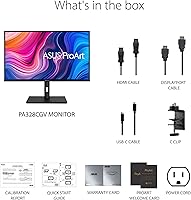
  • Bundle Inclusion: Purchase includes a complimentary 3-month Adobe Creative Cloud subscription, valid through a specified redemption period.

Related Reviews
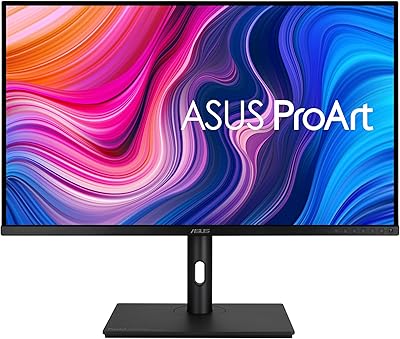
ASUS ProArt PA329CV 32-inch 4K Monitor
81%
94%
Color Accuracy
91%
Out-of-Box Calibration
89%
Connectivity & USB-C
76%
Panel Uniformity
58%
HDR Performance
More
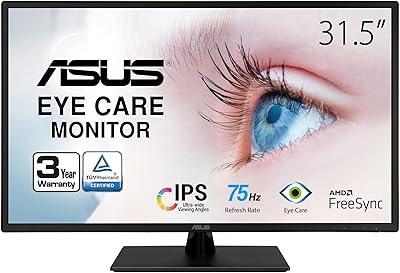
ASUS VA329HE 32-inch IPS Monitor
76%
88%
Value for Money
61%
Image Sharpness
84%
Eye Comfort
91%
Screen Size & Real Estate
67%
Gaming Performance
More
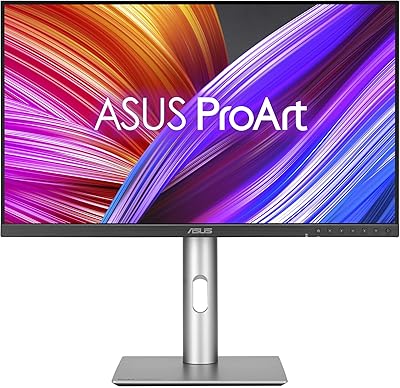
ASUS ProArt Display PA247CV 23.8-inch Monitor
86%
94%
Color Accuracy
89%
Display Quality
91%
Ergonomics and Comfort
87%
Connectivity Options
63%
Brightness in Well-Lit Environments
More
ASUS TUF Gaming VG32UQA1A 32-inch Gaming Monitor
74%
88%
Image Clarity
83%
Refresh Rate Performance
91%
Console Compatibility
54%
HDR Quality
84%
Motion Handling
More
ASUS ProArt Display PA24ACRV 24-inch QHD Monitor
86%
94%
Color Accuracy
89%
Ergonomics & Adjustability
90%
Connectivity (USB-C & Ports)
88%
Build Quality
75%
HDR Performance
More
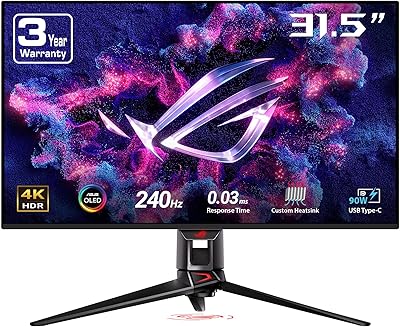
ASUS ROG Swift PG32UCDM 32-inch OLED Monitor
82%
96%
Image Quality
93%
Motion Performance
94%
Color Accuracy
78%
HDR Performance
74%
Burn-In Risk & Longevity
More
ASUS ROG Swift PG32UQ 32-inch 4K HDR Gaming Monitor
89%
93%
Display Quality
90%
Gaming Performance
88%
Build Quality
92%
Color Accuracy
86%
Ease of Use/Ergonomics
More
ASUS ProArt Display 32” 4K HDR Mini-LED Professional Monitor (PA32UCXR)
86%
94%
Color Accuracy
91%
HDR Performance
90%
Build Quality
88%
Ease of Calibration
87%
Connectivity
More
ASUS VA27EQSB 27-inch Monitor
85%
85%
Overall Performance
90%
Display Quality
88%
Ergonomics & Comfort
83%
Connectivity Options
75%
Gaming Experience
More
ASUS VA24DQSB 24-inch IPS Monitor
78%
93%
Ergonomic Adjustability
88%
IPS Panel Color Accuracy
61%
Brightness & Glare Handling
91%
Eye Comfort & Fatigue
84%
Build Quality & Stability
More

FAQ

The PA328CGV does support USB-C Power Delivery alongside video output, so you can run a single cable for both display and charging. That said, the exact wattage delivered is worth checking against your MacBook model's requirements — higher-end MacBook Pros may charge more slowly than with a dedicated charger, while MacBook Air and entry models should be fine for normal use.

It ships with factory calibration already done and a Calman Verified certificate confirming Delta E less than 2 accuracy. For most design and photo editing work, you can trust it out of the box without running your own profiling session. If you are in a highly controlled color environment, you may still want to verify with a hardware colorimeter, but the starting point is genuinely solid.

At 32 inches, QHD gives you roughly 92 pixels per inch, which is comfortable for most design and video editing tasks but noticeably softer than a 4K panel at the same size. Text and UI elements look clean, but if you regularly zoom into fine image detail or do precision photo retouching, a 4K 32-inch display will serve you better.

Yes, reasonably well for casual and mid-tier gaming. The 165Hz refresh rate handles fast-paced games smoothly, and the large 32-inch canvas is enjoyable for single-player titles. It is not optimized for competitive esports, where you would want a faster response time and a gaming-specific panel, but for most people who game occasionally after work it holds up fine.

The complaints tend to cluster around two areas: backlight uniformity inconsistencies on some units, where certain panels show uneven brightness near the edges, and the OSD menu interface, which many users find slow and unintuitive. These are real issues worth knowing about. The good news is that buyers using this 32-inch creative monitor specifically for design and color work tend to rate it more favorably than those who expected gaming performance.

It includes HDMI, DisplayPort, and USB-C, so you have solid flexibility for connecting different devices. USB-C is the most convenient single-cable option for laptops, while HDMI and DisplayPort cover desktops, gaming consoles, or secondary machines.

It is a three-month complimentary subscription, which is a genuinely useful addition if you are not already subscribed or if your current plan is lapsing. For someone building out a new creative workstation, it offsets part of the display cost practically. Just redeem it promptly — there is a validity window tied to a specific end date.

The stand is functional and covers all the adjustments you would expect — height, tilt, swivel, and portrait pivot — though some users have noted it feels less premium than the panel itself. If you prefer a monitor arm, the display is VESA mount compatible, so swapping out the stand is straightforward.

Yes, this is one of its stronger use cases. Full Rec.709 coverage combined with the Calman Verified calibration means what you see while editing closely matches how the final output will appear on calibrated broadcast or consumer displays. It is a credible choice for YouTube creators, documentary editors, or anyone delivering to web and streaming platforms.

Matte coatings always involve a minor trade-off — they scatter light slightly, which can reduce perceived saturation compared to a glossy panel in a perfectly dark room. In practice, the impact on this ProArt display is minimal for professional use, and the glare reduction in real-world studio and office lighting more than compensates. If you are used to a glossy consumer monitor, there may be a brief adjustment period, but most creative professionals strongly prefer matte for extended work sessions.