Overview

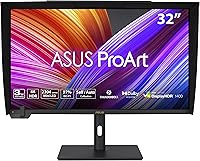
The ASUS ProArt PA32UCXR 32-inch 4K Monitor is not trying to be everything to everyone — and that focus is exactly what makes it worth taking seriously. Built around a Mini-LED panel with over two thousand local dimming zones, it targets photographers, colorists, and post-production professionals who treat display accuracy as a non-negotiable part of their workflow. It arrived in late 2023 into a pro monitor market that was already crowded, but its hardware calibration story gives it a clear identity. This is not a secondary display or a home theater upgrade. It is a precision instrument, priced and built accordingly, and buyers should approach it with that framing from the start.
Features & Benefits

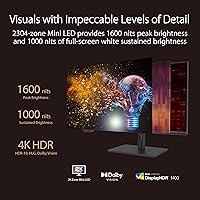
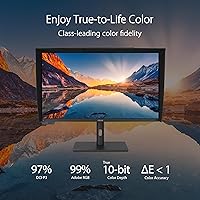
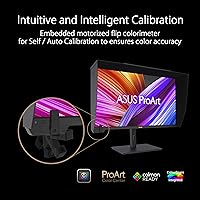
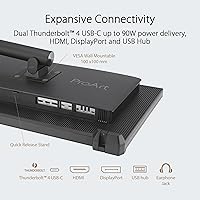
The story here starts with the built-in motorized colorimeter — a feature that sounds like a luxury until you realize what it removes from your weekly routine. Instead of pulling out a separate calibration device, the PA32UCXR handles it autonomously on a schedule you define. The Mini-LED backlight delivers real contrast depth and convincing HDR, though localized blooming around bright objects on dark fields remains a genuine trade-off at this zone density — better than a typical IPS panel, but not OLED-level precision. Color coverage spans nearly the full professional Adobe RGB and DCI-P3 spaces, and Dolby Vision, HDR10, and HLG are all supported natively. Dual Thunderbolt 4 ports with 90W power delivery round things out, making a clean single-cable laptop connection completely practical.

Best For

This ProArt display is built for people whose work depends on color they can trust. That means commercial and fine-art photographers who deliver in Adobe RGB, video editors and colorists cutting DCI-P3 timelines, and motion graphics artists who need to preview HDR output without second-guessing the display. It also suits Thunderbolt 4 laptop users — particularly MacBook Pro owners — who want a single-cable connection that charges the machine and carries the signal. What it is not is a great pick for gaming, general browsing, or anyone who just wants a large sharp screen. Workflow accuracy is the core value here, and if that is not a daily priority, the investment case falls apart quickly.

User Feedback

With a 4.2-star average across more than 750 reviews, the PA32UCXR earns its reputation without being universally loved. Buyers consistently praise the out-of-box color accuracy, the premium build quality, and the convenience of calibrating without external hardware. Those are real strengths. The criticisms, though, are equally consistent: the monitor is heavy and physically demanding to position on a desk, the fan becomes audible during calibration cycles, and first-time users often find the software steeper to configure than expected. Some reviewers also note visible halo artifacts in high-contrast HDR scenes — a known limitation of Mini-LED at this zone count. Long-term owners, however, tend to view the price as justified once it is properly dialed in for their pipeline.

Pros

  • Out-of-box color accuracy is exceptional — most users report it is ready for professional work before any calibration.
  • The built-in motorized colorimeter eliminates the need for a separate external calibration device entirely.
  • Near-complete Adobe RGB and DCI-P3 coverage makes this ProArt display credible for both photo and video delivery workflows.
  • Mini-LED backlighting produces contrast depth and brightness levels that standard IPS panels simply cannot match.
  • Dolby Vision, HDR10, and HLG are all supported natively, covering virtually every HDR delivery format in active use.
  • Dual Thunderbolt 4 ports with 90W power delivery make a clean, single-cable laptop connection genuinely practical.
  • A three-year warranty on a display at this price tier is a meaningful long-term reassurance.
  • Calman and ColourSpace CMS compatibility means studio environments can integrate it into professional calibration workflows without compromise.
  • The matte panel surface handles ambient light well, reducing glare in mixed-lighting studio conditions.
  • Build quality is consistently praised by long-term owners as solid and befitting the investment.

Cons

  • At over 30 pounds, the PA32UCXR is genuinely cumbersome to position, reposition, or move between workspaces.
  • Mini-LED blooming around bright objects on dark backgrounds is a real and documented limitation, not a fringe complaint.
  • The fan noise during calibration cycles is audible enough to be disruptive in quiet studio environments.
  • First-time users frequently report a steep learning curve when setting up Calman or ColourSpace CMS integration.
  • There is no high refresh rate or adaptive sync support, making it a poor fit if you also game on your workstation.
  • The auto-calibration scheduling, while useful, can interrupt workflows if not configured carefully during off-hours.
  • At this price, the absence of OLED-level per-pixel contrast control is a trade-off some professionals may not want to accept.
  • The USB hub functionality, while convenient, has drawn occasional user complaints about inconsistent device recognition.
  • Desk footprint and depth may be problematic for smaller workstations or shallow desk setups given its physical dimensions.

Ratings

The scores below reflect an AI-assisted analysis of verified global user reviews for the ASUS ProArt PA32UCXR 32-inch 4K Monitor, with spam, bot-generated, and incentivized submissions actively filtered out before scoring. Each category distills what real buyers — photographers, colorists, motion graphics artists, and post-production professionals — consistently praised or flagged as a pain point. Both the strengths and the genuine frustrations are represented transparently, so you can make a well-informed decision.

Color Accuracy
96%
Professional users repeatedly describe the out-of-box color accuracy as among the best they have encountered in a production environment. Photographers delivering to print labs and colorists finishing DCI-P3 timelines both report that what they see on the PA32UCXR translates reliably to the final output, which is the core promise of a monitor at this tier.
A small number of users note that individual unit variance exists and that a fresh calibration run is still advisable before beginning critical client work. Color accuracy also depends on maintaining a stable display temperature, which means the first 20 to 30 minutes of use after cold startup can show slight deviations.
Built-in Colorimeter
91%
The motorized self-calibration system is consistently described as a workflow-changing feature by users who previously relied on external devices. Being able to schedule overnight recalibration without any manual intervention removes a real administrative burden from color-critical studio routines.
The fan noise during active calibration cycles is a recurring complaint, particularly from users working in acoustically sensitive environments. A handful of reviewers also report that the auto-calibration scheduling interface is not as intuitive as it should be for a feature this central to the product.
HDR Performance
78%
22%
The Mini-LED backlight produces HDR brightness and contrast levels that are meaningfully better than what standard IPS panels deliver, and Dolby Vision support in particular gives video professionals a credible way to preview HDR masters directly on the display. Bright scenes look genuinely punchy and well-controlled.
Blooming and halo artifacts around high-contrast edges — bright text on a black background being the most cited example — are a real and documented limitation at this zone count. Users evaluating this against OLED alternatives should be clear-eyed that Mini-LED cannot match per-pixel black control, and several reviewers felt this was undersold at the time of purchase.
Build Quality
89%
The chassis and stand are consistently described as robust and premium-feeling, with materials that reinforce the sense that this is a long-term studio investment rather than a consumer-grade purchase. The motorized colorimeter mechanism in particular draws praise for feeling precise and well-engineered rather than like an afterthought.
At over 30 pounds, the physical weight is a recurring point of frustration for users who need to adjust or reposition the display. A small number of reviewers also mention that the stand base takes up significant desk depth, which compounds the footprint issue in tighter workspaces.
Connectivity
87%
Dual Thunderbolt 4 ports with 90W power delivery make the single-cable laptop workflow a genuine day-to-day convenience, and Thunderbolt 4 users — MacBook Pro owners in particular — highlight how cleanly the desk setup comes together. The inclusion of DisplayPort, HDMI, and a USB hub adds practical flexibility for multi-source studio environments.
Some users report occasional inconsistencies with USB hub device recognition, particularly when hotplugging multiple peripherals. A few reviewers also note that the HDMI port is limited to HDMI 2.0 rather than 2.1, which matters for anyone wanting to connect a higher-bandwidth source at full resolution.
Calibration Software Experience
63%
37%
Users who invest the time to set up Calman or ColourSpace CMS integration report highly repeatable and verifiable results, with the professional hardware calibration workflow matching what they would expect from a dedicated studio display. For experienced colorists, this level of software compatibility is a genuine differentiator.
The learning curve is steep and frustrating for users who are new to professional calibration workflows. Multiple reviewers describe the initial setup process as poorly documented, and the fact that both Calman and ColourSpace are paid third-party tools — not included with the purchase — adds cost and friction that buyers do not always anticipate.
Value for Money
74%
26%
The majority of professional buyers who use this ProArt display daily conclude that the price is justified by the combination of hardware calibration, color gamut coverage, and build quality in a single unit. For a working studio that bills for color-accurate output, the investment has a defensible return.
For anyone who cannot specifically justify the need for hardware self-calibration and near-complete Adobe RGB coverage, the price is very difficult to rationalize against capable alternatives at lower price points. Casual creative users and those newer to professional color work consistently find the value proposition harder to accept.
Ergonomics & Adjustability
71%
29%
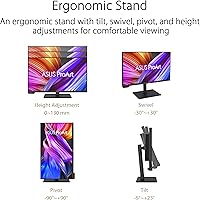
The stand supports height, tilt, swivel, and pivot adjustments, which covers the ergonomic needs of most studio setups. VESA compatibility also allows users to move to a third-party arm if they prefer, giving the setup some flexibility despite the fixed-installation nature of the display.
The sheer weight makes physical adjustments effortful compared to lighter professional monitors, and once positioned, most users leave it in place permanently. A few reviewers noted that the pivot mechanism feels stiffer than expected at this price tier, requiring more force than comfortable for portrait-mode rotation.
Brightness & Glare Control
84%
The matte screen surface handles ambient light well enough that users in mixed-lighting studio environments report minimal distraction from reflections. Peak brightness levels in HDR mode are convincingly high, and the sustained full-screen brightness holds up better than many comparable Mini-LED panels during extended HDR content monitoring sessions.
In SDR mode the maximum brightness is noticeably lower, which can feel limiting in very bright workspaces where overhead lighting is unavoidable. Some users also report that the local dimming aggressiveness can create subtle brightness inconsistencies near the panel edges during certain types of content.
Fan & Acoustic Performance
58%
42%
Under normal display operation without active calibration, the monitor runs silently and does not contribute any ambient noise to the work environment. For users who calibrate only during off-hours, the acoustic issue is effectively a non-factor in daily use.
When the built-in colorimeter activates — whether manually or on a schedule — the cooling fan becomes clearly audible in quiet rooms, and several users describe it as disproportionately loud for a professional studio device. This is one of the most consistently reported frustrations in long-term ownership reviews.
Setup & Initial Configuration
66%
34%
Physical hardware setup is straightforward, and the out-of-box color calibration means most users can begin doing productive work within minutes of first power-on. Thunderbolt 4 plug-and-play with modern laptops is particularly smooth, with no driver installation required for basic display and charging functionality.
Configuring the OSD menu for advanced color modes, HDR format switching, and colorimeter scheduling involves navigating a system that several users describe as dense and not particularly intuitive. Users who want to integrate with Calman or ColourSpace should budget meaningful time for the initial software configuration process.
Long-term Reliability
82%
18%
The three-year warranty provides meaningful reassurance for a display at this price point, and the overall feedback from longer-term owners suggests the hardware holds up well in sustained professional use. The motorized colorimeter mechanism, which was a logical point of concern for some buyers, has not drawn widespread durability complaints.
The relatively recent market launch — late 2023 — means the multi-year reliability picture is still incomplete compared to monitors with longer production histories. A small number of users have reported panel uniformity issues emerging after extended use, though these remain a minority of the overall feedback pool.
Color Gamut Coverage
93%
Near-complete Adobe RGB and DCI-P3 coverage means working photographers and video professionals rarely encounter a color space limitation when using the PA32UCXR for production work. The true 10-bit panel renders gradients and color transitions with a smoothness that users coming from 8-bit displays notice immediately.
The wide gamut requires conscious color management in applications that do not handle ICC profiles correctly, and users who open non-color-managed software on this display may see oversaturated output that looks wrong. This is a workflow discipline issue rather than a hardware flaw, but it catches new professional monitor users off guard.
Physical Footprint
53%
47%
At 32 inches, the screen area strikes most users as well-balanced for a single-display professional workstation, providing enough working real estate to comfortably run a full editing interface with panels and a preview window without feeling cramped.
The depth of the stand base and the overall weight make this display a poor fit for shallow desks or anyone who rearranges their workspace regularly. Multiple reviewers specifically note that desk depth became a practical problem they had not anticipated before the monitor arrived, and a few opted to purchase a VESA arm solely to recover desk space.

Suitable for:

The ASUS ProArt PA32UCXR 32-inch 4K Monitor is purpose-built for creative professionals whose livelihood depends on color they can verify, not just trust. Commercial photographers and retouchers will appreciate the near-complete Adobe RGB coverage and a Delta E below 1, which means what you see on screen is genuinely close to what prints or publishes. Video editors and colorists working in DCI-P3 pipelines get a display that can actually monitor Dolby Vision content natively, which removes a meaningful guesswork layer from the finishing process. Motion graphics artists and post-production studios running HDR deliverables will find the Mini-LED backlight capable enough for realistic preview work. Creative professionals on Thunderbolt 4 laptops — MacBook Pro users especially — will value the single-cable setup that powers and drives the display simultaneously, keeping desk clutter to a minimum. Studios that treat periodic hardware calibration as a standard operating procedure will find the built-in colorimeter a genuine workflow asset rather than a novelty.

Not suitable for:

If your work does not regularly demand verified, hardware-calibrated color accuracy, this professional monitor is almost certainly more display than you need. Gamers will find nothing here to justify the cost — there is no high refresh rate, no variable sync support, and the panel prioritizes color fidelity over motion response. Casual home users or anyone buying a large screen primarily for streaming, browsing, or general productivity will get far better value from displays at a fraction of the price. The sheer physical weight — over 30 pounds — makes it impractical for anyone who moves, reconfigures, or travels with their setup regularly. Users who have never worked with professional calibration software should also weigh the learning curve honestly; the hardware is only as useful as your willingness to configure it properly. Finally, buyers sensitive to fan noise in a quiet studio environment should know that the calibration cycles are audible, which is a recurring real-world complaint.

Specifications

  • Panel Size: The display measures 32 inches diagonally, offering ample screen real estate for multi-window creative workflows without requiring a dual-monitor setup.
  • Resolution: Native resolution is 3840 x 2160 (4K UHD), delivering enough pixel density on a 32″ panel that individual pixels are not discernible at typical working distances.
  • Backlight Type: A Mini-LED backlight with 2,304 independent local dimming zones enables precise brightness control across different areas of the image simultaneously.
  • Peak Brightness: The panel reaches 1,600 nits peak brightness in HDR mode, with a sustained full-screen brightness of 1,000 nits for demanding HDR content monitoring.
  • Color Depth: True 10-bit color depth is supported natively, allowing the display to render over one billion distinct colors without dithering or approximation.
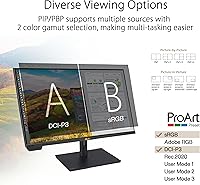
  • Color Gamut: Coverage spans 99% of the Adobe RGB color space and 97% of DCI-P3, meeting the requirements of professional photography and cinema post-production workflows.
  • Color Accuracy: Factory calibration achieves a Delta E below 1, meaning the difference between displayed and target color values is imperceptible to the human eye under normal viewing conditions.
  • HDR Formats: The monitor supports Dolby Vision, HDR10, and HLG natively, covering the three most widely used HDR formats in broadcast, streaming, and cinema delivery.
  • Colorimeter: A motorized colorimeter is built directly into the display chassis, enabling fully automated self-calibration and scheduled recalibration without any external measurement hardware.
  • Calibration Software: The PA32UCXR is compatible with Calman and Light Illusion ColourSpace CMS, two industry-standard software platforms used for professional hardware display profiling.
  • Connectivity: Ports include two Thunderbolt 4 USB-C inputs, one DisplayPort, one HDMI, and a USB hub, providing broad compatibility with modern workstations and laptops.
  • Power Delivery: Up to 90W of USB-C power delivery is available through the Thunderbolt 4 ports, sufficient to charge most professional laptops while connected.
  • Aspect Ratio: The panel uses a standard 16:9 aspect ratio, which aligns with the majority of video production, web, and presentation formats in professional use.
  • Screen Surface: The matte anti-glare coating reduces reflections from ambient light sources, making it practical for use in studio environments with mixed or overhead lighting.
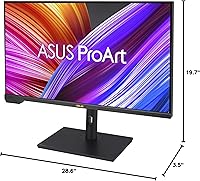
  • Dimensions: The monitor body measures approximately 28.6 x 3.5 x 19.7 inches (L x D x H) without the stand, requiring a desk with meaningful depth clearance.
  • Weight: The unit weighs approximately 30.4 pounds, which makes desk repositioning effortful and effectively limits this to a fixed-installation display.
  • Warranty: ASUS provides a three-year manufacturer warranty, which is above average for professional monitors in this category and adds meaningful long-term purchase confidence.
  • OS Compatibility: The display is officially compatible with Windows 10 and Windows 11, though Thunderbolt 4 connectivity also enables full-function use with compatible macOS devices.

Related Reviews
ASUS ProArt PA329CV 32-inch 4K Monitor
81%
94%
Color Accuracy
91%
Out-of-Box Calibration
89%
Connectivity & USB-C
76%
Panel Uniformity
58%
HDR Performance
More
ASUS ProArt PA328CGV 32-inch Monitor
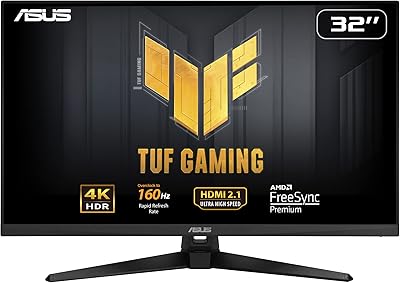
75%
91%
Color Accuracy
88%
Color Gamut Coverage
83%
Panel & Image Quality
71%
Build Quality
74%
Ergonomics & Stand
More
ASUS TUF Gaming VG32UQA1A 32-inch Gaming Monitor
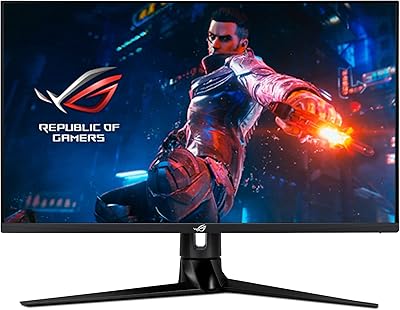
74%
88%
Image Clarity
83%
Refresh Rate Performance
91%
Console Compatibility
54%
HDR Quality
84%
Motion Handling
More
ASUS ROG Swift PG32UQ 32-inch Gaming Monitor
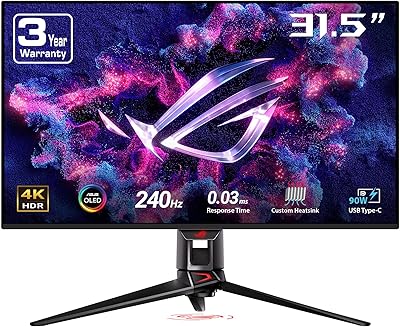
67%
83%
Image Quality
54%
HDR Performance
78%
Refresh Rate & Smoothness
81%
Console Compatibility
41%
Panel Uniformity
More
ASUS ROG Swift PG32UCDM 32-inch OLED Monitor

82%
96%
Image Quality
93%
Motion Performance
94%
Color Accuracy
78%
HDR Performance
74%
Burn-In Risk & Longevity
More
ViewSonic VX3267U-4K 32-inch 4K IPS Monitor

74%
91%
Image Sharpness
83%
USB-C Functionality
76%
Color Accuracy
54%
HDR Performance
47%
Stand & Ergonomics
More
ViewSonic VP3256-4K 32-inch 4K IPS Monitor

80%
93%
Color Accuracy
89%
Panel Clarity & Sharpness
88%
Build Quality & Stand
79%
USB-C Connectivity
86%
Ergonomics & Comfort
More
ViewSonic VX3276-4K-MHD 32-inch 4K Monitor
76%
91%
Image Clarity & Sharpness
74%
Color Accuracy
86%
Contrast & Black Levels
61%
HDR Performance
58%
Refresh Rate & Motion Handling
More
ViewSonic VP3268A-4K 32-inch 4K Monitor

79%
93%
Color Accuracy
91%
Out-of-Box Calibration
88%
Build Quality
86%
Ergonomics & Stand
89%
Connectivity
More
Gawfolk GF320F 32-Inch 4K UHD Monitor
72%
88%
Image Clarity
83%
Contrast & Color Depth
51%
Brightness
74%
Color Accuracy
81%
Viewing Angle
More

FAQ

No — that is one of the standout practical advantages of the PA32UCXR. The motorized colorimeter is physically built into the display and deploys automatically during calibration. You can schedule it to run overnight so it never interrupts your work, and it works with both the built-in self-calibration mode and professional software like Calman.

It is audible. Multiple real-world users describe it as a low but clearly perceptible hum that stands out in a quiet room. If you are calibrating during off-hours it is a non-issue, but if you plan to run recalibration mid-session in a sound-sensitive environment, that is worth factoring into your setup routine.

Yes, and it works well. The Thunderbolt 4 connection carries the 4K signal and delivers up to 90W of charging power simultaneously, so one cable handles both display and power for most MacBook Pro models. It is one of the more practical aspects of the connectivity design for laptop-based creative workflows.

It depends on your content. For the vast majority of photography and video color work, the 2,304-zone backlight is more than capable and halo artifacts are minimal. Where it becomes more noticeable is in very high-contrast HDR scenes — bright text or objects against a pure black background, for example. It is genuinely better than a standard IPS panel, but if pixel-level black uniformity is critical to your work, OLED-based alternatives are worth comparing directly.

Technically it will display games, but it is not designed for that use case and the hardware reflects that. There is no high refresh rate, no variable refresh rate support, and the response time is tuned for color fidelity rather than motion clarity. If you want a single display that covers both gaming and color-critical work, this is not the right tool.

If color accuracy is central to your client deliverables and you bill for that work, the answer for most photographers is yes. The combination of near-complete Adobe RGB coverage, factory Delta E below 1, and built-in calibration hardware removes real uncertainty from the editing process. The honest caveat is that if you are earlier in your career or working primarily for web-only output, there are capable alternatives at significantly lower cost.

The display supports Calman and Light Illusion ColourSpace CMS for professional hardware calibration workflows. Both are paid third-party platforms, and licenses are not included with the monitor purchase. For most users, the built-in self-calibration mode is sufficient for maintaining accuracy without any additional software cost.

It is genuinely strong. A Delta E below 1 at factory calibration means most users can start professional color work immediately without needing to run a calibration cycle first. That is a meaningful practical advantage over monitors that ship with looser factory tolerances and require calibration before use.

The included stand supports height, tilt, swivel, and pivot adjustments, which covers most ergonomic needs. VESA mount compatibility is supported, so a third-party monitor arm is a viable option if you prefer that setup — just account for the 30-plus pound weight when selecting a compatible arm with appropriate load rating.

There is a subtle trade-off. Matte coatings diffuse reflections effectively, which is genuinely useful in studio environments, but they can slightly reduce perceived pop and saturation compared to a glossy surface. For professional color work where surface reflections are a bigger practical problem than a small saturation difference, matte is the right choice, and the PA32UCXR handles it well.

Where to Buy