Overview

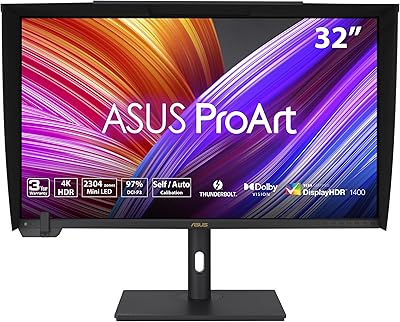
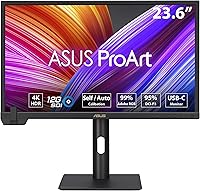
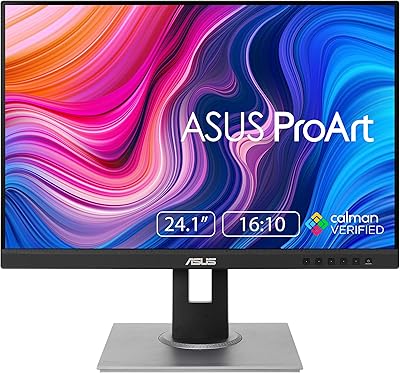
The ASUS ProArt PA24US 24-inch 4K Professional Monitor is built for one specific type of buyer: someone whose livelihood depends on color accuracy. It sits firmly in the premium tier, targeting photographers, colorists, and broadcast professionals who need a reliable reference display rather than a large-format consumer screen. The 24-inch size is compact by today's standards, but that's often a calculated choice — a tight studio desk, a rack-mounted production setup, or a secondary reference position alongside a larger panel. What genuinely sets this ProArt display apart at this price is factory calibration and a built-in motorized colorimeter, both of which signal serious intent from ASUS toward professional users who can't afford to guess at color.
Features & Benefits

The IPS panel delivers 4K UHD resolution at 3840x2160, which means fine retouching work and dense text both look genuinely crisp — a real difference from lower-resolution professional displays. Color coverage hits 99% Adobe RGB and 95% DCI-P3, covering the gamuts used in print production and cinema delivery respectively. The Delta-E under 1 figure isn't just a spec to quote; it means the PA24US renders colors close enough to ground truth that you can trust it for client-facing work. The built-in motorized colorimeter handles recalibration on demand, eliminating the cost and hassle of an external device. Calman Ready support adds value for studios already running Calman workflows, and USB-C with power delivery keeps the desk tidy for laptop users.

Best For

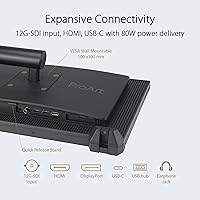
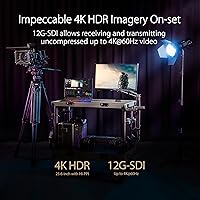
This professional monitor earns its place most clearly in color-critical professional environments. Photographers and retouchers who deliver print work live and die by accurate Adobe RGB rendering, and this ProArt display delivers that without needing a third-party calibrator on the desk. Video colorists working in streaming or broadcast will appreciate DCI-P3 compliance and HLG support for HDR review. The 12G-SDI input is a genuine differentiator for live production setups — that single feature makes the PA24US a realistic option where most prosumer monitors simply aren't. Freelancers running a lean setup benefit from self-calibration reducing ongoing maintenance costs. Who shouldn't buy it? Gamers wanting high refresh rates, or general users who would be paying for professional accuracy they will never actually use.

User Feedback

Across nearly 2,000 ratings, the PA24US holds a 4.5-star average — a strong signal that most buyers are genuinely satisfied. Out-of-box color accuracy and minimal setup time come up repeatedly in positive reviews, with many users noting they plugged it in and it was immediately usable for professional work. The build quality and ergonomic stand get consistent praise, and the matte panel draws appreciation from anyone who works near windows. The recurring criticism worth taking seriously: the 24-inch size feels modest given the price, and a few users find the ProArt Calibration software clunky to navigate. Some have also reported minor driver compatibility quirks. The SDI input, however, is frequently cited as a deciding factor for broadcast buyers who had no comparable alternative.

Pros

  • Factory calibration means the display is ready for professional color work straight out of the box, with no extra setup required.
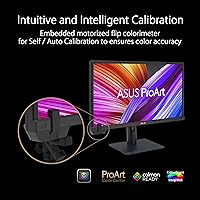
  • The built-in motorized colorimeter handles hardware recalibration on demand, eliminating the need for a separate external device.
  • 99% Adobe RGB and 95% DCI-P3 coverage supports both print and cinema delivery workflows from a single monitor.
  • Delta-E under 1 accuracy gives real confidence that what you see on screen will match your final output.
  • The 12G-SDI input is a rare broadcast-grade feature that opens this monitor to live production environments most rivals cannot serve.
  • Calman Ready support makes the PA24US a natural fit for studios already running professional calibration workflows.
  • USB-C with power delivery keeps cable clutter minimal for laptop-based creative setups.
  • The matte anti-glare panel performs well in varied lighting conditions, which real studio environments require.
  • Build quality and the ergonomic stand consistently earn praise, with solid adjustability for long editing sessions.
  • A 3-year ASUS warranty provides meaningful peace of mind for a professional tool at this investment level.

Cons

  • The 24-inch screen size feels compact relative to the premium price, which frustrates buyers expecting more physical real estate.
  • The ProArt Calibration software has drawn recurring complaints about a clunky interface and a steep learning curve.
  • Some users have reported driver compatibility issues that required troubleshooting before the display worked reliably with their system.
  • At this price point, the absence of a larger screen option in the same spec tier is a genuine gap in the lineup.
  • The panel does not offer a high refresh rate, which limits flexibility if dual-purpose use is ever needed.
  • USB hub functionality is limited to two USB 3.0 ports, which may feel sparse for heavily connected workstations.
  • The weight of 13.2 pounds makes repositioning or travel use less practical than lighter competing displays.
  • Buyers outside professional broadcast workflows are paying for 12G-SDI they will never actually use, with no lower-cost variant available.

Ratings

The ASUS ProArt PA24US 24-inch 4K Professional Monitor scores below reflect AI-synthesized analysis of verified global buyer reviews, with spam, bot-generated, and incentivized feedback actively filtered out before scoring. Ratings are derived from patterns across thousands of real user experiences, weighting both praised strengths and recurring frustrations equally. The result is a transparent, balanced scorecard that captures what this professional monitor genuinely delivers — and where it falls short.
Color Accuracy
96%
Color accuracy is the single most praised attribute across verified reviews. Photographers and colorists consistently report that factory calibration holds up in real-world use, with print and screen outputs matching closely enough to trust for client delivery without additional correction. The sub-Delta-E-1 performance is not just a spec — buyers notice it.
A very small number of users reported unit-to-unit variation, with occasional panels slightly outside the advertised Delta-E range at delivery. These cases appear to be outliers rather than a systemic issue, but it is worth inspecting your unit and running a fresh calibration after purchase.
Out-of-Box Readiness
93%
The included calibration report and factory-profiled state mean most professionals can connect this ProArt display and begin color-critical work within minutes. Buyers frequently highlight this as a meaningful time-saver compared to monitors that require third-party calibration before being usable at a professional standard.
Some users working in highly controlled color environments still recommend re-calibrating immediately to account for their specific ambient lighting conditions and GPU output chain, which means out-of-box readiness is excellent but not unconditional for the most demanding workflows.
Built-in Colorimeter
91%
The motorized colorimeter is a practical differentiator that eliminates the need to own and maintain a separate calibration device — a cost that adds up over time for freelancers and small studios. Users appreciate that recalibration is available on demand without any extra hardware investment, keeping the PA24US self-sufficient.
The calibration process is tied to the ProArt Calibration software, which has drawn complaints about interface complexity and an unintuitive workflow for first-time users. Those already using Calman find the experience smoother, but users without a calibration software background may find the process more involved than expected.
Color Gamut Coverage
94%
Covering 99% Adobe RGB and 95% DCI-P3 gives this professional monitor a genuinely broad working range that satisfies both print photographers and video colorists within a single display. Reviewers working across multiple delivery formats — print, streaming, and broadcast — value not having to compromise between gamut profiles.
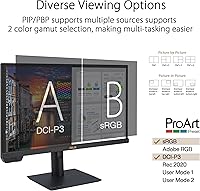
Wide-gamut coverage without proper color management can make sRGB-only content look oversaturated on uncalibrated systems. Users who do not actively manage ICC profiles or use the monitor's sRGB emulation mode may notice this issue, particularly when working alongside web browsers not set up for wide-gamut rendering.
12G-SDI Connectivity
89%
For broadcast and live production professionals, the 12G-SDI input is a decisive factor that makes the PA24US viable where no competing display at this size and price can go. Reviewers in production environments specifically cite it as the feature that justified choosing this monitor over alternatives with stronger consumer-facing specs.
For the majority of buyers who are photographers or desktop-based video editors, the SDI input goes entirely unused, which means a portion of the premium price covers hardware irrelevant to their workflow. ASUS does not offer a version without SDI at a lower price point, which limits flexibility for buyers who want the color performance without the broadcast features.
Build Quality
88%
The physical construction earns consistent praise — the chassis feels dense and professional rather than hollow, and the stand is notably stable even when adjusting height or pivoting to portrait orientation. For a monitor that sits in a production environment and gets repositioned frequently, this solidity is a practical benefit, not just an aesthetic one.
At 13.2 pounds, the PA24US is on the heavier side for a 24-inch display, which makes repositioning less casual than with lighter monitors. A small number of users also noted that the stand, while solid, takes up more desk depth than expected when fully extended.
Ergonomics & Stand
86%
Height adjustment, tilt, swivel, and portrait pivot are all supported, giving this ProArt display the flexibility to fit a wide range of desk setups and working postures. Portrait orientation works particularly well for photographers reviewing vertical images or editors working with long timelines and text-heavy interfaces.
The stand is not detachable without a screwdriver, which complicates VESA mounting setups for users who prefer arm-mounted configurations. The VESA compatibility itself is present, but the removal process is less tool-free than some competing professional monitors offer.
Matte Panel Performance
84%
The anti-glare matte surface handles ambient light well, which is especially relevant for studio environments with overhead lighting or windows. Reviewers consistently note that the coating does not introduce the hazy or grainy texture sometimes seen on heavily treated matte displays, keeping image clarity intact.
Compared to glossy panels, perceived contrast and color vibrancy are slightly softer in direct comparisons, which some users notice when switching from a glossy reference screen. This is an inherent characteristic of matte coatings rather than a flaw specific to this monitor, but it is worth knowing before purchasing.
Calibration Software
61%
39%
The ProArt Calibration software does the job when configured correctly, and for users who take the time to learn it, it provides genuine control over the display's color profile and calibration schedule. Calman Ready integration is a meaningful alternative for studios already invested in that ecosystem.
The software's interface is widely described as clunky, unintuitive, and inconsistently updated. Driver compatibility issues have also surfaced for some users across different operating systems, requiring troubleshooting that should not be necessary at this price point. This is the most consistent pain point in the PA24US review pool.
USB-C & Connectivity
83%
Single-cable USB-C connectivity with power delivery is a genuinely practical feature for laptop-based creative professionals, reducing desk clutter to a minimum while maintaining full 4K signal quality. MacBook Pro users in particular appreciate the clean setup this enables during client presentations or on-location editing sessions.
The USB hub functionality is limited to two USB 3.0 downstream ports, which feels sparse for a professional workstation monitor at this price. Users with multiple peripherals — hard drives, tablets, audio interfaces — will likely still need a separate hub, which slightly undermines the cable management benefit.
Screen Size Value
58%
42%
The 24-inch size is genuinely useful as a dedicated reference monitor or in desk-constrained studio setups where a larger panel simply does not fit. A handful of reviewers specifically preferred the compact footprint for secondary monitor roles or portable professional setups.
The most common grievance across all review sentiment is the size-to-price ratio — many buyers feel the 24-inch screen is modest for the investment required, especially when comparably priced displays in other categories offer significantly more physical real estate. This concern does not diminish the panel's technical quality, but it is a real perception issue.
HDR Performance
74%
26%
HLG support covers the HDR format most relevant to broadcast and streaming review workflows, making the PA24US a usable monitoring tool for HDR content evaluation in professional contexts. Colorists reviewing HLG masters find the display handles the format correctly and predictably.
The monitor is not a high-peak-brightness HDR display — it does not approach the luminance levels of consumer HDR gaming or cinema monitors. For users expecting visually dramatic HDR with deep blacks and bright highlights, this display will feel understated; HDR here is a grading and review tool, not a viewing experience enhancer.
Value for Money
69%
31%
For broadcast and color-critical professionals who will actively use the 12G-SDI input, built-in colorimeter, and wide-gamut coverage together, the PA24US offers a compelling consolidated tool that would cost significantly more if assembled from separate components. The 3-year warranty adds meaningful long-term value to the investment.
For buyers who only need one or two of the professional features on offer, the overall package feels expensive relative to alternatives that cover a narrower but equally competent feature set. The value proposition is strong but narrow — it rewards professionals who use all of it and penalizes those who do not.
Setup & Driver Compatibility
67%
33%
For the majority of users, initial setup is straightforward — plug in, load the ICC profile, and the display works as expected with most modern operating systems and GPU configurations. Windows and macOS compatibility is broadly solid under standard connection types.
A recurring minority of users have documented compatibility issues with specific docking stations, USB-C implementations, and older GPU drivers that required additional troubleshooting to resolve. These are not universal problems, but they appear with enough frequency in verified reviews to be a genuine consideration rather than isolated edge cases.
Warranty & Support
87%
The 3-year warranty coverage is notably above the industry standard for consumer monitors and signals ASUS's confidence in the PA24US as a professional-grade product. Buyers report that ASUS support for ProArt products is generally responsive and takes warranty claims seriously compared to budget-tier display manufacturers.
Some users outside major markets have reported slower response times and more limited service center access for warranty claims, which matters for a professional tool where downtime has real workflow consequences. The warranty itself is solid; the service infrastructure behind it is less uniformly dependable internationally.

Suitable for:

The ASUS ProArt PA24US 24-inch 4K Professional Monitor is purpose-built for professionals whose work demands color they can actually trust. Photographers and retouchers producing print deliverables will find the 99% Adobe RGB coverage and sub-Delta-E-1 accuracy genuinely meaningful — not just a spec sheet claim. Video colorists and editors working in streaming or broadcast benefit directly from DCI-P3 compliance and HLG support, which align with real delivery pipelines. Broadcast and live production teams gain the most distinctive advantage: the 12G-SDI input is rare at any price in this form factor, and it can replace a dedicated, far more expensive broadcast reference monitor in many setups. Freelancers and small studios also stand to benefit from the built-in motorized colorimeter, which removes the recurring cost of external calibration hardware or professional calibration services. If your income depends on showing clients accurate color, this ProArt display is a serious, defensible investment.

Not suitable for:

The ASUS ProArt PA24US 24-inch 4K Professional Monitor is straightforwardly the wrong tool for a large portion of potential buyers, and it is worth being direct about that. Gamers will find no high refresh rate, no adaptive sync marketing, and none of the features that make a monitor compelling for fast-paced play — the engineering here went entirely in a different direction. General home or office users who need a large, comfortable screen for documents, video calls, and media consumption will find the 24-inch size underwhelming at this price point, since much larger consumer displays are available for a fraction of the cost. Content creators whose work lives entirely within sRGB — social media graphics, web design without print deliverables — are also unlikely to extract meaningful value from the wide-gamut hardware. Students or hobbyist photographers testing the waters of color accuracy would be better served by a mid-range calibrated display rather than committing to professional-tier pricing. If you cannot point to a specific workflow that demands verified Adobe RGB or broadcast-grade input, the PA24US will feel like paying for a precision instrument you never fully use.
Specifications

  • Panel Type: The display uses an In-Plane Switching (IPS) panel, which provides wide viewing angles and consistent color rendering across the screen.
  • Screen Size: The viewable screen area measures 23.6 inches diagonally, marketed as a 24-inch class display.
  • Resolution: Native resolution is 3840x2160 pixels (4K UHD), delivering a sharp pixel density well-suited for detailed retouching and fine text rendering.
  • Color Gamut: The panel covers 99% of the Adobe RGB color space and 95% of DCI-P3, supporting professional print and digital cinema delivery standards.
  • Color Accuracy: Factory-calibrated to a Delta-E value of less than 1, meaning color deviation from reference values is imperceptible to the human eye under normal conditions.
  • HDR Support: The monitor supports HLG (Hybrid Log-Gamma) HDR format, which is widely used in broadcast and streaming production workflows.
  • Colorimeter: A built-in motorized colorimeter is included, enabling automated on-screen hardware calibration without requiring a separate external calibration device.
  • Calibration Software: The display is Calman Ready, allowing direct integration with Portrait Displays Calman calibration software for studio-grade profiling workflows.
  • Signal Input: A 12G-SDI input is included, supporting single-link 4K signals at up to 60fps, a broadcast-grade feature uncommon in monitors at this form factor.
  • Connectivity: Connectivity includes USB-C with power delivery, DisplayPort, HDMI, and 12G-SDI, covering a broad range of professional source devices.
  • USB Ports: Two USB 3.0 downstream ports are built into the monitor for connecting peripherals directly to the display.
  • Surface Finish: The panel surface is matte anti-glare, reducing reflections from ambient light sources in studio and production environments.
  • Aspect Ratio: The display uses a standard 16:9 widescreen aspect ratio.
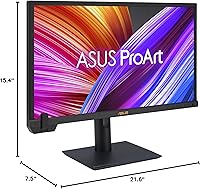
  • Dimensions: Physical dimensions with stand measure approximately 7.5 x 21.6 x 15.4 inches (depth x width x height).
  • Weight: The monitor weighs 13.2 pounds including the stand, which is moderately heavy for a 24-inch display due to its professional-grade construction.
  • Ergonomics: The stand supports height adjustment, tilt, swivel, and pivot, allowing the screen to be positioned in landscape or portrait orientation.
  • Warranty: ASUS provides a 3-year limited warranty covering this professional monitor, which is notably longer than the standard 1-year coverage common on consumer displays.
  • First Available: The PA24US was first made available for purchase in December 2023.

Related Reviews
ASUS ProArt PA24ACRV 24-inch QHD Monitor
81%
93%
Color Accuracy
89%
Color Gamut Coverage
88%
Build Quality
91%
Ergonomics & Stand
87%
Connectivity
More
ASUS ProArt PA329CV 32-inch 4K Monitor
81%
94%
Color Accuracy
91%
Out-of-Box Calibration
89%
Connectivity & USB-C
76%
Panel Uniformity
58%
HDR Performance
More
ASUS ProArt PA32UCXR 32-inch 4K Monitor
78%
96%
Color Accuracy
91%
Built-in Colorimeter
78%
HDR Performance
89%
Build Quality
87%
Connectivity
More
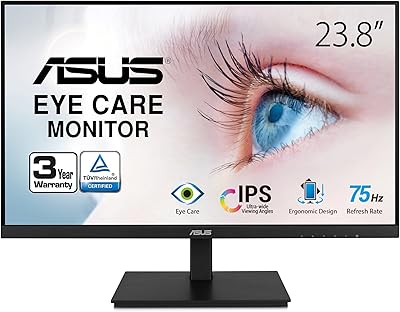
ASUS VA24DQSB 24-inch IPS Monitor
78%
93%
Ergonomic Adjustability
88%
IPS Panel Color Accuracy
61%
Brightness & Glare Handling
91%
Eye Comfort & Fatigue
84%
Build Quality & Stability
More
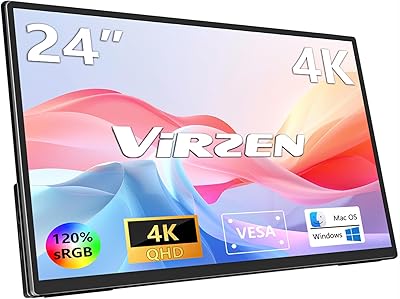
Virzen 24-inch 4K Portable Monitor
87%
91%
Display Quality
94%
Portability
89%
Ease of Setup
88%
Connectivity Options
90%
Color Accuracy
More
ASUS ProArt PA248QV 24.1-inch Monitor
80%
93%
Color Accuracy
86%
Panel & Image Quality
74%
Resolution & Sharpness
88%
Aspect Ratio & Screen Real Estate
91%
Ergonomics & Stand
More
ASUS VZ24EHF 24-inch Eye Care Monitor
86%
91%
Value for Money
88%
Display Quality
93%
Eye Care Technology
86%
Refresh Rate & Performance
85%
Build Quality
More
ASUS BE24ECSBT 24-inch Touch Monitor
76%
83%
Touch Accuracy
91%
USB-C Connectivity
67%
Display Quality
88%
Build & Ergonomics
72%
Value for Money
More
ASUS ProArt PA328CGV 32-inch Monitor
75%
91%
Color Accuracy
88%
Color Gamut Coverage
83%
Panel & Image Quality
71%
Build Quality
74%
Ergonomics & Stand
More
ASUS ProArt PA279CRV 27-inch 4K Monitor
84%
94%
Color Accuracy
92%
Color Gamut Coverage
88%
Panel Sharpness & Clarity
91%
Factory Calibration
86%
USB-C Connectivity & Charging
More

FAQ

It ships factory-calibrated, and each unit includes a calibration report specific to that display. You can use it for professional work immediately without touching the colorimeter. That said, running a fresh calibration after the display has had time to warm up and settle in your specific environment is still a good practice for critical work.

The 12G-SDI port accepts a single-cable 4K signal at up to 60fps, which is the standard connection used in professional broadcast cameras, switchers, and production equipment. If your work does not involve broadcast cameras or live production gear, you almost certainly do not need it — but it does not hurt to have it there. For most photographers and video editors working from a computer, USB-C, DisplayPort, or HDMI will be the inputs they actually use.

You can, but it is a bit like using a precision measuring instrument as a paperweight — it works fine, it just is not what the hardware is built for. The matte 4K panel is perfectly comfortable for general use. The main practical note is that sRGB content will look slightly desaturated on a wide-gamut display unless you use the monitor's sRGB emulation mode, which the PA24US does support.

Yes, the colorimeter is motorized and physically moves into position in front of the panel when you initiate a calibration through the ProArt Calibration software or a supported third-party tool like Calman. It then measures the display's output and adjusts the internal LUT accordingly. When calibration is complete, it retracts automatically. The whole process takes a few minutes and requires no manual intervention once started.

Honestly, it has a learning curve. User feedback consistently points to the software as one of the weaker points of the overall package — the interface is functional but not particularly intuitive, and navigating the options can be confusing the first few times. If your studio already uses Calman, that integration is smoother and better supported. For most users, running a basic recalibration is manageable once you have done it once, but do not expect a polished, guided experience.

Yes, USB-C connectivity with power delivery is one of the practical highlights here. You can connect a MacBook Pro with a single USB-C cable, which carries video signal and charges the laptop simultaneously. This makes for a clean, minimal cable setup on a desk. Color management on macOS works well with this display, and the wide-gamut coverage aligns with how macOS handles P3 content natively.

This is the most legitimate concern to have before buying. At 24 inches, 4K pixel density is very high, which is great for sharpness but means UI elements can feel small without scaling. Many colorists and photographers use this size comfortably as a dedicated reference monitor rather than a primary working canvas. If you are expecting a large immersive display for your main editing workspace, you may find it limiting. As a precision reference panel, the size is a reasonable trade-off for accuracy and desk space.

The stand offers a solid range of adjustability — height, tilt, swivel, and pivot are all supported, so yes, portrait mode is available. For photographers working with vertical images or long documents, flipping the panel to portrait orientation is straightforward. Build quality on the stand earns consistent praise from users, and it feels stable rather than flimsy, which matters when you are fine-tuning positioning repeatedly.

Matte coatings do diffuse light slightly, which can reduce the perceived punch of colors compared to glossy panels in side-by-side comparisons. For professional use, though, matte is almost universally preferred because it eliminates distracting reflections that would otherwise interfere with color judgments. The PA24US manages this well — color saturation remains strong and the anti-glare treatment is not so aggressive that it creates a hazy appearance.

A small but consistent subset of users have reported driver or connectivity issues, particularly in mixed-OS environments or when using certain docking stations. These are not universal problems, but they are worth noting. Before purchasing, it is a good idea to verify your GPU supports 4K output at the connection type you plan to use, and to check whether your USB-C port supports DisplayPort Alt Mode if that is your intended connection. Most setups work without issues, but doing a quick compatibility check saves frustration.

Where to Buy