Overview

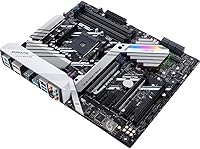
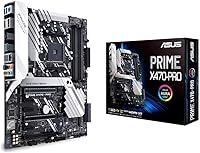
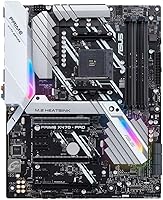
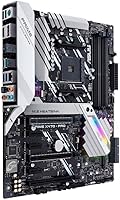
The ASUS Prime X470-Pro ATX Motherboard launched in 2018 as a dependable mid-range option for AMD builders, and it holds up surprisingly well for anyone prioritizing stability over cutting-edge platform features. Built around the AM4 socket, it supports first and second-generation Ryzen processors alongside select Athlon chips, giving builders reasonable flexibility without chasing a niche platform. The full ATX form factor means standard case compatibility and genuine expansion room — multiple PCIe slots, plenty of headers, and space to grow a build over time. Within ASUS's lineup, the Prime series sits below the ROG and TUF tiers but focuses squarely on reliable, no-drama performance for builders who want things to work without constant babysitting.
Features & Benefits

The X470 chipset is what separates this board from its older X370 predecessor — it adds native support for Precision Boost Overdrive and AMD StoreMI, which intelligently tiers fast and slow storage together. Two M.2 slots with NVMe support let you run a fast boot drive alongside a secondary high-speed device without touching your SATA ports. The front-panel USB 3.1 Gen2 header is a practical inclusion for modern cases. Fan Xpert 4 handles cooling profiles with real granularity, and the integrated AIO pump header is a welcome detail. Onboard audio through the Realtek S1220A codec delivers clean output and a solid signal-to-noise ratio — genuinely good for built-in sound. Aura Sync RGB headers round things out for builders who want coordinated lighting across their setup.

Best For

This X470 board makes the most sense for builders assembling a Ryzen 2000-series system without dedicating the entire budget to the platform. Paired with something like a Ryzen 5 2600 or a 2700, the power delivery stays stable and consistent under typical workloads. Those planning dual-NVMe configurations will appreciate getting two M.2 slots in an ATX layout without needing add-in cards. The Prime X470-Pro also suits users who rely on onboard audio — the S1220A holds its own for music, video editing, and casual gaming. Builders who want modest overclocking access without paying for ROG-tier hardware will find this board gives them room to push clocks without unnecessary complexity or cost.

User Feedback

Among the large pool of verified reviewers, this ASUS motherboard earns consistent praise for BIOS usability and the straightforward experience of getting a Ryzen build running without much fuss. Many builders highlight how stable it runs right out of the box. That said, a recurring criticism targets the VRM setup — users running a Ryzen 7 2700X under sustained multithreaded loads occasionally report thermal stress on the power delivery without active VRM cooling. The Aura Sync software draws mixed opinions; hardware support is broad, but the application itself has been called unreliable across updates. A smaller number of users flag RAM compatibility issues with certain high-speed kits, making a quick QVL check before purchasing genuinely worthwhile.

Pros

  • Boots first-time reliably with Ryzen 2000-series chips, even without pre-configuration.
  • Dual NVMe M.2 slots let you run fast storage tiers without consuming any SATA ports.
  • BIOS interface is genuinely approachable — first-time AMD builders rarely feel lost.
  • Integrated 802.11ac wireless removes the need for a separate network card in most builds.
  • Realtek S1220A audio is strong enough that most users will not need a dedicated sound card.
  • Reinforced primary PCIe slot holds heavy triple-fan GPUs without flex or stress over time.
  • Fan Xpert 4 offers real granularity for cooling control, including a dedicated AIO pump header.
  • The Prime X470-Pro delivers a solid, well-rounded feature set without paying for unused premium branding.
  • Front-panel USB 3.1 Gen2 header is a practical inclusion for modern cases with high-speed front ports.
  • Long-term reliability is solid for stock and lightly overclocked builds based on multi-year owner feedback.

Cons

  • VRM runs hot under sustained all-core loads on the 2700X without active airflow directed at it.
  • Aura Sync software is unstable across Windows updates and loses device profiles without warning.
  • Certain high-speed RAM kits outside the QVL cause persistent instability that requires manual sub-timing work.
  • Populating both M.2 slots disables specific SATA ports, which complicates large multi-drive configurations.
  • Only one rear USB 2.0 port — a genuine inconvenience when connecting multiple legacy peripherals simultaneously.
  • AI Suite 3 software is bloated and conflicts with other system tools often enough that many users skip it entirely.
  • X470 does not support Ryzen 5000 series, limiting the upgrade path for anyone planning long-term CPU swaps.
  • Moderate overclocking past 4.1 GHz on eight-core chips is inconsistent and sometimes unstable without VRM cooling mods.
  • Secondary PCIe slots lack reinforcement, which matters for builders using multiple heavy add-in cards.
  • As the platform ages, sourcing compatible CPUs and RAM at good prices becomes increasingly market-dependent.

Ratings

The ASUS Prime X470-Pro ATX Motherboard has been rated across thousands of verified buyer reviews worldwide, with our AI scoring system actively filtering out incentivized, bot-generated, and low-quality submissions to surface what real builders actually experience. Scores reflect both the genuine strengths that make this X470 board a recurring recommendation and the specific frustrations that show up consistently enough to matter. The result is an honest, balanced picture — useful whether you are finalizing a purchase decision or benchmarking it against competing platforms.
BIOS Usability
88%
Builders consistently describe the UEFI interface as intuitive from the first boot, with well-labeled options for memory tuning, fan configuration, and XMP profile loading. For first-time AMD builders, the learning curve is notably shallow compared to competing boards at a similar price point.
A handful of users report that certain advanced voltage settings are buried deeper in sub-menus than expected, requiring extra navigation during manual overclocking sessions. BIOS update procedures have also tripped up a few builders unfamiliar with USB flashback methods.
VRM & Power Delivery
63%
37%
For mainstream Ryzen builds centered around six-core chips like the 2600 or 2600X, the power delivery performs reliably under sustained loads including long rendering jobs and multi-hour gaming sessions. Thermal performance stays controlled in well-ventilated cases with reasonable ambient temperatures.
Builders pushing a Ryzen 7 2700X at full load — particularly with manual overclocking applied — regularly report that the VRM area runs hot without dedicated airflow directed at it. Those running high-TDP chips in compact or poorly ventilated cases have observed throttling behavior under prolonged all-core stress.
Out-of-Box Stability
91%
One of the most repeated positives across verified reviews is how reliably this ASUS motherboard posts and boots on the first attempt, even with modest hardware combinations. Builders describe confident first-boot experiences with little need for manual DRAM or voltage adjustments at stock settings.
Edge cases involving very high-speed RAM kits — particularly those rated above 3200 MHz — occasionally require manual intervention to achieve advertised speeds. A small but consistent segment of reviewers notes that XMP profiles for certain Corsair and G.Skill kits do not always load without tweaking.
RAM Compatibility
71%
29%
The four DIMM slots handle standard DDR4 kits at 2133 to 3200 MHz reliably when using modules from the official QVL list. Builders running dual-channel configurations with 16GB or 32GB of validated memory rarely report stability concerns at those speeds.
Compatibility with higher-speed kits outside the QVL is genuinely inconsistent — some users get them working with manual sub-timing adjustments, while others report persistent instability. Checking the qualified vendor list before buying specific RAM is not optional advice here; it is practical necessity.
Storage Expansion
86%
Having two M.2 slots capable of NVMe operation is a real differentiator at this board's price tier — builders can run a fast boot NVMe drive alongside a secondary high-capacity M.2 without touching any SATA ports. Reviewers building content workstations particularly highlight this as a workflow advantage.
One of the M.2 slots shares bandwidth with specific SATA ports, which means populating both M.2 slots simultaneously disables a couple of SATA connections. Most users never hit this limitation, but those planning large multi-drive storage arrays should map out their configuration in advance.
Onboard Audio Quality
79%
21%
The Realtek S1220A codec delivers noticeably cleaner audio output than what most builders expect from integrated sound. Music producers and gamers who use quality headphones directly connected to the rear panel consistently rate the audio as punching above its class for built-in hardware.
Audiophiles or anyone using high-impedance headphones will hit the ceiling of what onboard audio can realistically achieve — at that point a discrete DAC or sound card is the right call. A few users also report minor electrical interference noise when the system is under heavy GPU load, a known limitation of integrated audio solutions.
RGB & Aura Sync Integration
67%
33%
The Aura Sync header system supports a wide ecosystem of ASUS and third-party RGB peripherals, and when everything is recognized correctly, coordinated lighting effects across the build look polished. Builders who stick entirely to ASUS-branded RGB products report the most consistent experience.
The Aura Sync software itself has a mixed track record — multiple reviewers describe it crashing, failing to detect connected devices after Windows updates, or losing saved profiles unexpectedly. It has improved over successive updates but remains one of the more frustrating software elements tied to this platform.
Connectivity & I/O
83%
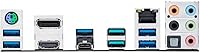
The rear I/O and front-panel headers cover practical modern needs well — four USB 3.0 ports, a front-panel USB 3.1 Gen2 header for newer cases, Gigabit LAN, and integrated 802.11ac wireless without needing an add-in card. For a builder setting up a desk without running Ethernet cable, having wireless built in is a quiet but meaningful feature.
The rear panel only includes one USB 2.0 port, which becomes a minor annoyance when connecting older peripherals alongside newer devices simultaneously. Some builders working in content creation or streaming setups also wish for more USB-A ports at the rear without resorting to a hub.
PCIe Slot Build Quality
87%
The reinforced Safe Slot design on the primary PCIe x16 slot is a practical structural upgrade — builders installing heavy dual-fan or triple-fan GPUs appreciate that the slot does not flex or show any deflection over time. It adds a tangible sense of confidence when swapping graphics cards.
The secondary PCIe slots use standard construction without the same reinforcement, which is expected at this tier but worth knowing for multi-GPU or add-in card configurations. The slot spacing is adequate but tight when using large aftermarket coolers alongside tall expansion cards.
Thermal & Fan Control
84%
Fan Xpert 4 gives builders granular control over multiple fan headers and the dedicated AIO pump header, with automatic tuning modes that genuinely adapt to real system thermals over time. Builders running all-in-one liquid coolers report that the dedicated pump header eliminates awkward workarounds common on boards without one.
The automated tuning profiles occasionally produce conservative fan curves that leave processors running warmer than manual tuning would achieve. Getting the best results from Fan Xpert 4 still requires some time investment to dial in custom profiles, especially in noise-sensitive environments.
Value for Money
81%
19%
For a Ryzen 2000-series build where platform cost needs to stay controlled, the Prime X470-Pro delivers a genuinely competitive feature set — dual M.2, integrated wireless, solid audio, and full ATX expansion — without requiring a premium chipset upgrade. Builders on a defined budget repeatedly cite it as hitting the right balance.
As the X470 platform ages and AM5 becomes the current standard, the value equation becomes more context-dependent — it is a sound buy for a secondary rig or a budget-conscious upgrade, but harder to justify as a long-term investment in a primary build that will need to scale.
Long-Term Durability
76%
24%
Across reviewers who have used this board for two or more years, the majority report no hardware failures under normal operating conditions. The physical construction feels solid, and the capacitor and PCB quality is consistent with what ASUS typically delivers in the Prime lineup.
A smaller subset of long-term owners report CMOS battery issues and occasional boot failures after extended use, though these remain relatively rare. Boards used with aggressive overclocking settings over long periods show a slightly higher rate of instability reports compared to stock-clocked systems.
Overclocking Headroom
69%
31%
For moderate overclocking on six-core Ryzen chips — nudging a 2600X from stock clocks to a stable 4.1 or 4.2 GHz all-core — the board handles the task without requiring exotic cooling or complex voltage tuning. The BIOS provides enough manual control to satisfy intermediate overclockers.
Serious overclocking enthusiasts targeting maximum all-core frequency on an eight-core 2700X will find the VRM a genuine bottleneck, especially under sustained loads. The Prime X470-Pro was designed for reliable moderate overclocking, not competitive pushing, and the hardware reflects that priority clearly.
Software Ecosystem
66%
34%
AI Suite 3 and the 5-Way Optimization tool offer a one-click path to automated tuning for builders who do not want to spend time in the BIOS manually configuring CPU and memory settings. For straightforward builds, these utilities provide a reasonable starting point without requiring deep technical knowledge.
AI Suite 3 has a long-standing reputation for being bloated and occasionally conflicting with other system software, and user feedback on this board reflects that broader pattern. Several reviewers recommend skipping the suite entirely and managing settings through BIOS directly once initial setup is complete.

Suitable for:

The ASUS Prime X470-Pro ATX Motherboard is a strong match for builders assembling a Ryzen 2000-series system — particularly those pairing it with a six-core chip like the Ryzen 5 2600 or 2600X — who want a feature-complete platform without overspending on chipset tiers they do not need. It works especially well for home office builders and productivity-focused users who need reliable daily performance, integrated wireless, and clean onboard audio without adding separate expansion cards. PC enthusiasts who want dual NVMe storage — say, a fast boot drive alongside a secondary work volume — will appreciate getting two M.2 slots in a standard ATX layout at this price point. Builders who prefer managing fan curves and system tuning through dedicated software rather than pure BIOS work will find Fan Xpert 4 genuinely useful. It also suits anyone building a secondary rig, a capable budget gaming machine, or repurposing a Ryzen 2000-series platform that needs a dependable, well-supported board to anchor it.
Not suitable for:

The ASUS Prime X470-Pro ATX Motherboard is not the right call for builders planning to push an eight-core Ryzen 7 2700X at sustained all-core overclocks — the VRM setup is adequate for stock and mild overclocking but runs into real thermal limits under prolonged heavy loads without directed airflow. Anyone building a future-facing platform that needs to scale into AM5 or support current-generation Ryzen 5000 chips should look elsewhere entirely, since AM4 is a closed ecosystem at this point and X470 does not receive Ryzen 5000 support on most boards including this one. Competitive overclockers chasing maximum frequency records will quickly feel constrained by the power delivery and should step up to an X570 or a higher-tier X470 board with a more robust VRM. Builders who rely heavily on RGB lighting management through software will find the Aura Sync application frustrating enough to factor into their decision. If you are assembling a large multi-drive storage array with more than four SATA devices alongside dual M.2 drives, be aware that populating both M.2 slots disables specific SATA ports, which could force inconvenient compromises in your storage layout.
Specifications

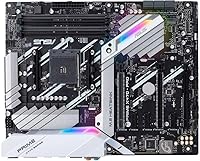
  • CPU Socket: Uses the AMD AM4 socket, supporting first and second-generation Ryzen processors as well as select Athlon and A-series APUs.
  • Chipset: Built on the AMD X470 chipset, which enables Precision Boost Overdrive, StoreMI technology, and improved overclocking support over the previous X370 generation.
  • Form Factor: Standard ATX layout measuring 12 x 9.6 inches, compatible with full-tower and mid-tower cases that support ATX motherboards.
  • RAM Support: Four DDR4 DIMM slots supporting dual-channel configurations with a native base speed of 2133 MHz and higher speeds achievable through XMP or manual overclocking.
  • M.2 Storage: Two M.2 slots with NVMe support for high-speed solid-state drives, allowing simultaneous fast boot and secondary storage without occupying SATA ports (note: certain SATA ports are disabled when both M.2 slots are populated).
  • SATA Ports: Six SATA 6Gb/s ports for connecting traditional hard drives or SATA SSDs, with port availability depending on M.2 slot usage.
  • USB Connectivity: Rear panel includes four USB 3.0 Type-A ports and one USB 2.0 port, with a front-panel USB 3.1 Gen2 header for compatible chassis.
  • Audio Codec: Realtek S1220A 8-channel HD audio codec with enhanced signal-to-noise ratio, designed to deliver cleaner onboard audio than typical mid-range integrated solutions.
  • Wireless: Integrated 802.11a/b/g/n/ac Wi-Fi module provides wireless connectivity without requiring a separate network adapter card.
  • LAN: Intel I211-AT Gigabit Ethernet controller delivers reliable wired network performance suited for gaming, streaming, and general home or office use.
  • PCIe Slots: Features two PCIe 3.0 x16 slots (one running at full x16 bandwidth, one at x4), two PCIe 2.0 x1 slots, and a reinforced Safe Slot design on the primary GPU slot.
  • RGB Lighting: Aura Sync-compatible RGB headers allow synchronization of lighting effects across supported ASUS and third-party peripherals through the Aura Sync software ecosystem.
  • Fan Headers: Multiple 4-pin PWM fan headers plus a dedicated AIO pump header, all manageable through Fan Xpert 4 software or directly via BIOS.
  • Video Output: Rear panel includes DisplayPort and HDMI outputs for use with AMD APUs that include integrated Radeon Vega graphics; discrete GPU output is handled through the PCIe slot.
  • Weight: The board weighs 2.29 pounds, which is typical for a fully-featured ATX motherboard with integrated wireless and reinforced slot construction.
  • OS Support: Officially supports Windows 10 64-bit and Windows 7 64-bit, with Linux compatibility achievable though not officially listed as a supported platform by ASUS.
  • Power Connectors: Requires a standard 24-pin ATX main power connector and an 8-pin EPS CPU power connector for stable operation, particularly important when overclocking.
  • BIOS Features: UEFI BIOS includes 5-Way Optimization for automated system tuning, manual voltage and frequency controls, XMP profile support, and USB BIOS Flashback for updates without a CPU installed.

Related Reviews

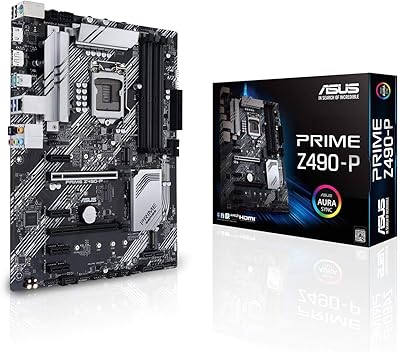
ASUS Prime Z490-P ATX Motherboard
83%
92%
Stability and Reliability
88%
Cooling Performance
85%
Ease of Installation
90%
Compatibility with Intel 10th Gen CPUs
87%
Value for Money
More
ASUS Prime X299-A II ATX Motherboard
78%
92%
Power Delivery
88%
Thermal Management
91%
Build Quality
83%
BIOS Experience
78%
CPU Compatibility
More
ASUS Prime Z690-P D4 ATX Motherboard
85%
89%
Overall Performance
88%
Cooling Efficiency
90%
Build Quality
87%
Ease of Installation
91%
Compatibility with Intel 12th Gen Processors
More
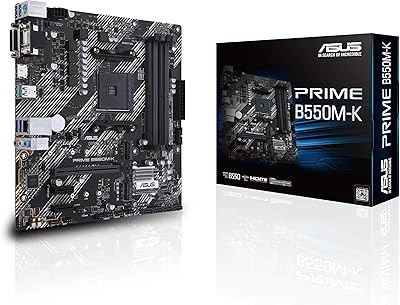
ASUS Prime B550M-K AMD AM4 Micro-ATX Motherboard
84%
92%
Value for Money
88%
Performance
89%
Ease of Setup
84%
Cooling Efficiency
75%
BIOS Compatibility
More
ASUS Prime B850-PLUS WiFi AMD AM5 ATX Motherboard
86%
91%
Wi-Fi Connectivity
88%
Cooling Performance
87%
Expansion Options (PCIe 5.0)
93%
Ease of Setup
89%
DDR5 Performance
More
ASUS Prime B650M-K AMD Ryzen AM5 Micro-ATX Motherboard
86%
92%
Performance
89%
Build Quality
94%
Compatibility with AMD Ryzen 7000 Series
90%
DDR5 and PCIe 5.0 Support
70%
Expansion Options
More
ASUS Prime A620-PLUS WIFI6 AMD A620 AM5 ATX Motherboard
87%
87%
Performance
91%
Setup & Installation
88%
Cooling & Thermals
90%
WiFi & Connectivity
84%
Build Quality
More
ASUS Prime B550M-A Motherboard
84%
91%
Value for Money
89%
Build Quality
85%
Performance (Gaming)
93%
Ease of Installation
88%
Compatibility with AMD Ryzen Processors
More
ASUS Prime A520M-K Motherboard
84%
94%
Value for Money
88%
Performance with Ryzen CPUs
91%
Ease of Setup
79%
Expansion Capabilities
90%
Compatibility with Ryzen Processors
More
ASUS Prime Z790-P ATX Motherboard
79%
91%
BIOS & Software Usability
86%
Build Quality & PCB
89%
Storage Expansion
84%
Connectivity & USB
83%
Network Performance
More

FAQ

No, it does not. The Prime X470-Pro is limited to first and second-generation Ryzen chips, select Athlon processors, and Ryzen with Radeon Vega APUs on the AM4 socket. ASUS did not release a Ryzen 5000-compatible BIOS for this board, so if you are planning to upgrade to a 5600X or similar chip down the road, you will need a different platform.

Yes, it is genuinely a strong pairing. The Ryzen 5 2600 operates well within the board's power delivery limits, runs cool and stable, and lets you take advantage of the X470 chipset features like Precision Boost Overdrive without stressing the VRM. It is one of the more natural combinations for this board.

Yes, both M.2 slots support NVMe drives and can be populated simultaneously. Keep in mind that using both M.2 slots will disable two of the SATA ports, so plan your storage configuration accordingly before you start building. For most builders running one or two SATA drives alongside dual M.2, that trade-off is manageable.

It comes with integrated 802.11ac wireless built in, so no separate adapter is needed. The Wi-Fi antenna connectors are on the rear I/O panel — just attach the included antennas and you are ready to connect wirelessly out of the box.

For most users — including gamers, casual listeners, and even light content creators — the Realtek S1220A codec is more than capable. It delivers clean output with low background noise compared to what you typically get from budget integrated audio. If you are using high-impedance audiophile headphones or need studio-grade recording quality, a dedicated DAC or sound card will still outperform it, but the average builder will not feel the need.

Overclocking is supported through the UEFI BIOS, and the board handles moderate overclocks confidently. On six-core chips like the 2600X, pushing to around 4.1 or 4.2 GHz all-core is realistic and stable. For the eight-core 2700X, be aware that the VRM starts running warm under sustained all-core overclocked loads, especially in cases without good airflow over that area of the board.

Natively the board runs DDR4 at 2133 MHz, with XMP profiles and manual overclocking allowing higher speeds. In practice, 3000 to 3200 MHz kits from the official QVL work reliably. For kits outside that list — especially those rated above 3200 MHz — compatibility is less predictable. Checking the ASUS QVL before buying your memory is genuinely good advice here, not just a formality.

Almost certainly yes. The board follows the standard ATX specification at 12 x 9.6 inches, so any case labeled as ATX-compatible will fit it without issues. Just double-check that your case has the standard nine ATX standoff positions and a rear I/O cutout, both of which are universal on ATX cases.

The hardware headers themselves are fine — they support a wide range of ASUS and compatible RGB accessories reliably. The frustration is almost entirely software-side. Aura Sync has a track record of crashing after Windows updates or failing to detect previously working devices. If RGB coordination matters to you, it works well when it works, but budget some patience for the software side of things.

It is one of the more approachable UEFI interfaces available. The EZ Mode gives you a clean at-a-glance overview of your system status, and switching to Advanced Mode for manual tuning is straightforward. Loading an XMP profile for your RAM is a two-click process, and fan curve adjustments are clearly labeled. Most first-time builders who have done basic research report getting through the initial setup without needing to consult external guides.

Where to Buy