Overview

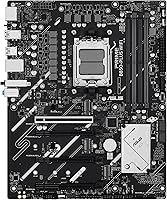
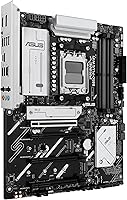
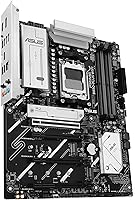
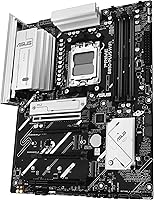
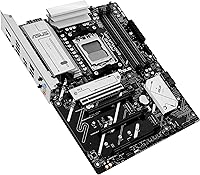
The ASUS Prime B850-Plus WiFi ATX Motherboard arrived in April 2025 as a genuinely current-generation option for AMD AM5 builders who want modern connectivity without stretching into flagship territory. The B850 chipset marks a meaningful step beyond B650, bringing PCIe 5.0 support across both the primary slot and M.2 connections — something the older chipset could not fully deliver. ASUS built this under their Prime label, which has always leaned toward solid, dependable execution over flashy excess. The full ATX footprint gives builders real room to work with, accommodating multiple drives, expansion cards, and cooling configurations without cramping the layout.
Features & Benefits

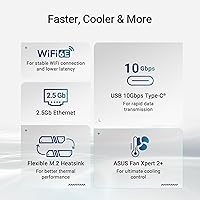
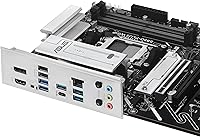
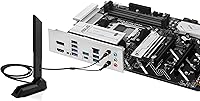
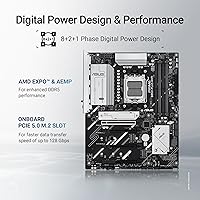
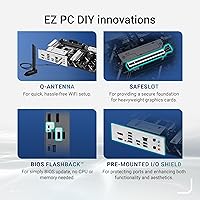
What makes the Prime B850-Plus WiFi worth considering is how much connectivity it packs into a mid-range package. The PCIe 5.0 x16 slot handles current and upcoming GPUs, while three M.2 slots — including PCIe 5.0-capable ones — mean storage won't become a bottleneck anytime soon. Wi-Fi 6E is built in with a clean antenna solution, so there's no hunting for a separate adapter. The 8+2+1 phase power design keeps voltage stable under sustained CPU loads, which matters even outside overclocking scenarios. Rear USB ports hit 10Gbps on both Type-A and Type-C, and BIOS FlashBack lets you update firmware before a CPU is installed — a genuinely useful touch for first-time builders.

Best For

This ASUS AM5 motherboard is a strong fit for anyone building around a Ryzen 7000, 8000, or 9000 series processor who wants a reliable daily driver without overspending. If you have been eyeing X870E boards but cannot justify the premium, this B850 board covers most of the same ground at a noticeably lower cost. It is also a natural choice for home offices or compact studio setups that need both wired and wireless networking built in. Builders who appreciate thoughtful conveniences — like a pre-mounted I/O shield and Q-LED diagnostic lights — will feel right at home, and those running AI-adjacent or creative workloads will benefit from the fast NVMe storage support.

User Feedback

Across roughly 858 ratings, the Prime B850-Plus WiFi holds a 4.2-star average — a score that reflects genuine satisfaction with some fair caveats baked in. Buyers consistently praise the clean installation experience, the BIOS layout, and the board's overall build quality. Where feedback turns more critical is around ASUS's bundled software; Armoury Crate in particular draws complaints for feeling heavy and intrusive. On overclocking, expectations should stay measured — this is not an X-series board, and buyers who have pushed it hard note that headroom is limited compared to higher-tier options. VRM thermals under sustained load appear manageable for most users, though those running very power-hungry processors should pay attention to case airflow.

Pros

  • PCIe 5.0 support across the primary GPU slot and M.2 slots keeps the build relevant for years ahead.
  • Built-in Wi-Fi 6E eliminates the need for a separate wireless adapter, saving money and a PCIe slot.
  • BIOS FlashBack is a genuinely useful feature that lets you update firmware before installing a CPU.
  • The 8+2+1 power phase design delivers stable voltage under sustained workloads, not just peak bursts.
  • Rear USB ports reach 10Gbps on both Type-A and Type-C, which is fast enough for external SSDs and pro peripherals.
  • Three M.2 slots give content creators and power users real storage flexibility without adapters.
  • 2.5Gb Ethernet on top of Wi-Fi 6E means wired and wireless networking are both genuinely capable.
  • Pre-mounted I/O shield and Q-LED diagnostics make the installation process noticeably less stressful.
  • The Prime B850-Plus WiFi supports Ryzen 7000, 8000, and 9000 series, offering strong CPU upgrade flexibility.
  • Build quality is consistently praised across hundreds of real-world buyer reviews.

Cons

  • Armoury Crate and bundled ASUS software feel heavy and intrusive; removing them takes deliberate effort.
  • Overclocking headroom is limited compared to X870 or X870E boards — not ideal for enthusiast tuners.
  • The ATX form factor is a non-starter for small form factor or Mini-ITX case builds.
  • VRM performance under very high-TDP processors may require careful attention to case airflow.
  • No PCIe 5.0 x4 slot for add-in cards beyond the primary GPU lane, which some advanced users will notice.
  • B850 chipset offers fewer native USB and PCIe lanes than X-series boards at the platform level.
  • Users unfamiliar with DDR5 tuning may find memory configuration in the BIOS has a learning curve.
  • The ARGB and fan header ecosystem is tied to Aura Sync, which adds software dependency for full control.

Ratings

The ASUS Prime B850-Plus WiFi ATX Motherboard earns an overall positive reception across its 858 verified ratings, and our AI-driven analysis — which actively filters out incentivized, bot-generated, and spam reviews — puts that sentiment in sharper focus. Scores below reflect both the genuine strengths buyers consistently celebrate and the friction points that surface often enough to matter for your decision.

Build Quality
88%
Builders frequently comment on how solid the board feels during installation — the PCB has noticeable rigidity, the heatsinks sit flush, and nothing feels like it was cut to save pennies. The 6-layer PCB construction gives the whole assembly a premium feel that holds up well even in tighter cases with less airflow.
A handful of users noted that the M.2 heatsink retention clips feel slightly flimsier than the rest of the board, requiring careful handling during repeated drive swaps. It is a minor complaint, but worth knowing if you plan to change storage configurations often.
Installation Experience
91%
The pre-mounted I/O shield alone saves meaningful frustration during a build, and the Q-LED diagnostic lights help pinpoint boot issues without requiring a separate debug card. Reviewers who built their first AM5 system on this board consistently described the process as cleaner and less confusing than expected.
Some users with older DDR5 kits ran into initial memory training delays on first boot, which can feel alarming if you are not expecting it. The BIOS also defaults to a base frequency profile, so manually enabling XMP or EXPO is a required extra step that catches newcomers off guard.
BIOS & Firmware
86%
The ASUS UEFI BIOS on this board is widely praised for being well-organized and approachable — even builders who had never touched a BIOS before found the layout intuitive. BIOS FlashBack support is a standout feature that removes one of the biggest anxieties around new AM5 builds, particularly for buyers who purchased before confirming CPU compatibility.
Enthusiasts chasing granular overclocking options may find the advanced voltage and frequency controls less comprehensive than what X-series boards offer at a similar level of BIOS depth. A few users also reported needing a BIOS update shortly after purchase to resolve minor compatibility issues with newer Ryzen 9000 series processors.
Connectivity & I/O
89%
Having both Wi-Fi 6E and 2.5Gb Ethernet on the same board is a genuine convenience for home office and hybrid setups where wired and wireless devices coexist. The rear USB 10Gbps Type-A and Type-C ports handle fast external SSDs and professional peripherals without any throughput compromise.
The front panel USB header situation limits front-panel Type-C to 5Gbps rather than 10Gbps, which is noticeable when transferring large files through a modern case's front port. Users who rely heavily on front-panel connectivity may find this a mild but recurring annoyance.
PCIe 5.0 Readiness
84%
The full PCIe 5.0 x16 slot and PCIe 5.0 M.2 support genuinely future-proof this build in a way that B650 boards simply cannot match. Buyers who want to upgrade to a Gen 5 NVMe drive or a next-generation GPU without swapping the board can do so without compromise.
There is currently no PCIe 5.0 x4 slot for add-in cards beyond the primary GPU lane, which limits flexibility for advanced storage or capture card configurations. For most users this is irrelevant, but those running multi-device professional setups will notice the gap compared to higher-tier chipsets.
VRM & Power Delivery
82%
18%
The 8+2+1 phase power design handles sustained loads from mainstream Ryzen processors without significant thermal stress, and real-world feedback confirms stable system behavior during long creative rendering sessions and productivity workloads. The alloy chokes and quality capacitors add to long-term reliability confidence.
When paired with very high-TDP Ryzen 9 processors running demanding multi-threaded workloads for extended periods, VRM temperatures can climb noticeably in cases with poor airflow. It is not a dealbreaker, but it does underscore that this board is optimized for the mid-range of the AM5 lineup rather than the top.
Overclocking Capability
63%
37%
Memory overclocking through XMP and EXPO profiles works reliably, and users report hitting rated DDR5 speeds without excessive trial and error. For buyers whose overclocking ambition stops at enabling a memory profile, this board delivers that experience with minimal friction.
CPU overclocking headroom is genuinely limited on B850 compared to the X870E platform, and enthusiast tuners looking for fine-grained control over core voltages and frequency curves will quickly outgrow what this chipset allows. This is not a flaw so much as a design boundary, but it is a real one.
Thermal Management
81%
19%
Heatsink coverage across the VRM, PCH, and all three M.2 slots keeps thermal throttling at bay during typical workloads, and the hybrid fan headers with Fan Xpert 2+ give builders precise control over cooling curves. Users running NVMe SSDs in all three slots reported no unusual thermal warnings during mixed read-write workloads.
The M.2 heatsinks, while functional, are on the thinner side, and drives running sustained sequential writes in warm environments can still breach optimal temperature ranges. Builders in compact cases or warm climates may want to add supplemental airflow directed at the storage area.
Software Experience
57%
43%
For users who engage with the ASUS ecosystem, Armoury Crate centralizes RGB control, fan management, and system monitoring in one place, which reduces the need to juggle multiple utilities. AI Advisor and ASUSDriverHub do simplify initial driver setup for builders who prefer guided workflows.
Armoury Crate is one of the most consistently criticized aspects of this board in user reviews — complaints about background resource usage, aggressive reinstall prompts, and intrusive update notifications appear repeatedly. Removing it cleanly without losing functionality requires more effort than most users expect.
Wi-Fi Performance
83%
Wi-Fi 6E delivers noticeably low-latency wireless performance for competitive gaming and video calls, and the included Q-Antenna design keeps signal strength solid across typical home distances from a router. Users transitioning from older Wi-Fi 5 boards consistently noted a real-world improvement in connection stability.
A small number of users reported inconsistent driver behavior on initial Windows 11 setup, requiring a manual driver update before wireless connectivity stabilized. This appears to be resolved with current BIOS and driver versions, but it is a friction point on first boot.
DDR5 Compatibility
78%
22%
The board handles a wide range of DDR5 kits well once XMP or EXPO is enabled, and compatibility with popular 6000MHz and 6400MHz kits from major brands is broadly confirmed by real-world buyers. For builders using mainstream DDR5 configurations, setup is largely plug-and-play after a BIOS profile selection.
High-frequency DDR5 kits pushing 7200MHz and above occasionally require manual sub-timing adjustments or BIOS updates to achieve stability, and first-boot memory training cycles on fast kits can add several minutes to initial startup. Buyers with more exotic memory configurations should verify compatibility before purchasing.
Value for Money
85%
For a board that includes Wi-Fi 6E, 2.5Gb LAN, PCIe 5.0 support, and BIOS FlashBack at a mid-range price, the feature-to-cost ratio is genuinely competitive within the current AM5 market. Buyers who compare it against similarly priced B650 alternatives consistently note the B850 connectivity advantages justify the difference.
When stacked against X870 entry-level options, the price gap narrows enough that some buyers question whether the B850 tier still represents the best value for enthusiast-leaning builds. At full retail, the case for this board weakens slightly if overclocking or additional lane flexibility is on your list.
Aesthetics & RGB
74%
26%
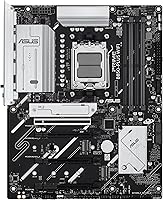
Three ARGB Gen 2 headers provide enough coverage for a well-lit build without forcing the board to look garish on its own, and Aura Sync integration makes coordinating lighting across compatible components straightforward for those invested in the ASUS ecosystem.
The board itself has a fairly restrained visual design, which will disappoint builders who want the motherboard to serve as a centerpiece rather than a backdrop. Those using non-ASUS RGB components may also find cross-platform lighting sync unreliable without third-party software workarounds.
CPU Upgrade Path
87%
AM5 socket longevity is one of the more compelling arguments for this platform, and the Prime B850-Plus WiFi already supports Ryzen 7000, 8000, and 9000 series out of the box with appropriate BIOS updates. Builders investing in this board today have a credible upgrade path without needing a new motherboard for at least one or two additional CPU generations.
Compatibility with future Ryzen generations beyond 9000 series has not been officially confirmed, so while the outlook is optimistic based on AMD's stated AM5 roadmap, buyers planning a five-year hold should treat future CPU support as likely rather than guaranteed.

Suitable for:

The ASUS Prime B850-Plus WiFi ATX Motherboard is a strong pick for PC builders who want a current-generation AM5 platform without committing to flagship-tier spending. It makes particular sense for anyone pairing it with a Ryzen 7000, 8000, or 9000 series processor for a productivity-focused desktop, a creative workstation handling video editing or light AI tasks, or a home office machine that needs both reliable wired and wireless networking built in. The full ATX layout is a real advantage for builders who anticipate adding storage drives, expansion cards, or beefy cooling solutions down the road. DIY enthusiasts who value a smooth build experience will appreciate thoughtful touches like BIOS FlashBack and a pre-mounted I/O shield, which reduce the friction that typically trips up first-time builders. If your goal is a dependable, well-connected daily driver that keeps pace with where storage and GPU technology is heading, this B850 board hits a genuinely practical sweet spot.
Not suitable for:

The ASUS Prime B850-Plus WiFi ATX Motherboard is not the right tool if your primary goal is pushing a Ryzen processor to its absolute performance ceiling. Serious overclockers who want granular voltage controls, robust VRM headroom for extreme CPU loads, and the kind of tuning flexibility found on X870E boards will likely find this chipset too constraining. Builders working in compact cases should also look elsewhere, as the ATX footprint requires a mid-tower or larger enclosure. If you are highly sensitive to software bloat, the bundled ASUS utilities ecosystem — particularly Armoury Crate — may frustrate you, since opting out requires deliberate effort. And if you are already invested in a B650 platform with no immediate need for PCIe 5.0 storage speeds, the upgrade case is harder to justify.
Specifications

  • Chipset: Built on the AMD B850 chipset, which supports PCIe 5.0 across both the primary GPU slot and M.2 storage connections.
  • CPU Socket: Uses the AMD AM5 socket, compatible with Ryzen 7000, 8000, and 9000 series desktop processors.
  • Form Factor: Standard ATX form factor requiring a mid-tower or larger case with ATX motherboard support.
  • Memory Type: Supports DDR5 RAM only; DDR4 modules are not compatible with this platform.
  • Memory Speed: Rated for DDR5 speeds of 6000MHz and above, depending on the memory kit and XMP or EXPO profile used.
  • PCIe Slot: Features one PCIe 5.0 x16 slot for the primary graphics card, delivering full bandwidth for current and next-generation GPUs.
  • M.2 Storage: Includes three M.2 slots with PCIe 5.0 support, enabling very high-speed NVMe SSDs without the need for adapter cards.
  • Wireless: Integrated Wi-Fi 6E with a Q-Antenna connector provides tri-band wireless connectivity up to 6GHz spectrum.
  • Ethernet: Realtek 2.5Gb LAN port offers wired network speeds up to 2.5 gigabits per second for low-latency, high-throughput connections.
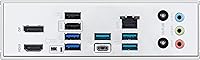
  • Rear USB: The rear I/O panel includes USB 10Gbps ports in both Type-A and Type-C formats for fast external device and storage transfers.
  • Power Design: An 8+2+1 phase power delivery system supported by alloy chokes and durable capacitors on a 6-layer PCB ensures stable CPU power under load.
  • ARGB Headers: Three onboard Addressable RGB Gen 2 headers are included, all compatible with ASUS Aura Sync for synchronized lighting control.
  • Display Output: Rear panel includes both DisplayPort and HDMI outputs for connecting displays directly when using a processor with integrated graphics.
  • BIOS FlashBack: BIOS FlashBack allows firmware updates using only a USB drive and power connection, without needing a compatible CPU installed.
  • Cooling Headers: Multiple hybrid fan and pump headers are available, managed through the ASUS Fan Xpert 2+ utility for precise thermal control.
  • PCH Cooling: The board includes heatsinks covering the VRM, PCH, and all M.2 slots to manage heat during extended workloads.
  • Weight: The board weighs 2.3 pounds, which is typical for a full-size ATX motherboard with integrated heatsink coverage.
  • Diagnostics: Q-LED indicators on the board light up to identify boot issues related to CPU, DRAM, VGA, or storage at a glance.

Related Reviews
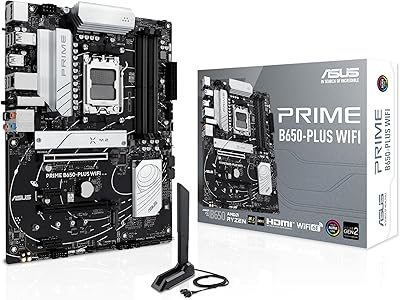
ASUS Prime B650-PLUS WiFi AM5 Motherboard
80%
86%
Value for Money
91%
Feature Set
67%
VRM & Power Delivery
89%
BIOS & Setup Experience
84%
WiFi Performance
More
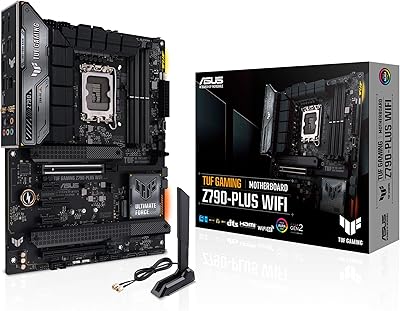
ASUS TUF Gaming Z790-Plus WiFi
89%
93%
Build Quality
91%
VRM Thermal Performance
88%
Installation Experience
94%
BIOS User Interface
86%
Storage Expandability
More
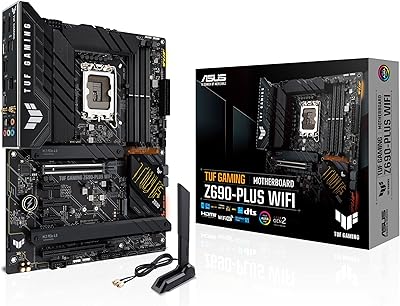
ASUS TUF Gaming Z690-Plus WiFi Motherboard
79%
88%
Build Quality
84%
BIOS & Firmware
67%
DDR5 Memory Compatibility
79%
Power Delivery & VRM
91%
Networking & Connectivity
More
ASUS TUF Gaming B550-PLUS WiFi II ATX Motherboard
86%
88%
Overall Performance
91%
Gaming Performance
90%
WiFi & LAN Connectivity
86%
Thermal Management
89%
Build Quality & Durability
More
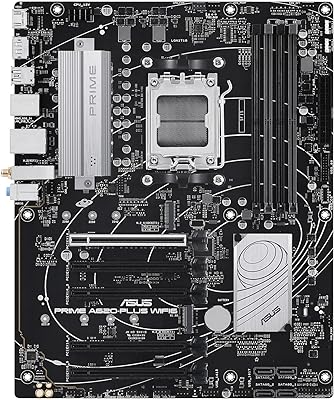
ASUS Prime A620-PLUS WiFi 6 ATX Motherboard

79%
91%
Value for Money
88%
Out-of-Box Compatibility
86%
Wireless Performance
84%
BIOS Usability
82%
Connectivity & I/O
More
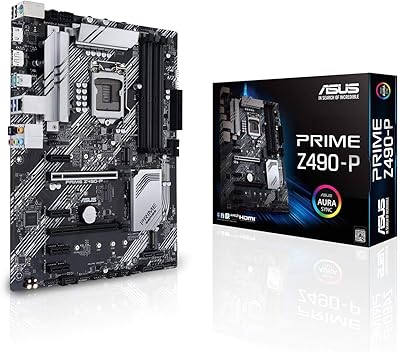
ASUS Prime Z490-P ATX Motherboard
83%
92%
Stability and Reliability
88%
Cooling Performance
85%
Ease of Installation
90%
Compatibility with Intel 10th Gen CPUs
87%
Value for Money
More
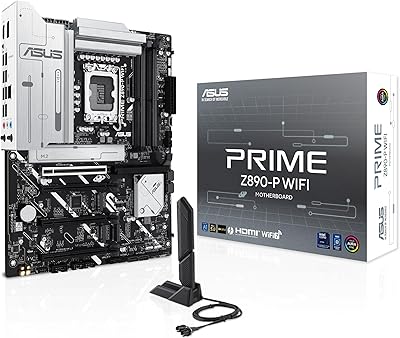
ASUS PRIME Z890-P WIFI ATX Motherboard
81%
88%
Value for Money
91%
BIOS Experience
93%
Connectivity & I/O
84%
VRM & Power Delivery
89%
Wi-Fi 7 Performance
More
ASUS Prime X299-A II ATX Motherboard
78%
92%
Power Delivery
88%
Thermal Management
91%
Build Quality
83%
BIOS Experience
78%
CPU Compatibility
More
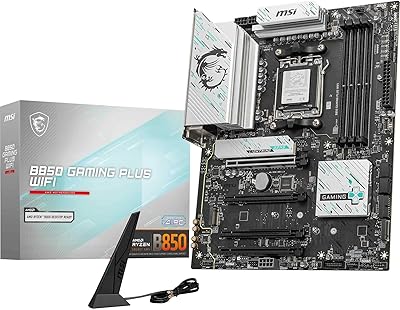
MSI B850 Gaming Plus WiFi Motherboard
86%
92%
Performance
90%
Cooling Efficiency
88%
Connectivity Options
85%
Build Quality
80%
Ease of Installation
More
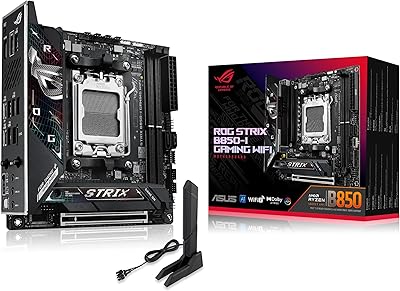
ASUS ROG Strix B850-I Mini-ITX Motherboard
82%
91%
Build Quality
88%
BIOS Usability
93%
Power Delivery
74%
Thermal Management
89%
Connectivity & I/O
More

FAQ

In most cases, yes, but it depends on which BIOS version ships on your unit. If the board comes with a BIOS that already supports Ryzen 7000 series, you can drop the CPU in and go. If not, BIOS FlashBack lets you update the firmware using just a USB drive and a power connection — no CPU required — so you are never truly stuck.

No. The AM5 platform and the B850 chipset are DDR5-only. DDR4 modules are physically and electrically incompatible, so you will need to budget for a new DDR5 kit when building with this board.

It handles memory overclocking via XMP and EXPO profiles reasonably well, and the power design is solid enough for modest CPU performance tuning. That said, if extreme CPU overclocking with fine-grained voltage control is a priority, you will hit the ceiling of what a B850 board can do fairly quickly — the X870E platform is a better fit for that use case.

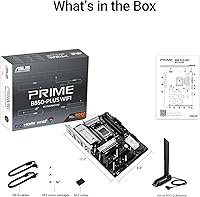
No. The board ships with an antenna connector — ASUS calls it Q-Antenna — and the included antenna covers basic wireless needs straight out of the box. You screw it into the rear I/O port and you are ready to connect.

You get three M.2 slots for NVMe SSDs, plus SATA ports for traditional 2.5-inch or 3.5-inch drives. For most home and workstation builds, that is more than enough storage capacity without needing any expansion cards.

Both. The primary x16 slot runs PCIe 5.0 for the GPU, and at least one of the M.2 slots also runs on PCIe 5.0, so you can take full advantage of the fastest NVMe drives currently available if you pair them with a compatible SSD.

You can skip it, but it takes some deliberate effort. During Windows setup, decline the software prompts, and if it installs anyway, you can uninstall it manually. Just be aware that some RGB and fan control features work more smoothly with the ASUS software suite, so going without it means managing those settings through the BIOS instead.

This is a standard ATX board, so you need at minimum a mid-tower case with ATX support. It will not fit in Micro-ATX or Mini-ITX enclosures. Most full-tower cases will also work fine if you want extra room for cable management and cooling.

For typical internet browsing and streaming, you probably will not notice a difference since most home connections are the bottleneck. Where 2.5Gb LAN genuinely helps is on local network transfers — moving large files between a NAS, a server, or another 2.5Gb-capable machine is measurably faster compared to standard gigabit.

Yes, as long as your Ryzen processor includes integrated graphics — specifically Ryzen 8000 series with Radeon graphics, or processors with the G suffix. Pure compute chips like the Ryzen 7 7700X have no integrated GPU, so the DisplayPort and HDMI outputs on the rear panel would not work without a discrete graphics card installed.

Where to Buy