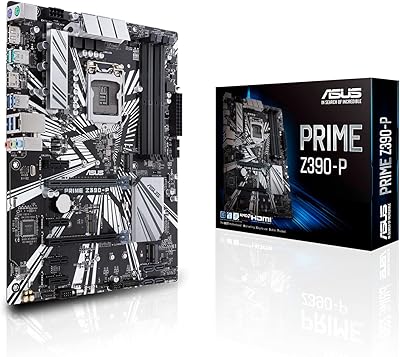
ASUS Prime X299-A II ATX Motherboard


Overview
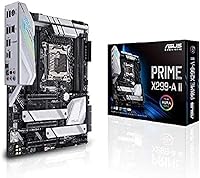
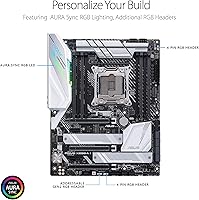
The ASUS Prime X299-A II ATX Motherboard sits firmly in the mid-to-high-end tier of the X299 platform, built around Intel's LGA 2066 socket for Core X-Series processors. Released in late 2019, it targets serious builders who need reliable power delivery and thermal management rather than bare-bones specs. What separates this X299 motherboard from cheaper alternatives is its attention to sustained workload stability — the kind that matters when you're running a 16-core processor at full tilt for hours. Yes, X299 is a mature platform at this point, but for builders already committed to the ecosystem, this board still holds up as a capable, thoughtfully engineered foundation.
Features & Benefits
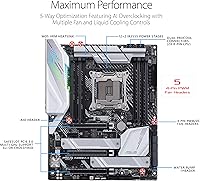
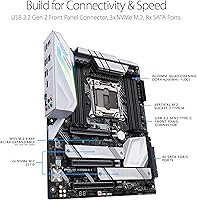
The Prime X299-A II is built around a 12-stage power delivery system using IR3555 chips, which translates to clean, consistent voltage for high-core-count CPUs under sustained load — not just during short benchmark runs. Three M.2 slots each get their own heatsink, keeping NVMe drives running at full speed instead of throttling during long transfers. Memory support reaches 4266 MHz DDR4, which benefits RAM-hungry workloads like 4K video exports or large scene renders. On the connectivity side, USB 3.2 Gen 2 Type-C and Intel Gigabit LAN cover the essentials, while Wi-Fi 6 handles wireless. The AI overclocking tool is a genuine time-saver for builders who want a performance bump without spending hours in the BIOS.
Best For
This ASUS enthusiast board is most at home in a workstation-class build — think 4K video editing rigs, 3D rendering stations, or multi-stream setups where the CPU rarely gets a break. Builders pairing it with something like an i9-10980XE will get full value from the robust power design and the triple M.2 configuration. It's also a solid pick for first-time overclockers who want to push performance without diving deep into manual voltage tuning. If you're building a system that needs Intel VROC for enterprise-grade storage redundancy or Optane Memory for caching, this X299 motherboard covers that too. Just don't bring it to a budget build — it's engineered for systems that actually demand what it offers.
User Feedback
Across around 160 ratings, the Prime X299-A II lands at a solid 4.1 stars — respectable for a board in this price range with a niche audience. Most positive reviews zero in on build quality and how stable the system runs under heavy workloads, with several users noting the BIOS is more approachable than expected for an enthusiast board. On the downside, some buyers have hit friction with BIOS updates, and a handful flagged compatibility quirks with specific X-Series CPU stepping revisions. Aura Sync RGB software draws the occasional gripe for being finicky. The good news is that X299 is a well-documented platform — most of these issues have community-tested fixes that are not hard to track down.
Pros
- Twelve IR3555 power stages deliver rock-solid voltage stability even under prolonged heavy CPU loads.
- Three M.2 slots with built-in heatsinks keep NVMe drives running at full speed without thermal throttling.
- DDR4 support up to 4266 MHz opens up genuinely fast memory configurations for bandwidth-heavy tasks.
- AI overclocking makes meaningful CPU performance gains accessible without deep manual tuning knowledge.
- Wi-Fi 6 and Intel Gigabit LAN cover both wireless and wired connectivity without needing add-in cards.
- Intel VROC and Optane Memory support add enterprise-grade storage flexibility rare at this price tier.
- Multi-GPU support gives builders room to expand without switching platforms later.
- Build quality is consistently praised by real users, with a sturdy feel that matches the board's positioning.
- BIOS is considered approachable relative to other enthusiast boards, with clear layout and logical options.
- The X299 platform is well-documented, meaning community support for troubleshooting is widely available.
Cons
- X299 is a mature, aging platform — Intel has moved on, and long-term CPU upgrade paths are effectively closed.
- BIOS updates have caused friction for some users, occasionally requiring careful sequencing to avoid instability.
- Aura Sync RGB software is reported as buggy and inconsistent by a notable portion of community users.
- Certain X-Series CPU stepping revisions have shown compatibility quirks that require extra setup steps.
- The high price of entry makes little sense unless you are pairing it with a top-tier Core X-Series processor.
- Only two USB 2.0 ports on the rear panel feels limiting for users with older peripherals or legacy devices.
- Multi-GPU performance scaling on X299 is workload-specific and rarely justifies the added cost and complexity.
- Buyers in smaller cases should note the full ATX footprint requires a mid-tower or larger chassis.
Ratings
The ASUS Prime X299-A II ATX Motherboard has been scored below by our AI system after analyzing verified global buyer reviews, with spam, bot activity, and incentivized feedback actively filtered out. Scores reflect a balanced picture of where this board genuinely excels and where real users have run into friction. Both the strengths that keep enthusiasts loyal to this platform and the pain points that have frustrated buyers are transparently represented.
Power Delivery
Thermal Management
Build Quality
BIOS Experience
CPU Compatibility
Storage Flexibility
Memory Performance
Connectivity & I/O
Overclocking Capability
RGB & Aesthetics
Multi-GPU Support
Installation & Setup
Platform Longevity
Value for Money
Software Ecosystem
Suitable for:
The ASUS Prime X299-A II ATX Motherboard is purpose-built for enthusiast builders who are serious about sustained, high-load computing — not occasional bursts of performance. If your work involves 4K or 6K video editing, complex 3D rendering, or running multiple high-demand applications simultaneously, the mature X299 platform paired with a high-core-count Intel Core X-Series processor is still a compelling combination, and this board handles that workload with confidence. Content creators and streamers who need fast NVMe storage across multiple drives will appreciate having three M.2 slots that actually stay cool under pressure. First-time overclockers also fit well here — the AI tuning feature does the heavy lifting without requiring you to spend a weekend reading BIOS documentation. Anyone building a workstation that needs Intel VROC for NVMe RAID or Optane Memory caching will find the compatibility support genuinely useful rather than a spec-sheet checkbox.
Not suitable for:
If you are building a budget-friendly PC or just need a general-purpose desktop for everyday tasks, the ASUS Prime X299-A II ATX Motherboard is simply the wrong tool — its price point and feature set assume you are pairing it with an expensive high-core-count processor, and that investment only makes sense for specific workloads. Gamers focused purely on frame rates should also look elsewhere, since modern mainstream platforms like Z790 offer better gaming-oriented features, lower latency memory support, and a wider ecosystem at a more competitive price. Buyers who are not already committed to the LGA 2066 socket should think carefully before entering the X299 ecosystem at this stage, as Intel has moved on and long-term platform support is limited. If you are uncomfortable navigating occasional BIOS updates or troubleshooting compatibility quirks, the learning curve here may be frustrating. And if RGB lighting software reliability matters to you, the Aura Sync ecosystem has a track record of being inconsistent enough to warrant caution.
Specifications
- CPU Socket: Uses the LGA 2066 socket, compatible exclusively with Intel Core X-Series processors including the i7, i9, and Xeon W lines.
- Chipset: Built on the Intel X299 chipset, which supports high-lane-count PCIe configurations and advanced storage options like Intel VROC.
- Form Factor: Standard ATX form factor measuring 9.6 x 12 inches, requiring a mid-tower or full-tower case for proper fitment.
- Power Delivery: Features 12 IR3555 power stages paired with ProCool II connectors and alloy chokes for stable voltage under sustained heavy loads.
- Memory Support: Supports DDR4 SDRAM with speeds up to 4266 MHz, accommodating high-bandwidth memory configurations suited to rendering and multitasking workloads.
- M.2 Storage: Includes three M.2 slots, each equipped with a dedicated heatsink that can reduce SSD operating temperatures by up to 20°C compared to exposed configurations.
- USB Connectivity: Rear panel includes a USB 3.2 Gen 2 Type-C port for high-speed peripheral connections alongside two USB 2.0 ports for legacy devices.
- Networking: Onboard Intel Gigabit Ethernet provides reliable wired LAN connectivity with low CPU overhead suited to high-throughput data transfers.
- Wireless: Integrated Wi-Fi 6 (802.11ax) with support for legacy 802.11a/b/g/n/ac standards for flexible wireless network compatibility.
- Multi-GPU: Supports multi-GPU configurations, allowing builders to run dual graphics cards for compute or rendering workloads where scaling applies.
- Overclocking: Includes an AI-assisted overclocking utility that automatically profiles the CPU and cooler to apply a stable overclock without manual BIOS intervention.
- Optane Support: Fully compatible with Intel Optane Memory modules, enabling accelerated storage caching when paired with supported drive and CPU configurations.
- VROC Support: Intel VROC (Virtual RAID on CPU) is supported, allowing NVMe drives to be configured in RAID arrays directly through the CPU lanes.
- RGB Lighting: Onboard Aura Sync RGB lighting can be customized and synchronized with other compatible ASUS components using the Aura Sync software ecosystem.
- Weight: The board weighs 4.52 pounds, which is typical for a fully featured ATX motherboard with substantial heatsink coverage.
- Voltage: Operates at 12 volts and requires a standard ATX power supply with an appropriate EPS CPU power connector for full power delivery capacity.
- Release Date: First made available in September 2019, positioning it as a second-generation refinement within ASUS's X299 Prime lineup.
- OS Support: Officially supported on Windows 10, with driver and BIOS update availability maintained through the ASUS support portal.
Related Reviews
ASUS Prime A520M-A II/CSM microATX Motherboard
ASUS Prime Z490-P ATX Motherboard
ASUS Prime Z690-P D4 ATX Motherboard
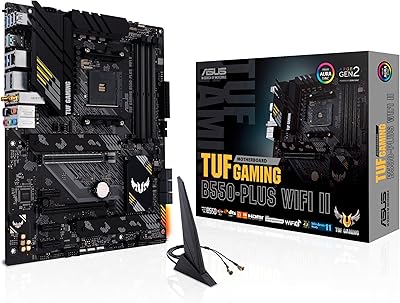
ASUS TUF Gaming B550-PLUS WiFi II ATX Motherboard
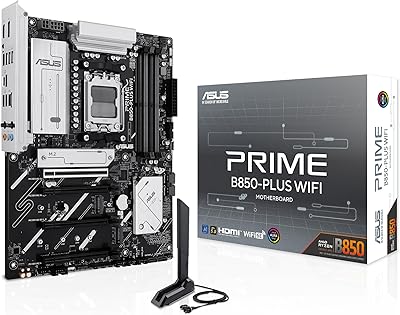
ASUS Prime B850-Plus WiFi ATX Motherboard
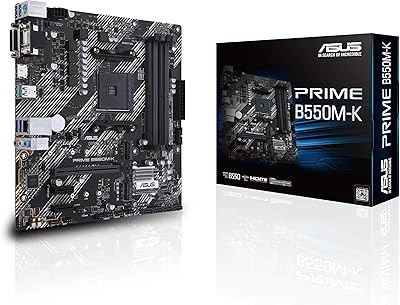
ASUS Prime B550M-K AM4 Micro-ATX Motherboard
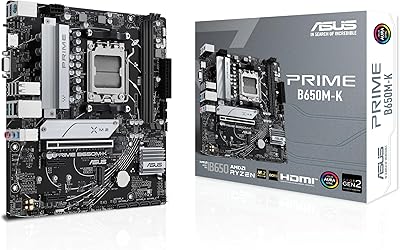
ASUS Prime B650M-K Micro-ATX Motherboard
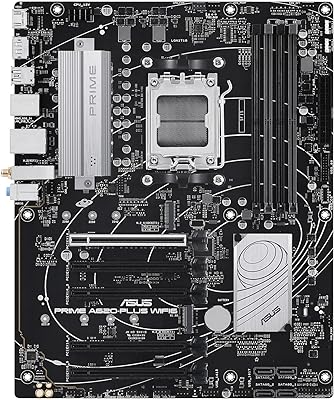
ASUS Prime A620-PLUS WiFi 6 ATX Motherboard
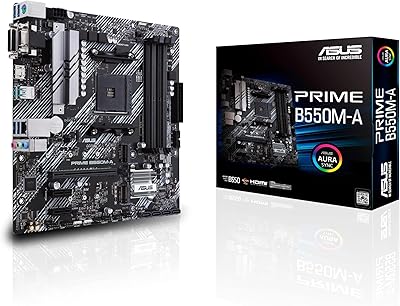
ASUS Prime B550M-A Micro ATX Motherboard