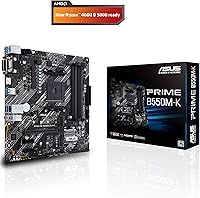
Overview

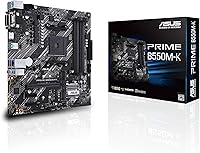
The ASUS Prime B550M-K AM4 Micro-ATX Motherboard lands in a sweet spot most mainstream builders actually care about — capable enough for a proper Ryzen build, priced where it doesn't blow your component budget. The B550 chipset sits comfortably between the bare-bones A520 and the premium X570, making it a sensible choice for everyday builds. Its Micro-ATX form factor suits small-to-mid tower cases well. One thing to flag upfront: if you're dropping in a Ryzen 5000 series CPU, check the BIOS version before you commit. Without an older compatible Ryzen on hand to flash it, you could be stuck at POST. This board rewards prepared buyers, not impulsive ones.
Features & Benefits

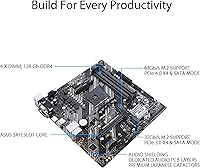
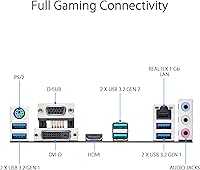
The primary PCIe 4.0 x16 slot handles modern discrete GPUs without bottlenecking, and one of the two M.2 slots runs at PCIe 4.0 x4 speeds — worth noting because the second slot tops out at PCIe 3.0, so Gen 4 SSD buyers should load the faster slot first. The rear I/O includes USB 3.2 Gen 2 Type-A, which is genuinely uncommon at this price tier. Video output covers HDMI 2.1 for 4K at 60Hz alongside DisplayPort 1.2 and D-Sub. Fan Xpert 2 handles thermal management without requiring third-party software, and the 5X Protection III suite adds real hardware safeguards against surges and overcurrent events, not just marketing language.

Best For

This compact AMD motherboard makes the most sense for builders who know what they need and aren't paying for what they don't. It's a natural fit for first-time AMD builders pairing a Ryzen 5000 CPU with a mid-range GPU inside a smaller case. APU configurations benefit from the HDMI 2.1 output, so a discrete graphics card isn't mandatory for a functional display setup. If you're upgrading from an older AM4 board and want to stay in the ecosystem with minimal friction, this is a logical step forward. Hardcore overclockers or anyone planning to push high-core-count processors hard should look at boards with significantly beefier VRM configurations.

User Feedback

With a 4.2-star average across 257 ratings, the ASUS Prime B550M-K holds a reasonably positive consensus — though the sample size is modest enough that individual outliers carry more weight than they would on a busier listing. Buyers consistently highlight straightforward installation and appreciate the build quality relative to the price, particularly the reinforced PCIe slot. The recurring complaint is the BIOS situation: builders arriving with only a Ryzen 5000 chip and no compatible older CPU to flash the firmware can hit a frustrating wall. On the downside, the fan header count is lean versus comparable rivals, and overclocking headroom is limited for anyone expecting enthusiast-level tuning flexibility.

Pros

  • PCIe 4.0 support on both the primary x16 slot and one M.2 slot keeps the build future-ready.
  • Dual M.2 slots let you run two NVMe drives without sacrificing any SATA ports.
  • USB 3.2 Gen 2 Type-A on the rear I/O is a genuine differentiator at this price point.
  • HDMI 2.1 output enables 4K at 60Hz for APU builds without adding a dedicated GPU.
  • Fan Xpert 2 provides real thermal control out of the box, no third-party software needed.
  • The reinforced PCIe SafeSlot holds heavier GPUs securely without flex or wobble.
  • 5X Protection III hardware safeguards cover LAN surges, DRAM overcurrent, and slot integrity.
  • Micro-ATX form factor fits a wide range of mid and small tower cases with ease.
  • ECC memory support adds a layer of reliability for light workstation or data-sensitive use.
  • Clean BIOS interface makes initial setup approachable even for less experienced builders.

Cons

  • Ryzen 5000 series CPUs require a BIOS update that may need an older AM4 CPU to perform.
  • The second M.2 slot runs at PCIe 3.0 only, which limits Gen 4 SSD performance on that channel.
  • Fan header count is lower than several competing boards in the same price range.
  • VRM headroom is modest, making this compact AMD motherboard a poor choice for aggressive overclocking.
  • The 257-rating sample size is relatively small, making the overall consensus less definitive than higher-volume listings.
  • No Wi-Fi module is included, so wireless connectivity requires a separate adapter or PCIe card.
  • Power users needing extensive USB port variety on the rear I/O may find the selection too lean.
  • Limited overclocking documentation from ASUS for this specific model compared to their higher-tier ROG or Strix boards.

Ratings

The ASUS Prime B550M-K AM4 Micro-ATX Motherboard earns an overall score of 4.2 out of 5 based on 257 verified global ratings, with our AI systems actively filtering out incentivized, bot-generated, and low-quality submissions to surface genuine buyer sentiment. Across categories spanning connectivity and build durability to BIOS usability and thermal management, the scores below reflect both where this compact AMD board genuinely delivers and where real-world frustrations consistently emerge.
Value for Money
88%
Buyers repeatedly point to the PCIe 4.0 support, dual M.2 slots, and USB 3.2 Gen 2 rear port as features they did not expect at this price tier. For mainstream Ryzen builds where budget is finite, the feature-to-dollar ratio stands out clearly against comparable competing boards.
A small but vocal group of reviewers feel the value proposition weakens once you factor in the cost of sourcing an older AM4 CPU solely to perform a mandatory BIOS update for Ryzen 5000 compatibility — an unexpected hidden cost for unprepared first-time builders.
Compatibility & CPU Support
71%
29%
The AM4 socket covers a wide range of 3rd Gen and Ryzen 5000 processors, giving builders flexibility when choosing between APUs and full discrete GPU configurations. Users upgrading from older AM4 systems report a smooth transition without needing to relearn an entirely new ecosystem.
The BIOS update requirement before Ryzen 5000 CPUs are recognized is the single most frequently raised complaint across reviews. Builders arriving without a compatible older Ryzen chip to perform the flash are stuck before the system even powers on properly.
Build Quality & Durability
83%
The reinforced PCIe SafeSlot earns consistent positive mentions, particularly from builders installing heavier GPU models that place lateral stress on the slot over time. The stainless-steel back I/O panel also feels noticeably more solid than what buyers typically encounter on competing value-tier boards.
A handful of users noted that the overall PCB component density feels slightly sparse compared to mid-range boards, which is expected at this price but becomes more apparent when looking at the limited fan header placement and reduced heatsink coverage near the VRM area.
Storage Connectivity
84%
Having two M.2 slots alongside four SATA ports gives builders genuine storage flexibility without forcing trade-offs between NVMe speed and drive count. Users running an NVMe boot drive and a SATA secondary for bulk storage report a clean, cable-free internal setup.
The second M.2 slot operating at PCIe 3.0 x4 rather than Gen 4 catches some buyers off guard, especially those purchasing high-end Gen 4 SSDs for both slots expecting full bandwidth across the board. This distinction is easy to miss in product listings and has generated frustration post-purchase.
BIOS & Setup Experience
67%
33%
For users who arrive with an already-updated board, the ASUS UEFI BIOS interface is praised for its clear layout and approachable EZ Mode, which walks first-time builders through basic configuration without requiring deep technical knowledge. Fan curve setup through Fan Xpert 2 is considered particularly intuitive.
The BIOS firmware situation is the defining pain point: boards shipped with older firmware simply will not post with Ryzen 5000 CPUs, and the update process requires either a separate compatible CPU or a trip to a local shop. This is a known industry issue but one that ASUS has not fully resolved through retail stocking practices.
Overclocking Capability
54%
46%
For users running Ryzen 5 processors at stock or light boost settings, the board handles memory frequency tuning up to the 3600MHz range reliably, which covers the practical sweet spot for most DDR4 gaming configurations without requiring heavy manual intervention.
The VRM configuration is clearly designed for mainstream power envelopes, not sustained overclocking workloads. Users attempting to push Ryzen 7 or Ryzen 9 processors with aggressive settings report thermal throttling and instability, confirming that this board is not intended for performance tuning enthusiasts.
Rear I/O & Connectivity
79%
21%
The inclusion of USB 3.2 Gen 2 Type-A on the rear panel is a genuine highlight at this price point, handling fast external SSD transfers and modern peripherals without the bottleneck of older USB standards. The three video output options covering HDMI 2.1, DisplayPort, and D-Sub accommodate a broad range of monitor setups.
Users who need a dense rear USB layout for workstations or home studio setups will find the port count limiting. The absence of a USB-C rear port is a gap that becomes more noticeable as modern peripherals increasingly standardize on Type-C connectors.
Thermal Management
76%
24%
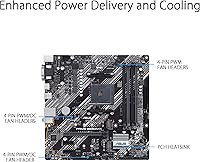
The PCH heatsink keeps chipset temperatures in check during typical workloads, and the hybrid fan headers support both PWM and DC fans, which builders appreciate when mixing different cooler and case fan models without needing a separate fan controller.
The number of available fan headers is below what several competing boards in this category offer, which becomes a real constraint in builds using more than three or four fans. Users with more aggressive cooling setups often resort to a fan hub splitter, which adds cost and cable management complexity.
Network Performance
81%
19%
The 1Gb Ethernet port with ASUS LANGuard protection performs reliably for home and small office use, and the surge-protection circuitry is a practical hardware safeguard that users in areas prone to power fluctuations specifically call out as reassuring.
In an era where 2.5Gb LAN is appearing on competing boards even at similar price points, the 1Gb ceiling feels dated for users who have upgraded their home network infrastructure and want to take full advantage of faster local transfer speeds between devices.
Display Output Quality
82%
18%
The HDMI 2.1 port supporting 4K at 60Hz via integrated Ryzen APU graphics is a genuine differentiator that makes this board viable for APU-based productivity and media builds without any discrete GPU. Users building compact home office setups on a tight budget appreciate not having to factor in a GPU at all.
The legacy D-Sub (VGA) port, while occasionally useful for connecting older office monitors, takes up rear I/O space that many modern builders consider wasted. Users with exclusively modern display setups have no use for it, and its presence at the expense of a USB-C video output is a questionable trade-off.
Hardware Protection Suite
85%
The 5X Protection III suite provides hardware-level safeguards that most competing value-tier boards omit entirely, including DRAM overcurrent protection and LAN surge defense. Builders who have lost components to power events in the past consider these protections a meaningful differentiator rather than marketing filler.
While the protection suite is comprehensive on paper, some technically experienced users note that the VRM protection specifically could be more robust given the board's VRM limitations under high-load scenarios, leaving a gap between the advertised protection narrative and the actual power delivery headroom.
Installation Experience
86%
The pre-attached I/O shield eliminates one of the most fiddly steps in the motherboard installation process, and first-time builders consistently praise the physical layout for clear labeling and accessible header placement. The BIOS EZ Mode walkthrough reduces the learning curve for those assembling their first AMD system.
The BIOS firmware situation casts a shadow over what should otherwise be a smooth out-of-box experience. Builders who research compatibility thoroughly before buying navigate it fine, but those who do not often describe the initial Ryzen 5000 boot failure as a confidence-shaking experience that overshadows the otherwise simple assembly process.
ECC Memory Support
73%
27%
Unbuffered ECC DDR4 support is an uncommon inclusion at this price tier and appeals to users building light workstation or NAS-adjacent systems where data integrity carries more weight than raw performance benchmarks.
ECC error-correction functionality is only active with compatible Ryzen PRO processors, which most buyers of this board are unlikely to be using. For the majority of standard consumer Ryzen builds, ECC support exists on paper but provides no practical benefit, making it a largely theoretical selling point for the target audience.
Wireless Connectivity
41%
59%
The absence of onboard Wi-Fi at least keeps the board's cost focused on wired connectivity quality, and the 1Gb LAN with hardware protection serves the majority of desktop users who prefer a stable wired connection anyway.
No onboard Wi-Fi or Bluetooth is a real omission that competing boards at comparable prices are beginning to address. Users who cannot easily run an Ethernet cable to their build location are forced to budget for an additional PCIe Wi-Fi card or USB adapter, which erodes the cost advantage this board holds over slightly pricier alternatives.

Suitable for:

The ASUS Prime B550M-K AM4 Micro-ATX Motherboard is a strong fit for builders who want a capable AMD platform without paying for features they will never touch. It particularly suits first-time builders assembling a Ryzen 5000 system in a small-to-mid tower case, where the Micro-ATX footprint keeps things tidy without forcing a cramped Mini-ITX compromise. Home office and productivity users pairing a Ryzen APU get real value from the HDMI 2.1 output, which handles 4K at 60Hz without needing a discrete GPU. Budget-conscious gamers who would rather redirect savings toward a better graphics card or faster RAM will also find this board makes that trade-off practical. Upgraders already in the AM4 ecosystem who want a straightforward platform refresh without relearning a new socket or DDR generation are well served here too.
Not suitable for:

Builders who plan to push high-core-count Ryzen processors hard should look elsewhere — the VRM configuration on the ASUS Prime B550M-K AM4 Micro-ATX Motherboard is designed for mainstream workloads, not sustained heavy overclocking. Enthusiasts chasing maximum memory overclocking headroom or granular tuning options will quickly find the B550M-K's feature set too conservative. Anyone planning to run multiple high-speed NVMe drives simultaneously should note that only one M.2 slot operates at PCIe 4.0 x4; the second is limited to PCIe 3.0, which may disappoint users expecting full Gen 4 throughput across both slots. Content creators or workstation users who rely on a dense array of USB ports and fan headers may find the rear I/O and header count leaner than competing boards at a similar price. Finally, buyers arriving with only a Ryzen 5000 CPU and no older AM4 processor available to flash the BIOS may face a frustrating compatibility hurdle right out of the box.
Specifications

  • Form Factor: Micro-ATX (mATX) format fits standard small-to-mid tower cases that support ATX or Micro-ATX mounting.
  • CPU Socket: AMD AM4 socket supports 3rd Gen Ryzen and Ryzen 5000 series processors, including APUs with integrated graphics.
  • Chipset: AMD B550 chipset provides a balanced mix of PCIe 4.0 bandwidth and mainstream feature access without the premium X570 cost.
  • Memory Support: Four DDR4 DIMM slots support dual-channel memory configurations with speeds up to 4600MHz (OC) and unbuffered ECC RAM.
  • PCIe Slots: One PCIe 4.0 x16 SafeSlot for discrete GPUs, plus additional PCIe 3.0 x1 slots for expansion cards.
  • M.2 Storage: Two M.2 slots are included: the first runs at PCIe 4.0 x4 for Gen 4 NVMe SSDs, and the second operates at PCIe 3.0 x4.
  • SATA Ports: Four SATA 6Gb/s ports support traditional hard drives and SATA SSDs independently of the M.2 slots.
  • Rear USB: Rear I/O includes one USB 3.2 Gen 2 Type-A port, multiple USB 3.2 Gen 1 Type-A ports, and USB 2.0 ports for legacy peripherals.
  • Video Output: Three display outputs are available on the rear I/O: HDMI 2.1 (up to 4K at 60Hz), DisplayPort 1.2, and a D-Sub (VGA) connector.
  • LAN: Realtek-powered 1 Gigabit Ethernet port includes ASUS LANGuard surge and ESD protection circuitry.
  • Audio: Realtek ALC887 HD audio codec powers the rear audio stack with standard analog output jacks for stereo and surround setups.
  • Fan Headers: Multiple hybrid fan headers support both PWM and DC fan control modes, managed through the Fan Xpert 2 software utility.
  • PCH Cooling: A dedicated PCH heatsink covers the B550 chipset to maintain stable thermal operation under sustained workloads.
  • Protection Suite: 5X Protection III includes overvoltage protection, DRAM overcurrent protection, LANGuard, SafeSlot Core reinforcement, and stainless-steel back I/O.
  • ECC Memory: Unbuffered ECC DDR4 memory is supported, providing basic error-correction capability for reliability-focused workloads.
  • BIOS: UEFI BIOS with ASUS EZ Mode and Advanced Mode interfaces; a BIOS update is required prior to installing Ryzen 5000 series CPUs on boards shipped with older firmware.
  • Wireless: No onboard Wi-Fi or Bluetooth module is included; wireless connectivity requires a separate PCIe adapter or USB dongle.
  • Storage Headers: Front panel headers include support for USB 3.2 Gen 1 and USB 2.0 connections from compatible PC cases.
  • Average Rating: Holds a 4.2 out of 5 star average based on 257 verified ratings, ranking #923 in the Computer Motherboards category.
  • OS Support: Officially supported on Windows 10 and Windows 11 64-bit operating systems with full driver availability from ASUS.

Related Reviews

ASUS Prime B650M-K Micro-ATX Motherboard
77%
83%
Value for Money
79%
Build Quality
61%
VRM & Power Delivery
88%
BIOS Experience
91%
Networking
More
ASUS H110M-K Micro ATX DDR4 LGA 1151 Motherboard
84%
91%
Value for Money
89%
Installation & Setup
94%
Compatibility with Intel Processors
87%
Performance with DDR4 Memory
85%
Build Quality & Durability
More
ASUS Prime B550M-A Micro ATX Motherboard
78%
91%
Value for Money
83%
Build Quality
93%
Ease of Installation
88%
BIOS & Software
79%
CPU Compatibility
More
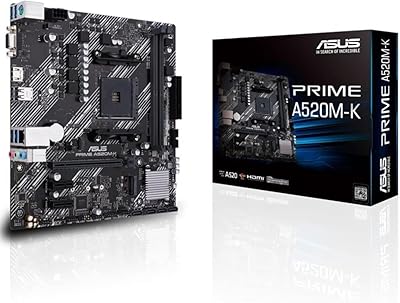
ASUS Prime A520M-K MATX Motherboard
73%
88%
Value for Money
83%
Build Quality
91%
Ease of Installation
86%
BIOS Experience
79%
CPU Compatibility
More
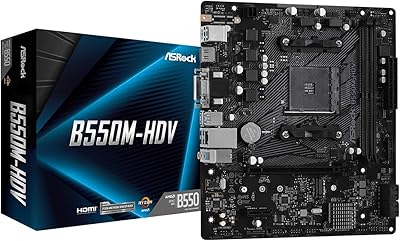
ASRock B550M-HDV Micro-ATX Motherboard
76%
91%
Value for Money
88%
CPU Compatibility
86%
Ease of Setup
89%
Stability & Reliability
58%
VRM & Power Delivery
More
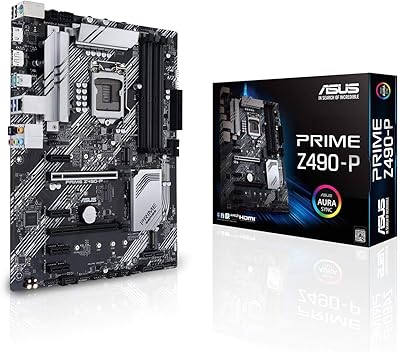
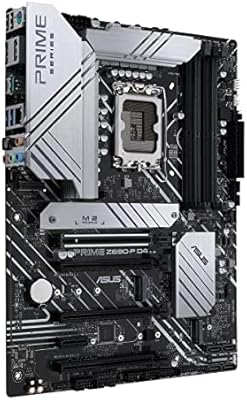
ASUS Prime Z490-P ATX Motherboard
80%
88%
Value for Money
91%
BIOS Usability
74%
Power Delivery & VRM
86%
Build Quality & Components
83%
Connectivity & I/O
More
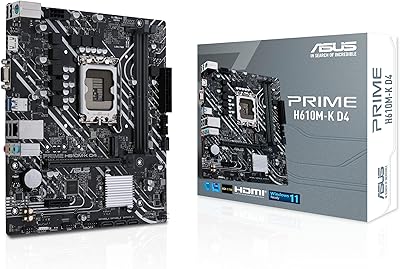
ASUS Prime H610M-K D4 Motherboard
83%
90%
Value for Money
88%
Ease of Installation
85%
Build Quality
80%
Performance in Gaming
83%
Performance in Productivity Tasks
More
ASUS Prime X299-A II ATX Motherboard
78%
92%
Power Delivery
88%
Thermal Management
91%
Build Quality
83%
BIOS Experience
78%
CPU Compatibility
More
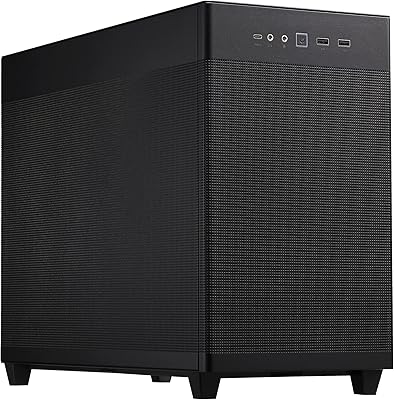
ASUS Prime AP201 Micro ATX PC Case
80%
93%
Airflow Performance
91%
Cooling Compatibility
84%
Build Quality
92%
GPU Compatibility
89%
Tool-Free Panel Access
More
ASUS Prime B660M-K D4 mATX Motherboard
70%
88%
Value for Money
83%
Build Quality
81%
BIOS Experience
61%
Connectivity & I/O
34%
Overclocking Capability
More

FAQ

Not necessarily. The ASUS Prime B550M-K AM4 Micro-ATX Motherboard may ship with an older BIOS version that does not recognize Ryzen 5000 series processors. You would need a compatible 3rd Gen Ryzen CPU to boot the system and flash the BIOS to a newer version first. ASUS does publish the required BIOS files on their support page, so check the firmware version before you order your CPU if you do not have a spare AM4 chip available.
No. Only the first M.2 slot runs at PCIe 4.0 x4, which is where you should install your primary Gen 4 SSD for full speed. The second slot is limited to PCIe 3.0 x4, so a Gen 4 drive installed there will operate at Gen 3 speeds. For most users this is perfectly fine, but if you specifically need dual Gen 4 throughput simultaneously, this board is not the right fit.

No, there is no onboard wireless adapter on this board. If you need Wi-Fi, you will have to pick up a separate PCIe Wi-Fi card or a USB adapter. It is a common omission at this price tier and one worth factoring into your total build cost.

The rear I/O has three display connectors — HDMI 2.1, DisplayPort 1.2, and a D-Sub (VGA) port — but the number of simultaneous outputs depends on your Ryzen APU and driver configuration. Most setups will support two displays at once through integrated graphics. If you need three independent monitors, a discrete GPU with its own outputs is the more reliable path.

Honestly, not in any serious way. The B550M-K has a modest VRM setup that handles stock and lightly boosted Ryzen CPUs just fine, but it is not built for sustained overclocking of higher-TDP processors like the Ryzen 9 series. If you are planning to push a Ryzen 5 or Ryzen 7 within reasonable limits, it will be stable. Enthusiast-level overclocking belongs on a board with a more robust power delivery design.

The four DDR4 slots officially support speeds up to 4600MHz in overclocked mode, though real-world stability at extreme frequencies depends heavily on your specific memory kit and CPU's integrated memory controller. For most everyday builds, DDR4 running in the 3200–3600MHz range is well within reach and is where most users will be operating.

Yes, unbuffered ECC DDR4 is supported. This is relatively uncommon at this price point and can be useful in light workstation or data-sensitive environments. Keep in mind that ECC error-correction functionality also requires a compatible Ryzen PRO or EPYC processor; standard consumer Ryzen CPUs may accept ECC modules but will not activate the error-correction feature.

This compact AMD motherboard includes a handful of hybrid fan headers that support both PWM and DC control modes, giving you flexibility with different cooler and case fan types. The exact count is on the lower end compared to some competing boards, so if you are planning a heavily cooled build with many fans, you may need a fan hub. For standard builds with a CPU cooler and two or three case fans, the available headers are sufficient.

Any case that supports Micro-ATX or ATX motherboards will fit this board. It will not fit Mini-ITX cases. The Micro-ATX form factor gives you more room for RAM, GPU, and fan clearance than a Mini-ITX build while still keeping the overall footprint smaller than a full ATX setup.

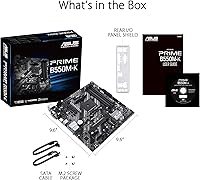
The stainless-steel back I/O shield is pre-mounted on the board itself, which is part of ASUS's standard design for this range. That means one less fiddly step during installation — you do not have to snap a separate shield into your case before dropping the board in.