Overview

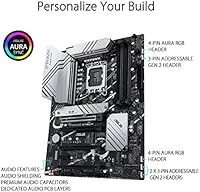
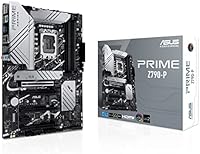
The ASUS Prime Z790-P ATX Motherboard sits squarely in the mid-range Z790 market, built around Intel's LGA1700 socket for 12th and 13th gen processors. One thing worth flagging upfront: the Amazon listing has a frustrating error mixing in AM5 socket references — ignore that entirely, as this board is LGA1700 only. The ASUS Prime line has long carried a reputation for solid build quality and dependable compatibility, and this entry continues that tradition. Its clean black ATX layout fits standard full-tower and mid-tower cases comfortably, especially those with tempered glass side panels where aesthetics actually matter.
Features & Benefits

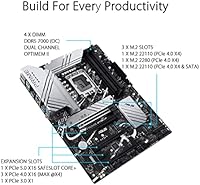
The Prime Z790-P packs a respectable feature set for its tier. Dual PCIe 5.0 x16 slots mean your current GPU has room to breathe, and you won't be boxed out when next-gen cards arrive. Three M.2 slots running at PCIe Gen4 speeds handle fast NVMe drives natively — no adapter cards needed, no bandwidth-sharing headaches for most setups. Six SATA ports remain available for bulk storage, which matters if you're housing a media library alongside your OS drive. The 2.5G LAN port is a practical upgrade over standard gigabit, and eight USB 3.2 Gen2 rear ports keep cable clutter minimal. Onboard audio handles casual listening and gaming just fine; dedicated DAC users will add their own anyway.

Best For

This ASUS mid-range motherboard makes the most sense for a few specific types of builders. If you're coming from an older Intel platform and want to step into DDR5 without spending flagship money, this is a rational entry point. Content creators who need multiple fast NVMe drives for project files and render caches will appreciate the three M.2 slots alongside six open SATA bays. Home office users running a NAS or shared network will find the 2.5G LAN genuinely useful day-to-day. It also suits anyone who values BIOS stability and ASUS UEFI familiarity over chasing the highest VRM specs on paper. If heavy overclocking is your priority, though, competing boards at similar prices may offer more headroom.

User Feedback

Across 158 ratings, the Z790-P holds a 4.4-star average — a score that reflects genuine satisfaction rather than hype. Buyers consistently highlight easy BIOS navigation and how familiar the ASUS UEFI interface feels, especially for anyone who has built on an ASUS board before. Build quality and PCB construction draw favorable comments relative to the price tier. On the flip side, some users ran into DDR5 memory compatibility issues out of the box; this usually comes down to needing a BIOS update before the system posts cleanly — an annoying but straightforward first step. A handful of buyers also flagged confusion from the inaccurate Amazon listing, which muddies the research process. Overall, critical outliers are rare.

Pros

  • Three PCIe Gen4 M.2 slots let you run multiple fast NVMe drives without adapters or compromises.
  • Eight USB 3.2 Gen2 rear ports cover most power users without needing a separate hub.
  • The 2.5G LAN port is a meaningful real-world upgrade over standard gigabit for home network-heavy workflows.
  • Six SATA3 ports keep bulk storage options wide open alongside the NVMe slots.
  • ASUS UEFI is one of the most approachable BIOS interfaces available, especially for first-time builders.
  • Dual PCIe 5.0 x16 slots provide solid headroom for current and upcoming GPU generations.
  • The Prime Z790-P holds a 4.4-star average across real buyer reviews, reflecting consistent satisfaction.
  • Clean black ATX layout pairs well with windowed cases without demanding RGB or flashy aesthetics.
  • Broad compatibility with both 12th and 13th gen Intel CPUs gives buyers flexibility at purchase and upgrade time.
  • Build quality and PCB feel punch above their weight for the mid-range price tier.

Cons

  • VRM headroom is limited for sustained overclocking of high-TDP processors like the i9-13900K.
  • No onboard Wi-Fi or Bluetooth — wireless connectivity requires a separate adapter card.
  • DDR5 memory compatibility may require a BIOS update before the system posts correctly out of the box.
  • The Amazon product listing contains incorrect socket information, creating real confusion during the research phase.
  • No native Thunderbolt 4 support, which is a gap for users dependent on fast external peripherals.
  • Onboard audio relies on the Realtek ALC897, which is functional but not competitive with dedicated sound cards.
  • Some competing boards at a similar price offer stronger VRM configurations for enthusiast-grade builds.
  • Only one PCIe 4.0 x1 slot for add-in cards, which may be restrictive in multi-card expansion scenarios.

Ratings

Our AI rating system analyzed verified global buyer reviews for the ASUS Prime Z790-P ATX Motherboard, actively filtering out incentivized, bot-generated, and low-quality submissions to surface what real builders actually experienced. The scores below reflect both what this board does well and where it falls short, giving you an honest picture before you commit. Strengths like BIOS usability and storage flexibility are recognized, but pain points around VRM headroom and missing wireless are just as transparently represented.

BIOS & Software Usability
91%
The ASUS UEFI is consistently the most praised aspect of this board among first-time builders and veterans alike. Its dual-mode interface lets newcomers configure settings visually while giving experienced users deep overclocking menus without friction. Buyers frequently note it feels polished compared to competing boards in the same price range.
A handful of users ran into DDR5 memory compatibility issues that required a BIOS update before the system would post correctly, adding an unexpected step early in the build process. For builders without a spare CPU or a second system to facilitate the update, this can be genuinely frustrating.
Build Quality & PCB
86%
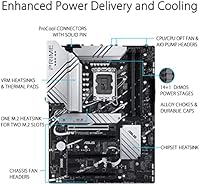
For a mid-range board, the Prime Z790-P feels notably solid in hand, with heatsinks that don't flex and a PCB that inspires confidence during installation. Buyers coming from budget boards on older platforms frequently comment on the step-up in perceived quality, particularly around the M.2 heatsink retention and slot reinforcement.
The all-black aesthetic, while clean, lacks the premium finish of higher-tier ASUS ROG or Maximus boards, and the absence of any RGB integration can feel sparse inside a windowed case with a light theme. A small number of users also noted the I/O shield fit required more force than expected.
Storage Expansion
89%
Three PCIe Gen4 M.2 slots alongside six SATA3 ports is a genuinely generous combination at this price point, and content creators in particular appreciate being able to run dedicated drives for OS, active projects, and large media archives simultaneously without resorting to adapters or giving anything up.
While the storage layout is strong, bandwidth sharing between M.2 slots and SATA ports under heavy simultaneous load can introduce minor performance trade-offs, which some users noticed in throughput-intensive workflows. This is a chipset-level limitation rather than a board design flaw, but it is worth understanding before building.
Connectivity & USB
84%
Eight USB 3.2 Gen2 ports on the rear I/O panel is a standout for this tier, practically eliminating the need for a powered USB hub in most desktop setups. Home office and content creator builds benefit especially, with enough ports for external drives, audio interfaces, cameras, and peripherals all running simultaneously.
The lack of native Thunderbolt 4 support is a real gap for users who rely on high-speed docks or external GPUs, and there is no front-panel USB4 header either. Buyers discovering this after purchase tend to feel it should have been disclosed more prominently.
Network Performance
83%
The 2.5G LAN implementation works reliably and delivers a tangible real-world improvement over standard gigabit, particularly for users transferring large files to a NAS or running a home server setup. In day-to-day use on a capable router, the throughput difference is noticeable and not just a spec sheet number.
The complete absence of Wi-Fi and Bluetooth is a meaningful omission, especially at this price tier where several competing boards bundle wireless connectivity. Buyers who assumed wireless was included have been vocal in their disappointment post-purchase.
Value for Money
78%
22%
For builders who specifically need three M.2 slots, abundant USB ports, and 2.5G LAN without paying for overclocking-focused VRM or wireless they will never use, the price-to-feature ratio lands well. The ASUS brand backing and mature BIOS support also add long-term value that cheaper alternatives struggle to match.
At the same price point, some competing Z790 boards offer stronger VRM configurations or include Wi-Fi 6E, making this board feel like it trades off in certain areas to hit its price. Buyers who discover better-equipped alternatives after purchasing frequently express mild regret.
Overclocking Headroom
67%
33%
For moderate overclocking on mid-range CPUs like the i5-13600K or i7-13700K, the Prime Z790-P performs adequately, maintaining stable clocks without thermal throttling during typical gaming and productivity sessions. The Z790 chipset itself enables XMP memory profiles and base CPU frequency adjustments without issue.
Users pairing this board with power-hungry processors like the i9-13900K and pushing aggressive all-core overclocks have reported VRM thermal throttling under sustained loads, limiting the board's ceiling for enthusiast tuning. It is genuinely not the right platform for anyone who intends to extract maximum performance from a high-TDP chip.
DDR5 Compatibility
72%
28%
Once the BIOS is updated and a compatible DDR5 kit is installed, memory performance is stable and XMP profiles engage reliably. Buyers using well-known DDR5 kits from reputable brands report no ongoing issues after the initial setup hurdle.
Out-of-the-box DDR5 compatibility is inconsistent enough to be a recurring theme in user feedback, with some kits failing to post until a BIOS flash is performed. For builders without a second system or USB drive ready for FlashBack, this can stall an entire build day.
Thermal Management
76%
24%
Under typical workloads and gaming scenarios, the VRM and chipset heatsinks manage temperatures competently, and M.2 heatsink coverage keeps NVMe drives from throttling during sustained sequential reads and writes. Most users in standard mid-tower cases with reasonable airflow report no thermal concerns.
In poorly ventilated cases or under sustained CPU-heavy workloads, VRM temperatures climb to levels that are within spec but leave little comfort margin. Users in compact builds or those running hot ambient environments should factor this into case selection.
Onboard Audio
69%
31%
The Realtek ALC897 handles everyday gaming audio, video calls, and casual music playback without any audible issues, and the 7.1-channel output covers most common headset and speaker configurations. For the majority of buyers, it removes any immediate need for an add-in sound card.
Audiophiles or users with high-impedance headphones will find the signal-to-noise ratio and output power noticeably underwhelming compared to a dedicated DAC or sound card. The codec is functional but clearly reflects a cost optimization decision rather than a deliberate audio focus.
Installation Experience
74%
26%
The physical installation process is straightforward for anyone familiar with ATX builds, with clearly labeled headers, good spacing around the CPU socket, and M.2 slot access that does not require removing the GPU post-build. First-time builders consistently mention the ASUS manual as above average in clarity.
The misleading Amazon product listing has caused a small but vocal group of buyers to question compatibility mid-build, adding unnecessary anxiety during installation. A few users also noted that some M.2 screw standoffs required adjustment out of the box before drives seated correctly.
Aesthetics & Case Fit
79%
21%
The clean all-black design integrates well in dark-themed builds and avoids the gaudy look of some RGB-heavy boards. For builders who prefer an understated, professional look inside a windowed case, the Prime Z790-P fits in naturally without clashing with other components.
There is no onboard RGB or addressable header lighting on the board itself, which will disappoint builders going for a heavily lit aesthetic. While headers exist for external RGB strips, the board contributes nothing visually on its own in a lit build.
Rear I/O Layout
81%
19%
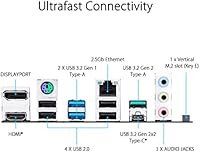
The rear I/O panel is well-organized and port-dense, with the 2.5G LAN, multiple USB tiers, and video outputs all logically grouped. Users plugging in multiple external drives, peripherals, and audio simultaneously appreciated having enough ports without cramping.
The absence of a USB4 or Thunderbolt port on the rear I/O is a missed opportunity at this price point, and the video output ports are only useful when relying on integrated graphics, which limits their practical relevance for dedicated GPU builds.
Long-term Reliability
83%
ASUS's track record with the Prime line and the board's solid early user history suggest it holds up well under normal daily use, with very few reports of hardware failures outside the expected statistical norm. The ASUS RMA process is also generally regarded as more responsive than some competing brands.
The board has not been on the market long enough to draw firm multi-year reliability conclusions, and the Amazon listing confusion has led some buyers to question whether they received the correct product variant, adding unnecessary uncertainty around their specific unit.

Suitable for:

The ASUS Prime Z790-P ATX Motherboard is a strong fit for builders who want a capable, reliable Intel platform without paying a premium for features they will never use. It works particularly well for first-time DDR5 builders stepping up from older Intel generations, since the ASUS UEFI makes the transition far less intimidating than competing boards with steeper learning curves. Content creators who juggle multiple NVMe drives for active projects while keeping large SATA arrays for archiving will find the storage layout genuinely practical. Home and small office users benefit from the 2.5G LAN in environments with a capable router or NAS, where that extra network headroom is actually felt. Anyone who values long-term platform stability and a mature BIOS ecosystem over chasing the absolute highest specs on paper will feel right at home here.
Not suitable for:

Builders planning serious CPU overclocking should look elsewhere before committing to the ASUS Prime Z790-P ATX Motherboard, as its VRM configuration is adequate for stock and light overclocking but may fall short under sustained heavy loads with power-hungry processors like an i9-13900K pushed hard. AMD platform buyers are completely out of scope here — despite the confusing Amazon listing, this is strictly an Intel LGA1700 board with no AM5 compatibility whatsoever. Enthusiasts chasing Wi-Fi 6E or Bluetooth connectivity built in will need to budget for a separate adapter, as neither is included. If you are building a compact system, the full ATX footprint rules out mATX or ITX cases entirely. And if you rely heavily on Thunderbolt 4 for high-bandwidth peripherals or fast external storage, this board does not offer native support for it.

Specifications

  • CPU Socket: Uses the Intel LGA1700 socket, compatible with 12th gen Alder Lake and 13th gen Raptor Lake processors.
  • Chipset: Built on the Intel Z790 chipset, enabling PCIe 5.0 support and overclocking capability on supported CPUs.
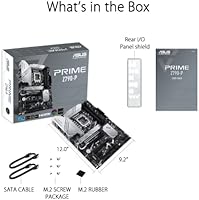
  • Form Factor: Standard ATX form factor measuring 9.21 x 12.01 inches, fitting full-tower and mid-tower cases designed for ATX boards.
  • Memory Slots: Four DDR5 DIMM slots support dual-channel memory configurations at a base speed of 2133 MHz with XMP headroom beyond that.
  • PCIe Slots: Includes two PCIe 5.0 x16 slots and one PCIe 4.0 x1 slot for graphics cards and add-in expansion cards.
  • M.2 Storage: Three M.2 slots each running at PCIe Gen4 x4 speeds accommodate high-performance NVMe SSDs without requiring adapter cards.
  • SATA Ports: Six SATA3 ports provide connectivity for traditional hard drives or SATA SSDs alongside the M.2 drives.
  • Rear USB: The rear I/O panel includes 8x USB 3.2 Gen2, 4x USB 3.2 Gen1, and 6x USB 2.0 ports for broad peripheral coverage.
  • Networking: Onboard 2.5G LAN delivers up to 2.5 Gbps wired network throughput; no integrated Wi-Fi or Bluetooth is included.
  • Video Output: HDMI and DisplayPort outputs on the rear I/O support display connectivity when using a CPU with integrated graphics.
  • Audio: Onboard 7.1-channel HD audio is powered by the Realtek ALC897 codec, suitable for casual listening and gaming.
  • BIOS: Ships with ASUS UEFI, a well-regarded interface that offers both easy mode and advanced tuning options for overclocking.
  • Dimensions: Board dimensions are 9.21 x 12.01 inches with a listed package depth of 1.57 inches including the I/O shield area.
  • Weight: The board weighs approximately 2.18 pounds, consistent with a standard full-featured ATX motherboard of this class.
  • Color: Finished in all-black PCB and heatsink styling with no integrated RGB lighting by default.
  • Compatible CPUs: Officially supports Intel 12th gen Alder Lake and 13th gen Raptor Lake desktop processors in the LGA1700 package.
  • Wireless: No onboard Wi-Fi or Bluetooth module is included; wireless connectivity requires a separate PCIe or USB adapter.
  • Thunderbolt: Native Thunderbolt 4 support is not provided; users requiring high-bandwidth Thunderbolt peripherals will need an add-in card.

Related Reviews

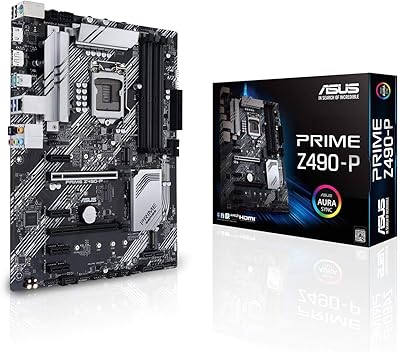
ASUS Prime Z490-P ATX Motherboard
83%
92%
Stability and Reliability
88%
Cooling Performance
85%
Ease of Installation
90%
Compatibility with Intel 10th Gen CPUs
87%
Value for Money
More
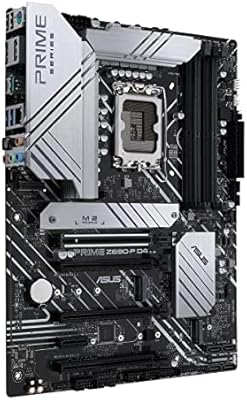
ASUS Prime Z690-P D4 ATX Motherboard
85%
89%
Overall Performance
88%
Cooling Efficiency
90%
Build Quality
87%
Ease of Installation
91%
Compatibility with Intel 12th Gen Processors
More
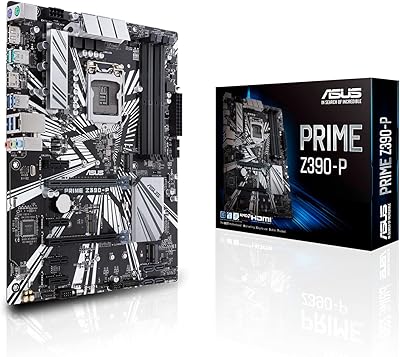
ASUS Prime Z390-P Motherboard
84%
88%
Performance
91%
Build Quality & Durability
85%
Overclocking Capabilities
84%
PCIe Expansion Slots
87%
Cooling & Fan Control
More
ASUS Prime X299-A II ATX Motherboard
78%
92%
Power Delivery
88%
Thermal Management
91%
Build Quality
83%
BIOS Experience
78%
CPU Compatibility
More
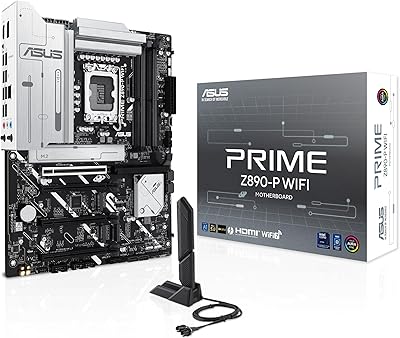
ASUS PRIME Z890-P WIFI Motherboard
87%
93%
Performance
89%
Build Quality
90%
Power Delivery Stability
91%
Connectivity (Wi-Fi 7, Thunderbolt 4)
68%
BIOS Interface Usability
More
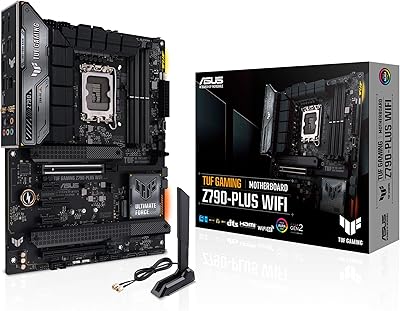
ASUS TUF Gaming Z790-Plus WiFi
89%
93%
Build Quality
91%
VRM Thermal Performance
88%
Installation Experience
94%
BIOS User Interface
86%
Storage Expandability
More
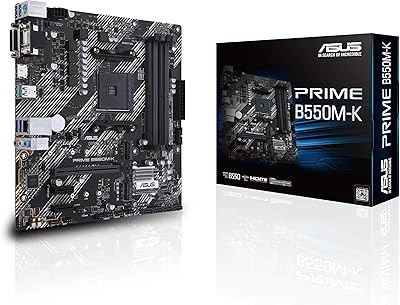
ASUS Prime B550M-K AMD AM4 Micro-ATX Motherboard
84%
92%
Value for Money
88%
Performance
89%
Ease of Setup
84%
Cooling Efficiency
75%
BIOS Compatibility
More
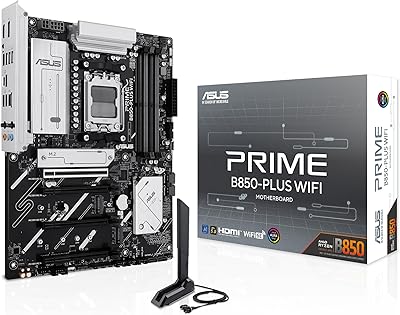
ASUS Prime B850-PLUS WiFi AMD AM5 ATX Motherboard
86%
91%
Wi-Fi Connectivity
88%
Cooling Performance
87%
Expansion Options (PCIe 5.0)
93%
Ease of Setup
89%
DDR5 Performance
More
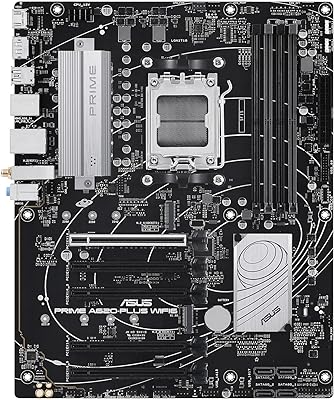
ASUS Prime A620-PLUS WIFI6 AMD A620 AM5 ATX Motherboard
87%
87%
Performance
91%
Setup & Installation
88%
Cooling & Thermals
90%
WiFi & Connectivity
84%
Build Quality
More
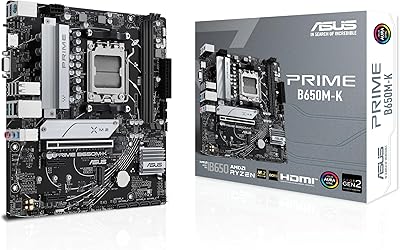
ASUS Prime B650M-K AMD Ryzen AM5 Micro-ATX Motherboard
86%
92%
Performance
89%
Build Quality
94%
Compatibility with AMD Ryzen 7000 Series
90%
DDR5 and PCIe 5.0 Support
70%
Expansion Options
More

FAQ

No, not at all. Despite a confusing error in the Amazon listing that references AM5, the ASUS Prime Z790-P ATX Motherboard is strictly an Intel LGA1700 board. It has no compatibility with AMD CPUs or the AM5 socket whatsoever.
Unfortunately, no. This Z790 board is DDR5 only, with four DDR5 DIMM slots. If you are currently on a DDR4 platform, you will need to budget for new DDR5 memory kits when building with this board.

This is a known issue with some Z790 boards and newer DDR5 kits. The most common fix is flashing the BIOS to the latest version using ASUS's BIOS FlashBack feature, which lets you update the firmware without a CPU or RAM installed. Check ASUS's support page for your specific board revision to grab the right file.

You can run up to three NVMe SSDs simultaneously, one per M.2 slot, all running at PCIe Gen4 x4 speeds. That is enough for a fast OS drive, a dedicated game or project drive, and a third for backup or overflow — without needing any adapter cards.

No, the Prime Z790-P does not include integrated Wi-Fi or Bluetooth. If you need wireless connectivity, you will need to add a PCIe Wi-Fi card or a USB adapter. This is one of the more common disappointments buyers mention at this price point.

It will work at stock settings, but if you plan to push the i9-13900K with heavy overclocking or run sustained all-core workloads, the VRM configuration on this board may struggle under prolonged load. For light-to-moderate overclocking or gaming use it should be fine, but dedicated overclockers would be better served by a board with a more robust power delivery stage.

Yes, absolutely. The primary x16 slot is PCIe 5.0, which is fully backward compatible with PCIe 4.0 and PCIe 3.0 GPUs. You won't lose any performance running a current-gen card in that slot.

The rear panel USB 3.2 Gen2 ports include USB-C connectivity among the eight Gen2 ports on the back. It is worth double-checking the specific rear I/O layout diagram on the ASUS product page to confirm the exact port arrangement for your revision.

Yes, the standard ATX footprint at 9.21 x 12.01 inches fits any mid-tower or full-tower case designed for ATX motherboards, which covers the vast majority of popular cases on the market. Just verify your case explicitly lists ATX support before purchasing.

For most users, the Realtek ALC897 7.1-channel codec is perfectly adequate for gaming, streaming, and casual music listening through headphones or standard speakers. If you are an audiophile, a musician, or you use high-impedance headphones, a dedicated DAC or sound card will give you a noticeable improvement. For everyone else, the onboard audio gets the job done without complaint.

Where to Buy