Overview

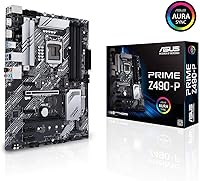
The ASUS Prime Z490-P ATX Motherboard sits squarely in the mid-range of Intel's 10th Gen platform — reliable enough for serious builds, priced sensibly enough to avoid the diminishing returns of flagship boards. It uses the standard ATX form factor, so it drops into any typical mid-tower case without compatibility headaches. Yes, Z490 is a previous-generation chipset, but for builders still working within the LGA 1200 ecosystem, or upgrading from something older, this board remains a genuinely capable foundation. Nearly 500 verified buyers have rated it 4.5 stars, reflecting consistent real-world satisfaction. It is not aimed at extreme overclockers, but for most builders, it covers the essentials without compromise.

Features & Benefits

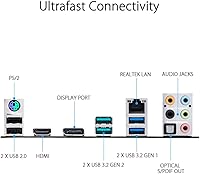
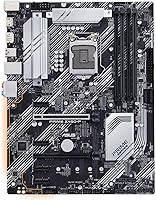
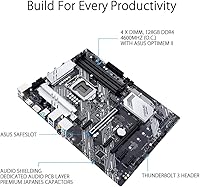
The power delivery setup on this Z490 motherboard is a practical highlight — 10+1 DrMOS power stages, backed by ProCool sockets and alloy chokes, keep voltage delivery stable under typical workloads. This is not the setup you would choose for pushing a Core i9 to its absolute limits, but for i5 and i7 chips, it performs confidently. Dual M.2 slots let you run fast NVMe drives without displacing SATA connections, which matters for storage-heavy builds. Memory kits can reach 4600 MHz thanks to the OptiMem II trace layout, making XMP activation straightforward. The rear I/O includes USB 3.2 Gen 2 and a Thunderbolt 3 header — genuinely uncommon at this price tier.

Best For

This ASUS board is a natural fit for anyone building their first Intel 10th Gen system and wanting a stable, well-documented platform with a predictable BIOS experience. It suits home office setups and content creation workloads where steady power delivery matters more than raw overclocking headroom. Builders who need Thunderbolt 3 connectivity without stepping into premium-tier pricing will find it difficult to match here. Pairing it with a mid-range Core i5 or i7, a couple of NVMe drives, and modern USB peripherals is exactly the use case it was designed for. Those upgrading from older Intel platforms will appreciate the clean upgrade path it provides without unnecessary overhead.

User Feedback

Buyers consistently note how approachable the BIOS is — even those new to ASUS builds tend to find their way around quickly, and XMP memory activation rarely causes issues. Fan Xpert 4 earns specific praise for giving builders real thermal control without needing third-party software. On the critical side, a handful of users running Core i9-10900K setups report that the VRM runs warm under sustained heavy loads, which is a legitimate concern if that chip is in your plans. Compared to competing Z490 options from MSI and Gigabyte, most buyers feel the Prime Z490-P holds its own on build quality and value. Its sustained #284 rank in Motherboards points to long-term buyer confidence rather than a short-lived surge.

Pros

  • The BIOS is genuinely beginner-friendly, with clear layout and easy XMP memory profile activation.
  • Dual M.2 slots allow fast NVMe storage expansion without sacrificing any SATA ports.
  • Thunderbolt 3 header support is rare at this price tier and adds real connectivity flexibility.
  • Fan Xpert 4 gives builders solid thermal control without needing third-party software.
  • The 6-layer PCB and alloy chokes contribute to stable, consistent power delivery for everyday workloads.
  • DDR4 support up to 4600 MHz gives memory headroom well beyond what most mid-range builds actually need.
  • Aura Sync RGB header support makes themed builds possible without requiring separate controllers.
  • The standard ATX form factor ensures broad case compatibility with no fitting surprises.
  • Nearly 500 verified buyers sustain a 4.5-star average, reflecting reliable real-world satisfaction across diverse build scenarios.
  • 1 Gb Ethernet and USB 3.2 Gen 2 rear connectivity cover modern peripheral needs without compromise.

Cons

  • No onboard Wi-Fi means wireless users must budget for and install a separate adapter.
  • VRM thermal headroom is limited under sustained loads from 10-core i9 CPUs.
  • Z490 is a dead-end platform with no upgrade path to 11th Gen or later Intel processors.
  • The Prime Z490-P lacks the granular overclocking controls that enthusiast builders expect from premium boards.
  • Only 1 Gb Ethernet is included, which may feel restrictive for users on high-speed networking setups.
  • PCH heatsink coverage is adequate but modest, which can be a concern in poorly ventilated cases.
  • Aura Sync RGB headers are present, but the board itself has minimal onboard lighting for aesthetics-focused builds.
  • Competing boards at similar price points from MSI occasionally offer additional USB rear ports in the same tier.

Ratings

The scores below reflect an AI-driven analysis of verified global buyer reviews for the ASUS Prime Z490-P ATX Motherboard, with spam, bot-generated, and incentivized feedback actively filtered out before synthesis. Ratings span everything from real-world power delivery stability to BIOS usability, giving prospective builders an honest picture of where this board genuinely excels and where it falls short. Both the recurring praise and the legitimate frustrations reported by actual owners are transparently represented in every category.

Value for Money
88%
Buyers consistently feel the Prime Z490-P punches above its weight for what you actually get — dual M.2 slots, a Thunderbolt 3 header, and solid build quality at a price that does not demand flagship-level investment. Compared to similarly priced MSI and Gigabyte alternatives, most owners felt they received more usable connectivity per dollar.
A handful of buyers noted that after factoring in a separate Wi-Fi adapter — which is necessary since the board has no onboard wireless — the overall cost starts to creep closer to boards that include it natively. For wireless-dependent setups, the value equation weakens slightly.
BIOS Usability
91%
The ASUS UEFI BIOS was one of the most frequently praised aspects across buyer reviews, especially among first-time builders who expected a steeper learning curve. EZ Mode makes XMP activation and fan curve setup approachable in minutes, and even more advanced voltage tuning is logically organized for those who want to explore.
A small number of experienced builders who came from other platforms found the ASUS BIOS layout slightly different from what they were used to, requiring a short adjustment period. A few users also reported that certain BIOS updates changed menu locations unexpectedly, causing brief confusion.
Power Delivery & VRM
74%
26%
For Core i5 and i7 10th Gen builds — which represent the majority of buyers — the 10+1 DrMOS power stage setup delivers stable, consistent voltage under sustained creative workloads, productivity tasks, and even moderate gaming loads without any notable throttling or instability.
Buyers running Core i9-10900K processors under prolonged all-core workloads reported that the VRM heatsink ran noticeably hot, particularly in mid-tower cases with restricted airflow. This is a real limitation for high-core-count builds and the single most common technical complaint in critical reviews.
Build Quality & Components
86%
The 6-layer PCB, alloy chokes, and solid capacitor selection gave most buyers confidence during installation and long-term use. Physical construction felt sturdy compared to competing boards at a similar price, and the ProCool socket design was praised by builders who handle components frequently.
The PCH heatsink, while functional, is modest in size and can struggle in cases with poor passive airflow during extended high-storage-throughput workloads. A few buyers also noted that the onboard heatsink finish showed minor cosmetic marks after installation in tight build environments.
Connectivity & I/O
83%
The presence of a USB 3.2 Gen 2 Type-A rear port and a Thunderbolt 3 header stood out strongly for buyers who needed fast peripheral support or eGPU capability at this price tier. Dual M.2 slots alongside a full SATA complement meant storage-heavy builds did not require any difficult trade-offs.
The absence of onboard Wi-Fi and Bluetooth was the most common connectivity complaint, and the rear USB port count was considered modest by some users building media or content creation workstations who routinely plug in multiple high-speed devices simultaneously.
Memory Compatibility & XMP
89%
XMP profile activation was repeatedly described as smooth and reliable, with most DDR4 kits from major brands snapping to their rated speeds without manual tuning. The OptiMem II trace layout clearly contributes to stable high-frequency operation, and buyers running kits at DDR4-3600 reported particularly clean results.
A small number of buyers using less common or budget-tier memory kits reported needing manual timing adjustments to achieve stability at rated speeds. Support for speeds beyond DDR4-4000 worked for some users but required careful manual tuning rather than automatic XMP selection.
Thermal Management
77%
23%
Fan Xpert 4 was widely appreciated for giving builders meaningful control over system thermals without requiring third-party software. Users building home office PCs found it easy to set up quiet fan profiles that kept the system cool under typical loads while minimizing noise during video calls or light editing.
Under genuinely demanding workloads — particularly extended video exports or CPU stress testing — several buyers reported that the VRM area required active case airflow to stay within comfortable operating temperatures. Passive cooling in a poorly ventilated case was not sufficient for sustained performance.
Overclocking Capability
67%
33%
For light to moderate overclocking on mid-range CPUs, the board performs capably. Buyers running Core i5-10600K chips at modest frequency bumps reported stable results with relatively simple BIOS adjustments, and the Z490 chipset unlocks the multiplier as expected.
Enthusiast overclockers found the VRM configuration and thermal headroom too limiting for serious binning or sustained all-core boosts beyond stock boost behavior on higher-TDP chips. This board is not designed to compete with ROG Strix or equivalent premium Z490 boards in that discipline.
Installation & Setup Experience
92%
First-time builders consistently reported that physical installation was straightforward, with clear PCB labeling, well-positioned headers, and a layout that did not fight against cable management in mid-tower cases. The included documentation was considered more thorough than competing boards at a similar price.
Some buyers noted that the M.2 screw standoffs required a magnifying glass to handle cleanly during initial installation, which is a minor but recurring friction point. A small number also found the bundled driver disc outdated on first boot, requiring an immediate internet update.
Software & Utilities
79%
21%
Fan Xpert 4 and the ASUS AI Suite ecosystem were cited by returning ASUS users as familiar, reliable tools that do not require a steep re-learning curve. Aura Sync integration for RGB control worked reliably for buyers building themed systems with compatible ASUS components.
New ASUS users occasionally found the suite of bundled software slightly bloated, with some utilities feeling redundant or overlapping in function. A few buyers reported that Aura Sync had minor compatibility hiccups with third-party RGB components that were not part of the ASUS ecosystem.
Thunderbolt 3 Support
81%
19%
Having a Thunderbolt 3 header at this price tier was a genuine differentiator that drew buyers who specifically needed eGPU support or fast external storage enclosures. Creative professionals using Thunderbolt-enabled devices appreciated not having to upgrade to a more expensive board just for this feature.
It is worth noting that Thunderbolt 3 here is a header connection requiring a compatible add-in card, not a built-in rear port — a distinction that surprised a handful of buyers expecting plug-and-play functionality out of the box. The additional card cost was an unexpected expense for some.
Long-Term Reliability
84%
Buyers who had owned the board for a year or more consistently reported stable day-to-day operation with no component failures or unexpected BIOS corruption events. The sustained #284 Best Sellers Rank in Computer Motherboards reflects a pattern of ongoing buyer satisfaction rather than a brief popularity spike.
Because Z490 is a previous-generation platform, long-term software support will naturally taper as newer Intel generations dominate the ecosystem. A few buyers expressed mild concern about BIOS update frequency slowing down over time, which is a realistic expectation for any mature platform.
Aesthetics & RGB
71%
29%
Aura Sync headers gave RGB-focused builders the flexibility to integrate the board into a themed build without purchasing a separate controller. The board's clean black PCB and understated heatsink design worked well visually in builds where components rather than the board itself are the focal point.
The board itself has very limited onboard RGB illumination, which was a mild disappointment for buyers expecting a visually striking motherboard out of the box. Those prioritizing aesthetics as a primary concern will need to invest in additional Aura Sync components to achieve a cohesive lighting effect.
Platform Longevity
58%
42%
For buyers already committed to the Intel 10th Gen ecosystem — either through an existing CPU purchase or a compelling used market deal — the board offers a stable and fully-featured home for that investment. Within its supported generation, it handles every officially supported processor without restriction.
Z490 is a generational dead end with no upgrade path to 11th Gen or newer Intel architectures, which is the single most significant long-term limitation. Buyers planning to upgrade their CPU in the next two to three years will find themselves needing a new motherboard and potentially new memory as well.

Suitable for:

The ASUS Prime Z490-P ATX Motherboard is a strong match for builders who want a dependable Intel 10th Gen platform without paying a premium for features they will never use. First-time PC builders benefit particularly from the well-organized BIOS and the extensive ASUS documentation ecosystem, which significantly flattens the learning curve. Home office users and content creators running Core i5 or i7 processors will find the power delivery more than adequate for sustained workloads like video editing, multitasking, and light rendering. The dual M.2 slots make it straightforward to build a fast, clean storage setup without a tangle of SATA cables. Builders who specifically need Thunderbolt 3 connectivity at this price tier will struggle to find a comparable alternative, since most competing boards drop that feature to cut costs. Those coming from an older Intel platform and looking for a clean, no-nonsense upgrade path will feel right at home here.
Not suitable for:

If your build centers on a Core i9-10900K or any other high-core-count 10th Gen chip pushed to its performance ceiling, the ASUS Prime Z490-P ATX Motherboard is genuinely not the right tool for that job. The 10+1 DrMOS power stage configuration handles mid-range CPUs confidently, but under sustained, heavy loads from a 10-core processor, the VRM can run warm in ways that matter long-term. Hardcore overclockers who want granular voltage controls and premium thermal headroom should be looking at higher-tier Z490 boards from ASUS's own ROG or TUF Gaming lineups, or comparable options from MSI and Gigabyte. Buyers planning a future platform upgrade should also note that Z490 is a previous-generation chipset with no upgrade path beyond 10th Gen, so this is not a long-term foundation if you anticipate switching to 11th Gen or newer Intel architectures. Finally, anyone needing onboard Wi-Fi will need to add an adapter, as wireless connectivity is absent here.
Specifications

  • CPU Socket: Uses the LGA 1200 socket, compatible exclusively with Intel 10th Gen Core processors.
  • Chipset: Built on the Intel Z490 chipset, enabling overclocking support and full PCIe lane configuration for 10th Gen CPUs.
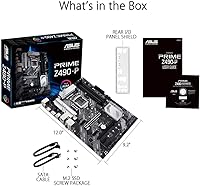
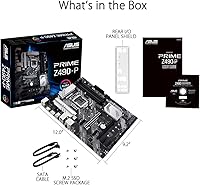
  • Form Factor: Standard ATX form factor measuring 12.91 x 10.41 x 2.09 inches, compatible with most full-size and mid-tower cases.
  • Memory Type: Supports DDR4 memory with a maximum rated speed of 4600 MHz via ASUS OptiMem II trace layout.
  • Memory Slots: Four DIMM slots supporting dual-channel DDR4 configurations with XMP profile support for enthusiast memory kits.
  • Storage: Provides two M.2 slots for NVMe or SATA-based M.2 drives, alongside multiple SATA III ports for traditional storage devices.
  • Power Delivery: Features a 10+1 DrMOS power stage design with ProCool sockets, alloy chokes, and durable capacitors for stable CPU power delivery.
  • PCB Construction: Built on a 6-layer PCB, which contributes to improved signal integrity and more stable power routing compared to 4-layer designs.
  • USB Connectivity: Rear I/O includes a USB 3.2 Gen 2 Type-A port delivering up to 10 Gbps transfer speeds for fast external storage and peripherals.
  • Thunderbolt: Includes a Thunderbolt 3 header for connecting compatible add-in cards, enabling up to 40 Gbps bandwidth and eGPU support.
  • Ethernet: Equipped with a single 1 Gb Ethernet port; no onboard Wi-Fi or Bluetooth is included.
  • Thermal Management: Fitted with dedicated VRM and PCH heatsinks, plus hybrid fan headers controllable through ASUS Fan Xpert 4 software.
  • RGB Support: Supports ASUS Aura Sync RGB through onboard headers, allowing integration with compatible RGB components and peripherals.
  • Weight: The board weighs 1.6 pounds, which is typical for a full ATX motherboard with integrated heatsink assemblies.
  • Platform: Officially supported on Windows 10, with driver and utility support provided through the ASUS support portal.
  • Expansion Slots: Includes multiple PCIe slots for graphics cards, add-in cards, and expansion peripherals following Intel Z490 lane allocations.
  • BIOS: Ships with ASUS UEFI BIOS featuring an intuitive interface, XMP profile activation, and fan curve customization in both EZ and Advanced modes.

Related Reviews
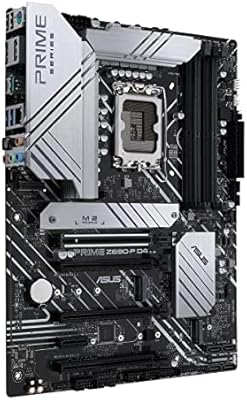
ASUS Prime Z690-P D4 ATX Motherboard
76%
78%
Value for Money
83%
Power Delivery & VRM
81%
BIOS Experience
74%
Memory Compatibility
87%
Storage Expansion
More
ASUS Prime Z790-P ATX Motherboard
79%
91%
BIOS & Software Usability
86%
Build Quality & PCB
89%
Storage Expansion
84%
Connectivity & USB
83%
Network Performance
More
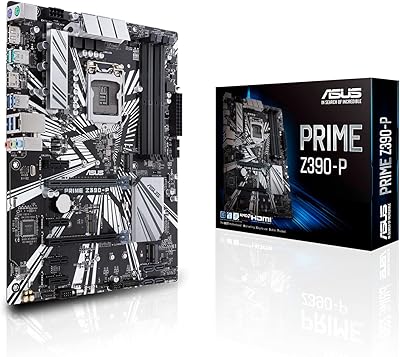
ASUS Prime Z390-P Motherboard
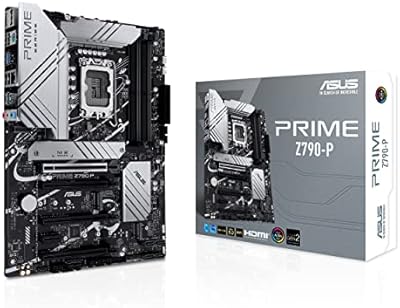
84%
88%
Performance
91%
Build Quality & Durability
85%
Overclocking Capabilities
84%
PCIe Expansion Slots
87%
Cooling & Fan Control
More
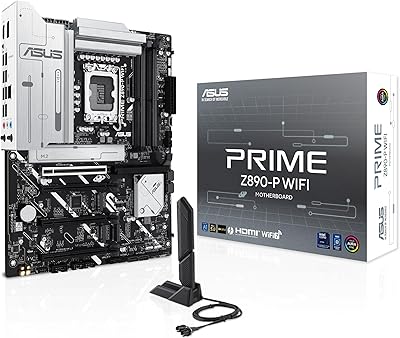
ASUS PRIME Z890-P WIFI ATX Motherboard
81%
88%
Value for Money
91%
BIOS Experience
93%
Connectivity & I/O
84%
VRM & Power Delivery
89%
Wi-Fi 7 Performance
More
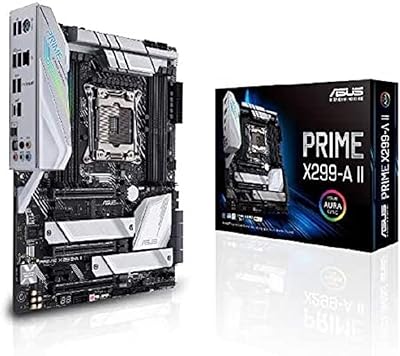
ASUS Prime X299-A II ATX Motherboard
78%
92%
Power Delivery
88%
Thermal Management
91%
Build Quality
83%
BIOS Experience
78%
CPU Compatibility
More
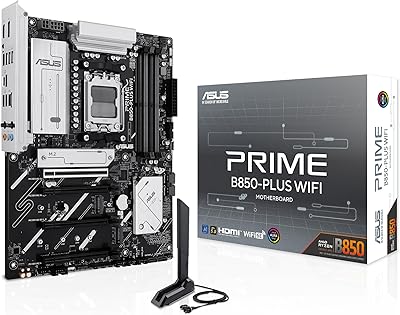
ASUS Prime B850-Plus WiFi ATX Motherboard
81%
88%
Build Quality
91%
Installation Experience
86%
BIOS & Firmware
89%
Connectivity & I/O
84%
PCIe 5.0 Readiness
More
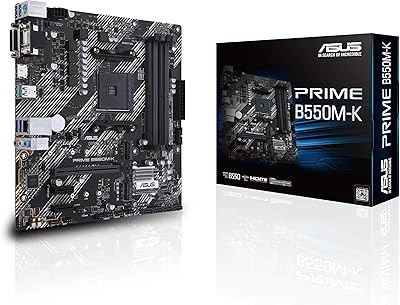
ASUS Prime B550M-K AM4 Micro-ATX Motherboard
75%
88%
Value for Money
71%
Compatibility & CPU Support
83%
Build Quality & Durability
84%
Storage Connectivity
67%
BIOS & Setup Experience
More
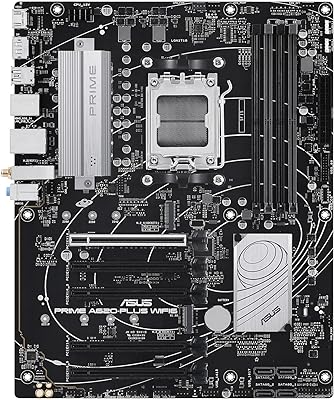
ASUS Prime A620-PLUS WiFi 6 ATX Motherboard
79%
91%
Value for Money
88%
Out-of-Box Compatibility
86%
Wireless Performance
84%
BIOS Usability
82%
Connectivity & I/O
More
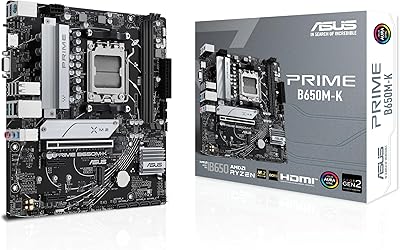
ASUS Prime B650M-K Micro-ATX Motherboard
77%
83%
Value for Money
79%
Build Quality
61%
VRM & Power Delivery
88%
BIOS Experience
91%
Networking
More
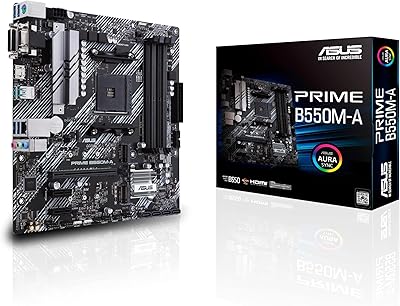
ASUS Prime B550M-A Micro ATX Motherboard
78%
91%
Value for Money
83%
Build Quality
93%
Ease of Installation
88%
BIOS & Software
79%
CPU Compatibility
More

FAQ

Technically yes — the LGA 1200 socket is compatible with all 10th Gen Intel Core processors including the i9-10900K. That said, the 10+1 DrMOS power stage configuration is better matched to mid-range chips like the i5 or i7. Running a 10-core i9 at full sustained load may cause the VRM to run warm, especially in cases with limited airflow, so pairing it with that chip is possible but not ideal.

No, this board does not include onboard Wi-Fi or Bluetooth. If you need wireless connectivity, you will need to add a PCIe Wi-Fi card or a USB Wi-Fi adapter separately. It is worth factoring that into your build budget if wireless is important to your setup.

Yes. The board has two M.2 slots, both capable of supporting NVMe drives. You can run a primary boot drive and a secondary storage drive simultaneously without giving up any SATA ports, which is a genuinely useful layout for storage-heavy builds.

When you first boot, enter the UEFI BIOS by pressing the Delete key. In EZ Mode, you will see an XMP toggle near the top of the screen — enabling it automatically applies your memory kit's rated speed and timings. Most users report this working cleanly on the first attempt with compatible DDR4 kits.

It is actually one of the more approachable options in the Z490 lineup for first-timers. The BIOS is well-organized, ASUS provides solid documentation, and Fan Xpert 4 makes thermal setup straightforward without requiring manual tuning. The standard ATX form factor also means it fits in the widest range of common mid-tower cases.

Thunderbolt 3 is a high-speed interface standard capable of 40 Gbps data transfer, and it also supports external GPU enclosures. This board includes a Thunderbolt 3 header, meaning you can install a compatible Thunderbolt 3 add-in card to gain that functionality — it is not a built-in rear port out of the box. If Thunderbolt is essential to your workflow, factor in the cost of a compatible expansion card.

All three brands offer competitive boards in this tier, and the choice often comes down to BIOS preference and specific features. This ASUS board tends to get credit for BIOS usability and Fan Xpert 4, while some MSI and Gigabyte alternatives at comparable prices may offer a slightly different port layout or additional USB headers. The Thunderbolt 3 header on this board is a genuine differentiator that most competing boards at this level omit.

Any DDR4 memory will work — the 4600 MHz figure is the maximum supported speed, not a minimum requirement. DDR4-3200 or DDR4-3600 kits are very common choices for this platform and will run just fine. Just enable XMP in the BIOS to ensure your kit runs at its rated speed rather than defaulting to the JEDEC base speed.

It depends entirely on your situation. If you already own a 10th Gen Intel CPU, or are finding one at a strong price, pairing it with this board makes complete sense. The platform is mature, stable, and well-supported. If you are starting from scratch and planning for the long term, it is worth knowing that Z490 only supports 10th Gen chips — there is no upgrade path to newer Intel generations within this socket.

The board itself has minimal onboard RGB, but it does include Aura Sync-compatible headers, which let you connect and control external RGB components — fans, strips, or other Aura Sync accessories — through ASUS software. If RGB aesthetics are central to your build, you will likely be adding components rather than relying on the board alone for visual impact.