Overview

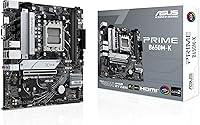
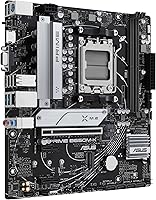
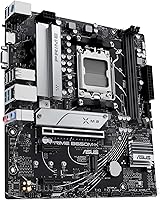
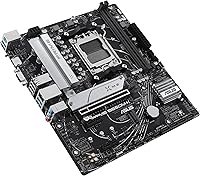
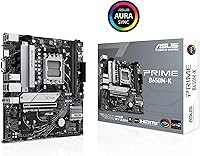
The ASUS Prime B650M-K Micro-ATX Motherboard arrives at a price point that makes AMD's AM5 platform genuinely accessible without forcing painful compromises. Built around the B650 chipset and the Micro-ATX form factor, it fits comfortably into most mid-tower and smaller cases, opening up real build flexibility. If you're upgrading from an older AMD platform or stepping into Ryzen 7000 for the first time, this Micro-ATX board covers the essentials well. Just go in with clear expectations — it's a capable, honest foundation, not a fully loaded flagship, and that distinction matters when you're planning around a careful budget.

Features & Benefits

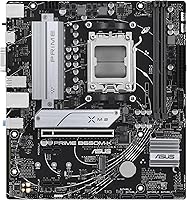
The Prime B650M-K supports the full Ryzen 7000 desktop lineup through its AM5 socket, and DDR5 memory compatibility means you're building on a platform with real longevity. In practice, DDR5 at everyday speeds handles gaming and productivity workloads with ease. The PCIe 5.0 M.2 slot is a genuine highlight — most users won't saturate Gen 5 NVMe speeds today, but that headroom will matter down the road. What truly stands out at this price tier is the inclusion of 2.5Gb Ethernet, eliminating the need for a separate adapter if fast wired speeds are a priority. USB 3.2 Gen 2 on the rear and a front Type-C header round out a connectivity package that feels well-considered.

Best For

This AM5 motherboard suits builders who need a reliable Ryzen 7000 foundation in a compact form factor without stretching their budget. If networking performance matters — whether for a home office or light content work — the built-in 2.5Gb port saves real money compared to adding a separate card. Where the board draws its limits is with high-core-count CPUs under sustained all-core workloads; the VRM setup is practical for mid-range Ryzen chips but wasn't built for extended heavy lifting with a 16-core processor. RGB enthusiasts already in the Aura Sync ecosystem will also find the integration clean and straightforward to configure.

User Feedback

Across roughly 118 ratings, the Prime B650M-K holds a strong 4.4-star average, reflecting a broadly satisfied but realistic user base. Buyers frequently praise how approachable the BIOS experience is, even for first-time builders, and the physical build quality earns consistent credit for feeling solid at its price. On the flip side, a recurring concern involves VRM thermals under prolonged heavy loads, and several users wished for additional fan headers to manage system temperatures more precisely. A few noted memory compatibility hiccups during initial setup. With 118 reviews, the picture is encouraging but not fully settled — treat it as a strong early signal rather than an exhaustive long-term verdict.

Pros

  • Solid entry point into the AM5 platform with full Ryzen 7000 series compatibility.
  • Built-in 2.5Gb Ethernet is a rare and genuinely useful inclusion at this price tier.
  • PCIe 5.0 M.2 support future-proofs your storage even if current Gen 5 drives are not yet in your budget.
  • DDR5 memory support opens the door to faster system memory without requiring a platform change later.
  • The Micro-ATX form factor keeps build options flexible across a wide range of mid-tower cases.
  • BIOS setup is approachable and well-organized, even for builders new to the AM5 platform.
  • Aura Sync RGB integration works cleanly within the broader ASUS ecosystem.
  • Rear USB 3.2 Gen 2 and a front Type-C header cover modern peripheral needs without compromise.
  • Build quality feels solid and well-manufactured relative to what the price bracket typically delivers.
  • HDMI and VGA display outputs provide convenient options for integrated graphics use during setup.

Cons

  • VRM performance becomes a limiting factor with high-core-count Ryzen 9 CPUs under sustained load.
  • Fan header count is limited, which can frustrate builders with more complex cooling setups.
  • Some users have reported initial DDR5 memory compatibility hiccups requiring BIOS updates to resolve.
  • No Wi-Fi is included, so wireless connectivity requires a separate adapter or PCIe card.
  • The Prime B650M-K has fewer PCIe expansion slots than full-ATX alternatives, limiting upgrade paths.
  • Long-term reliability data is still limited given the relatively recent release date.
  • Thermal performance under extended all-core workloads may require active case airflow management.
  • VGA output feels dated and may not suit users running newer high-resolution displays.

Ratings

The scores below for the ASUS Prime B650M-K Micro-ATX Motherboard were generated by our AI engine after analyzing verified buyer reviews from multiple global markets, with spam, incentivized, and bot-flagged submissions actively filtered out. The ratings reflect the honest consensus of real builders — covering everything this board does well and the areas where it falls short. Both the highlights and the frustrations are represented transparently so you can make a confident decision.

Value for Money
83%
Buyers consistently feel the Prime B650M-K punches above its weight for the asking price. Getting PCIe 5.0 M.2 support, 2.5Gb Ethernet, and a stable AM5 platform in a single compact package is a combination that typically costs more elsewhere, and that resonates strongly with budget-aware builders.
A handful of users felt the value calculus shifts if you need to add a Wi-Fi card or fan hub on top, since those additions push the total build cost closer to pricier boards that include them natively. For buyers who need those extras, the apparent savings narrow quickly.
Build Quality
79%
21%
The physical construction draws genuine praise from builders who expected a flimsier board at this price tier. PCB rigidity is solid, the socket area feels robust during cooler installation, and the overall finish looks clean inside a windowed case.
A few users noted that some of the onboard headers feel slightly less premium than those found on higher-tier boards, with connector housings that require careful alignment during installation. Nothing that breaks the experience, but it is noticeable when you have handled more expensive hardware.
VRM & Power Delivery
61%
39%
For mid-range Ryzen 5 and Ryzen 7 processors running at stock or modest boost frequencies, the power delivery holds up reliably in everyday gaming and productivity scenarios. Builders pairing the board with a Ryzen 5 7600X report stable operation without thermal warnings during typical workloads.
When users push higher-core-count chips like a Ryzen 9 series under sustained all-core loads — long video encodes, heavy multi-threaded compiles — VRM temperatures become a legitimate concern. This is the most cited technical limitation across buyer feedback, and it is worth taking seriously before committing.
BIOS Experience
88%
The ASUS UEFI BIOS is one of the most frequently praised aspects of this AM5 motherboard, particularly among first-time builders who found the layout intuitive and the EXPO memory profile loading process refreshingly simple. Even less experienced users report getting a stable system up and running within minutes.
A small number of users encountered situations where the BIOS defaulted to conservative memory settings rather than automatically applying the EXPO profile, requiring a manual trip into settings after first boot. It is a minor friction point, but one that catches beginners off guard.
Networking
91%
The 2.5Gb Ethernet is consistently called out as a standout inclusion for this price bracket. Home office users and those who transfer large files across a local network appreciate the real-world speed improvement over standard Gigabit without needing to buy or install a separate adapter.
The board offers no Wi-Fi whatsoever, which is a noticeable omission for users building in spaces where running an Ethernet cable is impractical. Several buyers flagged this only after purchase, having assumed wireless connectivity would be included at this tier.
Memory Compatibility
72%
28%
Most mainstream DDR5 kits from major brands like G.Skill and Corsair work reliably once the BIOS is updated to a recent version. Builders using validated kits from the ASUS QVL report stable operation with EXPO profiles applied without any additional tweaking.
Early adopters and users with less common DDR5 kits reported compatibility hiccups that required BIOS updates or manual timing adjustments to resolve. The two-DIMM slot layout also means there is no room for future memory expansion beyond the initial installation.
Connectivity & I/O
76%
24%
The rear USB 3.2 Gen 2 ports handle fast external SSDs and modern peripherals without bottlenecking, and the front panel USB 3.2 Gen 1 Type-C header is a welcome addition for cases that support it. For a typical home or office build, the port selection covers daily needs comfortably.
Users running multi-device setups quickly find the total USB port count limiting, particularly on the rear I/O where the mix of USB 2.0 ports filling out the remaining slots feels dated. There is no Thunderbolt support, which rules this board out for creators relying on high-bandwidth external displays or docks.
Storage Options
81%
19%
Having a PCIe 5.0 M.2 slot on a board at this price point is a genuine forward-looking feature. Builders who plan to upgrade to Gen 5 NVMe drives in the next year or two will not need a new board to do it, which adds tangible long-term value to the investment.
With only two M.2 slots total and no additional SATA ports beyond the standard four, the storage expansion ceiling is modest. Builders with existing SATA drive collections or those planning larger media libraries will feel the limitations faster than expected.
Thermal Management
63%
37%
For standard gaming builds with a decent tower cooler and two or three case fans, thermal management is workable and the system runs quietly. Builders using efficient mid-range CPUs report no alarming temperature readings during typical daily use.
With only four fan headers available, users building more thermally demanding systems — particularly those with 240mm or 360mm AIO coolers requiring multiple fan connections — often need to rely on splitters or a separate fan hub, adding cost and cable complexity.
RGB & Aesthetics
74%
26%
Aura Sync integration works cleanly for builders already in the ASUS ecosystem, and the onboard RGB provides a polished look inside a windowed case without requiring extra controllers. The ARGB headers give reasonable flexibility for adding compatible strips or fans.
Users mixing non-ASUS RGB components found synchronization inconsistent, and the Armory Crate software that manages lighting draws some criticism for being bloated. The board itself has modest onboard lighting compared to more visually focused competitors.
Form Factor & Fit
86%
The Micro-ATX footprint is genuinely appreciated by builders working with smaller cases or mid-towers where a full ATX board would feel oversized. Standoff alignment and case compatibility come up repeatedly as non-issues, which speaks to the board following standard mATX dimensions reliably.
The compact layout does mean certain components sit closer together than on a full-ATX board, and a few users found that large CPU cooler mounting brackets can feel cramped near the memory slots during installation. It is a trade-off inherent to the form factor, but worth knowing.
Installation Experience
82%
18%
First-time builders make up a notable share of reviewers, and the consensus is that this Micro-ATX board is one of the less intimidating options to install on the AM5 platform. The included documentation is clear, and the component layout avoids the awkward header placements that plague some competing boards.
A few users reported that the manual does not adequately cover some BIOS-level initial configuration steps for memory, leading to confusion when the system posts but runs memory at default JEDEC speeds rather than rated EXPO speeds.
Long-term Reliability
69%
31%
The board has been available long enough for early buyers to report continued stable operation over daily use cycles spanning more than a year. ASUS has a reasonable track record on firmware support, with several BIOS updates already released to address compatibility and stability issues.
The relatively modest review count of around 118 ratings means long-term durability data is still thin compared to more established motherboard models. It is premature to draw firm conclusions about multi-year reliability, and buyers should factor that uncertainty into their decision.

Suitable for:

The ASUS Prime B650M-K Micro-ATX Motherboard is a strong fit for builders who want a credible entry point into the AM5 ecosystem without committing to a premium price. It works particularly well for first-time Ryzen 7000 builders and people upgrading from older AMD platforms like AM4, who need a compact board that slots into a mid-tower or Micro-ATX case without any fuss. Home office users will find the built-in 2.5Gb Ethernet a genuinely useful inclusion, removing the need to budget for a separate network adapter. Builders pairing this board with a mid-range Ryzen processor — a Ryzen 5 or Ryzen 7 chip running at typical speeds — will get reliable, stable performance for everyday workloads, gaming, and light creative tasks. Those already invested in the ASUS Aura Sync lighting ecosystem will also appreciate how cleanly it integrates without extra configuration headaches.

Not suitable for:

The ASUS Prime B650M-K Micro-ATX Motherboard is not the right choice for builders planning to run high-core-count processors like a Ryzen 9 under sustained all-core workloads, where VRM thermal limits become a real concern rather than a theoretical one. Enthusiast overclockers chasing aggressive DDR5 tuning or extended CPU overclocking sessions will likely find the power delivery setup a ceiling rather than a foundation. Anyone who needs a dense fan hub for complex cooling configurations — multi-radiator liquid setups, for example — should look at boards with more fan headers. Content creators or workstation users running long renders or heavy multi-threaded tasks continuously would be better served by a B650E or X670 board with beefier power delivery. If your case is a full-ATX chassis and you want room to grow with additional PCIe slots and headers, this board's compact layout will feel restrictive before long.

Specifications

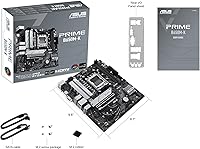
  • Form Factor: Micro-ATX (mATX) format measuring 244mm x 244mm, compatible with standard mATX and most mid-tower ATX cases.
  • CPU Socket: AMD AM5 (LGA1718) socket supporting the full range of AMD Ryzen 7000 series desktop processors.
  • Chipset: AMD B650 chipset, positioned as a capable mid-range option balancing feature set and cost within the AM5 platform.
  • Memory Type: DDR5 only, with two DIMM slots supporting up to 64GB total capacity and overclocking profiles up to 6400+ MHz via EXPO.
  • M.2 Storage: Two M.2 slots are present, with the primary slot supporting PCIe 5.0 x4 for next-generation NVMe drives.
  • LAN: Realtek-powered 2.5 Gigabit Ethernet provides fast wired networking without requiring a separate add-in card.
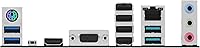
  • Rear USB: Rear I/O includes USB 3.2 Gen 2 (10 Gbps) Type-A ports alongside USB 2.0 ports for legacy peripherals.
  • Front USB: Front panel headers include a USB 3.2 Gen 1 Type-C connector for compatible cases with a front Type-C port.
  • Display Output: Integrated display outputs include one HDMI port and one VGA port, supporting use with Ryzen processors that include integrated graphics.
  • Audio: Realtek ALC897 integrated audio codec delivers standard multi-channel output for everyday audio needs.
  • RGB Lighting: Onboard Aura Sync RGB headers allow lighting synchronization across compatible ASUS peripherals and components.
  • PCIe Slots: One PCIe 5.0 x16 primary slot for a discrete graphics card, plus an additional PCIe 3.0 slot for expansion cards.
  • Fan Headers: The board provides four fan and pump headers in total, which may feel limited for builds with complex multi-fan cooling setups.
  • BIOS: UEFI BIOS with ASUS-developed interface supports CPU and memory tuning, Aura Sync configuration, and one-click EXPO profile loading.
  • BIOS Flashback: USB BIOS Flashback is supported, allowing firmware updates without a CPU or RAM installed — helpful for updating before first boot.
  • Power Connectors: Requires a 24-pin ATX main connector and one 8-pin EPS CPU power connector for standard system power delivery.
  • Weight: The board weighs approximately 2.2 pounds (roughly 1 kg), consistent with standard mATX motherboard construction.
  • OS Support: Compatible with Windows 10 and Windows 11; Linux support varies by distribution and kernel version.
  • Model Number: Official ASUS part number is 90MB1F60-M0EAY0, useful for warranty registration and confirming exact variant at point of purchase.
  • Warranty: ASUS provides a standard three-year limited warranty covering manufacturing defects under normal use conditions.

Related Reviews
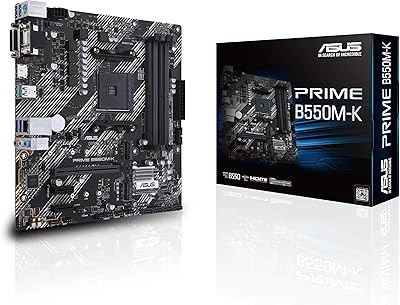
ASUS Prime B550M-K AM4 Micro-ATX Motherboard
75%
88%
Value for Money
71%
Compatibility & CPU Support
83%
Build Quality & Durability
84%
Storage Connectivity
67%
BIOS & Setup Experience
More
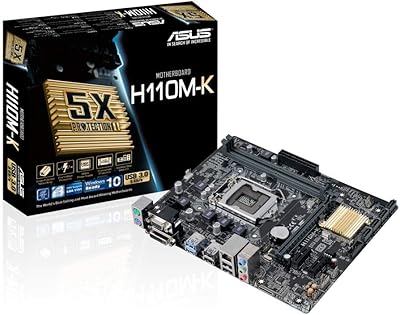
ASUS H110M-K Micro ATX DDR4 LGA 1151 Motherboard
84%
91%
Value for Money
89%
Installation & Setup
94%
Compatibility with Intel Processors
87%
Performance with DDR4 Memory
85%
Build Quality & Durability
More
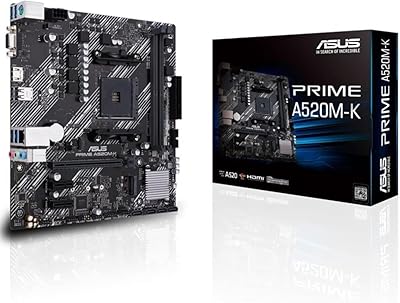
ASUS Prime A520M-K MATX Motherboard
73%
88%
Value for Money
83%
Build Quality
91%
Ease of Installation
86%
BIOS Experience
79%
CPU Compatibility
More
ASUS Prime H610M-K D4 Motherboard
83%
90%
Value for Money
88%
Ease of Installation
85%
Build Quality
80%
Performance in Gaming
83%
Performance in Productivity Tasks
More
ASUS Prime X299-A II ATX Motherboard
78%
92%
Power Delivery
88%
Thermal Management
91%
Build Quality
83%
BIOS Experience
78%
CPU Compatibility
More
ASUS Prime AP201 Micro ATX PC Case
80%
93%
Airflow Performance
91%
Cooling Compatibility
84%
Build Quality
92%
GPU Compatibility
89%
Tool-Free Panel Access
More
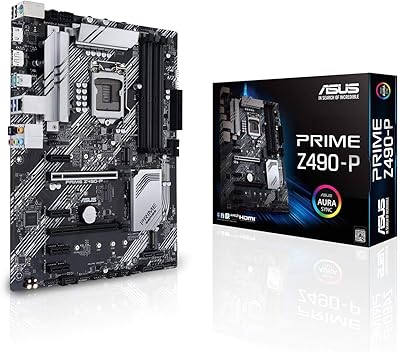
ASUS Prime Z490-P ATX Motherboard

83%
92%
Stability and Reliability
88%
Cooling Performance
85%
Ease of Installation
90%
Compatibility with Intel 10th Gen CPUs
87%
Value for Money
More
ASUS Prime B660M-K D4 mATX Motherboard
70%
88%
Value for Money
83%
Build Quality
81%
BIOS Experience
61%
Connectivity & I/O
34%
Overclocking Capability
More
MSI Pro B650M-B Micro ATX Motherboard
75%
88%
Value for Money
83%
Build Quality
91%
Ease of Setup
54%
Storage Expansion
86%
Memory Performance
More
ASUS Prime Z690-P D4 ATX Motherboard
76%
78%
Value for Money
83%
Power Delivery & VRM
81%
BIOS Experience
74%
Memory Compatibility
87%
Storage Expansion
More

FAQ

Yes, the ASUS Prime B650M-K Micro-ATX Motherboard is fully compatible with the Ryzen 5 7600X. That said, it is worth checking the ASUS support page for the latest BIOS version before first boot, since some early units may need a firmware update to recognize certain CPU revisions correctly.

This board is DDR5 only — there is no DDR4 compatibility. If you are upgrading from an older build and hoping to reuse existing DDR4 sticks, you will need to budget for new DDR5 memory as part of the transition.

Technically the socket is compatible, but it is not a great pairing in practice. The VRM on this AM5 motherboard is sized for mid-range processors, and a 7950X under sustained all-core workloads can push power delivery harder than this board was designed to handle comfortably. For a 7950X or similar high-core-count chip, a B650E or X670 board with a more robust power stage is a smarter choice.

The Prime B650M-K has two M.2 slots. The primary slot supports PCIe 5.0 x4, which is ready for the fastest NVMe drives currently available. The secondary slot runs at a lower bandwidth tier, so it is well-suited for a secondary storage drive or a boot drive if your primary slot is occupied.

No, there is no built-in Wi-Fi on this board. If wireless connectivity is important to your setup, you will need to add a PCIe Wi-Fi adapter or a USB wireless dongle separately.

Yes, the Prime B650M-K supports USB BIOS Flashback, which lets you update the firmware using just a USB drive and the board's power connection, without needing a CPU or RAM installed. This is a genuinely useful feature if you are buying a newer Ryzen chip that requires a BIOS update for recognition.

Most first-time builders find the ASUS UEFI BIOS straightforward. There is an easy mode that covers the basics clearly, and loading an EXPO memory profile is a simple one-click process. If you have never touched a BIOS before, this board is a reasonable place to start learning.

There are four fan and pump headers on this Micro-ATX board. For a basic build with a CPU cooler and two or three case fans, that is typically sufficient. If you are planning a more elaborate cooling setup with multiple radiator fans, a fan hub or splitter cables may be necessary.

Only if your Ryzen processor includes an integrated GPU — for example, chips with a G suffix like the Ryzen 7 8700G. If your CPU has no integrated graphics, the HDMI output will not produce a signal when a dedicated GPU is present, since display output defaults to the graphics card entirely.

Not particularly. The onboard RGB headers work with ASUS Armory Crate software, which lets you control lighting effects and sync compatible components from a single interface. The setup is straightforward if you are already using ASUS peripherals or components. If you are mixing brands, some third-party RGB controllers may not sync natively with Aura.

Where to Buy