Overview

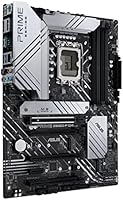
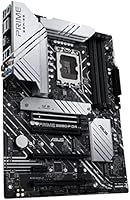
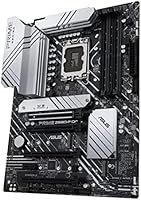
The ASUS Prime Z690-P D4 ATX Motherboard arrived at an interesting moment — when Intel's 12th Gen Alder Lake platform launched and builders faced a genuine choice between DDR4 and DDR5. This board plants its flag firmly in the DDR4 camp, which made a lot of sense given that DDR4 kits were far more affordable and widely available at the time. Mid-range in positioning, it sits in the ASUS Prime lineup as a capable, no-nonsense option rather than a flashy flagship. It fits standard ATX cases and goes head-to-head with comparable offerings from MSI, Gigabyte, and ASRock — a crowded but honest tier of the market.

Features & Benefits

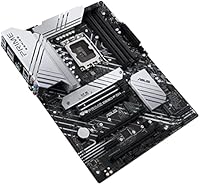
The 14+1 DrMOS power stages are probably the standout spec here — paired with a ProCool connector and alloy chokes, they give this Z690 DDR4 board the muscle to handle a Core i9 or i7 without sweating. Three M.2 slots, each with its own heatsink, mean you can load up on NVMe storage without worrying about drives throttling under sustained workloads. The primary PCIe 5.0 x16 slot adds a degree of longevity if you eventually upgrade your GPU. A Realtek 2.5Gb Ethernet port handles fast wired connections out of the box, and the front-panel USB Type-C header keeps things compatible with newer cases. ASUS's OptiMem II trace layout also gives DDR4 kits a bit more overclocking ceiling than the raw specs might suggest.

Best For

The Prime Z690-P D4 makes the most sense for builders jumping into a 12th Gen Intel build who already own DDR4 memory or want to stretch their budget further. It's also a solid pick for home office workstations where wired networking matters and Wi-Fi isn't a priority — the lack of built-in wireless won't bother anyone running a wired setup, but it is a real gap if you need wireless connectivity. Those building NVMe-heavy rigs will appreciate the three M.2 slots and thermal coverage. And if you want Thunderbolt 4 support via a header without the cost of an integrated controller, this ASUS Alder Lake motherboard covers that angle too. Not ideal for those who want RGB as a centerpiece.

User Feedback

With a 4.2-star rating across over 200 reviews, the general sentiment around this Z690 DDR4 board leans positive without being overwhelming. Owners frequently point to how approachable the BIOS is, especially for first-time builders, and DDR4 compatibility tends to be reliable across a wide range of kits. On the other side, some users have flagged occasional headaches with BIOS updates — a few reporting stability quirks after flashing — and Armoury Crate software draws mixed reactions, as it often does with ASUS boards. Build quality perceptions are generally in line with the price point: solid but not lavish. Go in with calibrated expectations rather than comparing it to premium Z690 flagships, and most builders walk away satisfied.

Pros

  • The 14+1 DrMOS power stages handle demanding 12th Gen Intel CPUs with solid, reliable headroom.
  • Three M.2 slots with individual heatsinks keep NVMe drives running cool in storage-heavy builds.
  • BIOS navigation is straightforward and approachable, even for first-time builders.
  • PCIe 5.0 support on the primary slot adds a degree of future-proofing for upcoming GPUs.
  • Realtek 2.5Gb Ethernet delivers noticeably faster wired speeds without any add-in card required.
  • DDR4 memory compatibility is broad, and the OptiMem II layout gives overclocking kits extra headroom.
  • Front-panel USB Type-C header works cleanly with modern cases without any adapter workaround.
  • Thunderbolt 4 header support is a rare inclusion at this price tier for those who need it.
  • Build quality feels solid and appropriately matched to its market positioning.
  • Aura Sync RGB support allows lighting integration if you already have ASUS ecosystem components.

Cons

  • No onboard Wi-Fi means wireless connectivity requires an extra card and added cost.
  • Some users have reported intermittent stability issues following certain BIOS updates.
  • Armoury Crate software is considered bloated or intrusive by a notable portion of the user base.
  • The board lacks the visual flair or premium finishing of higher-tier Z690 options at a similar price.
  • Memory QVL coverage, while decent, can occasionally leave less common DDR4 kits needing manual tuning.
  • Only four SATA ports may feel limiting in builds with multiple traditional hard drives or SSDs.
  • No integrated Thunderbolt 4 controller means a separate add-in card is still required for full TB4 functionality.
  • VRM thermals under prolonged heavy CPU load may require adequate case airflow to stay comfortable.

Ratings

The ASUS Prime Z690-P D4 ATX Motherboard has been scored by our AI system after analyzing verified buyer reviews from global sources, with spam, bot submissions, and incentivized feedback actively filtered out. The scores below reflect real-world builder experiences across a wide range of use cases — from first-time Alder Lake builds to dedicated NVMe workstations — and do not shy away from the genuine pain points that surfaced alongside the praise.

Value for Money
78%
22%
Most buyers feel the Prime Z690-P D4 punches above its weight by offering a stable VRM, three M.2 slots with heatsinks, and 2.5Gb Ethernet at a price where competing boards often cut corners. For builders reusing DDR4 memory, the savings compound further compared to DDR5-based alternatives.
A small but vocal segment feels the price crept too high given the absence of Wi-Fi and a relatively modest rear USB layout. When comparable MSI and Gigabyte Z690 DDR4 boards occasionally undercut it on price, the value equation becomes less clear-cut.
Power Delivery & VRM
83%
The 14+1 DrMOS configuration handles sustained all-core loads on Core i7 and i9 processors without showing obvious signs of stress in most builder setups. Users running productivity workloads or moderate overclocks report stable voltages and no thermal shutdowns under typical conditions.
Under prolonged extreme stress — such as long-duration rendering workloads in poorly ventilated cases — VRM temperatures do climb to uncomfortable levels. It is capable, but enthusiasts pushing hard overclocks on a Core i9 in a tight case may wish for a beefier solution.
BIOS Experience
81%
19%
The UEFI BIOS is consistently praised by first-time builders as one of the more approachable interfaces in this segment, with a clean EZ Mode layout and logical Advanced Mode structure. XMP profile activation is straightforward, and most DDR4 kits are recognized and configured without manual intervention.
Several users reported that specific BIOS update versions introduced instability or altered fan behavior in ways that required rolling back. The update process itself is not difficult, but the inconsistent quality of individual firmware releases has frustrated a subset of owners.
Memory Compatibility
74%
26%
Broad DDR4 compatibility is a genuine strength here — the OptiMem II trace layout helps a wide range of kits run at or near their rated XMP speeds without extensive manual tuning. Builders using popular Corsair, G.Skill, and Kingston kits generally report smooth out-of-the-box experiences.
Less common or high-frequency DDR4 kits above 4400 MHz have occasionally required manual timing adjustments to achieve stability, and the QVL list does not cover every kit on the market. A few users hit compatibility walls that took significant troubleshooting time to resolve.
Storage Expansion
87%
Three M.2 slots with individual thermal covers is a standout feature at this tier — builders loading up on NVMe drives for video editing or large project workflows appreciate not having to choose between drives due to heat concerns. PCIe 4.0 speeds on all three slots keep throughput competitive.
Running all three M.2 slots simultaneously can create lane-sharing trade-offs with other PCIe devices depending on the configuration, which requires consulting the manual carefully. Four SATA ports is also on the modest side for users building systems with multiple traditional drives alongside NVMe storage.
Build Quality & PCB
76%
24%
The board feels solid in hand and component placement is clean — heatsinks are well-anchored, the PCIe SafeSlot reinforcement on the primary x16 slot is a practical touch for heavy GPU installations, and the overall fit and finish matches expectations for its market tier.
The Prime lineup is not known for premium aesthetics, and up close the board looks utilitarian compared to higher-end Z690 options. A few users noted that the heatsink mounting hardware felt slightly less precise than expected, though no functional issues were reported as a result.
Connectivity & I/O
69%
31%
The inclusion of 2.5Gb Ethernet and a front-panel USB Type-C header covers the bases that most modern builders genuinely need day to day. The Thunderbolt 4 header is a thoughtful addition for users who may eventually want external TB4 devices without buying a higher-tier board.
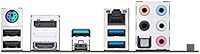
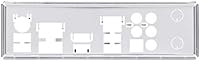
The rear I/O layout is where the cost-cutting is most visible — no Wi-Fi, a limited number of USB 3.2 Gen 2 ports, and no built-in TB4 controller mean certain connectivity gaps feel real rather than theoretical. Users with wireless peripherals or multiple high-speed USB devices may feel the pinch.
Thermal Management
77%
23%
The combination of a large VRM heatsink, per-slot M.2 heatsinks, and PCH heatsink coverage gives this ASUS Alder Lake motherboard a solid thermal foundation for most builds. Fan Xpert 4 provides granular fan curve control, which experienced builders use to dial in quiet but effective cooling profiles.
Default fan curve settings out of the box tend to run fans slower than some users prefer, occasionally resulting in higher component temperatures until manually adjusted. In cases with limited airflow, the VRM heatsink alone is not always sufficient for sustained heavy workloads.
Software Ecosystem
58%
42%
For users who want centralized ASUS ecosystem control — RGB synchronization, fan tuning, and system monitoring — Armoury Crate brings everything into one place and works adequately for that purpose. Fan Xpert 4, accessed through Armoury Crate, gives detailed thermal control that goes beyond basic BIOS settings.
Armoury Crate is one of the most commonly criticized elements of this board — users frequently describe it as bloated, slow to load, and prone to installing background services that are difficult to fully remove. A meaningful number of owners uninstall it entirely and manage settings through BIOS instead.
Installation & Setup
84%
Physical installation is clean and well-documented — the manual covers the layout clearly, standoff positions align with standard ATX cases without issue, and the Q-LED diagnostic indicators help builders identify POST issues quickly without needing a separate debug card. First-time builders specifically appreciate these small but practical details.
A small number of users encountered POST issues on first boot related to memory seating or BIOS version mismatches with certain CPUs, requiring extra troubleshooting steps. These are not unique to this board but do represent a real friction point for less experienced builders.
Overclocking Headroom
71%
29%
The Z690 chipset unlocks CPU and memory overclocking, and the OptiMem II layout gives DDR4 kits a tangible advantage in stability at higher frequencies compared to boards with simpler trace routing. Moderate CPU overclocks on a Core i7 run without issue for most users.
The board is not engineered as an overclocking flagship, and pushing a Core i9 to its limits will expose the boundaries of the VRM design sooner than on premium Z690 alternatives. Competitive overclockers will want more robust power delivery and better thermal headroom than the Prime line provides.
PCIe & Expansion
79%
21%
PCIe 5.0 support on the primary GPU slot gives this Z690 DDR4 board a degree of longevity that many buyers in this tier do not get — future graphics cards and storage devices that leverage PCIe 5.0 will not be limited by the platform. The additional PCIe slots cover standard expansion card needs without issue.
Beyond the primary PCIe 5.0 slot, the remaining expansion options are more modest, with secondary slots running at lower bandwidth allocations. Users planning to add multiple high-bandwidth PCIe cards simultaneously — like a GPU, capture card, and TB4 card together — should map out lane availability carefully.
Reliability & Longevity
73%
27%
The majority of users who have run this board for extended periods report stable, uneventful operation once initial BIOS and driver configurations are dialed in. Alloy chokes and high-endurance capacitors in the power delivery section suggest the hardware is built to last under normal operating conditions.
A subset of users report that certain BIOS versions have introduced instability that took multiple update cycles to resolve, which raises mild concerns about firmware consistency over the product lifecycle. Hardware failures are not a common complaint, but long-term firmware support is something ASUS could handle more reliably.

Suitable for:

The ASUS Prime Z690-P D4 ATX Motherboard is a strong fit for PC builders who made the deliberate choice to stick with DDR4 memory when moving to Intel's 12th Gen Alder Lake platform — whether that means reusing an existing DDR4 kit or simply taking advantage of the lower cost per gigabyte compared to early DDR5 pricing. Builders putting together a productivity workstation or content creation rig will appreciate the three M.2 slots with heatsinks, which allow for a clean, cable-free storage setup without thermal compromise. The robust 14+1 DrMOS power delivery makes it genuinely capable of running a Core i9 or i7 without the board becoming the bottleneck, which matters if you're pushing a high-core-count chip under sustained load. Home and small office users who rely on a wired network connection will find the 2.5Gb Ethernet port a tangible upgrade over standard gigabit, especially for large file transfers or NAS access. Those who want Thunderbolt 4 connectivity via an add-in card are also covered, since the board includes a dedicated header without charging you for a fully integrated controller you might not need.

Not suitable for:

The ASUS Prime Z690-P D4 ATX Motherboard is not the right call for builders who need built-in Wi-Fi — there is no wireless adapter on this board, and adding one means either an M.2 e-key card or a PCIe adapter, both of which introduce extra cost and complexity. If you are building in a small form factor case, the ATX footprint simply will not fit, so Micro-ATX or Mini-ITX alternatives would be the practical route. Enthusiasts who want DDR5 support to take full advantage of next-generation memory speeds will need to look at the DDR5 variants in the Z690 lineup instead, since this board is strictly DDR4. Anyone prioritizing premium aesthetics, extensive onboard RGB lighting, or a flagship-tier feature set should also look elsewhere — the Prime line is designed around value and reliability, not visual showmanship or every-bell-and-whistle connectivity. Finally, users who dread firmware management should be aware that, like many Z690 boards, BIOS updates have occasionally introduced stability quirks that require attention.

Specifications

  • CPU Socket: Uses the LGA 1700 socket, compatible with Intel 12th Gen (Alder Lake) Core, Pentium, and Celeron processors.
  • Chipset: Built on the Intel Z690 chipset, which supports CPU overclocking and full PCIe lane configuration flexibility.
  • Form Factor: Standard ATX form factor measuring 9.2 × 12 inches, fitting most mid-tower and full-tower cases.
  • Memory Type: Supports DDR4 memory across 4 DIMM slots with a base speed of 2133 MHz and overclocking support via XMP profiles.
  • Max Memory: Accommodates up to 128GB of DDR4 RAM across four slots when using high-density memory modules.
  • Power Delivery: Features a 14+1 DrMOS power stage design rated at 50A per phase, paired with a ProCool connector and alloy chokes.
  • M.2 Slots: Includes three M.2 slots, each covered by a dedicated heatsink to reduce thermal throttling during sustained NVMe workloads.
  • PCIe Support: Primary x16 slot operates at PCIe 5.0, with additional slots running at PCIe 4.0 and PCIe 3.0 speeds respectively.
  • Ethernet: Onboard Realtek 2.5 Gigabit Ethernet port for fast wired networking without requiring a separate network card.
  • Wi-Fi: No integrated Wi-Fi adapter is included; wireless connectivity requires an optional M.2 e-key or PCIe add-in card.
  • USB Rear I/O: Rear panel includes USB 3.2 Gen 2x2 Type-C, multiple USB 3.2 Gen 2 Type-A ports, and legacy USB 2.0 connectors.
  • Front Panel USB: Provides a front-panel USB 3.2 Gen 1 Type-C header for compatibility with modern PC cases.
  • Thunderbolt 4: Includes a Thunderbolt 4 header for connecting an optional add-in TB4 expansion card; no onboard TB4 controller is present.
  • SATA Ports: Equipped with four SATA 6Gb/s ports for connecting traditional SSDs, hard drives, or optical drives.
  • Fan Headers: Multiple hybrid fan headers are managed through ASUS Fan Xpert 4 software for precise thermal control.
  • RGB Support: Aura Sync RGB headers allow lighting synchronization with compatible ASUS peripherals and third-party RGB components.
  • Audio: Onboard Realtek audio codec provides multi-channel HD audio output for the rear panel and front-panel header.
  • BIOS: Ships with ASUS UEFI BIOS featuring an intuitive interface with both EZ and Advanced modes for beginner and expert users.
  • Weight: The board weighs 3.16 pounds, which is typical for a fully featured ATX motherboard in this category.
  • OS Support: Officially supports Windows 11 out of the box, with Windows 10 compatibility also available through standard driver installation.

Related Reviews
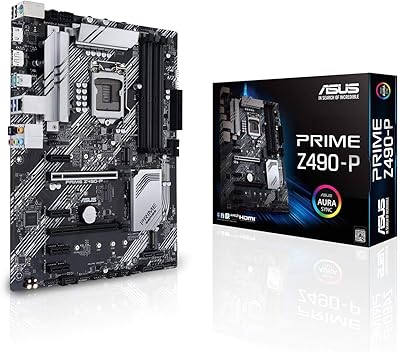
ASUS Prime Z490-P ATX Motherboard
83%
92%
Stability and Reliability
88%
Cooling Performance
85%
Ease of Installation
90%
Compatibility with Intel 10th Gen CPUs
87%
Value for Money
More
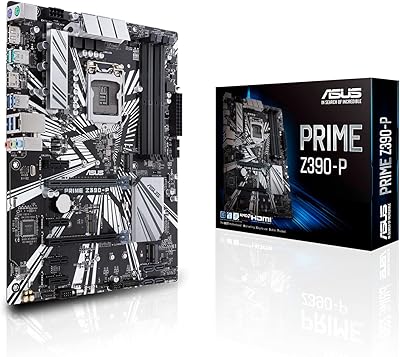
ASUS Prime Z790-P ATX Motherboard
79%
91%
BIOS & Software Usability
86%
Build Quality & PCB
89%
Storage Expansion
84%
Connectivity & USB
83%
Network Performance
More
ASUS Prime Z390-P Motherboard
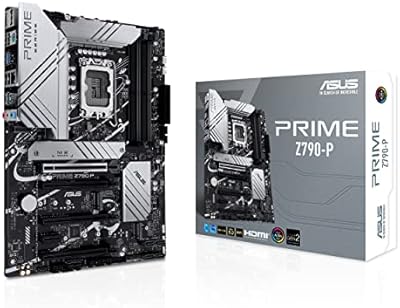
84%
88%
Performance
91%
Build Quality & Durability
85%
Overclocking Capabilities
84%
PCIe Expansion Slots
87%
Cooling & Fan Control
More
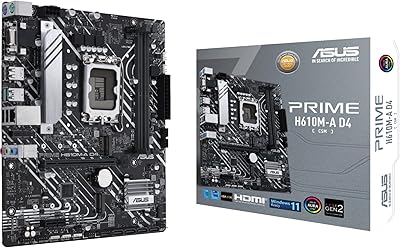
ASUS Prime H610M-A D4-CSM Micro-ATX Motherboard
77%
83%
Build Quality
91%
Commercial Reliability
78%
BIOS Experience
76%
Value for Money
72%
Connectivity & I/O
More
ASUS Prime X299-A II ATX Motherboard
78%
92%
Power Delivery
88%
Thermal Management
91%
Build Quality
83%
BIOS Experience
78%
CPU Compatibility
More
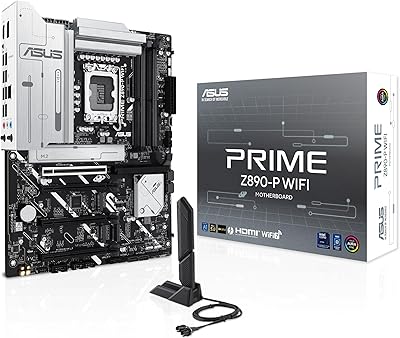
ASUS PRIME Z890-P WIFI ATX Motherboard
81%
88%
Value for Money
91%
BIOS Experience
93%
Connectivity & I/O
84%
VRM & Power Delivery
89%
Wi-Fi 7 Performance
More
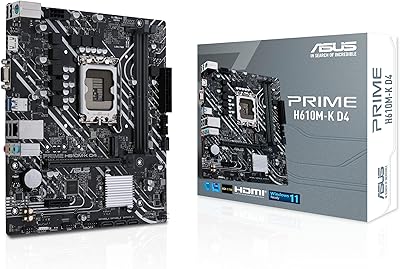
ASUS Prime H610M-K D4 Motherboard
83%
90%
Value for Money
88%
Ease of Installation
85%
Build Quality
80%
Performance in Gaming
83%
Performance in Productivity Tasks
More
ASUS Prime H610M-E D4-CSM DDR4 Motherboard
78%
83%
Value for Money
78%
Build Quality
89%
Ease of Installation
86%
Compatibility
81%
BIOS Experience
More
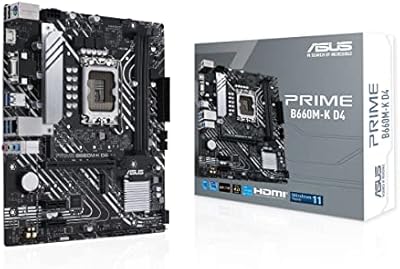
ASUS Prime B660M-K D4 mATX Motherboard
70%
88%
Value for Money
83%
Build Quality
81%
BIOS Experience
61%
Connectivity & I/O
34%
Overclocking Capability
More
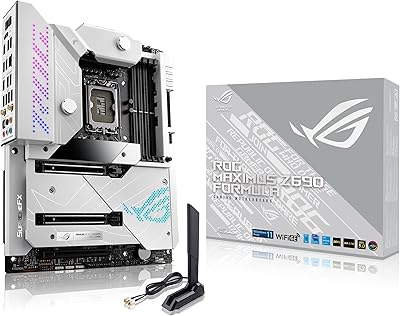
ASUS ROG Maximus Z690 Formula ATX Motherboard
79%
93%
Build Quality
91%
VRM Performance
89%
Cooling Integration
88%
Overclocking Capability
67%
BIOS Experience
More

FAQ

The Prime Z690-P D4 physically supports 13th Gen Intel (Raptor Lake) CPUs via the same LGA 1700 socket, but you will almost certainly need a BIOS update first before the system will POST. If you are installing a 13th Gen chip from day one, it is worth checking whether the board ships with a compatible BIOS version or sourcing a 12th Gen chip temporarily to update it.

Yes, that is one of the main reasons to choose this board over the DDR5 variants. As long as your existing DDR4 kit is standard DIMM form factor and runs at a compatible speed, it should work. If you have an XMP-rated kit, you can enable the profile in BIOS to run it at its rated speed rather than the base 2133 MHz default.

There are two practical options. The board has a V-M.2 e-key slot designed specifically for a Wi-Fi module, so you can drop in a compatible card like an Intel Wi-Fi 6 adapter without occupying a full PCIe slot. Alternatively, a standard PCIe Wi-Fi card works fine if the e-key route is not convenient for your build.

You get three M.2 slots in total, all of which support PCIe NVMe drives. Keep in mind that running all three slots simultaneously may share bandwidth with other PCIe devices depending on your configuration, so it is worth checking the manual for lane-sharing details if you are building a high-throughput storage setup.

The ASUS Prime Z690-P D4 ATX Motherboard does not include a built-in Thunderbolt 4 controller — instead, it provides a header that lets you connect a separate TB4 add-in card if you need that connectivity. For most users building a gaming or general workstation PC, Thunderbolt 4 is not essential. It becomes relevant if you plan to use high-speed external storage, certain professional audio interfaces, or daisy-chained displays.

Yes, the Z690 chipset fully supports CPU and memory overclocking. The OptiMem II trace layout helps DDR4 kits run at higher frequencies with better signal integrity, which matters when pushing beyond 4000 MHz. Results will vary depending on your specific memory kit and CPU IMC quality, but the board holds its own compared to other mid-range Z690 DDR4 options.

BIOS updates on this board have generally been positive for compatibility and stability, but some users have reported that specific firmware versions introduced minor issues that required rolling back or waiting for a follow-up release. The safest approach is to update BIOS after your initial build is confirmed stable, and to check the ASUS support page for release notes before flashing any new version.

The 14+1 DrMOS power stage design is reasonably capable for a Core i9, but it is not a premium overclocking board. Under prolonged all-core stress workloads, VRM temperatures can climb, so good case airflow matters. A few users have added small heatsink cooling or ensured a fan is directing airflow over the VRM area in demanding builds.

Armoury Crate is not strictly required for the board to function normally — you can skip the installation entirely if you do not need RGB control or fan curve management through the ASUS interface. Fan Xpert 4 is bundled within Armoury Crate, so if you want that level of software control you will need to install it. Many users opt out and handle fan control through BIOS directly, which works well.

The standard ATX footprint means it fits in virtually any mid-tower or full-tower case that supports ATX builds. The main clearance consideration is the VRM heatsink height — in cases with tight CPU cooler zones or low-profile coolers, verify there is enough clearance around the socket area. Otherwise, installation is straightforward and the board does not have any unusual component placement that tends to cause fitment problems.

Where to Buy