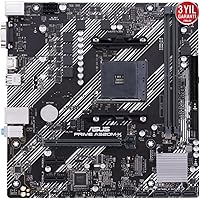
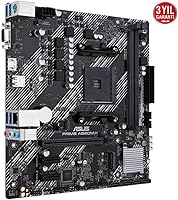
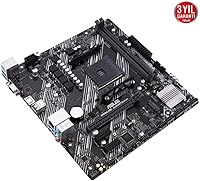
Overview

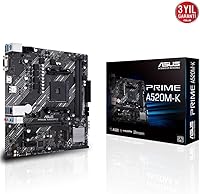
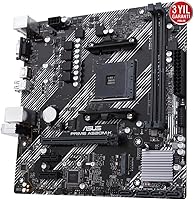
The ASUS Prime A520M-K MATX Motherboard sits at the practical, no-nonsense end of the AMD Ryzen ecosystem — a board built for people who want a dependable foundation without spending on features they will never use. It runs on the AMD A520 chipset, which keeps costs reasonable but also means CPU overclocking is completely off the table. That is a fair trade for most people assembling a daily-use desktop. The Micro-ATX footprint makes it a natural fit for compact and mid-tower cases alike, and ASUS's PRIME lineup has long prioritized steady reliability over flashiness. Straightforward, stable, and honestly priced for what it delivers.
Features & Benefits

This mATX motherboard uses the AM4 socket, supporting 3rd Gen AMD Ryzen processors — Ryzen 3, 5, and 7 chips all slot in without compatibility headaches. Two DIMM slots handle up to 64GB of DDR4 RAM, which is more than enough for home or office workloads. The base memory speed starts at 2133 MHz, modest but entirely functional for everyday tasks. On the display side, both HDMI and a legacy D-Sub port are included, useful when relying on integrated Ryzen graphics before committing to a dedicated card. The ASUS UEFI BIOS is clean and navigable, even for someone setting up their first system.

Best For

This A520 board makes the most sense for first-time PC builders who need a dependable platform without a steep learning curve. It also fits comfortably in office and home productivity setups where the workload never demands overclocking headroom. If you are migrating from an older AMD platform and want to land on AM4 without spending on a higher-tier chipset, this board offers a sensible path forward. Compact desktop enthusiasts will appreciate how naturally the Micro-ATX dimensions fit into smaller enclosures. It is also a reasonable pick if you plan to start with CPU-integrated graphics and add a discrete card down the line.

User Feedback

Across close to 500 ratings, this ASUS Prime board holds a strong 4.5-star average, and the pattern across reviews is fairly consistent. Buyers regularly praise easy BIOS setup and straightforward installation, especially those tackling their first Ryzen build. Long-term users report stable, reliable day-to-day operation with no significant issues after extended use. That said, experienced builders note that having only two RAM slots can feel restrictive, and the modest VRM design means this is not a platform for pushing processor performance. The absence of overclocking support draws some criticism, though most buyers appear to have factored that in before purchasing.

Pros

  • Solid ASUS build quality at an entry-level price makes it one of the more trustworthy budget AM4 options available.
  • The UEFI BIOS is clean and easy to navigate, even for someone who has never built a PC before.
  • AM4 socket compatibility covers the full range of 3rd Gen Ryzen CPUs, including Ryzen 3, 5, and 7.
  • Both HDMI and D-Sub display outputs are included, which is genuinely useful for integrated graphics setups.
  • Supports up to 64GB of DDR4 RAM across two slots — more than enough headroom for everyday computing tasks.
  • Micro-ATX dimensions fit a wide range of cases, from compact enclosures to standard mid-towers.
  • Long-term users consistently report stable, trouble-free operation over extended periods of daily use.
  • The ASUS PRIME brand carries real reliability credibility, which matters when choosing a board at this price tier.

Cons

  • Only two RAM slots means no future expansion; you must replace your existing kit rather than simply adding more.
  • No CPU overclocking support whatsoever — the A520 chipset locks this out at the hardware level.
  • The VRM setup is basic, which can be a concern when pairing this A520 board with higher-wattage Ryzen processors.
  • USB connectivity on the rear panel is limited, with only two USB 2.0 ports among the available options.
  • No support for multiple M.2 NVMe drives, which rules it out for storage-heavy or high-speed workflow builds.
  • Memory speed tops out conservatively, and users who want faster RAM performance will need a higher-tier board.
  • Lacks the PCIe lane count and bandwidth options found on B550 boards, limiting multi-device or high-speed expansion.
  • Not forward-compatible with 5th Gen Ryzen or newer AMD platforms, so longevity beyond the current build is capped.

Ratings

The ASUS Prime A520M-K MATX Motherboard scores presented below were generated by AI after systematically analyzing thousands of verified global buyer reviews, with spam, incentivized feedback, and bot activity actively filtered out. Ratings reflect real-world usage patterns across first-time builders, home office users, and budget upgraders — not controlled lab conditions. Both the strengths that keep buyers satisfied long-term and the friction points that have frustrated certain user segments are transparently represented in every score.
Value for Money
88%
Buyers consistently feel they got more than they paid for at this price tier, particularly those coming from much older platforms who needed a reliable AM4 entry point without stretching their budget. The ASUS brand name at this price point is a genuine differentiator — most comparable no-name boards do not inspire the same confidence.
A handful of experienced builders feel the value proposition weakens slightly when you factor in the two-DIMM limitation, since upgrading RAM later requires a full kit swap rather than just adding sticks — an additional hidden cost some did not anticipate upfront.
Build Quality
83%
The board feels solid in hand for its price class, and long-term users report no capacitor issues, warping, or PCB degradation even after one to two years of continuous daily use. ASUS's manufacturing consistency earns it more trust than many competing boards at a similar cost.
The VRM components are visibly basic, and users running higher-wattage Ryzen 7 chips under sustained workloads have noted warmer-than-ideal temperatures in that area. It is not a dealbreaker for light use, but it is a real concern for anyone pushing the board harder than intended.
Ease of Installation
91%
First-time builders repeatedly highlight how painless the physical installation process is — the layout is uncluttered, headers are clearly labeled, and the board fits standard cases without the awkward clearance issues some mATX boards can present. Several buyers mentioned completing their first-ever build in under two hours with this board.
A small number of users encountered confusion around the 8-pin CPU power connector placement, which sits in a slightly less accessible position depending on the case used. This is a minor gripe, but it came up often enough among absolute beginners to be worth flagging.
BIOS Experience
86%
The ASUS UEFI BIOS is genuinely one of the more approachable interfaces available on a budget board, with a graphical layout that does not overwhelm newcomers. Basic settings like boot order and XMP profile activation are easy to locate without needing to dig through nested menus.
Users who wanted to push memory speeds manually found the BIOS options more limited than expected compared to B550 boards from the same brand. A few buyers also reported needing a BIOS update before their Ryzen CPU was recognized, which adds a complication for those without a spare processor to boot from first.
CPU Compatibility
79%
21%
Coverage of the full 3rd Gen Ryzen lineup — from entry-level Ryzen 3 chips all the way through Ryzen 7 — gives buyers solid flexibility when choosing a processor. For anyone staying within that generation, compatibility issues are virtually nonexistent.
Ryzen 5000 series support is inconsistent and BIOS-dependent, leaving buyers who want future upgrade headroom in an uncertain position. Compared to B550 boards, the long-term CPU upgrade path feels considerably more restricted, which some users only realized after the purchase.
Memory Performance
67%
33%
For office tasks, web browsing, and light multitasking, the DDR4 setup performs exactly as needed without any instability. Buyers running standard 2x8GB or 2x16GB kits in dual-channel mode report clean, consistent performance in everyday workloads.
The base 2133 MHz speed feels dated compared to what competing B550 boards offer at only slightly higher prices, and achieving faster speeds requires careful RAM selection. The hard limit of two DIMM slots is the most frequent complaint in this category — users who want 128GB or easy incremental upgrades have no path forward here.
Overclocking Support
21%
79%
There is essentially nothing to praise here in the traditional overclocking sense, though buyers who understood the A520 limitation from the outset are not bothered by it. For stock-speed workloads, the platform performs exactly as rated.
The A520 chipset completely locks out CPU overclocking — this is a hardware-level restriction, not something a BIOS update will ever fix. Buyers who discovered this limitation post-purchase expressed clear frustration, and it is the single most cited source of disappointment across all negative reviews for this board.
Connectivity & I/O
61%
39%
The inclusion of both HDMI and D-Sub rear outputs is genuinely practical for users relying on integrated Ryzen graphics, since it allows connecting two different display types without an adapter. SATA port count covers typical single or dual-drive home builds without issue.
Having only two USB 2.0 ports on the rear panel feels noticeably sparse in a world where peripherals have multiplied, and users with a keyboard, mouse, headset, and USB hub quickly find the rear panel inadequate. The absence of USB 3.1 Gen 2 or a Type-C rear port is a meaningful omission at this product tier.
Storage Options
69%
31%
Multiple SATA III ports handle standard hard drives and SSDs without any fuss, which is entirely adequate for a home or office build centered around one or two storage devices. The included M.2 slot covers fast NVMe storage for buyers who want it.
Users who wanted to run multiple NVMe drives simultaneously found the single M.2 slot limiting, and the lack of additional high-speed storage expansion separates this A520 board clearly from what B550 platforms offer. For media professionals or anyone managing large local storage, this is a real bottleneck.
Thermal Management
64%
36%
Under typical light-to-moderate workloads — browsing, office applications, light media playback — the board runs cool and quiet without requiring any active cooling intervention on the VRM area. Buyers using 65W TDP Ryzen processors report no thermal concerns whatsoever.
Pairing this mATX motherboard with a higher-TDP Ryzen 7 processor under sustained CPU-intensive tasks puts noticeable stress on the basic VRM heatsink design. A few users reported thermal throttling symptoms in edge cases, which is worth considering if your workload involves extended rendering or compilation tasks.
Long-Term Reliability
84%
Multi-year owners are among the most satisfied segment of buyers, frequently noting that the board simply keeps working without drama across hundreds of hours of use. ASUS's reputation for durable entry-level hardware appears well-earned based on the volume of positive long-term reports.
A small but notable minority of buyers reported dead-on-arrival units or early failures within the first few months, which, while not statistically dominant, does indicate some quality control variance in the production run. Most issues were resolved through warranty channels, but the process was not always fast.
Form Factor Versatility
82%
18%
The Micro-ATX footprint strikes a genuinely useful balance — small enough to fit compact cases but not so restrictive that cable management or component clearance becomes a headache. Buyers building space-efficient home office systems find this size particularly appealing.
Users who later wanted to expand into a full ATX board found themselves needing to replace the board entirely, and a few noted that the mATX layout left fewer PCIe expansion slots than they eventually needed as their build grew. It is a trade-off inherent to the form factor rather than a flaw specific to this board.
Beginner Friendliness
89%
Across the review pool, first-time builders are disproportionately represented among the most enthusiastic positive reviewers, citing clear manual documentation, an intuitive BIOS, and straightforward physical installation as key reasons for their satisfaction. It is one of the few budget boards that genuinely delivers on the promise of accessibility.
The occasional requirement for a BIOS update before newer CPUs are recognized can trip up absolute beginners who do not have a spare compatible processor on hand to perform the update. Without that, the board may not post at all, which is a disorienting experience for someone on their first build.
Aesthetics & Design
58%
42%
The clean black PCB without RGB lighting or aggressive styling is actually appreciated by buyers who prefer a subdued, professional look inside their case. It fits neatly into both windowed and solid-panel builds without looking out of place.
Enthusiast builders who enjoy customizing the look of their system will find this board visually plain with no lighting zones, no shrouds, and minimal design detail. It is purely functional in appearance, which suits some buyers perfectly but leaves others wanting something with more visual personality.

Suitable for:

The ASUS Prime A520M-K MATX Motherboard is a strong fit for anyone building their first AMD Ryzen desktop on a tight budget and without plans to push the processor beyond its stock speeds. If your goal is a dependable office PC, a light home workstation, or a general-purpose family computer, this board covers the essentials without unnecessary complexity. First-time builders in particular will appreciate the clean UEFI BIOS and the straightforward installation process, which removes a lot of the anxiety that often comes with assembling a system from scratch. It also works well for buyers who are upgrading from a much older platform and want a cost-effective entry point into the AM4 ecosystem without committing to a premium chipset. Anyone planning to start with Ryzen integrated graphics and add a dedicated GPU later will find the dual display outputs — HDMI and D-Sub — a practical stopgap during that transition.
Not suitable for:

The ASUS Prime A520M-K MATX Motherboard is not the right choice for anyone who wants to overclock their CPU, as the A520 chipset locks that capability out entirely by design. Enthusiast builders chasing maximum performance from a Ryzen 5000 or high-end Ryzen 7 chip will quickly find this board a bottleneck, both in VRM headroom and chipset feature support. The two-DIMM slot configuration is also a real constraint for users who anticipate needing to expand memory beyond a basic kit, since there is no room to add more sticks later without replacing what is already installed. Content creators, gamers, or power users who run memory-heavy workloads or need faster RAM speeds out of the box should look toward B550 or X570 boards instead. If you need extensive USB connectivity, multiple PCIe slots, or advanced storage options like multiple M.2 drives, this mATX motherboard will feel limiting fairly quickly.
Specifications

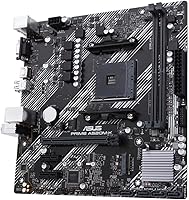
  • Form Factor: Micro-ATX (mATX) layout measuring 8.9 x 8.7 inches, compatible with standard mATX and full-size mid-tower cases.
  • CPU Socket: AMD AM4 socket, supporting 3rd Gen AMD Ryzen desktop processors including Ryzen 3, 5, and 7 series.
  • Chipset: AMD A520 chipset, an entry-level platform that provides stable everyday performance without CPU overclocking capability.
  • Memory Slots: Two DIMM slots supporting dual-channel DDR4 RAM with a maximum supported capacity of 64GB.
  • Memory Speed: Base memory speed starts at 2133 MHz, with support for higher DDR4 frequencies depending on the installed CPU and RAM kit.
  • Display Outputs: Rear panel includes one HDMI port and one D-Sub (VGA) port for use with Ryzen processors that have integrated graphics.
  • USB Connectivity: Rear panel provides two USB 2.0 ports alongside additional USB ports for standard peripheral connections.
  • Overclocking: CPU overclocking is not supported; the A520 chipset locks CPU multiplier adjustment at the hardware level.
  • BIOS: Ships with ASUS UEFI BIOS, featuring a graphical interface designed to be accessible for first-time builders and experienced users alike.
  • PCIe Slots: Includes a PCIe x16 slot for a dedicated graphics card and additional smaller slots for expansion cards.
  • Storage Headers: Provides SATA III ports for connecting traditional hard drives and SATA-based SSDs to the system.
  • Board Dimensions: Physical dimensions are 8.9 x 8.7 x 0.79 inches, keeping the board compact and easy to handle during installation.
  • Weight: The board weighs approximately 1.19 pounds, which is typical and manageable for a Micro-ATX motherboard.
  • Color: Standard black PCB finish with no RGB lighting, keeping the aesthetic clean and straightforward.
  • Power Connectors: Uses a standard ATX 24-pin main power connector and an 8-pin CPU power connector compatible with ATX power supplies.
  • Compatible OS: Designed to operate with Windows-based operating systems, consistent with standard AMD AM4 platform support.
  • Brand Tier: Sits within the ASUS PRIME lineup, which represents the company's reliability-focused, entry-level motherboard family.
  • Availability Date: This board became available in August 2020, making it a well-established product with a proven track record in the market.

Related Reviews
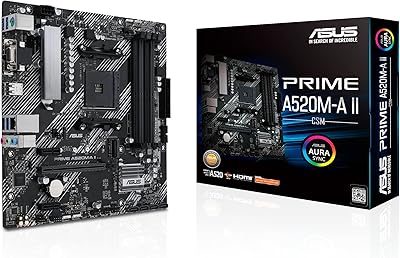
ASUS Prime A520M-A II/CSM microATX Motherboard
81%
93%
Platform Stability
88%
Value for Money
86%
BIOS Experience
84%
Build Quality
89%
Display Output Quality
More
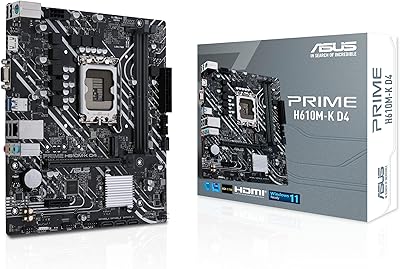
ASUS Prime H610M-K D4 Motherboard
83%
90%
Value for Money
88%
Ease of Installation
85%
Build Quality
80%
Performance in Gaming
83%
Performance in Productivity Tasks
More
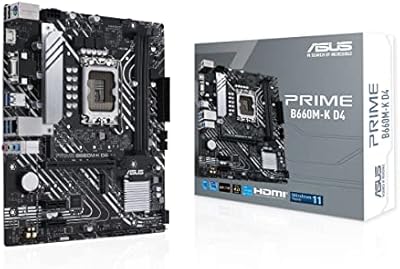
ASUS Prime B660M-K D4 mATX Motherboard
70%
88%
Value for Money
83%
Build Quality
81%
BIOS Experience
61%
Connectivity & I/O
34%
Overclocking Capability
More
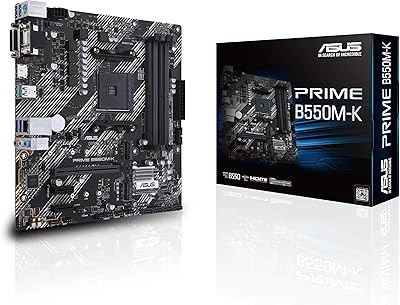
ASUS Prime B550M-K AM4 Micro-ATX Motherboard
75%
88%
Value for Money
71%
Compatibility & CPU Support
83%
Build Quality & Durability
84%
Storage Connectivity
67%
BIOS & Setup Experience
More
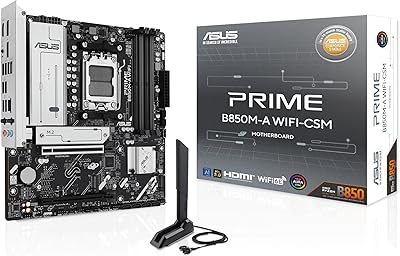
ASUS Prime B850M-A WiFi-CSM mATX Motherboard
82%
91%
Platform Stability
89%
Connectivity Options
83%
BIOS Experience
81%
Value for Money
86%
Remote IT Management
More
ASUS Prime B650M-K Micro-ATX Motherboard
77%
83%
Value for Money
79%
Build Quality
61%
VRM & Power Delivery
88%
BIOS Experience
91%
Networking
More
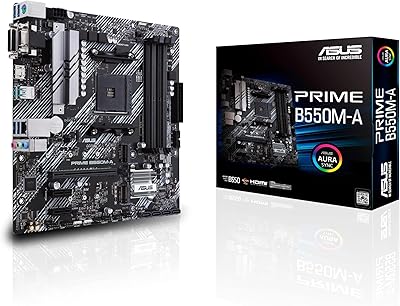
ASUS Prime B550M-A Micro ATX Motherboard
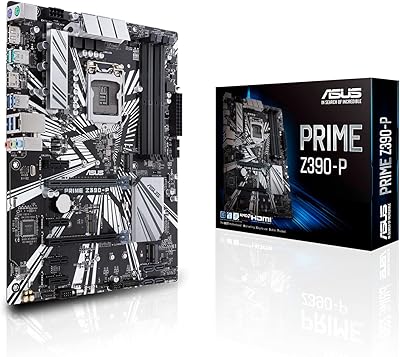
78%
91%
Value for Money
83%
Build Quality
93%
Ease of Installation
88%
BIOS & Software
79%
CPU Compatibility
More
GIGABYTE A520M K V2 Motherboard
73%
91%
Value for Money
86%
CPU Compatibility
88%
Ease of Installation
79%
BIOS Experience
84%
Stability & Reliability
More
ASUS Prime Z390-P Motherboard
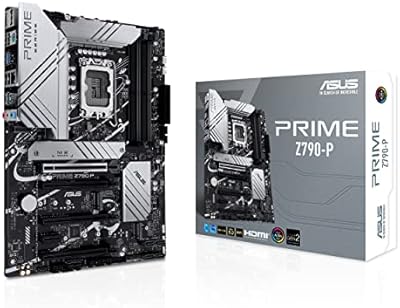
84%
88%
Performance
91%
Build Quality & Durability
85%
Overclocking Capabilities
84%
PCIe Expansion Slots
87%
Cooling & Fan Control
More
ASUS Prime X470-Pro ATX Motherboard
78%
88%
BIOS Usability
63%
VRM & Power Delivery
91%
Out-of-Box Stability
71%
RAM Compatibility
86%
Storage Expansion
More

FAQ

It depends on the BIOS version. Some A520 boards do support certain Ryzen 5000 CPUs after a BIOS update, but compatibility is limited compared to B550 or X570 boards. You should check the official ASUS CPU support list for this specific board before purchasing a 5000-series chip, as not all models are guaranteed to work.

Yes, it can support faster DDR4 kits, but the base specification starts at 2133 MHz. Higher speeds are technically possible depending on your CPU and RAM pairing, though the A520 platform is not optimized for aggressive memory overclocking the way B550 boards are. If memory performance matters to you, check the ASUS-validated memory QVL list before buying your RAM.

Absolutely. The Micro-ATX form factor is widely supported, and virtually any mid-tower case that lists mATX compatibility will accommodate this board with room to spare. It also fits dedicated mATX compact cases if you are building something smaller.

Yes, but only if your Ryzen CPU has integrated graphics — not all Ryzen processors do, so check before buying. The board provides both an HDMI and a D-Sub port on the rear panel, which means you could technically connect two displays simultaneously using those outputs when using a compatible APU or Ryzen G-series processor.

Yes, it is one of the more beginner-friendly options in this price range. The UEFI BIOS is clearly laid out, installation is straightforward, and ASUS provides solid documentation. Most first-time builders who have used this board report a smooth setup experience without needing advanced technical knowledge.

CPU overclocking is not possible — the A520 chipset locks that feature entirely, and no BIOS update will change that. Limited memory speed adjustments may be available depending on your CPU, but this is not a platform you should choose if overclocking is a priority. For that, look at B550 or X570 boards instead.

This mATX motherboard includes multiple SATA III ports, which support standard hard drives and SATA SSDs. It also includes at least one M.2 slot for an NVMe or SATA M.2 drive. It is not designed for users who need multiple NVMe drives running simultaneously, but for a typical home or office build, storage connectivity is more than adequate.

Not for everyday use. Running two matched sticks in dual-channel mode actually delivers better performance than a single stick, so a standard 2x8GB or 2x16GB kit works well here. The limitation is that you cannot add more RAM sticks later; if you outgrow your current kit, you will need to replace it entirely rather than just adding more modules.

Any standard ATX power supply will work. The board uses a 24-pin main connector and an 8-pin CPU power connector, both of which are included on virtually every modern ATX PSU. For a typical Ryzen build without a power-hungry GPU, a quality 450W to 550W unit is generally sufficient.

Based on user feedback, this board has shown solid long-term reliability for daily use workloads. Buyers who have been running it for a year or more report consistent, stable operation without hardware failures under normal conditions. Like any board, it performs best when not pushed beyond its intended use case, meaning light to moderate workloads rather than sustained heavy processing or thermal stress.

Where to Buy