
Overview

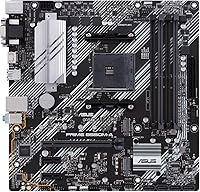
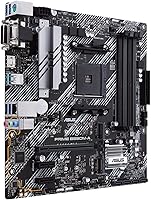
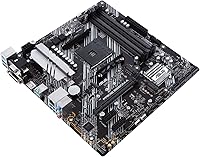
The ASUS Prime B550M-A Micro ATX Motherboard sits in a practical sweet spot for builders who want AMD B550 reliability without paying for features they will never use. At 9.6 by 9.6 inches, it fits comfortably in most Micro ATX and mid-tower cases, making it a smart pick when space or budget is a real constraint. The board targets Ryzen 3rd-generation processors natively, and while Ryzen 5000-series chips work too, you will need to flash a BIOS update before that CPU will post — something worth knowing before your first boot. Build quality feels solid for the price tier, and the 3-year manufacturer warranty from ASUS adds genuine reassurance that is uncommon at this level.

Features & Benefits

Where this compact AMD motherboard earns its keep is in the details that actually matter day-to-day. The PCIe 4.0 primary slot means a modern NVMe SSD or current-gen GPU will not bottleneck at the board level — a real advantage over older B450 platforms. Two USB 3.2 Gen 2 Type-A ports sit alongside four Gen 1 ports on the rear panel, handling most peripheral and storage setups without needing a hub. DDR4 support stretches to 128GB across four slots, a comfortable ceiling for any home workstation. There is also an onboard HDMI output handy for APU builds or as a diagnostic fallback, plus a Gigabit LAN port rounding out a well-balanced rear I/O.

Best For

This B550 Micro ATX board is a natural fit for first-time builders who want a trusted name and a forgiving BIOS experience without a steep learning curve. It is also a logical pick for anyone building in a compact chassis where a full-size ATX board simply will not fit. Pairing it with a Ryzen 5 or Ryzen 7 processor for a home office machine or light gaming rig is where it genuinely performs well — the VRM is comfortable handling mid-range CPUs at stock settings. If you are upgrading from an older AM4 platform and want modern chipset features without stepping up to a pricier X570 board, this is exactly the kind of practical move that holds up over time.

User Feedback

The ASUS Prime B550M-A holds a strong 4.6-star average across hundreds of purchases, and the praise follows consistent themes: painless initial setup, a BIOS that does not punish newcomers, and rock-solid stability under everyday workloads. Most buyers report DDR4 kits running without compatibility headaches. The critical reviews, however, cluster around two honest limitations — the board is not designed for aggressive overclocking, and sustained loads on a high-TDP Ryzen 9 chip can push VRM thermals uncomfortably. A number of buyers also flagged surprise at needing a BIOS flash before Ryzen 5000-series CPUs would post. On balance, though, the general consensus is that this compact AMD motherboard consistently punches above its tier for everyday builds.

Pros

  • Solid B550 chipset brings PCIe 4.0 to the primary slot at a price that does not sting.
  • ASUS UEFI BIOS is approachable and well-organized, even for first-time builders.
  • Rear I/O is well-stocked, with six USB Type-A ports covering most peripheral setups.
  • DDR4 support up to 128GB leaves plenty of headroom for future memory upgrades.
  • Micro ATX form factor fits a wide range of compact and mid-tower cases cleanly.
  • Onboard HDMI is a convenient fallback for APU builds or diagnostic use.
  • Backed by a three-year ASUS manufacturer warranty, which is reassuring at this price tier.
  • Rock-solid day-to-day stability is the consistent praise across hundreds of verified builds.
  • AM4 socket supports both Ryzen 3rd and 5000-series chips, giving the board real longevity.
  • DDR4 RAM compatibility is broad, with most standard kits running without issues out of the box.

Cons

  • No onboard Wi-Fi means a separate adapter or PCIe card is needed for wireless connectivity.
  • VRM headroom is limited — pairing this board with a Ryzen 9 chip at full load is not recommended.
  • Ryzen 5000-series CPUs require a BIOS update to post, which demands an older CPU or retailer flashing service.
  • Overclocking ceiling is modest; do not expect meaningful tuning results beyond XMP memory profiles.
  • Gigabit LAN is functional but falls short for builders eyeing 2.5G networking on a modern rig.
  • Limited M.2 slot count may frustrate builders planning NVMe-heavy storage configurations.
  • No RGB header ecosystem for builders who care about lighting synchronization across components.
  • Audio output is basic on-board codec quality — dedicated DAC users will need an add-in card.

Ratings

The scores below were produced by our AI after analyzing verified global buyer reviews for the ASUS Prime B550M-A Micro ATX Motherboard, with spam, bot submissions, and incentivized feedback actively filtered out before processing. The result is an honest cross-section of what real builders experienced — from first-time system builders to seasoned upgraders — covering everything that stood out positively and every frustration that surfaced repeatedly. Both the strengths and the genuine pain points are reflected without bias.

Value for Money
91%
Builders consistently pointed out that this compact AMD motherboard delivers features — PCIe 4.0, ample USB ports, and a reputable BIOS — that would cost noticeably more on competing brands. For a mid-range Ryzen build on a tight budget, the overall package feels hard to beat at its price point.
A handful of buyers who needed Wi-Fi, stronger VRM, or more M.2 slots felt they eventually had to spend extra on adapters or upgrades, softening the value argument slightly. For those specific use cases, paying a little more upfront for a better-equipped board would have been the smarter call.
Build Quality
83%
Most reviewers noted the board feels reassuringly solid for its tier — PCIe slot retention, DIMM latches, and rear I/O shield alignment all received consistent praise during installation. ASUS's manufacturing reputation clearly carries through here, with very few reports of cosmetic defects or bent pins on arrival.
Some builders observed that the capacitor and heatsink layout feels modest compared to pricier B550 boards, and a few noted the VRM heatsink coverage is minimal — fine for everyday use, but visually underwhelming for the enthusiast crowd who inspect component quality closely.
Ease of Installation
93%
First-time builders repeatedly called out how straightforward the physical installation process was — clear labeling on headers, sensible component placement, and a BIOS that guides you through initial setup without demanding prior experience. The included manual was described as genuinely useful rather than a throwaway leaflet.
The one consistent friction point was the Ryzen 5000-series BIOS update requirement — buyers who did not research this in advance found themselves stuck on first boot with no display output, which created real anxiety for newcomers who had not anticipated needing a second CPU to flash the firmware.
BIOS & Software
88%
The ASUS UEFI interface earned strong praise for its EZ Mode layout, which makes enabling XMP memory profiles and setting boot priority genuinely painless. Experienced builders appreciated the depth available in Advanced Mode, and regular BIOS updates over the board's lifespan kept compatibility current.
A small number of reviewers reported occasional quirks where XMP profiles caused instability at first enable, requiring manual timing adjustments to stabilize. The AI Overclocking feature was also described as hit-or-miss — useful as a starting point, but not a substitute for manual tuning.
CPU Compatibility
79%
21%
For Ryzen 3rd-generation builds — the Ryzen 5 3600, Ryzen 7 3700X, and similar chips — compatibility is essentially plug-and-play, with no preparation needed. Ryzen 5000-series support is functional and well-documented once the BIOS is updated, extending the board's useful lifespan considerably.
The BIOS flash requirement for Ryzen 5000-series chips remains a real stumbling block for buyers who purchase the board alongside a 5000-series CPU without an older chip on hand. Without a CPU already installed, there is no way to perform the update independently, which left some buyers scrambling to borrow hardware.
Memory Performance
81%
19%
Reviewers running DDR4 kits at 3200 MHz and 3600 MHz via XMP reported stable operation with minimal compatibility headaches, which is not always guaranteed on budget B550 boards. The four-slot layout also gave builders flexibility to start with two sticks and expand later without replacing the kit.
Running all four DIMM slots populated at high XMP speeds occasionally required dropping to a lower memory frequency to maintain stability, a known Ryzen platform behavior that catches some buyers off guard. The base JEDEC speed of 2133 MHz is also a reminder that the headline number only tells part of the story.
Connectivity & I/O
84%
The rear panel I/O is genuinely well-stocked for this price tier — six USB Type-A ports spanning Gen 1 and Gen 2 speeds handled most builders' mouse, keyboard, headset, and external drive combinations without needing a hub. The HDMI output added practical value for APU builds and as a fallback during GPU troubleshooting.
The absence of onboard Wi-Fi and Bluetooth is the most common connectivity complaint, and it came up regularly in reviews from buyers who assumed wireless was included at this price point. There is also no USB-C output on the rear panel, which is becoming an expectation on modern boards.
Overclocking Headroom
54%
46%
For the majority of users who simply want to enable XMP and leave the system at stock CPU speeds, the board delivers stable, reliable performance without any fuss. Casual tweaking of memory subtimings is possible for patient builders willing to experiment within safe margins.
Anyone expecting meaningful CPU overclocking will find this board frustrating — the VRM simply was not designed for sustained boosted clocks on power-hungry Ryzen chips, and thermal throttling under heavy overclocks has been documented by multiple reviewers. This is not a board for enthusiasts chasing benchmark records.
Thermal & VRM Performance
61%
39%
For mid-range chips like the Ryzen 5 5600 or Ryzen 7 5700X running at stock settings, VRM temperatures stay in a perfectly acceptable range during everyday workloads, gaming sessions, and light content creation. Most buyers in this use case reported no thermal issues whatsoever over extended periods.
Builders who paired the board with a Ryzen 9 processor for sustained rendering or encoding workloads reported VRM temperatures climbing to uncomfortable levels, occasionally triggering thermal throttling. The heatsink coverage on the power delivery section is minimal, and airflow-challenged cases make this worse.
Storage Options
72%
28%
The primary M.2 slot supports PCIe 4.0 NVMe drives, giving builders access to the latest high-speed SSD options without a bottleneck at the board level. SATA port availability handles traditional hard drives and SSDs cleanly for builds that need bulk storage alongside a fast boot drive.
The M.2 slot count is a genuine limitation for storage-heavy builders who want multiple NVMe drives — you will hit the ceiling faster than on more expensive boards. Reviewers building media servers or NAS-adjacent workstations specifically flagged this as a reason to look elsewhere.
Long-Term Reliability
87%
The board has been on the market since mid-2020 and accumulated a strong track record for day-to-day stability, with very few reports of premature failure under normal operating conditions. ASUS's consistent BIOS update cadence over that period also means known issues were addressed rather than left to linger.
A small percentage of buyers reported dead-on-arrival units or early failure within the first few months, and a few warranty claim experiences were described as slow-moving. These cases appear to be the exception rather than the rule, but they are worth noting for buyers who cannot afford downtime.
Audio Quality
67%
33%
For everyday use — voice calls, streaming, casual gaming with a headset — the onboard audio codec performs adequately and does not introduce noticeable interference or background hiss in most reviewed setups. Builders running speakers or basic headsets reported no complaints.
Audiophiles and competitive gamers using high-impedance headphones consistently noted the onboard audio as the weakest link in an otherwise capable build, with channel separation and dynamic range falling short of even a modestly priced external DAC. It is functional but clearly not a selling point.
Warranty & Support
78%
22%
The three-year ASUS manufacturer warranty offers genuine peace of mind that is not common among budget-tier competitors, and many buyers specifically cited it as a deciding factor in choosing this board over alternatives. ASUS's brand reputation for honoring warranty claims gave buyers added confidence.
Actual support experiences were more mixed than the warranty terms suggest — response times from ASUS support were described as inconsistent, and some buyers found the RMA process slower than expected. Registering the product on the ASUS website at purchase appears to smooth the process, but that step is not prominently communicated.

Suitable for:

The ASUS Prime B550M-A Micro ATX Motherboard is a genuinely strong choice for first-time PC builders who want a reputable foundation without overcomplicating their budget. If you are pairing a Ryzen 5 or Ryzen 7 processor with a compact or mid-tower chassis, this board covers all the essentials without forcing you to pay for features you will realistically never touch. It is equally well-suited to home office builds where long-term stability matters more than peak performance headroom, and the Micro ATX footprint makes it an easy fit in smaller cases where a full-size board simply will not go. Upgraders coming from older AM4 platforms will appreciate landing on PCIe 4.0 support and a modern BIOS experience without stepping up to a significantly pricier chipset. The three-year manufacturer warranty and ASUS brand support also make this a sensible pick for anyone who values having a safety net on a long-term build.

Not suitable for:

The ASUS Prime B550M-A Micro ATX Motherboard is not the right foundation if your build revolves around a high-TDP processor like a Ryzen 9 running at sustained loads — the VRM configuration is adequate for mid-range chips at stock settings, but it was not designed to handle that kind of thermal demand comfortably over time. Enthusiasts chasing serious overclocking results will also find this board limiting, as B550M boards at this tier prioritize stability over tuning headroom. If you need multiple PCIe slots for multi-GPU setups, extensive M.2 storage expansion, or onboard Wi-Fi out of the box, this compact AMD motherboard will leave you wanting more. Builders targeting a Ryzen 5000-series CPU should also be aware that a BIOS flash is required before the system will even post, which can catch unprepared first-timers off guard if they do not have an older compatible CPU on hand.

Specifications

  • Form Factor: Micro ATX (mATX) at 9.61 x 9.61 inches, fitting standard mid-tower and compact ATX cases without issue.
  • CPU Socket: AM4 socket supports AMD Ryzen 3rd-generation processors natively, with Ryzen 5000-series support available after a BIOS update.
  • Chipset: AMD B550 chipset delivers PCIe 4.0 on the primary slot, offering a meaningful bandwidth upgrade over older B450 platforms.
  • Memory Type: Four DDR4 DIMM slots support up to 128GB of DDR4 SDRAM, with a base speed of 2133 MHz and higher speeds via XMP profiles.
  • USB Connectivity: Rear panel includes 2x USB 3.2 Gen 2 Type-A, 4x USB 3.2 Gen 1 Type-A, and 4x USB 2.0 ports for broad peripheral coverage.
  • Video Output: One HDMI port on the rear panel supports display output for Ryzen APUs or as a diagnostic output when a discrete GPU is not installed.
  • Network: Single Gigabit LAN RJ-45 port provides wired Ethernet connectivity; there is no onboard Wi-Fi or Bluetooth included.
  • PCIe Slots: Primary x16 PCIe 4.0 slot handles the main GPU, with additional lower-bandwidth slots available for expansion cards.
  • Storage Support: Onboard M.2 slot supports NVMe SSDs taking advantage of PCIe 4.0 bandwidth, alongside SATA ports for traditional drives.
  • Audio: Integrated Realtek audio codec delivers standard multichannel output via rear panel audio jacks suitable for everyday use.
  • BIOS: ASUS UEFI BIOS provides an accessible interface for system configuration, XMP memory enabling, and CPU compatibility updates.
  • Dimensions: Board measures 9.61 x 9.61 inches (approximately 244 x 244 mm), consistent with the Micro ATX standard.
  • Weight: The board weighs 1.32 pounds, which is typical for a Micro ATX motherboard with standard component density.
  • Warranty: Covered by a 3-year ASUS manufacturer warranty, providing repair or replacement support for defects under normal use conditions.
  • Model Number: Official ASUS model number is 90MB14I0-M0EAY0, useful for identifying the correct BIOS files and compatibility documentation.
  • Power Delivery: VRM configuration is rated for stable operation with mid-range Ryzen CPUs at stock settings; not optimized for high-TDP sustained workloads.
  • Platform: Designed for Windows 10 compatibility and broadly supported under Windows 11 with standard AMD chipset drivers.
  • Availability Date: This board was first made available in June 2020, giving it a well-established driver and BIOS update history by now.

Related Reviews
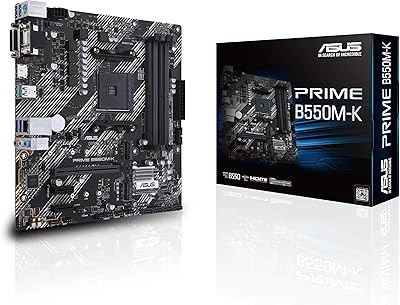
ASUS Prime B550M-K AM4 Micro-ATX Motherboard
75%
88%
Value for Money
71%
Compatibility & CPU Support
83%
Build Quality & Durability
84%
Storage Connectivity
67%
BIOS & Setup Experience
More
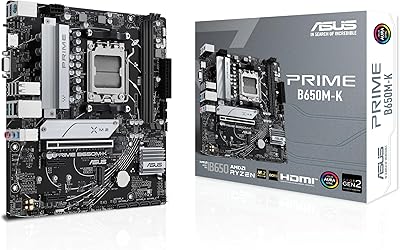
ASUS Prime B650M-K Micro-ATX Motherboard
77%
83%
Value for Money
79%
Build Quality
61%
VRM & Power Delivery
88%
BIOS Experience
91%
Networking
More
ASUS Prime Z490-P ATX Motherboard
83%
92%
Stability and Reliability
88%
Cooling Performance
85%
Ease of Installation
90%
Compatibility with Intel 10th Gen CPUs
87%
Value for Money
More
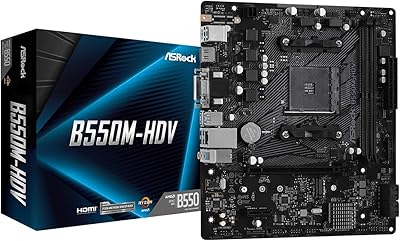
ASRock B550M-HDV Micro-ATX Motherboard

76%
91%
Value for Money
88%
CPU Compatibility
86%
Ease of Setup
89%
Stability & Reliability
58%
VRM & Power Delivery
More
ASUS Prime X299-A II ATX Motherboard
78%
92%
Power Delivery
88%
Thermal Management
91%
Build Quality
83%
BIOS Experience
78%
CPU Compatibility
More
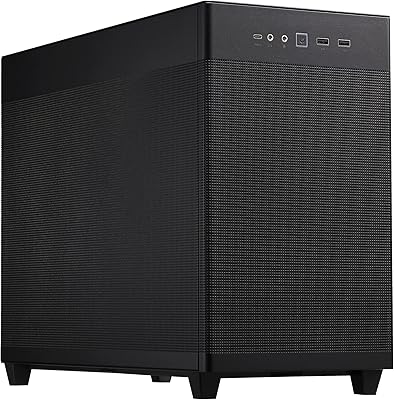
ASUS Prime AP201 Micro ATX PC Case
80%
93%
Airflow Performance
91%
Cooling Compatibility
84%
Build Quality
92%
GPU Compatibility
89%
Tool-Free Panel Access
More
ASUS Prime Z690-P D4 ATX Motherboard
76%
78%
Value for Money
83%
Power Delivery & VRM
81%
BIOS Experience
74%
Memory Compatibility
87%
Storage Expansion
More
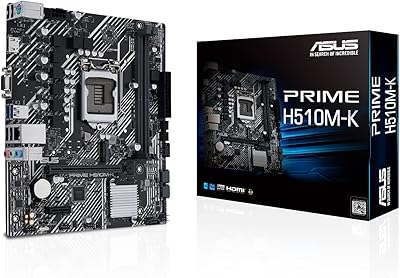
ASUS Micro-ATX Motherboard Intel H510 LGA 1200
86%
91%
Value for Money
88%
Performance
85%
Ease of Installation
82%
Cooling Efficiency
90%
Connectivity
More
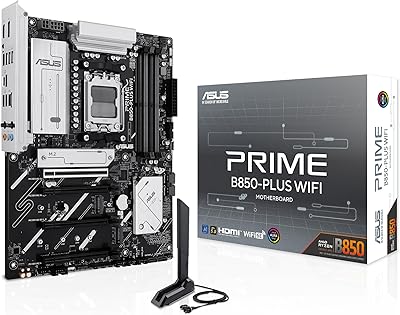
ASUS Prime B850-Plus WiFi ATX Motherboard
81%
88%
Build Quality
91%
Installation Experience
86%
BIOS & Firmware
89%
Connectivity & I/O
84%
PCIe 5.0 Readiness
More
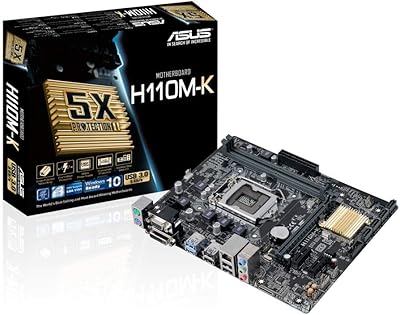
ASUS H110M-K Micro ATX DDR4 LGA 1151 Motherboard
84%
91%
Value for Money
89%
Installation & Setup
94%
Compatibility with Intel Processors
87%
Performance with DDR4 Memory
85%
Build Quality & Durability
More

FAQ

Yes, but not out of the box. The ASUS Prime B550M-A Micro ATX Motherboard requires a BIOS update before it will recognize any Ryzen 5000-series processor. If your board ships with an older BIOS, you will need either a compatible Ryzen 3rd-gen CPU to perform the update first, or you can check if the retailer offers BIOS flashing before shipping.

Yes, Micro ATX boards are supported by virtually all mid-tower and many compact cases. Just double-check your case specs to confirm mATX compatibility — most list it clearly. The board itself is 9.61 x 9.61 inches, which is the standard mATX footprint.

Absolutely. The rear panel includes an HDMI output specifically for this scenario. Just make sure your Ryzen processor has integrated graphics — not all do. Chips labeled with a G suffix (like the Ryzen 5 5600G) are the ones to look for.

For most home and gaming builds, two 16GB sticks in dual-channel configuration is the sweet spot. The four-slot layout gives you room to expand later, and the 128GB ceiling is more relevant for workstation use cases like video editing or virtualization. Running all four slots can sometimes require dropping memory speeds slightly — consult the QVL list for tested kits.

Honestly, it is not the board to reach for if overclocking is a priority. The VRM is designed for stable stock operation with mid-range Ryzen CPUs, and the B550 chipset does technically allow some CPU tuning — but the headroom here is modest. You can enable XMP for your RAM without any issues, but pushing CPU clocks hard on this platform is not what it was built for.

There is no onboard Wi-Fi on this board. If you need wireless connectivity, you will need to add either a PCIe Wi-Fi card or a USB Wi-Fi adapter. For most desktop setups, wired Gigabit Ethernet is the better choice anyway, but it is worth knowing before you buy.

The base JEDEC speed is 2133 MHz, but in practice most DDR4 kits running XMP profiles at 3200 MHz or 3600 MHz work without any trouble. Ryzen CPUs tend to respond well to 3600 MHz RAM with tight timings, so enabling XMP in the BIOS is one of the easiest performance wins you can make on this platform.

It genuinely is one of the friendlier UEFI environments out there. ASUS presents a simplified EZ Mode on first boot that covers the basics, with an advanced mode available once you are comfortable. Tasks like enabling XMP or checking boot device order are straightforward, and there is plenty of community documentation available if you get stuck.

Yes, the AM4 socket is physically compatible with Ryzen 9 chips. However, high-TDP Ryzen 9 processors pulling sustained power under full load can stress the VRM more than this compact AMD motherboard was designed to handle. For light workloads or casual use it may be fine, but for sustained heavy tasks like 3D rendering or encoding, a board with a more robust power delivery setup would serve you better long term.

The manufacturer warranty covers hardware defects under normal operating conditions for three years from the date of purchase. Community feedback on ASUS support is generally positive for clear-cut defect cases, though response times can vary. Keep your purchase receipt and register the product on the ASUS website early — it makes the warranty claim process noticeably smoother if you ever need it.

Where to Buy