Overview

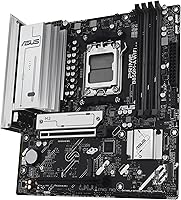
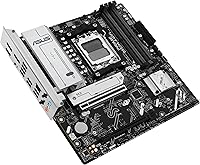
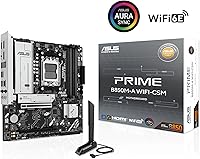
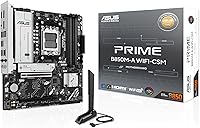
The ASUS Prime B850M-A WiFi-CSM mATX Motherboard is built squarely for business environments and professional workstation builders who need a compact, reliable AM5 platform without the overhead of a full ATX chassis. The CSM designation — short for Commercial Stable Model — matters more than it might first appear: it means ASUS commits to a stable supply chain, end-of-life notifications, and long-term BIOS support, which is exactly what IT managers need when deploying fleets of machines. At its mid-range price point, this B850 board punches above its weight on connectivity and remote management. Don't expect it to be an overclocking powerhouse — that's simply not what it's designed for.
Features & Benefits

What makes this mATX motherboard stand out is how well its spec sheet translates to practical daily use. The AMD B850 chipset with AM5 socket handles Ryzen 7000, 8000, and 9000 series CPUs with room to grow, while DDR5 support up to 8000 MHz ensures memory bandwidth won't become a bottleneck for years. Three M.2 slots — all covered by heatsinks — mean you can load up on fast NVMe storage without worrying about thermal throttling. The PCIe 5.0 x16 slot keeps GPU options wide open, and the combination of Wi-Fi 6E and 2.5Gb Ethernet covers both wireless and wired networking at speeds most office workloads will never saturate.

Best For

This B850 board is a natural fit for small business IT departments that need a manageable, compact workstation platform. The built-in ASUS Control Center Express software makes remote monitoring and system administration practical for teams without dedicated on-site support — a feature that rarely shows up at this price tier. DIY builders who want long-term peace of mind will also appreciate the CSM program's supply guarantees, which reduce the headache of sourcing replacements down the line. That said, if your priority is pushing Ryzen performance to its limits or building a head-turning gaming rig with elaborate lighting, this isn't your board. It's built for stability, not spectacle.

User Feedback

Across nearly 900 ratings, the Prime B850M-A lands at a solid 4.2 stars — respectable, but not without nuance. Buyers consistently praise stable day-to-day performance and a BIOS that's well-organized by ASUS standards. The connectivity package also draws positive attention, particularly from users who came from older platforms and welcomed having both fast wireless and 2.5Gb LAN ready out of the box. On the critical side, some reviewers flag a learning curve with ASUS Control Center Express, especially those unfamiliar with commercial management tools. A few note the accessory bundle feels sparse, and the B850 chipset's overclocking ceiling disappoints the occasional enthusiast expecting more tuning headroom. Business users, however, tend to walk away satisfied.

Pros

  • The CSM program guarantees long-term supply and end-of-life notices, which is rare at this price point.
  • Three M.2 slots with heatsinks give you serious NVMe storage flexibility without thermal compromises.
  • Wi-Fi 6E and 2.5Gb Ethernet together cover virtually any office or home network setup you'd throw at it.
  • PCIe 5.0 support on both the primary slot and an M.2 slot keeps this B850 board relevant for years.
  • ASUS Control Center Express adds enterprise-grade remote monitoring that most boards in this range simply don't offer.
  • DDR5 support up to 8000 MHz means memory bandwidth won't become a bottleneck as software demands grow.
  • The mATX form factor fits compact chassis without sacrificing the connectivity ports most workstation users actually need.
  • BIOS organization is clean and well-labeled, making initial setup straightforward even for less experienced builders.
  • Rear USB 10Gbps Type-A ports and front panel USB-C support cover both legacy and modern peripherals comfortably.
  • Broad CPU compatibility across Ryzen 7000, 8000, and 9000 series protects your investment through future processor upgrades.

Cons

  • The accessory bundle feels sparse for the price — don't expect extras beyond the basics.
  • ASUS Control Center Express has a real learning curve that casual or first-time users may find off-putting.
  • B850 chipset imposes a hard ceiling on overclocking headroom, which limits appeal for performance-focused builders.
  • The board's aesthetic is plain and utilitarian — no RGB, minimal visual flair for those who care about build aesthetics.
  • Some users report BIOS update friction, particularly when flashing without a CPU installed for the first time.
  • The mATX size, while a strength for compact builds, means fewer expansion slots compared to full ATX alternatives.
  • Control Center Express requires network and software configuration that adds setup time in non-managed environments.
  • A small number of buyers report inconsistent packaging quality, with minor cosmetic damage on arrival in isolated cases.

Ratings

The scores below reflect AI-driven analysis of verified global buyer reviews for the ASUS Prime B850M-A WiFi-CSM mATX Motherboard, with spam, bot activity, and incentivized feedback actively filtered out before scoring. Across nearly 900 real-world ratings, this board earns a measured 4.2-star consensus — and our category breakdowns show exactly where it earns that trust and where a few buyers hit friction. Both strengths and genuine pain points are reflected transparently, so you can make the right call for your specific build.

Platform Stability
91%
Users deploying this B850 board in office workstations consistently report rock-solid day-to-day operation with no unexpected crashes or memory instability. IT managers running multiple machines praise how rarely they need to intervene once the systems are configured and running.
A small cluster of reviewers noted occasional stability hiccups immediately after BIOS updates, requiring a CMOS reset to settle back down. These cases appear isolated rather than systemic, but they're worth noting for anyone managing a fleet without easy physical access.
Connectivity Options
89%
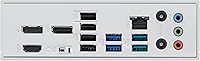
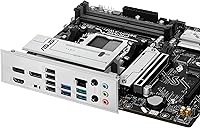
The combination of Wi-Fi 6E, 2.5Gb Ethernet, rear 10Gbps USB Type-A, and front-panel USB-C gives this mATX motherboard a port lineup that genuinely punches above its form factor. Users working across mixed wired and wireless environments appreciated not having to add PCIe cards just to get fast networking.
A handful of reviewers wished for a second USB-C port on the rear I/O, especially those using newer monitors or docking stations that rely on USB-C for both data and power delivery. The front-panel USB-C header runs at 5Gbps rather than 10Gbps, which slightly limits throughput for demanding external storage enclosures.
BIOS Experience
83%
ASUS's UEFI BIOS is consistently praised for its logical layout and clear labeling, making initial setup approachable even for builders who don't spend much time in firmware menus. Fan control through Fan Xpert integration within the BIOS is particularly well-regarded for professional builds that need quiet, predictable cooling behavior.
Flashing BIOS updates caused friction for a meaningful subset of reviewers, particularly when updating without a compatible CPU already installed. A few users also reported that some advanced power settings were buried deeper in menus than expected, adding unnecessary time to initial configuration.
Value for Money
81%
19%
For buyers who actually use the CSM program benefits and ASUS Control Center Express, the Prime B850M-A delivers genuine enterprise-grade management infrastructure at a mid-range price that comparable business boards rarely match. The inclusion of three M.2 heatsinks and Wi-Fi 6E at this tier reinforces the value argument for professional deployments.
Enthusiast home builders who have no need for managed IT features may feel they're paying a small premium for software and program benefits they'll never use. Compared to consumer-focused B850 alternatives, the accessory bundle feels thin — a spare set of SATA cables or a Wi-Fi antenna extension would go a long way.
Remote IT Management
86%
ASUS Control Center Express genuinely delivers on its promise for small business deployments — IT staff can monitor system health, receive alerts, and run basic diagnostics across multiple machines without being physically present. Reviewers managing five or more office builds called it the single most useful differentiator over standard consumer boards.
The software has a noticeable learning curve, and reviewers without prior exposure to enterprise management tools found the interface confusing in the first few hours. Documentation is adequate but not beginner-friendly, and setup requires some network configuration that solo DIY builders may find more trouble than it's worth.
Thermal Management
84%
VRM, M.2, and PCH heatsinks working together keep component temperatures in check even during sustained workloads like large file transfers or prolonged rendering tasks. Users who populated all three M.2 slots appreciated that none of the drives throttled under simultaneous read and write pressure.
The VRM heatsink, while functional, runs noticeably warm in compact chassis with limited airflow. Builders using smaller mATX cases with restricted front intake reported higher VRM temperatures than expected during CPU-intensive workloads, suggesting a case with decent airflow is genuinely important here.
Storage Expandability
87%
Three M.2 slots is an impressive allocation for an mATX form factor, and the heatsink coverage on all three is a practical detail that competitors sometimes skip on lower-tier boards. Users building NAS-adjacent workstations or creative workstations with heavy scratch disk requirements had no complaints about running out of fast storage lanes.
The primary PCIe 5.0 M.2 slot is the clear performance leader, while the secondary slots operate at PCIe 4.0 — a detail that isn't always obvious to buyers expecting uniform speeds across all slots. SATA port count is limited, so users with older 2.5-inch SSDs or HDDs may need to plan their storage layout carefully.
Build Quality
82%
18%
The 6-layer PCB and alloy chokes give the board a solid, premium feel that users noticed when handling it during installation. Component placement is practical for an mATX layout, with enough spacing between the M.2 slots and PCIe slot to avoid interference during cable management.
A small number of buyers received units with minor cosmetic damage, pointing to inconsistent packaging rather than a manufacturing defect. The board's utilitarian aesthetic — deliberately plain, no RGB — won't satisfy builders who care about visual presentation inside a windowed case.
CPU Compatibility
88%
Broad support across AMD Ryzen 7000, 8000, and 9000 series processors gives buyers genuine flexibility now and when they upgrade processors down the line. Users appreciated that the AM5 socket investment is protected, knowing newer Ryzen generations will slot right in without a board swap.
A small number of reviewers encountered BIOS compatibility mismatches with very recent Ryzen 9000 SKUs on early-shipped boards, requiring a BIOS update before the CPU would post. This is a known industry-wide issue with new platform launches, not specific to this board, but it's a real setup friction point.
Overclocking Headroom
54%
46%
For users whose definition of overclocking means enabling AMD Precision Boost Overdrive and letting the CPU manage its own frequency curves, the Prime B850M-A handles that scenario without complaint. Memory overclocking to high DDR5 speeds is also supported and generally stable when using certified memory kits.
The B850 chipset draws a hard line for enthusiasts who want full manual CPU multiplier control — it simply isn't there to the degree an X670E or X870 board would offer. Reviewers who purchased this board expecting serious manual tuning headroom were universally disappointed, and that frustration shows up consistently across critical reviews.
Software Ecosystem
73%
27%
ASUS's software suite beyond Control Center Express is reasonably mature — Armoury Crate and Fan Xpert give users enough system monitoring and fan tuning capability without needing third-party tools. Business users running Windows 11 found driver installation and software setup largely straightforward on first boot.
Armoury Crate's background resource usage drew complaints from users running leaner workstation builds who don't want unnecessary background processes. Some reviewers also noted that ASUS's software update cadence can lag behind new OS updates, occasionally causing minor compatibility friction after major Windows patches.
Installation Experience
78%
22%
Component placement and labeling on the board itself are practical, and the included quick-start guide covers the essentials clearly enough that experienced builders can get up and running without consulting the full manual. M.2 slot access is straightforward, with tool-free or single-screw retention that doesn't require removing surrounding components.
The included accessory bundle is notably sparse — a common complaint across reviews — and builders who need additional SATA cables or M.2 screws may find themselves making an extra purchase. First-time builders also noted that the manual, while complete, could benefit from clearer visual callouts for header locations.
Long-term Support
88%
The ASUS CSM program's supply continuity guarantees are a meaningful long-term benefit, particularly for IT managers who need to source identical replacement units months or years after initial deployment. BIOS update history for this board class suggests ASUS maintains support actively across the AM5 platform lifecycle.
The CSM benefits are largely invisible to home builders who don't manage fleets, and ASUS's consumer support channels — separate from the business-oriented CSM resources — are inconsistently rated by reviewers for speed of response. A few users reported slow turnaround on warranty claims through standard retail channels.
Wireless Performance
85%
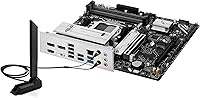
Wi-Fi 6E delivers noticeably faster and more stable wireless connections compared to Wi-Fi 5 or standard Wi-Fi 6, and users in offices or homes with tri-band routers immediately felt the difference during large file transfers and video calls. The onboard antenna setup is sufficient for most desktop placements without needing an aftermarket antenna.
Users in dense office environments with many competing wireless networks occasionally reported that signal consistency dropped more than expected at range, suggesting the integrated antenna design prioritizes throughput over raw range. The included antenna is adequate but not exceptional — external antenna options would improve performance in challenging RF environments.

Suitable for:

The ASUS Prime B850M-A WiFi-CSM mATX Motherboard is purpose-built for IT professionals and small business owners who need a compact, manageable workstation platform they can actually trust over the long haul. If you're deploying a handful of office machines and want to monitor or troubleshoot them remotely without buying additional management hardware, the built-in ASUS Control Center Express makes that genuinely practical at this price tier. The CSM program is a real differentiator for business buyers: guaranteed supply continuity and advance end-of-life notices mean you can plan procurement cycles without scrambling for substitutes mid-project. DIY builders who want a stable AM5 foundation for a productivity or professional workstation — especially in a smaller chassis — will find this B850 board hits a comfortable balance of modern connectivity and everyday reliability. Anyone stepping up to DDR5 and PCIe 5.0 for the first time, without the need for extreme tuning, will also find the Prime B850M-A a sensible and well-rounded starting point.

Not suitable for:

If your goal is to push a Ryzen processor as far as it will go, this mATX motherboard is not the right tool — the B850 chipset has an overclocking ceiling that will frustrate serious enthusiasts before they reach their CPU's limits. Gamers who prioritize VRM headroom for high-TDP processors, elaborate RGB lighting ecosystems, or a densely featured enthusiast BIOS will find this board underwhelming and probably a bit plain. The ASUS Prime B850M-A WiFi-CSM mATX Motherboard also isn't the best fit for buyers who want a plug-and-play experience with zero software learning curve, since ASUS Control Center Express requires some familiarity to get meaningful value from it. Users building a high-end content creation rig or a multi-GPU workstation will likely want a full ATX board with more expansion slots and beefier power delivery. In short, if your use case skews toward raw performance or enthusiast features, this board's strengths simply won't align with your priorities.
Specifications

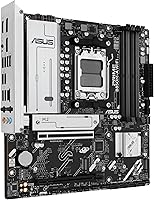
  • Form Factor: Micro-ATX (mATX) design fits compact mid-tower and small-form-factor chassis while retaining full-size expansion capability.
  • Chipset: AMD B850 chipset provides a balanced platform for mainstream and professional workstation builds on the AM5 architecture.
  • CPU Socket: AMD Socket AM5 supports Ryzen 7000, 8000, and 9000 series desktop processors without requiring a socket adapter.
  • Memory Type: Dual-channel DDR5 memory is supported, with speeds reaching up to 8000 MHz for high-bandwidth workloads.
  • Storage Slots: Three M.2 slots are included, each covered by a dedicated heatsink to maintain thermal stability under sustained NVMe loads.
  • PCIe Support: One full-length PCIe 5.0 x16 slot handles discrete GPUs, while at least one M.2 slot operates at PCIe 5.0 speeds for next-gen storage.
  • Wireless: Integrated Wi-Fi 6E delivers tri-band wireless connectivity with lower latency and higher throughput than previous Wi-Fi generations.
  • Wired LAN: A Realtek 2.5Gb Ethernet controller provides wired network speeds well above standard gigabit for file transfers and low-latency connections.
  • Rear USB: Rear I/O includes USB 10Gbps Type-A ports for high-speed peripheral connectivity without needing an add-in card.
  • Front USB: Front panel headers support USB 5Gbps Type-C, making it compatible with modern chassis with high-speed front-panel connectors.
  • Video Outputs: Onboard DisplayPort and HDMI outputs allow direct monitor connections when using a Ryzen processor with integrated graphics.
  • PCB Construction: A 6-layer PCB combined with alloy chokes and durable capacitors supports stable power delivery across extended operating periods.
  • Management Software: ASUS Control Center Express is pre-integrated, enabling remote IT monitoring, diagnostics, and system administration for managed deployments.
  • CSM Program: Participation in the ASUS Commercial Stable Model program guarantees a consistent supply chain, advance end-of-life notices, and extended BIOS support.
  • Cooling Headers: Hybrid fan headers combined with Fan Xpert 2+ software allow flexible, profile-based control of system and CPU cooling fans.
  • Thermal Management: VRM, M.2, and PCH heatsinks are all included to reduce temperatures across the board's most heat-sensitive components.
  • Weight: The board weighs 3.08 pounds, typical for an mATX design with integrated heatsinks and onboard networking hardware.
  • OS Support: The board is officially compatible with Windows 10 and Windows 11, covering the majority of business and professional deployment environments.

Related Reviews

ASUS Prime H610M-A D4-CSM Micro-ATX Motherboard
77%
83%
Build Quality
91%
Commercial Reliability
78%
BIOS Experience
76%
Value for Money
72%
Connectivity & I/O
More
ASUS Prime B650-PLUS WiFi AM5 Motherboard
80%
86%
Value for Money
91%
Feature Set
67%
VRM & Power Delivery
89%
BIOS & Setup Experience
84%
WiFi Performance
More
ASUS Prime A520M-A II/CSM microATX Motherboard
81%
93%
Platform Stability
88%
Value for Money
86%
BIOS Experience
84%
Build Quality
89%
Display Output Quality
More
ASUS PRIME Z890-P WIFI ATX Motherboard
81%
88%
Value for Money
91%
BIOS Experience
93%
Connectivity & I/O
84%
VRM & Power Delivery
89%
Wi-Fi 7 Performance
More
ASUS Prime H610M-E D4-CSM DDR4 Motherboard
78%
83%
Value for Money
78%
Build Quality
89%
Ease of Installation
86%
Compatibility
81%
BIOS Experience
More
ASUS TUF Gaming B850M-PLUS WiFi mATX Motherboard
82%
88%
Value for Money
86%
Build Quality & Durability
84%
Power Delivery
83%
BIOS Experience
71%
DDR5 Memory Compatibility
More
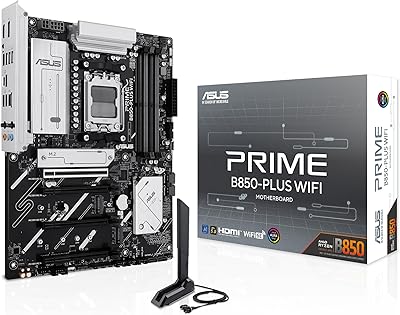
ASUS Prime B850-Plus WiFi ATX Motherboard
81%
88%
Build Quality
91%
Installation Experience
86%
BIOS & Firmware
89%
Connectivity & I/O
84%
PCIe 5.0 Readiness
More
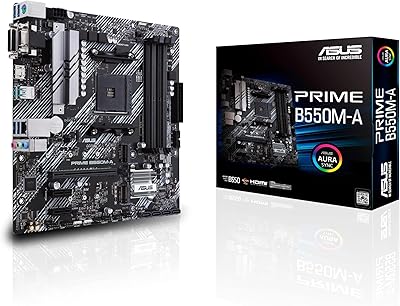
ASUS Prime B550M-A Micro ATX Motherboard
78%
91%
Value for Money
83%
Build Quality
93%
Ease of Installation
88%
BIOS & Software
79%
CPU Compatibility
More
ASUS Prime Z790-P ATX Motherboard
79%
91%
BIOS & Software Usability
86%
Build Quality & PCB
89%
Storage Expansion
84%
Connectivity & USB
83%
Network Performance
More
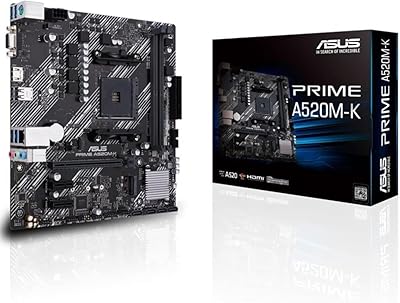
ASUS Prime A520M-K MATX Motherboard
73%
88%
Value for Money
83%
Build Quality
91%
Ease of Installation
86%
BIOS Experience
79%
CPU Compatibility
More

FAQ

In most cases, the ASUS Prime B850M-A WiFi-CSM mATX Motherboard ships with a BIOS version that already supports Ryzen 9000 series CPUs. That said, it's always worth checking the box label or ASUS's website for the shipped BIOS version before assuming compatibility, especially if you're pairing it with a brand-new processor. ASUS provides a USB BIOS FlashBack-style update path if needed, so you won't necessarily need a secondary CPU to flash.
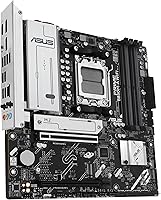
No — this B850 board has a single PCIe 5.0 x16 slot, so multi-GPU configurations aren't supported. For the vast majority of workstation and professional use cases, a single discrete GPU is plenty, and AMD's B850 platform doesn't support multi-GPU setups regardless of the board used.

CSM stands for Commercial Stable Model, which is ASUS's program for business-grade boards. Practically speaking, it means ASUS commits to keeping this specific board available for an extended period, notifies customers before discontinuing it, and provides longer-term BIOS and software support. For a personal build, the benefit is real but less critical — you get a more stable, longer-supported platform, but you're paying a slight premium for features that mainly matter at scale.

It does have a learning curve. Control Center Express is designed with managed business environments in mind, so the interface assumes some familiarity with network-based device management. If you're a home builder who doesn't need remote monitoring, you can simply ignore it — the board functions perfectly well without ever touching the software. But if you want to use it, budgeting an hour or two to read through ASUS's documentation is worth it.

The board has two DDR5 DIMM slots in a dual-channel configuration. While the maximum supported capacity isn't explicitly listed in the provided product data, B850 platform boards of this type typically support up to 96GB or 192GB depending on available DDR5 module densities. For most workstation workloads, two 32GB sticks running at high speed will be more than sufficient.

No. The AM5 platform and this mATX motherboard are DDR5-only — there's no DDR4 compatibility at all. If you're upgrading from an older platform, you'll need to budget for new DDR5 memory alongside the board and CPU.

Yes, but only if your Ryzen processor has integrated graphics. Ryzen 8000G series APUs include onboard graphics and will work with the rear HDMI and DisplayPort outputs directly. Standard Ryzen 7000 and 9000 non-G series processors don't have integrated graphics, so those ports won't output anything without a discrete GPU installed.

Not particularly. The B850 chipset allows some memory overclocking and Precision Boost tuning, but it doesn't give you the full manual overclocking controls that an X670 or X870 board would. If pushing your CPU's frequency ceiling is a priority, you'll want to look at a higher-tier chipset. For most users running productivity or workstation workloads, the performance headroom on this board is more than adequate.

Not necessarily. On B850 boards, the primary M.2 slot typically runs at PCIe 5.0 speeds, while the secondary slots may run at PCIe 4.0. For day-to-day use, PCIe 4.0 NVMe drives are still extremely fast and won't bottleneck most workloads. If you're specifically buying a PCIe 5.0 NVMe drive to maximize throughput, install it in the primary slot to get full bandwidth.

Any case that supports mATX motherboards will work, which includes the vast majority of mid-tower, compact mid-tower, and dedicated mATX cases. Full ATX towers will also fit an mATX board, though you'll have extra space inside. Mini-ITX cases will not work — those require a smaller board. Always double-check your case's listed motherboard compatibility before purchasing.

Where to Buy