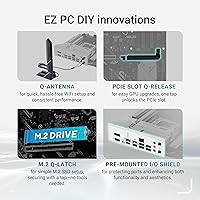
Overview

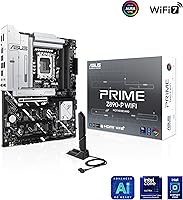
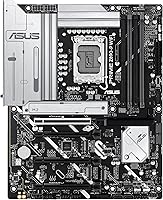
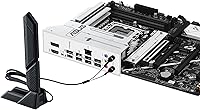
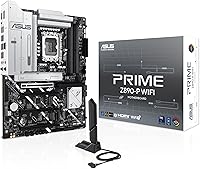
The ASUS PRIME Z890-P WIFI ATX Motherboard lands squarely in the middle of Intel's new Z890 lineup — capable enough to handle Arrow Lake's demands without pushing into territory where you're paying for features most builders will never use. It sits on the LGA 1851 socket, which means your investment has room to grow as Intel's Core Ultra Series 2 platform matures. What stands out at this price point is finding Wi-Fi 7 and Thunderbolt 4 built right in — connectivity that often costs extra elsewhere. The clean black PCB keeps things tidy whether you're building an open-frame workstation or a windowed gaming rig.
Features & Benefits

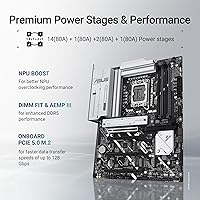
The power delivery on this Z890 board is well-thought-out for a mid-range option. The 14+1+1+2 VRM stages use 80A DrMOS components, meaning high-end Core Ultra chips run cool and stable under load — that matters if you plan to push memory speeds or tackle sustained workloads. Storage-wise, you get one PCIe 5.0 M.2 slot for a next-gen SSD alongside three PCIe 4.0 slots, so expansion won't be a concern anytime soon. DDR5 support stretches to 192GB with solid headroom for XMP profiles and manual tuning. AI Cooling and AI Networking are handy shortcuts for less experienced builders, automatically handling fan curves and network prioritization without manual fiddling.

Best For

The PRIME Z890-P WIFI hits its stride with builders who want a capable Arrow Lake foundation without overspending on overclocking tools they'll rarely use. It's a natural fit for content creators and hybrid workers — the Thunderbolt 4 port handles fast external drives or displays, and built-in Wi-Fi 7 with 2.5Gb Ethernet means you're covered whether wired or wireless. Planning to dabble in light AI workloads or push DDR5 memory configurations later? This mid-range Intel motherboard gives you the flexibility without forcing a platform swap. It won't satisfy someone chasing extreme overclocks, but for stable, long-term builds, it checks the important boxes.

User Feedback

Near 1,000 ratings and a 4.4-star average tell a consistent story. People who build with this Z890 board tend to stay happy, and the feedback patterns are revealing. BIOS usability is the most common compliment — particularly from first-time Z890 builders who expected a steeper learning curve than they actually faced. Wi-Fi 7 gets called out by name in a surprising number of reviews, with users noting it works reliably without fuss. The realistic downside: the PCIe 5.0 slot can run warm under heavy sustained reads and writes, so treating the heatsink as optional is a mistake. A handful of early buyers flagged firmware quirks, but ASUS pushes updates quickly.

Pros

  • Wi-Fi 7 is included at a price where most competing boards still ship with Wi-Fi 6E.
  • Thunderbolt 4 on the rear I/O panel covers fast external drives and displays without any add-in card.
  • Four M.2 slots — including one PCIe 5.0 — give builders real storage expansion room for years ahead.
  • The BIOS is consistently praised as one of the easier Z890 setups, especially for first-time Intel builders.
  • Solid VRM hardware keeps mid-to-high-end Core Ultra CPUs cool and stable under sustained workloads.
  • DDR5 support stretches up to 192GB with XMP headroom for memory performance tuning.
  • Fan Xpert 4 handles thermal management without requiring any third-party software.
  • 2.5Gb Ethernet is standard here, not an upgrade — useful for home lab and NAS users.
  • The LGA 1851 platform is still early in its life cycle, giving this board a longer useful runway than previous-gen options.
  • Nearly 1,000 ratings with a 4.4-star average reflects broad, real-world satisfaction across diverse build types.

Cons

  • The PCIe 5.0 M.2 slot runs noticeably warm under heavy sustained loads — the heatsink is not truly optional.
  • Early firmware shipped with quirks that required BIOS updates before the board performed as expected.
  • No onboard power or reset buttons make bench testing outside a case less convenient.
  • AI Cooling and AI Networking are useful shortcuts for beginners but offer little value for experienced builders.
  • The board lacks the dedicated overclocking tools and robust power delivery that hardcore overclockers expect.
  • Audio output is functional but unremarkable — audiophiles or streamers may want a discrete sound card.
  • Four memory slots cap out at DDR5, but maximum validated speeds may fall short of what premium kits can achieve on higher-end boards.
  • The all-black aesthetic is clean but plain — builders wanting RGB lighting or stylized shrouds will need to look elsewhere.

Ratings

The ASUS PRIME Z890-P WIFI ATX Motherboard has been scored by our AI system after analyzing verified purchase reviews from buyers worldwide, with spam, bot activity, and incentivized feedback actively filtered out. Scores reflect the honest balance of what real builders praised and where they ran into friction — nothing has been smoothed over to favor a cleaner narrative. Both the genuine strengths and the recurring pain points are transparently represented in every category below.

Value for Money
88%
Buyers repeatedly note that getting Wi-Fi 7, Thunderbolt 4, and four M.2 slots at this price point feels like a genuine deal compared to what competing Z890 boards offer at the same tier. For builders who would otherwise have to budget separately for a wireless card, the built-in connectivity alone justifies a strong value verdict.
A subset of buyers who primarily wanted a straightforward no-frills Z890 board felt they were paying for connectivity features — particularly Thunderbolt 4 — that their use case simply did not need. If you already have a wired-only setup and no Thunderbolt devices, the value equation feels less compelling.
BIOS Experience
91%
The UEFI BIOS is one of the most consistently praised aspects across reviews, particularly from first-time Z890 builders who expected a confusing setup experience and were pleasantly surprised. Fan control, XMP activation, and boot configuration are all accessible without digging through nested menus.
A notable number of early adopters encountered BIOS version issues straight out of the box that required a firmware update before the board posted reliably. While ASUS pushed fixes relatively quickly, builders who needed the system running immediately found the initial firmware state frustrating.
Connectivity & I/O
93%
The rear I/O panel stands out at this price tier — Thunderbolt 4, Wi-Fi 7 antenna connectors, 2.5Gb Ethernet, and a front-panel USB 10Gbps Type-C header give builders a genuinely modern connection set without add-in cards. Content creators connecting fast external SSDs or Thunderbolt displays via the rear port report it works exactly as expected.
The board does not include a dedicated video output on the rear I/O for Intel integrated graphics, which catches some buyers off guard who assumed basic display output would be available without a discrete GPU. USB port count on the rear panel, while adequate, leaves some power users wishing for more Type-A ports.
VRM & Power Delivery
84%
Running mid-to-high-end Core Ultra chips through sustained workloads — rendering, compilation, or extended AI tasks — the power delivery holds steady without the thermal throttling issues that plague weaker boards in this class. The 80A DrMOS stages give the board more headroom than its price bracket typically delivers.
Hardcore overclockers pushing voltage limits on top-tier Core Ultra SKUs have noted that the VRM setup, while solid for everyday use, does not provide the same ceiling as dedicated overclocking boards. It is a competent power solution for the target audience, but it was clearly not designed with extreme voltage tuning in mind.
Wi-Fi 7 Performance
89%
Wi-Fi 7 is one of the most mentioned positives across user reviews, with owners on compatible routers reporting noticeably faster and more stable wireless compared to their previous builds running Wi-Fi 6 or Wi-Fi 6E boards. Home office users in particular call out the connection stability during video calls and large file transfers.
The full speed benefit of Wi-Fi 7 is only realized with a compatible Wi-Fi 7 router, which most buyers do not yet own. Users still on Wi-Fi 6 hardware see backward-compatible performance but do not gain any tangible advantage over a board shipping with Wi-Fi 6E at a lower price.
M.2 Storage Thermal Management
67%
33%
The inclusion of a heatsink over the PCIe 5.0 M.2 slot shows ASUS anticipated the heat challenge that Gen 5 drives introduce. Builders who install the heatsink correctly report that sustained sequential transfers complete without significant throttling events.
Users who skipped the heatsink or installed it loosely consistently report the slot running hot enough to trigger thermal throttling during extended reads and writes — a real-world problem for anyone doing large video file work or frequent large backups. The heatsink should be treated as mandatory, not optional, and that expectation is not clearly communicated in the box.
DDR5 Memory Compatibility
79%
21%
XMP and EXPO profiles activate reliably without manual BIOS intervention in most cases, and the board handles popular DDR5 kits from major brands without fuss. Builders targeting the 6000–7200 MHz range for their Arrow Lake build report stable daily operation after a simple profile enable.
Some users with high-frequency DDR5 kits above 7600 MHz have encountered instability that required manual timing adjustments to resolve. The memory QVL list, while reasonable, does not cover every kit on the market, and buyers with less common DDR5 modules have occasionally needed trial-and-error tuning sessions.
Thermal Design & Heatsinks
81%
19%
The VRM heatsinks are well-dimensioned for a mid-range board and keep power delivery components cool even under prolonged workloads. Most builders report that with decent case airflow, temperatures across the board stay within comfortable ranges during typical daily use.
The PCH heatsink area runs warmer than some competing Z890 boards under heavy simultaneous M.2 and PCIe activity. Builders working in cases with limited airflow or fanless enclosures may see higher ambient board temperatures than those in well-ventilated mid-towers.
Build & Board Quality
86%
The 6-layer PCB, alloy chokes, and reinforced slot construction give this mid-range Intel motherboard a physical quality that feels a step above its price class. Builders who handle a lot of boards note that the component soldering and PCB finish look clean and consistent.
Some users note that the plastic shrouding around the I/O area feels slightly lightweight compared to the premium tactile quality of ASUS's ROG-branded boards. It is a minor cosmetic observation rather than a functional concern, but buyers expecting a flagship feel may notice the difference.
AI Cooling & Software Tools
72%
28%
Fan Xpert 4 with AI Cooling II is genuinely useful for builders who want a quiet system without manually mapping fan curves — it learns thermal patterns over time and adjusts accordingly. First-time builders specifically call it out as reducing one of the more intimidating parts of a new PC setup.
Experienced builders tend to disable the AI features entirely and configure their own curves, finding the automated behavior occasionally too aggressive or inconsistent under rapidly changing workloads. The AI Networking II component adds even less perceivable value in real-world use for most buyers.
Setup & Installation Experience
87%
Component layout is well-organized, with M.2 slots, power connectors, and fan headers positioned to minimize cable interference during installation. Several reviewers mention completing their first Arrow Lake build faster than expected, crediting the clear physical layout and straightforward BIOS.
The included documentation, while functional, is brief on troubleshooting guidance for edge cases like failed XMP posts or Thunderbolt device initialization. Builders who hit any non-standard setup scenario often end up on community forums rather than finding answers in the printed manual.
Overclocking Capability
58%
42%
Memory overclocking headroom is genuine and accessible for builders who want to push DDR5 speeds up from stock without deep expertise. The BIOS exposes enough voltage and timing controls for enthusiast-level memory tuning without requiring a more expensive board.
CPU overclocking capability is limited compared to Z890 boards designed specifically for that purpose — the VRM ceiling and the reduced toolset in BIOS make this the wrong choice for anyone whose primary motivation is pushing Core Ultra performance past stock limits. It was not built for that use case, and it shows.
Aesthetics & PCB Design
74%
26%
The all-black PCB and clean heatsink design work well in windowed cases without demanding attention — it is a professional, understated look that suits both gaming builds and workstation setups equally. Builders who prefer boards that do not clash with themed builds appreciate the neutral palette.
There is no onboard RGB lighting, which is a deliberate design choice but one that disappoints buyers who expected at least minimal addressable lighting at this price point. Compared to competing boards in the same tier that include RGB heatsink accents, this Z890 board looks plainly utilitarian to aesthetics-focused builders.
Long-Term Platform Viability
83%
The LGA 1851 socket is early in its life cycle, meaning buyers can reasonably expect future Core Ultra CPU compatibility without a board swap for at least one more processor generation. That runway makes this mid-range purchase feel more defensible compared to buying into a platform near its end of life.
Intel's track record on socket longevity has left some buyers skeptical about how many CPU generations will realistically be supported before a platform change forces an upgrade. While the Z890 platform is new, cautious buyers note that investing heavily in LGA 1851 accessories carries the same generational uncertainty as any Intel platform.

Suitable for:

The ASUS PRIME Z890-P WIFI ATX Motherboard is a strong match for builders who are stepping onto Intel's Arrow Lake platform for the first time and want a well-rounded foundation without stretching the budget toward enthusiast-tier pricing. Content creators who rely on fast external storage or high-bandwidth displays will appreciate the built-in Thunderbolt 4 port — it removes the need for an add-in card that other boards at this price would require. Home and hybrid office workers get genuine value from having Wi-Fi 7 and 2.5Gb Ethernet included out of the box, covering both wireless and wired connectivity without buying separate adapters. Builders who plan to expand their storage over time will find four M.2 slots — one of them PCIe 5.0 — gives them room to grow without swapping boards. Anyone who dreads BIOS configuration will feel at home here; the interface is routinely praised for being approachable even for first-time Z890 builders.
Not suitable for:

The ASUS PRIME Z890-P WIFI ATX Motherboard is not the right pick for serious overclockers who push voltage and power limits hard on high-end Core Ultra chips — the VRM setup is solid for typical use, but it lacks the headroom and tooling that dedicated overclocking boards provide. Builders expecting absolute silence from their storage under heavy workloads should be aware that the PCIe 5.0 M.2 slot can generate meaningful heat during sustained transfers, requiring attention to heatsink installation rather than treating it as optional. If you have no use for wireless connectivity or Thunderbolt and were hoping that cost would translate into richer overclocking features or a more premium audio codec, you may feel like you are paying for things that do not fit your build priorities. Small form factor enthusiasts building in ITX or Micro-ATX cases will need to look elsewhere, as the ATX footprint is non-negotiable here. And while early BIOS issues have largely been resolved through updates, buyers who dislike managing firmware on a fresh platform launch should factor that into their expectations.

Specifications

  • CPU Socket: Uses the LGA 1851 socket, compatible with Intel Core Ultra Series 2 (Arrow Lake) processors.
  • Chipset: Built on the Intel Z890 chipset, enabling PCIe 5.0 support and full platform feature access.
  • Form Factor: Standard ATX layout measuring 13.9 x 10.8 inches, fitting most mid-tower and full-tower cases.
  • Memory Support: Supports DDR5 RAM across four slots with a maximum capacity of 192GB and configurable speed profiles.
  • Power Delivery: Features a 14+1+1+2 power stage design using 80A DrMOS components for stable CPU power under sustained loads.
  • PCB Construction: Built on a 6-layer PCB with alloy chokes and high-endurance capacitors for long-term electrical stability.
  • M.2 Storage: Provides four M.2 slots total: one PCIe 5.0 (with heatsink) and three PCIe 4.0 slots for additional drives.
  • Wireless: Integrated Wi-Fi 7 module supports the latest wireless standard for faster speeds and lower latency on compatible routers.
  • Wired LAN: Onboard 2.5 Gigabit Ethernet port provides a fast wired connection without needing a separate network card.
  • Thunderbolt 4: Rear I/O includes one Thunderbolt 4 USB Type-C port supporting up to 40Gbps data transfer and external display output.
  • Front Panel USB: Internal header supports a front-panel USB 10Gbps Type-C port for high-speed device connections at the case front.
  • Fan Headers: Multiple hybrid fan headers are managed through Fan Xpert 4 software with AI Cooling II for automatic thermal tuning.
  • Thunderbolt Header: Includes an internal Thunderbolt (USB4) header for compatible front-panel or add-in Thunderbolt expansion.
  • Dimensions: Board measures 13.9 x 10.8 x 2.8 inches, consistent with standard ATX sizing requirements.
  • Weight: The board weighs approximately 4 pounds, typical for a full-featured ATX motherboard with integrated heatsinks.
  • OS Support: Officially supported on Windows 11, in line with Intel Core Ultra Series 2 platform requirements.
  • Color: Ships in an all-black finish with a clean PCB aesthetic suited to both windowed gaming cases and professional workstation builds.

Related Reviews
ASUS Prime Z490-P ATX Motherboard
83%
92%
Stability and Reliability
88%
Cooling Performance
85%
Ease of Installation
90%
Compatibility with Intel 10th Gen CPUs
87%
Value for Money
More
ASUS Prime Z690-P D4 ATX Motherboard
76%
78%
Value for Money
83%
Power Delivery & VRM
81%
BIOS Experience
74%
Memory Compatibility
87%
Storage Expansion
More
ASUS Prime B850-Plus WiFi ATX Motherboard
81%
88%
Build Quality
91%
Installation Experience
86%
BIOS & Firmware
89%
Connectivity & I/O
84%
PCIe 5.0 Readiness
More
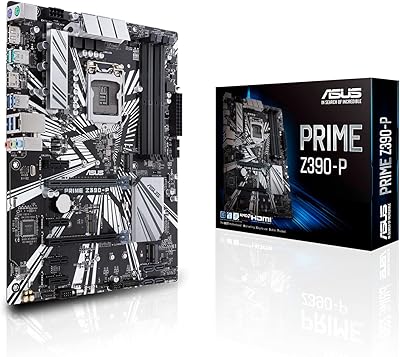
ASUS Prime Z390-P Motherboard
84%
88%
Performance
91%
Build Quality & Durability
85%
Overclocking Capabilities
84%
PCIe Expansion Slots
87%
Cooling & Fan Control
More
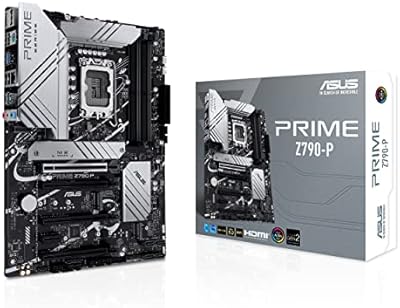
ASUS Prime Z790-P ATX Motherboard
79%
91%
BIOS & Software Usability
86%
Build Quality & PCB
89%
Storage Expansion
84%
Connectivity & USB
83%
Network Performance
More
ASUS Prime B650-PLUS WiFi AM5 Motherboard
80%
86%
Value for Money
91%
Feature Set
67%
VRM & Power Delivery
89%
BIOS & Setup Experience
84%
WiFi Performance
More
ASUS Prime X299-A II ATX Motherboard
78%
92%
Power Delivery
88%
Thermal Management
91%
Build Quality
83%
BIOS Experience
78%
CPU Compatibility
More
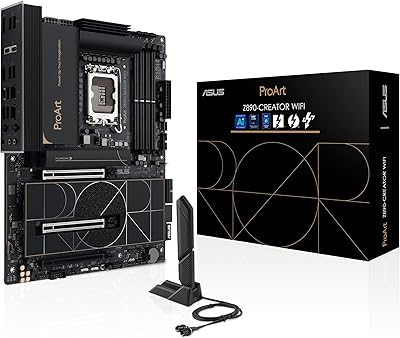
ASUS ProArt Z890-CREATOR WIFI ATX Motherboard

82%
91%
Build Quality
94%
Connectivity Breadth
83%
BIOS Experience
74%
DDR5 Stability
68%
Value for Money
More
ASUS TUF Gaming Z890-PRO WiFi Motherboard
82%
91%
Build Quality
93%
Power Delivery
84%
BIOS Experience
87%
Memory Compatibility
82%
Thermal Management
More
ASRock Z890 LiveMixer WiFi ATX Motherboard
75%
91%
Connectivity & I/O
88%
WiFi 7 Performance
54%
BIOS Experience
83%
CPU Power Delivery
78%
DDR5 Memory Support
More

FAQ

No, the PRIME Z890-P WIFI uses the LGA 1851 socket, which is physically incompatible with older LGA 1700 chips like 12th, 13th, or 14th Gen Intel CPUs. It is designed exclusively for Intel Core Ultra Series 2 (Arrow Lake) processors.

It depends on when your unit was manufactured. Boards shipped after the initial launch period are more likely to have a current BIOS already loaded. That said, it is always worth checking the ASUS support page for the latest firmware version before your first boot, since early BIOS releases on this platform had some reported quirks that subsequent updates addressed.

Technically yes, but it is not advisable. The PCIe 5.0 slot runs noticeably warm under sustained read and write workloads, and running a Gen 5 SSD without the heatsink can trigger thermal throttling, reducing performance. Treat the included heatsink as a required part of the installation, not an accessory.

DDR5 only. The Z890 platform does not support DDR4, so if you are upgrading from an older build and have existing DDR4 kits, those will not carry over. Budget for new DDR5 memory as part of your Arrow Lake build.

Wi-Fi 7 is backward compatible, so it will work fine with your existing Wi-Fi 6 or Wi-Fi 6E router at that router's supported speeds. The Wi-Fi 7 hardware future-proofs the board — when you eventually upgrade your router, you will not need to swap the board or add an adapter.

You get four M.2 slots for NVMe SSDs, plus SATA ports for traditional 2.5-inch or 3.5-inch drives. The exact number of active SATA ports depends on how many M.2 slots are occupied, since some lanes are shared, so check the manual for bandwidth allocation details if you plan a heavily populated storage build.

The board does not have a dedicated video output for integrated graphics on its own rear I/O panel the way some boards with DisplayPort do. Your display connectivity will primarily come through your discrete GPU. The Thunderbolt 4 port can drive an external display if your use case calls for it.

AI Cooling II monitors your system's thermal behavior over time and automatically adjusts fan speeds to balance noise and temperature without manual tuning. It is genuinely convenient for builders who do not want to spend time on custom fan curves in BIOS. Experienced builders who already have a preferred thermal profile may find they simply set their own curves and ignore it entirely — both approaches work fine.

It handles XMP and EXPO profiles reliably and gives you room to push DDR5 speeds above stock settings. Where it draws the line is at the extreme end — if you are chasing maximum memory frequencies with tight timings as a primary goal, a higher-end Z890 board with more aggressive memory tuning tools will serve you better. For most builders who want fast DDR5 without becoming a memory overclocking specialist, the PRIME Z890-P WIFI is plenty.

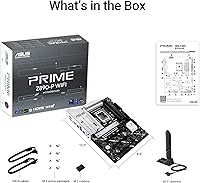
ASUS typically ships this board with SATA cables, an M.2 rubber package for installation, a Wi-Fi antenna, and documentation including a quick installation guide. The exact accessory count can vary slightly by region, so it is worth reviewing the official ASUS product page for your market's box contents before assuming you have everything you need for cable management.

Where to Buy