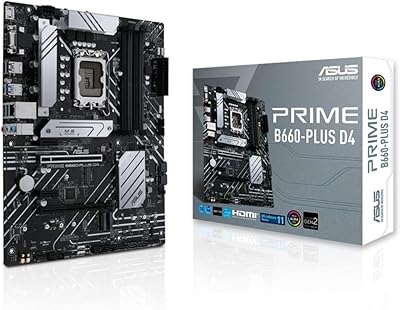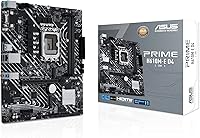
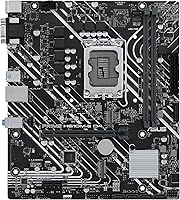
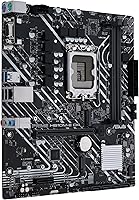

Overview

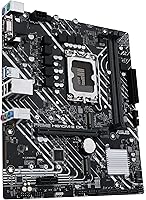
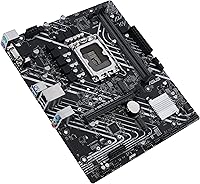
The ASUS Prime H610M-E D4-CSM DDR4 Motherboard is a micro-ATX board built with one clear purpose: reliable, no-fuss operation for office workstations and entry-level desktop builds. It supports Intel's LGA 1700 socket, meaning you can drop in a 12th or 13th Gen Core, Pentium Gold, or Celeron processor without compatibility headaches. Choosing DDR4 over DDR5 keeps memory costs down, which matters when outfitting multiple machines. The CSM designation — standing for Corporate Stable Model — is worth understanding: ASUS guarantees a 12-month supply window, provides end-of-life notices, and controls engineering change notifications, giving IT procurement teams the predictability they rarely get from consumer-grade boards.

Features & Benefits

The Intel H610 chipset at the heart of this ASUS H610 board does exactly what it promises for non-overclocking builds — stable, dependable routing between your CPU, memory, and storage. A 32 Gbps M.2 slot lets you install a fast NVMe drive directly on the board, skipping the need for an add-in card entirely. Wired networking comes via Realtek 1 Gb Ethernet, which holds up well in busy office environments where Wi-Fi proves unreliable. The thermal setup — a PCH heatsink paired with Fan Xpert 2+ — is modest but appropriate for the workloads this board targets. For IT teams managing fleets, ASUS Control Center Express handles endpoint monitoring without requiring expensive third-party software.

Best For

This CSM motherboard suits small businesses and IT departments that need to deploy consistent, maintainable workstations at scale. If you already have DDR4 RAM on hand, using it here makes obvious financial sense rather than buying into a DDR5 platform. Home builders assembling a light-duty PC around a 12th or 13th Gen Core i3, Pentium Gold, or Celeron will find this board covers the basics cleanly. The H610 chipset does not support overclocking, so enthusiasts chasing performance headroom should look at a B660 or Z690 board instead. For anyone who values platform stability over raw horsepower, though, this is a well-suited pick.

User Feedback

Reviews of this budget Intel motherboard lean positive, especially from IT professionals who appreciate how straightforward the BIOS is right out of the box. Build quality earns consistent praise — buyers note it feels sturdy and well-constructed for the price tier. On the critical side, some home builders flag the limited expansion options; the H610 chipset offers fewer PCIe lanes than mid-range alternatives, which can feel restricting if you plan to add multiple cards. The ACCE software is praised by sysadmins managing multiple units but considered largely unnecessary by solo home builders. A few users wrestle with the DDR4 decision, though most who already owned compatible RAM reported no regrets.

Pros

  • CSM designation guarantees 12-month component supply, making bulk deployments far easier to plan.
  • Compatible with both 12th and 13th Gen Intel CPUs, giving IT buyers meaningful flexibility across refresh cycles.
  • DDR4 support lets cost-conscious builders reuse existing memory instead of buying new kits.
  • The 32 Gbps M.2 slot accommodates fast NVMe storage without needing a separate adapter card.
  • BIOS setup is consistently praised as intuitive, even for first-time builders.
  • Realtek 1 Gb Ethernet delivers stable wired connectivity that holds up well in busy office networks.
  • Build quality feels solid and well-manufactured relative to the price point.
  • ASUS Control Center Express is a genuine time-saver for IT admins managing multiple machines.
  • Micro-ATX form factor fits compact cases without sacrificing the essential connectivity ports.
  • Supports up to 64 GB of DDR4 RAM, which is more than enough headroom for office and light creative workloads.

Cons

  • No overclocking support at all — the H610 chipset locks CPU and memory speeds at stock.
  • Fewer PCIe lanes than B660 or Z690 boards, limiting multi-card or high-bandwidth expansion options.
  • Strictly DDR4 only, so buyers planning a long-term DDR5 migration will need a different platform entirely.
  • ACCE management software adds little practical value for solo home builders or small personal setups.
  • Only one M.2 slot, which can feel restrictive for users who want both a fast boot drive and secondary NVMe storage.
  • USB connectivity is functional but not exceptional — no USB4 or Thunderbolt support on this tier.
  • No Wi-Fi or Bluetooth built in, requiring an add-in card or USB adapter for wireless connectivity.
  • Limited appeal for gaming builds where chipset-level feature gaps become more noticeable under load.

Ratings

The scores below reflect AI-analyzed feedback from verified global buyers of the ASUS Prime H610M-E D4-CSM DDR4 Motherboard, with spam, bot activity, and incentivized reviews actively filtered out before analysis. Each category captures both what users genuinely appreciated and where real frustrations surfaced, giving you an honest, unvarnished look at how this CSM motherboard performs across a range of real-world deployment scenarios.

Value for Money
83%
IT buyers and home builders consistently note that this ASUS H610 board punches above its price bracket for productivity-focused builds. When paired with DDR4 memory already on hand, the total platform cost comes in well below comparable DDR5 setups without a meaningful performance gap for office workloads.
Enthusiast buyers who stretch their budget expecting mid-range feature parity tend to feel let down, particularly around PCIe lane count and storage expandability. If you need more than one M.2 slot or multiple PCIe devices, the value calculation shifts noticeably.
Build Quality
78%
22%
For a board positioned at the budget end of the market, buyers are pleasantly surprised by how solid it feels in hand. Component placement is tidy, the PCB has no flex complaints, and the PCH heatsink is properly anchored rather than feeling like an afterthought.
A handful of reviewers point out that the VRM area looks minimal compared to even slightly pricier alternatives, which is fine for stock-clocked Celerons but raises mild concern for sustained Core i7 or i9 workloads over long periods. The overall aesthetic is purely functional, which some home builders find uninspiring.
Ease of Installation
89%
This CSM motherboard draws repeated praise for its intuitive BIOS and clean out-of-box setup experience. First-time builders report getting from unboxing to POST in under 30 minutes, and the included documentation is clear enough that most users never needed to consult a forum.
A small number of users report needing a BIOS update before a 13th Gen CPU would post correctly, which can be tricky if you do not have an older compatible processor handy for the initial flash. This is a chipset-level limitation rather than a board defect, but it catches unprepared builders off guard.
Compatibility
86%
Broad support for both 12th and 13th Gen Intel processors on a single socket makes this budget Intel motherboard a practical long-term option for phased office upgrades. DDR4 kit compatibility is reported as excellent across major memory brands without fussy XMP negotiation issues.
The board is locked to DDR4, so buyers planning a memory platform migration to DDR5 further down the line will need an entirely new board and kit. Some users also note that not all high-speed DDR4 kits hit their rated XMP speeds reliably on the H610 chipset.
BIOS Experience
81%
19%
The ASUS UEFI BIOS is clean and navigable even for users who have never configured a motherboard before. IT administrators particularly appreciate the stability-focused defaults, which means workstations come out of deployment with sensible settings without manual intervention.
Power users looking for granular tuning options will find the BIOS menu options noticeably sparse compared to ASUS boards on B660 or Z690. Overclocking menus are absent entirely, and fan curve customization, while present, is less detailed than on higher-tier ASUS products.
Connectivity
71%
29%
For an office-oriented board, the Realtek 1 Gb Ethernet holds up well under constant network traffic in shared office environments. The combination of USB 3.2 Gen 1 and the generous USB 2.0 port count covers most peripheral needs without requiring a hub.
The absence of onboard Wi-Fi or Bluetooth is a genuine inconvenience for home users who assumed basic wireless was included at this price. There is also no USB4 or Thunderbolt support, which limits high-bandwidth peripheral options for anyone doing light creative work.
Storage Options
73%
27%
The single 32 Gbps M.2 slot is the standout storage feature and works well as a fast boot drive for NVMe SSDs in everyday office builds. SATA ports cover traditional HDD and SATA SSD needs without issue for most standard configurations.
Having only one M.2 slot becomes a real constraint for users who want both a primary NVMe OS drive and a secondary NVMe data drive. Anyone managing local storage-heavy workflows will likely need to rely on external drives or SATA alternatives, which adds friction.
Thermal Management
69%
31%
The PCH heatsink keeps chipset temperatures reasonable under typical office workloads, and Fan Xpert 2+ gives users enough control to keep systems quiet during light usage periods. Buyers running Pentium Gold or Celeron CPUs with modest coolers report no thermal issues whatsoever.
Under sustained load with a higher-end Core i7 or i9, the minimal VRM area shows its limits, with some reviewers noting thermal throttling during extended rendering or compilation tasks. The board is simply not thermally equipped for workloads it was never designed to handle.
IT Management (ACCE)
74%
26%
System administrators managing dozens of machines in corporate environments find ASUS Control Center Express genuinely useful for remote monitoring, asset tracking, and basic endpoint control without needing a separate software license. Deployment consistency across identical units is where ACCE earns its keep.
For solo home users or small setups with two or three machines, ACCE adds no practical value and the interface feels overbuilt for the task. Setup requires some familiarity with IT management concepts, which makes it inaccessible to the average home builder.
Supply Reliability
91%
The CSM program is a meaningful differentiator for business buyers who have been burned by sudden product discontinuations mid-deployment cycle. The 12-month guaranteed supply window and formal EOL notices let procurement teams plan hardware refreshes without scrambling for substitutes.
For individual home builders, the supply guarantee is largely invisible and does not translate into any tangible benefit during a single-unit purchase. The premium associated with the CSM designation means you are partly paying for something that only IT departments will actually use.
Performance Stability
82%
18%
Day-to-day operational stability is where this budget Intel motherboard genuinely delivers. Users running continuous office workloads — document processing, ERP clients, video conferencing — report zero unexpected reboots or driver conflicts over extended periods of use.
The H610 chipset imposes a performance ceiling that becomes apparent when workloads scale up. Users who started with light tasks and later pushed toward video editing or virtualization found the platform ran into bottlenecks earlier than a B660 alternative would have.
Expansion Potential
58%
42%
For the specific use case this board targets — a stable single-GPU or GPU-free workstation — the available PCIe slot is sufficient and functions without issue. Adding a single discrete GPU or Wi-Fi card works exactly as expected.
The limited PCIe lane allocation from the H610 chipset means adding more than one expansion card quickly becomes a compromise. Users who wanted both a dedicated GPU and a PCIe Wi-Fi card simultaneously ran into bandwidth and slot conflicts not present on mid-range chipsets.
Documentation & Support
76%
24%
ASUS provides a reasonably thorough printed manual and backs it with a well-organized online support portal. Business buyers also benefit from ASUS enterprise support channels that come as part of the CSM program.
Community forum support for CSM-specific variants is thinner than for mainstream consumer boards, so niche troubleshooting questions sometimes go unanswered for longer than expected. Driver update cadence is functional but not as frequent as ASUS maintains for its flagship consumer lines.

Suitable for:

The ASUS Prime H610M-E D4-CSM DDR4 Motherboard is a strong fit for IT managers and small business owners who need to deploy predictable, low-maintenance workstations without constantly chasing component availability. The CSM designation gives procurement teams a genuine advantage: a guaranteed 12-month supply window, formal end-of-life notices, and engineering change control mean you can order in batches and expect consistency across units. Budget-conscious home builders who already own DDR4 memory will also get solid value here, since the board handles 12th and 13th Gen Intel processors without forcing an expensive platform upgrade. For anyone building a light office PC around a Celeron or Pentium Gold chip, this board covers all the practical bases cleanly. Integrators tasked with building reproducible, auditable systems will appreciate that ASUS Control Center Express is included without extra licensing costs.

Not suitable for:

The ASUS Prime H610M-E D4-CSM DDR4 Motherboard is the wrong choice for anyone who wants to push hardware beyond its rated specs, since the H610 chipset offers no overclocking support whatsoever. Enthusiasts planning to run a Core i9 at maximum boost, pair it with a high-end GPU, or load up multiple PCIe cards will quickly run into the chipset's limited lane allocation compared to B660 or Z690 alternatives. Builders who want to future-proof with DDR5 memory should also look elsewhere, as this board is locked to the DDR4 platform. Content creators, gamers, or anyone running compute-heavy workloads will find the H610 chipset an unnecessary bottleneck when mid-range boards are available for a modest price difference. Home users who have no interest in fleet management will also find the ACCE software irrelevant to their setup.

Specifications

  • Socket: Uses the Intel LGA 1700 socket, supporting 12th and 13th Gen Intel Core, Pentium Gold, and Celeron processors.
  • Chipset: Powered by the Intel H610 chipset, designed for stable, non-overclocking office and entry-level desktop use.
  • Form Factor: Micro-ATX layout measuring 9.6 x 8.3 inches, compatible with most standard mid-tower and micro-ATX cases.
  • Memory Type: Supports DDR4 RAM across two DIMM slots, with a maximum capacity of 64 GB.
  • Memory Speed: RAM can operate at speeds of up to 4600 MHz depending on the installed CPU and memory kit.
  • Storage: Includes one M.2 slot running at up to 32 Gbps, supporting NVMe SSDs for fast primary storage.
  • Ethernet: Realtek 1 Gb wired Ethernet port provides reliable network connectivity for office and home environments.
  • USB Ports: Offers USB 3.2 Gen 1 ports for modern peripherals alongside 12 USB 2.0 ports for broader device compatibility.
  • Thermal Design: Equipped with a PCH heatsink and Fan Xpert 2+ software support for basic but adequate system cooling management.
  • Management: Includes ASUS Control Center Express (ACCE) for IT endpoint monitoring and management in multi-unit deployments.
  • OS Support: Fully compatible with Windows 10 and Windows 11 out of the box.
  • Supply Program: Sold under the ASUS CSM program, which guarantees a 12-month supply window, EOL notice, and engineering change notifications.
  • Weight: The board weighs 1.1 pounds, making it straightforward to handle and install in most standard cases.
  • Color: Ships in a standard black PCB finish typical of business-class and productivity-focused motherboards.
  • Overclocking: The H610 chipset does not support CPU or memory overclocking; all components run at their rated stock speeds.

Related Reviews
ASUS Prime H610M-A D4-CSM Micro-ATX Motherboard
77%
83%
Build Quality
91%
Commercial Reliability
78%
BIOS Experience
76%
Value for Money
72%
Connectivity & I/O
More
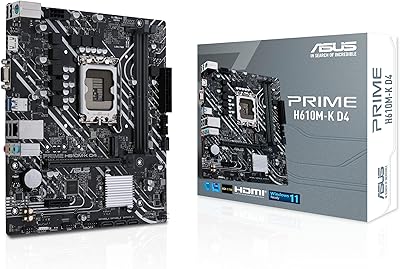
ASUS Prime H610M-K D4 Motherboard
83%
90%
Value for Money
88%
Ease of Installation
85%
Build Quality
80%
Performance in Gaming
83%
Performance in Productivity Tasks
More
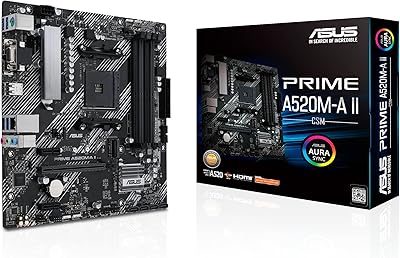
ASUS Prime A520M-A II/CSM microATX Motherboard
81%
93%
Platform Stability
88%
Value for Money
86%
BIOS Experience
84%
Build Quality
89%
Display Output Quality
More
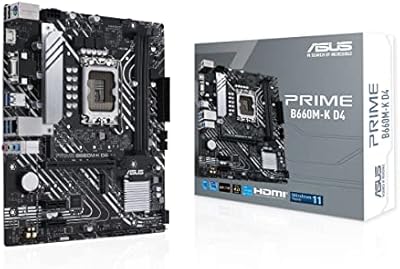
ASUS Prime B660M-K D4 mATX Motherboard
70%
88%
Value for Money
83%
Build Quality
81%
BIOS Experience
61%
Connectivity & I/O
34%
Overclocking Capability
More
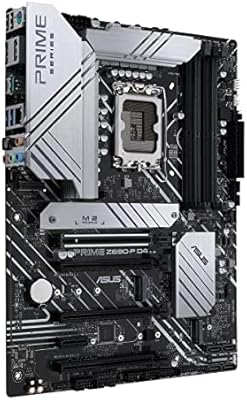
ASUS Prime Z690-P D4 ATX Motherboard
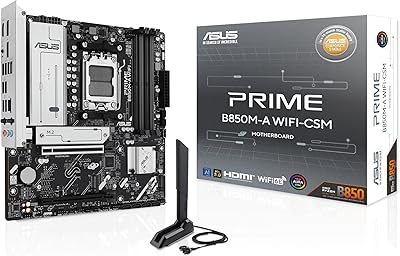
76%
78%
Value for Money
83%
Power Delivery & VRM
81%
BIOS Experience
74%
Memory Compatibility
87%
Storage Expansion
More
ASUS Prime B850M-A WiFi-CSM mATX Motherboard
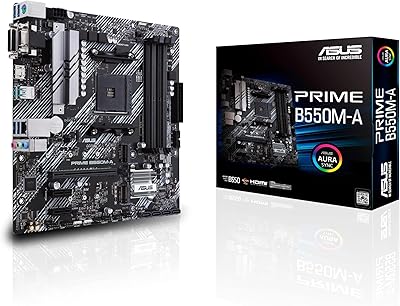
82%
91%
Platform Stability
89%
Connectivity Options
83%
BIOS Experience
81%
Value for Money
86%
Remote IT Management
More
ASUS Prime B550M-A Micro ATX Motherboard
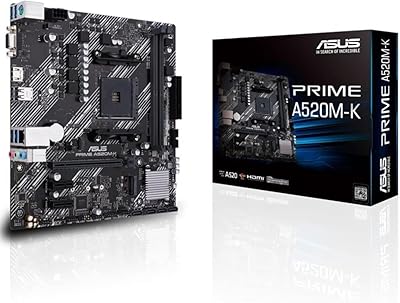
78%
91%
Value for Money
83%
Build Quality
93%
Ease of Installation
88%
BIOS & Software
79%
CPU Compatibility
More
ASUS Prime X470-Pro ATX Motherboard
78%
88%
BIOS Usability
63%
VRM & Power Delivery
91%
Out-of-Box Stability
71%
RAM Compatibility
86%
Storage Expansion
More
ASUS B660-PLUS D4 ATX Motherboard
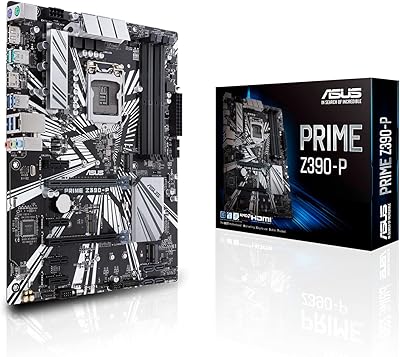
83%
88%
Value for Money
84%
Build Quality
86%
BIOS Experience
91%
Connectivity
93%
Storage Capability
More
ASUS Prime Z790-P ATX Motherboard
79%
91%
BIOS & Software Usability
86%
Build Quality & PCB
89%
Storage Expansion
84%
Connectivity & USB
83%
Network Performance
More

FAQ

Yes, the LGA 1700 socket on this CSM motherboard is fully compatible with both 12th and 13th Gen Intel Core processors, including Core i3, i5, i7, and i9 chips. Just make sure your BIOS is updated if you are pairing it with a 13th Gen CPU right out of the box.

Absolutely. This board is built around the DDR4 platform, so if you already own DDR4 memory, you can slot it straight in without buying new kits. It supports up to 64 GB across two DIMM slots at speeds up to 4600 MHz.

CSM stands for Corporate Stable Model, which is an ASUS program that guarantees component availability for at least 12 months, along with formal end-of-life and engineering change notices. For home builders, it is mostly irrelevant day-to-day, but it does signal that this board is built for long-term, consistent production runs rather than being quietly discontinued without warning.

It has a dedicated M.2 slot running at up to 32 Gbps that accepts NVMe drives natively, so no adapter is needed. Just slide your NVMe SSD into the slot and secure it with the included screw.

No, the Intel H610 chipset does not support overclocking of any kind. Both CPU multiplier adjustments and memory XMP beyond standard profiles are locked. If overclocking is on your priority list, you should be looking at a B660 or Z690 board instead.

It is a very practical option for a home office build, especially if you are pairing it with a mid-range Intel CPU for everyday tasks like document editing, web browsing, video calls, and light multitasking. Just keep in mind it is not built for heavy creative workloads or gaming.

No, there is no onboard Wi-Fi or Bluetooth on this budget Intel motherboard. If you need wireless connectivity, you will need to add a PCIe Wi-Fi card or use a USB wireless adapter.

Honestly, not very. ACCE is designed for IT administrators managing fleets of machines, so features like remote monitoring and endpoint control are geared toward business environments. If you are building a single home PC, you can safely ignore it without missing anything.

Any standard LGA 1700-compatible cooler will work fine. The board includes a PCH heatsink for the chipset itself, and Fan Xpert 2+ lets you control fan curves through software, so you have decent thermal management flexibility even with affordable cooling options.

The H610M-E D4-CSM includes SATA ports for connecting traditional hard drives or SATA SSDs in addition to the M.2 slot, which covers typical home or office storage needs without issue. Check the official ASUS spec sheet for the exact port count if you are planning a multi-drive setup.

Where to Buy