Overview

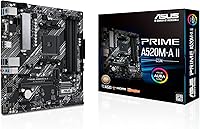
The ASUS Prime A520M-A II/CSM microATX Motherboard is a no-nonsense commercial-grade board built for small business deployments and office workstations rather than gaming rigs. The CSM designation is worth understanding upfront — it stands for Commercial Stable Model, meaning ASUS commits to up to 36 months of supply continuity, engineering change notifications, and end-of-life advance notice. That matters enormously to IT teams standardizing hardware across dozens of machines. The AMD A520 chipset keeps things grounded: no overclocking support, no PCIe 4.0, just dependable day-to-day operation. Think of it as a reliable workhorse, not a performance showpiece.
Features & Benefits

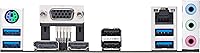
The Prime A520M-A II/CSM packs a surprising amount of connectivity for its tier. On the display side, HDMI 2.1 supports 4K at 60Hz output alongside DisplayPort and D-Sub, giving you flexibility to run modern monitors without a discrete GPU. The 32 Gbps M.2 slot handles fast NVMe drives without eating into your SATA connections — practical for builds combining an SSD with spinning storage. Perhaps the most underrated feature is ECC memory support. That is genuinely uncommon at this price point and makes the board worth considering for accounting workstations or any machine where data integrity is a real concern, not just a spec-sheet checkbox.

Best For

This microATX workstation motherboard hits a clear target: IT managers and small business owners who prioritize predictability over peak specs. The 36-month supply guarantee means you can order the same board months later without scrambling for a substitute — a real advantage when standardizing a fleet. Pairing it with a Ryzen APU build makes perfect sense for office machines that only need integrated graphics, cutting both cost and complexity. It also earns a place in light NAS or server roles where ECC memory is more than a nice-to-have. Hardcore gamers or anyone planning to overclock should look elsewhere; this board was simply never designed for that.

User Feedback

Across more than 800 ratings, this ASUS commercial board holds a solid 4.5 stars, and the pattern behind those numbers is fairly consistent. Buyers repeatedly highlight BIOS navigation as clean and approachable, even for builders who are not deeply technical. Reliable POST behavior comes up often too — the board tends to boot without drama. On the critical side, a handful of reviewers note that certain Ryzen CPUs require a BIOS update before they will post, which is worth planning for if you are not starting with a pre-compatible chip. The absence of PCIe 4.0 is the other recurring gripe, though that is a chipset-level reality rather than a design shortcut.

Pros

  • CSM program guarantees up to 36 months of supply continuity — a huge plus for IT fleet standardization.
  • ECC memory support is rare at this price point and adds real data integrity for financial or critical workstations.
  • HDMI 2.1 enables 4K at 60Hz output without a dedicated graphics card when paired with a Ryzen APU.
  • The 32 Gbps M.2 slot handles fast NVMe storage without sacrificing any SATA ports.
  • Three display output options — HDMI, DisplayPort, and D-Sub — cover virtually any monitor combination.
  • BIOS navigation is widely praised as clean and approachable, even for less experienced builders.
  • 5X Protection III safeguards the LAN port, DRAM slots, and PCIe slot against overcurrent and static damage.
  • ASUS Control Center Express allows remote endpoint management, which simplifies multi-machine IT deployments.
  • Compact microATX footprint fits smaller cases without sacrificing the essential connectivity most office builds need.
  • Consistent, reliable POST behavior means less troubleshooting time during initial setup or redeployment.

Cons

  • No CPU overclocking support whatsoever — the A520 chipset locks multipliers completely.
  • PCIe 4.0 is absent, limiting future NVMe drive speeds to PCIe 3.0 throughput.
  • Some Ryzen CPU models require a BIOS update before the board will POST, which needs a compatible chip on hand.
  • Only a single M.2 slot — builders wanting multiple fast SSDs will need to rely on SATA instead.
  • USB port selection is modest, with just USB 3.2 Gen 1 Type-A and two USB 2.0 ports on the rear.
  • Limited VRM headroom makes it unsuitable for higher-TDP Ryzen processors under sustained workloads.
  • No Wi-Fi or Bluetooth onboard — a separate adapter is required for wireless connectivity.
  • The A520 platform is end-of-life in terms of AMD roadmap, so there is no upgrade path to future CPU generations.
  • Aura Sync RGB headers feel out of place for a commercial board and add little practical value for office deployments.

Ratings

The ASUS Prime A520M-A II/CSM microATX Motherboard earns a strong overall standing across more than 800 verified global reviews, with our AI scoring system filtering out incentivized, duplicate, and bot-generated submissions to surface what real buyers actually experienced. The scores below reflect both the genuine strengths that make this board a standout for commercial and home-office builds, and the honest trade-offs that matter depending on your use case.
Platform Stability
93%
Across hundreds of office and workstation deployments, users consistently report clean boots, reliable POST behavior, and zero unexpected shutdowns during sustained daily use. IT managers deploying this board across small fleets specifically call out how rarely it requires intervention once configured.
A small number of users noted that stability with certain Ryzen CPU and RAM combinations required BIOS tuning out of the box, suggesting the default configuration is not always optimal for every pairing.
Value for Money
88%
Buyers repeatedly highlight that ECC memory support, three display outputs, and a 32 Gbps M.2 slot at this price tier are genuinely hard to match. For office and light server builds, the feature set punches well above what comparable boards typically offer.
Enthusiast buyers who later realized the A520 chipset lacks PCIe 4.0 and overclocking felt the value proposition weakened once they outgrew the platform, making resale or upgrade paths limited compared to a B550 board at only slightly higher cost.
BIOS Experience
86%
The ASUS UEFI BIOS is frequently praised for its logical layout and clear labeling, making first-time setup far less intimidating than competing budget boards. Even users with limited technical background report successfully configuring memory profiles and boot order without outside help.
Several reviewers encountered situations where newer Ryzen CPUs required a BIOS update that itself needed an older compatible processor to perform — a frustrating chicken-and-egg problem for builders who do not have a spare chip available.
Build Quality
84%
The board feels solid in hand, with a reinforced PCIe slot, stainless-steel rear I/O panel, and visible VRM and PCH heatsinks that suggest ASUS did not cut corners on the physical construction for a commercial-tier product.
A few buyers noted the heatsinks feel modest in size compared to more expensive boards, and there is visible cost-reduction in the capacitor selection around the VRM area — acceptable for office loads but noticeable under inspection.
Display Output Quality
89%
Having HDMI 2.1 capable of genuine 4K at 60 Hz alongside DisplayPort and D-Sub on a board at this price is a strong differentiator. Home office users running a single 4K display or two 1080p monitors via APU report clean, sharp output with no signal instability.
Running all three outputs simultaneously is not fully supported due to platform limitations, which catches some multi-monitor users off guard. The D-Sub port is also increasingly redundant for modern monitor setups.
Connectivity & I/O
71%
29%
The USB 3.2 Gen 1 Type-A ports handle everyday peripherals reliably, and the 1 Gb LAN with LANGuard protection performs consistently in office network environments without packet loss issues users sometimes see on cheaper implementations.
The rear USB port count is genuinely modest — only two USB 2.0 and a handful of Gen 1 Type-A ports — and the absence of USB-C on either the rear panel or front header is a real gap for users with modern peripherals or external drives.
Storage Options
74%
26%
The single 32 Gbps M.2 slot handles fast NVMe drives cleanly without stealing SATA bandwidth, and users building compact office machines with one SSD and one hard drive find the storage layout practical and well-organized.
Having only one M.2 slot is a meaningful limitation for anyone building a NAS or workstation with multiple fast drives. Users who need two NVMe SSDs will be forced to use SATA adapters, which negates the speed advantage of the second drive.
ECC Memory Support
91%
Among the most-praised features by professional and small-server buyers, ECC support adds genuine data integrity protection that is almost unheard of at this price point. Financial workstation and light server builders specifically call it out as the deciding factor in choosing this board.
ECC functionality is CPU-dependent, and some buyers did not realize this until after purchasing — not every AM4 processor enables ECC, which led to frustration when the feature appeared inactive despite buying ECC-rated RAM.
Thermal Management
77%
23%
Fan Xpert 2+ gives users enough control to keep noise levels low during typical office workloads, and the included VRM heatsink handles mid-range Ryzen processors comfortably during sustained tasks like document processing or light multitasking.
Under heavier workloads with higher-TDP Ryzen chips, the VRM thermal solution shows its limits. Users running demanding applications for extended periods reported throttling behavior, suggesting the board is best paired with 65W TDP or lower processors.
CSM Program & Supply Guarantee
94%
IT procurement teams and system integrators consistently rate this as one of the board's most valuable real-world features. Knowing the exact SKU will remain available for up to 36 months with advance end-of-life notice removes a major headache from standardized deployment planning.
For individual home builders, the CSM program offers little personal benefit and adds no tangible performance advantage — it is a commercial-facing perk that solo builders are essentially paying a small premium for without ever using.
Overclocking Capability
31%
69%
For buyers who never intended to overclock — which is the intended audience for this board — the locked multiplier and stable base clocks are actually a feature, not a flaw, ensuring predictable behavior across a long deployment lifecycle.
The A520 chipset provides zero CPU overclocking support, and RAM tuning is also restricted compared to B550 boards. Buyers who discovered this limitation after purchase and wanted performance headroom expressed significant regret at not spending slightly more.
IT Management (ACCE)
82%
18%
ASUS Control Center Express earns genuine praise from small business IT teams managing five to twenty machines, offering hardware health monitoring, remote asset tracking, and update management from a single dashboard without requiring enterprise-level infrastructure.
For individual users or home builders, ACCE adds no meaningful value and the setup process feels unnecessarily complex if you just need it for a single machine. The tool is clearly designed for fleet management, not solo deployments.
Setup & Installation
83%
Most builders report a smooth physical installation experience, with clearly labeled headers, an intuitive component layout, and enough documentation to get a first-time builder through the process without needing external guides.
The occasional need for a BIOS update before certain CPUs will POST remains the most cited installation friction point, and the bundled accessories are minimal — no POST diagnostic LEDs or Q-connector block, which some buyers expected at this price.
Form Factor Practicality
87%
The microATX footprint fits cleanly in a wide range of cases while still accommodating all the essentials — full-length GPU, M.2 drive, and two RAM sticks — without feeling cramped. Office compact builds especially benefit from the smaller chassis options this enables.
Upgraders moving from full ATX boards occasionally find the reduced PCIe slot count and tighter component spacing slightly restrictive, particularly if they planned to add a multi-port NIC or other expansion cards alongside a dedicated GPU.
Long-term Reliability
88%
Buyers who have run this board in always-on workstation or NAS roles for over a year report no capacitor failures, no degradation in connectivity performance, and no unexpected component failures — the 5X Protection III suite appears to deliver on its promises in practice.
The AM4 platform has reached its end of AMD's development roadmap, meaning there are no future CPU generations to upgrade to on this socket. Long-term reliability is strong, but the upgrade ceiling is already fixed.

Suitable for:

The ASUS Prime A520M-A II/CSM microATX Motherboard is purpose-built for buyers who value predictability and long-term supply stability over raw performance headroom. IT administrators managing standardized office fleets will appreciate the CSM program most — knowing the exact same board will be available for up to 36 months, with advance notice before any engineering changes or discontinuation, is a genuine operational advantage. Small business owners building affordable workstations around a Ryzen APU get solid 4K display output and fast NVMe storage without needing a discrete GPU, keeping the total build cost lean. Home office users who need a dependable daily driver on a tight budget will find this board covers every practical base. It also suits budget-conscious builders putting together a light NAS or file server, since ECC memory support at this price tier is legitimately unusual and adds real data integrity for critical storage roles.
Not suitable for:

The ASUS Prime A520M-A II/CSM microATX Motherboard is a poor fit for anyone who plans to push hardware limits or build a high-performance gaming rig. The A520 chipset does not support CPU overclocking, and there is no PCIe 4.0, which rules out getting the most out of next-generation NVMe drives or high-bandwidth discrete GPUs. Enthusiast builders who want multiple M.2 slots, PCIe lane flexibility, or advanced VRM configurations for power-hungry Ryzen processors will quickly feel constrained here. Gamers expecting low-latency memory tuning or aggressive XMP profiles beyond what the chipset permits will be disappointed. If you are building a content creation workstation, video editing rig, or anything that genuinely taxes CPU and memory bandwidth, a B550 or X570 board is a more sensible investment.
Specifications

  • Form Factor: MicroATX format measuring 10.75 x 10.5 inches, compatible with standard mATX and full ATX cases.
  • Weight: The board weighs 1.27 pounds, typical for a populated microATX design with heatsinks attached.
  • CPU Socket: AMD AM4 socket supporting 3rd Gen Ryzen and 3rd Gen Ryzen with Radeon integrated graphics processors.
  • Chipset: AMD A520 chipset, which provides stable platform support without CPU overclocking or PCIe 4.0 capability.
  • Memory: Two DDR4 DIMM slots supporting speeds up to 4400 MHz, with ECC unbuffered memory officially supported.
  • Storage: One M.2 slot running at up to 32 Gbps via PCIe 3.0, plus additional SATA 6 Gbps ports for traditional drives.
  • Display Outputs: Rear panel includes HDMI 2.1, DisplayPort, and D-Sub (VGA), supporting a maximum resolution of 4K at 60 Hz.
  • Ethernet: Onboard 1 Gigabit Intel LAN with ASUS LANGuard surge and electrostatic discharge protection built in.
  • USB Ports: Rear panel provides USB 3.2 Gen 1 Type-A ports alongside two USB 2.0 ports for legacy peripherals.
  • RGB Headers: Includes an addressable Gen 2 ARGB header and a standard RGB header, both compatible with ASUS Aura Sync software.
  • Protection Suite: 5X Protection III covers overvoltage protection, DRAM overcurrent protection, LANGuard, SafeSlot Core, and stainless-steel rear I/O.
  • Cooling Headers: Multiple fan headers are supported by ASUS Fan Xpert 2+ software for basic thermal management and fan speed control.
  • VRM Cooling: Dedicated VRM heatsink and PCH heatsink are included to maintain stable power delivery under sustained workloads.
  • CSM Lifecycle: Covered under the ASUS Commercial Stable Model program with up to 36 months of guaranteed supply and advance EOL notification.
  • Management: Compatible with ASUS Control Center Express for centralized IT endpoint monitoring and management across multiple deployed machines.
  • Platform: Designed for Windows 10 operating environments, consistent with commercial workstation deployment requirements.
  • PCIe Slots: Includes a PCIe 3.0 x16 slot for discrete GPU installation, along with additional PCIe slots for expansion cards.

Related Reviews
ASUS Prime A520M-K Motherboard
84%
94%
Value for Money
88%
Performance with Ryzen CPUs
91%
Ease of Setup
79%
Expansion Capabilities
90%
Compatibility with Ryzen Processors
More
ASUS Prime X299-A II ATX Motherboard
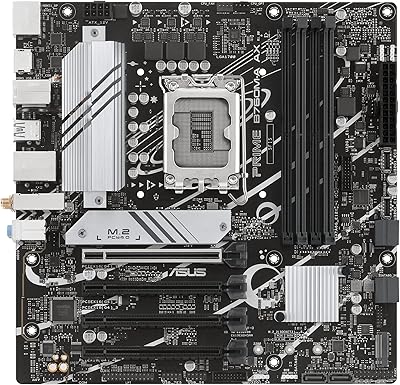
78%
92%
Power Delivery
88%
Thermal Management
91%
Build Quality
83%
BIOS Experience
78%
CPU Compatibility
More
ASUS Prime H610M-A D4-CSM Motherboard
86%
89%
Value for Money
91%
Performance for Business Tasks
88%
Ease of Use/Setup
85%
Reliability
84%
PCIe 4.0 Speed
More
ASUS Prime B760M-A AX
83%
91%
Value for Money
88%
Connectivity & I/O
79%
Wireless Performance
74%
DDR5 Memory Compatibility
93%
BIOS & Setup Experience
More
Asus Prime H610M-E D4-CSM Motherboard
84%
89%
Value for Money
85%
Performance
90%
Build Quality
88%
Ease of Installation
82%
Cooling Effectiveness
More
ASUS Prime B850M-A WiFi-CSM AMD AM5 mATX Motherboard
84%
89%
Performance
92%
Build Quality
85%
Cooling Efficiency
78%
Setup and Installation
91%
Compatibility with Ryzen Processors
More
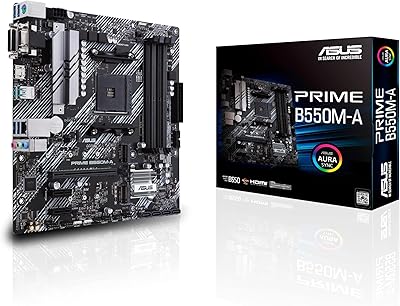
ASUS Prime B550M-A Motherboard
84%
91%
Value for Money
89%
Build Quality
85%
Performance (Gaming)
93%
Ease of Installation
88%
Compatibility with AMD Ryzen Processors
More
ASUS Prime X470-Pro ATX Motherboard
78%
88%
BIOS Usability
63%
VRM & Power Delivery
91%
Out-of-Box Stability
71%
RAM Compatibility
86%
Storage Expansion
More
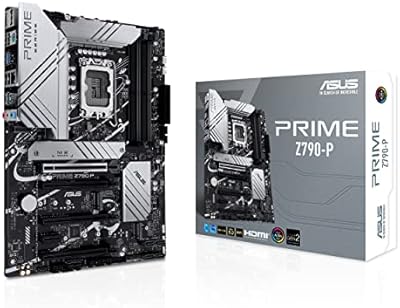
ASUS Prime Z790-P ATX Motherboard
79%
91%
BIOS & Software Usability
86%
Build Quality & PCB
89%
Storage Expansion
84%
Connectivity & USB
83%
Network Performance
More
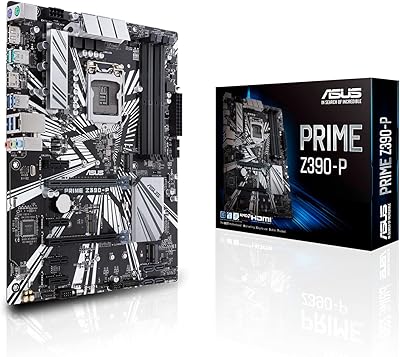
ASUS Prime Z390-P Motherboard
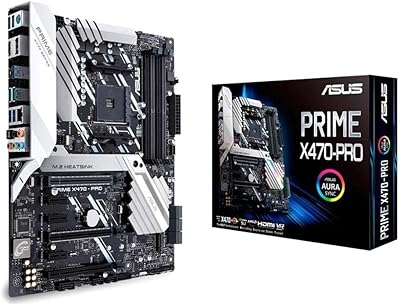
84%
88%
Performance
91%
Build Quality & Durability
85%
Overclocking Capabilities
84%
PCIe Expansion Slots
87%
Cooling & Fan Control
More

FAQ

The A520 chipset officially supports AMD 3rd Gen Ryzen processors. While some A520 boards received BIOS updates for limited Ryzen 5000 compatibility, support is not guaranteed across all models and SKUs. If you are planning to use a 5000 series chip, check the ASUS CPU support list for this specific board before purchasing.

CSM stands for Commercial Stable Model. It is an ASUS program that guarantees the board will remain available for purchase for up to 36 months, with advance notice before any design changes or discontinuation. For IT departments standardizing hardware across many machines, that predictability is worth a lot — you can reorder the exact same board months later without worrying about mid-cycle substitutions.

Yes, but only if you pair the board with a Ryzen processor that includes integrated Radeon graphics — look for the G suffix in the CPU name, such as a Ryzen 5 5600G. With an APU installed, the HDMI 2.1 port supports 4K output at 60 Hz, and the DisplayPort and D-Sub outputs are also active. A CPU without integrated graphics will leave those ports inactive.

Yes, it does. ECC unbuffered DDR4 memory is officially supported, which is genuinely uncommon at this price tier. It is worth noting that ECC functionality also depends on the CPU — Ryzen Pro and some standard Ryzen processors support ECC, but not every AM4 chip does. Confirm your CPU supports ECC before buying ECC-rated RAM.

Possibly, depending on which CPU you have. Newer Ryzen processors sometimes require a BIOS update that itself requires an older, compatible CPU to perform. If you do not have a spare AM4 chip to use for the update, it is worth checking whether the board ships with a BIOS version that already supports your specific processor. ASUS does offer a USB BIOS Flashback alternative on some boards, though you should confirm availability on this exact model.

It is a reasonable choice for that use case. The ECC memory support adds a layer of data integrity you typically only find on more expensive server boards, and the stable power delivery makes it suitable for always-on operation. Just keep in mind you only get one M.2 slot and a handful of SATA ports, so plan your storage layout accordingly before committing.

The board has three rear display outputs — HDMI 2.1, DisplayPort, and D-Sub — but the A520 platform typically allows only two simultaneous outputs when using integrated graphics. Check the ASUS specification sheet to confirm the exact dual-display configuration supported, as this varies by chipset and driver implementation.

Not through traditional XMP overclocking in the same way a B550 or X570 board allows. The A520 chipset supports AMD EXPO and some memory frequency adjustments up to 4400 MHz, but aggressive manual overclocking is restricted. For most office or workstation use cases this will not matter, but it is a real limitation if memory bandwidth is important to you.

ASUS Control Center Express is a free IT management tool that lets administrators remotely monitor hardware health, manage system updates, and track asset information across multiple deployed machines from a central dashboard. It is primarily aimed at businesses running several workstations rather than individual home users, but it adds meaningful value for anyone managing even a small fleet.

Yes. MicroATX boards are smaller than full ATX but use the same mounting hole pattern subset, so they fit comfortably in any case that supports ATX or microATX. You will simply have more unused space inside an ATX mid-tower, which actually improves airflow. Just confirm your chosen case lists microATX support in its specifications.

Where to Buy