Overview

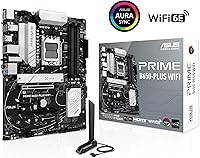
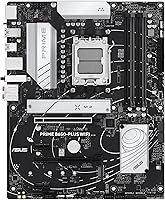
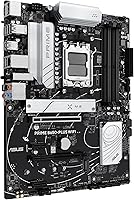
The ASUS Prime B650-PLUS WiFi AM5 Motherboard sits in a comfortable middle ground — feature-rich enough to satisfy enthusiasts, priced sensibly enough that you're not paying for things you'll never use. Built around AMD's B650 chipset in an ATX form factor, this B650 board has a clean, unfussy look that fits into virtually any mid-tower without clashing with your build aesthetic. What makes it worth considering over rivals from MSI or Gigabyte at similar prices is the connectivity package it brings to the table. One practical note upfront: if you're pairing it with a Ryzen 9000 series chip, expect a BIOS update before your system posts — standard procedure, but worth knowing before build day.
Features & Benefits

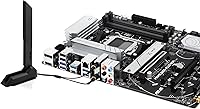
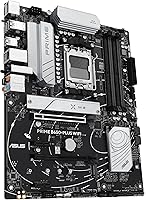
The connectivity story is where this AM5 motherboard genuinely earns its keep. A PCIe 5.0 M.2 slot means your next high-speed NVMe drive won't be bottlenecked by the board itself. Pair that with WiFi 6E and a Realtek 2.5Gb Ethernet port, and you have fast, reliable network access whether you're hardwired or wireless. The Thunderbolt 4 header is arguably the standout spec here — rare at this price tier and genuinely useful for video editors or anyone who moves large files to external drives. ASUS OptiMem II helps DDR5 run at higher frequencies with better signal stability, and full heatsink coverage across the VRM, M.2, and PCH keeps temperatures well managed under sustained loads.

Best For

This B650 board hits a sweet spot for builders pairing a mid-range Ryzen 7000 or 9000 processor with a solid GPU — whether that's a gaming rig or a productivity workstation. Content creators who need Thunderbolt 4 access for fast external storage will find this a practical option that doesn't require stepping up to a pricier X670 board. It's also a strong pick for AM4 upgraders making their first move to DDR5 and AM5, since BIOS FlashBack takes much of the friction out of initial setup. Home and small-office users get WiFi 6E built in, which means one fewer card to buy and one fewer slot to use.

User Feedback

Across nearly 900 ratings, the ASUS Prime B650-PLUS WiFi earns a solid 4.2-star average — positive, but not without caveats. The BIOS interface consistently gets praise for being approachable, and BIOS FlashBack draws particular appreciation from builders who've had to update firmware without a compatible CPU in hand. WiFi 6E performance satisfies the majority of home and office users with little complaint. Where feedback gets more critical: the rear I/O USB ports feel limited against some rivals at this price, and builders running demanding chips like the Ryzen 9 7950X report that the VRM can struggle. For mainstream Ryzen processors, though, thermal performance holds up well.

Pros

  • Thunderbolt 4 header is a rare differentiator at this price point, genuinely useful for video editors and creators.
  • PCIe 5.0 M.2 slot ensures your next high-speed NVMe drive won't be limited by the board itself.
  • WiFi 6E and 2.5Gb Ethernet together make this one of the better-connected B650 boards available.
  • BIOS FlashBack lets you update firmware without a CPU or RAM installed, a real time-saver on first builds.
  • ASUS OptiMem II helps DDR5 run at higher frequencies with improved signal stability compared to basic B650 designs.
  • VRM, M.2, and PCH heatsinks are all included, keeping thermals well managed for mainstream Ryzen chips.
  • The BIOS interface is consistently praised for being approachable, even for builders new to AM5.
  • Clean ATX layout fits a wide range of cases without forcing compromises on cable routing or component clearance.
  • Aura Sync RGB header support allows lighting integration without paying for a premium flagship board.
  • Broad CPU compatibility covers Ryzen 7000, 8000, and 9000 series, giving the board long-term platform flexibility.

Cons

  • VRM performance falls short for high-TDP flagship Ryzen processors running sustained heavy workloads.
  • Rear I/O USB port count feels limited compared to rival B650 boards in a similar price range.
  • Ryzen 9000 series users will almost certainly need a BIOS update before the system will post for the first time.
  • The Thunderbolt 4 header may require an additional controller card for full device compatibility, which adds cost.
  • No integrated 10Gb Ethernet means heavy network users will need a separate card for top-tier wired speeds.
  • DDR5 base clock support starts at 4000 MHz, which may require manual tuning to get the most from faster kits.
  • Aura Sync RGB ecosystem lock-in means mixing non-ASUS lighting hardware can complicate software management.
  • Limited PCIe lane allocation compared to X670 boards restricts multi-device builds that need maximum bandwidth.

Ratings

The scores below for the ASUS Prime B650-PLUS WiFi AM5 Motherboard were generated by our AI rating engine after analyzing verified global buyer reviews, actively filtering out incentivized, duplicate, and bot-driven feedback to surface what real builders actually experienced. Both the standout strengths and the recurring frustrations are reflected honestly in each category score — nothing has been smoothed over to make this B650 board look better or worse than it is.
Value for Money
86%
For builders who want a feature-rich AM5 platform without paying X670 prices, this board delivers an unusually strong return. PCIe 5.0 storage, WiFi 6E, and a Thunderbolt 4 header at this price tier genuinely stand out against similarly priced rivals from MSI and Gigabyte.
A few buyers feel that some of those savings show up in the USB port count on the rear I/O, which feels tighter than expected at this price. If you regularly use multiple USB-A peripherals, the compromise becomes noticeable in daily use.
Feature Set
91%
The combination of PCIe 5.0 M.2, WiFi 6E, 2.5Gb Ethernet, and a Thunderbolt 4 header on a single mid-range board is genuinely hard to match. Content creators connecting fast external drives or high-bandwidth displays benefit from a connectivity package that normally requires stepping up a tier.
The Thunderbolt 4 header requires an additional controller card for full functionality, which catches some buyers off guard after assuming the header alone was sufficient. That extra cost and complexity dims the feature's appeal slightly for less experienced builders.
VRM & Power Delivery
67%
33%
For mainstream Ryzen chips — a 7700X, 7900, or even a 9700X — the VRM handles sustained loads without thermal throttling under normal conditions. Builders running these CPUs at stock or mild overclocks report stable, consistent performance day to day.
Push this board with a high-TDP processor like a Ryzen 9 7950X under heavy all-core workloads, and the VRM runs into its limits fairly quickly. It is not a board designed for flagship silicon, and users who overlooked that distinction have experienced instability under sustained loads.
BIOS & Setup Experience
89%
ASUS's UEFI BIOS is one of the more polished interfaces in the mid-range segment, and first-time AM5 builders particularly appreciate how guided and organized it feels compared to some competitors. BIOS FlashBack is repeatedly singled out as a standout convenience — updating firmware without a CPU or RAM installed saves real time and frustration.
Buyers pairing this board with Ryzen 9000 series processors almost always need a BIOS update before their system will post, which adds an extra step that some find annoying even if it is a well-documented and manageable process.
WiFi Performance
84%
WiFi 6E delivers noticeably stable throughput for home and small-office users, especially those whose routers already support the 6 GHz band. Multiple verified buyers in dense apartment environments note that the reduced congestion on the 6 GHz band made a real, measurable difference compared to their previous boards.
Performance naturally tops out if your router only supports WiFi 5 or older, which limits the practical benefit for a portion of buyers. A small number of users also report that antenna placement inside certain cases can affect signal strength.
Memory Compatibility & OC
78%
22%
ASUS OptiMem II's careful trace routing gives DDR5 a better shot at running stably at higher frequencies than many competing B650 designs. Builders trying to push their RAM kits to 6000 MHz or beyond report fewer training failures compared to rival boards in the same class.
The base-rated memory speed of 4000 MHz means faster kits require manual XMP or EXPO profile enabling, and not every DDR5 kit achieves its rated speed without additional tuning. A minority of users report compatibility hiccups with certain third-party RAM brands.
Thermal Management
82%
18%
Full heatsink coverage across the VRM, all M.2 slots, and the PCH means thermals stay well controlled for the majority of mid-range builds. Under typical gaming or productivity workloads, M.2 temperatures in particular stay far from throttling thresholds.
The VRM heatsink, while functional for mainstream CPUs, does not have the surface area or heatpipe design found on higher-end boards, which becomes relevant if the board is used in a poorly ventilated case with a demanding processor.
USB Connectivity
61%
39%
The inclusion of a 10Gbps Type-C port on the rear I/O and a 5Gbps front-panel Type-C header gives the board modern connectivity options that are genuinely useful for fast external drives and current-generation peripherals.
The overall rear I/O USB port count draws consistent criticism from buyers who compared this board directly against competitors in its price bracket. For users who run multiple USB-A devices — keyboards, mice, headsets, DACs — the limited port count is a recurring frustration that often surfaces within the first week of use.
PCIe & Storage Expansion
83%
Having a PCIe 5.0 M.2 slot means the board will not bottleneck upcoming NVMe drives that are already pushing beyond 10GB/s sequential reads, which is a meaningful advantage for builders who plan to keep this platform for several years.
The total PCIe lane allocation is more conservative than X670 boards, which matters for builds that need multiple M.2 drives at full speed simultaneously or plan to run bandwidth-heavy add-in cards alongside a discrete GPU.
Build Quality & Layout
79%
21%
The board feels solid in hand, with reinforced PCIe and M.2 slots and a layout that routes power connectors and fan headers sensibly for ATX cases. Most builders report a clean installation experience with few cable management headaches.
Some users find the aesthetic too plain compared to competitors that offer more visual interest at a similar price, though this is largely subjective. A small number of buyers note that the M.2 heatsink screws feel slightly under-engineered on repeated removal and reinstallation.
RGB & Lighting Integration
73%
27%
For builders who want Aura Sync integration, the onboard Addressable Gen 2 and standard RGB headers make it easy to unify lighting across compatible components without needing a separate controller hub. The software itself has improved meaningfully in recent ASUS iterations.
Aura Sync ecosystem lock-in is a genuine frustration for users with non-ASUS components, as syncing across brands often requires third-party workarounds. A handful of buyers also report that Aura Sync software can conflict with other RGB management tools installed on the same system.
Fan Control
81%
19%
Fan Xpert 2+ gives builders fine-grained control over individual fan curves tied to specific temperature sensors, which makes it practical to balance noise and cooling performance without buying a separate controller. The hybrid headers support both PWM and DC fans without needing adapters.
Fan Xpert 2+ is Windows-only software, which means Linux users are limited to BIOS-level fan control that is less granular. Some users also find the software interface dated compared to rivals like MSI Center.
CPU Compatibility Range
87%
Supporting Ryzen 7000, 8000, and 9000 series processors on a single platform gives this AM5 motherboard genuine longevity as a foundation for future CPU upgrades. Builders who expect to upgrade their processor in one or two years get meaningful runway without needing a new board.
As noted, that compatibility for Ryzen 9000 series chips often requires a BIOS update first, which is a mild but consistent friction point. Support for the very top of AMD's stack is also technically present but practically limited by the VRM's power delivery ceiling.

Suitable for:

The ASUS Prime B650-PLUS WiFi AM5 Motherboard is a strong match for builders who want a well-rounded AM5 platform without the premium price tag of an X670 board. If you're pairing a Ryzen 7000 or 9000 series processor with a mid-range GPU for gaming, content creation, or everyday productivity, this B650 board checks nearly every box at a realistic budget. Content creators who regularly connect Thunderbolt 4 peripherals — external SSDs, docks, or displays — will find it genuinely useful that this AM5 motherboard includes a Thunderbolt 4 header rather than forcing an upgrade to a costlier tier. First-time AM5 builders also get a meaningful advantage with BIOS FlashBack, which lets you update firmware using only a USB drive, no CPU or RAM required. AM4 upgraders moving to DDR5 for the first time will appreciate that the board's OptiMem II design makes DDR5 overclocking more stable and approachable than many competing B650 options.
Not suitable for:

The ASUS Prime B650-PLUS WiFi AM5 Motherboard is not the right call if you're planning to run a high-TDP processor like a Ryzen 9 7950X or any flagship chip that demands serious power delivery. The VRM setup is well-suited to mainstream Ryzen SKUs, but it is not built for sustained heavy loads from the top of AMD's lineup, and pushing it there risks thermal throttling over time. Builders who rely heavily on USB connectivity may also find the rear I/O underwhelming compared to rival B650 boards that offer more Type-A ports or additional headers. If your workflow requires Thunderbolt 4 active cables or devices that need a discrete Thunderbolt controller card, be aware that the header alone does not guarantee full Thunderbolt functionality out of the box without additional hardware. Power users who need maximum PCIe lane counts or multi-GPU flexibility will be better served by stepping up to an X670E platform instead.
Specifications

  • CPU Socket: Uses the AM5 (LGA1718) socket, compatible with AMD Ryzen 7000, 8000, and 9000 series desktop processors.
  • Chipset: Built on the AMD B650 chipset, offering a solid mid-range feature set without the added cost of X670 or X670E.
  • Form Factor: Standard ATX form factor measuring approximately 12″ x 9.6″, fitting the vast majority of mid-tower and full-tower cases.
  • Memory Support: Supports DDR5 RAM across four DIMM slots, with a base clock of 4000 MHz and overclocking headroom via ASUS OptiMem II.
  • Primary Storage: Includes one PCIe 5.0 x4 M.2 slot for next-generation NVMe SSDs, plus additional PCIe 4.0 M.2 slots for secondary drives.
  • SATA Ports: Provides SATA 6 Gbps ports for connecting traditional hard drives or SATA-based SSDs.
  • Wireless: Integrated WiFi 6E (802.11ax) adapter supports the 6 GHz band for faster speeds and reduced congestion in modern network environments.
  • Wired LAN: Realtek 2.5 Gigabit Ethernet port delivers wired network speeds well above standard gigabit without requiring a separate network card.
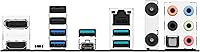
  • USB Connectivity: Rear I/O includes a 10Gbps USB Type-C port; the board also provides a front-panel 5Gbps USB Type-C header for case connectivity.
  • Thunderbolt: A Thunderbolt 4 header is included onboard, supporting up to 40Gbps data transfer when paired with a compatible controller card.
  • Display Output: One HDMI port on the rear I/O supports video output when using a Ryzen processor with integrated graphics.
  • VRM Cooling: A dedicated VRM heatsink manages power delivery temperatures during sustained CPU loads on mainstream Ryzen processors.
  • Storage Cooling: M.2 heatsink is included for the primary NVMe slot, keeping drive temperatures stable under continuous read/write workloads.
  • RGB Support: Onboard Addressable Gen 2 and standard Aura RGB headers allow connection of LED strips and components within the Aura Sync ecosystem.
  • Fan Control: Hybrid fan headers throughout the board are managed via Fan Xpert 2+ software for precise thermal and acoustic tuning.
  • BIOS Feature: BIOS FlashBack allows firmware updates using only a FAT32 USB drive, with no CPU or RAM installed in the board.
  • Weight: The board weighs 3.61 pounds, which is standard for a fully heatsink-equipped ATX motherboard at this feature level.
  • Package Size: Retail packaging measures approximately 13.46″ x 10.79″ x 2.72″, sized to safely house the board and included accessories.

Related Reviews

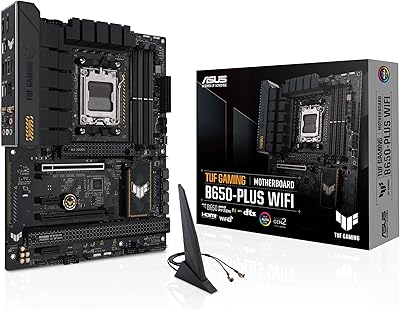
ASUS TUF Gaming B650-Plus WiFi ATX Motherboard
81%
91%
Out-of-Box Stability
88%
BIOS Experience
89%
Power Delivery
71%
DDR5 Memory Compatibility
86%
Networking Performance
More
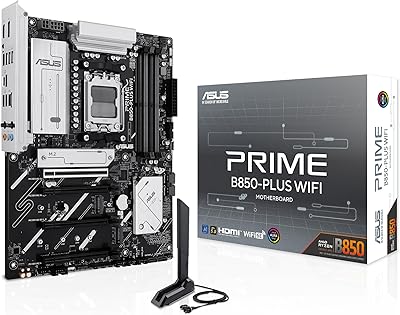
ASUS Prime B850-PLUS WiFi AMD AM5 ATX Motherboard
86%
91%
Wi-Fi Connectivity
88%
Cooling Performance
87%
Expansion Options (PCIe 5.0)
93%
Ease of Setup
89%
DDR5 Performance
More
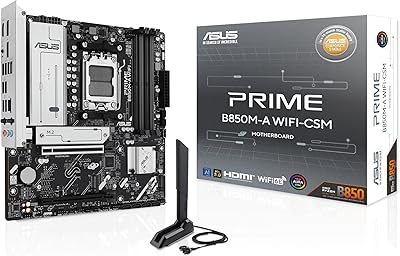
ASUS Prime B850M-A WiFi-CSM AMD AM5 mATX Motherboard
84%
89%
Performance
92%
Build Quality
85%
Cooling Efficiency
78%
Setup and Installation
91%
Compatibility with Ryzen Processors
More
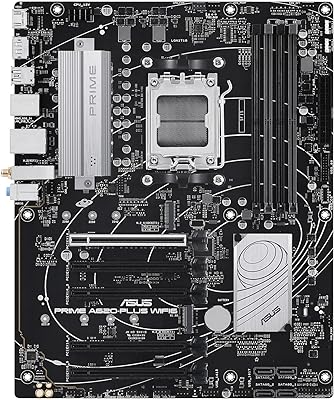
ASUS Prime A620-PLUS WIFI6 AMD A620 AM5 ATX Motherboard
87%
87%
Performance
91%
Setup & Installation
88%
Cooling & Thermals
90%
WiFi & Connectivity
84%
Build Quality
More
ASUS PRIME Z890-P WIFI Motherboard
87%
93%
Performance
89%
Build Quality
90%
Power Delivery Stability
91%
Connectivity (Wi-Fi 7, Thunderbolt 4)
68%
BIOS Interface Usability
More
ASUS TUF Gaming A620M-PLUS WiFi Motherboard
77%
91%
Value for Money
84%
Build Quality
88%
Ease of Installation
86%
BIOS Experience
89%
Networking Performance
More
ASUS Prime B550-PLUS AC-HES Motherboard
85%
89%
Overall Performance
91%
Build Quality
87%
Cooling Efficiency
85%
Ease of Installation
65%
RAM Compatibility
More
ASUS TUF Gaming A520M-PLUS (WiFi) Motherboard
85%
86%
Overall Performance
89%
Gaming Performance
88%
Build Quality
82%
Wi-Fi Stability
85%
Cooling Efficiency
More
MSI B650 Gaming Plus WiFi
80%
83%
Value for Money
88%
BIOS & Software Experience
91%
Power Delivery & Stability
84%
Wireless Connectivity
79%
Memory Performance & Overclocking
More
ASUS TUF Gaming B850M-PLUS WiFi mATX Motherboard
82%
88%
Value for Money
86%
Build Quality & Durability
84%
Power Delivery
83%
BIOS Experience
71%
DDR5 Memory Compatibility
More

FAQ

Very likely yes. The ASUS Prime B650-PLUS WiFi AM5 Motherboard may ship with a BIOS version that does not yet support Ryzen 9000 series processors out of the box. The good news is that BIOS FlashBack makes this straightforward — you just download the latest firmware file, put it on a FAT32 USB drive, plug it into the designated port, and press the FlashBack button. No CPU or RAM needs to be installed to complete the update.
Yes, both of those chips are natively supported on the B650 chipset and should work without a BIOS update in most cases, though it is always worth checking ASUS's CPU support list before you build. Either CPU falls well within the VRM's comfortable operating range, so thermals and power delivery should not be a concern.

The header itself is onboard, but full Thunderbolt 4 functionality typically requires a compatible Thunderbolt controller card connected to that header. Think of the header as the interface point — the controller card is what actually drives the Thunderbolt protocol. If you plan to use Thunderbolt 4 devices, factor that add-on into your budget.

There is one PCIe 5.0 x4 M.2 slot, which is where you'll want to install your primary NVMe SSD for maximum throughput. The additional M.2 slots run at PCIe 4.0 speeds, which are still very fast for most workloads. All populated M.2 slots benefit from heatsink coverage to keep temperatures in check.

That depends on your CPU. Ryzen 7000 and 9000 series processors with a Radeon integrated GPU — typically the non-X models like the Ryzen 7 7700 or Ryzen 9 7900 — will output video through the HDMI port on the rear I/O. Pure gaming-focused CPUs like the 7800X3D do not have integrated graphics, so you would need a discrete GPU.

User feedback on WiFi 6E reception has been consistently positive. Most people report solid speeds and stable connections across both the 5 GHz and 6 GHz bands. The 6 GHz band in particular is useful in crowded wireless environments where older bands are congested, though you will need a WiFi 6E router to take full advantage of it.

This B650 board is designed for mainstream use, and while it can handle a 7900X at stock settings without much trouble, sustained overclocking or heavy multi-threaded loads on that chip may push the VRM harder than is ideal for long-term stability. If overclocking a high-TDP Ryzen 9 processor is a priority, a board with a more robust power delivery stage would be a safer choice.

The board uses ASUS Aura Sync for RGB management, which works well if most of your components — RAM, case fans, cooler — are also Aura Sync compatible. You can technically connect non-ASUS LED strips to the onboard headers, but syncing them through Aura Sync software may require third-party workarounds depending on the brand.

The board includes multiple hybrid fan headers that support both PWM and DC fans. Each header can be individually tuned through ASUS Fan Xpert 2+ software, which lets you set custom fan curves based on CPU or motherboard temperature sensors. For most builds, this level of control is more than enough without needing a separate fan controller.

AMD's B650 chipset does support ECC unbuffered memory at a hardware level when paired with a compatible Ryzen processor, but functionality can vary and is generally not officially validated by ASUS for this board in the same way it would be on a workstation-class platform. If ECC support is critical for your use case, verify the latest ASUS documentation before committing to this AM5 motherboard.

Where to Buy