Overview

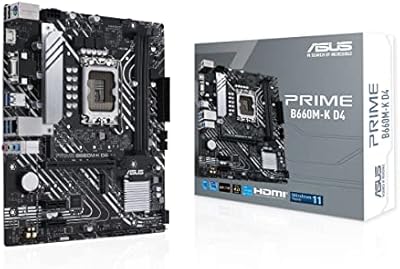
The ASUS Prime H610M-A D4-CSM Micro-ATX Motherboard is a business-class board built for organizations that need reliable Intel 12th Gen workstations without overspending. The CSM designation — Corporate Stable Model — is the real story here. It means ASUS guarantees up to 36 months of supply continuity with advance end-of-life notice, which matters enormously when you're managing a fleet of identical office machines. The DDR4 platform is a deliberate choice, not a limitation — DDR4 memory remains widely available and affordable, making it a practical fit for cost-conscious deployments. This ASUS H610M board fits neatly into compact office towers, and ASUS's track record in the commercial segment gives IT buyers reasonable confidence in long-term support.
Features & Benefits

The LGA 1700 socket opens this commercial motherboard to a wide range of 12th Gen Intel processors, from entry-level Celeron to Core series chips, so you can scale CPU choice to workload without changing the board. Two M.2 slots with PCIe 4.0 support mean fast NVMe drives can go in without fighting over SATA bandwidth — useful when deploying machines with speedy system drives. Rear USB 3.2 Gen 2 ports handle external storage and peripherals without bottlenecks. The self-recovering BIOS technology is a genuine time-saver for IT teams; if an update goes sideways, the board restores itself automatically. And the moisture-resistant coating is a small but practical detail for environments that aren't always climate-controlled.

Best For

The H610M-A D4-CSM is squarely aimed at IT managers and system integrators who need to build and maintain consistent fleets of office workstations. If your organization deploys batches of PCs and needs every machine to use identical components over an extended period, the guaranteed supply window alone makes this board worth shortlisting. It's also a smart pick for businesses refreshing older hardware on a budget — existing DDR4 memory sticks can often carry over, which cuts per-build cost meaningfully. The Micro-ATX form factor keeps things compact, fitting standard SFF office towers without trouble. What this board is not is a fit for gaming rigs or power users chasing overclocking headroom; the H610 chipset simply isn't designed for that.

User Feedback

With a 4.2-star average across over 200 ratings, this ASUS H610M board earns generally positive marks, but the picture isn't entirely rosy. Buyers consistently praise BIOS stability and the straightforward setup process, especially for managed deployments where predictability matters. Build quality also gets frequent positive mentions. On the flip side, some users have noted that ACCE software — ASUS's IT management tool — has a steeper learning curve than expected, and a handful of reviewers flagged occasional compatibility hiccups with certain memory kits running outside default speeds. A few buyers also raise the DDR4 versus DDR5 question, though most accept the platform tradeoff for the cost savings it enables. Not a perfect board, but a dependable workhorse for business workstations.

Pros

  • CSM supply guarantee means the same board stays available for up to 36 months — critical for uniform fleet deployments.
  • Dual M.2 slots with PCIe 4.0 support allow fast NVMe storage in both slots without bottlenecking SATA devices.
  • Self-recovering BIOS technology reduces IT call-outs caused by failed firmware updates.
  • Moisture-resistant PCB coating adds a layer of durability for office environments that are less than ideal.
  • Rear USB 3.2 Gen 2 ports handle fast external drives and peripherals without a speed penalty.
  • LGA 1700 socket supports a wide range of 12th Gen Intel chips, giving flexible CPU options across different budget tiers.
  • ASUS Control Center Express provides real centralized endpoint management — a genuine tool, not just a checkbox feature.
  • Built-in TPM header ensures straightforward Windows 11 compliance out of the box.
  • Compact Micro-ATX form factor fits standard SFF and mid-tower office cases without compromise.
  • Solid 4.2-star average from a meaningful number of verified buyers backs up the reliability claims.

Cons

  • No Wi-Fi or Bluetooth onboard means an extra adapter purchase for wireless-dependent setups.
  • ACCE management software has a steeper learning curve than its competitors, frustrating smaller IT teams.
  • Base DDR4 memory speed of 2133 MHz is conservative; some memory kits have shown compatibility hiccups outside default profiles.
  • H610 chipset limits the board strictly to stock CPU performance — zero headroom for power users wanting more.
  • Only two memory slots, capping maximum RAM capacity and upgrade flexibility compared to ATX alternatives.
  • No onboard RGB or aesthetic features, which is fine for offices but limits appeal for any visible build.
  • HDMI and DisplayPort outputs share integrated graphics bandwidth, limiting multi-monitor productivity setups without a discrete GPU.
  • Limited VRM configuration means pairing this board with higher-end Core i7 or i9 chips is technically possible but not advisable.

Ratings

The scores below were generated by AI after analyzing verified buyer reviews worldwide for the ASUS Prime H610M-A D4-CSM Micro-ATX Motherboard, with spam, bot-submitted, and incentivized feedback actively filtered out. The analysis captures both what users genuinely appreciate and the recurring frustrations that show up across real deployments. Nothing has been softened — strengths and pain points are weighted equally in every scorecard.

Build Quality
83%
Users consistently note that the board feels solid and well-constructed straight out of the box, with no reports of bent socket pins or flimsy capacitors. The moisture-resistant PCB coating earns specific praise from IT managers deploying machines in warehouses and non-climate-controlled environments, where lesser boards tend to degrade faster.
A small number of reviewers noted that the heatsink coverage is minimal for an H610 board, which is expected at this tier but still draws comment from buyers who handle the board frequently during staged rollouts. The overall aesthetic is purely functional — no complaints, but no visual appeal either.
Commercial Reliability
91%
This is where the H610M-A D4-CSM earns its strongest marks. IT managers running batch deployments report that these boards behave identically machine to machine, with no surprise compatibility issues disrupting rollouts. The CSM supply guarantee means procurement teams can order the same SKU months apart without scrambling for a substitute mid-project.
A handful of users flagged that the CSM benefits require direct engagement with ASUS commercial channels to fully activate, which creates a minor friction point for smaller buyers who purchased through a retail marketplace expecting the same level of support automatically.
BIOS Experience
78%
22%
The BIOS interface is clean and approachable, which matters when technicians are configuring dozens of machines under time pressure. The self-recovery feature drew genuine appreciation from reviewers who experienced mid-flash interruptions — instead of a bricked board, the system simply rolled back and continued working.
A recurring theme in negative reviews is that the BIOS update process itself can be finicky with certain USB drives, requiring specific formatting steps that are not clearly documented. Some users also found default BIOS settings overly conservative, requiring manual adjustments to get memory running at its rated speed.
Value for Money
76%
24%
For organizations building or refreshing fleets of productivity workstations, this commercial motherboard hits a practical price point that is hard to argue with — especially when the 36-month supply guarantee effectively reduces long-term procurement risk. DDR4 compatibility lets buyers repurpose existing memory, cutting per-unit cost further.
Buyers building a single personal PC often feel the premium tied to the CSM designation is wasted on them — they are paying for enterprise guarantees they will never use. Compared to consumer H610 or B660 boards at similar prices, the feature-per-dollar ratio looks weaker for anyone outside a commercial deployment context.
Connectivity & I/O
72%
28%
The rear USB 3.2 Gen 2 Type-A ports get consistent positive mentions from users connecting external SSDs and high-speed peripherals, with no throttling complaints in everyday office use. Having HDMI, DisplayPort, and D-Sub all on the rear panel covers virtually every monitor type likely to appear in an office environment.
The absence of onboard Wi-Fi is the single most frequently cited I/O complaint, catching buyers off-guard who assumed wireless was standard at this price. USB port count on the rear panel is also described as tight by users building machines intended for heavily peripheral-loaded desks.
Storage Performance
84%
Dual M.2 slots with PCIe 4.0 support allow fast NVMe drives in both positions simultaneously, and users report real-world sequential read speeds that match drive manufacturer specs without throttling. The fact that both M.2 slots operate independently without cannibalizing SATA ports is a detail IT managers specifically call out as a practical advantage.
Neither M.2 slot includes a heatspreader bracket in the box, which is a minor but noticeable omission when drive temperatures in compact builds can climb during sustained workloads. A few users also noted that M.2 slot access requires removing components first, complicating upgrades in already-assembled machines.
CPU Compatibility
81%
19%
The LGA 1700 socket covers the full 12th Gen Intel lineup from budget Celeron chips up through Core i9, giving system integrators genuine flexibility to match CPU to workload budget without switching boards. Buyers report clean CPU installations with no socket damage issues across multiple units.
The H610 chipset imposes a hard ceiling on what you can actually do with higher-end CPUs — pairing a Core i7 with this board is technically possible but leaves significant performance potential locked out. Users who later wanted to push their CPU reported frustration at the platform's firm limits.
Memory Performance
63%
37%
For standard office tasks — document editing, web browsing, light data processing — DDR4 at default speeds handles everything without issue, and users report stable operation with a wide range of name-brand DDR4 kits from major manufacturers.
The base memory speed of 2133 MHz is noticeably conservative, and users with higher-frequency DDR4 kits report that XMP profiles do not always activate reliably, requiring manual BIOS intervention. Several reviewers noted this as a frustration compared to consumer boards at similar prices that handle memory profiles more gracefully.
Setup & Installation
79%
21%
Most reviewers describe the physical installation as straightforward, with clear labeling on headers and a manual that covers the basics adequately for experienced builders. IT staff running repeated installs across a batch of machines report that setup time drops significantly after the first unit.
First-time builders found the manual lacking in detail for edge cases, particularly around front-panel header pinouts and M.2 drive installation. The ACCE software setup introduces additional complexity that is not well-explained for administrators encountering it for the first time.
ACCE Software
57%
43%
In larger managed IT environments where an administrator is already familiar with endpoint management tools, ACCE provides genuinely useful centralized monitoring and system event logging that saves time across large fleets. Users who invested in learning the platform report it delivers on its promises.
The learning curve for ACCE is steep enough that smaller IT teams and solo administrators frequently abandon it after initial setup attempts. Documentation is inconsistent, and several users described the interface as feeling unpolished compared to third-party endpoint management alternatives available at no extra cost.
Thermal Management
68%
32%
Under typical office workloads — productivity software, light multitasking, basic media — the board manages temperatures without complaint, and users report stable operation over extended periods in standard office towers with adequate airflow.
The VRM area has minimal heatsink coverage, which shows up as a concern for users running sustained CPU-intensive tasks or working in warm server-room environments. A small number of reviewers noted thermal throttling behavior under prolonged load, which is unusual enough to flag but not a widespread issue.
Windows 11 Compatibility
88%
Out-of-the-box Windows 11 compatibility is one area where this ASUS H610M board draws zero complaints — the onboard TPM header satisfies Microsoft's requirements cleanly, and OS installation across fresh deployments is consistently reported as problem-free.
The TPM header requires manual activation in BIOS, which is not enabled by default on all firmware versions, catching a handful of buyers off guard during OS setup. This is a minor issue but creates a support ticket for IT teams who expected it to be pre-configured.
Long-term Durability
82%
18%
Units that have been in active office service for over a year receive strong durability marks, with users noting no capacitor issues, no degraded connectivity ports, and consistent boot behavior after thousands of power cycles. The moisture-resistant coating appears to contribute meaningfully in environments with humidity variation.
The long-term track record is still relatively limited given the board's 2022 launch date, and a small cluster of reviews describes early failures within the first six months that required RMA. ASUS's commercial RMA process is described as slower than expected by some affected buyers.

Suitable for:

The ASUS Prime H610M-A D4-CSM Micro-ATX Motherboard was built with a very specific buyer in mind: IT managers, system integrators, and small business owners who need to deploy and maintain consistent fleets of office workstations over an extended period. The CSM designation is the defining feature here — it guarantees up to 36 months of component supply, plus advance end-of-life notice, which means you can order the same board for new machines two years from now without scrambling for a substitute. Organizations refreshing aging desktops with 12th Gen Intel hardware will also find this board compelling, especially if they already have DDR4 memory in inventory. The Micro-ATX footprint slides into virtually any standard office tower case, and the built-in ACCE management software gives IT teams a real tool for monitoring and managing endpoints centrally. If your priority is a stable, no-drama platform that just works across dozens of identical builds, this commercial motherboard is genuinely hard to beat at its price point.
Not suitable for:

The ASUS Prime H610M-A D4-CSM Micro-ATX Motherboard is not the right board if your goals extend beyond productivity workloads. The H610 chipset offers no overclocking support and limited memory tuning, so enthusiasts or anyone building a performance PC for content creation, 3D rendering, or gaming should look elsewhere — boards based on Z690 or B660 chipsets serve those needs far better. DDR4 at base speeds is functional, but buyers who want to take advantage of faster memory profiles or who are planning ahead for DDR5 compatibility will find this platform a dead end. The ACCE software, while useful for managed IT environments, has a learning curve that makes it overkill for a single home-office build or a one-off personal project. This board also lacks Wi-Fi or Bluetooth onboard, which may be a dealbreaker for compact builds in offices without easy access to ethernet drops.

Specifications

  • Form Factor: The board uses a Micro-ATX layout measuring 8.3 x 9.6 inches, fitting standard Micro-ATX and full ATX cases.
  • CPU Socket: LGA 1700 socket is compatible with Intel 12th Gen Core, Pentium Gold, and Celeron processors.
  • Chipset: Built on the Intel H610 chipset, which supports stable productivity workloads without overclocking capability.
  • RAM Type: Supports DDR4 memory with a base speed of 2133 MHz across two DIMM slots.
  • Max Memory: Two DIMM slots support DDR4 modules; maximum supported capacity follows Intel H610 platform specifications.
  • Storage Slots: Two M.2 slots support PCIe 4.0 NVMe drives, allowing fast solid-state storage without consuming SATA bandwidth.
  • SATA Ports: The board includes SATA 6Gb/s ports for connecting traditional hard drives or SATA SSDs.
  • Rear USB: Rear I/O includes USB 3.2 Gen 2 Type-A ports for high-speed peripheral and external storage connections.
  • Front USB Header: A USB 3.2 Gen 1 front-panel header supports case-mounted USB ports for convenient front-access connectivity.
  • Networking: Onboard Intel 1 Gb Ethernet provides reliable wired LAN connectivity; no Wi-Fi or Bluetooth is included.
  • Display Outputs: Rear display outputs include HDMI, DisplayPort, and D-Sub (VGA), supporting integrated graphics across three interface types.
  • TPM Support: An SPI-TPM header is included, enabling hardware-based TPM for Windows 11 compliance and enterprise security requirements.
  • BIOS Recovery: ASUS self-recovering BIOS technology automatically restores firmware from a verified backup if an update fails.
  • PCB Coating: The board features a moisture-resistant coating applied to the PCB to improve durability in non-ideal environments.
  • Management Tool: ASUS Control Center Express (ACCE) software enables IT administrators to monitor and manage endpoint systems centrally.
  • Supply Guarantee: As a Corporate Stable Model (CSM) product, ASUS guarantees up to 36 months of supply continuity with EOL advance notice.
  • Weight: The board weighs 2.14 pounds, consistent with standard Micro-ATX motherboard construction.
  • OS Support: The board is certified compatible with Windows 11, meeting all platform requirements including TPM 2.0.

Related Reviews
ASUS Prime H610M-E D4-CSM DDR4 Motherboard
78%
83%
Value for Money
78%
Build Quality
89%
Ease of Installation
86%
Compatibility
81%
BIOS Experience
More
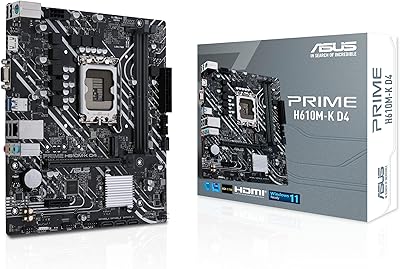
ASUS Prime H610M-K D4 Motherboard
83%
90%
Value for Money
88%
Ease of Installation
85%
Build Quality
80%
Performance in Gaming
83%
Performance in Productivity Tasks
More
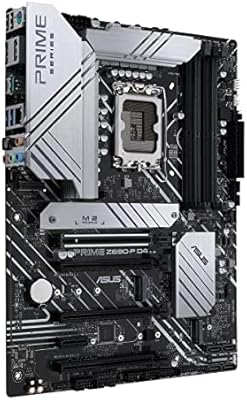
ASUS Prime Z690-P D4 ATX Motherboard
76%
78%
Value for Money
83%
Power Delivery & VRM
81%
BIOS Experience
74%
Memory Compatibility
87%
Storage Expansion
More
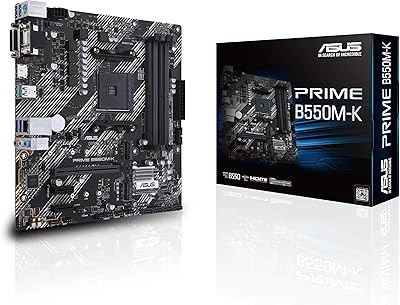
ASUS Prime B550M-K AM4 Micro-ATX Motherboard
75%
88%
Value for Money
71%
Compatibility & CPU Support
83%
Build Quality & Durability
84%
Storage Connectivity
67%
BIOS & Setup Experience
More
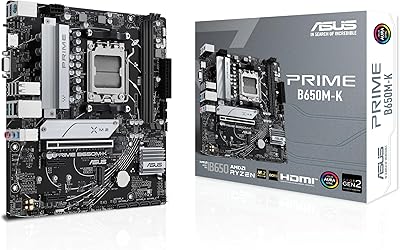
ASUS Prime B650M-K Micro-ATX Motherboard
77%
83%
Value for Money
79%
Build Quality
61%
VRM & Power Delivery
88%
BIOS Experience
91%
Networking
More
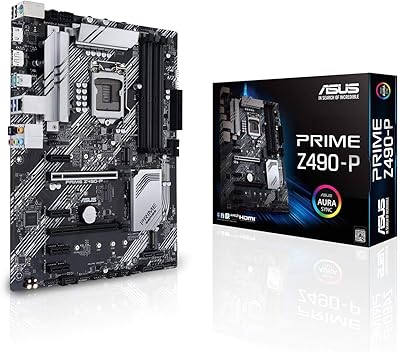
ASUS Prime Z490-P ATX Motherboard
83%
92%
Stability and Reliability
88%
Cooling Performance
85%
Ease of Installation
90%
Compatibility with Intel 10th Gen CPUs
87%
Value for Money
More
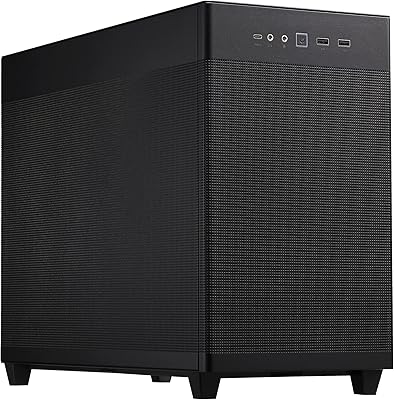
ASUS Prime AP201 Micro ATX PC Case
80%
93%
Airflow Performance
91%
Cooling Compatibility
84%
Build Quality
92%
GPU Compatibility
89%
Tool-Free Panel Access
More
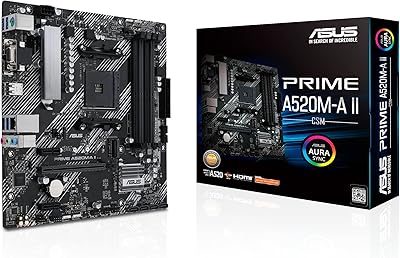
ASUS Prime A520M-A II/CSM microATX Motherboard
81%
93%
Platform Stability
88%
Value for Money
86%
BIOS Experience
84%
Build Quality
89%
Display Output Quality
More
ASUS Prime X299-A II ATX Motherboard
78%
92%
Power Delivery
88%
Thermal Management
91%
Build Quality
83%
BIOS Experience
78%
CPU Compatibility
More
ASUS Prime B660M-K D4 mATX Motherboard
70%
88%
Value for Money
83%
Build Quality
81%
BIOS Experience
61%
Connectivity & I/O
34%
Overclocking Capability
More

FAQ

The H610 chipset was designed for Intel 12th Gen (Alder Lake) processors on the LGA 1700 socket. While some LGA 1700 boards received BIOS updates to support 13th Gen chips, the H610M-A D4-CSM is a commercial-class board focused on stability and is not officially listed for 13th Gen support. Stick with 12th Gen CPUs to stay within validated configurations.

Yes, as long as your DDR4 sticks are standard DIMM modules. The board runs DDR4 at a base speed of 2133 MHz, so very high-frequency kits may simply run at default speeds rather than their rated profile. For office workloads that is rarely a noticeable issue.

CSM stands for Corporate Stable Model, which is ASUS's program for commercial buyers who need predictable procurement. It means ASUS commits to keeping the board available for purchase for up to 36 months and will give advance notice before discontinuing it. If you manage a fleet of office PCs and need to add or replace machines over time, this eliminates the headache of sourcing a substitute board mid-deployment.

It can work for a home office build, but it is genuinely overspecced for that use case. The CSM guarantees and ACCE management tools are designed for organizations managing multiple machines, not a single-user setup. A standard consumer H610 or B660 board would likely give you a better feature-to-price balance for a personal build.

No, there is no onboard wireless. If you need Wi-Fi, you will have to add a PCIe Wi-Fi card or a USB adapter. For most office deployments this is a non-issue since wired Ethernet is preferred anyway, but it is worth factoring in for environments without easy cable access.

If a BIOS update gets interrupted or corrupted — say, due to a power cut mid-flash — the board automatically detects the problem and rolls back to the last verified working firmware version. For IT teams managing many machines remotely, this removes one of the more nerve-wracking risks of firmware maintenance.

Yes. Both M.2 slots support PCIe 4.0 NVMe drives, so you can run two fast SSDs at the same time. This is useful for setups where you want a dedicated OS drive and a separate data or scratch drive without touching the SATA ports at all.

The rear panel includes HDMI, DisplayPort, and D-Sub (VGA), which covers most monitor types. Running two monitors simultaneously using integrated graphics is possible, but performance depends on the CPU's integrated graphics capability and your display resolution. For heavy multi-monitor workloads, adding a discrete GPU is a better long-term approach.

The physical installation is straightforward and on par with any modern Micro-ATX board. The ASUS BIOS is clean and well-organized for basic configuration. Where things get more involved is the ACCE management software, which has a learning curve and is genuinely aimed at IT administrators rather than casual users. You can safely ignore ACCE entirely if you don't need centralized management.

Yes. The board includes an SPI-TPM header and is officially listed as Windows 11 compatible, so it meets Microsoft's TPM 2.0 requirement. Just make sure you enable TPM in the BIOS during setup, as it may not be active by default depending on your firmware version.

Where to Buy