Overview

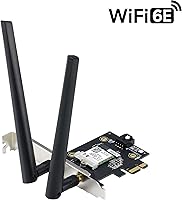
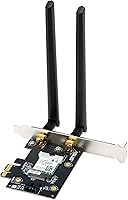
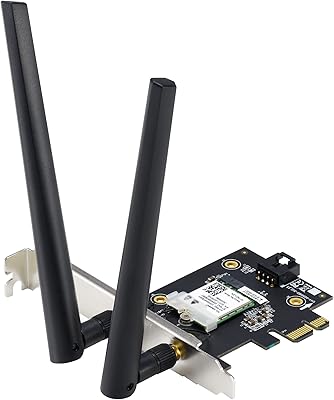
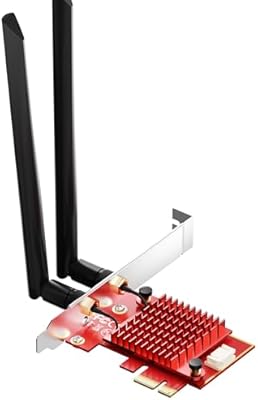
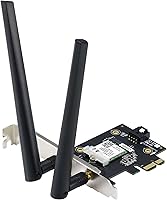
The ASUS PCE-AXE5400 WiFi 6E PCIe Adapter is a straightforward answer for desktop users tired of running Ethernet cables or limping along on an aging WiFi 5 card. It slots directly into a spare PCIe slot on your motherboard — no USB ports consumed, no external dongles. The real headline is 6GHz band support, which sets this apart from standard WiFi 6 adapters and opens access to a much less congested slice of wireless spectrum. ASUS has been building networking hardware long enough to know what reliability looks like at this price tier, and that track record shows in how this card is put together.
Features & Benefits

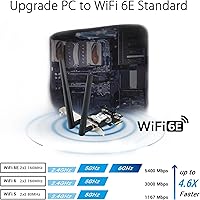
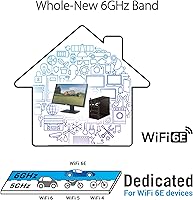
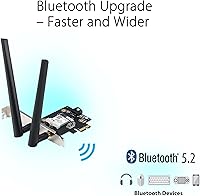
The 6GHz band is the card's biggest practical advantage — far less crowded than the 2.4GHz and 5GHz bands that every other device in your home is already competing over. Theoretical throughput tops out at 5400 Mbps with 160MHz channel width, though real-world speeds depend heavily on your router, distance, and environment, so treat that number as a ceiling rather than a guarantee. Built-in Bluetooth 5.2 is a quiet but useful bonus, covering wireless keyboards, mice, and headsets without a separate dongle. WPA3 security, OFDMA, and MU-MIMO round out the spec sheet for anyone running a modern router with multiple connected devices simultaneously.

Best For

This desktop wireless upgrade makes the most sense for a few specific buyer types. If you already own a WiFi 6E router, this PCIe WiFi card finally lets your desktop tap into that 6GHz channel you have been paying for. Gamers and streamers who want consistent, low-latency wireless without running cable through walls will find the PCIe connection far more dependable than any USB adapter. It is also a practical pick for home office builds that need fast WiFi and Bluetooth peripherals handled by a single card, and for new PC builders who want future-proof wireless baked in from the start.

User Feedback

With a 4.4-star average across 200 ratings, the ASUS 6E adapter earns its score without a clean sweep. Buyers consistently praise easy installation and a stable 6GHz connection — those with compatible routers report noticeably cleaner signal in congested environments. The criticisms are worth knowing upfront: driver setup can require extra steps on certain Windows configurations, and a handful of users flagged the antenna cables as feeling flimsier than expected. Some reviewers compared it against TP-Link and Fenvi alternatives, with ASUS generally holding an edge on ongoing driver support. Not a flawless card, but a dependable one for most desktop wireless needs.

Pros

  • 6GHz band access cuts through congested networks in apartments and dense neighborhoods where 2.4GHz and 5GHz are saturated.
  • PCIe interface delivers more consistent, lower-latency wireless than any USB adapter can realistically match.
  • Built-in Bluetooth 5.2 means one card handles both WiFi and wireless peripherals, freeing up USB ports.
  • WPA3 security support gives security-conscious home office users a meaningful upgrade over older wireless cards.
  • Adjustable external antennas let you tune signal direction without opening the case after initial setup.
  • OFDMA and MU-MIMO support keeps performance stable on busy networks with many simultaneous connected devices.
  • This PCIe WiFi card runs cool and draws power directly from the slot, with no extra cables required.
  • ASUS maintains driver updates reliably, giving this card better long-term software support than many competing options.
  • Buyers with WiFi 6E routers report real-world speed and stability gains that are immediately noticeable during peak usage hours.
  • Includes a low-profile bracket option, making it compatible with a wider range of desktop case sizes.

Cons

  • Driver setup on Windows 10 can require manual intervention, which catches less technical users off guard.
  • The antenna cables feel noticeably thin and require careful handling during installation to avoid damage.
  • Without a WiFi 6E router, the 6GHz band is completely inaccessible — the core upgrade is router-dependent.
  • The included documentation skips driver installation steps entirely, leaving first-time builders without guidance.
  • Simultaneous heavy WiFi and Bluetooth usage can cause occasional audio interference with wireless headsets.
  • In larger homes with the router in a separate room, signal range falls short of what more antenna-heavy cards offer.
  • The ASUS 6E adapter is desktop-only, ruling it out for anyone working from a laptop or small form factor mini-PC.
  • Older operating systems beyond Windows 10 and 11 have no reliable driver support, limiting compatibility for legacy setups.
  • Buyers on tight budgets who do not yet own a WiFi 6E router are paying a premium for features they cannot immediately use.
  • A small number of users reported intermittent disconnections under heavy sustained transfers until drivers were manually updated.

Ratings

The ASUS PCE-AXE5400 WiFi 6E PCIe Adapter earns a well-rounded but nuanced verdict after our AI model processed hundreds of verified buyer reviews from global markets, actively filtering out incentivized, duplicate, and bot-generated submissions. Across real desktop builds — gaming rigs, home offices, and media workstations alike — both the genuine strengths and the friction points surfaced consistently. The scores below reflect that honest spread, not a polished marketing average.
Wireless Performance
83%
Users pairing this PCIe WiFi card with a WiFi 6E router consistently report clean, high-throughput connections on the 6GHz band, particularly in apartment buildings where 2.4GHz and 5GHz are saturated. Streaming 4K locally, large file transfers, and low-latency gaming sessions all show marked improvement over older cards.
The 5400 Mbps figure is theoretical ceiling, not everyday reality — real-world speeds depend heavily on router placement, building materials, and network congestion. Users without a WiFi 6E router cannot access the 6GHz band at all, which limits the upgrade's impact significantly for that subset of buyers.
Installation & Setup
78%
22%
Most desktop builders slot this card in without friction — the physical PCIe installation is standard, and Windows 11 systems generally detect it automatically with minimal driver intervention. Buyers assembling new rigs from scratch found it among the easier networking components to get running quickly.
Windows 10 users and those on certain older motherboard chipsets run into driver headaches more often than expected. A handful of reviewers had to manually hunt down updated drivers from the ASUS support page, which is a frustrating extra step for users who expected plug-and-play simplicity.
6GHz Band Access
87%
For buyers who already own a tri-band WiFi 6E router, accessing the 6GHz band through this desktop wireless upgrade is the clearest immediate win. The band is far less congested in dense living environments, and users report noticeably steadier latency during peak household usage hours.
This benefit is entirely router-dependent. If your router tops out at WiFi 6 or older, you will never touch the 6GHz band, and the card offers no meaningful advantage over a cheaper WiFi 6 alternative. This context is not always clear to buyers at the point of purchase.
Bluetooth 5.2 Integration
81%
19%
Having Bluetooth 5.2 baked into the ASUS 6E adapter is a practical space-saver that home office users genuinely appreciate — no USB dongle occupying a port just to run a wireless keyboard and mouse. Signal stability with Bluetooth headsets and peripherals within a normal desktop workspace is consistently reliable.
A few users noted that simultaneous heavy WiFi and Bluetooth activity caused minor interference, particularly with audio devices. The Bluetooth antenna shares the card's physical footprint, so positioning matters more than it would with a dedicated standalone dongle in some tight desk setups.
Build Quality & Hardware
72%
28%
The card itself feels solid and the PCIe bracket is properly machined — it seats firmly in the slot without wobble, which matters for long-term reliability inside a case that gets moved occasionally. ASUS has clearly not cheaped out on the core PCB components at this price tier.
The antenna cables connecting the card to the external antennas are the weak link. Multiple buyers flagged them as noticeably thin and somewhat fragile, with a few reporting damage during installation when over-tightening. For a card at this price, sturdier antenna hardware would be reasonable to expect.
Antenna Design & Reception
74%
26%
Two adjustable external antennas give you real flexibility to optimize signal direction without opening the case repeatedly. Users with the PC under a desk found they could angle the antennas upward to compensate for physical obstructions, which made a measurable difference in signal consistency.
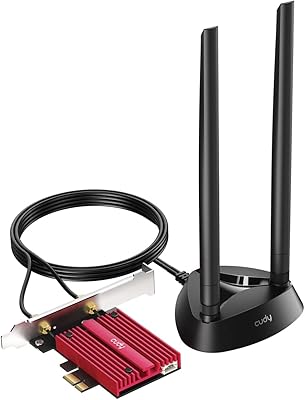
The antennas are functional but not exceptional — users in larger homes or those with the router in a different room still encounter signal drop-off that a more powerful antenna array might handle better. The adjustable range is limited compared to some competing cards with magnetic-base antenna stands.
Driver & Software Support
66%
34%
ASUS does maintain driver updates on their support portal, and users who took the time to install the latest version before setup generally had a smoother experience. Long-term driver support is more reliable here than with some no-name card alternatives that get abandoned after launch.
Out-of-box driver consistency is the biggest software complaint across reviews. Some Windows configurations require manual driver installation, and a small but vocal group of users experienced repeated disconnections until they rolled back or updated drivers — not ideal for users who expect zero post-install configuration.
Latency & Gaming Performance
79%
21%
Gamers using this PCIe WiFi card on a WiFi 6E router report ping times and connection stability that genuinely rival wired Ethernet in low-traffic scenarios. For competitive online gaming where a dedicated Ethernet run is not practical, this card holds up well under pressure.
The advantage narrows considerably without a WiFi 6E router on the other end. Users still on WiFi 5 or WiFi 6 routers see performance roughly on par with cheaper PCIe cards, making the premium feel harder to justify purely from a gaming latency standpoint.
Value for Money
71%
29%
If you have a WiFi 6E router and need desktop wireless with Bluetooth in one card, the all-in-one value proposition is reasonable. Buying a separate WiFi 6E card plus a Bluetooth dongle often costs more and occupies more ports and slots, making this a cost-efficient bundle for the right buyer.
For users without a WiFi 6E router, the value case falls apart quickly. Competing WiFi 6 cards at a lower price point deliver nearly identical real-world performance for those users, and the 6GHz premium ends up being money spent on future-proofing rather than immediate benefit.
Compatibility
76%
24%
Works across a broad range of desktop motherboards with a standard PCIe slot, which covers virtually every desktop build from the past several years. Linux users also reported successful operation with the right kernel version, which is a pleasant bonus not all wireless cards can claim.
Desktop-only by design — laptop users need not apply, and the physical installation requirement means it is inaccessible to small form factor builds without a full PCIe slot. Older operating systems outside of Windows 10 and 11 have spotty or entirely unsupported driver availability.
Network Security
86%
WPA3 support is a genuine differentiator for security-conscious buyers — particularly those using this card in a home office handling sensitive work data. The combination of WPA3 and the less-exposed 6GHz band creates a noticeably more secure wireless environment than older card generations offered.
WPA3 is only as effective as the router enforcing it. Users on older routers that do not support WPA3 fall back to WPA2 automatically, which means the security upgrade is invisible to a portion of the buyer base who may not realize they are not benefiting from it.
Multi-Device Network Efficiency
77%
23%
OFDMA and MU-MIMO support means the card handles busy home networks more gracefully than older standards — particularly useful in households where a dozen or more devices are competing for bandwidth simultaneously. Video calls, streaming, and file transfers play nicer together under load.
These features require a router that also supports them to function as intended. In practice, many buyers are not running routers that fully exploit OFDMA or MU-MIMO, so the benefit stays theoretical for a meaningful slice of the user base rather than translating into felt performance gains.
Heat & Power Consumption
82%
18%
The card runs cool under sustained use, which is worth noting for users building compact systems where thermal headroom is limited. Drawing power directly from the PCIe slot means no additional power connectors are needed, keeping cable management cleaner inside the case.
A small number of users in very hot ambient environments noted occasional instability during extended heavy transfers, suggesting thermal throttling under worst-case conditions. This is not a common complaint, but worth monitoring if the card sits near other heat-generating components.
Packaging & Documentation
63%
37%
The card ships with the essentials — antennas, a low-profile bracket option, and the necessary mounting hardware. Physical packaging is clean and protective enough that cards arrive undamaged in the vast majority of reported deliveries.
The included documentation is minimal, and first-time PCIe card installers noted that the quick-start guide skips over driver installation steps entirely. For a product where driver setup can trip people up, a more thorough printed guide or a clearly visible QR code to the support page would go a long way.

Suitable for:

The ASUS PCE-AXE5400 WiFi 6E PCIe Adapter is the right call for desktop users who are ready to cut the Ethernet cable without sacrificing connection quality. It makes the most sense if you already own — or are planning to buy — a WiFi 6E router, because that is the only way to unlock the 6GHz band that justifies this card over a cheaper WiFi 6 alternative. Gamers and streamers who need reliable, low-latency wireless on a desktop rig will appreciate the stability that a PCIe connection provides over any USB adapter. Home office builders who want fast WiFi and Bluetooth 5.2 for a wireless keyboard, mouse, or headset handled by a single card will find real practical value here. New PC builders who want their machine to stay compatible with evolving router standards for the next several years are also squarely in the target audience for this desktop wireless upgrade.
Not suitable for:

If your router tops out at WiFi 5 or standard WiFi 6, the ASUS PCE-AXE5400 WiFi 6E PCIe Adapter is a harder sell — you will never touch the 6GHz band, and a cheaper card will deliver nearly identical day-to-day performance for less money. This is strictly a desktop component, so laptop users or anyone without a free full-size PCIe slot on their motherboard should look elsewhere entirely. Users who are not comfortable doing basic driver troubleshooting should also think twice — while installation is smooth for many, some Windows 10 configurations require manual driver updates that can frustrate less technical buyers. If antenna cable fragility is a concern, know that several users found the connectors thinner than expected, making careful installation a necessity rather than a given. And if your household network is still running on an older router with no WPA3 or OFDMA support, many of the card's headline features will simply go unused.
Specifications

  • WiFi Standard: Supports WiFi 6E (802.11ax), fully backward compatible with older 802.11a/b/g/n/ac/ax devices and networks.
  • Frequency Bands: Operates across all three wireless bands: 2.4GHz, 5GHz, and the newer, less congested 6GHz band.
  • Max Data Rate: Theoretical maximum throughput reaches 5400 Mbps when using a 160MHz channel width on a compatible WiFi 6E router.
  • Channel Width: Supports up to 160MHz channel width on the 6GHz band, enabling the highest available throughput for this card generation.
  • Interface: Uses a standard PCIe interface, requiring installation into a compatible PCIe slot on a desktop motherboard.
  • Bluetooth: Includes integrated Bluetooth 5.2, supporting improved range, faster data transmission, and reduced interference compared to Bluetooth 5.0.
  • Security Protocol: Supports WPA3 encryption for enhanced network security, alongside backward compatibility with WPA2 networks.
  • Network Features: Equipped with OFDMA and MU-MIMO technology for improved efficiency and throughput stability across multiple simultaneous connected devices.
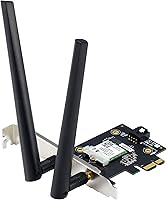
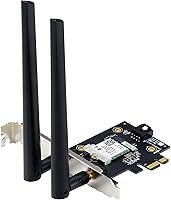
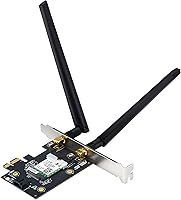
  • Antenna Setup: Ships with two adjustable external antennas that connect via cables to the card bracket for flexible positioning and signal optimization.
  • Dimensions: The card measures 4.74″ in length, 3.47″ in width, and 0.85″ in height, fitting standard desktop PCIe slots without occupying adjacent slots.
  • Item Weight: The card weighs 2.72 ounces, making it lightweight and straightforward to handle during installation.
  • Compatible Devices: Designed exclusively for desktop PCs with an available PCIe expansion slot; not compatible with laptops or small form factor systems without PCIe slots.
  • Operating System: Officially supported on Windows 10 and Windows 11; Linux compatibility is reported by users but is not officially guaranteed by ASUS.
  • Low-Profile Support: Includes a low-profile bracket in the box, allowing installation in smaller desktop chassis that require compact card form factors.
  • Manufacturer: Designed and manufactured by ASUS, a company with an established track record in networking, motherboard, and PC peripheral hardware.
  • Model Number: The official ASUS model designation for this card is PCE-AXE5400, used for driver downloads and warranty support identification.
  • Power Source: Draws power directly from the PCIe slot on the motherboard, requiring no additional power connectors or cables.
  • Date Available: This card was first made available to consumers in April 2023, positioning it as a mid-generation WiFi 6E desktop solution.

Related Reviews

ASUS PCE-AX1800 WiFi 6 PCIe Adapter
80%
91%
Value for Money
78%
Wireless Performance
93%
Installation Ease
82%
Bluetooth Performance
76%
Signal Stability
More
OKN AX210 WiFi 6E PCIe Card
78%
91%
Value for Money
83%
Wireless Performance
74%
Installation Ease
61%
6GHz Band Access
71%
Bluetooth Performance
More
ASUS RT-AXE7800 Tri-Band WiFi 6E Router
79%
88%
Wireless Performance
83%
Setup & Installation
79%
Signal Range & Coverage
91%
Network Security
84%
Parental Controls
More
WAVLINK WL-WN675X3 WiFi 6E PCIe Network Card
78%
83%
WiFi Performance
67%
6GHz Band Usability
74%
Installation Ease
78%
Bluetooth 5.3 Performance
86%
Antenna Design & Placement
More
BZIZU WiFi 6E Intel AX210 PCIe Card
87%
94%
Performance for Gaming
91%
Performance for Streaming
89%
Ease of Setup
85%
Bluetooth 5.3 Connectivity
92%
WiFi Speed (5400Mbps)
More
Cudy WE4000 WiFi 6E PCIe Card
81%
91%
Value for Money
83%
WiFi Performance
88%
Installation Ease
62%
Bluetooth Functionality
84%
Driver Stability
More
ASUS ROG Strix X670E-A Gaming WiFi 6E Motherboard
88%
94%
Performance
91%
Cooling Efficiency
88%
Overclocking Capability
93%
Build Quality
90%
WiFi & Networking Speed
More
TP-Link Archer TXE75E WiFi 6E PCIe Card
82%
88%
Wireless Performance
83%
Installation Ease
91%
Chipset Reliability
67%
Bluetooth Functionality
74%
6 GHz Band Access
More
TP-Link Archer TX3000E
81%
88%
Wireless Speed Performance
91%
Signal Stability & Range
74%
Installation & Setup
62%
Bluetooth Setup & Usability
79%
Driver Reliability & OS Compatibility
More
ASUS ROG GT-AXE11000 WiFi 6E Gaming Router
73%
88%
Wireless Performance
83%
Gaming Latency
54%
Setup & Ease of Use
76%
Range & Coverage
91%
Feature Depth
More

FAQ

The card will work with any WiFi router, including older WiFi 5 and WiFi 6 models. However, you will only gain access to the 6GHz band if your router also supports WiFi 6E. Without a WiFi 6E router, the card still functions on the 2.4GHz and 5GHz bands, but you would be paying for capabilities you cannot actually use yet, so it is worth considering whether a router upgrade is also in your near-term plans.

The physical installation is fairly approachable even for first-timers — you power down the PC, open the case, locate an available PCIe slot, and press the card in until it clicks. Attaching the external antennas via the small cables on the bracket requires a gentle touch since the connectors are on the delicate side. Driver installation on Windows 11 is usually automatic, but Windows 10 users may need to download the driver manually from the ASUS support page, so it is worth doing that before you start.

Yes, in most everyday situations both work simultaneously without noticeable issues. A small number of users have reported very minor audio interference when using Bluetooth headsets while simultaneously running heavy WiFi transfers, but this is not a common complaint. For typical desktop use — wireless keyboard, mouse, and a WiFi connection running side by side — the combination works reliably.

Yes, completely. The ASUS PCE-AXE5400 WiFi 6E PCIe Adapter has Bluetooth 5.2 built in, so once you install the card, your desktop gains both WiFi and Bluetooth in a single slot. You can pair wireless keyboards, mice, headsets, and other Bluetooth peripherals without occupying any USB ports with a dongle.

Treat 5400 Mbps as the theoretical ceiling under ideal lab conditions, not a number you will see in day-to-day use. In the real world, your actual speeds depend on your router model, the distance between your PC and the router, building materials, and how many devices are competing for bandwidth. Most users with a good WiFi 6E router report throughput that comfortably outpaces what they need for 4K streaming, large file transfers, and online gaming, even if the raw number falls well below the theoretical max.

Officially, ASUS supports Windows 10 and Windows 11. That said, a number of Linux users have reported successful operation using the right kernel version and drivers available through community sources. If you are on Linux, it is worth researching compatibility with your specific distribution before purchasing, since ASUS does not formally support or guarantee Linux functionality.

A PCIe card consistently outperforms USB adapters in real-world stability and latency. USB adapters share bandwidth with other connected devices, can be affected by USB controller quality, and are prone to interference from the USB port environment itself. A PCIe card communicates directly with the motherboard through a dedicated high-bandwidth slot, which translates to more consistent throughput and lower ping — particularly noticeable in gaming and video calls.

This is a legitimate concern that comes up in user feedback fairly often. The antenna connectors are small and require a straight, even press to seat properly — forcing them at an angle is how most people end up damaging them. Take your time, align each connector carefully before pressing, and avoid over-tightening. If you are cautious during this step, the cables hold up fine in normal desktop use.

It depends on whether your case has an available full-height or low-profile PCIe slot. The box includes a low-profile bracket, which makes it compatible with smaller cases that accept half-height cards. That said, the external antennas need to be routed through the bracket opening on the back of the case, so make sure your chassis physically accommodates that before purchasing.

The first stop should always be the ASUS support page for the PCE-AXE5400, where you can download the latest drivers directly. If you are on Windows 10 and experiencing repeated disconnections, downloading and installing the driver manually before doing anything else resolves the issue for most users. If problems persist, rolling back to a slightly older driver version has also worked for some users based on community forum reports. ASUS has a reasonably active support presence compared to lesser-known card brands, which is reassuring if you do hit a snag.

Where to Buy