Overview

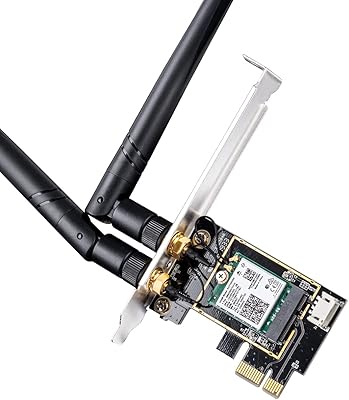
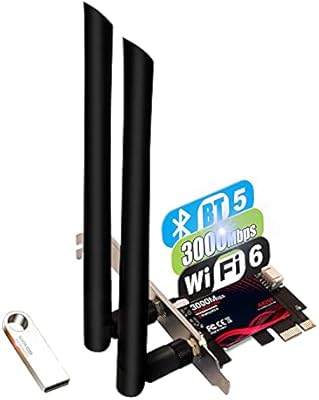
The OKN AX210 WiFi 6E PCIe Card is a straightforward, no-frills way to bring modern wireless capability to a desktop that was never built with WiFi in mind. Built around Intel's AX210 chipset, this WiFi 6E card sits in a price tier that makes it accessible for most builders without much deliberation. It supports the WiFi 6E standard, meaning access to the newer 6GHz band on top of the familiar 2.4GHz and 5GHz frequencies. Two 5dBi antennas come in the box, along with both standard and low-profile brackets — a small but practical detail for compact SFF builds. With well over 2,600 user ratings and a spot near the top of Amazon's internal networking category, it has earned a fair amount of real-world trust.

Features & Benefits

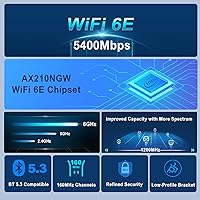
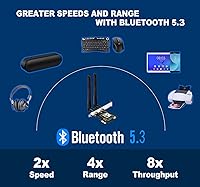
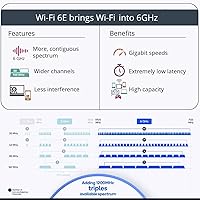
The AX210 PCIe adapter covers all three wireless bands, but the real draw is 160MHz channel support on the 6GHz band — wider channels translate directly into higher ceilings for data throughput, which matters when transferring large files or streaming high-resolution video. The headline speed figure is a theoretical maximum, not a guaranteed daily experience, so treat it as a ceiling rather than an expectation. OFDMA and MU-MIMO help the card handle busier home networks more gracefully, reducing the slowdowns you'd otherwise notice when several devices compete for bandwidth. Bluetooth 5.3 is a genuine bonus here — pairing a controller or wireless headset without a separate dongle keeps your USB ports free and your setup cleaner.

Best For

This desktop wireless upgrade makes the most sense for a specific type of buyer: someone who either can't run Ethernet or simply doesn't want to. Gamers chasing low-latency wireless will appreciate the 6GHz band's relative lack of interference, since most neighboring networks and older devices don't reach it yet. It's also a smart pick if you already own a WiFi 6E router and want to stop leaving that investment underused on the PC side. Home office users get the added benefit of Bluetooth for mice, keyboards, or headsets in a single install. For builders watching their budget, getting Intel silicon at this price point is genuinely hard to argue with.

User Feedback

Buyers are largely positive about the AX210 PCIe adapter, with most citing a noticeable improvement in connection stability over the WiFi 5 cards they replaced. Installation gets decent marks too — the hardware side is plug-and-play, though it's worth knowing upfront that driver setup is manual: you'll need to grab the AX210 driver directly from Intel's website rather than expecting Windows to handle it automatically. The bigger caveat is the 6GHz band itself, which only works on Windows 11 or a specific Windows 10 Dev build — a real limitation for anyone still on a standard Windows 10 setup. A small number of users find Bluetooth range shorter than expected versus standalone dongles, but outright hardware failures are rarely mentioned.

Pros

  • Runs on Intel's own AX210 chipset, which has a well-established reputation for driver stability and long-term support.
  • Access to the 6GHz band means far less interference in apartment buildings or dense neighborhoods compared to the 2.4GHz and 5GHz bands.
  • Bluetooth 5.3 is included, so you get wireless peripherals support without needing a separate dongle.
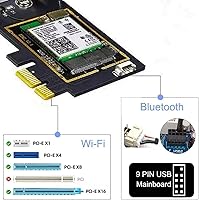
  • Fits virtually any modern desktop — PCIe x1, x4, x8, and x16 slots are all compatible.
  • Both standard and low-profile brackets are included in the box, making it usable in compact SFF cases as well as full towers.
  • OFDMA and MU-MIMO help maintain stable speeds even when multiple devices are hammering the same router simultaneously.
  • WPA3 security support keeps the connection future-proofed against newer network security requirements.
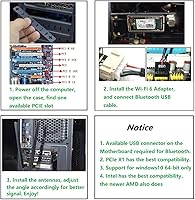
  • The physical installation is straightforward — most users report being up and running within minutes of opening the box.
  • At its price point, getting genuine Intel silicon with tri-band WiFi 6E capability is genuinely competitive against pricier alternatives.

Cons

  • The 6GHz band requires Windows 11 or a Windows 10 Dev build — standard Windows 10 users are locked out of the card's headline feature.
  • Driver installation is manual; you have to visit Intel's website yourself rather than relying on automatic Windows detection.
  • Bluetooth range has been reported as noticeably shorter than dedicated standalone Bluetooth adapters in some real-world setups.
  • Theoretical maximum speeds are rarely achievable in practice and depend heavily on router capability and network conditions.
  • No included extension cable for the antennas, which can make positioning tricky in tight or cramped desktop cases.
  • Users who are not on Windows 10 or 11 64-bit are completely unsupported — Linux and older Windows versions are a dead end here.
  • The dual antenna design, while adequate, does not match the signal coverage of higher-end cards with three or more antenna connections.

Ratings

The OKN AX210 WiFi 6E PCIe Card has been scored by our AI system after analyzing verified global user reviews, with spam, bot-submitted, and incentivized feedback actively filtered out before any scoring was applied. Ratings reflect the full picture — where this desktop wireless upgrade genuinely delivers and where real buyers have run into friction. Both the strengths and the recurring pain points are transparently represented in the scores below.

Value for Money
91%
At its price point, getting a card built around Intel's own AX210 chipset with tri-band WiFi 6E and Bluetooth 5.3 is difficult to match. Buyers consistently note that this feels like a significantly more capable product than the cost would suggest, especially compared to cheaper no-name chipset alternatives.
A small number of buyers feel the value equation weakens if they are on standard Windows 10, since the headline 6GHz feature is effectively locked behind an OS upgrade — meaning they may be paying for capability they cannot yet use.
Wireless Performance
83%
Users upgrading from WiFi 5 cards report a clear and immediate improvement in both speed and connection consistency, particularly on the 5GHz band. On networks with a WiFi 6E router and Windows 11, the 6GHz band delivers noticeably cleaner performance in congested apartment buildings where the 5GHz band is saturated.
Speeds fall well short of the theoretical ceiling in typical home environments, which is expected but still surprises some buyers who take the advertised figures at face value. Performance gains are also heavily dependent on router quality, and users with older routers may see only modest improvements.
Installation Ease
74%
26%
The physical installation is straightforward for anyone comfortable opening a desktop — the card slots in like any PCIe component, and the antenna connections are simple thumb-screw SMA fittings. Most buyers report the hardware side taking under ten minutes even without prior experience.
Driver setup is where friction appears: Windows does not reliably auto-install the correct driver, so users need to visit Intel's website manually to download and install it. This is a well-documented step, but it catches first-time builders off guard and generates a disproportionate share of negative early impressions.
6GHz Band Access
61%
39%
For Windows 11 users with a compatible WiFi 6E router, access to the 6GHz band is a genuine advantage — the spectrum is far less congested than 2.4GHz or 5GHz, resulting in more consistent latency during gaming sessions or video calls on busy home networks.
The 6GHz band is completely inaccessible on standard Windows 10, which affects a significant portion of buyers who have not yet upgraded their OS. This limitation is tied to Microsoft's driver support policy rather than the card itself, but it remains the single most common source of disappointment in user reviews.
Bluetooth Performance
71%
29%
Bluetooth 5.3 handles the standard desktop peripheral load — a wireless keyboard, headset, or game controller — without issue for the majority of users. The energy efficiency improvements over older Bluetooth versions are also appreciated by those using battery-powered peripherals throughout the day.
Range limitations become apparent in larger rooms or through walls, with some users noting that a dedicated standalone Bluetooth dongle outperforms this card in edge-of-range scenarios. It is a capable onboard option, but buyers with demanding Bluetooth range requirements should temper expectations.
Build Quality
78%
22%
The card feels appropriately solid for its price tier, with a standard PCB construction and securely attached antenna connectors. Both bracket options are metal rather than plastic, which adds a degree of confidence when fitting the card into a case.
The overall fit and finish is functional rather than premium — the antennas in particular feel light, which is common at this price level but may concern buyers accustomed to higher-end network cards. Nothing feels fragile, but there is no mistaking this for a flagship product on tactile inspection.
Compatibility
88%
The open-ended PCIe design means this adapter seats correctly in x1, x4, x8, and x16 slots, which covers the vast majority of modern motherboards regardless of brand or platform. AMD Ryzen and Intel builds both work without issue, and the included dual-bracket kit extends physical compatibility to compact SFF cases.
OS compatibility is strictly limited to Windows 10 and 11 in 64-bit versions, leaving Linux users and anyone still on 32-bit Windows without official support. There is no macOS compatibility either, which occasionally surprises buyers who assume an Intel chipset means broader platform support.
Signal Range
76%
24%
The dual 5dBi omnidirectional antennas provide solid coverage across a typical single-floor home environment, and most users report consistent signal through standard interior walls at moderate distances. For desktop PCs located in the same room or one room away from the router, performance is reliable.
In larger homes or multi-story environments, signal strength drops off more noticeably than some users expect, particularly on the 6GHz band, which has shorter range characteristics compared to 2.4GHz by nature of its higher frequency. Users needing long-range coverage may need to supplement with a better router placement rather than upgrading the card.
Latency
82%
18%
Gamers moving from WiFi 5 or 2.4GHz-only cards report a tangible reduction in ping variability, especially during peak evening hours when shared network congestion typically causes spikes. OFDMA support helps allocate bandwidth more efficiently across simultaneous users, which keeps latency more predictable under load.
Latency performance is still subject to environment and router capability — on an older WiFi 5 router, the latency benefits of this card are minimal. Wired Ethernet remains the benchmark for competitive gaming, and buyers expecting wireless parity may still notice occasional inconsistencies in high-demand scenarios.
Driver Stability
77%
23%
Once the correct Intel AX210 driver is properly installed, the connection tends to stay stable over extended use, with few reports of random disconnects or degraded performance over time. Intel's driver update cadence also means that long-term software support is more reliable than many third-party chipset alternatives.
Initial driver setup requires manual intervention, and a subset of users report needing to uninstall and reinstall drivers after Windows Update silently replaced a working version with a generic one. This is an edge case, but it creates a frustrating troubleshooting experience for less technically confident users.
MU-MIMO & OFDMA
79%
21%
In households where multiple devices are streaming, gaming, or downloading simultaneously, the OFDMA and MU-MIMO capabilities make a measurable difference in how the network handles contention. Buyers with busy home networks consistently note fewer slowdowns compared to their previous single-stream adapters.
These features only activate meaningfully when paired with a router that also supports MU-MIMO and OFDMA — users with older routers see no benefit from these capabilities at all. The real-world gains are also difficult for most buyers to quantify directly, which makes the benefit feel abstract unless the network conditions are clearly improved.
Package Contents
81%
19%
Including both bracket sizes in the box is a thoughtful touch that prevents the frustrating discovery mid-build that the card does not physically fit the case. The antennas are ready to use straight out of the box with no additional adapters required.
No antenna extension cables are included, which can create awkward cable management situations in tightly packed cases where the antenna connectors sit in an inconvenient position. A short extension cable would add negligible cost but would resolve a minor but recurring complaint from users in compact builds.

Suitable for:

The OKN AX210 WiFi 6E PCIe Card is a strong fit for desktop PC owners who want to cut the Ethernet cable without sacrificing connection quality. If you already own a WiFi 6E router, this card is essentially the missing piece that lets your desktop actually take advantage of the less-crowded 6GHz band — something most older cards simply can't do. Gamers who need stable, low-latency wireless will find the combination of wider channel support and OFDMA particularly useful during peak network hours when neighboring devices would otherwise compete for bandwidth. Home office users also benefit from the onboard Bluetooth 5.3, which handles wireless keyboards, mice, and headsets without occupying a single USB port. Budget-conscious builders who want a proven Intel chipset rather than a generic no-name solution will find the value proposition here genuinely hard to beat at this price tier.

Not suitable for:

The OKN AX210 WiFi 6E PCIe Card has a few real-world limitations that could make it the wrong choice depending on your setup. The 6GHz band — arguably the card's biggest selling point — is only accessible on Windows 11 or a specific Windows 10 Dev Channel build, so if you're running a standard Windows 10 installation and have no plans to upgrade, you'll be limited to the same two bands as older WiFi 5 cards. Users who expect a fully automatic plug-and-play experience may be frustrated, since the Intel AX210 driver typically needs to be downloaded and installed manually from Intel's website rather than pulled in automatically by Windows Update. Those who need Bluetooth coverage across a large room or through multiple walls may also find this card's range underwhelming compared to a dedicated high-gain Bluetooth dongle. Finally, laptop users or anyone without a desktop PCIe slot should obviously look elsewhere entirely, as this is strictly an internal desktop upgrade.

Specifications

  • Chipset: Built around the Intel AX210 chipset, which is a widely supported and well-regarded choice for stable long-term wireless performance.
  • WiFi Standard: Supports 802.11ax, commonly known as WiFi 6E, the latest generation of the WiFi standard at time of release.
  • Frequency Bands: Operates across three frequency bands: 2.4GHz, 5GHz, and 6GHz, with the 6GHz band being exclusive to WiFi 6E capable devices and routers.
  • Max Speed: Theoretical combined throughput reaches up to 5400 Mbps across all three bands, though real-world speeds will vary based on router, environment, and network load.
  • Channel Width: Supports channels up to 160MHz wide, which allows for significantly higher data throughput compared to the 80MHz maximum found on most older adapters.
  • Bluetooth: Includes Bluetooth 5.3, offering improved range, speed, and energy efficiency compared to Bluetooth 5.0 and earlier versions.
  • Interface: Uses a PCIe x1 edge connector and is physically compatible with PCIe x1, x4, x8, and x16 motherboard slots.
  • Antennas: Ships with two external omnidirectional antennas rated at 5dBi each, connected via standard SMA connectors.
  • Brackets: Both a standard full-height bracket and a low-profile bracket are included in the box to accommodate different desktop case sizes.
  • OS Support: Officially supports Windows 10 64-bit and Windows 11 64-bit; note that 6GHz band access specifically requires Windows 11 or the Windows 10 Dev Channel build.
  • Security: Supports WPA3 encryption, the current industry standard for wireless network security.
  • Network Features: Implements MU-MIMO, OFDMA, and Target Wake Time technologies for improved efficiency on busy networks and reduced power consumption on compatible devices.
  • Dimensions: The card measures 4.72″ in length, 3.15″ in width, and 0.79″ in height.
  • Weight: The card weighs approximately 90 grams without antennas, making it a lightweight addition to any desktop build.
  • Manufacturer: Manufactured by UFON and sold under the OKN brand on Amazon.

Related Reviews
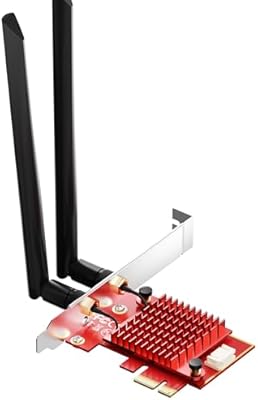
BZIZU WiFi 6E Intel AX210 PCIe Card
87%
94%
Performance for Gaming
91%
Performance for Streaming
89%
Ease of Setup
85%
Bluetooth 5.3 Connectivity
92%
WiFi Speed (5400Mbps)
More
Cudy WE4000 WiFi 6E PCIe Card
81%
91%
Value for Money
83%
WiFi Performance
88%
Installation Ease
62%
Bluetooth Functionality
84%
Driver Stability
More
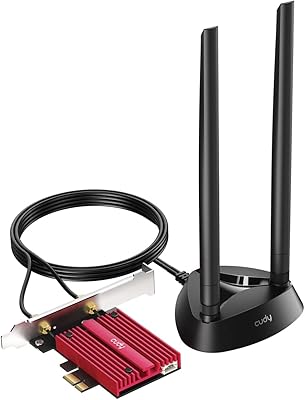
WAVLINK WL-WN675X3 WiFi 6E PCIe Network Card
78%
83%
WiFi Performance
67%
6GHz Band Usability
74%
Installation Ease
78%
Bluetooth 5.3 Performance
86%
Antenna Design & Placement
More
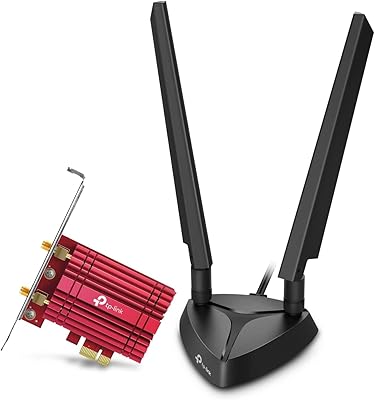
CORN AX210 WiFi 6E Wireless Network Card
76%
88%
Value for Money
84%
Wi-Fi Signal Performance
71%
Installation Experience
58%
Platform Compatibility
79%
Bluetooth Performance
More
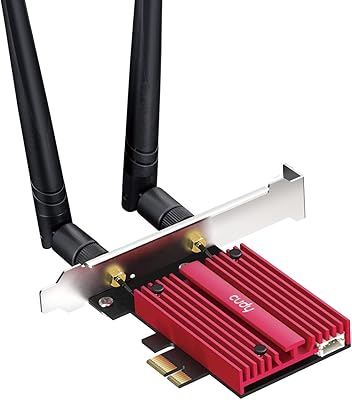
TP-Link Archer TXE75E WiFi 6E PCIe Card
82%
88%
Wireless Performance
83%
Installation Ease
91%
Chipset Reliability
67%
Bluetooth Functionality
74%
6 GHz Band Access
More
Cudy WiFi 7 BE9300 WE9300 PCIe WiFi Card
85%
88%
Wi-Fi Performance
91%
Installation & Setup
84%
Stability & Connectivity
92%
Compatibility with Intel Systems
87%
Bluetooth 5.4 Performance
More
TEROW ROW076 WiFi 6 PCIe Network Card
85%
87%
Performance
90%
Installation Ease
89%
WiFi Speed & Reliability
85%
Bluetooth Connectivity
91%
Gaming Experience
More
GLOTRENDS WiFi 7 PCIe Card with Extension Antenna
85%
93%
Performance & Speed
89%
Signal Coverage
87%
Installation Ease
91%
Compatibility with Windows 11
92%
WiFi 7 Compatibility
More
Cudy WE3000 WiFi 6 PCIe Card
80%
83%
WiFi Performance
88%
Installation Ease
81%
Signal Range
74%
Bluetooth Quality
69%
Driver Stability
More
TP-Link Archer TX20E WiFi 6 PCIe Card
79%
91%
Value for Money
83%
Installation Ease
86%
WiFi Signal Stability
84%
Gaming Performance
77%
Bluetooth Performance
More

FAQ

You do not need a WiFi 6E router — the AX210 PCIe adapter is fully backward compatible with older WiFi 5 and WiFi 4 routers. That said, if you want to actually use the 6GHz band, you will need both a WiFi 6E router and Windows 11 on your PC. With an older router, you will simply connect on the 5GHz or 2.4GHz band as usual.

Not always, and this catches a lot of buyers off guard. Windows may partially detect the card, but for full and stable functionality it is strongly recommended to download the AX210 driver directly from Intel's support website. The process is straightforward — search for AX210 on Intel's driver download page, grab the latest version, and run the installer.

Only under very specific circumstances. Standard Windows 10 installations do not support the 6GHz band. You would need to be enrolled in the Windows 10 Dev Channel and running a specific insider build for 6GHz to become available. For most users, upgrading to Windows 11 is the practical path to unlocking that feature.

Yes, it should. The box includes a low-profile bracket alongside the standard one, so you can swap it out to fit compact cases that do not accommodate full-height cards. Just double-check your case's PCIe slot clearance before purchasing.

It works fine with AMD Ryzen platforms. The card communicates through the PCIe slot on the motherboard, so it is entirely CPU-agnostic — AMD or Intel makes no difference here.

For most everyday use — connecting a keyboard, mouse, headset, or game controller — the onboard Bluetooth 5.3 performs well. However, a small number of users have noted that range can be shorter than a dedicated high-gain dongle, especially through walls or across larger rooms. If Bluetooth range is a priority, keep that trade-off in mind.

Yes, it is physically compatible. The card uses a PCIe x1 connector but the slot design is open-ended, meaning it seats and operates correctly in x4, x8, and x16 slots as well. Just make sure you have a free slot that is not occupied by your GPU or another card.

The card typically labels the antenna ports — main and auxiliary connections are usually marked on the PCB itself. The Bluetooth antenna is generally connected to the designated BT port, and both antennas shipped with the card are meant for WiFi. You can find a clear diagram in Intel's AX210 documentation if the labeling is unclear.

For gaming, the 6GHz band on a WiFi 6E network offers noticeably lower and more consistent latency than previous wireless generations, particularly because the 6GHz spectrum is far less congested. That said, a wired Ethernet connection will still edge out any wireless adapter in terms of raw latency consistency. If running a cable is simply not an option, this desktop wireless upgrade is one of the better alternatives available at this price point.

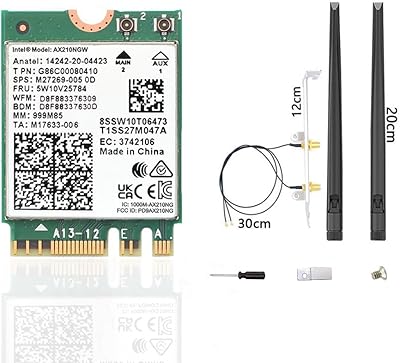
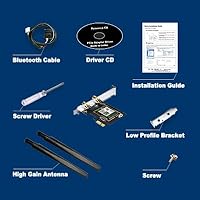
The package includes the PCIe card itself, two 5dBi external antennas with SMA connectors, a standard full-height bracket, a low-profile bracket, and basic installation documentation. A driver disc is not included, so plan to download the Intel AX210 driver from the web before you begin setup.

Where to Buy