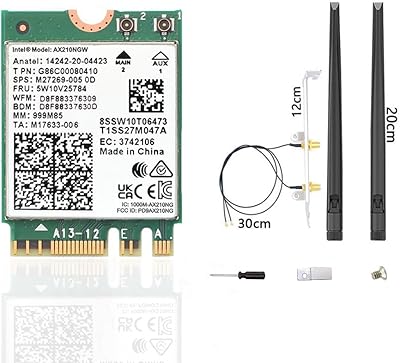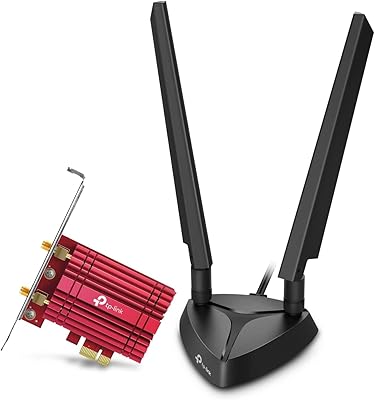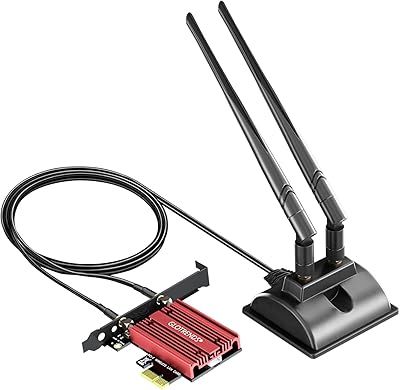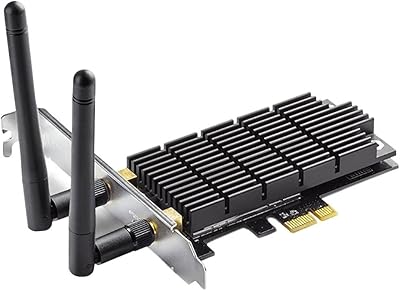

Overview

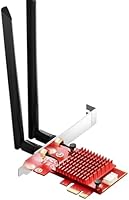
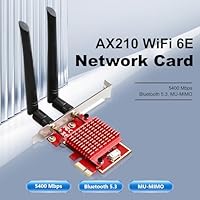
The BZIZU AX210 WiFi 6E PCIe Card is one of the more practical ways to bring modern wireless to a desktop PC that shipped without it — and at this price point, it punches well above what you might expect. The real story here is the Intel AX210 chipset, a module that powers plenty of premium laptop and desktop adapters. It slots into any standard PCIe lane — x1, x4, x8, or x16 — so compatibility is rarely an issue. You also get Bluetooth 5.3 alongside the WiFi, which means one card handles both. Worth noting upfront: unlocking the 6GHz band requires both a WiFi 6E router and Windows 11. On Windows 10 or an older router, you are essentially running a very good WiFi 6 card.

Features & Benefits

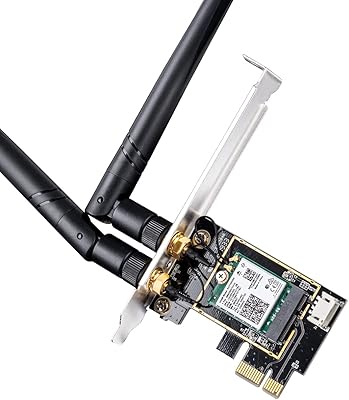
Tri-band coverage across 2.4GHz, 5GHz, and 6GHz sounds impressive on paper, and it genuinely is — provided your setup can use all three. In practical terms, the 5GHz band will carry most of your heavy lifting: fast enough for 4K streaming and online gaming with noticeably lower congestion than 2.4GHz. The Intel AX210 module brings real driver stability benefits; it is not some anonymous chip requiring sketchy third-party software. Bluetooth 5.3 handles peripheral pairing reliably at useful distances, and the included internal header cable means you can connect it directly to your motherboard without any external dongle. The bundled high-gain antennas make a meaningful difference — just keep them positioned vertically and away from the case's metal panels for best results.

Best For

This Intel AX210 PCIe card makes a lot of sense for anyone building or upgrading a desktop that lacks onboard WiFi — particularly gamers who want low-latency wireless without drilling holes for an ethernet run. If you are 4K streaming from a PC that sits two rooms away from your router, the jump from a WiFi 5 card to this one will likely be noticeable. Bluetooth peripheral users benefit too: one card replaces a USB dongle and a separate adapter. The sweet spot is a Windows 11 user already running a WiFi 6E router — that combination unlocks the full capability of the hardware. If you are still on Windows 10 or an older router, it still performs well, just not at its ceiling.

User Feedback

Across more than 140 ratings, this WiFi 6E adapter holds a 4.4-star average — solid for a card that launched in mid-2024. Buyers consistently praise easy installation and strong signal pickup, with several noting a clear improvement over the WiFi 5 cards they replaced. The Bluetooth pairing experience draws positive mentions too, especially from users connecting gaming controllers. On the critical side, a handful of reviewers ran into confusion around the Bluetooth header cable — some motherboards require a specific internal USB connector, so it is worth checking yours before you assume it will just work. A few users also noted driver hiccups on first install, though these were typically resolved through a manual driver update. No widespread compatibility issues with either AMD Ryzen or Intel platforms were reported.

Pros

  • The Intel AX210 chipset brings proven reliability and stable driver support that generic chip alternatives simply cannot match.
  • Broad PCIe slot compatibility — x1 through x16 — means installation works on virtually any modern desktop motherboard.
  • Bluetooth 5.3 is included, eliminating the need for a separate USB Bluetooth dongle.
  • The included internal Bluetooth header cable is a thoughtful addition that keeps your USB ports free.
  • High-gain tri-band antennas are bundled in the box, so there is nothing extra to buy out of the gate.
  • WPA3 encryption support keeps your connection secure on modern routers without any extra configuration.
  • Most buyers report a clear, noticeable speed and stability jump over older WiFi 5 cards they replaced.
  • Installation is rated as straightforward by the majority of users, even those without prior PC-building experience.
  • Sitting at rank #91 in its category with a 4.4-star average across over 140 ratings is a solid early-life track record.

Cons

  • The 6GHz band is completely locked out on Windows 10 — a limitation that catches many buyers off guard after purchase.
  • A WiFi 6E router is also required to use the 6GHz band, adding cost that budget-focused buyers may not have accounted for.
  • The Bluetooth header cable connection can be confusing for first-timers, especially on motherboards with non-standard internal USB pinouts.
  • Some users reported needing a manual driver update on first boot rather than getting automatic detection — minor but annoying.
  • BZIZU is a lesser-known brand, which may raise concerns about long-term firmware or driver support down the road.
  • Antenna placement is more critical than the packaging suggests — poor positioning near the metal case can meaningfully degrade signal quality.
  • Theoretical maximum speeds are rarely achievable in real home environments; buyers expecting peak figures will be disappointed.
  • No macOS support, making this a Windows-only solution for those who dual-boot or run mixed operating system setups.

Ratings

The BZIZU AX210 WiFi 6E PCIe Card has been evaluated by our AI rating system after analyzing verified global buyer reviews, with spam, bot submissions, and incentivized feedback actively filtered out. Scores reflect a honest, weighted synthesis of real-world experiences — strengths and frustrations alike — so you can make a confident buying decision without sifting through hundreds of individual opinions yourself.

Wireless Performance
86%
Users upgrading from WiFi 5 cards consistently report a meaningful jump in connection stability and throughput, especially on the 5GHz band. Gamers in particular noted reduced ping variance during sessions, which is the kind of day-to-day improvement that actually matters rather than theoretical maximums.
A portion of buyers were disappointed to find real-world speeds fall well short of the advertised peak, which is expected but not always clearly communicated. Performance on 2.4GHz is unremarkable compared to the 5GHz experience, and heavy network environments with many competing devices can expose the card's limits.
6GHz Band Access
67%
33%
For users who already own a WiFi 6E router and run Windows 11, accessing the 6GHz band delivers noticeably cleaner connections with far less interference than crowded 5GHz channels in apartment buildings or dense neighborhoods.
This is the single most common source of buyer frustration — many users purchased the card expecting 6GHz support out of the box, only to discover they also need a WiFi 6E router and Windows 11. On Windows 10 or with a standard WiFi 6 router, the 6GHz band is entirely inaccessible, which feels like a significant limitation given the card's core marketing.
Installation Ease
82%
18%
The physical PCIe installation is rated as genuinely beginner-friendly by the majority of buyers, with broad slot compatibility removing most compatibility guesswork. First-time builders appreciated that the card slotted in cleanly and the antenna connectors were straightforward to attach.
The Bluetooth header cable connection is where things get tricky for some users — locating the correct internal USB 2.0 header on certain motherboards requires consulting the manual, and a small number of boards lack a free header entirely. Driver installation is not always automatic, with a subset of users needing to manually fetch the latest Intel driver before the card performed reliably.
Bluetooth Performance
83%
Bluetooth 5.3 pairing is widely praised for being quick and stable, with users connecting controllers, wireless headsets, and keyboards without the dropout issues that cheaper Bluetooth dongles often cause. The extended range compared to older Bluetooth versions is noticeable when using peripherals across a large room.
The reliance on an internal motherboard header for Bluetooth activation is an extra step that some users found confusing or inconvenient, particularly on compact motherboards where headers are cramped. A small number of users on specific board configurations reported that Bluetooth was not recognized until drivers were manually updated.
Driver Stability
74%
26%
Being built on the Intel AX210 module means driver support is far more mature and widely available than with generic chipset alternatives. Most users found that once the correct Intel driver was installed, the card ran without further intervention for extended periods.
Out-of-the-box driver behavior is inconsistent — Windows does not always install the optimal driver automatically, and the version pulled from Windows Update is sometimes outdated. Users who did not proactively update drivers encountered intermittent disconnects or reduced performance that was only resolved after a manual driver install.
Value for Money
89%
At its price point, getting a genuine Intel AX210-based card with Bluetooth 5.3 included, antennas bundled, and broad PCIe compatibility is hard to argue against. Buyers who compared it against similarly priced alternatives with generic chipsets consistently felt this WiFi 6E adapter offered more per dollar spent.
The value calculus shifts if a buyer also needs to upgrade their router to actually unlock 6GHz — that added cost is not reflected in the card's price tag and can make the total investment feel less compelling. Those on tight budgets who already own a capable WiFi 5 router may find the incremental benefit smaller than expected.
Build & Hardware Quality
77%
23%
The card feels solid for its weight class, and the antenna connectors are firm without feeling fragile. Users handling the card during installation noted it did not feel flimsy compared to cheaper no-name alternatives they had tried previously.
BZIZU is not a recognized hardware brand, which leaves some buyers uncertain about long-term component reliability. The red PCB color is a minor cosmetic note, but a few users commented that the overall finish looks slightly budget relative to cards from established brands at a similar or slightly higher price.
Antenna Signal Quality
79%
21%
The bundled high-gain antennas perform well when positioned correctly — users who mounted them vertically and kept them away from the case's metal panels reported strong, consistent signal pickup even through walls and across multiple rooms.
Signal quality is noticeably sensitive to antenna placement, and the card's documentation does not give strong guidance on this. Buyers who left antennas lying horizontally or routed against the case interior reported weaker connections, leading to complaints that the card underperformed when the real issue was positioning.
Motherboard Compatibility
84%
The broad PCIe slot support means this WiFi 6E adapter fits on virtually any desktop board — from budget B450 AMD builds to high-end Intel Z790 platforms — without needing adapters or workarounds. Both Intel and Ryzen system owners reported clean compatibility.
Bluetooth functionality depends on having a free internal USB 2.0 header, which a small number of compact or heavily populated motherboards cannot offer. Users with mini-ITX boards in particular occasionally found their only available header was already occupied.
Latency for Gaming
81%
19%
On the 5GHz band, gamers noted that ping times were stable and consistent enough for competitive online play — a meaningful step up from WiFi 5 cards in the same use case. The Intel AX210 chipset handles OFDMA and MU-MIMO, which helps in households with multiple devices competing for bandwidth.
Wireless latency still cannot fully replicate a wired ethernet connection, and users playing latency-sensitive titles at the top level may still notice the difference. Performance in environments with heavy 5GHz congestion from neighboring networks can introduce occasional inconsistency.
Security Features
88%
WPA3 support is a genuine selling point for security-conscious users on modern routers, offering stronger protection against common wireless attacks compared to WPA2. The upgrade is effectively invisible to the user once configured — it just works quietly in the background.
WPA3 is only relevant if your router supports it, and many mid-range or older routers still default to WPA2 — making this feature a non-factor for a meaningful portion of buyers. There is no additional security software or management utility included with the card.
OS Compatibility
71%
29%
Full support for Windows 10 and Windows 11 covers the vast majority of desktop users without any special configuration. The card is recognized as standard hardware on both platforms once drivers are in place.
The hard cutoff at Windows 11 for 6GHz band access is a genuine limitation that affects Windows 10 holdouts more than the product page implies. There is no Linux or macOS support, which excludes a niche but vocal segment of desktop users who dual-boot or run alternative operating systems.
Package Contents
80%
20%
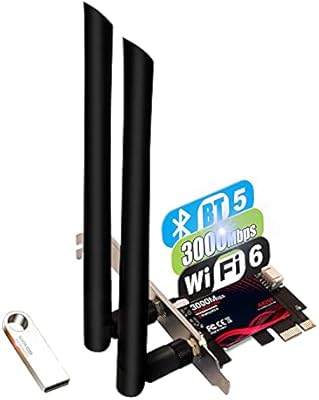
The box includes everything needed for a complete installation: the card, tri-band antennas, and the Bluetooth internal header cable. Not having to source these accessories separately is a practical convenience that saves time and removes uncertainty for first-time installers.
The included documentation is minimal — there is no printed setup guide that walks users through Bluetooth header cable installation, which is the step most likely to confuse newcomers. A brief illustrated guide would go a long way toward reducing the most common post-purchase complaints.

Suitable for:

The BZIZU AX210 WiFi 6E PCIe Card is a strong pick for desktop PC users who need to add wireless connectivity without spending a lot — particularly those building a new rig or upgrading an older system that never had a wireless card installed. Gamers who want reliable, low-latency WiFi without routing a cable across the room will find this adapter handles online play well on both 5GHz and 6GHz bands. It is equally at home for 4K streaming use cases, where a congested 2.4GHz network would otherwise cause buffering problems. The integrated Bluetooth 5.3 is genuinely useful for anyone running multiple wireless peripherals — controllers, headsets, keyboards — since it eliminates the need for a separate USB dongle. Users who are already on Windows 11 and own a WiFi 6E router will get the most out of this card, unlocking the less-congested 6GHz band that most neighbors are not even using yet.

Not suitable for:

The BZIZU AX210 WiFi 6E PCIe Card will underwhelm buyers who expect to tap into the 6GHz band without first checking their setup — you need both a WiFi 6E compatible router and Windows 11 for that band to function, and neither is negotiable. Users still running Windows 10 are essentially paying for hardware they cannot fully use; on that OS, the card operates as a capable WiFi 6 adapter, but nothing more. Laptop users are obviously out since this is a PCIe desktop-only card. Anyone expecting plug-and-play Bluetooth without dealing with an internal header cable connection may find the setup mildly fussy, especially if their motherboard uses a less common USB header pinout. Finally, power users running a NAS, a home lab, or demanding business network environments would be better served by a more enterprise-focused adapter with longer driver support guarantees from a more established brand.

Specifications

  • Chipset: Powered by Intel's AX210 module, a widely used and well-supported wireless chip found in premium laptops and desktop adapters.
  • WiFi Standard: Supports WiFi 6E (802.11ax), which is backward compatible with older WiFi 5 and WiFi 4 networks.
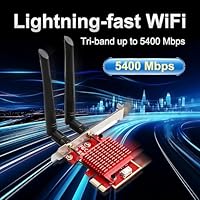
  • Frequency Bands: Operates across all three wireless bands: 2.4GHz for range, 5GHz for everyday speed, and 6GHz for maximum throughput with minimal congestion.
  • Peak Speed: Rated at a theoretical maximum of 5400Mbps combined across all three bands under ideal lab conditions.
  • Bluetooth: Includes Bluetooth 5.3, which offers improved range and data transfer efficiency compared to Bluetooth 5.0 and earlier versions.
  • PCIe Interface: Compatible with PCIe x1, x4, x8, and x16 slots, covering the full range of standard desktop motherboard configurations.
  • Security: Supports WPA3 encryption, the current industry standard for wireless network security on modern routers.
  • Antennas: Ships with high-gain tri-band external antennas designed to improve signal pickup across all three frequency bands.
  • BT Cable: Includes an internal USB Bluetooth header cable for connecting Bluetooth functionality directly to a compatible motherboard header.
  • OS Support: Officially compatible with Windows 10 and Windows 11; note that the 6GHz band is only accessible under Windows 11.
  • CPU Compatibility: Works with both Intel and AMD Ryzen desktop platforms without platform-specific restrictions.
  • Dimensions: The card measures 3.14″ in length, 2.75″ in width, and 0.78″ in height, fitting comfortably in most mid-tower and full-tower cases.
  • Weight: The card weighs 101 grams (3.56 oz), making it lightweight enough not to stress a PCIe slot even without additional bracket support.
  • Model Number: The manufacturer model designation is TXA116-1, which can be used to locate compatible drivers on Intel's official support pages.
  • Brand: Manufactured and sold by BZIZU, a third-party hardware brand that packages the Intel AX210 module into a retail PCIe card format.
  • 6GHz Requirement: Full access to the 6GHz band requires both a WiFi 6E compatible router and a PC running Windows 11; neither condition can be substituted.

Related Reviews
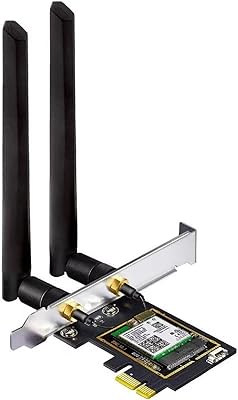
OKN AX210 WiFi 6E PCIe Card
78%
91%
Value for Money
83%
Wireless Performance
74%
Installation Ease
61%
6GHz Band Access
71%
Bluetooth Performance
More
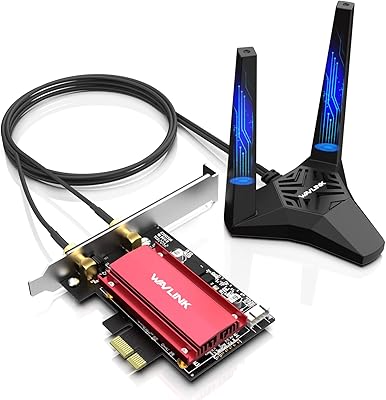
WAVLINK WL-WN675X3 WiFi 6E PCIe Network Card
78%
83%
WiFi Performance
67%
6GHz Band Usability
74%
Installation Ease
78%
Bluetooth 5.3 Performance
86%
Antenna Design & Placement
More
CORN AX210 WiFi 6E Wireless Network Card
76%
88%
Value for Money
84%
Wi-Fi Signal Performance
71%
Installation Experience
58%
Platform Compatibility
79%
Bluetooth Performance
More
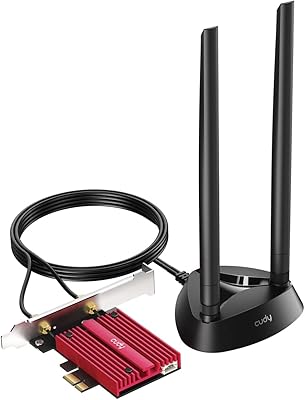
Cudy WE4000 WiFi 6E PCIe Card
81%
91%
Value for Money
83%
WiFi Performance
88%
Installation Ease
62%
Bluetooth Functionality
84%
Driver Stability
More
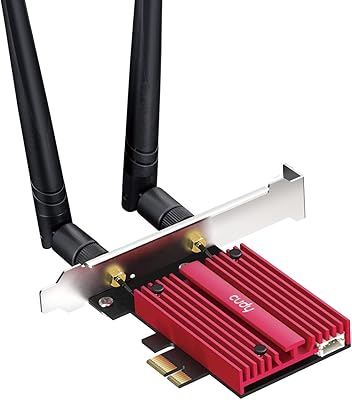
TP-Link Archer TXE75E WiFi 6E PCIe Card
82%
88%
Wireless Performance
83%
Installation Ease
91%
Chipset Reliability
67%
Bluetooth Functionality
74%
6 GHz Band Access
More
Cudy WE9300 WiFi 7 PCIe Card
75%
88%
Value for Money
91%
Installation Ease
79%
Wireless Performance
86%
Driver Stability
77%
Bluetooth Performance
More
TEROW ROW076 WiFi 6 PCIe Network Card
85%
87%
Performance
90%
Installation Ease
89%
WiFi Speed & Reliability
85%
Bluetooth Connectivity
91%
Gaming Experience
More
GLOTRENDS BE200 Wi-Fi 7 PCIe Card
77%
88%
Wireless Performance
76%
Installation Ease
53%
Compatibility Clarity
91%
Antenna Design
74%
Bluetooth Reliability
More
Cudy WE3000 WiFi 6 PCIe Card
80%
83%
WiFi Performance
88%
Installation Ease
81%
Signal Range
74%
Bluetooth Quality
69%
Driver Stability
More
TP-Link Archer T4E AC1200 PCIe WiFi Card
82%
88%
WiFi Performance
94%
Ease of Installation
84%
Build Quality
75%
Compatibility with Windows
82%
Signal Range
More

FAQ

Yes, it is compatible with PCIe x1, x4, x8, and x16 slots, which covers virtually every desktop motherboard available today. Just make sure the slot is physically unobstructed — some boards with multiple GPUs installed can block smaller slots.

Windows 11 will often detect the Intel AX210 chipset and pull a basic driver automatically, but for the best performance and stability it is worth downloading the latest driver directly from Intel's support site. A small number of users have reported that the auto-installed driver caused intermittent disconnects, which a manual update resolved.

You can, but two conditions must both be met: you need a WiFi 6E router (not just WiFi 6) and your PC must be running Windows 11. If either of those is missing, the card will not show a 6GHz network option at all. On Windows 10, it operates as a solid WiFi 6 adapter on 2.4GHz and 5GHz only.

No dongle needed. The BZIZU AX210 WiFi 6E PCIe Card includes an internal Bluetooth header cable that connects to a USB 2.0 header on your motherboard, which activates the onboard Bluetooth 5.3 controller. Before buying, check that your motherboard has a free internal USB 2.0 header, as some compact or budget boards only have one.

It works on both Intel and AMD Ryzen desktop platforms without any known compatibility issues. The Intel AX210 chipset operates at the driver level and does not care what CPU is in your system.

Mount the antennas vertically and try to route them so they are not pressed against the metal side panel of your case. Metal acts as a shield and can noticeably reduce range. If your case allows it, routing them out through a spare expansion slot opening at the back of the PC makes a real difference.

Absolutely. The card is backward compatible with older WiFi standards, so it will connect to any modern router. You simply will not have access to the 6GHz band or some of the advanced WiFi 6E features — but on a good WiFi 5 router, you will still see improved range and stability compared to older wireless cards.

That figure is the combined theoretical maximum across all three bands under ideal conditions — not something you will see in a real home environment. In practice, expect real-world throughput to be a fraction of that, depending on your router, the distance between devices, and wall interference. That said, on a clear 5GHz or 6GHz connection, this WiFi 6E adapter is genuinely fast and consistent for gaming and streaming.

Yes, this WiFi 6E adapter supports WPA3 encryption. Your router needs to also support WPA3 for you to benefit from it — if it only supports WPA2, the card will connect using WPA2 without any issues. WPA3 is just an available option, not a requirement.

Most buyers rate the hardware installation as straightforward — it is a matter of opening your case, sliding the card into an available slot, securing the bracket screw, and connecting the antenna cables and Bluetooth header cable. The part that trips people up most is the Bluetooth header cable connection inside the case. Take your time with it, consult your motherboard manual for the correct internal USB 2.0 header location, and the rest is simple.