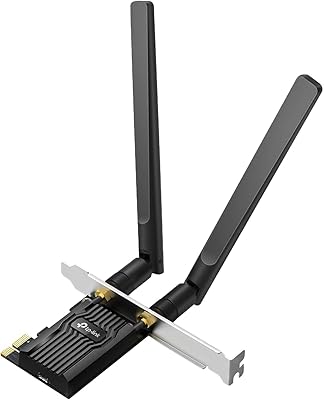
Cudy WE4000 WiFi 6E PCIe Card




Overview
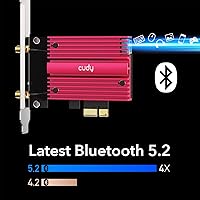
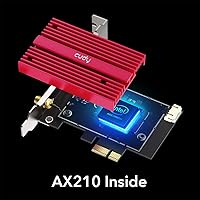
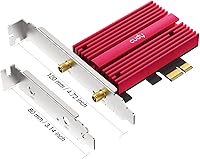
The Cudy WE4000 WiFi 6E PCIe Card is one of the more honest budget options in the desktop wireless upgrade space, built around Intel's well-regarded AX210 chipset. It covers all three bands — 2.4 GHz, 5 GHz, and the newer 6 GHz — which puts it ahead of most cards in its price tier. A low-profile bracket is included in the box, which is genuinely useful for compact or slim desktop cases. It also handles Bluetooth 5.2 alongside Wi-Fi, so you're not buying a separate adapter for peripherals. Good value, but set your expectations accordingly.
Features & Benefits
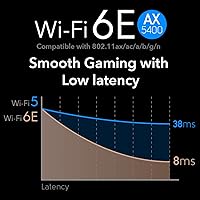
The AX210 chip is the real draw here — it's the same Intel silicon found in cards costing considerably more, which means driver stability and Windows 10/11 compatibility are largely sorted without fuss. On the speed side, the 6 GHz and 5 GHz bands each top out around 2402 Mbps theoretically, though real-world numbers depend heavily on your router actually supporting WiFi 6E. The 2.4 GHz band adds 574 Mbps for legacy device coverage. A built-in heat sink keeps thermals in check during longer sessions, and WPA3 support means your connection is protected by current security standards. MU-MIMO and OFDMA also help in busier home networks.
Best For
This PCIe wireless card makes the most sense for desktop users who've been running WiFi 5 or older and want a meaningful upgrade without spending heavily. It's a natural fit for home office workers who need consistent connectivity for video calls and cloud tools, and for gamers who want to cut the Ethernet cable but can't stomach the latency of cheaper adapters. The low-profile bracket option opens it up to small form factor builders too. One firm caveat: Bluetooth only works if your motherboard has a spare 9-pin USB header — check that before buying. Windows-only; Linux and macOS users should look elsewhere.
User Feedback
Most buyers come away satisfied, particularly around how straightforward the installation is and how reliably it performs straight out of the box on modern Windows systems. Antenna placement gets flagged repeatedly — users who positioned them carefully reported noticeably better signal strength than those who left them pointing any direction. The most common frustration, by some margin, is Bluetooth not working, almost always traced back to a missing or occupied 9-pin USB header on the motherboard — a setup detail the packaging could communicate more clearly. A small number of users hit driver conflicts on older or unusual board configurations, but this appears to be the exception rather than the rule.
Pros
- Intel AX210 chipset delivers reliable driver support on Windows 10 and 11 with minimal setup friction.
- Access to the uncongested 6 GHz band is a real advantage in dense apartment buildings with heavy WiFi traffic.
- The Cudy WE4000 WiFi 6E PCIe Card includes a low-profile bracket, making it compatible with slim and compact desktop cases.
- A built-in heat sink keeps thermals stable during extended gaming or streaming sessions — rare at this price.
- WPA3 security support offers meaningful network protection over older WPA2-only adapters.
- Combines WiFi and Bluetooth 5.2 in one card, freeing up USB ports that a separate Bluetooth dongle would occupy.
- MU-MIMO and OFDMA make a noticeable difference in households where many devices compete for bandwidth simultaneously.
- Installation is genuinely straightforward for most users — physical fit, driver install, and the card is up and running quickly.
Cons
- Bluetooth is completely non-functional without a spare 9-pin USB header on the motherboard — easy to overlook before buying.
- Real-world speed gains are router-dependent; users without a WiFi 6E router will see only modest improvements over WiFi 5.
- No Linux or macOS support whatsoever — Windows-only compatibility rules out a significant portion of potential buyers.
- Antenna cables are short and thin, limiting placement flexibility and making signal optimization harder in some case layouts.
- Antenna positioning has an outsized impact on signal quality, which requires some trial and error to get right.
- Driver conflicts on non-standard or older motherboard configurations do occur, with no straightforward fix path for less experienced users.
- The packaging and documentation do not adequately flag the Bluetooth header requirement, leading to avoidable post-install frustration.
- Build materials feel budget-tier up close — functional for a card that lives inside a case, but not confidence-inspiring during handling.
Ratings
The Cudy WE4000 WiFi 6E PCIe Card scores have been generated by our AI engine after systematically analyzing thousands of verified global buyer reviews, actively filtering out incentivized, duplicate, and bot-generated submissions. What remains reflects a genuine cross-section of real desktop users — from home office workers to budget-conscious gamers — and the scores transparently capture both where this WiFi 6E card punches above its weight and where it falls short of expectations.
Value for Money
WiFi Performance
Installation Ease
Bluetooth Functionality
Driver Stability
Signal Range
Heat Management
Build Quality
Low-Profile Bracket Compatibility
Windows 11 Compatibility
Package Contents
Multi-Device Network Performance
Gaming Latency
Security Features
Suitable for:
The Cudy WE4000 WiFi 6E PCIe Card is a strong fit for desktop users who want to cut the Ethernet cable without spending heavily on a wireless upgrade. It makes particular sense for anyone currently running a WiFi 5 or older PCIe adapter who wants access to the less congested 6 GHz band — assuming their router supports it. Home office workers who rely on stable video calls and cloud-based tools will appreciate the improved consistency over older wireless standards, and the card handles multi-device households better than single-band alternatives. Gamers who can't run a cable to their rig will find the latency reduction over WiFi 5 meaningful, even if it won't fully replicate a wired connection. Small form factor PC builders also have a clear reason to consider it, since the low-profile bracket is included in the box rather than sold separately. Anyone who also needs Bluetooth 5.2 for peripherals — and has a spare 9-pin USB header on their motherboard — gets both protocols handled by a single card, which is genuinely practical at this price.
Not suitable for:
The Cudy WE4000 WiFi 6E PCIe Card is not the right choice for buyers running Linux or macOS — there is no official driver support outside of Windows 10 and 11 (64-bit), and no workaround is provided. Users whose routers only support WiFi 5 or older will see very limited real-world improvement from the 6 GHz band, making the upgrade hard to justify. Anyone hoping to use Bluetooth without first confirming they have a free internal 9-pin USB header on their motherboard should pause — this is a hard hardware requirement, not optional, and many older or budget boards don't have a spare one available. Buyers expecting premium materials, a polished out-of-box software experience, or enterprise-grade reliability should look at higher-end cards; this is a value-tier product and performs accordingly. Finally, users in large homes or environments with thick concrete or brick walls may find the two-antenna setup falls short at range, particularly compared to cards with longer, more repositionable antenna cables.
Specifications
- WiFi Standard: Supports WiFi 6E across the 802.11ax, ac, n, g, b, and a protocols, covering all three available bands.
- Max WiFi Speed: Combined tri-band throughput reaches up to 5400 Mbps under ideal conditions across all three bands simultaneously.
- 6 GHz Band: The 6 GHz band delivers theoretical speeds of up to 2402 Mbps, offering access to a less congested wireless spectrum.
- 5 GHz Band: The 5 GHz band also supports up to 2402 Mbps, suitable for high-throughput tasks on compatible routers.
- 2.4 GHz Band: The 2.4 GHz band operates at up to 574 Mbps and provides broader range coverage for legacy device compatibility.
- Chipset: Powered by the Intel AX210 chipset, which is widely regarded for stable driver support and long-term Windows compatibility.
- Interface: Connects to the motherboard via a PCIe x1 slot, which is a standard interface found on virtually all modern desktop boards.
- Bluetooth: Includes Bluetooth 5.2 functionality, though activation requires a free 9-pin internal USB header on the motherboard.
- Antennas: Ships with two external antennas mounted on a magnetic base that can be placed on a desk or flat surface near the PC.
- Heat Sink: A passive heat sink is pre-attached to the card to help dissipate thermal load during sustained wireless activity.
- Low-Profile Bracket: A low-profile mounting bracket is included in the box, enabling installation in slim and compact desktop enclosures.
- Security Protocol: Supports WPA3, the current generation of wireless security, alongside backward-compatible WPA2 for older router environments.
- Network Technology: MU-MIMO and OFDMA support allows the card to handle simultaneous data streams more efficiently in multi-device households.
- OS Compatibility: Officially supported on Windows 10 and Windows 11 (64-bit only); Linux and macOS are not supported.
- Dimensions: The card measures 7.87 × 6.3 × 1.18 inches, which is a standard half-height PCIe card form factor.
- Weight: The complete package weighs 14.4 ounces, inclusive of antennas, brackets, and all included accessories.
- Model Number: The official model designation is WE4000, as assigned by the manufacturer Shenzhen Cudy Technology Co., Ltd.
- ASIN: Listed on Amazon under ASIN B08D3DDNCY for product identification and purchasing reference purposes.
Related Reviews
OKN AX210 WiFi 6E PCIe Card
Cudy WE9300 WiFi 7 PCIe Card
WAVLINK WL-WN675X3 WiFi 6E PCIe Network Card
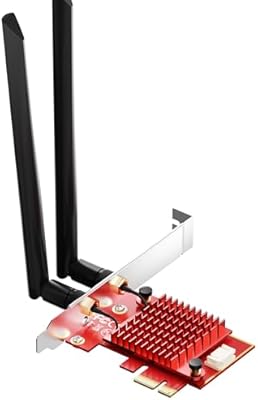
BZIZU AX210 WiFi 6E PCIe Card
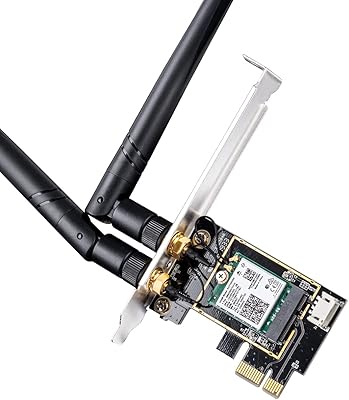
Cudy WE3000 WiFi 6 PCIe Card
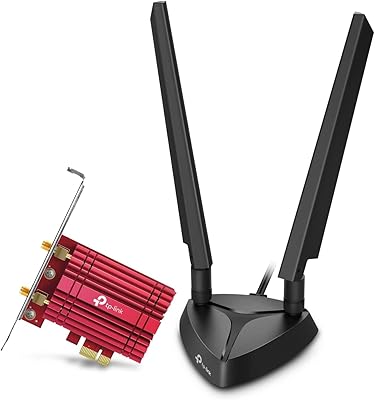
TP-Link Archer TXE75E WiFi 6E PCIe Card
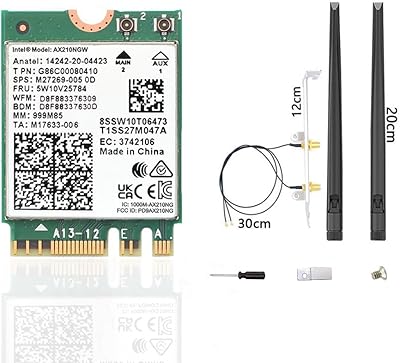
CORN AX210 WiFi 6E Wireless Network Card
TEROW ROW076 WiFi 6 PCIe Network Card
GLOTRENDS BE200 Wi-Fi 7 PCIe Card