


Overview

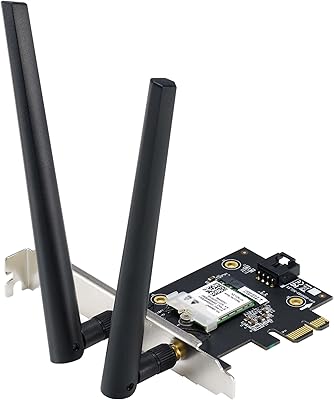
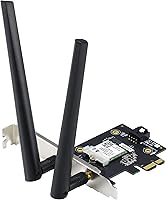
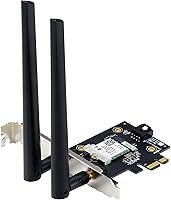
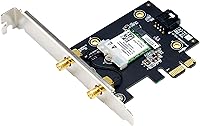
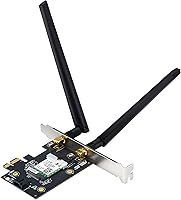
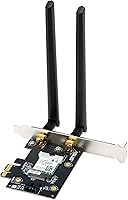
The ASUS PCE-AX1800 WiFi 6 PCIe Adapter is one of the more practical ways to bring a modern wireless standard to a desktop that was built before WiFi became a default inclusion. It occupies a comfortable middle ground — not the cheapest option on the shelf, but well-priced for what it delivers. The card is compact, slots into a standard PCIe lane, and ships with two external antennas you can angle to improve reception. Perhaps most useful is that it handles both wireless and Bluetooth in a single slot, which matters when your motherboard has limited expansion options. A solid upgrade path for anyone still running older WiFi 4 or WiFi 5 hardware.

Features & Benefits

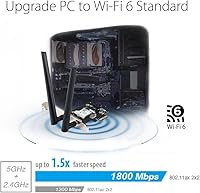
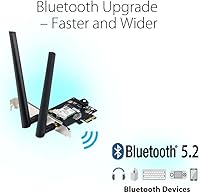
This PCIe WiFi card runs on the 802.11ax standard, supporting both 2.4GHz and 5GHz bands with a combined theoretical ceiling of 1800Mbps — though real-world speeds will be noticeably lower depending on your router and environment. What actually makes the protocol worth caring about is OFDMA and MU-MIMO, two technologies that help the connection stay stable when several devices are competing for bandwidth simultaneously. Bluetooth 5.2 is a genuine addition here, not an afterthought — it extends pairing range and improves audio quality compared to older Bluetooth versions. The card also adopts WPA3 security, giving your connection a stronger encryption layer than the aging WPA2 standard most older adapters still rely on.

Best For

This desktop wireless adapter makes the most sense for a fairly specific group of buyers. If your desktop PC has no wireless capability at all and you want to avoid running a long ethernet cable, this card solves that problem cleanly. Gamers with WiFi 6 routers will notice lower latency compared to older card generations, though realistic expectations about wireless versus wired performance still apply. Home office users who also need to connect a Bluetooth keyboard, mouse, or headset will appreciate having both functions on one card. Those on a tighter budget who still want access to a current-generation wireless standard, rather than settling for something already outdated, will find this particularly good value.

User Feedback

Across hundreds of verified reviews, the ASUS WiFi 6 card earns consistently solid marks at 4.4 out of 5 stars. Driver installation is one of the most frequently praised aspects — most Windows 10 and 11 users report the setup process takes only a few minutes without technical headaches. Connection stability is another common highlight, particularly for people upgrading from older PCIe wireless cards. On the critical side, some buyers have been caught off guard by the fact that full WiFi 6 speeds only materialize when paired with a compatible WiFi 6 router. Antenna positioning also comes up occasionally, with a few users needing to experiment with angles before landing a consistently reliable signal.

Pros

  • Easy driver installation on Windows 10 and 11 — most users are up and running in minutes.
  • Brings WiFi 6 support to older desktops without requiring a motherboard replacement.
  • Bluetooth 5.2 and wireless connectivity covered by a single PCIe card, saving a slot.
  • WPA3 security offers noticeably stronger encryption than what older adapters provide.
  • OFDMA and MU-MIMO help maintain stable speeds on busy home networks with many devices.
  • Connection stability improvements over older WiFi 4 and WiFi 5 cards are widely reported by real users.
  • Compact, low-profile form factor fits comfortably in most standard desktop cases.
  • Detachable external antennas let you adjust positioning to improve reception for your specific setup.
  • Highly rated by a large pool of verified buyers, giving confidence in consistent real-world performance.
  • Represents solid value for buyers who want a current-generation wireless standard without a premium price tag.

Cons

  • Full WiFi 6 performance requires a compatible WiFi 6 router — older routers will bottleneck the card.
  • Antenna positioning has a meaningful impact on signal quality, which can require some trial and error.
  • Real-world speeds fall significantly short of the 1800Mbps theoretical maximum in typical home environments.
  • No magnetic antenna base or flexible cable antenna option, limiting placement creativity in tighter builds.
  • Only compatible with desktop PCs — not an option for users wanting to upgrade a laptop or small form-factor mini PC.
  • Lacks tri-band support, which may be a limitation in very high-density wireless environments.
  • Some users have reported inconsistent driver behavior after major Windows updates, requiring a reinstall.
  • No bundled software utility for monitoring signal strength or managing connection profiles.

Ratings

The ASUS PCE-AX1800 WiFi 6 PCIe Adapter has been scored by our AI rating system after analyzing verified buyer reviews from multiple global markets, with spam, incentivized, and bot-generated feedback actively filtered out before any scoring took place. The result is an honest, data-driven breakdown that reflects both what this desktop wireless adapter genuinely does well and the real friction points that some buyers have run into. Strengths and shortcomings are weighted equally so you get a clear picture before committing.

Value for Money
91%
For a card that brings WiFi 6 and Bluetooth 5.2 to a desktop in a single slot, the price-to-feature ratio stands out clearly in this category. Buyers consistently note that comparable functionality from competing brands costs noticeably more, making this PCIe WiFi card a go-to recommendation for budget-conscious upgraders.
A small segment of buyers who purchased specifically chasing maximum throughput felt underwhelmed once they realized full WiFi 6 speeds require a router upgrade too, which adds hidden cost to the total picture. For those already factoring in a router purchase, the value calculation shifts somewhat.
Wireless Performance
78%
22%
On WiFi 6 routers, users report a clear and consistent improvement in connection stability compared to older PCIe cards, particularly in homes with multiple active devices competing for bandwidth. Gamers specifically call out reduced lag spikes during peak usage hours, which older WiFi 5 cards struggled with in the same environments.
Real-world throughput falls well short of the 1800Mbps theoretical ceiling in virtually every home setup, which catches some buyers off guard. Performance on WiFi 5 or older routers is functional but unremarkable, and users in larger homes or with the PC far from the router report more variable results.
Installation Ease
93%
This is one of the card's most consistently praised traits across hundreds of reviews — most Windows 10 and 11 users report being fully connected within ten to fifteen minutes of opening the box. Driver installation is described as painless, with ASUS support pages providing straightforward downloads when needed.
A small number of users encountered driver conflicts after major Windows update cycles, requiring a clean reinstall of the network drivers to restore full functionality. Linux users face a less polished experience, with driver support largely dependent on community-maintained packages rather than official ASUS releases.
Bluetooth Performance
82%
18%
Bluetooth 5.2 works reliably for the most common desktop peripheral pairings — headsets, keyboards, and mice all connect with minimal fuss, and the extended range over older Bluetooth versions is genuinely useful in home office setups where peripherals sit at a distance. Audio quality over Bluetooth headsets is frequently highlighted as an improvement.
A handful of users reported occasional Bluetooth interference when both the wireless and Bluetooth functions were under heavy simultaneous load, though this appears to be a minority experience. Advanced Bluetooth audio codecs like aptX or LDAC are not supported, which matters to audiophiles using high-end wireless headphones.
Signal Stability
76%
24%
In setups where the antennas are properly positioned and the router is within a reasonable range, the ASUS WiFi 6 card holds a stable connection well during sustained tasks like video streaming, remote desktop sessions, and multiplayer gaming. Users upgrading from single-antenna or USB wireless adapters notice a meaningful improvement in consistency.
Antenna orientation has an outsized impact on performance, and users who do not take time to adjust the angles report noticeably weaker and less consistent signals. Walls, floors, and other physical obstructions affect this card more than some buyers expect, making placement experimentation a practical requirement in many homes.
Build Quality
74%
26%
The card feels solid in hand and fits securely in the PCIe slot without any flex or wobble once seated. The detachable antenna design is a practical choice, allowing users to replace antennas or swap to aftermarket options if needed down the line.
The plastic antenna connectors feel a bit lightweight at this price tier and do not inspire confidence if you plan to frequently adjust the angles. A few buyers noted the antennas feel slightly loose at the base after repeated repositioning, though this did not appear to cause functional issues in most reported cases.
Driver & Software Support
71%
29%
ASUS maintains a functional support page with driver downloads for the PCE-AX1800, and the initial installation experience is clean and well-documented. For mainstream Windows users, the software side of ownership is largely friction-free.
There is no dedicated companion app for monitoring signal strength or managing connection profiles, which more experienced users would appreciate. Post-update driver hiccups are an occasional but recurring theme in user feedback, suggesting the driver stack does not always survive major Windows feature updates without manual intervention.
Antenna Design
68%
32%
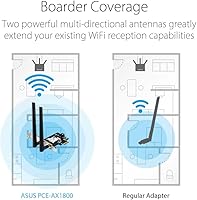
Having two external, adjustable antennas rather than internal ones gives users a real degree of control over reception quality that fixed-antenna cards cannot offer. Users in rooms with some obstructions report being able to meaningfully improve signal just by experimenting with the angle and orientation.
The antennas are rigid rather than articulated on a flexible cable, which limits how creatively you can position them in tighter or more awkwardly oriented cases. There is no magnetic base option for mounting the antennas away from the PC body, a feature some higher-end cards offer for users whose machines sit under desks or inside enclosures.
Compatibility
79%
21%
The standard PCIe x1 interface ensures broad compatibility with the overwhelming majority of modern desktop motherboards, and the included low-profile bracket adds support for smaller form-factor cases. Most users plug it in and have it recognized without any BIOS adjustments.
Strictly desktop-only compatibility is a real limitation for users who wanted a versatile solution across multiple machines. A small number of users with older or budget motherboards reported occasional slot recognition issues, though these were not widespread.
Security Features
86%
WPA3 support is a genuine differentiator at this price point, and home users who have already upgraded to a WPA3-capable router will benefit from the stronger encryption without needing to think about it. It is a future-proofing feature that many competing cards in this tier still omit.
WPA3 is only relevant if your router also supports it — users with older routers fall back to WPA2 automatically, which means the security upgrade is conditional rather than guaranteed. There is no additional ASUS security software bundled with the card to help less technical users configure their network protection settings.
Heat Management
83%
Under typical workloads — streaming, browsing, gaming — the card runs cool and does not appear to throttle performance due to heat buildup, which is reassuring for users running it in cases with moderate airflow. No heatsink is needed given the card's passive thermal design.
Sustained heavy network usage over long periods in poorly ventilated cases has led a few users to report occasional disconnects that resolved after cooling down, though this appears to be an edge case rather than a systemic issue. Thermal behavior in compact or heavily loaded systems is not officially documented by ASUS.
Network Congestion Handling
77%
23%
OFDMA support is the practical standout here for households with many connected devices — users in busy home environments with five or more active wireless devices report that this desktop wireless adapter handles simultaneous traffic noticeably better than older cards without this technology.
The benefits of MU-MIMO and OFDMA are only activated when the connected router supports these features as well, meaning users on older infrastructure will see no difference versus a basic WiFi 5 card. The real-world congestion improvements, while real, are subtle rather than dramatic in most home setups.

Suitable for:

The ASUS PCE-AX1800 WiFi 6 PCIe Adapter is a strong match for desktop PC owners whose machines were built before wireless connectivity became standard, and who would rather avoid the hassle of routing an ethernet cable across a room. It makes particular sense for anyone who already owns or plans to upgrade to a WiFi 6 router, since that pairing is where the card's efficiency advantages — cleaner handling of congested networks, lower latency under load — actually come through. Gamers who play wirelessly and want a more stable connection than older PCIe adapters could offer will find it a worthwhile slot investment. Home office users also benefit from the combined Bluetooth 5.2 support, which means a single expansion slot covers both wireless internet and peripheral connectivity like headsets, keyboards, and mice. Budget-conscious buyers looking to future-proof a capable older desktop without spending heavily on a new motherboard will find this card hits a practical sweet spot.

Not suitable for:

The ASUS PCE-AX1800 WiFi 6 PCIe Adapter is not the right choice for users who are still running an older WiFi 5 or WiFi 4 router and have no plans to upgrade — the card will work in those environments, but most of its key advantages will simply not be realized. Anyone expecting to hit anywhere near the 1800Mbps theoretical maximum should recalibrate expectations; real-world wireless throughput depends heavily on router capability, distance, and interference, and will fall well short of that figure in typical home setups. This desktop wireless adapter is also not designed for laptops or any non-desktop form factor, so mobile users are out of scope entirely. Power users or network enthusiasts looking for a high-end wireless card with features like a magnetic antenna base, tri-band support, or advanced software controls will likely find this card too basic for their needs. Finally, anyone in a physical setup where antenna placement is severely restricted — tight cases with poor airflow clearance, or locations far from the router — may find signal performance disappointing without the freedom to angle the antennas properly.

Specifications

  • WiFi Standard: This card uses the WiFi 6 (802.11ax) standard, which offers improved efficiency and throughput over the previous WiFi 5 (802.11ac) generation.
  • Max Data Rate: The combined theoretical maximum across both bands is 1800Mbps, though real-world speeds will vary based on router capability and environment.
  • Frequency Bands: Operates on both the 2.4GHz and 5GHz bands, giving users flexibility to connect to whichever band their router performs best on.
  • Bluetooth Version: Bluetooth 5.2 is built in, supporting faster data transfer, extended range, and improved audio quality compared to older Bluetooth 4.x implementations.
  • Interface: The card connects via a standard PCIe slot, compatible with most modern mid-tower and full-tower desktop motherboards.
  • Security Protocol: WPA3 network security is supported, providing stronger protection against unauthorized access than the older WPA2 standard.
  • Key Technologies: OFDMA and MU-MIMO are both supported, allowing the card to handle multiple simultaneous data streams more efficiently on congested networks.
  • Antenna Setup: Two detachable external antennas are included, which can be adjusted in angle and orientation to optimize signal reception for a given setup.
  • Dimensions: The card measures 4.74″ in length, 3.46″ in width, and 0.85″ in height, making it a compact fit for standard PCIe slots.
  • Weight: The card weighs 2.72 ounces, making it a lightweight addition that will not stress the PCIe slot under normal desktop conditions.
  • Compatible Devices: Designed exclusively for desktop PCs; it is not compatible with laptops, mini PCs without a standard PCIe slot, or any mobile devices.
  • Model Number: The official model designation is PCE-AX1800, as assigned by ASUS for this specific WiFi 6 PCIe adapter.
  • Manufacturer: Designed and manufactured by ASUS, a well-established brand in networking hardware and PC components.
  • Release Date: This card was first made available in May 2022, placing it well within the current WiFi 6 product generation.
  • Amazon Rating: It holds a 4.4 out of 5 star rating based on 887 verified customer ratings as listed on Amazon.
  • Category Rank: Ranked #44 in the Internal Computer Networking Cards category on Amazon, reflecting consistent buyer interest and sales volume.

Related Reviews
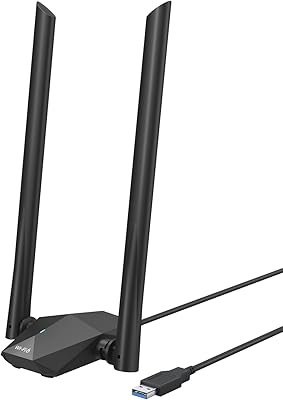
BrosTrend AX1800 WiFi 6 USB Adapter
70%
88%
Ease of Setup
74%
Wireless Speed Performance
79%
Range & Signal Penetration
63%
Driver Stability
41%
OS Compatibility
More
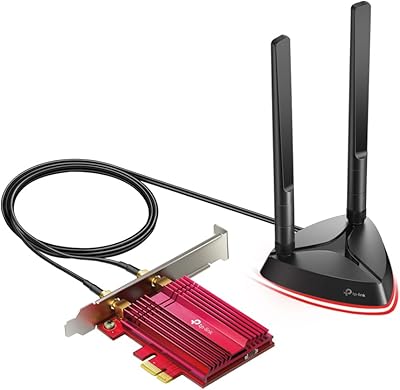
TP-Link Archer TX3000E
81%
88%
Wireless Speed Performance
91%
Signal Stability & Range
74%
Installation & Setup
62%
Bluetooth Setup & Usability
79%
Driver Reliability & OS Compatibility
More
ASUS RT-AX1800S
ASUS RT-AX1800S
79%
88%
Value for Money
79%
WiFi Speed & Performance
74%
Coverage & Range
83%
Setup & Ease of Use
67%
Router App Experience
More
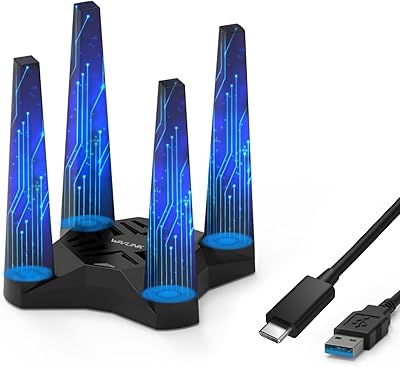
ASUS PCE-AXE5400 WiFi 6E PCIe Adapter
77%
83%
Wireless Performance
78%
Installation & Setup
87%
6GHz Band Access
81%
Bluetooth 5.2 Integration
72%
Build Quality & Hardware
More
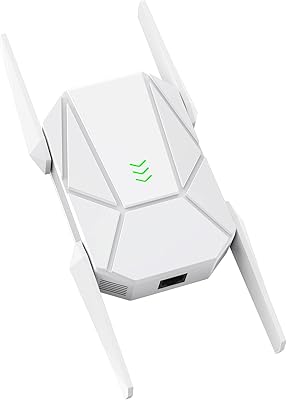
WAVLINK AX1800 USB WiFi Adapter
81%
88%
Performance
92%
Ease of Setup
85%
WiFi Speed & Stability
78%
Build Quality
82%
Compatibility
More
WAVLINK WN573HX1 AX1800 Outdoor WiFi 6 Access Point
80%
92%
Weather Resistance & Durability
84%
WiFi Range & Signal Strength
81%
Installation & Setup
61%
Configuration Interface (UI/UX)
86%
WiFi 6 Performance & Speed
More
ASUS RT-AX57 WiFi 6 Router
86%
88%
WiFi Performance
91%
Setup & Installation
93%
Security Features
85%
Network Stability
75%
Coverage Range
More
HighZer0 AX1650x WiFi 6 M.2 Card
74%
84%
Wireless Performance
78%
Installation Ease
41%
Accessory Completeness
88%
Gaming Traffic Prioritization
63%
Killer Intelligence Center Software
More
ASUS RT-AX86U WiFi 6 Gaming Router
84%
91%
Wireless Performance
88%
Gaming Latency
86%
Range & Coverage
79%
Setup & Ease of Use
74%
Value for Money
More
ZMISDRI M-AX05 AX1800 WiFi 6 Extender
75%
91%
Ease of Setup
63%
Coverage Range
74%
WiFi Speed Performance
88%
Gigabit Ethernet Port
69%
Latency & Gaming
More

FAQ

You do not need one to get it working — the card is backward compatible with older WiFi 5 and WiFi 4 routers. That said, features like OFDMA and the efficiency improvements WiFi 6 is known for will only activate when paired with a WiFi 6 router, so if you want to get the most out of the card long-term, upgrading your router eventually makes sense.

Most users find it pretty straightforward. You slot the card into an available PCIe lane on your motherboard, install the drivers from the ASUS support page or the included software, and you should be online within minutes. Windows 10 and 11 are both well-supported, and the majority of buyer reviews specifically praise how quick the setup is.

As long as your desktop has an open PCIe x1 slot on the motherboard, this PCIe WiFi card should be compatible. It does not require a particularly modern motherboard — just an available slot and a desktop case with room for the external antennas to sit above the rear I/O panel.

Yes, both functions run off the same card and can operate at the same time without needing to toggle between them. This makes it practical for users who want to connect a Bluetooth headset or keyboard while also using the card for wireless internet.

The 1800Mbps figure is a theoretical ceiling — in real home environments, you can expect meaningfully lower speeds depending on your router, distance from the access point, and how many other devices are connected. For most everyday tasks like video calls, streaming, and casual gaming, the speeds are more than adequate, but do not expect to hit anywhere near the maximum on paper.

It does, more than some people expect. The two external antennas are adjustable, and taking a few minutes to angle them toward your router can noticeably improve signal strength and stability, particularly in setups where the desktop is not in the same room as the router. A handful of users who initially reported weak signals found the issue resolved after repositioning the antennas.

ASUS officially supports Windows 10 and Windows 11 with dedicated drivers, and the vast majority of user experience reflects those platforms. Linux compatibility can vary by kernel version and distribution — some users report it working with community-maintained drivers, but if Linux support is critical for your setup, it is worth checking current driver availability before purchasing.

If your router also supports WiFi 6, the upgrade is genuinely worthwhile — you will notice better stability on busy networks and lower latency under load. If you are sticking with a WiFi 5 router for the foreseeable future, the improvement will be more modest, though the card will still perform reliably as a WiFi 5 device.

The ASUS PCE-AX1800 WiFi 6 PCIe Adapter comes with the card itself, two detachable external antennas, a low-profile bracket for smaller cases, and installation media. ASUS also makes drivers available for download directly from their support site if you prefer to grab the latest version.

In most standard mid-tower and full-tower cases, yes — the antennas extend above the rear I/O area and can be angled freely once the card is seated. In very compact cases or builds with tight clearance around the rear panel, you may want to measure the available space beforehand, as the antennas do add a few inches of height above the card bracket.

Where to Buy