Overview
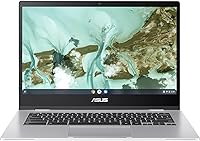
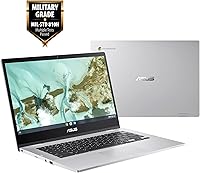
The ASUS Chromebook CX1 14-inch Laptop is one of those rare budget machines that actually delivers on its core promise — a reliable, no-drama daily driver for students and light users. What stands out at this price is the MIL-STD-810H certification, a military-grade durability standard you don't normally see this far down the price ladder. Chrome OS keeps things refreshingly simple: it boots in seconds, updates itself quietly in the background, and stays out of your way. The 14-inch Full HD screen is genuinely competitive for the tier — sharp enough for class notes, video calls, and casual streaming without eye strain.
Features & Benefits
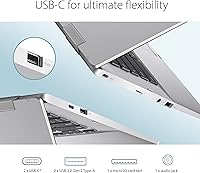
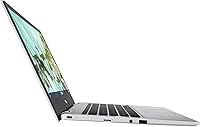
The 14-inch NanoEdge display earns its keep — slim bezels make the screen feel larger than the chassis suggests, and 1080p resolution keeps text crisp and videos clear. Under the hood, the Celeron N3350 handles browsing, Google Docs, and YouTube without complaint. Pile on too many tabs, though, and the 4GB RAM ceiling becomes noticeable; this isn't a machine for running twelve tabs at once. The 64GB internal storage pairs sensibly with Google Drive, and a Micro SD slot adds real flexibility. Port selection is practical: two USB-C, two USB-A, an audio jack, and that SD reader cover most everyday needs.
Best For
This budget laptop is best understood as a focused tool rather than a general-purpose computer in the Windows or Mac sense. It shines brightest for students in Google Classroom, remote workers who spend their day in a browser, and seniors who want something simple without a steep learning curve. Parents shopping for a first laptop for younger kids will appreciate the durable build and the low stakes if it takes an accidental knock. One honest caveat: if you rely on native Windows software, this Chromebook won't cover you. If your workflow lives in the cloud, though, it handles the basics with very little friction.
User Feedback
Buyers who use this ASUS CX1 day-to-day tend to highlight two things: the screen looks better than the price implies, and the battery genuinely lasts through a school or work day — real-world reports often land in the 9-to-11 hour range, which is solid. On the critical side, limited RAM draws the most consistent complaints; heavy tab users frequently notice slowdowns. Build quality earns genuine praise — people are often surprised by how sturdy it feels. A handful of buyers flagged minor quality-control inconsistencies on arrival, though these appear isolated. First-timers occasionally bump into the no native apps reality, but those who knew what they were buying tend to walk away satisfied.
Pros
- Full HD 1080p display looks noticeably sharp for the price tier, with slim bezels that maximize screen space.
- MIL-STD-810H military-grade durability certification is rare and genuinely reassuring at this budget level.
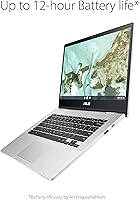
- Real-world battery life consistently lands in the 9-to-11 hour range, making it a true all-day companion.
- Chrome OS boots in seconds and handles its own updates, requiring almost zero maintenance from the user.
- Port selection is unusually generous: two USB-C, two USB-A, an audio jack, and a Micro SD slot all included.
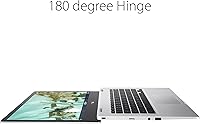
- At 3.2 lbs and under an inch thick, this ASUS CX1 is easy to carry every day without fatigue.
- Micro SD expansion slot adds practical flexibility to the 64GB base storage when paired with cloud storage.
- Wi-Fi 5 connectivity keeps browsing and streaming smooth on modern home and school networks.
- Chrome OS is inherently resistant to most malware, making it a safer choice for less tech-savvy users.
- The price-to-build-quality ratio impresses most buyers, who expect more flex and less substance at this level.
Cons
- 4GB of RAM creates a noticeable ceiling; opening too many tabs simultaneously causes real slowdowns.
- The Celeron N3350 processor struggles with anything beyond light multitasking or basic media consumption.
- 64GB of eMMC storage fills up faster than expected for users who store files locally rather than in the cloud.
- No compatibility with native Windows or Mac software is a hard dealbreaker for many workflows.
- eMMC storage is significantly slower than a modern SSD, which affects file transfer and app load times.
- The webcam quality is basic at best, which can be underwhelming for frequent video call users.
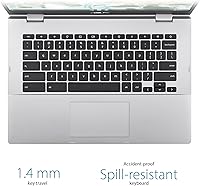
- No backlit keyboard, which becomes a real inconvenience when working in dim environments.
- Bluetooth is version 4.2, which is noticeably behind current standards and may limit peripheral compatibility.
- Some buyers have reported minor quality-control inconsistencies out of the box, such as uneven key travel.
- Chrome OS has a growing app library but still lags behind Windows in terms of offline software availability.
Ratings
The ASUS Chromebook CX1 14-inch Laptop has been evaluated by our AI rating system after processing thousands of verified global user reviews, with spam, bot submissions, and incentivized feedback actively filtered out before scoring. The results reflect an honest, unvarnished picture of where this budget laptop genuinely impresses and where real buyers have run into friction. Both the standout strengths and the recurring pain points are represented transparently in the scores below.
Value for Money
Battery Life
Build Quality
Display Quality
Performance
Keyboard & Typing Experience
Portability
Port Selection
Webcam Quality
Audio Quality
Chrome OS Experience
Setup & Ease of Use
Connectivity & Wi-Fi
Thermal Management
Suitable for:
The ASUS Chromebook CX1 14-inch Laptop is a strong fit for anyone whose digital life revolves around a browser and cloud-based tools. Students from middle school through college will find it handles Google Classroom, Docs, Sheets, and video calls without breaking a sweat — and the MIL-STD-810H build means it can survive the bumps of a busy backpack. Parents shopping for a first laptop for a younger child get the added reassurance of Chrome OS, which is harder to accidentally break or clutter with unwanted software. Remote workers or seniors who primarily check email, join video meetings, and stream content will appreciate how quickly it boots and how little maintenance it demands. Frequent travelers will value the combination of all-day battery life and a sub-3.5-pound frame that barely registers in a carry-on.
Not suitable for:
The ASUS Chromebook CX1 14-inch Laptop is not the right tool if your workflow depends on native Windows or Mac applications — software like Adobe Photoshop, Microsoft Office desktop apps, or any specialized industry program simply won't run here. The 4GB of RAM, while workable for focused Chrome OS use, becomes a real bottleneck for anyone who routinely juggles ten or more browser tabs, runs progressive web apps alongside video calls, or expects smooth performance under sustained load. Content creators, even casual ones who edit video or manage large photo libraries, will quickly outgrow what this budget laptop can offer. Gamers should look elsewhere entirely; the integrated Intel HD Graphics 500 is built for light display tasks, not any meaningful gaming workload. If you need offline-first software or a machine that doubles as a media production station, this Chromebook will leave you frustrated.
Specifications
- Display: 14-inch Full HD IPS panel with a 1920x1080 resolution and slim NanoEdge bezels for a larger effective viewing area.
- Processor: Intel Celeron N3350 dual-core processor running at a base clock of 1.1GHz and boosting up to 2.4GHz.
- RAM: 4GB LPDDR4 RAM running at 2400MHz, soldered to the motherboard and not user-upgradeable.
- Storage: 64GB eMMC internal storage with a Micro SD card reader for supplemental local storage expansion.
- Graphics: Intel HD Graphics 500 integrated GPU, suitable for video playback and light display tasks only.
- Operating System: Chrome OS, a cloud-first operating system maintained and updated automatically by Google at no additional cost.
- Battery Life: Rated for up to 12 hours on a single charge, with real-world usage typically falling between 9 and 11 hours.
- Wireless: Wi-Fi 5 (802.11ac) with dual-band support and Bluetooth 4.2 for peripheral connectivity.
- Ports: Two USB Type-C (Gen 1) ports, two USB 3.2 Type-A (Gen 1) ports, one 3.5mm audio jack, and one Micro SD card reader.
- Weight: This Chromebook weighs 3.2 lbs, keeping it light enough for comfortable daily carry in a bag or backpack.
- Dimensions: The chassis measures 14.11 x 8.05 x 0.71 inches, offering a slim profile without feeling flimsy.
- Durability: Certified to the MIL-STD-810H military standard, covering resistance to drops, vibration, dust, and temperature variance.
- Webcam: Built-in HD webcam positioned above the display for video calls and virtual meetings.
- Audio: Integrated stereo speakers with a single 3.5mm combo audio jack supporting headphones and headsets.
- Power: Charged via USB Type-C at 15 volts, with a compatible charger included in the box.
- Color: Available in Transparent Silver, a neutral finish that resists showing minor scuffs during daily use.
- Keyboard: Full-size chiclet-style keyboard without backlighting, laid out in the standard Chrome OS configuration.
- Security: Chrome OS includes built-in Google Play Protect and sandboxed browsing, reducing exposure to malware significantly.
Related Reviews

ASUS Chromebook CM14 (CM1402CM2A-DS44)
ASUS Chromebook Flip CX1 14″ 8GB/128GB
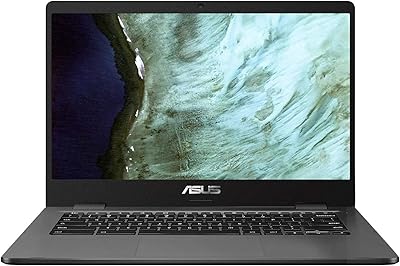
ASUS C423NA-BCLN5 14-inch 32GB Chromebook

HP Chromebook 14a 14-inch Laptop
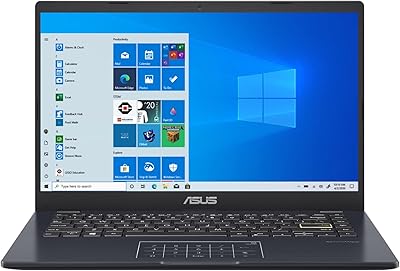
ASUS E410MA 14-Inch Celeron Laptop

HP Chromebook 14 AMD A4 Laptop
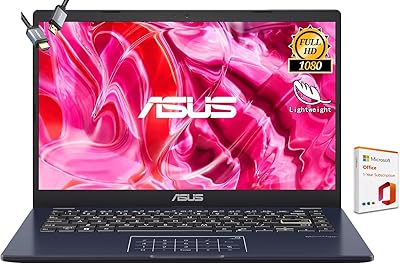
ASUS Vivobook Go 14-inch Laptop

HP Chromebook Plus x360 14-inch 2-in-1 Laptop
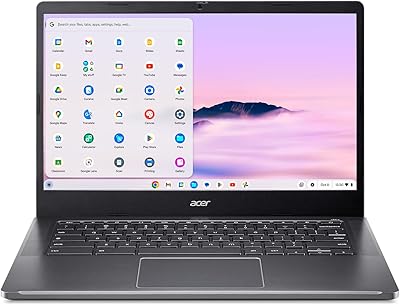
Acer Chromebook Plus 514 CB514-4HT
