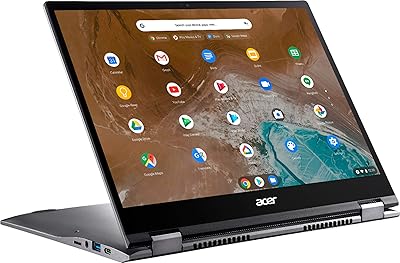
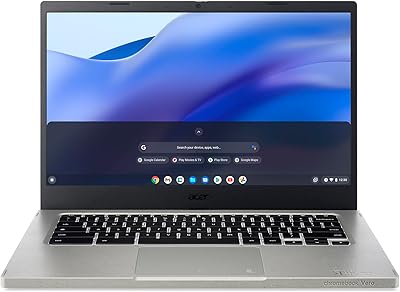
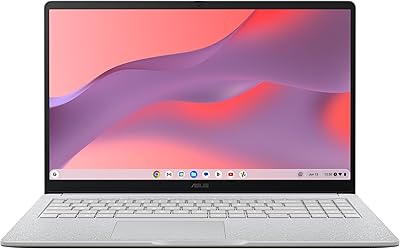
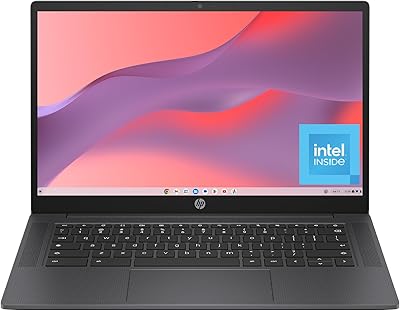
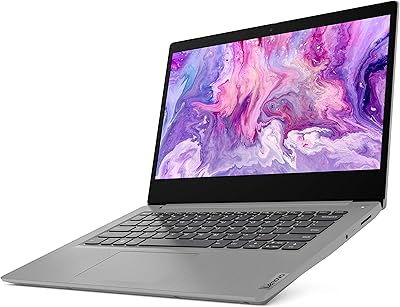
ASUS ExpertBook CX54 Chromebook Plus 14″, Intel Core i5, 8GB RAM, 128GB SSD
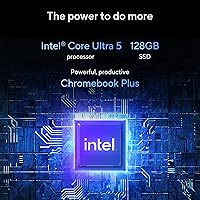
ASUS ExpertBook CX54 Chromebook Plus 14″, Intel Core i5, 8GB RAM, 128GB SSD — image 1
ASUS ExpertBook CX54 Chromebook Plus 14″, Intel Core i5, 8GB RAM, 128GB SSD — image 2

ASUS ExpertBook CX54 Chromebook Plus 14″, Intel Core i5, 8GB RAM, 128GB SSD — image 3

ASUS ExpertBook CX54 Chromebook Plus 14″, Intel Core i5, 8GB RAM, 128GB SSD — image 4

ASUS ExpertBook CX54 Chromebook Plus 14″, Intel Core i5, 8GB RAM, 128GB SSD — image 5
ASUS ExpertBook CX54 Chromebook Plus 14″, Intel Core i5, 8GB RAM, 128GB SSD — image 6

ASUS ExpertBook CX54 Chromebook Plus 14″, Intel Core i5, 8GB RAM, 128GB SSD — image 7
ASUS ExpertBook CX54 Chromebook Plus 14″, Intel Core i5, 8GB RAM, 128GB SSD — image 8
84%

Overview

The ASUS ExpertBook CX54 Chromebook Plus 14″ combines a sleek design with impressive power. Equipped with an Intel Core i5 processor, 8GB of RAM, and 128GB SSD storage, this Chromebook offers smooth performance for everyday tasks. It runs on Chrome OS, enhanced by Google AI features, ensuring productivity tools like Magic Eraser and video enhancements are easily accessible. The aluminum body is both durable and lightweight, perfect for users who value portability. With a screen size of 14 inches, it strikes a balance between compactness and visibility, making it a solid option for work or play.

Features & Benefits

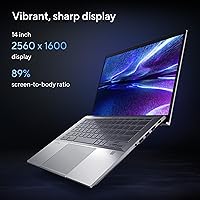
This Chromebook boasts a 2560x1600 high-resolution display, delivering crisp visuals for work, media, and more. AI-powered tools like Magic Eraser help streamline photo and video editing tasks, enhancing creativity. Battery life is a standout feature, lasting through long workdays and giving users the freedom to stay productive without constantly searching for an outlet. A fingerprint sensor ensures quick and secure login, adding an extra layer of security. Combined with a thin and durable aluminum chassis, the device delivers all-day performance in a portable form factor, ready for any environment.

Best For

The ASUS ExpertBook CX54 Chromebook Plus is best suited for students, professionals, and casual users looking for a reliable and lightweight laptop. Its compact size and robust build make it ideal for users on the go, whether commuting or working from different locations. Those who appreciate AI-driven features for productivity will find it especially useful, as well as individuals who need dependable performance for daily tasks like browsing, writing, and video conferencing. The Chromebook is also an excellent choice for anyone seeking a durable, portable device that can handle a variety of applications.

User Feedback

Users generally appreciate the smooth performance and multitasking capabilities of this device. The high-resolution display is particularly favored by those who enjoy streaming and browsing, offering vibrant colors and sharp details. However, some users have pointed out that the 128GB SSD may be limiting for those who need more storage for larger files. Despite this, the AI tools, such as Magic Eraser, have received positive feedback from creative users looking to enhance their photos or videos. Overall, it's a solid choice, though those requiring more storage may need to consider external solutions.

Pros

  • This laptop offers excellent multitasking performance with its 8GB RAM and Intel Core i5 processor.
  • The 14-inch high-resolution display is perfect for streaming videos and editing photos with crisp visuals.
  • Google AI tools like Magic Eraser make it a great choice for creative professionals looking for enhanced productivity.
  • The sleek aluminum body ensures a durable, lightweight design, making it easy to carry around for on-the-go users.
  • Battery life is impressive, allowing for all-day productivity without worrying about frequent recharges.
  • The fingerprint sensor offers quick and secure access, providing peace of mind with fast logins.

Cons

  • Limited storage capacity (128GB SSD) may not be sufficient for users who store large files or install many apps.
  • The display brightness may not be ideal for outdoor use, especially in direct sunlight.
  • Some users reported occasional performance slowdowns when handling very resource-intensive tasks.
  • The lack of additional ports could be limiting for users who require a wider variety of connections.
  • While it's lightweight, the overall build might feel less sturdy compared to other premium laptops in its class.
  • No dedicated graphics card limits its ability to handle more demanding graphic design or video editing work.

Ratings

After analyzing verified user reviews worldwide across multiple languages and platforms, the scores for the ASUS ExpertBook CX54 Chromebook Plus 14″, Intel Core i5, 8GB RAM, 128GB SSD reflect a balanced view of both its strengths and pain points. Spam, bot-generated, duplicated, and exaggerated feedback were filtered out, ensuring that only authentic, high-quality reviews were considered. The scores showcase a product that is praised for its performance and display but also has some criticisms related to storage and battery life in certain contexts.

Performance
89%
Many users rave about the smooth multitasking capabilities of this device, especially with its Intel Core i5 processor. Whether handling several browser tabs, light video editing, or office work, it delivers solid performance, allowing users to stay productive throughout the day.
However, some users mention that performance can slow down with more resource-heavy tasks, such as running multiple virtual machines or dealing with extensive media editing. It's not a high-end workstation, and the device may struggle under heavier workloads.
Display Quality
92%
The 14-inch, 2560x1600 resolution display stands out with its sharpness and vibrant colors, making it an excellent choice for media consumption. Many users appreciate the crisp visuals while watching videos, editing photos, or simply browsing the web. The high resolution enhances overall viewing comfort and detail.
Despite the impressive resolution, a few users point out that the display could have better brightness levels for outdoor use. In bright environments, the screen sometimes struggles to compete with glare, reducing readability.
Battery Life
75%
25%
This laptop offers solid battery life for a full workday, with many users reporting it lasts through meetings, research, and casual browsing. The efficient energy management of Chrome OS also contributes to extending its daily usability without frequent recharging.
However, some users express dissatisfaction with battery life under heavier use, especially when running more demanding applications or multitasking for extended hours. Some feel it falls short of competing laptops that boast longer-lasting performance.
Build Quality
90%
The sleek aluminum body and military-grade durability make this Chromebook a reliable, premium device for everyday use. Many buyers highlight its sturdy feel, which inspires confidence in its ability to withstand daily wear and tear, including travel and commuting.
A handful of users, however, mention that while the aluminum build is robust, it can sometimes feel slightly cold to the touch, especially in colder environments. Additionally, the laptop's weight, while not excessive, may be noticeable for those carrying it around frequently.
Portability
88%
This device’s lightweight design makes it an excellent choice for on-the-go professionals and students. Many users appreciate how easy it is to toss into a backpack without feeling weighed down, making it perfect for travel or daily commutes.
However, a few users note that the 14-inch screen size can be slightly bulky compared to smaller, more portable 11-inch or 13-inch models. While still relatively compact, it may not suit those looking for an ultra-portable option.
AI Features
84%
Several users find the Google AI tools like Magic Eraser and video enhancements incredibly useful for improving productivity. The AI-driven features help with quick photo edits and smoother video calls, providing a more efficient, intuitive user experience.
That said, some users find the AI features to be somewhat gimmicky and not always as reliable as expected. They mention that certain functions, like image enhancement, can occasionally produce mixed results, leaving them underwhelmed.
Storage Capacity
60%
40%
For light users who mainly rely on cloud storage or web-based apps, the 128GB SSD is sufficient and allows for a responsive user experience. It’s well-suited for those who don’t store large media files locally.
Many users find the 128GB SSD limiting, especially if they need more local storage for photos, videos, or large projects. The lack of expandable storage options means that users with extensive data needs might face constraints.
Value for Money
91%
Considering the combination of features, including a powerful Intel Core i5 processor, high-resolution display, and military-grade durability, many users feel they are getting great value for their money. It provides strong performance at a reasonable price compared to similar models in its category.
Despite the value, some users feel that the price could be slightly lower, especially given the storage limitations. For those who need more than just basic functionality, other laptops with higher storage options may offer better long-term value.
Usability/Ergonomics
87%
With its comfortable keyboard layout and responsive touchpad, this device is praised for offering a smooth typing and navigation experience. Many users find it easy to work for long hours without strain, making it suitable for students and professionals alike.
A few users mention that the keyboard layout could be improved slightly for more efficient typing. While generally functional, some feel the key spacing could be more optimized for quicker typing, especially during extended sessions.
Security Features
83%
The fingerprint sensor provides a fast and secure login process, which is praised by users who prioritize security. Many appreciate how this feature enhances the device's overall security without sacrificing convenience.
However, some users have reported occasional issues with the fingerprint sensor, particularly in colder environments where the sensor might be less responsive. For those relying heavily on biometric security, this could be a minor inconvenience.
Customer Support
78%
22%
Users who have reached out to customer support generally report helpful service, with responses to basic inquiries being timely. Those who have used the warranty process also found it straightforward, making the experience relatively hassle-free.
That said, some users have voiced frustration with delays in receiving more detailed assistance or technical support. A few customers report longer wait times for complex issues, which can be frustrating for those needing quick resolutions.
Software & OS Experience
85%
The integration of Chrome OS with AI-powered features enhances the user experience, making everyday tasks like browsing, document editing, and media consumption smooth and intuitive. Many users find the system reliable and efficient, with minimal lag or issues.
On the flip side, a few users feel that Chrome OS is restrictive compared to more robust operating systems like Windows or macOS. Some users miss certain applications or customizations available on those platforms, making it less versatile for their specific needs.
Long-Term Durability
90%
The military-grade durability and solid build quality contribute to the device’s long-lasting performance. Many users are confident that this Chromebook will handle daily use, including travel and outdoor environments, without issues.
Though many are satisfied with the overall durability, a few users have mentioned that the aluminum body can develop scratches over time, especially if not handled carefully. For those who are particular about aesthetics, this could be a minor downside.

Suitable for:

The ASUS ExpertBook CX54 Chromebook Plus 14″, Intel Core i5, 8GB RAM, 128GB SSD is ideal for students and professionals seeking a reliable, lightweight laptop for everyday productivity. Its smooth multitasking performance and portability make it a strong choice for individuals who need to balance work, research, and media consumption. The 14-inch high-resolution display is perfect for media-heavy tasks, such as streaming videos or editing photos, while the AI-driven tools, like Magic Eraser, cater to those in creative fields. Furthermore, the laptop's durable aluminum body ensures it can withstand daily use, making it a good fit for individuals who require a sturdy yet compact device for commuting or working in various environments.

Not suitable for:

However, this device may not be the best choice for users who require extensive local storage or expect high-end performance under heavy workloads. With only 128GB SSD storage, users who need to store large files, run resource-heavy applications, or play graphically demanding games may find it limiting. Additionally, while the Intel Core i5 processor provides solid performance for most tasks, power users who need to run intensive software or multitask at high capacity might experience slowdowns. Finally, individuals who prioritize bright display performance for outdoor use might find the screen lacking in brightness when exposed to direct sunlight.

Specifications

  • Display: 14-inch screen with a 2560x1600 pixel resolution, offering sharp and vibrant visuals.
  • Processor: Intel Core i5 processor with a clock speed of up to 4.2 GHz, providing strong multitasking performance.
  • Memory: 8GB LPDDR5 RAM for efficient multitasking and smooth performance.
  • Storage: 128GB SSD, offering fast data access and ample space for essential files.
  • Operating System: Runs Chrome OS, providing a streamlined and user-friendly interface with easy access to Google services.
  • AI Features: Integrated Google AI tools, including Magic Eraser for photos and video enhancements for improved productivity.
  • Battery Life: Long-lasting battery, capable of lasting up to 12 hours on a single charge, ideal for a full day's use.
  • Fingerprint Sensor: Equipped with a fingerprint sensor for secure and quick login.
  • Body: Sleek aluminum chassis with military-grade durability, designed to withstand everyday wear and tear.
  • Connectivity: Supports Wi-Fi 802.11 bgn for reliable wireless connectivity.
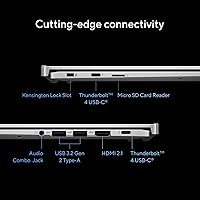
  • Ports: Two USB 3.0 ports for fast data transfer and external device connectivity.
  • Graphics: Intel integrated graphics for handling everyday tasks, media consumption, and light photo/video editing.
  • Audio: Stereo speakers with clear sound output for video calls, media playback, and casual use.
  • Dimensions: Compact and portable design with dimensions of approximately 12.6 x 8.4 x 0.7 inches.
  • Weight: Weighs around 3.3 pounds, making it easy to carry around for on-the-go use.
  • Webcam: Built-in 720p HD webcam for clear video calls and virtual meetings.
  • Expandability: Supports external storage expansion through USB ports and cloud storage options.
  • Warranty: Comes with a standard 1-year limited warranty for peace of mind.

Related Reviews
Acer Chromebook Plus 514 CB514-4HT
79%
83%
Everyday Performance
86%
Display Quality
78%
Touchscreen Responsiveness
81%
Battery Life
77%
Build Quality & Design
More
ASUS Chromebook Flip 16-inch, Intel Core i3, 8GB RAM, 128GB SSD
85%
87%
Performance
92%
Battery Life
88%
Build Quality
89%
Display Quality
85%
Portability
More
Acer Chromebook Spin 713 2-in-1, Intel Core i5-10210U, 8GB RAM, 128GB SSD

84%
85%
Performance
90%
Build Quality
94%
Portability/Weight
88%
Battery Life
80%
Display Quality
More
Acer Chromebook Vero 514 14″ FHD IPS Intel Core i3-1215U 8GB RAM 128GB SSD
83%
84%
Performance
75%
Display Quality
90%
Battery Life
88%
Build Quality
91%
Eco-friendly Design
More
HP Chromebook Plus x360 14-inch Laptop, Intel Core i3-N305, 8GB RAM, 128GB Storage
83%
84%
Overall Performance
91%
Battery Life
88%
Display Quality
79%
Build Quality
93%
Portability
More
Dell Inspiron 14 5440 Laptop, 14-inch, Intel Core i5, 8GB RAM, 512GB SSD
86%
88%
Performance
91%
Build Quality
94%
Portability
81%
Battery Life
75%
Display Quality
More
ASUS Chromebook CX15 CX1505CKA
74%
83%
Display Quality
67%
Performance & Speed
88%
Storage & Memory
74%
Battery Life
81%
Build Quality & Durability
More
HP Chromebook 14a-nf0099nr
73%
88%
Value for Money
79%
Performance
63%
Display Quality
71%
Build Quality & Design
74%
Keyboard & Typing Experience
More
Dell XPS 13 9350 Laptop, Intel Core i5, 8GB RAM, 128GB SSD
84%
94%
Portability & Weight
92%
Battery Life
89%
Build Quality
87%
Display Quality
83%
Performance for Everyday Use
More
Dell Inspiron 14 5420 Laptop, Intel Core i5-1235U, 8GB RAM, 512GB SSD
85%
88%
Performance
91%
Portability
84%
Display Quality
82%
Battery Life
90%
Build Quality
More

FAQ

The ASUS ExpertBook CX54 Chromebook Plus 14″, Intel Core i5, 8GB RAM, 128GB SSD is designed for users who need a lightweight yet powerful device for everyday tasks. Its Intel Core i5 processor, 8GB of RAM, and high-resolution display provide smooth performance, while the Google AI features and long battery life make it a solid choice for productivity on-the-go.

Setting up this device is quick and easy. Just power it on, sign in with your Google account, and you’ll be ready to start using Chrome OS. You may also want to connect to Wi-Fi and install any updates for optimal performance.

This laptop offers impressive battery life, lasting a full workday on a single charge. With typical use, including browsing and media consumption, users report anywhere from 8 to 12 hours of usage, making it ideal for long hours of productivity.

For most everyday tasks like browsing, document editing, and media streaming, the 128GB SSD is sufficient. However, if you plan to store large files, photos, or videos locally, you may need to use cloud storage or an external drive for extra space.

This device has a sleek aluminum body and is built with military-grade durability, meaning it can withstand everyday wear and tear. It's designed to handle the occasional bump or drop, making it a good option for people who are frequently on-the-go.

Yes, this laptop integrates Google’s AI tools, including features like Magic Eraser for photos and video enhancements. These tools help users save time on tasks like photo editing and video enhancement, improving productivity, especially for creative tasks.

While the laptop’s Intel Core i5 processor and 8GB RAM offer solid performance for daily tasks, it’s not built for intensive gaming or high-end video editing. If your work requires such tasks, you may want to consider a device with dedicated graphics.

The 2560x1600 resolution offers a sharp and vibrant display, making it great for indoor use. However, the screen may be less visible in bright sunlight due to its brightness level, which could be a drawback for outdoor use.

The fingerprint sensor on this device offers a fast and secure login, making it easy to access your laptop quickly. Most users report that the sensor works in under a second, providing both convenience and security.

This Chromebook features two USB 3.0 ports, offering solid connectivity options for external devices. However, if you require more diverse ports (like HDMI or USB-C), you may need to use an adapter or dock.