Overview

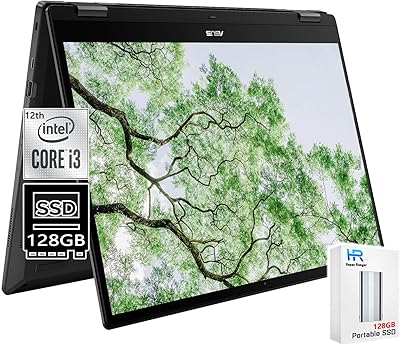
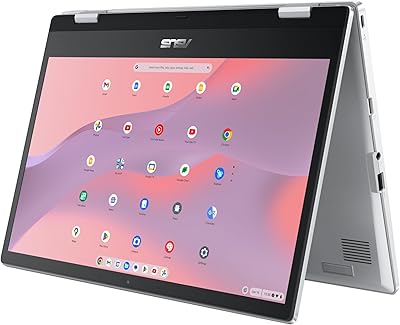
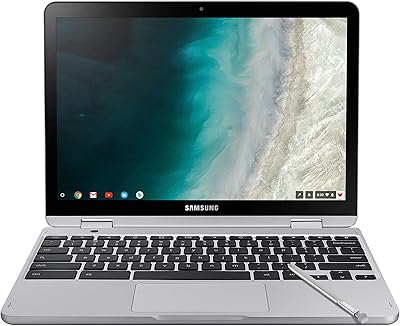
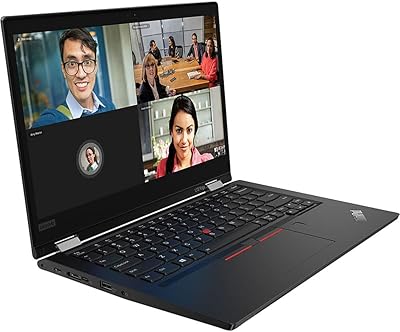
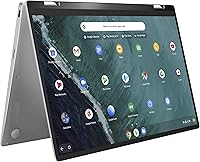
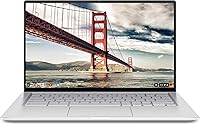
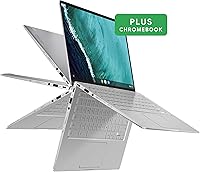
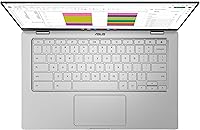
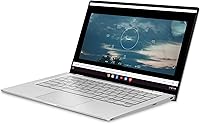
The ASUS Chromebook Flip C434 2-In-1 Laptop is a versatile device that combines the convenience of a laptop with the flexibility of a tablet. With its 14-inch FHD touchscreen and 360-degree hinge, this laptop can adapt to a variety of modes, from laptop to tent to tablet. Powered by an Intel Core m3 processor, it offers efficient multitasking for everyday tasks like browsing, document editing, and media consumption. Its compact and durable all-metal body makes it a portable option for students and professionals alike.

Features & Benefits

The ASUS Chromebook Flip C434 offers several standout features that enhance its functionality and user experience. The Full HD touchscreen provides crisp visuals, while the 4GB of RAM and 64GB of eMMC storage ensure smooth performance for light work and everyday use. The backlit keyboard is perfect for typing in dim environments, and the battery life can last up to 10 hours, making it ideal for all-day use. With Chrome OS, users benefit from fast boot-ups and built-in security, making it a reliable choice for everyday computing.

Best For

This 2-in-1 laptop is best suited for those looking for an affordable, reliable device for light work and entertainment. It’s ideal for students who need a versatile laptop for taking notes and browsing the web, as well as professionals who need a portable device for emails and productivity apps. The ASUS Chromebook Flip C434 is also a great choice for those on a budget who want a high-quality touchscreen laptop without breaking the bank. Casual gamers and media consumers will appreciate its solid performance for streaming and light gaming.

User Feedback

Users generally praise the ASUS Chromebook Flip C434 for its sleek, solid build and lightweight design, which makes it easy to carry around. The display is another highlight, with many users finding the touch responsiveness and color accuracy excellent. Battery life is frequently noted as a strong point, with the laptop lasting through a full day of use. However, some users have mentioned that it struggles with heavy multitasking, particularly when running multiple tabs or resource-intensive applications, causing occasional slowdowns.

Pros

  • The 14-inch touchscreen offers a clear, vibrant display for browsing and light media consumption.
  • Its 360-degree hinge provides flexible usage modes, perfect for both laptop and tablet configurations.
  • Weighing only 2.9 lbs, this device is highly portable and easy to carry for students or commuters.
  • Battery life is impressive, lasting up to 10 hours on a single charge, making it great for all-day use.
  • The all-metal body feels sturdy and premium, offering a solid build without adding too much weight.
  • Chrome OS offers a fast boot-up time and seamless integration with Google services, ideal for everyday tasks.

Cons

  • Performance can lag when multiple tabs or resource-heavy applications are open, limiting multitasking efficiency.
  • The 4GB RAM and 64GB eMMC storage may not be sufficient for users who need to run large programs or store many files.
  • Some users find that the screen brightness isn't enough for outdoor use or bright environments.
  • The lack of a dedicated graphics card makes it unsuitable for gaming or graphic-intensive tasks.
  • While the keyboard is backlit, it may not be as comfortable for long typing sessions due to its shallow keys.
  • The relatively small storage space may require frequent use of cloud storage or external devices for heavy file storage.

Ratings

After analyzing user reviews from a variety of global platforms and languages, we have aggregated insights for the ASUS Chromebook Flip C434 2-In-1 Laptop. We filtered out spam, bot, incentivized, and off-topic reviews to ensure that only authentic, high-quality feedback shaped the ratings. Both strengths and potential drawbacks are reflected in the scores, with key areas such as performance, design, and battery life highlighted in reviews from real users worldwide.

Build Quality
91%
Users are generally impressed with the solid construction and durability of this device. The all-metal body feels premium and resistant to wear, making it ideal for frequent travel and everyday use. Its sleek design adds to the overall appeal, contributing to its strong reputation for build quality.
However, some users note that the metal body can feel slightly heavy compared to plastic alternatives. While sturdy, the weight may not be ideal for those who prioritize ultra-light portability, especially for extended use or carrying in bags for long periods.
Display Quality
87%
Many users appreciate the 14-inch Full HD touchscreen for its sharp, vibrant visuals. Whether for work or entertainment, the screen provides clear and crisp images, with good color accuracy and decent brightness levels for typical indoor use. The touchscreen functionality adds extra convenience for interactive tasks.
A few users have pointed out that the display could be brighter for outdoor use. In direct sunlight, the screen may appear a bit washed out, making it challenging to use in bright environments without adjusting the angle or finding shade.
Battery Life
90%
The long-lasting battery, lasting up to 10 hours on a single charge, is frequently praised by users. This extended battery life makes it a reliable companion for users on the go, whether for work, study, or casual media consumption. It's an ideal choice for those who need a device for full-day use without constant recharging.
However, some reviewers noted that battery performance may degrade over time, particularly with heavy use of resource-intensive apps. This could lead to reduced runtime, making it less ideal for long, demanding sessions without access to a charger.
Portability
89%
The compact design and lightweight nature of this laptop make it perfect for travel and everyday portability. Weighing just 2.9 lbs, it's easy to carry in a bag or backpack, making it a great choice for professionals and students who need a versatile device for on-the-go use.
Some users mentioned that while lightweight, the 14-inch size might not be ideal for those who need a more compact device. The screen size, though great for productivity, can feel bulky in situations where a smaller, more portable laptop might be preferred.
Performance (General Use)
83%
For everyday tasks such as browsing, document editing, and media streaming, this device performs smoothly. The Intel Core m3 processor ensures responsiveness, and the 4GB RAM allows for a fluid experience during typical use, offering a solid balance between performance and energy efficiency.
However, the device may struggle when running multiple heavy applications or browser tabs. Users who expect fast performance for more demanding tasks, such as photo editing or heavy multitasking, may find the experience lagging or less than optimal, especially under load.
Touchscreen Responsiveness
88%
The touchscreen is praised for its responsive and smooth interaction, making it easy to navigate through apps and websites. The precision and quick response contribute to a seamless experience, especially for tasks like browsing and using productivity apps, where touch functionality is beneficial.
Despite the generally positive feedback, a few users did experience occasional delays when touching the screen at certain angles or during rapid movements. While not a widespread issue, it can slightly affect the overall experience for those who prioritize a perfect touch interface.
Multitasking Performance
74%
26%
For light multitasking, the laptop handles switching between tasks like word processing, web browsing, and video streaming with ease. Many users find the experience acceptable for day-to-day use, and the device remains responsive during typical workloads.
However, when multiple resource-heavy applications are open at once, the laptop shows signs of lag or slowdowns. Users who need to run many tabs or more intensive software simultaneously may encounter performance hiccups, making it less suitable for power users or multitaskers.
Keyboard Comfort
85%
The backlit keyboard is often praised for its comfortable typing experience, even in low-light settings. The key travel and spacing are ideal for most users, making it easy to type for extended periods without discomfort, whether at home, work, or while traveling.
Some users have mentioned that the smaller layout can feel cramped for those with larger hands. The absence of a full-size keyboard may cause occasional typing errors or discomfort for users who are accustomed to bigger keyboards.
Operating System Experience
92%
Chrome OS offers a fast boot-up time and streamlined security features that contribute to a hassle-free user experience. The OS is simple to navigate, offers seamless integration with Google services, and provides quick access to essential applications, making it ideal for users who prioritize efficiency and ease of use.
On the downside, some users feel limited by Chrome OS, especially when trying to run software that is not available through the web or Android apps. While most daily tasks are supported, it may not suit users who require software compatibility with other operating systems like Windows or macOS.
Value for Money
90%
Many users find this device offers great value for its price. The combination of solid build quality, long battery life, and decent performance for everyday tasks makes it a good option for those seeking a reliable laptop without breaking the bank. It's an excellent choice for budget-conscious buyers looking for a versatile device.
However, a few users felt that the performance could be better for the price. Those looking for a more powerful device for demanding tasks may find the laptop lacking, especially when compared to higher-end models that offer superior specs for a slightly higher price.
Port Connectivity
82%
18%
The variety of ports, including USB Type-C and USB Type-A, ensures that users can easily connect external devices like storage drives, mice, or monitors. The inclusion of modern ports adds convenience for users who need to plug in peripherals for work or entertainment.
A couple of users noted that the limited number of ports, especially for those who need multiple USB or HDMI connections, can be a limitation. This can be somewhat restrictive for users who rely on a wide range of peripheral devices and need to connect them simultaneously.
Durability (Long-Term Use)
81%
19%
Overall, users report that this device holds up well over time, with minimal issues regarding wear and tear. The all-metal body contributes to its long-term durability, and many buyers find it to be a reliable option for daily use and travel, especially when handled with care.
However, some users raised concerns about the screen's longevity, with a few experiencing issues like fading brightness or color shift after prolonged use. This could be a consideration for those seeking a device that performs at its peak for several years without degradation.

Suitable for:

The ASUS Chromebook Flip C434 2-In-1 Laptop is an excellent choice for students, professionals, and anyone in need of a versatile and portable device. Its compact, all-metal body and 360-degree hinge make it ideal for users who want flexibility in their computing needs, whether for browsing, light productivity, or entertainment. Students with limited budgets and professionals on the go will appreciate its combination of affordability, decent performance, and long battery life, which lasts up to 10 hours on a single charge. This device is also well-suited for casual media consumers, those who rely on web-based applications, and users who value convenience and portability over raw computing power.

Not suitable for:

However, the ASUS Chromebook Flip C434 2-In-1 Laptop may not be ideal for power users or those who require a high-performance device for demanding tasks. Its Intel Core m3 processor and 4GB of RAM may struggle with heavy multitasking, such as running multiple intensive applications or keeping numerous browser tabs open simultaneously. Users in need of high-end performance for tasks like video editing, graphic design, or gaming may find the device lacking. Additionally, while the touchscreen and display quality are good for everyday use, those who require higher brightness or superior color accuracy for professional media work might be disappointed. Overall, this Chromebook is best for light users, not for those needing top-tier performance.

Specifications

  • Display: 14-inch Full HD (1920 x 1080) touchscreen display with vibrant colors and responsive touch functionality.
  • Processor: Intel Core m3-8100Y processor for efficient multitasking and smooth performance with low power consumption.
  • RAM: 4GB DDR3 RAM, providing adequate memory for daily tasks and light multitasking.
  • Storage: 64GB eMMC storage, ideal for storing essential documents and apps, with support for cloud storage and external drives.
  • Operating System: Runs Chrome OS, providing fast boot-up times, automatic updates, and seamless integration with Google services.
  • Battery Life: Up to 10 hours of battery life on a full charge, making it ideal for all-day use in work or study environments.
  • Hinge: 360-degree convertible hinge allows for multiple usage modes, including laptop, tablet, tent, and stand.
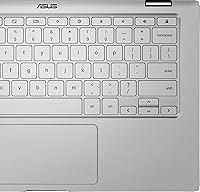
  • Keyboard: Backlit keyboard for comfortable typing in low-light environments.
  • Graphics: Intel HD Graphics 615, suitable for everyday tasks and casual multimedia consumption.
  • Ports: Includes 2x USB Type-C ports, 1x USB Type-A port, and a microSD card reader for expanded connectivity and storage options.
  • Weight: Lightweight design at 2.9 lbs, making it portable and easy to carry throughout the day.
  • Dimensions: Measures 12.6 x 8.2 x 0.7 inches, offering a compact form factor ideal for travel and tight workspaces.
  • Audio: Stereo speakers with high-quality sound for media consumption, video calls, and casual gaming.
  • Wi-Fi: Supports 802.11ac Wi-Fi for fast and reliable wireless internet connectivity.
  • Bluetooth: Equipped with Bluetooth 4.2 for connecting wireless accessories like headphones and mice.
  • Camera: 720p HD webcam, suitable for video conferencing and casual photography.
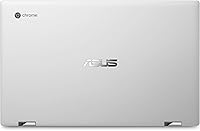
  • Build Material: Premium all-metal body, offering durability while keeping the laptop slim and lightweight.
  • Color: Sleek silver finish, adding a modern and professional look.
  • Software: Comes preloaded with Chrome OS, providing a streamlined experience with Google apps and services.

FAQ

The ASUS Chromebook Flip C434 2-In-1 Laptop features a 14-inch Full HD touchscreen display, an Intel Core m3 processor, 4GB of RAM, and 64GB eMMC storage. Its 360-degree hinge allows it to function as both a laptop and a tablet. The device is housed in a durable all-metal body, making it lightweight and portable, with up to 10 hours of battery life.

While this device can handle light gaming or casual games, it is not designed for demanding gaming experiences. Its Intel HD Graphics 615 and 4GB of RAM may struggle with graphically intensive games or multitasking during gaming. Casual games and browser-based games will run fine, but for more complex gaming needs, you may want to consider a laptop with dedicated graphics.

Setting up your ASUS Chromebook Flip C434 is straightforward. Once powered on, you’ll be guided through a simple setup process that includes connecting to Wi-Fi, signing in with your Google account, and customizing your preferences. Since it runs Chrome OS, most apps are available through the Google Play Store, making installation and updates easy.

The ASUS Chromebook Flip C434 features a premium all-metal body that is both compact and durable. It’s designed to withstand daily use and is perfect for on-the-go users. However, like any lightweight laptop, it’s not immune to damage from drops or rough handling, so careful use is recommended.

Yes, the ASUS Chromebook Flip C434 comes with a backlit keyboard, which is useful for typing in low-light environments. This feature enhances the overall typing experience, especially when working or studying in dimly lit rooms or during travel.

The device has 64GB of eMMC storage, which is suitable for storing documents, light media, and apps. However, for users who store large amounts of media or files, cloud storage solutions or external drives may be necessary, as the 64GB storage could fill up quickly.

The ASUS Chromebook Flip C434 offers impressive battery life, lasting up to 10 hours on a full charge. This makes it ideal for students, professionals, and casual users who need an all-day device for browsing, productivity, or media consumption without worrying about charging.

No, the RAM and storage on the ASUS Chromebook Flip C434 are not upgradeable. The laptop comes with 4GB of RAM and 64GB of eMMC storage, which is sufficient for most tasks, but if you require more storage or memory, you’ll need to rely on cloud storage or external drives.

Yes, the ASUS Chromebook Flip C434 is compatible with Android apps. Since it runs Chrome OS, you can access the Google Play Store and download a wide variety of Android apps, making it versatile for entertainment, productivity, and more.

While the ASUS Chromebook Flip C434 is designed for efficient multitasking with its Intel Core m3 processor, 4GB of RAM can limit performance when running multiple tabs or heavier tasks simultaneously. For tasks like video editing, large spreadsheet work, or running several apps at once, you may experience some lag.