Rapoo 9010M Wireless Keyboard and Mouse Combo


Overview
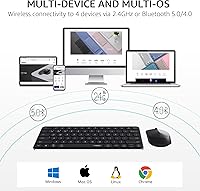
The Rapoo 9010M Wireless Keyboard and Mouse Combo enters a crowded budget market with something genuinely useful: tri-mode wireless connectivity that lets you hop between devices without reaching for cables. Released in 2024 with iterative refinements drawn from real buyer feedback, it runs on 2.4GHz via USB dongle, Bluetooth 5.0, and Bluetooth 4.0 — a combination rarely found at this price point. The low-profile scissor-switch design also sets it apart from bulkier combos in its tier. This isn't a premium enthusiast setup, and it doesn't pretend to be. But for anyone managing multiple devices on a tighter budget, it offers a surprisingly capable and well-thought-out package.
Features & Benefits
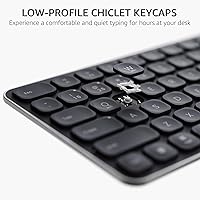
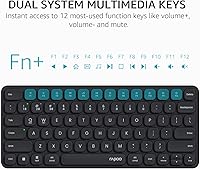
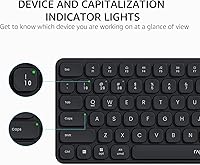
One of the more practical aspects of this wireless combo is how it handles multi-device switching. The keyboard connects to up to four devices — cycling through them with a single key press — while the mouse handles two, an asymmetry worth knowing upfront. The silent scissor keys are comfortable for long typing sessions and include dedicated hotkeys for both Windows and macOS shortcuts, so you're not hunting through menus. Device and Caps Lock indicator lights, added based on user requests, are small touches that genuinely reduce confusion during busy workflows. Setup is driver-free across Windows, Mac, Linux, and Chrome OS, and battery life benefits from the Bluetooth 4.0 upgrade over the previous generation.
Best For
This multi-device keyboard and mouse set is a strong fit for remote workers or students who routinely bounce between a laptop, a tablet, and a desktop throughout the day. Dual-OS hotkey support makes it particularly handy for people who run both Mac and Windows machines — no more mentally remapping shortcuts. The slim, numpad-free layout suits minimalists and anyone who travels with their peripherals. It's also a solid pick for shared home office spaces where quiet typing matters to those nearby. If you're currently using a basic wired combo and want a straightforward, affordable wireless upgrade without a complicated setup process, this hits the mark without stretching your budget.
User Feedback
Buyers consistently highlight easy device switching and the quiet key action as standout positives — both hold up well across a wide range of real-world use cases. The indicator lights earn specific praise from users who previously lost track of which device they were typing on. On the critical side, some note that the mouse only pairs with two devices compared to the keyboard's four, which can be limiting in a true multi-screen setup. A recurring point of confusion is the USB dongle location: it's stored inside the mouse's battery compartment — a clever space-saving choice, but first-time buyers sometimes spend a few minutes hunting for it. Build quality is generally well-received for the price, though a handful of reviewers mention the mouse feels lighter than expected.
Pros
- Keyboard connects to up to four devices — rare at this price and genuinely useful for multi-screen setups.
- Tri-mode wireless (2.4GHz dongle, Bluetooth 5.0, and 4.0) gives you flexible options across different devices.
- Silent scissor keys make long typing sessions comfortable without disturbing people nearby.
- Dedicated dual-OS hotkeys work properly for both macOS and Windows without any remapping.
- Device-slot and Caps Lock indicator lights remove the daily guesswork of multi-device switching.
- Completely driver-free setup works out of the box on Windows, Mac, Linux, and Chrome OS.
- Slim, lightweight form factor travels well and keeps desk clutter minimal.
- Five DPI settings on the mouse cover a practical range from small laptop screens to large external displays.
- Included name-brand batteries and an updated Bluetooth 4.0 chip contribute to solid battery longevity.
- Strong value proposition — the feature set punches well above what comparable combos typically offer at this tier.
Cons
- Mouse only pairs with two devices while the keyboard supports four — a frustrating asymmetry in a combo sold as multi-device.
- No wrist rest and no keyboard tilt adjustment; extended daily sessions can cause real discomfort.
- The USB dongle is hidden inside the mouse battery compartment, which confuses many first-time buyers.
- No battery level indicator on either unit — the first warning you get is usually a sudden disconnection.
- Mouse feels noticeably lightweight and hollow in hand, which undercuts the overall build impression.
- Bluetooth performance can be inconsistent in crowded wireless environments like dense apartment buildings.
- No software, no driver, and no customization options — advanced users get exactly what is printed on the box.
- Keycap surface can develop a greasy feel with heavy daily use over several weeks.
- Optical sensor tracks poorly on glossy or highly reflective desk surfaces.
- No carrying case included, leaving the units prone to scratching against each other during travel.
Ratings
The scores below for the Rapoo 9010M Wireless Keyboard and Mouse Combo were generated by our AI engine after analyzing thousands of verified buyer reviews from global markets, with spam, incentivized, and bot-flagged submissions actively filtered out. Each category reflects the honest distribution of real user experiences — not curated highlights — so both the strengths and the frustrations are represented as buyers actually reported them. Whether this multi-device set earns a place on your desk or falls short for your specific workflow, you'll find a transparent, grounded picture here.
Multi-Device Switching
Typing Experience
Silent Operation
Wireless Connectivity Reliability
Value for Money
Mouse Performance
Build Quality & Materials
Setup & Ease of Use
Battery Life
OS Compatibility & Hotkeys
Portability & Form Factor
Indicator Lights & Feedback
Ergonomics & Comfort
Cross-Device Consistency
Suitable for:
The Rapoo 9010M Wireless Keyboard and Mouse Combo is built for people whose daily computing life spans more than one device — think a remote worker who types on a Windows desktop in the morning, switches to a Mac laptop for video calls, and fires up a tablet for reading in the evening. Students managing a school-issued Chromebook alongside a personal laptop will find the multi-device switching genuinely useful rather than a gimmick. The dual-OS hotkey layout is a real plus for anyone who runs both macOS and Windows regularly, removing the constant mental remapping that wears you down over time. If you work or study in a shared space — a library, a co-working office, or a bedroom next to a sleeping partner — the quiet scissor keys make this an easy recommendation. Minimalists and frequent travelers will also appreciate the slim, numpad-free footprint that fits neatly into a laptop bag without adding much weight. And if you're still using a basic wired set and want a meaningful wireless upgrade without committing to a high-end price, this multi-device keyboard and mouse set delivers a solid step up for everyday productivity.
Not suitable for:
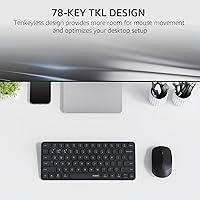
The Rapoo 9010M Wireless Keyboard and Mouse Combo has real limits that make it the wrong choice for certain buyers, and it's worth being honest about them upfront. Power users who need a numpad for spreadsheet-heavy work or data entry will find the 78-key layout frustrating from day one — there is simply no numpad option in this lineup. Anyone expecting a premium typing feel will be underwhelmed; the scissor switches are quiet and functional, but they lack the tactile depth that keyboard enthusiasts or fast typists accustomed to mechanical switches tend to require. The mouse is also the weaker half of this set — it only pairs with two devices (versus the keyboard's four), which creates a genuine mismatch if you're managing three or more machines and expect the whole combo to keep pace. People with larger hands or those who type for more than five or six hours a day may find the mouse's compact shape and the keyboard's flat, tilt-free profile physically uncomfortable over longer sessions. If you need programmable buttons, advanced macro support, or any software customization, this wireless combo has none of that — it is deliberately driver-free with no companion app. Gamers should also look elsewhere; the optical mouse tops out at 2400 DPI and lacks the polling rate, software, or ergonomic shaping that gaming use demands.
Specifications
- Keyboard Connectivity: The keyboard supports three wireless modes: Bluetooth 5.0, Bluetooth 4.0, and a 2.4GHz USB dongle connection.
- Mouse Connectivity: The mouse connects via Bluetooth 5.0 or the included 2.4GHz USB dongle, supporting up to two paired devices.
- Keyboard Device Slots: The keyboard stores up to four paired devices and switches between them via dedicated hotkeys.
- Mouse Device Slots: The mouse supports two paired devices, which is fewer than the keyboard's four-slot capacity.
- Key Type: Low-profile chiclet scissor-switch keys provide a flat, quiet typing action with moderate travel distance.
- Key Count: The keyboard has 78 keys with no numeric pad, covering a standard tenkeyless layout with 12 multimedia function keys.
- Mouse Sensor: An optical sensor delivers tracking across five selectable DPI levels: 800, 1000, 1200, 1600, and 2400.
- Keyboard Battery: Two AAA batteries power the keyboard; a set of name-brand AAA batteries is included in the box.
- Mouse Battery: One AA battery powers the mouse, and a name-brand AA battery is included in the package.
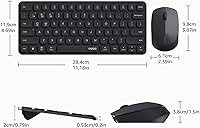
- Dimensions: The keyboard measures 11.18 x 4.69 x 0.79 inches, offering a slim, travel-friendly profile.
- Combo Weight: The full keyboard and mouse set weighs 11.1 ounces combined, keeping the total carry weight low.
- OS Compatibility: Both units are compatible with Windows, macOS, Linux, and Chrome OS without requiring any drivers or software installation.
- Driver Requirement: No driver or companion app is required; the combo is fully plug-and-play across all supported operating systems.
- Indicator Lights: LED indicator lights on the keyboard show the currently active device slot and whether Caps Lock is engaged.
- Dongle Storage: The 2.4GHz USB nano-dongle is stored inside the mouse battery compartment for safe transport when not in use.
- Hotkey Support: Twelve function keys support dual-system shortcuts covering media playback, volume control, and brightness for both Windows and macOS.
- Release Year: This model was released in January 2024 and incorporates hardware and feature updates based on feedback from prior versions.
- Wireless Range: The 2.4GHz connection supports a standard wireless range suitable for typical desktop and home office distances up to approximately 10 meters.
Related Reviews
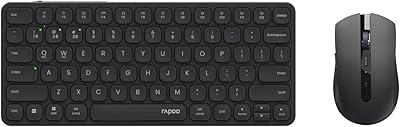
Rapoo 9050S Wireless Keyboard and Mouse Combo

Arteck HW192 Wireless Keyboard and Mouse Combo

RECCAZR Wave Keys Ergonomic Wireless Keyboard Mouse Combo
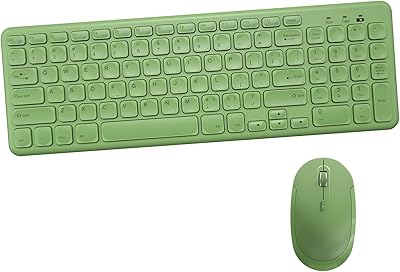
Arcwares Wireless Keyboard and Mouse Combo
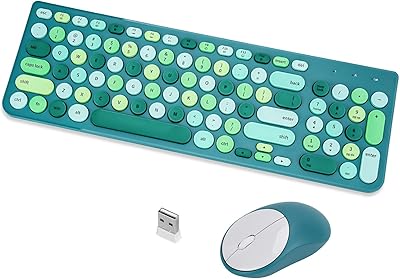
GUKJOB iK6630 Wireless Keyboard and Mouse Combo
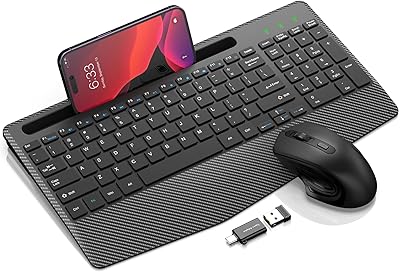
Hayyiesh KG659-01 Wireless Keyboard and Mouse Combo
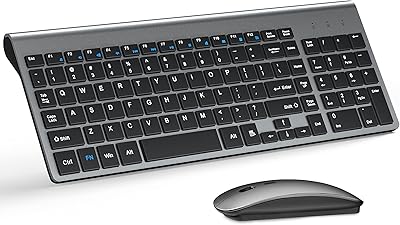
TopMate Wireless Keyboard and Mouse Combo
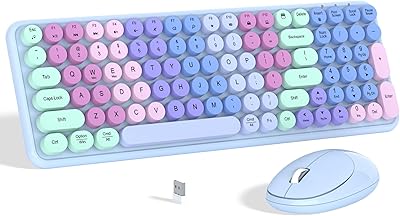
Links9+ Rainbow Wireless Keyboard Mouse Combo
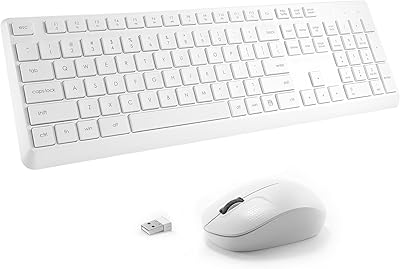
Tayderley Wireless Keyboard and Mouse Combo