Overview

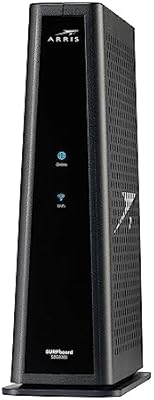
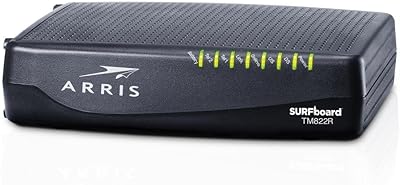
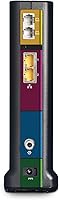
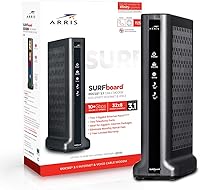
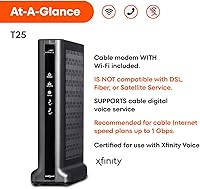
The ARRIS T25 DOCSIS 3.1 Cable Modem is built specifically for Xfinity subscribers who are tired of paying monthly rental fees for equipment they'll never own. That's worth stating upfront — if you're not on Xfinity, stop here; this hardware won't work on other providers. For those who do qualify, the T25 brings a genuine generational leap over older DOCSIS 3.0 modems: lower latency, better handling of congestion during peak hours, and a foundation ready for faster plan tiers as they become available. Two Gigabit Ethernet ports and dual telephone jacks round out the hardware. Just know this is a modem only — you'll still need a separate router for Wi-Fi.

Features & Benefits

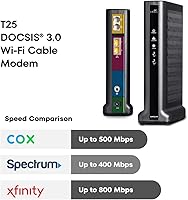
DOCSIS 3.1 is the headline spec here, and it actually matters in practice. Unlike DOCSIS 3.0, which can struggle under heavy simultaneous use, the T25 handles congestion more gracefully — something you'll notice during peak evening hours when the whole neighborhood is streaming. The modem is approved for Xfinity plans up to 800 Mbps, so if you're on a plan above that ceiling, it won't be the right fit. The two telephone ports are a standout inclusion; most standalone modems drop voice support entirely, making this ARRIS modem one of the few genuine options for Xfinity Voice customers. Physically, it's compact enough at roughly 7.5 inches tall to tuck behind most routers without crowding a shelf.

Best For

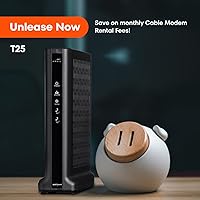
This Xfinity-compatible modem makes the most sense for households currently paying a monthly equipment fee to Xfinity — over a couple of years, that recurring charge adds up to well beyond the purchase price of the T25. It's particularly well-suited for users on plans in the 300–800 Mbps range, and anyone still running a Xfinity Voice landline will appreciate that the hardware actually supports it. Remote workers and gamers who've been frustrated by the inconsistency of older rented gear are also solid candidates. What this isn't: a fit for anyone outside the Xfinity ecosystem, or for users hoping to skip a separate router purchase.

User Feedback

Across a substantial pool of owner reviews, the T25 earns mostly positive marks, with consistent praise going to improved connection stability compared to rented equipment and a generally smooth activation process through Xfinity's system. That said, a recurring frustration involves activation calls to Xfinity support — some users report lengthy holds or agents unfamiliar with the device, turning a simple swap into a multi-hour ordeal. A smaller but noteworthy group flagged firmware-related drops after automatic updates, which is disruptive for anyone relying on it for work or gaming. Voice service feedback is more mixed; it functions for most, but a handful of users noted occasional call quality issues. Long-term owners generally report consistent performance well past the two-year mark.

Pros

  • Eliminates the monthly modem rental fee from Xfinity, paying for itself within a couple of years for most users.
  • DOCSIS 3.1 delivers noticeably lower latency and better stability under heavy household load compared to older modems.
  • One of the very few standalone modems that includes two telephone ports for Xfinity Voice customers.
  • Dual 1 Gbps Ethernet ports give you flexibility to wire in devices directly or connect a high-performance router.
  • Compact build fits easily on a shelf or desk without dominating your networking setup.
  • Long-term owners generally report consistent performance well past the two-year mark.
  • The T25 supports Xfinity plans up to 800 Mbps, covering the majority of residential speed tiers.
  • CommScope is a well-established manufacturer with a track record in cable networking hardware.

Cons

  • Strictly limited to Xfinity — buyers on any other ISP cannot use this modem at all.
  • Not approved for Xfinity plans above 800 Mbps, which limits future-proofing as faster tiers roll out.
  • No Wi-Fi included; a separate router purchase is required, adding to the total setup cost.
  • Some users report firmware updates triggering unexpected connection drops with no easy rollback option.
  • Activation through Xfinity support can be frustratingly slow, with some customers experiencing multi-hour waits.
  • Voice call quality has drawn mixed feedback, and reliability appears to vary by location and Xfinity infrastructure.
  • At this price point, there is no battery backup included — power outages mean complete loss of internet and phone.
  • The SURFboard Central app setup works well for most, but users without smartphones face a less straightforward activation path.

Ratings

The scores below were generated by our AI after analyzing thousands of verified owner reviews for the ARRIS T25 DOCSIS 3.1 Cable Modem, with spam, incentivized posts, and bot-flagged submissions actively filtered out before scoring. We looked at everything from first-week setup experiences to multi-year ownership reports, and the results reflect both what this modem genuinely does well and where real buyers ran into friction. Nothing has been smoothed over to make the picture look better than it is.

Connection Stability
83%
The majority of owners who switched from a rented Xfinity modem report a clear and immediate improvement in day-to-day connection consistency. Households with multiple simultaneous streams, video calls, and gaming sessions noted fewer mid-session drops compared to older DOCSIS 3.0 hardware.
A recurring pattern in long-term reviews involves unexpected disconnections following automatic firmware pushes from Xfinity — something users have no control over. For remote workers or anyone in a household that depends on rock-solid uptime, this has been a real frustration rather than a minor inconvenience.
Speed Performance
81%
19%
Users on mid-tier Xfinity plans consistently report hitting or exceeding advertised speeds after switching to the T25, particularly during off-peak hours. The DOCSIS 3.1 architecture handles bandwidth more efficiently than older modems, and that difference is measurable in real-world speed tests.
The 800 Mbps ceiling is a genuine limitation for anyone on a gigabit Xfinity plan — you will simply not see full plan speeds through this modem. A small portion of users also noted that peak-hour performance, while better than rented gear, still fell short of what they expected given the hardware tier.
Voice Service Quality
67%
33%
Having two telephone ports built directly into a standalone modem is a genuinely rare feature, and for Xfinity Voice customers who need to keep a home phone line active, the T25 eliminates the need for a separate adapter or combo device. Most users report that basic call functionality works without issue out of the box.
Voice reliability drew some of the most polarized feedback in the entire review pool. A meaningful minority of users reported intermittent call quality problems — dropped calls, static, or lines going silent — that they traced back to the modem rather than Xfinity's network, and resolving those issues through support was rarely straightforward.
Setup & Activation
63%
37%
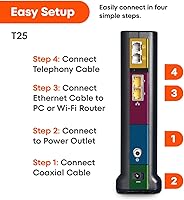
When the SURFboard Central app activation works as intended, it is a reasonably guided process — plug in the hardware, follow the app steps, register with Xfinity, and you are online within 15 to 20 minutes. Many users in newer Xfinity service areas report exactly this experience with no complications.
Activation is where this modem earns its most consistent negative feedback. A significant portion of buyers needed to call Xfinity support to complete registration, and those calls ranged from mildly frustrating to genuinely exhausting — with agents sometimes unfamiliar with the device or requiring multiple transfers. First-time modem owners are particularly vulnerable to a rough experience here.
Value for Money
78%
22%
For Xfinity subscribers currently renting a modem, the math on ownership eventually works in the T25's favor — the rental fees that pile up over time make purchasing a modem a rational long-term decision. Owners who have held onto the hardware for two or more years overwhelmingly feel the investment paid off.
The upfront cost sits firmly in premium territory, and that initial outlay can feel steep, particularly for users who end up needing a separate router purchase on top of it. Buyers who move, switch providers, or upgrade to a gigabit plan within the first year or two may not fully recoup the investment before needing to replace the hardware.
Build Quality
77%
23%
The T25 feels solid for a consumer-grade networking device — the casing does not flex or creak, and the overall construction gives the impression of something designed to sit in one place and run continuously for years. Most long-term owners have not reported any physical degradation.
The ventilation design draws occasional comments; the unit can run noticeably warm during sustained heavy use. It does not appear to affect performance in most cases, but users in warm climates or enclosed entertainment centers have flagged it as something worth monitoring.
Physical Design
74%
26%
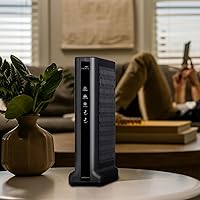
At roughly 7.5 inches tall, the T25 has a smaller footprint than many older modem-router combo units it replaces, and its upright form factor fits naturally on a shelf, desk, or beside a router without consuming much surface area. The indicator lights are readable without being distracting.
The vertical design requires a reasonably stable flat surface, and the base is narrow enough that an accidental bump can knock it over. A few users with cable entry points in awkward locations also noted that the port placement at the back made cable management slightly more difficult than expected.
Firmware & Software
54%
46%
Under normal conditions, most users never think about the firmware — it handles updates in the background and the modem keeps running. The SURFboard Central app provides at least a basic window into device status for users who want to check connectivity without logging into a full admin interface.
The inability to control or delay firmware updates is a real weakness, and it has caused measurable disruption for a subset of owners. When an update introduces a bug, users have limited recourse beyond rebooting or contacting Xfinity, and rollback options are essentially nonexistent at the consumer level.
Compatibility Range
41%
59%
Within its intended use case — Xfinity internet and voice plans up to 800 Mbps — the T25 is fully certified and works as advertised. Xfinity's own approved device list includes it, which simplifies the conversation with support when activation issues arise.
The strict Xfinity-only limitation is the single biggest compatibility drawback, and it disqualifies the hardware entirely for anyone on any other provider. The 800 Mbps speed cap also means it is already showing its ceiling as Xfinity rolls out more gigabit and multi-gig plan tiers in residential markets.
Long-Term Reliability
79%
21%
The majority of owners who have used the T25 for two or more years report that it continues to perform without degradation, and there is no strong pattern of hardware failure in long-term reviews. CommScope's background in enterprise cable infrastructure lends credibility to the durability expectations.
The firmware issue is again relevant here — long-term reliability is somewhat at the mercy of Xfinity's update cadence rather than purely the hardware itself. A handful of owners did report gradual instability emerging in the third or fourth year, though it is not clear whether hardware aging or a software change was the root cause.
Customer Support Experience
48%
52%
ARRIS's own documentation and the SURFboard Central app cover the basics for setup and troubleshooting, and the brand has a reasonable reputation for responding to product-specific questions through its support channels. Users who troubleshoot independently tend to fare better than those who go straight to Xfinity.
Because this is an Xfinity-activated device, most post-setup problems land on Xfinity's support team rather than ARRIS — and that experience is where the real frustration accumulates. Long wait times, inconsistent agent knowledge, and difficulty escalating firmware-related issues were recurring themes in critical reviews.
Ease of Use
72%
28%
Once past the activation step, day-to-day use requires essentially zero interaction — plug it in, connect your router, and the modem handles everything in the background. Users who are not technically inclined find that it behaves exactly like the rented modem it replaces, just without the monthly charge.
The activation process introduces enough complexity that less experienced users frequently feel out of their depth, particularly if the app-guided flow stalls and a support call becomes necessary. The lack of a detailed printed quick-start guide inside the box was specifically mentioned by several buyers who struggled.
Latency & Gaming
76%
24%
Gamers and remote workers who switched from DOCSIS 3.0 hardware frequently cite a perceptible drop in ping and more consistent upstream performance during sessions. The DOCSIS 3.1 standard handles network congestion more gracefully, which shows up in real gameplay and video call stability during evening peak hours.
The T25 is a modem, not a router, so its direct impact on gaming latency is limited to the connection between your home and Xfinity's network — your router and local network setup still play the bigger role. Users expecting a dramatic transformation in gaming performance without also upgrading their router were sometimes disappointed.

Suitable for:

The ARRIS T25 DOCSIS 3.1 Cable Modem is a strong fit for Xfinity subscribers who are fed up with paying a recurring equipment rental fee and want to own their gear outright. Over a couple of years, that monthly charge adds up — and the T25 is designed precisely to replace the modem Xfinity would otherwise lease you. Households running mid-to-high tier Xfinity internet plans, particularly in the 300–800 Mbps range, will find this modem well-matched to their actual service. If you also use Xfinity Voice for a home phone line, the T25 is one of the few standalone modems that includes two telephone ports, making it genuinely useful rather than just internet-capable. Remote workers who need consistent, low-latency connectivity and gamers frustrated by the instability of older rented hardware will likely notice a real improvement.

Not suitable for:

The ARRIS T25 DOCSIS 3.1 Cable Modem is a hard pass if you're not an Xfinity customer — it simply will not work with other internet providers, and no amount of configuration will change that. Xfinity subscribers on plans above 800 Mbps should also look elsewhere, since the T25 is not approved for those higher tiers and you won't get full value from your service. Anyone expecting a single box that handles both modem and Wi-Fi duties will be disappointed; this is a modem only, so a separate router is required. If you rely heavily on a home phone line and call quality is non-negotiable, the mixed user feedback around voice reliability is worth taking seriously before committing. And buyers who want a truly plug-and-play experience with zero friction should be aware that Xfinity's activation support can sometimes make even straightforward swaps more complicated than they should be.

Specifications

  • Modem Standard: Uses DOCSIS 3.1, the latest cable modem standard, offering significantly lower latency and better congestion handling than DOCSIS 3.0.
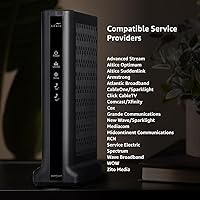
  • Compatible ISP: Approved exclusively for use with Xfinity (Comcast) internet and voice service; not compatible with other cable providers.
  • Max Speed: Certified for Xfinity internet plans up to 800 Mbps downstream; plans above this threshold are not supported.
  • Ethernet Ports: Equipped with two 1 Gbps Ethernet ports for direct wired connections to a router, computer, or network switch.
  • Telephone Ports: Includes two RJ-11 telephone jacks to support Xfinity Voice service for up to two separate phone lines.
  • Wi-Fi: No Wi-Fi radio is built in; a separate wireless router is required for wireless network access.
  • Dimensions: Measures 2.13 x 6.25 x 7.5 inches, making it compact enough for most shelves or home networking setups.
  • Weight: Weighs 1.68 pounds, light enough to mount or reposition without difficulty.
  • Downstream Channels: Supports OFDM downstream channels under DOCSIS 3.1, enabling more efficient use of available cable bandwidth compared to older bonded-channel technology.
  • Upstream Support: Supports DOCSIS 3.1 OFDMA upstream channels, contributing to improved upload performance and reduced latency during heavy use.
  • Setup App: Activated through the SURFboard Central app, available for iOS and Android, which guides users through the Xfinity registration process step by step.
  • Manufacturer: Designed and built by CommScope under the ARRIS brand, a well-established name in cable networking infrastructure.
  • Model Number: The official model designation is T25, used when registering the device with Xfinity or identifying it for support.
  • Battery Backup: Does not include a built-in battery; a separate uninterruptible power supply (UPS) would be needed to maintain connectivity during power outages.
  • First Available: Launched in October 2019, giving the T25 several years of real-world deployment and a substantial base of long-term owner feedback.

Related Reviews
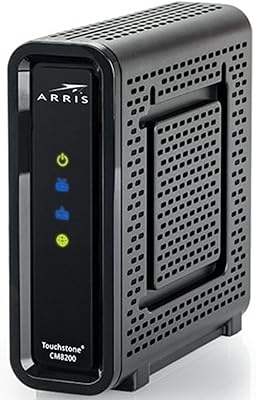
Arris CM8200A DOCSIS 3.1 Cable Modem
74%
88%
Internet Speed Performance
79%
Ease of Setup & Activation
74%
ISP Compatibility
83%
Build Quality & Durability
71%
Thermal Management
More
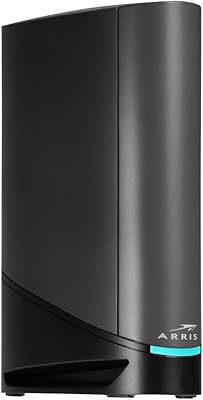
ARRIS SURFboard SBG8300 DOCSIS 3.1 Cable Modem Router Combo
84%
91%
Performance & Speed
88%
Wi-Fi Coverage & Stability
80%
Ease of Setup
84%
Compatibility with ISPs
92%
Value for Money
More
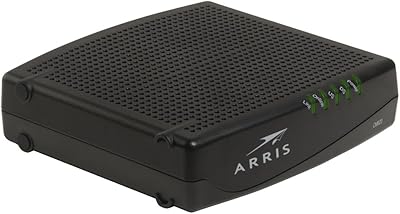
ARRIS SURFboard G36
ARRIS SURFboard G36
72%
83%
Setup & Activation
76%
Wi-Fi Speed & Throughput
61%
Wi-Fi Range & Coverage
58%
Connection Stability
88%
DOCSIS 3.1 Modem Performance
More
Hitron CODA DOCSIS 3.1 Cable Modem
76%
83%
Connection Stability
78%
Ease of Setup
74%
ISP Compatibility
86%
Value for Money
81%
Performance at Rated Speeds
More
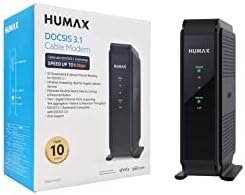
Humax HGD310 DOCSIS 3.1 Cable Modem
76%
88%
Internet Speed Performance
83%
Setup & Installation
79%
ISP Compatibility
91%
Value for Money
67%
Build Quality & Durability
More
ARRIS CM820A DOCSIS 3.0 Cable Modem
74%
83%
Connection Stability
78%
Ease of Setup
74%
ISP Compatibility
81%
Long-Term Reliability
88%
Value for Money
More
NETGEAR CM2500 DOCSIS 3.1 Cable Modem
77%
83%
Setup & Provisioning
88%
Upload Speed Performance
81%
Download Speed Consistency
76%
ISP Compatibility
79%
Build Quality & Design
More
NETGEAR Nighthawk CM3000
79%
88%
Upload Speed Performance
91%
Download Speed Delivery
79%
ISP Compatibility
66%
Setup & Activation Experience
74%
Value for Money
More
NETGEAR CM1000 DOCSIS 3.1 Cable Modem
76%
88%
Connection Stability
84%
Speed Performance
76%
Compatibility & ISP Support
61%
Setup & Provisioning Experience
82%
Value for Money
More
NETGEAR Nighthawk 32x8 DOCSIS 3.1 Cable Modem
78%
88%
Internet Speed Performance
83%
Setup & Activation
79%
Build Quality & Durability
91%
Value for Money
74%
ISP Compatibility
More
Motorola MB8611 DOCSIS 3.1 Multi-Gig Cable Modem
85%
92%
Performance & Speed
85%
ISP Compatibility
88%
Setup & Installation
90%
Latency for Gaming/Streaming
80%
Reliability
More

FAQ

No — the T25 is approved exclusively for Xfinity service and will not activate on Spectrum, Cox, or any other cable provider. If you are not an Xfinity customer, you will need a different modem certified for your specific ISP.

You will still need a separate Wi-Fi router. The T25 is a modem only, meaning it handles the connection between your home and Xfinity's network, but it does not broadcast a wireless signal on its own. Most people plug a router into one of its Ethernet ports and go from there.

Yes, it will. The T25 is approved for Xfinity plans up to 800 Mbps, so if your plan exceeds that threshold, you will want to look at a modem rated for gigabit or multi-gig speeds instead. Using it on a 1 Gbps plan means you likely won't see the full speed you are paying for.

You connect the modem, download the SURFboard Central app, and follow the in-app steps to register the device with Xfinity. For most users it goes smoothly, but some have reported needing to call Xfinity support to complete activation — and that experience varies widely depending on which representative you reach. Setting aside 30 to 60 minutes for the process is a reasonable expectation.

Yes, if you are subscribed to Xfinity Voice. The T25 includes two RJ-11 telephone ports, so you can plug standard corded or cordless phones directly into the modem and maintain your landline service. This is actually a relatively rare feature in standalone modems, so it is worth noting if a home phone line matters to you.

Most owners who switched from a rented unit report a real improvement in connection stability and, in some cases, speed consistency during peak hours. The bigger practical benefit for many is just the peace of mind that comes from owning equipment you can troubleshoot, replace, or upgrade on your own timeline.

Yes. The T25 has no internal battery, so any power interruption will cut both your internet and your voice service. If you need your phone line to remain active during outages — for example, for medical monitoring or emergency use — you should pair this modem with an uninterruptible power supply.

It is a real but relatively uncommon complaint. A subset of users reported unexpected connectivity drops following automatic firmware updates, which Xfinity pushes to the modem without user input. The frequency seems to depend partly on which update was pushed and when. Most users never encounter it, but if you work from home and uptime is critical, it is worth being aware of.

Most long-term owners report consistent performance for at least three to four years, and a good number well beyond that. The main reason to replace it eventually would be if Xfinity deprecates DOCSIS 3.1 support in your area, or if you upgrade to a plan that exceeds 800 Mbps — not hardware failure in most cases.

Both ports are active and can be used at the same time. The most common setup is to connect a router to one port for whole-home networking, but the second port can connect a second router, a network switch, or a wired device directly — giving you a bit more flexibility than modems that ship with only a single port.

Where to Buy