Overview

The ARRIS SBG7400AC2 Cable Modem Wi-Fi Router is essentially ARRIS's answer to the recurring frustration of paying your ISP a monthly equipment rental fee that never stops adding up. Built around DOCSIS 3.0 and dual-band 802.11ac Wi-Fi, this modem-router combo covers the basics well enough for most average households. It sits in the mid-range tier — not the cheapest option out there, but a practical buy that can pay for itself within a year by cutting out that rental charge. That said, it launched back in 2018, so buyers should go in with clear eyes: this is a reliable workhorse for moderate internet plans, not a future-proof powerhouse.
Features & Benefits

The backbone here is a DOCSIS 3.0 modem with 16x4 channel bonding, which translates in practical terms to a downstream ceiling around 680 Mbps — comfortable for plans up to 300–400 Mbps, but not where you want to be on a gigabit tier. The dual-band 802.11ac Wi-Fi is functional for a typical apartment or small home, though real-world range will fall short of theoretical maximums, as it always does. Four Gigabit Ethernet ports handle wired devices cleanly. The built-in McAfee layer adds basic network protection without any setup effort, though it won't satisfy anyone with serious security requirements.

Best For

This all-in-one networking unit makes the most sense for Cox or Xfinity subscribers on plans in the 100–400 Mbps range who are done paying rental fees. It fits renters in apartments or smaller homes where Wi-Fi coverage isn't a stretch, and where a couple of people are doing everyday things — streaming, video calls, working from home. If a simple plug-and-forget setup is what you need, the SBG7400AC2 delivers exactly that. It's not the right call for larger homes needing wide coverage, gigabit plan holders, or anyone interested in hands-on router configuration.

User Feedback

Across roughly 75 ratings — a modest sample worth noting — this modem-router combo holds a 4.4-star average that tells an encouraging but not definitive story. Buyers frequently praise straightforward ISP activation and a stable, consistent connection day-to-day. The criticisms worth paying attention to: Wi-Fi range can disappoint in multi-room or multi-floor homes, and the 802.11ac standard is genuinely aging if you're thinking years ahead. Some owners found the McAfee feature redundant, and a small number flagged early hardware issues — balanced by longer-term users reporting years of steady performance. Read the reviews carefully and weight that sample size accordingly.

Pros

  • Eliminates monthly ISP modem rental fees, often paying for itself within 12 months.
  • Activation on Cox and Xfinity is straightforward, with minimal setup steps out of the box.
  • DOCSIS 3.0 with 16x4 channel bonding handles plans up to around 400 Mbps without issue.
  • Dual-band Wi-Fi covers a typical apartment or small home reliably for everyday use.
  • Four Gigabit Ethernet ports give wired devices a clean, fast connection without extra hardware.
  • Built-in McAfee adds a basic layer of network security with zero manual configuration required.
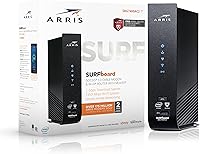
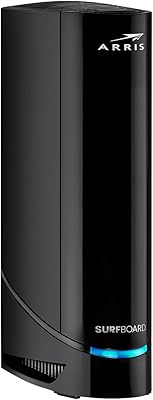
  • Compact horizontal design sits flat on a shelf without drawing attention or taking up much space.
  • Consistent connection stability is a frequently noted strength among long-term users.
  • A single unit handles both modem and router duties, reducing cable clutter noticeably.
  • Solid 4.4-star average suggests most buyers are genuinely satisfied with the day-to-day performance.

Cons

  • Wi-Fi range falls short in multi-room or multi-floor homes, requiring a separate extender.
  • The 802.11ac standard is two generations old and will feel limiting as newer devices become common.
  • Not compatible with all cable ISPs, making it useless if you switch providers outside Cox or Xfinity.
  • DOCSIS 3.0 cannot support gigabit internet plans, so speed headroom is a real ceiling.
  • The McAfee integration is not a substitute for serious network security tools and feels basic to advanced users.
  • Router configuration options are limited, leaving little room for customization or advanced network management.
  • Only 75 ratings exist at time of review, making it harder to draw firm conclusions about long-term reliability.
  • A small number of users have reported early hardware failures, which is worth factoring into the purchase decision.
  • No Wi-Fi 6 support means the modem-router combo may need replacement sooner than newer alternatives would.
  • The battery requirement for backup power is an added ongoing consideration that some buyers overlook at purchase.

Ratings

Our AI-generated scores for the ARRIS SBG7400AC2 Cable Modem Wi-Fi Router were produced by analyzing verified buyer reviews from multiple global sources, with spam, bot-submitted, and incentivized feedback actively filtered out before scoring. Each category reflects the honest spread of real user experiences — where this modem-router combo genuinely impresses and where it consistently falls short. Both strengths and frustrations are weighted transparently so you can make a confident, eyes-open buying decision.
Value for Money
83%
For households paying a monthly modem rental fee to their ISP, this all-in-one networking unit typically recoups its cost within 10 to 14 months, after which the savings compound indefinitely. Buyers on mid-tier cable plans consistently note that the performance-to-cost ratio makes this a financially sound decision compared to indefinitely leasing equipment.
Buyers who already own separate modem and router hardware may not see the same value proposition, especially given that the Wi-Fi component is now two generations behind current standards. If you are on a faster plan or have a larger home, spending more on newer hardware upfront may actually be the smarter long-term investment.
Setup & Activation
88%
A large portion of buyers describe the initial setup as one of the most painless networking experiences they have had, with the physical installation taking under ten minutes. Connecting to Cox or Xfinity for activation is generally smooth, and the device is recognized quickly by both ISPs without requiring technical knowledge.
Some users on less common regional cable plans within the supported ISPs have hit unexpected snags during activation, requiring longer hold times with customer support to resolve provisioning issues. A small number of buyers were caught off guard by the need to call their ISP at all, expecting a fully self-guided setup.
Connection Stability
86%
Day-to-day reliability is one of the most frequently praised aspects of the SBG7400AC2, with many long-term users reporting years of consistent uptime with no unexplained drops. For households where a stable connection during work calls or evening streaming is the priority, this unit has earned a solid reputation for doing its job quietly in the background.
A smaller but vocal subset of reviewers report intermittent disconnections after extended use, sometimes requiring a reboot to restore service. It is unclear whether these issues are hardware-related or tied to firmware and ISP provisioning, but they are worth noting for buyers who cannot tolerate any downtime.
Wi-Fi Range & Coverage
61%
39%
In compact living spaces — a studio apartment, a small one-bedroom, or a single open-plan floor — the dual-band Wi-Fi holds up reasonably well for everyday browsing, streaming, and light remote work. Users in these scenarios rarely report dead zones and generally find signal strength adequate near the unit and in adjacent rooms.
In homes larger than roughly 1,200 square feet, or any layout with multiple floors or thick interior walls, coverage drops off in ways that frustrate users. This is arguably the single most common complaint, and it is worth taking seriously — the 802.11ac radio in this unit is not powerful enough to serve as a whole-home solution for most suburban houses.
Wi-Fi Speed Performance
67%
33%
On plans in the 100 to 300 Mbps range, the SBG7400AC2 delivers throughput that satisfies everyday household demands — streaming 4K content, joining video calls, and light file downloads all run without obvious bottlenecks. The 5 GHz band in particular performs noticeably better for close-range, speed-sensitive tasks.
The 802.11ac standard has real limitations when multiple devices compete for bandwidth simultaneously, and speed-sensitive users with newer Wi-Fi 6 devices will not get anywhere near the potential of their hardware. Real-world throughput on the 2.4 GHz band is especially mediocre by current standards, and anyone running a busy household will feel it.
Modem Performance
81%
19%
The DOCSIS 3.0 modem core with 16x4 channel bonding performs reliably for the plan speeds it was designed to support, and most users on sub-400 Mbps plans report that provisioned speeds are consistently delivered without attenuation. The modem side of this device is generally considered more dependable than its Wi-Fi side.
DOCSIS 3.0 is a hard ceiling for speed, and as ISPs accelerate the rollout of multi-gigabit tiers, this modem will become a bottleneck before the router hardware does. Buyers should be realistic that within a few years, ISP plan upgrades may render this unit inadequate on the modem side alone.
Build Quality
72%
28%
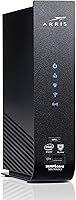
The horizontal form factor feels sturdy enough for a device that sits stationary on a shelf, and the matte black casing does not attract fingerprints or look cheap next to home entertainment gear. Most users do not report physical durability issues under normal indoor conditions.
The housing feels more utilitarian than premium, and the ventilation design has drawn some concern from users who run it in enclosed spaces or warmer rooms. A handful of reviews mention the unit running noticeably warm after extended operation, which is worth monitoring in poorly ventilated setups.
ISP Compatibility
74%
26%
For Cox and Xfinity subscribers — which together represent a very large share of U.S. cable internet customers — this modem-router combo is a known, approved option that activates without the headaches sometimes associated with third-party hardware. Both ISPs have a history of supporting ARRIS devices without firmware conflicts.
Outside of Cox and Xfinity, this unit is simply not an option, and even within those providers there are plan tiers and regional configurations where it is not approved. Buyers who anticipate switching providers or moving to a new area should factor in the real risk of owning a device that becomes incompatible overnight.
Security Features
63%
37%
Having McAfee network-level filtering built in provides a genuine, if modest, layer of protection for households that have never thought about router-level security settings. It works passively, requiring no configuration, which is a legitimate benefit for less tech-savvy users who would not set up a firewall on their own.
For anyone who takes home network security seriously, the McAfee integration feels more like a marketing checkbox than a substantive feature. It does not replace endpoint protection on individual devices, and more experienced users tend to disable or ignore it entirely, viewing it as unnecessary overhead on the router.
Router Configuration Options
54%
46%
The administrative interface covers the basics that most non-technical users actually need: Wi-Fi password management, connected device visibility, and basic parental controls. For buyers who simply want to plug in and forget about it, the limited interface is actually a feature rather than a flaw.
Power users who want to configure VLANs, fine-tune QoS rules, set up a VPN server, or manage advanced traffic shaping will find the admin panel deeply underwhelming. Compared to dedicated router firmware options like DD-WRT or even the stock interfaces on competing standalone routers, this unit offers very little room to customize.
Long-Term Reliability
69%
31%
A meaningful segment of long-term owners report running the SBG7400AC2 for three or more years without hardware issues, suggesting that the core components are reasonably durable under typical household conditions. Those positive long-term accounts contribute meaningfully to the overall 4.4-star average.
With only around 75 total ratings at time of analysis, the sample size is too small to draw statistically firm conclusions about failure rates over time. The presence of multiple early-failure reports in the review pool is worth noting, as it suggests hardware consistency may not be perfectly uniform across production batches.
Ease of Daily Use
84%
Once activated, this all-in-one networking unit largely disappears into the background of daily life, which is exactly what most home users want from their networking hardware. Reboots are infrequent for the majority of users, and the device does not require ongoing maintenance or firmware tinkering to stay functional.
When issues do arise — such as the occasional connectivity hiccup or a firmware update prompt — the limited interface and sparse documentation can make troubleshooting more frustrating than it needs to be. Users without technical backgrounds may struggle to diagnose problems beyond simply unplugging and replugging the device.
Physical Footprint
78%
22%
The compact, flat design at just over 5 inches square makes it easy to tuck onto a shelf, behind a TV, or into an entertainment console without sacrificing airflow or creating visual clutter. Replacing two separate devices — a modem and a router — with one unit also meaningfully reduces cable and adapter count.
The horizontal layout, while space-efficient, does mean the unit cannot be stood vertically to save shelf depth, which matters in some cramped setups. There are no mounting holes or cable management features, so cord organization around the unit is entirely left to the user.

Suitable for:

The ARRIS SBG7400AC2 Cable Modem Wi-Fi Router is a smart buy for Cox or Xfinity subscribers who are tired of seeing a modem rental line item on their monthly bill. It hits a practical sweet spot for small households — think a one- or two-bedroom apartment with two to four active users doing everyday tasks like streaming video, browsing, or working from home over a plan in the 100–400 Mbps range. The one-box setup means no need to buy a separate modem and router or figure out how to bridge devices, which is a genuine convenience for anyone who just wants reliable internet without tinkering. People who appreciate having a baseline layer of network security baked in, without manually configuring a firewall, will find the included McAfee feature a low-effort perk. If keeping things simple and cutting ongoing ISP fees is the priority, this modem-router combo makes a straightforward, sensible case for itself.
Not suitable for:

The ARRIS SBG7400AC2 Cable Modem Wi-Fi Router is not the right fit for households with larger floor plans, multiple floors, or thick walls — the Wi-Fi coverage has real limits that will frustrate anyone expecting whole-home reach from a single unit. Subscribers on gigabit internet plans should look elsewhere entirely; DOCSIS 3.0 with 16x4 bonding simply cannot support those speeds, and paying for a gigabit tier while running it through this unit means leaving a lot of that bandwidth on the table. Tech-savvy users who want granular router controls, advanced QoS settings, or a robust admin interface will find the SBG7400AC2 underwhelming on that front. This all-in-one networking unit is also a non-starter for anyone outside the Cox and Xfinity ecosystems, as it is not universally approved across all cable providers. And given that it launched in 2018 on an 802.11ac standard that is now two generations behind, buyers planning to use it for the next five or more years should factor in the likelihood of needing an upgrade sooner than they might with newer hardware.

Specifications

  • Wireless Standard: Uses 802.11ac (Wi-Fi 5) dual-band technology, operating on both the 2.4 GHz and 5 GHz frequency bands simultaneously.
  • Modem Standard: Built on DOCSIS 3.0, the cable modem standard that supports downstream speeds up to approximately 680 Mbps under ideal conditions.
  • Channel Bonding: Supports 16x4 channel bonding, meaning 16 downstream and 4 upstream channels for improved throughput on compatible cable plans.
  • Max Speed Tier: Practically suited for internet plans up to around 300–400 Mbps; not designed to support gigabit-tier service plans.
  • LAN Ports: Equipped with four Gigabit Ethernet (10/100/1000) ports for wired device connections such as desktops, smart TVs, or gaming consoles.
  • Security Suite: Includes an integrated McAfee security layer that provides basic network-level threat filtering without requiring separate software installation.
  • ISP Compatibility: Certified for use with Cox and Xfinity cable internet services; buyers on other providers should verify approval before purchasing.
  • Dimensions: Measures 5.13 x 5.25 x 1.75 inches, designed as a flat, horizontal unit that sits low on a shelf or desk surface.
  • Weight: Weighs 2.51 pounds, making it light enough to reposition easily or mount if needed.
  • Color: Available in black with a matte finish that blends into most home or office entertainment setups.
  • Power Backup: Requires one Lithium Ion battery, likely to support a basic backup or clock-retention function during brief power interruptions.
  • Form Factor: Horizontal, flat-profile design that stacks neatly and does not require vertical clearance like tower-style modem-routers.
  • Release Date: First made available in April 2018, making it a mature product with a multi-year track record in the market.
  • Manufacturer: Designed and produced by ARRIS Solutions, Inc., a well-established manufacturer of home and commercial networking equipment.
  • Average Rating: Holds a 4.4 out of 5 star average rating based on 75 customer ratings on Amazon at time of writing.
  • BSR Ranking: Ranked #916 in the Computer Routers subcategory and #33,770 in the broader Computers and Accessories category on Amazon.
  • WAN Interface: Connects to the cable wall outlet via a standard coaxial (F-connector) input, as is typical for all DOCSIS cable modems.
  • Frequency Bands: Operates on both 2.4 GHz for longer range and 5 GHz for faster short-range throughput, with the router managing band selection.

Related Reviews
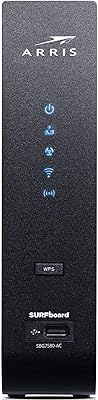
ARRIS SURFboard SBG7580AC Cable Modem Router
75%
88%
Connection Stability
72%
Wi-Fi Coverage
91%
Setup Experience
84%
Value for Money
86%
Wired Performance
More
ARRIS SBG6580 DOCSIS 3.0 Cable Modem Router
76%
83%
Connection Stability
61%
Wi-Fi Coverage & Range
58%
Wi-Fi Speed Performance
84%
Ease of Setup
81%
Modem Performance
More
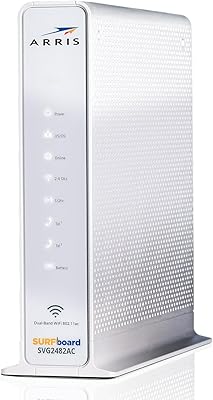
ARRIS SBG6900AC Cable Modem Wi-Fi Router
72%
88%
Ease of Setup
74%
Wi-Fi Range & Coverage
91%
Value for Money
71%
Wi-Fi Speed & Throughput
63%
Build Quality & Durability
More
ARRIS SURFboard SVG2482AC Cable Modem Router Combo
74%
72%
ISP Compatibility
81%
Internet Performance
63%
Wi-Fi Coverage
79%
Setup Experience
76%
Build Quality
More
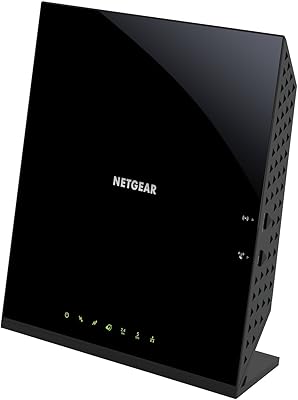
NETGEAR C6250 AC1600 Modem Router Combo
74%
84%
Value for Money
88%
Ease of Setup
71%
Wi-Fi Performance
82%
Modem Speed & Reliability
73%
Provider Compatibility
More
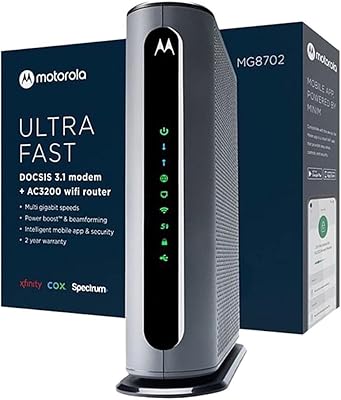
Motorola MG8702 DOCSIS 3.1 Cable Modem + Wi-Fi Router
83%
92%
Value for Money
89%
Wi-Fi Performance
88%
Ease of Setup
85%
ISP Compatibility
82%
Mobile App Experience
More
ARRIS TG862G-CT Cable Modem Router
85%
91%
Value for Money
89%
Performance & Speed
93%
Ease of Setup
85%
Voice Service Quality
72%
Wi-Fi Range
More
ARRIS SBG10 Cable Modem Router Combo
76%
91%
Value for Money
86%
Setup & Activation
83%
Connection Stability
61%
Wi-Fi Coverage & Range
88%
Modem Performance
More
ARRIS G20 Cable Modem Router Combo
85%
89%
Performance
83%
Wi-Fi Coverage
91%
Ease of Setup
85%
Speed Consistency
93%
Compatibility with ISPs
More
ARRIS SURFboard SBG7600AC2 Cable Modem Router Combo
86%
89%
Performance
92%
Setup Ease
91%
Value for Money
86%
Wi-Fi Range & Speed
82%
Parental Controls
More

FAQ

The SBG7400AC2 is on Xfinity's approved modem list for many of their cable plans, but compatibility can vary by region and plan tier. Before buying, it is worth checking Xfinity's current approved device list on their website to confirm your specific plan is supported. Gigabit plans in particular are generally not compatible with this unit.

No. This device is built for cable internet using the DOCSIS standard, and it has only been certified for Cox and Xfinity. AT&T typically uses fiber or DSL technology that requires completely different hardware, and Spectrum has its own approved device list that may or may not include this model. Always verify with your specific provider before purchasing any third-party modem.

Most users find it pretty straightforward. You connect the coaxial cable, plug in power, connect your device via Wi-Fi or Ethernet, and then call your ISP or use their app to activate the new modem on your account. The activation call is usually the longest part of the process, and even that tends to take under 30 minutes.

The McAfee integration is included as part of the device, so there is no separate subscription required to use the basic network-level protection it offers. That said, it is not a full antivirus suite for individual devices — it works at the network level, filtering certain threats before they reach your connected devices. If you need comprehensive endpoint security, you would still want dedicated software on each device.

For most remote work scenarios — video calls, cloud apps, file sharing — it performs well enough on plans up to 300–400 Mbps. If your work involves large file uploads, multiple simultaneous video streams, or a home office with many devices, you may start to notice the limitations of the 802.11ac Wi-Fi standard in terms of throughput and congestion management.

In a small apartment or a compact single-floor home, the range is generally adequate. In larger spaces, multi-floor homes, or layouts with thick walls, coverage can drop off noticeably. If your home is over roughly 1,200 to 1,500 square feet, you may want to consider a mesh system or a separate access point to fill dead zones.

Yes, you can put this all-in-one networking unit into bridge mode and connect your own router to one of the Ethernet ports, which disables the built-in Wi-Fi and lets your router handle all wireless duties. This is a good option if you already own a newer Wi-Fi 6 router and just want to use the modem portion of this device.

No, the modem-router combo uses the older 802.11ac (Wi-Fi 5) standard and does not support Wi-Fi 6 (802.11ax). For most everyday tasks this is not a problem, but if you have newer Wi-Fi 6 devices and want to take full advantage of their capabilities, a more current device would be a better long-term investment.

Reviews are mixed on this front. A number of users report running their unit for three or more years without issues, while a smaller number have experienced hardware failure earlier than expected. With about 75 ratings to draw from, it is hard to make a strong statistical claim either way. ARRIS as a brand has a solid general reputation, but no consumer networking device comes with a guarantee of longevity.

It depends on how much faster the upgrade is. If you move from a 100 Mbps plan to a 300 Mbps plan, you should be fine. If you get bumped to a gigabit tier, this device will become a bottleneck and you will need to upgrade your hardware. DOCSIS 3.0 simply cannot deliver gigabit speeds, so it is worth keeping that ceiling in mind if your ISP is actively rolling out faster service in your area.