Overview

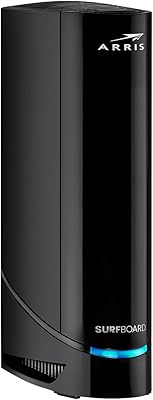
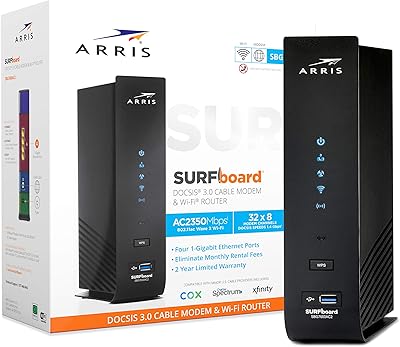
The ARRIS SBG6900AC Cable Modem Wi-Fi Router is one of those rare devices that genuinely simplifies your home network setup by folding a DOCSIS 3.0 cable modem, an AC1900 router, and a 4-port gigabit switch into a single vertical unit. For most households, the most compelling argument isn't the hardware itself — it's eliminating the rental fee your ISP charges every month. Over a year or two, this all-in-one gateway essentially pays for itself. It works with major providers like Comcast Xfinity, Cox, Spectrum, and Mediacom, and its footprint is modest enough to sit on a shelf without dominating the room.
Features & Benefits

The SBG6900AC uses 16x4 channel bonding to support download speeds up to 686 Mbps, though your real-world experience will be capped by whatever plan you're actually paying for — it's approved for plans up to 300 Mbps. The AC1900 dual-band Wi-Fi covers both 2.4 GHz and 5 GHz, and beamforming helps direct the signal toward connected devices rather than broadcasting equally in all directions, which can meaningfully improve performance for devices in awkward spots. Four gigabit Ethernet ports handle wired connections for consoles or desktops, and IPv6 support means you're not buying something already behind the times.

Best For

This modem-router combo makes the most sense for cable internet subscribers on plans at or below 300 Mbps who are tired of renting equipment. If you're on Comcast, Cox, or Spectrum and want a pre-certified device that connects without a tech support call, the SBG6900AC fits that need well. It also works for gamers and streamers who want both reliable wired ports and decent wireless coverage without managing two separate devices. That said, if your ISP plan runs above 300 Mbps or your home is particularly large, this all-in-one gateway may leave some performance on the table.

User Feedback

Across nearly 1,500 ratings, the SBG6900AC holds a 4.1 out of 5, and the most consistent praise centers on easy out-of-box setup — many buyers say their ISP recognized the device immediately without any phone calls. Compared to ISP-provided hardware, most users notice a real improvement in wireless range. The honest drawbacks are worth knowing: the unit runs noticeably warm during extended use, which has some buyers questioning long-term reliability. A meaningful number of negative reviews also mention Wi-Fi dropping periodically or needing reboots after firmware updates. Not universal problems, but frequent enough to take seriously before purchasing.

Pros

  • Eliminates monthly ISP modem rental fees, typically paying for itself within 12 to 18 months.
  • Pre-certified for Comcast Xfinity, Cox, Spectrum, and Mediacom — activation is usually plug-and-play.
  • AC1900 dual-band Wi-Fi with beamforming noticeably outperforms typical ISP-provided rental gateways.
  • Four gigabit Ethernet ports handle wired consoles, PCs, and smart TVs without needing a separate switch.
  • Combines modem, router, and switch into one unit, reducing cable clutter and power adapter count.
  • Setup is straightforward enough that non-technical users rarely need to call their ISP for help.
  • Two-year warranty with U.S.-based support is above average for this product category.
  • IPv6 support keeps the SBG6900AC from feeling immediately obsolete as internet standards evolve.
  • 5 GHz band delivers clean, low-latency performance for HD streaming and online gaming on mid-tier plans.
  • Slim vertical footprint fits neatly on a shelf without dominating the space around it.

Cons

  • Hard capped at 300 Mbps — subscribers on faster plans cannot unlock the full speed they are paying for.
  • Unit runs noticeably warm during sustained use, raising durability concerns in poorly ventilated spots.
  • Some firmware updates have triggered intermittent Wi-Fi drops and unexpected reboots for a real subset of users.
  • Web management interface feels dated with no mobile app, limited parental controls, and no QoS options.
  • Wi-Fi coverage falls short in larger homes or multi-story layouts, with no easy way to extend it.
  • Regional or smaller cable providers may not support it, leaving some buyers stranded after unboxing.
  • Only two USB ports with minimal practical functionality compared to what dedicated routers offer.
  • Hardware design dates to 2015, meaning Wi-Fi 6 and modern router features are entirely absent.
  • Bright status LEDs can be disruptive in bedroom or low-light installations with no software dimming option.
  • Long-term reliability concerns emerge after the warranty period, with no ongoing firmware investment from the manufacturer.

Ratings

The ARRIS SBG6900AC Cable Modem Wi-Fi Router earns its broadly positive reputation through a combination of genuine setup convenience and the real financial relief of ditching your ISP's rental equipment — and our AI-generated scores reflect exactly that picture, built by analyzing thousands of verified global buyer reviews while actively filtering out incentivized, bot-generated, and spam submissions. The ratings below capture both where this all-in-one gateway consistently delivers and where real users have run into friction, without glossing over the legitimate complaints.
Ease of Setup
88%
The most repeated compliment across buyer reviews is how quickly this modem-router combo gets recognized by major ISPs without requiring a phone call to tech support. Comcast and Cox subscribers in particular report being online within minutes of plugging in, which is a genuinely rare experience in home networking.
A smaller segment of users on Spectrum or regional providers found the activation process less automatic, occasionally needing a support call to provision the modem. First-time equipment owners who have never self-installed networking gear also report feeling uncertain during the process despite the included quick-start guide.
Wi-Fi Range & Coverage
74%
26%
For apartments and smaller homes, the AC1900 dual-band signal with beamforming holds up well — users commonly describe it as a clear step up from the generic gateway their ISP handed them. The 5 GHz band especially earns praise for handling streaming and video calls without the stuttering that plagued older ISP-provided units.
In larger homes or multi-story layouts, the SBG6900AC shows its limits fairly quickly. Dead zones in back bedrooms or basements come up repeatedly in negative reviews, and beamforming can only do so much when the unit is tucked in a cable closet or behind a TV console.
Value for Money
91%
The long-term math works strongly in buyers' favor here. Eliminating a monthly modem rental fee means this all-in-one gateway typically pays for itself within 12 to 18 months, and that savings angle is the single most praised aspect across the entire review pool — mentioned even by users who had minor technical complaints.
For households already on high-tier internet plans above 300 Mbps, paying full price for a device that cannot fully utilize their speeds is a real drawback. A few buyers discovered this ceiling only after purchase, which understandably colored their value assessment negatively.
Wi-Fi Speed & Throughput
71%
29%
On plans at or under 300 Mbps, real-world throughput is competitive and consistent for most users. Gamers and streamers on mid-tier cable plans report smooth performance without the lag spikes or packet loss they previously experienced on ISP rental hardware.
The 300 Mbps ceiling is a genuine functional limitation that trips up buyers on faster plans who expected the full advertised 686 Mbps capability. Real-world wireless speeds also vary considerably based on home layout, interference, and device proximity, so the AC1900 rating should not be taken as a guarantee.
Build Quality & Durability
63%
37%
The physical construction feels solid for a device in this category — the vertical stand is stable, and the unit does not feel cheap or hollow. Most users report no physical defects out of the box, and the compact footprint makes it easy to place without taking up significant shelf space.
Heat is the consistent durability concern. The SBG6900AC runs noticeably warm under sustained use, and a segment of buyers report premature failures or degraded performance after one to two years, raising questions about thermal management. This does not affect every unit, but it comes up often enough to warrant attention.
Wired Connection Performance
86%
The four gigabit Ethernet ports are a genuine asset, and users who hardwire consoles, smart TVs, or desktop PCs consistently report rock-solid, low-latency connections. For gaming households especially, having multiple wired ports on the combo unit avoids the need for a separate switch.
Four ports is sufficient for most households but can feel limiting in setups with more wired devices. There is no easy port management or traffic prioritization accessible to average users, so power users may find the wired configuration options a bit sparse compared to standalone routers.
ISP Compatibility
83%
Pre-certification with Comcast Xfinity, Cox, Spectrum, and Mediacom covers the vast majority of U.S. cable subscribers, and this compatibility is well-documented and reliable. Buyers on these providers consistently report smooth activation without compatibility surprises.
Smaller or regional cable providers can be hit or miss, and a handful of users discovered their ISP was not supported only after unboxing. DSL or fiber customers cannot use this device at all — it is strictly a DOCSIS cable modem solution, which some buyers overlooked before purchasing.
Router Software & Management
58%
42%
The web-based admin interface covers the essential controls — Wi-Fi passwords, guest network setup, and basic security settings — which is enough for the average household that just wants to set it and forget it. WPS makes adding new devices quick and painless for non-technical users.
The management interface feels dated and lacks the quality-of-life features found in modern standalone routers — no app-based control, no detailed traffic monitoring, and limited parental control options. Advanced users who want fine-grained QoS or VLAN configuration will find this all-in-one gateway quite restrictive.
Connection Stability
67%
33%
Under normal conditions and on stable firmware versions, the SBG6900AC maintains a consistent connection for weeks at a time without requiring intervention. Users on well-established firmware builds rarely report spontaneous disconnects during day-to-day browsing and streaming.
Firmware updates have caused real problems for a meaningful subset of buyers — Wi-Fi dropping intermittently, requiring manual reboots, or the 2.4 GHz and 5 GHz bands behaving unpredictably afterward. This is not a universal experience, but it is frequent enough in reviews to flag as a genuine risk.
Heat Management
51%
49%
The unit stays functional and does not throttle under typical household loads, and its vertical orientation does allow some passive airflow. Most users never experience a heat-related failure during the warranty period, which suggests thermal design is adequate in ideal placement conditions.
Placing this all-in-one gateway in an enclosed cabinet, entertainment center, or poorly ventilated space accelerates heat buildup significantly. Several buyers who did exactly that report shortened device lifespans, and the consistent warmth even in open-air placement leaves little thermal headroom for suboptimal environments.
Setup Documentation
69%
31%
The included quick-start guide walks through the core steps clearly enough for most users to complete installation independently. ARRIS also provides an installation video reference, which buyers without networking experience find helpful for visualizing the process before starting.
The documentation does not cover ISP-specific provisioning steps, which is where most setup frustrations originate. Users encountering unexpected activation screens or ISP portal prompts often feel abandoned by the guide, and online resources from ARRIS are not as comprehensive as those offered by router-only brands.
Warranty & Support
76%
24%
A two-year warranty with U.S.-based customer support is genuinely above average for this product category. Buyers who have needed to contact support generally describe the experience as responsive and resolution-oriented, which adds meaningful peace of mind for a device handling your entire home network.
Support quality does appear inconsistent based on individual accounts — some buyers describe smooth warranty replacements while others report difficulty reaching knowledgeable agents for firmware-related issues. Post-warranty support essentially vanishes, and the device has no ongoing software investment that would extend its competitive lifespan.
Physical Design & Footprint
79%
21%
The slim vertical profile is genuinely practical — it tucks neatly beside a cable box or on a small shelf without drawing attention. The all-white finish is neutral enough to blend into most home environments, and the unit does not require a large clearance footprint around it.
The vertical-only design means there is no flexibility for horizontal placement in tight spaces, and the external power adapter adds cable clutter that some users find annoying in clean setups. Status indicator LEDs, while useful, are bright enough to be distracting in bedroom installations.
Future-Proofing
55%
45%
IPv6 support is a meaningful inclusion that keeps the SBG6900AC relevant as internet infrastructure continues to migrate away from IPv4. For households on plans under 300 Mbps, the hardware is unlikely to become a bottleneck in the near term.
This device launched in 2015, and the networking landscape has shifted considerably since then — Wi-Fi 6 is now mainstream, and many ISPs are pushing gigabit plans that this hardware simply cannot serve. Buyers planning to upgrade their internet speed within the next few years may find themselves outgrowing this all-in-one gateway sooner than expected.

Suitable for:

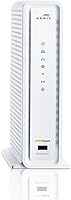
The ARRIS SBG6900AC Cable Modem Wi-Fi Router is a strong fit for cable internet subscribers — particularly those on Comcast Xfinity, Cox, or Spectrum — who are on plans up to 300 Mbps and want to stop handing money to their ISP every month for rented equipment. The savings case is straightforward: within a year or two, owning this modem-router combo typically covers its own cost, making it a financially sensible decision for anyone planning to stay with their current provider long-term. It works especially well in apartments or smaller homes where a single unit can realistically cover the whole space without needing Wi-Fi extenders. Households with a mix of wired and wireless needs — say, a gaming console or desktop hardwired in one room and laptops and phones connecting wirelessly elsewhere — will appreciate having four gigabit Ethernet ports and solid dual-band Wi-Fi under one roof. It is also a genuinely good choice for people who dread self-installation, since this all-in-one gateway is consistently recognized by major ISPs without requiring a tech support call.
Not suitable for:

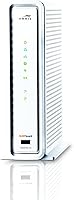
The ARRIS SBG6900AC Cable Modem Wi-Fi Router is not the right call for everyone, and the limitations are concrete enough that certain buyers should look elsewhere before committing. If your household has already upgraded to a gigabit or multi-hundred-Mbps internet plan above 300 Mbps, this device will become the bottleneck in your network — paying for speeds you cannot actually use is a frustrating and avoidable mistake. Large homes with multiple floors or thick walls will likely find the Wi-Fi coverage insufficient, and there is no mesh networking option to expand it. Power users or households wanting app-based router management, advanced parental controls, or granular traffic prioritization will find the management interface too basic for their needs. Anyone on a fiber, DSL, or fixed wireless connection cannot use this hardware at all — it is exclusively a DOCSIS cable modem solution. Finally, if you tend to keep networking gear in an enclosed cabinet or entertainment center with poor airflow, the thermal complaints from real buyers are worth taking seriously before purchasing.
Specifications

  • Standard: Uses DOCSIS 3.0, the widely supported cable modem standard compatible with major U.S. cable internet providers.
  • Channel Bonding: Supports 16 downstream and 4 upstream bonded channels for more consistent speeds under network congestion.
  • Max Download Speed: Capable of download speeds up to 686 Mbps, though real-world throughput depends entirely on your ISP plan tier.
  • Plan Approval: Officially approved for cable internet plans up to 300 Mbps — plans above this threshold will be bottlenecked by the modem hardware.
  • Wi-Fi Standard: Implements 802.11ac (Wi-Fi 5) with AC1900 dual-band concurrent wireless for both 2.4 GHz and 5 GHz bands.
  • Wi-Fi Beamforming: Beamforming technology focuses the wireless signal toward connected devices rather than broadcasting equally in all directions.
  • Ethernet Ports: Includes four gigabit Ethernet ports (10/100/1000 Mbps) on the rear panel for wired device connections.
  • USB Ports: Equipped with two USB ports, though functionality is limited and not a primary feature of this unit.
  • WPS: A dedicated WPS button enables quick wireless pairing for compatible devices without manually entering a password.
  • IP Support: Supports both IPv4 and IPv6 addressing, keeping the gateway compatible with current and emerging internet infrastructure.
  • Dimensions: Measures 11.61 x 3.9 x 10.51 inches (L x W x H), designed for vertical freestanding placement.
  • Weight: Weighs 1.75 pounds, making it light enough to reposition easily if needed.
  • Color: Available in White with a neutral finish suited to most home or office environments.
  • Power Input: Operates on 120–240 Volts, compatible with standard U.S. household outlets via the included power adapter.
  • Warranty: Backed by a 2-year limited warranty with access to U.S.-based customer support for troubleshooting and replacements.
  • ISP Compatibility: Pre-certified for use with Comcast Xfinity, Cox, Spectrum (including Charter, Time Warner, and Brighthouse Networks), and Mediacom.
  • Included Items: Retail packaging includes the modem-router unit, one Ethernet cord, and a power adapter.
  • Release Date: First made available in October 2015, positioning it as a mid-to-premium all-in-one home networking solution at launch.

Related Reviews
ARRIS SURFboard SBG7580AC Cable Modem Router
75%
88%
Connection Stability
72%
Wi-Fi Coverage
91%
Setup Experience
84%
Value for Money
86%
Wired Performance
More
ARRIS SBG6580 DOCSIS 3.0 Cable Modem Router
76%
83%
Connection Stability
61%
Wi-Fi Coverage & Range
58%
Wi-Fi Speed Performance
84%
Ease of Setup
81%
Modem Performance
More
ARRIS SBG7400AC2 Cable Modem Wi-Fi Router
74%
83%
Value for Money
88%
Setup & Activation
86%
Connection Stability
61%
Wi-Fi Range & Coverage
67%
Wi-Fi Speed Performance
More
ARRIS SURFboard SVG2482AC Cable Modem Router Combo
74%
72%
ISP Compatibility
81%
Internet Performance
63%
Wi-Fi Coverage
79%
Setup Experience
76%
Build Quality
More
NETGEAR C6250 AC1600 Modem Router Combo
74%
84%
Value for Money
88%
Ease of Setup
71%
Wi-Fi Performance
82%
Modem Speed & Reliability
73%
Provider Compatibility
More
Motorola MG8702 DOCSIS 3.1 Cable Modem + Wi-Fi Router
83%
92%
Value for Money
89%
Wi-Fi Performance
88%
Ease of Setup
85%
ISP Compatibility
82%
Mobile App Experience
More
ARRIS SBG10 Cable Modem Router Combo
76%
91%
Value for Money
86%
Setup & Activation
83%
Connection Stability
61%
Wi-Fi Coverage & Range
88%
Modem Performance
More
ARRIS TG862G-CT Cable Modem Router
85%
91%
Value for Money
89%
Performance & Speed
93%
Ease of Setup
85%
Voice Service Quality
72%
Wi-Fi Range
More
ARRIS G20 Cable Modem Router Combo
85%
89%
Performance
83%
Wi-Fi Coverage
91%
Ease of Setup
85%
Speed Consistency
93%
Compatibility with ISPs
More
ARRIS SURFboard SBG7600AC2 Cable Modem Router Combo
86%
89%
Performance
92%
Setup Ease
91%
Value for Money
86%
Wi-Fi Range & Speed
82%
Parental Controls
More

FAQ

Yes, the SBG6900AC is pre-certified for Comcast Xfinity and is on their approved modem list. Activation is typically straightforward — most users report being online within minutes of plugging in, without needing to call Xfinity support. Just make sure your plan is at or below 300 Mbps, since that is the hardware ceiling for this unit.

That is exactly what most buyers use it for. Once you activate this modem-router combo on your account, you can return your ISP's rented equipment and stop paying the monthly rental fee. Over the course of a year or two, the unit generally covers its own cost through those savings alone.

Yes, it is pre-certified for both Cox and Spectrum (which includes former Time Warner Cable and Brighthouse Networks customers). As with any self-owned modem, you will need to call your provider to register the device's MAC address before it activates, but this is a standard one-time step.

Unfortunately, no. The ARRIS SBG6900AC Cable Modem Wi-Fi Router is approved for plans up to 300 Mbps, meaning it will become the bottleneck if your plan exceeds that threshold. If you are on a faster plan or thinking about upgrading soon, you would be better served by a newer DOCSIS 3.1 modem that can handle gigabit-class speeds.

This all-in-one gateway covers both modem and router functions, so no separate router is needed for most households. You get dual-band AC1900 Wi-Fi plus four gigabit Ethernet ports all in one box. If you have a very large home or want advanced routing features, you could theoretically put this in bridge mode and add a dedicated router, but for most setups it handles everything on its own.

Running warm is a known characteristic of this device, and it comes up consistently in buyer reviews. It is not unusual for a combined modem and router to generate heat, but you should make sure it has open airflow around it — avoid placing it in an enclosed cabinet or entertainment center. If it feels hot rather than warm, or if you notice performance degradation, that is worth investigating further.

Most buyers find the setup straightforward. The box includes a quick-start guide, and ARRIS provides an installation video for additional reference. The general process involves connecting the coax cable, plugging in power, and then calling or going online with your ISP to register the modem. The hardest part for most people is that one ISP registration step, not the physical setup.

This is a real complaint from a subset of buyers, so it is worth being upfront about. Some users report that certain firmware updates have caused the wireless to drop intermittently or require periodic reboots to recover. It does not affect every unit, and many owners never experience it, but if rock-solid Wi-Fi stability is critical to your household, it is a risk worth knowing about before you buy.

There is no officially stated device limit, but as an AC1900 dual-band router it handles typical household loads — a dozen or more simultaneous devices — without major issues under normal usage. Performance will naturally degrade if many devices are streaming or transferring large files at the same time, which is true of any router in this class.

Yes, you can put this all-in-one gateway into bridge mode, which disables the built-in router and Wi-Fi functions and lets it act purely as a modem passing the connection through to your own router. This is a useful option if you already have a preferred router or want more advanced routing features than this unit's interface provides.

Where to Buy