Overview

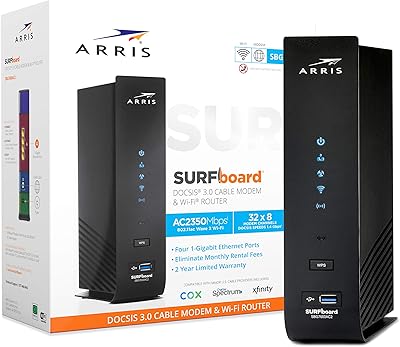
The ARRIS SURFboard SBG7580AC Cable Modem Router is a mid-range combo unit built for cable internet subscribers who are ready to stop paying monthly modem rental fees to their ISP. With 32x8 DOCSIS 3.0 channel bonding, it has solid headroom for plans at 300 Mbps and above. It works with Xfinity, Cox, and Charter, but if you're on fiber, DSL, or carriers like AT&T or Verizon, stop here — this hardware won't work with those services. Owning your own equipment tends to pay for itself relatively quickly compared to ongoing rental charges. A 2-year warranty and US-based technical support make this ARRIS gateway a reasonably low-risk purchase for the right subscriber.
Features & Benefits

The 32 downstream channels are what give this modem-router combo its stamina on faster cable tiers — you're not just meeting the minimum for your plan, you have meaningful buffer above it. On the Wi-Fi side, the AC1750 dual-band setup splits traffic sensibly: the 2.4 GHz band handles range-sensitive devices further from the router, while the 5 GHz band picks up the slack for video calls, 4K streaming, or anything that needs raw throughput. Beamforming helps concentrate that signal toward active devices rather than scattering it indiscriminately. Four Gigabit Ethernet ports handle wired connections cleanly for consoles or desktop PCs, and IPv6 support keeps things current without requiring any additional setup on your end.

Best For

This modem-router combo fits best in homes running cable internet at 300 Mbps or higher, where the channel bonding can actually flex. It's a natural pick for anyone who's been renting a modem from their ISP and wants to cut that recurring charge with a one-time purchase. Gamers and remote workers will appreciate having four wired Gigabit ports available for latency-sensitive connections, alongside dependable Wi-Fi for everything else. Coverage-wise, it performs well in small to medium-sized homes — if you're in a large house or have multiple floors, you may eventually outgrow it. Users on Xfinity, Cox, or Charter get the most straightforward experience, with relatively painless activation through those providers.

User Feedback

Most owners describe installation as refreshingly straightforward — plug it in, call your provider, done. Uptime and connection stability get consistent praise, with many users running the SBG7580AC for years without a reset. That said, not everything earns top marks. The 5 GHz band tends to lose steam at longer distances, which becomes noticeable in larger or multi-story homes. A handful of users have flagged that the unit runs warm under heavy sustained use, so make sure it has some airflow around it. A few buyers also note that DOCSIS 3.0 is starting to show its age alongside newer 3.1 hardware. Warranty support experiences appear generally positive, though turnaround times can vary.

Pros

  • Eliminates the monthly ISP modem rental fee with a single one-time purchase that pays for itself over time.
  • 32x8 channel bonding keeps connection speeds stable even during peak network hours in your neighborhood.
  • Quick, straightforward setup — most users on compatible providers are online within 30 minutes of unboxing.
  • Dual-band Wi-Fi handles everyday mixed-device households without requiring a separate router purchase.
  • Four Gigabit Ethernet ports give wired connections to consoles, PCs, or smart TVs without any compromise on speed.
  • Beamforming helps maintain stronger Wi-Fi signal to active devices rather than wasting coverage in empty spaces.
  • IPv6 support means the hardware won't become a bottleneck as internet infrastructure continues to evolve.
  • A 2-year warranty with US-based support provides real recourse if anything goes wrong post-setup.
  • Compact enough to tuck onto a shelf without dominating your home network cabinet.
  • WPS and Access Point Mode add flexibility for users who want to expand or adjust their network layout later.

Cons

  • The 5 GHz band loses range noticeably in larger or multi-story homes, often requiring a Wi-Fi extender.
  • DOCSIS 3.0 is aging hardware — buyers on faster plans or thinking long-term may want to consider 3.1 options instead.
  • The unit runs noticeably warm under sustained heavy use, requiring open airflow around it at all times.
  • Built-in router software is fairly bare-bones, with limited advanced configuration options for power users.
  • Only one USB 2.0 port is included, and its practical functionality is quite limited compared to modern standards.
  • Not compatible with fiber, DSL, or major carriers like AT&T and Verizon — a dealbreaker if your ISP situation changes.
  • Some users report the 2.4 GHz band can get congested in apartment buildings with many competing networks nearby.
  • Warranty support turnaround times can be inconsistent, with a minority of users reporting slow replacement processes.

Ratings

The ARRIS SURFboard SBG7580AC Cable Modem Router has been scored by our AI system after analyzing thousands of verified global user reviews, with spam, bot activity, and incentivized feedback actively filtered out before any score was calculated. The ratings below reflect both what this modem-router combo genuinely does well and where real buyers have run into friction — nothing is glossed over. Whether you are considering this ARRIS gateway as a first-time modem purchase or a rental replacement, these scores give you an honest baseline for what to expect.

Connection Stability
88%
Day-to-day reliability is where the SBG7580AC earns its strongest praise. Users across multiple cable providers report running the unit for months — sometimes well over a year — without needing to reboot it. For remote workers and households that depend on consistent uptime, this track record carries real weight.
A minority of users have reported occasional connection drops that required a manual restart, particularly after extended periods at high network load. These appear more likely on older coax wiring, suggesting the issue is sometimes infrastructure-related rather than purely hardware-driven.
Wi-Fi Coverage
72%
28%
In apartments and single-story homes under roughly 1,500 square feet, the dual-band AC1750 Wi-Fi holds up well across most rooms. Beamforming does make a noticeable difference for devices that stay in one place, like a streaming stick or a desktop setup in an adjacent room.
The 5 GHz band loses strength relatively quickly through walls and floors, making the unit a poor fit for multi-story homes or layouts with brick or concrete construction. Several users noted they ended up adding a Wi-Fi extender anyway, which undercuts the simplicity argument for buying a combo unit.
Setup Experience
91%
Getting this modem-router combo activated is genuinely easy for most users. The quick start guide is clear, and ISP activation calls with Xfinity, Cox, and Charter tend to go smoothly with this approved hardware — most people report being online within 20 to 30 minutes of unboxing.
A small portion of users experienced ISP activation delays, particularly when transitioning from a provider-rented modem, as the ISP account sometimes requires manual reconfiguration on the provider's end. This is rarely the hardware's fault, but it can turn a quick setup into a longer phone support session.
Value for Money
84%
For cable subscribers paying a monthly modem rental fee, this ARRIS gateway offers a straightforward financial case — the hardware cost is typically recovered within one to two years depending on the ISP's rental rate. Getting a capable modem and router in a single unit at this price point remains a reasonable deal for most households.
As DOCSIS 3.1 hardware becomes more widely available and competitively priced, the value equation for a DOCSIS 3.0 unit becomes harder to defend for buyers planning to keep hardware for four or more years. Buyers on faster cable tiers may feel they are purchasing into a ceiling they will hit sooner than expected.
Wired Performance
86%
The four Gigabit Ethernet ports are a genuine strength for households with wired gaming consoles, desktop PCs, or smart TVs. Users who prioritize low-latency connections for gaming or large file transfers consistently report clean, full-speed wired throughput that holds steady under sustained use.
There are only four LAN ports, which can feel limiting in home office or entertainment setups with multiple wired devices. Adding a switch solves this, but it is an extra purchase and extra complexity that some buyers do not anticipate when choosing an all-in-one unit.
Thermal Management
61%
39%
Under light to moderate everyday usage — a few streaming devices, casual browsing, occasional video calls — the unit maintains a manageable temperature without any apparent impact on performance or reliability during shorter sessions.
Under sustained heavy load, such as multiple simultaneous 4K streams combined with active gaming and large downloads, the unit runs noticeably warm. Users who keep it in enclosed spaces like entertainment cabinets have reported performance degradation, and a handful have linked heat buildup to premature hardware failure.
5 GHz Band Range
63%
37%
For devices close to the unit or in the same room, the 5 GHz band delivers solid throughput that handles streaming and video conferencing without issue. In open-plan living spaces, it performs adequately for most everyday tasks.
Distance and obstacles hit the 5 GHz band harder than users often expect. Moving two or three rooms away, or going up a floor, frequently results in a noticeable drop in signal strength and speed — a recurring frustration cited by users in larger or older homes with thicker walls.
2.4 GHz Band Performance
77%
23%
The 2.4 GHz band handles smart home devices, guest connections, and range-sensitive hardware reliably. In congested apartment buildings, it still manages to hold a usable connection for lower-demand tasks without significant interference-related complaints from most users.
In dense urban environments with many competing networks on overlapping channels, some users report sluggish 2.4 GHz performance at peak times. The router's automatic channel selection is functional but not sophisticated, and manual channel adjustment is sometimes needed to fully resolve the issue.
Router Software & Controls
58%
42%
The web-based admin interface gets the job done for standard tasks — changing Wi-Fi passwords, viewing connected devices, and toggling basic settings. For non-technical users who just want their network to work, the simplicity is arguably a feature rather than a flaw.
Power users looking for granular controls — traffic prioritization, robust parental controls, VPN server capability, or detailed logging — will find the built-in firmware quite bare. Compared to dedicated routers at a similar price point, the software side of this combo unit lags meaningfully.
ISP Compatibility
83%
Official approval from major cable providers including Xfinity, Cox, and Charter means activation is typically smooth and support interactions go more predictably than with off-list hardware. Users on these providers rarely report compatibility-related headaches after initial setup.
The hard exclusion of non-cable providers is a genuine limitation — buyers who switch ISPs or move to a fiber area will find this hardware completely unusable and will need to replace it entirely. There is no partial compatibility or workaround for this.
Build Quality
74%
26%
The unit feels solid and reasonably well-constructed for a mid-range networking device. Its slim vertical profile allows flexible placement, and most users report no physical issues even after years of continuous operation.
The plastic casing picks up dust and scratches visibly over time, and the matte finish shows handling marks with regular use. Nothing structural, but the overall material quality does not suggest premium longevity — it feels like hardware built to a price point.
Warranty & Support
76%
24%
A 2-year manufacturer warranty is meaningfully better than the 1-year coverage many competing units offer. US-based technical support is genuinely accessible and resolves straightforward activation or configuration issues efficiently for most users who call in.
Replacement experiences under warranty are inconsistent — a portion of users report smooth, fast resolutions while others describe drawn-out back-and-forth before a unit is approved for replacement. Response quality appears to vary by support representative rather than being uniformly reliable.
DOCSIS Standard & Longevity
59%
41%
For current cable plan speeds in the 300 to 500 Mbps range, DOCSIS 3.0 performs adequately and the unit handles real-world household demand without obvious throughput bottlenecks at those tiers. Most average households will not notice a day-to-day difference from a 3.1 unit at these speeds.
DOCSIS 3.0 is a previous-generation standard, and buyers holding this hardware for three or more years may find it becomes a limiting factor as ISPs continue pushing Gigabit and multi-Gigabit cable plans into mainstream availability. Investing in this unit now means knowingly accepting a shorter viable lifespan.
Package Contents
79%
21%
Including an Ethernet cable and a clear quick start guide alongside the power cord and unit itself means most buyers can get started immediately without hunting for accessories. It is a small thing, but it removes friction from an already simple setup process.
The included Ethernet cable is functional but short — in setups where the modem needs to connect to a wall coax port some distance from the desired placement, buyers often need to source a longer cable separately. No mounting hardware is included for wall or rack installation either.

Suitable for:

The ARRIS SURFboard SBG7580AC Cable Modem Router is a strong fit for cable internet subscribers on Xfinity, Cox, or Charter who are tired of paying a monthly modem rental fee and want a capable, set-it-and-forget-it replacement. If your household runs a plan at 300 Mbps or higher, the 32x8 channel bonding gives you the throughput headroom to actually use what you're paying for. Families with several devices streaming, working from home, or gaming simultaneously will find the dual-band AC1750 Wi-Fi and four Gigabit Ethernet ports cover most everyday scenarios without needing a separate router. It works particularly well in single-story homes or apartments where the Wi-Fi signal doesn't have to punch through multiple floors or thick walls. The 2-year warranty and US-based support are genuinely reassuring for buyers who aren't network experts and just want something reliable that someone will help them troubleshoot if needed.

Not suitable for:

This modem-router combo is not the right call for anyone on a fiber, DSL, or satellite internet plan — it is strictly built for cable infrastructure, and providers like AT&T, Verizon, and CenturyLink are explicitly incompatible. Buyers in larger homes, multi-story houses, or spaces with lots of walls and interference will likely find the 5 GHz Wi-Fi range underwhelming and may end up needing a separate access point or mesh system anyway, which defeats the simplicity argument. If your ISP plan pushes past 400 or 500 Mbps and you want to extract every bit of that speed consistently, the DOCSIS 3.0 standard is starting to show its ceiling compared to newer DOCSIS 3.1 hardware. Power users who want advanced router features — detailed traffic shaping, VPN server functionality, or robust parental controls — will find the built-in software fairly basic. And if your living situation means the unit will be stuffed in a closed cabinet or enclosed entertainment center, the heat buildup under sustained loads is worth factoring in before you buy.

Specifications

  • Modem Standard: This unit operates on DOCSIS 3.0, the widely supported cable modem standard approved for plans at 300 Mbps and above.
  • Channel Bonding: It uses 32 downstream and 8 upstream channels to maintain stable throughput even during high-traffic periods on your cable network.
  • Wi-Fi Standard: Wireless connectivity runs on 802.11ac dual-band, delivering a combined theoretical throughput class of AC1750.
  • Wi-Fi Bands: The 2.4 GHz band provides broader coverage for range-sensitive devices, while the 5 GHz band handles higher-demand tasks like streaming and video calls.
  • Beamforming: Active beamforming technology focuses Wi-Fi signal toward connected client devices rather than broadcasting it uniformly in all directions.
  • Ethernet Ports: Four Gigabit Ethernet LAN ports support wired connections to computers, gaming consoles, smart TVs, and other devices at up to 1 Gbps per port.
  • USB Port: One USB 2.0 port is included on the unit, though its functional scope for typical home networking tasks is limited.
  • IP Support: Both IPv4 and IPv6 protocols are fully supported, keeping the hardware compatible with current and emerging internet infrastructure.
  • Dimensions: The unit measures 2.25 x 7.69 x 9.5 inches, giving it a slim vertical footprint suitable for shelf or desk placement.
  • Weight: At 2.95 pounds, the gateway is lightweight enough to reposition or wall-mount without significant effort.
  • Compatible ISPs: Verified compatible with major US cable providers including Xfinity, Cox, and Charter; not compatible with AT&T, Verizon, or CenturyLink.
  • Warranty: ARRIS covers this unit with a 2-year manufacturer warranty backed by US-based technical support.
  • In the Box: The package includes the modem-router unit, an Ethernet cable, a power cord, and a printed quick start guide.
  • Special Modes: Access Point Mode and WPS (Wi-Fi Protected Setup) are both supported for flexible network configuration options.
  • Color: The unit ships in a matte black finish that blends into most home or office network setups without drawing attention.
  • Manufacturer: Designed and supported by ARRIS Solutions, Inc., a well-established name in cable networking hardware.
  • First Available: This model was introduced to the US market in September 2016 and remains an active, non-discontinued product.

Related Reviews
ARRIS SURFboard SBG7600AC2 Cable Modem Router Combo
86%
89%
Performance
92%
Setup Ease
91%
Value for Money
86%
Wi-Fi Range & Speed
82%
Parental Controls
More
ARRIS SBG6580 DOCSIS 3.0 Cable Modem Router
76%
83%
Connection Stability
61%
Wi-Fi Coverage & Range
58%
Wi-Fi Speed Performance
84%
Ease of Setup
81%
Modem Performance
More
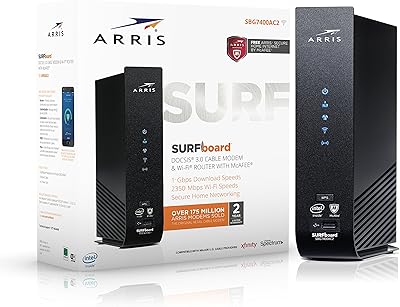
ARRIS SBG7400AC2 Cable Modem Wi-Fi Router
74%
83%
Value for Money
88%
Setup & Activation
86%
Connection Stability
61%
Wi-Fi Range & Coverage
67%
Wi-Fi Speed Performance
More
ARRIS SBG6900AC Cable Modem Wi-Fi Router
72%
88%
Ease of Setup
74%
Wi-Fi Range & Coverage
91%
Value for Money
71%
Wi-Fi Speed & Throughput
63%
Build Quality & Durability
More
ARRIS SBG6782 DOCSIS 3.0 Cable Modem Router
78%
88%
Value for Money
91%
Setup & Installation
86%
Connection Stability
69%
Wi-Fi Performance
63%
Wi-Fi Range
More
ARRIS SURFboard SBG8300 DOCSIS 3.1 Cable Modem Router Combo
84%
91%
Performance & Speed
88%
Wi-Fi Coverage & Stability
80%
Ease of Setup
84%
Compatibility with ISPs
92%
Value for Money
More
ARRIS SURFboard G36
ARRIS SURFboard G36
72%
83%
Setup & Activation
76%
Wi-Fi Speed & Throughput
61%
Wi-Fi Range & Coverage
58%
Connection Stability
88%
DOCSIS 3.1 Modem Performance
More
ARRIS SURFboard SVG2482AC Cable Modem Router Combo
74%
72%
ISP Compatibility
81%
Internet Performance
63%
Wi-Fi Coverage
79%
Setup Experience
76%
Build Quality
More
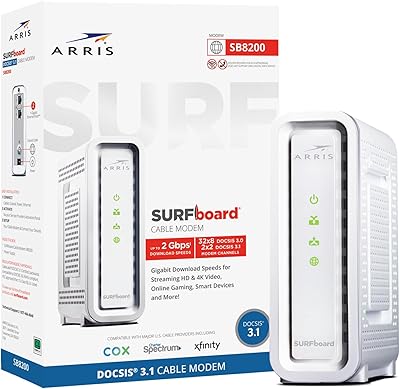
ARRIS SURFboard SB8200
79%
88%
Connection Speed & Throughput
74%
Connection Stability & Reliability
83%
Value for Money
79%
Setup & Activation
91%
Dual Ethernet Port Utility
More
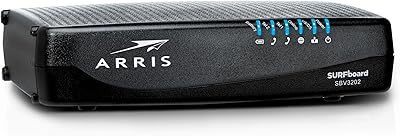
ARRIS SURFboard SBV3202 Cable Modem
85%
93%
Value for Money
89%
Setup and Installation
91%
Performance for Streaming & Gaming
85%
Voice Service Compatibility
78%
Connectivity and Stability
More

FAQ

Yes, the SBG7580AC is approved for use on Xfinity cable internet plans, including those at 300 Mbps and higher tiers. Just call Xfinity after connecting the unit and they will activate it on your account — the process usually takes under 15 minutes.

No. This gateway is built exclusively for cable internet infrastructure and is not compatible with AT&T, Verizon, or CenturyLink. Those providers use fiber or DSL technology that requires different hardware entirely. Double-check your provider before purchasing.

Most users find setup refreshingly straightforward. You plug it in, connect the coax cable from your wall, then call your ISP to activate it on your account. The included quick start guide walks you through each step, and the whole process typically wraps up within 30 minutes.

If you plan to stay with a cable provider for more than a year or two, owning this unit is almost certainly the smarter financial move. ISP modem rental fees add up faster than most people realize, and a one-time hardware purchase tends to pay for itself well within that window. The 2-year warranty also means you have coverage if something goes wrong early on.

In a small to medium-sized single-story home or apartment, the AC1750 Wi-Fi is generally sufficient to cover most areas without dead spots. In larger homes or multi-story layouts, the 5 GHz band in particular tends to drop off more noticeably, and you may need a Wi-Fi extender or access point to fill gaps.

It does run warmer than some newer units during extended heavy use, which is worth keeping in mind. Make sure it has open airflow around it — avoid tucking it inside a closed cabinet or entertainment center. Resting it vertically in an open space is the safest approach for long-term reliability.

Yes. The unit supports Access Point Mode, which lets you disable the built-in Wi-Fi and routing functions so you can connect a dedicated router of your choice to the Gigabit WAN port. This is a good option if you want more advanced router features than the built-in software provides.

DOCSIS 3.0 is widely supported today and won't stop working overnight, but it is a generation behind the current DOCSIS 3.1 standard. If your ISP plan is already pushing past 400 to 500 Mbps or you expect to upgrade your plan significantly in the coming years, it is worth considering whether a DOCSIS 3.1 unit might be a better long-term investment.

There's no hard device cap, but real-world comfort depends on the mix of what those devices are doing. Light browsing and smart home devices on the 2.4 GHz band, combined with streaming or gaming devices on the 5 GHz band, should be handled comfortably in a typical household. Very dense smart home setups or households with 15 or more active devices at once may notice more strain.

ARRIS offers a 2-year manufacturer warranty supported by a US-based team you can reach directly. Most users report positive experiences getting replacement units authorized, though actual turnaround time can vary. Keep your purchase receipt and register the product with ARRIS after setup to make any future claim as smooth as possible.

Where to Buy