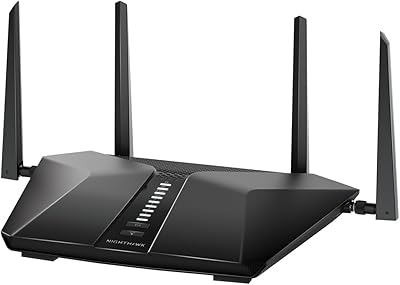
ARRIS SURFboard mAX W21 WiFi 6 Router


Overview
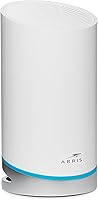
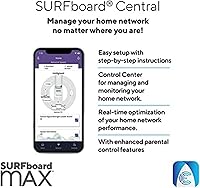
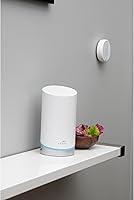
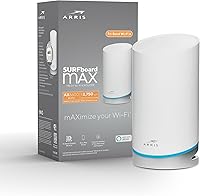
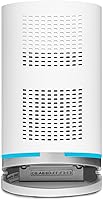
The ARRIS SURFboard mAX W21 WiFi 6 Router comes from a brand best known for cable modems, and that engineering background carries over into how seriously it treats signal consistency. Aimed at households ready to move past WiFi 5, this is a mid-range tri-band router that doesn’t overcomplicate things. The compact cylindrical tower takes up minimal shelf space, and a single unit covers up to 2,750 square feet — adequate for most apartments and single-story homes. Management runs through the SURFboard Central app, handling everything from initial setup to ongoing monitoring. At 3.8 stars from real buyers, it performs well for most use cases, though not without trade-offs.
Features & Benefits
The radio architecture here is worth understanding before you buy. The SURFboard mAX W21 runs three separate bands — 2.4 GHz for range and smart home devices, plus two 5 GHz bands, with the high-band side running a full 4x4 MIMO configuration for maximum throughput. WiFi 6 brings real benefits beyond raw speed: better handling of many simultaneous devices and improved battery life on phones and laptops. You can expand into a mesh system by adding compatible W121 or W21 nodes, but those are sold separately. Four Gigabit Ethernet ports, IFTTT support, QoS, guest networking, and Alexa integration round out a capable, well-equipped feature set for the price.
Best For
This WiFi 6 router is a natural fit for medium-density households — think 10 to 30 devices — where a WiFi 5 router has started showing its age. Gamers and 4K streamers on a single floor will appreciate the low-latency performance from the high-band 5 GHz radio. Parents get real utility from the app’s controls: time limits, internet pausing, and a reward-based system that actually gives you leverage over screen time negotiations. If you’re already in the ARRIS SURFboard ecosystem, adding this as a node or hub makes practical sense. It’s less suited to large multi-story homes or users who want deep router customization through a browser interface.
User Feedback
Real buyer feedback skews positive on setup — the app-guided process is quick enough that most users are up and running within minutes, and speed improvements over an older router are immediately noticeable. Parental controls, specifically the reward-based scheduling, get frequent mentions as a standout for families. That said, the 3.8-star average reflects some genuine friction. A portion of reviewers report intermittent app bugs — dropped connections to the management interface, mostly — and a few have flagged firmware updates causing temporary instability. Power users also note the lack of advanced configuration options compared to competing routers, and range in two-story homes can fall short of expectations.
Pros
- WiFi 6 support delivers noticeably faster speeds and handles 15 to 25 simultaneous devices better than older standards.
- App-guided setup gets most users online in under 15 minutes with no technical knowledge required.
- Reward-based parental controls are genuinely creative and more practical than basic time-limit tools.
- The compact cylindrical design blends into a living room shelf without looking like a satellite dish.
- Four Gigabit Ethernet ports give you enough wired connections for a TV, console, PC, and switch.
- Tri-band radio setup automatically distributes device load, reducing congestion during peak hours.
- Alexa and IFTTT integration work reliably for smart home households already using those platforms.
- Coverage holds up well in open-plan single-story homes without requiring an additional node.
- The SURFboard Central app provides real-time device monitoring and Who’s Home alerts out of the box.
- Mesh expandability means you can scale the system gradually without replacing the router entirely.
Cons
- The companion app loses its connection to the router without warning, forcing repeated logins or reinstalls.
- Firmware updates have caused unexpected reboots and temporary outages for a notable share of buyers.
- Multi-story homes regularly experience dead zones that the rated coverage figure does not reflect.
- There is no browser-based admin interface, locking out users who need advanced configuration options.
- Real-world throughput is a fraction of the theoretical 6,600 Mbps maximum under typical home conditions.
- Mesh expansion requires purchasing additional nodes separately, adding significant cost to the total system.
- QoS controls are too broad for power users who need per-application bandwidth management.
- The white finish shows dust and scuffs quickly, requiring more frequent cleaning than darker alternatives.
- No USB port means no option for shared network storage, unlike some competing routers in the same tier.
- Android users encounter app stability issues more frequently than iOS users, creating an inconsistent experience.
Ratings
The ARRIS SURFboard mAX W21 WiFi 6 Router earns a nuanced scorecard built from thousands of verified global buyer reviews, with AI filtering applied to remove incentivized, bot-generated, and outlier feedback before any scores were calculated. What emerges is an honest picture of a capable mid-range router that genuinely delivers for the right household — but carries real limitations that some buyers only discover after setup. Both the strengths and the friction points are reflected transparently in the categories below.
Wireless Performance
Coverage & Range
Setup & Onboarding
App Experience
Parental Controls
Mesh Expandability
Ethernet Port Availability
Smart Home Integration
Build Quality & Design
Firmware & Long-Term Stability
Value for Money
Device Handling Capacity
QoS & Traffic Management
Power User Features
Suitable for:
The ARRIS SURFboard mAX W21 WiFi 6 Router is a strong fit for households that have outgrown their old WiFi 5 setup and want a meaningful upgrade without crossing into enterprise-level complexity or cost. If your home is a single-story apartment, condo, or compact house under roughly 2,500 square feet, this router covers the space comfortably without needing additional nodes. Families with kids will find the app-based parental controls genuinely useful — the reward-based screen time system is more thoughtful than the blunt timer tools most routers offer. Gamers and 4K streamers sharing a network with 10 to 20 other devices will notice the difference that WiFi 6 and the dedicated high-band 5 GHz radio make during peak evening hours. It also suits buyers already invested in the ARRIS SURFboard ecosystem who want a clear upgrade path toward a full mesh system down the line by adding nodes as their budget allows.
Not suitable for:
The ARRIS SURFboard mAX W21 WiFi 6 Router is not the right call for buyers with large, multi-story homes or sprawling open floor plans — the real-world coverage in those environments falls short of the rated figure, and the dead zones in upper floors or distant rooms are a recurring complaint. Networking enthusiasts who rely on browser-based admin interfaces, VLAN support, custom DNS configurations, or detailed traffic logging will find the app-only management approach frustratingly restrictive. Households expecting mesh coverage out of the box should also know that additional nodes come at extra cost — this is a single-router purchase, not a complete mesh system. Anyone who has experienced app connectivity issues with smart home devices may find the occasional SURFboard Central app drop-outs particularly annoying during daily use. And if long-term firmware reliability is a priority — especially in a home where a router reboot is a major disruption — the mixed track record on update stability is worth weighing carefully before committing.
Specifications
- WiFi Standard: This router uses the 802.11ax standard, commonly marketed as WiFi 6, which improves throughput, device density handling, and client battery efficiency compared to the previous 802.11ac generation.
- Band Configuration: Tri-band setup covers three simultaneous radio channels: one 2.4 GHz band and two 5 GHz bands, with the second 5 GHz band running a full 4x4 MIMO configuration for maximum high-bandwidth throughput.
- Max Speed: Combined theoretical maximum across all bands is 6,600 Mbps (AX6600), though real-world speeds in typical home environments will be a fraction of this figure depending on client hardware and network conditions.
- Single-Unit Coverage: One router unit covers up to 2,750 square feet under ideal open-plan conditions; performance in multi-story or wall-dense environments will vary and may fall short of that rating.
- Antenna Design: MIMO antenna layout is 2x2 on the 2.4 GHz band, 2x2 on the primary 5 GHz band, and 4x4 on the high-band 5 GHz channel, delivering eight total WiFi 6 streams across the three bands.
- Ethernet Ports: Each router unit includes four Gigabit Ethernet ports, which can be used for wired device connections or as a backhaul link between mesh nodes.
- Mesh Compatibility: The W21 can be paired with additional W21 units or W121 SURFboard nodes to form a mesh system supporting up to three routers, extending total coverage to approximately 5,500 square feet or more.
- Dimensions: The cylindrical tower measures 3.98 x 3.98 x 7.64 inches (L x W x H), giving it a compact footprint that fits on a shelf or desk without requiring significant clearance space.
- Weight: Each router unit weighs 3 pounds, making it easy to reposition during initial placement or troubleshooting without requiring wall mounting or permanent installation.
- Operating System: The router runs on a Linux-based operating system, which is the standard for consumer networking hardware and supports stable, long-term firmware update delivery.
- Power Input: Requires a standard 120-volt AC power connection; no external voltage converter is needed for use in North America.
- Management App: The SURFboard Central app, available on both iOS and Android, serves as the sole management interface for setup, monitoring, parental controls, QoS, guest network, and device management.
- Parental Controls: App-based parental controls include internet pause, scheduled time limits, and a reward-based system that grants screen time or virtual currency upon completion of designated activities.
- Smart Home Support: Native Alexa integration allows basic voice-based network queries, while IFTTT compatibility connects the router with third-party smart home platforms including Ring, Philips Hue, Fitbit, and Sonos.
- Color: Available in white only; the finish is smooth plastic that may show dust and surface marks more visibly than matte or darker alternatives over time.
- Wireless Security: Supports WPA3 and WPA2 security protocols, providing modern encryption standards for both personal and guest network connections.
- Guest Network: The app allows creation and management of a separate guest network, keeping visitor devices isolated from primary household devices and shared files.
- QoS Support: Quality of Service controls are accessible through the SURFboard Central app, allowing users to prioritize specific devices or usage types to maintain consistent performance for high-priority tasks.
Related Reviews
ARRIS SURFboard mAX W130 Mesh WiFi System
ARRIS SURFboard mAX W30 Wi-Fi 6 Router
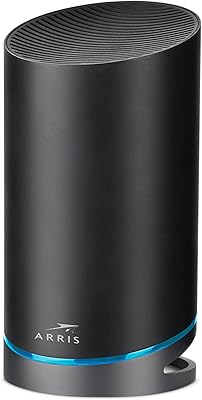
ARRIS SURFboard mAX Pro W133 Mesh Router
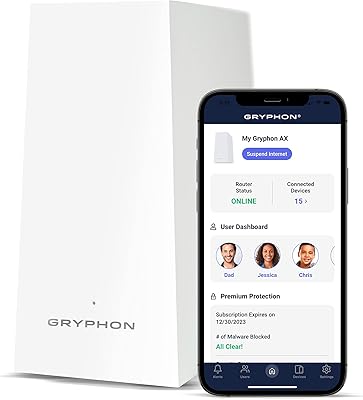
Gryphon AX Mesh WiFi 6 Router

Linksys MR20EC WiFi 6 Mesh Router
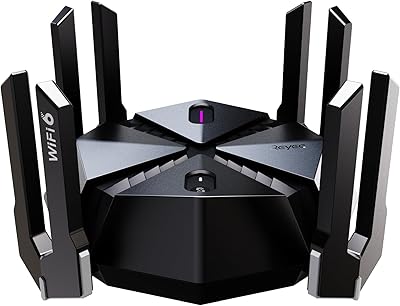
Reyee E6 AX6000 WiFi 6 Router
Linksys MR7350 WiFi 6 Router
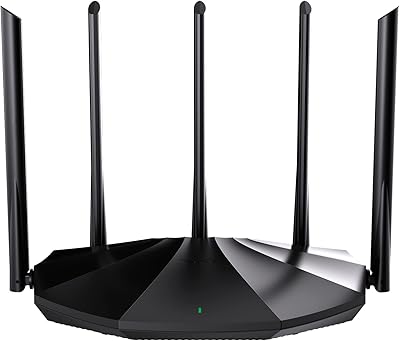
Tenda RX2Pro AX1500 WiFi 6 Router

NETGEAR R6700AXS AX1800 WiFi 6 Router