




Overview

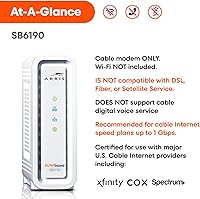
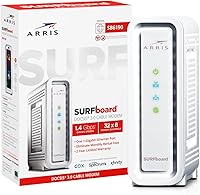
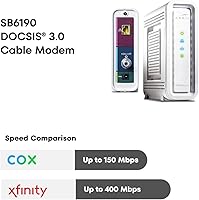
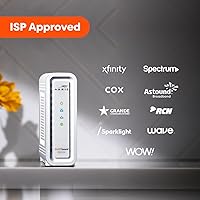
The ARRIS SB6190 is the kind of networking hardware that earns its place by doing one job well: getting your home off the ISP rental treadmill. It works with the major US cable providers — Xfinity, Cox, Spectrum, and Optimum — making it broadly accessible for most households. One thing to know upfront: this cable modem has no built-in Wi-Fi, so you will need a separate router. Running on DOCSIS 3.0, it tops out around 800 Mbps in real-world conditions, which covers the vast majority of residential internet plans. It has been on the market since 2015 and carries nearly 4,650 ratings, giving buyers a solid foundation of real-world evidence to work from.

Features & Benefits

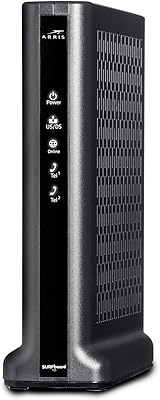
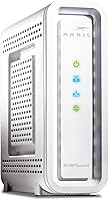
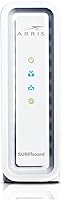
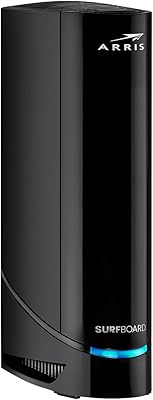
The hardware inside this ARRIS modem punches above what you might expect from a modem in its price tier. Its 32x8 channel bonding allows the modem to pull from multiple downstream channels simultaneously, which translates to more headroom and stabler throughput compared to basic 8x4 or 16x4 modems. The single Gigabit Ethernet port is adequate since DOCSIS 3.0 itself is the real speed ceiling — no USB ports to confuse things, just a clean RJ-45 connection to your router. Physically, the unit is slim and upright at roughly 6.4 inches tall, easy to tuck behind a desk. The one-year warranty from CommScope is standard for the category. Just note: there is no voice support whatsoever.

Best For

This cable modem makes the most sense for one specific type of buyer: someone currently paying a monthly rental fee to their ISP and ready to be done with it. On plans up to around 600–800 Mbps, this ARRIS modem handles the load without issue — but you do need your own Wi-Fi router already in the setup. If you are starting from scratch networking-wise, factor that extra cost in. It is also worth acknowledging that the DOCSIS 3.0 standard has a hard ceiling, so anyone on or planning a multi-gigabit plan will outgrow it fast. Always confirm ISP compatibility before purchasing — Xfinity especially has been known to silently drop modem support after firmware updates.

User Feedback

Across nearly 4,650 ratings and a 4.2-star average, the pattern in reviews is fairly consistent. Most buyers found setup straightforward — call your ISP, give them the MAC address, and you are online within the hour. The most common praise centers on eliminating the rental charge, with many owners noting the modem paid for itself within just a few months. That said, the honest picture is more nuanced. A meaningful number of users report intermittent dropouts surfacing after a year or two of use, and a specific cluster of Xfinity customers ran into compatibility problems following ISP-pushed firmware updates. Long-term reliability is the real question mark — read the most recent reviews for your provider before committing.

Pros

  • Pays for itself in just a few months by eliminating the ISP modem rental fee entirely.
  • Straightforward setup — most users are online within 30 to 45 minutes of unboxing.
  • 32x8 channel bonding delivers noticeably more stable throughput than cheaper entry-level modems.
  • Works reliably with Cox, Spectrum, and Optimum without ongoing compatibility headaches.
  • Slim vertical design takes up almost no space on a desk or media shelf.
  • A Gigabit Ethernet port ensures the hardware itself is never the speed bottleneck.
  • Nearly 4,650 real-world reviews give buyers an unusually clear picture of what to expect.
  • Runs completely silent with no fan noise — easy to forget it is even there.
  • The ARRIS SB6190 carries a broad voltage input, making it usable across different power standards.

Cons

  • No built-in Wi-Fi means you must already own or budget separately for a wireless router.
  • Xfinity compatibility is unreliable — ISP firmware updates have knocked some units offline without warning.
  • Intermittent disconnection issues appear in a consistent thread of reviews from owners past the 18-month mark.
  • The one-year warranty feels short for a device expected to run continuously around the clock.
  • DOCSIS 3.0 is aging, and some ISPs are beginning to phase out support for older equipment.
  • Post-warranty customer support from ARRIS is widely described as difficult to reach and unhelpful.
  • No cable voice support means bundled phone subscribers must keep their ISP-provided gateway.
  • The white plastic casing yellows and scuffs over time, particularly in warm or dusty environments.
  • Setup documentation in the box is minimal, leaving less experienced users to figure things out independently.

Ratings

The ARRIS SB6190 has accumulated nearly 4,650 verified ratings since its 2015 launch, giving us a rich dataset to work with. Our AI scoring engine analyzed that feedback — filtering out incentivized reviews, bot patterns, and outlier submissions — to produce the balanced scorecard below. Both the genuine strengths and the recurring frustrations are reflected honestly, so you can make an informed call before buying.

Value for Money
91%
For households still handing their ISP a monthly rental fee, this cable modem tends to pay for itself within three to four months. Buyers consistently flag that as the single biggest reason they made the switch, and the math holds up across Xfinity, Cox, and Spectrum customers alike.
The value calculation shifts if your plan is already at or above 800 Mbps, since you may outgrow the hardware sooner than expected. A few buyers also noted that factoring in the cost of a separate router narrows the savings gap for first-time owners.
Ease of Installation
88%
The majority of buyers describe the activation process as refreshingly painless — plug it in, call your ISP with the MAC address on the label, and most people are online within 30 to 45 minutes. Cox and Spectrum users in particular report near-frictionless setup experiences.
Xfinity activations are more hit-or-miss, with some customers spending over an hour on hold or needing a technician callback. The instructions included in the box are minimal, which can catch less tech-savvy users off guard.
ISP Compatibility
74%
26%
For Cox, Spectrum, and Optimum subscribers, compatibility is generally solid and well-documented. The SB6190 appears on the approved modem lists for these providers, and most users do not encounter any surprises during or after setup.
Xfinity is the notable weak spot. A meaningful cluster of reviews describes connectivity problems that surfaced after ISP-pushed firmware updates — issues the buyer had no control over. Always verify the current Xfinity approved modem list before purchasing, as this modem has been quietly delisted in some markets.
Connection Stability
72%
28%
During the first year or two of ownership, most users report a rock-solid connection with no noticeable drops during streaming, video calls, or gaming sessions. The 32x8 channel bonding genuinely contributes to a more stable signal compared to cheaper 8x4 modems.
Long-term reliability is where the picture gets murkier. A consistent thread in older reviews describes random disconnections appearing after 18 to 24 months of use — sometimes requiring reboots, sometimes pointing to hardware degradation. It is not universal, but it is common enough to take seriously.
Throughput Performance
79%
21%
On plans in the 200–600 Mbps range, this ARRIS modem delivers speeds that closely match what the ISP advertises. The 32 downstream channels give it real headroom, and users on mid-tier plans rarely feel constrained by the hardware itself.
The 800 Mbps ceiling is a hard one — it is a DOCSIS 3.0 architectural limit, not something fixable with a firmware update. Users who later upgraded to a gigabit plan had to replace this modem entirely, which somewhat undermines the long-term value argument.
Build Quality
67%
33%
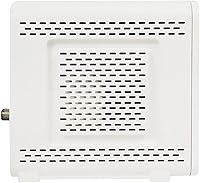
The chassis feels adequately solid for a stationary networking device — it is not going to win any awards, but it does not feel cheap either. Ventilation slots run along the sides, and the unit stays cool under sustained load without any concerning heat buildup.
The white plastic exterior shows scuffs and yellowing over time, especially in dusty or warm environments. Some owners also noted that the unit feels noticeably lighter than expected, which raises questions about internal component quality for a device meant to run continuously for years.
Physical Design & Footprint
83%
The slim vertical profile — roughly 6.4 inches tall and just 2 inches wide — means this cable modem can tuck neatly behind a monitor, onto a narrow shelf, or inside a media cabinet without demanding much real estate. Most buyers appreciate the no-fuss form factor.
The power adapter adds some cable clutter, and the single port placement at the rear is fine but not particularly elegant. A cable management clip or recessed port area would have made the physical setup tidier.
Setup Documentation
58%
42%
For buyers who have set up a modem before, the included quick-start guide covers the essentials. The MAC address and serial number are clearly printed on a label, which makes the ISP activation call faster and less frustrating.
First-time modem owners frequently describe the documentation as too sparse. There is no detailed troubleshooting guide in the box, and ARRIS does not make it obvious where to find online support resources. Several reviewers ended up relying on third-party YouTube walkthroughs to complete the setup.
Long-Term Reliability
63%
37%
Many buyers report two or more years of trouble-free operation, particularly those on Cox and Spectrum. When the hardware works consistently, it tends to just run in the background without requiring any attention — exactly what you want from networking equipment.
The drop-off after the one-year warranty period is a legitimate concern flagged in a notable share of reviews. Intermittent disconnects, slow degradation of throughput, and sudden failures are all documented by users in the two-to-three-year ownership window, pointing to a product that may not be built for a decade of use.
Warranty & Support
61%
39%
A one-year manufacturer warranty from CommScope is standard for the networking hardware category, and the claims process is generally described as functional by those who needed it. Replacement units reportedly ship without excessive delays.
One year is on the short end for a device expected to run 24 hours a day, every day. Post-warranty support from ARRIS is sparse, and reaching a knowledgeable customer service agent is a recurring complaint. Several buyers felt abandoned when issues emerged just outside the warranty window.
DOCSIS Standard Longevity
55%
45%
For anyone on a plan that comfortably sits below 500 Mbps, DOCSIS 3.0 still covers real-world needs without compromise. In markets where ISPs have not yet aggressively pushed gigabit tiers, the SB6190 remains practically sufficient for streaming, browsing, and remote work.
DOCSIS 3.0 is no longer the current standard, and ISPs are accelerating their network upgrades. Buyers in faster-moving markets may find this modem obsolete sooner than expected, and some ISPs are beginning to phase out support for older DOCSIS 3.0 equipment entirely.
Port Selection
69%
31%
A single Gigabit Ethernet port is genuinely all a standalone modem needs. The RJ-45 connection to your router does not bottleneck the hardware, and keeping the rear panel simple means less confusion during setup.
There is no USB port, no secondary Ethernet port, and no option to connect a device directly without a router in the middle. For users hoping to skip the router entirely and hardwire a single PC, the lack of additional ports is occasionally cited as a minor inconvenience.
Noise & Heat Management
84%
This cable modem runs passively cooled and completely silent — no fans, no audible hum. Buyers who keep it in a bedroom or home office consistently mention appreciating that it simply disappears into the background once it is set up.
Under sustained heavy load, the unit does get warm to the touch, and placing it in an enclosed cabinet without airflow can accelerate that. A small number of users believe poor ventilation contributed to their unit failing prematurely.

Suitable for:

The ARRIS SB6190 is a practical choice for renters and homeowners alike who are tired of paying their cable provider a monthly modem fee and just want reliable, no-fuss internet hardware they actually own. It fits well into setups where a separate Wi-Fi router is already in place — think of someone upgrading from an ISP-supplied gateway who already owns an Asus, Netgear, or TP-Link router sitting in a closet. Households on internet plans ranging from around 100 Mbps up to roughly 600 Mbps will find that this cable modem keeps up without issue, covering everyday workloads like streaming in 4K, video conferencing, and general browsing across multiple devices. Budget-conscious buyers who do not feel an urgent need to jump to DOCSIS 3.1 yet — particularly those on Cox, Spectrum, or Optimum — tend to get the best experience and the cleanest return on their investment with this hardware.

Not suitable for:

The ARRIS SB6190 is not the right call for anyone who has already subscribed to, or is planning to subscribe to, a gigabit or multi-gigabit internet tier — the DOCSIS 3.0 standard simply cannot accommodate those speeds, and you will be replacing this modem within months. Anyone who needs an all-in-one gateway — one device that handles both the modem and the Wi-Fi — will also come away frustrated, since this cable modem has no wireless functionality whatsoever. Xfinity subscribers should approach with particular caution: a documented pattern of ISP firmware updates silently breaking compatibility has left a subset of Xfinity customers without internet and scrambling for a replacement. Households relying on cable voice service through their ISP need to look elsewhere entirely, as this device offers zero support for bundled phone lines. Finally, buyers who expect five or more years of trouble-free operation should weigh the reliability concerns raised by long-term owners seriously before committing.

Specifications

  • DOCSIS Standard: This modem operates on DOCSIS 3.0, the widely supported cable internet standard that handles real-world download speeds up to approximately 800 Mbps.
  • Channel Bonding: Supports 32 downstream and 8 upstream bonded channels, providing substantially more throughput headroom than basic entry-level modems.
  • Max Download Speed: Theoretical maximum download speed is approximately 800 Mbps, though real-world performance depends on your ISP plan and local signal quality.
  • Ethernet Port: Equipped with a single Gigabit Ethernet (RJ-45) port for connecting to a router or directly to a single computer.
  • Wi-Fi: No wireless functionality is included; this is a standalone modem that requires a separate router for Wi-Fi coverage.
  • Voice Support: Cable digital voice (VoIP) service is not supported, making this modem incompatible with ISP-bundled phone line services.
  • Compatible ISPs: Approved for use with major US cable providers including Xfinity, Cox, Spectrum, and Optimum, though compatibility should be verified before purchase.
  • Dimensions: The unit measures 6.4″ (length) x 2″ (width) x 8.7″ (height), with a slim vertical form factor suited for tight spaces.
  • Weight: The modem weighs 12 ounces, making it lightweight and easy to position or relocate as needed.
  • Power Input: Accepts 115–240 VAC at 50/60 Hz via the included power adapter, covering both North American and international voltage standards.
  • Color: Available in white with a smooth plastic finish that may show yellowing or scuffs over extended time in warm or dusty environments.
  • Warranty: Covered by a one-year limited manufacturer warranty provided by CommScope, the parent company of the ARRIS brand.
  • Manufacturer: Designed and sold under the ARRIS brand, which is owned and operated by CommScope, a global telecommunications hardware company.
  • Model Number: The official model designation is SB6190, which should be referenced when checking ISP approved-modem lists or contacting support.
  • First Available: This modem was first made available for purchase in October 2015 and remains actively sold as of the time of this review.
  • Cooling Method: Passively cooled with no internal fan; ventilation slots along the sides allow heat to dissipate without generating any audible noise.
  • Operating Systems: Compatible with Windows 7 and later as well as macOS, though as a modem it functions at the network level regardless of the connected device's OS.
  • Upstream Speed: Supports upstream data transmission across 8 bonded channels, providing adequate upload headroom for video calls, cloud backups, and gaming.

Related Reviews
ARRIS G18
ARRIS G18
87%
94%
Internet Speed Performance
89%
WiFi Coverage
88%
Setup & Installation
91%
Ethernet Stability
87%
Latency and Gaming Performance
More
ARRIS SURFboard SBG7400AC2
85%
88%
Wi-Fi Performance
93%
Ease of Setup
75%
Compatibility with ISPs
87%
Value for Money
91%
App Experience
More
ARRIS SURFboard S33
ARRIS SURFboard S33
77%
88%
Connection Stability
83%
Speed Performance
79%
ISP Compatibility
91%
Value for Money
84%
Setup & Activation
More
ARRIS T25 Cable Modem
86%
91%
Performance
94%
Ease of Setup
92%
Value for Money
88%
Speed Stability
87%
Compatibility with Xfinity
More
ARRIS S34
ARRIS S34
78%
91%
Connection Speed & Throughput
88%
Setup & Activation Experience
83%
ISP Compatibility
89%
Value for Money
79%
Build Quality & Design
More
ARRIS SB6183 Cable Modem
83%
88%
Performance
85%
Compatibility with ISPs
92%
Setup & Installation
91%
Value for Money
87%
Download Speeds
More
Arris NVG468MQ Wireless Gateway
82%
88%
Performance for Streaming and Gaming
85%
Wi-Fi Coverage and Range
92%
Ease of Setup and Installation
65%
Firmware and Software Stability
83%
Build Quality and Durability
More
ARRIS SURFboard SBV3202 Cable Modem
85%
93%
Value for Money
89%
Setup and Installation
91%
Performance for Streaming & Gaming
85%
Voice Service Compatibility
78%
Connectivity and Stability
More
ARRIS SURFboard SB8200
79%
88%
Connection Speed & Throughput
74%
Connection Stability & Reliability
83%
Value for Money
79%
Setup & Activation
91%
Dual Ethernet Port Utility
More
ARRIS VR-009 FPV Goggles
84%
89%
Value for Money
87%
Signal Stability
85%
Battery Life
90%
Comfort for Extended Use
80%
Ease of Setup
More

FAQ

It does not include Wi-Fi — this is purely a modem, not a gateway. To get wireless coverage in your home, you will need to connect a separate Wi-Fi router to the Ethernet port on the back. This is actually a setup many people prefer because it lets you choose your own router independently.

It depends on your specific plan and when you are reading this. The ARRIS SB6190 has had a complicated history with Xfinity — it was previously on their approved list but has been quietly removed in some markets following firmware updates. Before buying, go directly to the Xfinity website and check their current list of compatible modems to confirm it is still approved for your account type.

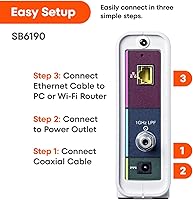
Setup is fairly simple. Plug the coaxial cable from your wall into the modem, connect it to your router or PC via Ethernet, and power it on. Then call your ISP's customer support line and give them the MAC address printed on the label on the bottom of the unit. Most activations complete within 15 to 30 minutes.

The hardware can theoretically handle up to around 800 Mbps downstream, but your real-world speed is ultimately determined by your internet plan and the quality of the cable signal coming into your home. For most plans in the 100–600 Mbps range, it handles things comfortably. If you are on a gigabit plan, you will need a DOCSIS 3.1 modem instead.

No — this cable modem does not support cable digital voice service at all. If your ISP bundle includes a home phone line, you will need to either keep your ISP-provided gateway or purchase a separate modem that explicitly supports MTA (Multimedia Terminal Adapter) voice functionality.

Most owners get one to two years of smooth performance. After that, a noticeable portion of long-term users report intermittent disconnections and gradual reliability issues. It is not a guaranteed failure by any means, but if you need consistent uptime for work-from-home or smart home setups, factor in the possibility that you may be replacing it within three years.

For households on internet plans under 600 Mbps who are primarily motivated by eliminating a monthly rental fee, it still makes financial sense in the short term. That said, DOCSIS 3.0 is aging, and some ISPs are actively phasing out older hardware. If you plan to upgrade your internet speed or want hardware that lasts five or more years, spending a bit more on a DOCSIS 3.1 modem is probably the smarter long-term move.

There is only one Ethernet port on this unit, so you cannot plug multiple wired devices into the modem itself. To connect multiple devices — whether wired or wirelessly — you need a router between the modem and your devices. That is standard for any standalone modem, not a limitation unique to this one.

Generally yes. Cox and Spectrum subscribers consistently report smooth activation and stable ongoing performance with this ARRIS modem. It appears on the approved lists for both providers, and compatibility complaints for those two ISPs are far less common than the Xfinity-related issues you will see in the reviews.

Unfortunately, you are on your own once the warranty window closes. ARRIS customer support has a mixed reputation — some users get prompt replacements, others describe long waits and unhelpful responses. Given the cost of the unit, most people simply replace it rather than pursue a repair. This is worth keeping in mind when comparing it against pricier modems that sometimes carry two or three-year warranties.