Overview

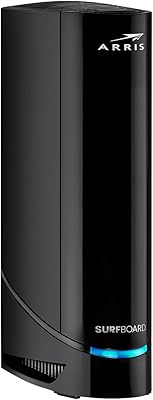
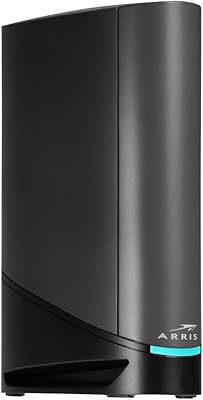
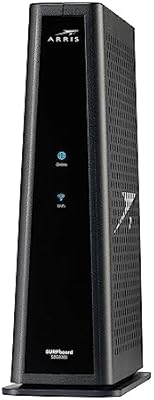
The ARRIS G18 Cable Modem Router Combo is a solid mid-to-premium all-in-one device that replaces both your cable modem and a separate router with a single box. It runs on DOCSIS 3.1, which puts it well ahead of the older 3.0 gear many households are still using. It’s certified for the big cable providers — Xfinity, Cox, and Spectrum — so compatibility headaches are largely off the table. If you’re currently paying a monthly rental fee to your ISP, this all-in-one cable gateway can pay for itself within a year or so. Just keep expectations honest: it’s not a mesh system, and it won’t blanket a large home with perfect signal.
Features & Benefits

At its core, DOCSIS 3.1 means this modem-router combo can handle multi-gigabit downstream speeds — handy as cable providers keep bumping up their tier ceilings. The WiFi 6 AX1800 dual-band radio isn’t the fastest WiFi 6 configuration available, but it handles a busy household of 20-plus devices without the stuttering you’d expect from older AC-class routers. Four Gigabit Ethernet ports on the back mean your desktop, gaming console, or smart TV can stay wired for consistent, low-latency performance. The single-unit form factor cuts down on power bricks and cable clutter, which is an underrated perk for tighter spaces. DOCSIS 3.1 also carries inherent security improvements over its predecessor, a quiet but meaningful upgrade.

Best For

This all-in-one cable gateway makes the most sense for anyone currently handing over a monthly equipment fee to their ISP — at typical rental rates, the unit pays for itself in roughly a year. It’s well-suited to medium-sized apartments or homes where heavy streaming and online gaming are the everyday norm. If you’re on Xfinity, Spectrum, or Cox, the device is already certified, and self-activation via your provider’s app or a quick phone call tends to go smoothly. Households managing 20 or more connected devices should be comfortable here. That said, anyone in a large or multi-story home should know upfront that this modem-router combo alone likely won’t fix a coverage problem — you’d want to pair it with an extender.

User Feedback

Across more than 20,000 ratings, this modem-router combo holds a 4.2-star average — a score that reflects steady, real-world satisfaction. Buyers consistently highlight how painless the ISP activation process is, with most getting online within minutes. Reliable uptime and stable throughput over weeks of use come up repeatedly in reviews, which tends to matter more to people than peak theoretical speeds. On the critical side, users in larger homes report that wireless range falls short, especially on upper floors or in far corners. A smaller group of reviewers mention needing to reboot the gateway after certain firmware updates. Neither complaint is a dealbreaker for the average household, but both are worth weighing if your home layout is complicated or your coverage needs are especially demanding.

Pros

  • Eliminates monthly ISP equipment rental fees, typically recovering its cost within roughly a year
  • DOCSIS 3.1 support means the hardware can handle faster cable plan tiers as ISPs expand their speeds
  • WiFi 6 handles crowded device lists far more efficiently than older router technology
  • Four Gigabit Ethernet ports cover wired needs for gaming consoles, desktops, and smart TVs
  • Certified for Xfinity, Cox, and Spectrum, so there are no guessing games about compatibility
  • Single-unit design cuts down on power adapters, cables, and general desk or shelf clutter
  • Activation process is consistently praised as quick and painless by a large pool of real buyers
  • Stable uptime over extended use is a recurring theme in user reviews, not just early impressions
  • DOCSIS 3.1 includes security architecture improvements that older 3.0 hardware simply cannot offer
  • Compact footprint at under 2.5 pounds makes it easy to tuck away or reposition

Cons

  • WiFi range can fall short in larger homes, especially on upper floors or far from the unit
  • AX1800 is a mid-tier WiFi 6 class; buyers expecting top-end throughput may be underwhelmed
  • Some users report needing to manually reboot the gateway after certain firmware updates roll out
  • No tri-band radio means the all-in-one cable gateway may struggle as device counts grow beyond 25 or so
  • Only works with cable internet providers; completely incompatible with fiber or DSL service
  • Self-activation requires a phone call or app interaction with your ISP, which can be stressful for less tech-savvy buyers
  • No built-in parental controls or advanced router management features that standalone routers often include
  • Large or multi-story homes may still need a mesh extender, adding cost and complexity
  • Limited to dual-band, so heavy-use households cannot dedicate a separate band to backhaul or IoT devices
  • Customer support experience after purchase depends entirely on the ISP, not the manufacturer

Ratings

The ARRIS G18 Cable Modem Router Combo earns its place near the top of the modem-router combo category, and the scores below reflect exactly that — strengths and shortcomings alike. Our AI analyzed tens of thousands of verified global buyer reviews, actively filtering out incentivized, duplicate, and bot-generated submissions to surface what real households actually experienced. The result is a transparent, category-by-category breakdown that helps you decide whether this all-in-one cable gateway fits your specific setup.
Setup & Activation
88%
A large portion of buyers were genuinely surprised by how painless the ISP activation process turned out to be. Most reported being fully online within 20 to 30 minutes using either a phone call to their provider or the ISP’s mobile app, with no technician visit required.
A small but consistent group of users hit friction when activating with less common regional cable providers, where phone hold times and rep unfamiliarity with the device added unnecessary stress to what should be a quick process.
WiFi Speed & Throughput
79%
21%
In apartments and medium-sized homes, the AX1800 WiFi 6 radio delivers noticeably snappier wireless performance compared to older AC routers, especially when multiple people are streaming or working from home at the same time. Device prioritization under load is a genuine improvement.
AX1800 sits at the lower end of the WiFi 6 speed tier, and buyers who expected multi-gigabit wireless performance were occasionally disappointed. It is adequate for most households but will not satisfy power users or those who paid for a high-tier internet plan expecting matching wireless headroom.
WiFi Range & Coverage
67%
33%
For single-floor homes, condos, and smaller apartments, the wireless coverage is more than adequate and holds a stable signal across typical living spaces. Most users in these environments reported no dead zones under normal conditions.
This is the most consistently cited limitation across the review base. Users in two-story homes, townhouses, or spaces with thick walls regularly noted weak signal on upper floors or in rooms more than 40 to 50 feet away. A mesh extender becomes a practical necessity in those scenarios.
Connection Stability
91%
Stable, uninterrupted uptime is one of the most praised attributes across the review base, with many buyers specifically noting that the device ran for weeks and months without a single drop or slowdown. For households where a flaky connection causes real daily frustration, this reliability stands out.
A subset of users reported that connection stability occasionally dipped after automatic firmware updates pushed through overnight, requiring a manual reboot to restore normal performance. It resolves quickly, but it catches people off guard when it happens.
Modem Performance
93%
The DOCSIS 3.1 backbone of this all-in-one cable gateway is genuinely future-ready, handling multi-gigabit cable plan speeds without the modem side becoming the bottleneck. Users who upgraded from DOCSIS 3.0 hardware noticed immediate and measurable improvements in download consistency.
There is very little to criticize on the modem side specifically, though buyers on ISPs that have not yet upgraded their infrastructure to support DOCSIS 3.1 may not see the full benefit of the upgraded standard for some time.
Router Features & Controls
62%
38%
The basic routing functionality covers what the average household needs: NAT, DHCP, guest network support, and standard firewall protection. For users who just want plug-and-play internet without configuring anything complex, the defaults are sensible and work well out of the box.
Buyers accustomed to standalone routers with robust admin panels will find the management interface underwhelming. Advanced features like detailed traffic monitoring, granular parental controls, QoS customization, or VLAN support are either absent or buried, which limits flexibility for home lab users or tech enthusiasts.
Value for Money
86%
When you factor in the typical ISP rental fee that this device replaces, the math works heavily in the buyer’s favor within the first 12 to 14 months of ownership. Getting both a DOCSIS 3.1 modem and a WiFi 6 router in a single certified unit at this price point is genuinely competitive.
Buyers who already own a capable standalone router may find the combo format less compelling at this price, since they would essentially be paying for a router they don’t need. For those users, a standalone DOCSIS 3.1 modem could be a smarter spend.
Build Quality & Design
74%
26%
The device feels solid and well-constructed for a home networking product, with a no-frills matte black finish that blends into most setups without drawing attention. Ventilation slots are well-placed, and the unit stays cool under sustained heavy load.
A handful of reviewers noted that the plastic casing, while functional, does not feel particularly premium for the price tier. The indicator lights, though useful, are reported as fairly bright in darker rooms, which is a minor but real annoyance for devices placed in bedrooms or home theater setups.
ISP Compatibility
89%
Certification across Xfinity, Cox, and Spectrum covers the vast majority of U.S. cable internet subscribers, and the ARRIS G18 moves through each provider’s approval process without issue. Buyers rarely encounter the provisioning rejections that uncertified hardware sometimes triggers.
Outside of the three major providers, compatibility is not guaranteed, and buyers on smaller regional cable operators need to verify approval before purchasing. There is no official compatibility tool on the product listing that makes this check easy.
Wired Port Performance
87%
All four Gigabit Ethernet ports perform reliably at full speed, which makes a meaningful difference for wired gaming consoles, desktop workstations, or network-attached storage. Users consistently praise the low latency and rock-solid throughput on wired connections.
Four ports cover most households comfortably, but buyers with five or more wired devices will need to add a separate switch, which adds a small cost and one more piece of hardware to manage.
Firmware & Software Updates
66%
34%
Updates generally push automatically in the background and introduce security patches and stability improvements without requiring any manual action from the user. Most buyers are completely unaware updates are happening at all.
The subset of users who do notice firmware activity tends to notice it for the wrong reason — a dropped connection or degraded performance that requires a reboot. More transparency around update schedules and release notes would help users understand what changed and why.
Device Capacity & Load Handling
77%
23%
In households running 15 to 20 connected devices, the WiFi 6 radio manages concurrent connections far more gracefully than older technology, with noticeably less slowdown during peak evening usage when everyone is home and online simultaneously.
Homes that push past 25 connected devices start to see the limitations of a dual-band AX1800 setup more clearly. The absence of a dedicated third band means heavy IoT device loads and client traffic compete for the same airspace.
Gaming Performance
81%
19%
Wired connections via the Gigabit ports deliver the consistent, low-latency experience that online gaming demands, and multiple buyers specifically mentioned reliable ping times across extended gaming sessions. WiFi 6 also handles gaming laptops and consoles better than its predecessors under shared network load.
Gamers who rely primarily on wireless and sit far from the unit may encounter more variability than those who go wired, particularly in homes where the router cannot be positioned centrally. The lack of dedicated QoS gaming modes in the admin interface is a missed opportunity.
Long-Term Reliability
83%
Given that the device only became available in early 2025, the long-term track record is still building, but early indicators from the large review base are encouraging. Sustained uptime reports and minimal hardware failure complaints suggest solid durability for a consumer networking product.
It is still early in the product’s lifecycle, and multi-year durability data does not yet exist at scale. Buyers replacing older hardware that lasted five-plus years will need to take some of this on faith, as the evidence window remains limited.

Suitable for:

The ARRIS G18 Cable Modem Router Combo is an excellent fit for anyone who is fed up with paying a recurring equipment rental fee to their cable provider and wants a one-time purchase that pays for itself within a year or so. It works especially well in medium-sized apartments and homes where multiple people are streaming in 4K, jumping into online games, or working from home simultaneously. If your service runs through Xfinity, Cox, or Spectrum, the certification process is already done for you, and self-activation is typically a short phone call or a few taps in your ISP’s app. Households juggling 20 or more connected devices — phones, laptops, smart TVs, security cameras — will find the WiFi 6 radio handles the congestion noticeably better than older AC-class hardware. It’s also a smart upgrade path for anyone still running a DOCSIS 3.0 modem, since the newer standard brings both faster ceiling speeds and better built-in security.

Not suitable for:

Buyers in large, multi-story, or unusually shaped homes should think carefully before committing to the ARRIS G18 Cable Modem Router Combo as a standalone solution, because the AX1800 WiFi 6 radio is a mid-tier configuration — solid for average spaces, but unlikely to push a strong signal into distant rooms or through multiple thick walls. If you need whole-home mesh coverage, this device alone won’t deliver it, and you’d be looking at adding a mesh extender anyway, which partially undercuts the simplicity of the all-in-one approach. Power users chasing the absolute fastest WiFi 6 throughput should also know this is not a tri-band or high-end AX3000-plus setup. Anyone on a fiber or DSL internet plan won’t get any use out of it at all, since this is strictly a cable (DOCSIS) device. Finally, buyers who are uncomfortable managing their own hardware — handling firmware updates, the occasional reboot, or talking to ISP support during activation — might find the convenience of a rented device worth the ongoing fee.
Specifications

  • Model Number: The unit carries the official model designation G18, manufactured under the ARRIS brand by Vantiva.
  • Modem Standard: Uses DOCSIS 3.1, the current-generation cable modem specification supporting multi-gigabit downstream capacity.
  • WiFi Standard: Equipped with WiFi 6 (802.11ax) dual-band wireless radio for improved throughput and device efficiency.
  • WiFi Speed Class: Rated at AX1800, combining both bands for a maximum theoretical aggregate wireless speed of 1800 Mbps.
  • Ethernet Ports: Includes 4 Gigabit Ethernet LAN ports for wired connections to desktops, consoles, or smart TVs.
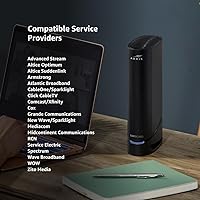
  • ISP Compatibility: Certified for use with major U.S. cable providers including Xfinity, Cox, Spectrum, and additional regional carriers.
  • Form Factor: All-in-one modem and router combo unit, eliminating the need for two separate devices and two power adapters.
  • Dimensions: The unit measures 9.49 x 7.44 x 4.41 inches, designed for placement on a shelf or desk.
  • Weight: Weighs 2.4 pounds, making it easy to reposition or mount without heavy hardware.
  • Color: Ships in a single color option: black, with a matte finish typical of home networking equipment.
  • Internet Type: Strictly a cable (DOCSIS) device; it is not compatible with fiber, DSL, or satellite internet services.
  • Security Protocol: DOCSIS 3.1 incorporates BPI+ encryption and improved authentication over the older DOCSIS 3.0 standard.
  • Avg. Star Rating: Holds a 4.2 out of 5 star average rating based on more than 20,135 customer reviews on Amazon.
  • Sales Rank: Ranked #2 in the Modem Router Combos category and #782 overall in Electronics on Amazon as of early 2025.
  • Availability Date: First made available for purchase in January 2025, making it a relatively recent addition to the ARRIS lineup.
  • Manufacturer: Produced by Vantiva, the company that acquired and currently operates the ARRIS consumer networking brand.

Related Reviews

ARRIS G20 Cable Modem Router Combo
85%
89%
Performance
83%
Wi-Fi Coverage
91%
Ease of Setup
85%
Speed Consistency
93%
Compatibility with ISPs
More
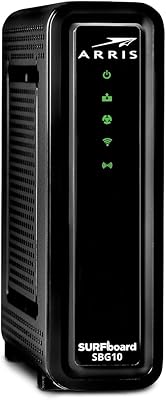
ARRIS SBG10 Cable Modem Router Combo
76%
91%
Value for Money
86%
Setup & Activation
83%
Connection Stability
61%
Wi-Fi Coverage & Range
88%
Modem Performance
More
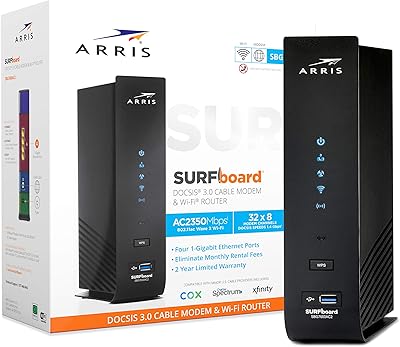
ARRIS SURFboard SBG7600AC2 Cable Modem Router Combo
86%
89%
Performance
92%
Setup Ease
91%
Value for Money
86%
Wi-Fi Range & Speed
82%
Parental Controls
More
ARRIS SURFboard G36
ARRIS SURFboard G36
72%
83%
Setup & Activation
76%
Wi-Fi Speed & Throughput
61%
Wi-Fi Range & Coverage
58%
Connection Stability
88%
DOCSIS 3.1 Modem Performance
More
ARRIS SURFboard SBG8300 DOCSIS 3.1 Cable Modem Router Combo
84%
91%
Performance & Speed
88%
Wi-Fi Coverage & Stability
80%
Ease of Setup
84%
Compatibility with ISPs
92%
Value for Money
More
ARRIS TG862G-CT Cable Modem Router
85%
91%
Value for Money
89%
Performance & Speed
93%
Ease of Setup
85%
Voice Service Quality
72%
Wi-Fi Range
More
NETGEAR C6300 Cable Modem Router Combo
69%
83%
Value for Money
88%
Setup & Installation
71%
WiFi Performance
91%
Wired Connectivity
62%
Long-Term Reliability
More
NETGEAR C6250 AC1600 Modem Router Combo
74%
84%
Value for Money
88%
Ease of Setup
71%
Wi-Fi Performance
82%
Modem Speed & Reliability
73%
Provider Compatibility
More
ARRIS SURFboard SBG7580AC Cable Modem Router
75%
88%
Connection Stability
72%
Wi-Fi Coverage
91%
Setup Experience
84%
Value for Money
86%
Wired Performance
More
ARRIS SBG6580 DOCSIS 3.0 Cable Modem Router
76%
83%
Connection Stability
61%
Wi-Fi Coverage & Range
58%
Wi-Fi Speed Performance
84%
Ease of Setup
81%
Modem Performance
More
NETGEAR Nighthawk C7800 Cable Modem WiFi Router Combo
84%
88%
Wi-Fi Performance
75%
Ease of Setup
92%
Speed and Reliability
85%
Compatibility with ISPs
90%
Value for Money
More

FAQ

Yes, the ARRIS G18 Cable Modem Router Combo is officially certified for Xfinity. That means Comcast has validated it for use on their network, so you won’t run into the compatibility rejections that can happen with uncertified hardware. Just make sure to call Xfinity or use their app to activate it before disconnecting your old equipment.

The process is simpler than most people expect. You plug the coaxial cable into the back, connect power, then call your ISP or use their mobile app to swap the registered device on your account. Most buyers report being online within 15 to 30 minutes. Having your account number handy speeds things up considerably.

Yes, this all-in-one cable gateway is on Spectrum’s approved device list. One thing to be aware of with Spectrum specifically is that they do not charge a modem rental fee in the traditional sense, but owning your equipment still gives you more control and avoids any future policy changes.

It does. DOCSIS 3.1 supports multi-gigabit downstream speeds, so the modem side of the device will not be the bottleneck on a gigabit plan. Keep in mind that your actual WiFi speeds will depend on distance, interference, and how many devices are connected at once.

The ARRIS G18 handles around 20 to 25 connected devices comfortably in typical home use. Beyond that, performance can start to degrade, particularly on the wireless side. If your household runs significantly more devices than that, you may want to look at a higher-tier AX3000 or tri-band option.

That depends heavily on your home’s size and layout. In a medium-sized apartment or a single-story home, coverage tends to be solid. In a larger two-story house or a space with thick concrete walls, you may find dead zones in distant rooms. If coverage is a concern, pairing this modem-router combo with a mesh extender is a reasonable workaround.

For most online gaming, it performs well. The wired Ethernet ports are a big help here — connecting a console or PC directly via cable keeps latency low and consistent. WiFi 6 also handles multiple simultaneous users better than older routers, so even if others in the house are streaming while you game, you’re less likely to feel it.

A small number of users have reported that the gateway needs a manual reboot after certain firmware updates push through. It’s not a universal experience, but it’s worth knowing. Rebooting a modem-router combo takes a couple of minutes and resolves the issue in most cases.

Yes, the device is certified for Cox as well. The activation process with Cox works the same way — call their support line or use the app, provide your device’s MAC address and serial number (both printed on the label on the unit), and they’ll provision it on their end.

Many smaller and regional cable providers also support DOCSIS 3.1 hardware, but approval is not guaranteed. Before purchasing this all-in-one cable gateway, it’s worth checking your ISP’s approved device list on their website or calling their support line. Using an unapproved modem can result in activation refusals, so it’s a quick but important check.

Where to Buy