
Overview
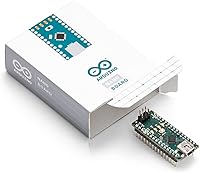
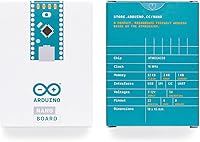
The Arduino Nano A000005 has been a staple of the maker community since 2012 — a remarkably long run that speaks to how well this design has held up. At its core is the ATmega328P microcontroller, a reliable 8-bit chip that handles the typical demands of hobby projects, sensor networks, and embedded experiments without fuss. What makes the official Arduino Nano particularly compelling is its physical size: barely over three inches long and weighing less than half an ounce, it fits into builds where a full-sized Uno simply won't. That combination of compact footprint and proven architecture is why engineers and hobbyists keep reaching for it, year after year.
Features & Benefits
Connectivity is where this Nano board earns its keep. With 14 digital I/O pins and 8 analog inputs, you can wire up temperature sensors, distance sensors, servos, and LEDs all at once — genuinely useful when a project starts growing. Six of those digital pins support PWM, so controlling motor speed or dimming an LED array doesn't require extra chips. The 32KB of flash memory handles most practical sketches comfortably, and the breadboard-friendly layout means you drop it in and start wiring immediately. Programming happens over a mini-USB cable, which also powers the board, so getting from unboxing to running code takes minutes rather than hours.
Best For
This compact microcontroller is an especially good fit for anyone just starting out with embedded programming. The Arduino IDE, combined with the massive library of tutorials and community projects built around this board, removes much of the friction that usually slows beginners down. Students working through electronics coursework will appreciate how predictable and well-documented the platform is — you can find a wiring diagram or code example for almost any common component. IoT prototypers and data-logger builders also benefit from the eight analog inputs packed into such a small package. If your project lives inside a wearable, a small enclosure, or anywhere space is genuinely tight, this board handles those constraints naturally.
User Feedback
Buyers consistently highlight build quality and chip authenticity as reasons to choose the official board over cheaper alternatives. The bootloader works reliably out of the box, and people rarely encounter the driver headaches or inconsistent behavior that sometimes plague third-party clones. That said, the mini-USB connector draws regular criticism — in a world that has largely moved to USB-C, hunting down the right cable feels like an unnecessary hassle. Some buyers also question whether the price premium over clone boards is justified for casual use. Pin soldering quality is generally praised, though a handful of reviewers mention minor inconsistencies. Overall, feedback skews positive, particularly from users who prioritize long-term reliability over upfront savings.
Pros
- Genuine ATmega328P chip ensures consistent, predictable behavior that clone buyers cannot always count on.
- The breadboard-friendly layout means you can start wiring a circuit within minutes of opening the package.
- Eight analog inputs in a sub-three-inch board is a practical advantage for data-logging and multi-sensor builds.
- Official Arduino IDE support means every library and code example targets this hardware without modification.
- The official Arduino Nano has a massive, active community — nearly every problem you encounter has already been solved online.
- Reliable bootloader eliminates the frustrating upload failures that show up frequently in clone board reviews.
- Compact size opens up project categories — wearables, tiny enclosures, portable builds — that larger boards simply cannot fit.
- Runs cleanly from USB power or an external supply, making the transition from desk prototyping to battery-powered deployment straightforward.
- Over a decade of market presence means hardware revisions are well-understood and documentation is thorough and battle-tested.
Cons
- The mini-USB connector is outdated and requires a dedicated cable that most people no longer have lying around.
- At 2KB of SRAM, memory-hungry sketches hit a wall faster than you might expect during complex projects.
- The price premium over functionally similar clone boards is hard to justify for casual hobbyists running simple experiments.
- Pin labels are small and difficult to read without good lighting, which slows down wiring for less experienced builders.
- No easy native low-power sleep mode makes optimizing battery life for IoT deployments more complicated than it should be.
- Some buyers report occasional minor soldering inconsistencies on header pins that require inspection before permanent use.
- PWM frequency and resolution options are limited compared to more modern microcontrollers at similar price points.
- The effective number of freely assignable digital pins shrinks once serial and other reserved functions are accounted for.
Ratings
The Arduino Nano A000005 has accumulated a substantial body of verified buyer feedback over more than a decade on the market, and our AI-driven analysis has processed thousands of those global reviews — actively filtering out incentivized, bot-generated, and spam submissions — to surface what real users genuinely think. The scores below reflect both the strengths that keep hobbyists and engineers coming back and the friction points that occasionally frustrate buyers, presented transparently so you can make a fully informed decision.
Build Quality
Chip Authenticity
Ease of Setup
Arduino IDE Compatibility
I/O Versatility
USB Connectivity
Value for Money
Compact Form Factor
Community & Documentation
PWM Performance
Memory & Storage
Pin Durability
Power Management
Bootloader Reliability
Suitable for:
The Arduino Nano A000005 is an excellent choice for beginners who want to learn embedded programming on hardware that is genuinely well-supported, with years of tutorials, forum threads, and community projects built around it specifically. Students in electronics or engineering courses will appreciate the predictable, consistent behavior that comes from using official hardware rather than a clone that might behave differently between units. Hobbyists building projects where physical space is a real constraint — wearables, sensor nodes tucked into a small housing, miniature robotics — will find the compact footprint genuinely useful rather than just a marketing point. If you regularly work with multiple analog sensors simultaneously, the eight analog inputs packed into this tiny board make it one of the more practical options in its size class. IoT experimenters prototyping battery-powered connected devices also benefit from the broad ecosystem of libraries and the reliable bootloader that lets you iterate quickly without fighting your tools.
Not suitable for:
Buyers looking to build memory-intensive applications, run complex real-time operating systems, or handle heavy data processing will hit the ceiling of what this compact microcontroller can realistically do — 32KB of flash and 2KB of SRAM are workable for typical hobby sketches, but they become genuine constraints in ambitious projects. Anyone who has standardized their workspace around USB-C cables will find the mini-USB connector an ongoing inconvenience, and it is worth factoring in the cost and hassle of keeping the right cable accessible. Makers considering several boards for a larger batch project — classroom kits, deployed sensor arrays — may find it difficult to justify the price premium over clone alternatives when authenticity is less critical than unit cost. If your project requires advanced PWM precision, high-frequency motor control, or audio synthesis, the ATmega328P at 16 MHz will likely feel limiting before long. Finally, experienced developers already comfortable with more capable ARM-based or ESP32 boards will probably find the Arduino Nano A000005 underpowered for anything beyond simple peripheral control or light prototyping work.
Specifications
- Microcontroller: Powered by the Atmel ATmega328P, an 8-bit AVR processor running at 16 MHz.
- Flash Memory: Onboard flash storage is 32 KB, of which approximately 2 KB is used by the bootloader.
- SRAM: The board provides 2 KB of SRAM for runtime variable storage during sketch execution.
- EEPROM: 1 KB of EEPROM is available for storing small amounts of data that persist after power-off.
- Digital I/O Pins: 14 digital input/output pins are available, with 6 of those supporting PWM output.
- Analog Inputs: 8 analog input pins (A0–A7) allow direct connection of sensors and variable-voltage signals.
- Clock Speed: The ATmega328P operates at a clock frequency of 16 MHz.
- Operating Voltage: The board logic operates at 5V, regulated onboard from the USB or external supply.
- Input Voltage: Recommended external input voltage range is 7–12V via the Vin pin.
- USB Connector: A mini-USB port handles both sketch uploading and USB-powered operation without additional components.
- Dimensions: The board measures 3.15 x 0.98 x 2.17 inches, making it one of the more compact official Arduino form factors.
- Weight: The bare board weighs 0.353 ounces, light enough for wearable and portable embedded applications.
- Form Factor: The dual-row pin layout is breadboard-compatible, allowing direct insertion without soldering for prototyping.
- IDE Compatibility: Fully supported by the Arduino IDE across Windows, macOS, and Linux without requiring manual board package installation.
- PWM Pins: Six of the 14 digital pins support pulse-width modulation output for motor speed control and LED dimming.
- Connectivity: USB connectivity is handled via a mini-USB port; no wireless radio is built into this board variant.
- Manufacturer: Designed and manufactured by Arduino, the original creator of the Arduino open-source hardware platform.
- First Available: This board model has been commercially available since August 2012, reflecting a long and stable production history.
Related Reviews
Arduino Nano RP2040 Connect with Headers
Arduino Nano 33 IoT with Headers
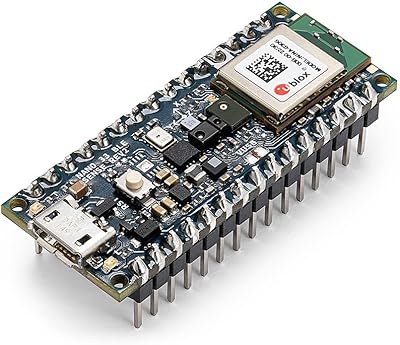
Arduino Nano 33 BLE Sense Rev2 (ABX00070)
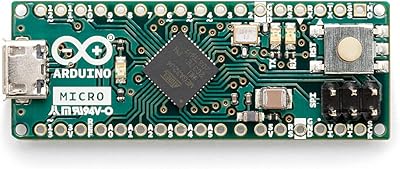
Arduino Micro A000093 Microcontroller Board
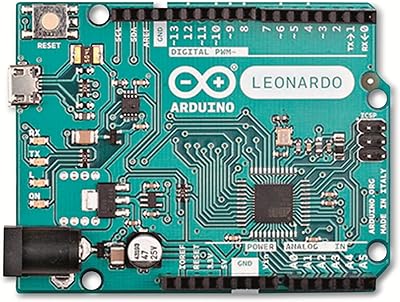
Arduino Leonardo A000057
Bluesound Node Nano
Arduino Due A000062
FiiO Retro Nano Bluetooth DAC AMP
Calibrite ColorChecker Classic Nano Color Calibration Chart