Arduino Leonardo A000057
Overview
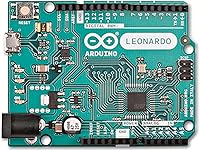
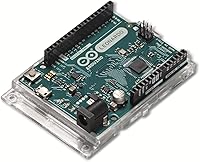
The Arduino Leonardo A000057 is one of those boards that quietly earns its place on the workbench — not because it tries to do everything, but because it does one thing exceptionally well. At its core is the ATmega32U4 microcontroller, which handles USB communication directly without needing a secondary chip. That distinction separates this Leonardo board from most of its siblings in the Arduino lineup. Compact enough to fit into almost any project enclosure, it has been around since 2012 and still holds its ground today, backed by a mature community and reliable official support.
Features & Benefits
The native USB HID support is what most people come here for, and it does not disappoint. Because the ATmega32U4 handles USB natively, this microcontroller board can present itself to a computer as a keyboard, mouse, or game controller straight out of the box — no extra circuitry required. Beyond that, you get 20 digital I/O pins, 7 of which support PWM, plus 12 analog inputs for reading sensors. Running at 16MHz, it is responsive without burning through power. The pre-soldered headers mean you can drop it onto a breadboard immediately, and Arduino IDE compatibility keeps the learning curve manageable from day one.
Best For
The Arduino Leonardo shines brightest in projects that need USB device emulation. If you want to build a custom macro keyboard, a DIY game controller, or an accessibility input device, this is the right board to reach for — not the Uno, which lacks native USB HID capability. Students and educators will find it accessible enough for introductory embedded programming, while experienced makers will appreciate having 12 analog inputs when working with sensor arrays. It also fits well in automation rigs where direct USB communication matters. Think of it less as a starter board and more as a purpose-built tool.
User Feedback
Owners of this Leonardo board consistently highlight HID emulation reliability as its defining strength — once it registers as a USB device, it just works. The pre-soldered headers also get regular praise for cutting down setup time. On the flip side, some users on Windows have reported needing to install drivers manually before the board is recognized, which can trip up newcomers. A handful of experienced builders note the 32KB of flash memory feels tight as projects grow, and those needing more I/O pins often migrate to larger boards. Still, the overall consensus points to trusted official Arduino quality with a community large enough that answers are never far away.
Pros
- Native USB HID support lets you build custom keyboards, mice, and controllers without extra hardware.
- Pre-soldered headers mean you can start prototyping on a breadboard immediately, no soldering required.
- Twelve analog input pins give you serious flexibility for sensor arrays and multi-channel data projects.
- Official Arduino manufacturing means consistent build quality and no DOA surprises.
- Over a decade of community tutorials and forum answers makes troubleshooting far less painful.
- Full Arduino IDE compatibility keeps the learning curve manageable for newcomers and veterans alike.
- Compact and lightweight enough to fit into most project enclosures without awkward compromises.
- Long-term availability from official distributors makes reordering for lab or classroom use predictable.
- The ATmega32U4 handles USB natively, eliminating the USB-to-serial chip found on most other Arduino boards.
Cons
- 32KB of flash fills up fast once you stack multiple libraries into a single sketch.
- Windows driver installation is not automatic and regularly trips up first-time users.
- The Micro-USB port can loosen over time with heavy plug-unplug use in workshop environments.
- Uploading sketches requires catching an 8-second bootloader window, which confuses many beginners.
- No built-in low-power modes make battery-driven wearable projects harder to optimize than expected.
- The price premium over clone ATmega32U4 boards is hard to justify for anyone building in volume.
- Arduino IDE 2.x has introduced upload quirks specific to this board that older documentation does not cover.
- Only 2.5KB of SRAM limits how much data you can handle in memory during runtime.
- Pin count is insufficient for projects that eventually need to scale up in I/O complexity.
Ratings
The Arduino Leonardo A000057 has accumulated a substantial body of verified user feedback across global maker communities, electronics forums, and retail platforms — and our AI-driven scoring system has processed that data while actively filtering out incentivized, bot-generated, and outlier reviews. What you see below reflects the honest spread of real buyer experiences, from enthusiastic hobbyists to professional developers, with both strengths and frustrations given equal weight. Scores are calibrated to surface exactly where this Leonardo board excels and where it asks for patience.
USB HID Functionality
Ease of Setup
Arduino IDE Compatibility
Build Quality
Flash Memory & Storage
Value for Money
Pin Count & I/O Flexibility
Community & Documentation Support
Form Factor & Portability
Power Management
Windows Driver Experience
Bootloader Reliability
Analog Input Performance
Long-Term Availability & Supply
Suitable for:
The Arduino Leonardo A000057 is the right pick for anyone whose project hinges on native USB communication — and that covers a surprisingly wide range of builders. If you want to create a custom mechanical keyboard, a DIY game controller, an accessibility input device, or any gadget that needs to identify itself to a computer as a USB HID device, this Leonardo board does that without requiring any extra chips or workarounds. Students and educators will find it approachable enough for structured coursework, especially since the pre-soldered headers mean you can start wiring up circuits on a breadboard from day one. Experienced makers who already know the Arduino ecosystem will slot it into projects without friction, taking advantage of its 12 analog inputs for sensor-heavy builds or automation rigs. It also suits developers who want the reliability and documentation backing of an official Arduino product rather than gambling on a clone board of uncertain provenance.
Not suitable for:
The Arduino Leonardo A000057 is not the board to reach for if your project is going to grow complex fast. Once you start layering in multiple libraries — say, HID support, a display driver, and a wireless communication stack — the 32KB of flash memory becomes a real constraint, and you will find yourself making uncomfortable tradeoffs. If raw pin count matters to your build, the Leonardo sits in an awkward spot: more capable than a Uno in USB terms, but noticeably limited compared to the Mega for projects that need to manage many sensors or actuators simultaneously. Windows users who are new to Arduino should also go in with eyes open, since driver installation is not as smooth as it is with some other boards and can burn an hour of frustration before a single sketch uploads. Those prioritizing the smallest possible footprint should look at the Pro Micro instead, which offers similar HID capability in a much tighter form factor. And if you have no need for USB HID functionality at all, there is little reason to choose this microcontroller board over cheaper or more capable alternatives.
Specifications
- Microcontroller: The board is built around the ATmega32U4, an 8-bit AVR microcontroller that handles USB communication natively without a secondary chip.
- Clock Speed: The ATmega32U4 runs at 16MHz, providing adequate processing speed for the vast majority of embedded prototyping and HID emulation tasks.
- Flash Memory: 32KB of onboard flash memory is available for storing sketches, with approximately 4KB reserved for the bootloader, leaving roughly 28KB for user code.
- SRAM: The board provides 2.5KB of SRAM for runtime data storage, which is sufficient for simple to mid-complexity programs but can constrain memory-heavy applications.
- EEPROM: 1KB of EEPROM allows small amounts of data to be persisted across power cycles, useful for storing configuration values or calibration offsets.
- Digital I/O Pins: Twenty digital input/output pins are available, each capable of operating at 5V logic with a maximum recommended current of 40mA per pin.
- PWM Outputs: Seven of the digital I/O pins support PWM output, enabling analog-style control of motors, LEDs, and other variable-output components.
- Analog Inputs: Twelve pins can function as analog inputs using the built-in 10-bit ADC, returning values between 0 and 1023 based on applied voltage.
- USB Type: The board uses a Micro-USB connector for both power delivery and data communication, connecting directly to a host computer without any intermediate adapter.
- USB HID Support: Native USB HID support allows the board to present itself to a host computer as a keyboard, mouse, joystick, or other input device without additional hardware.
- Operating Voltage: The board operates at 5V, with an onboard regulator accepting input from 7V to 12V via the barrel jack when not powered through USB.
- Dimensions: The PCB measures approximately 3 x 2 inches, a compact form factor that fits comfortably inside standard Arduino-compatible enclosures and project cases.
- Weight: The board weighs approximately 0.88 ounces, making it light enough for wearable prototypes and portable embedded builds.
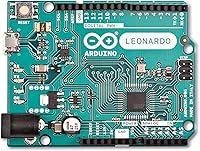
- Headers: This variant ships with pre-soldered male headers, allowing direct insertion into a standard breadboard or connection to Arduino shields without any soldering.
- Connectivity: Primary connectivity is via Micro-USB; the board is also compatible with Ethernet shields using the standard Arduino shield pinout for wired network projects.
- IDE Compatibility: The board is fully supported by the Arduino IDE on Windows, macOS, and Linux, and is selectable directly from the board manager without manual core installation.
- Manufacturer: Produced by Arduino SRL, the official Arduino company, ensuring consistent quality control and long-term documentation and firmware support.
- Model Number: The official model number is A000057, which uniquely identifies this headers variant within the Arduino product catalog for ordering and compatibility purposes.
- First Available: This board was first made available in June 2012 and has remained in continuous production, reflecting sustained demand within the maker and education communities.
- Power Draw: Typical operating current draw is around 20mA to 80mA depending on active peripherals and I/O pin load, making it compatible with modest battery power supplies.
Related Reviews
Arduino Nano A000005
Arduino Due A000062
Arduino Micro A000093 Microcontroller Board
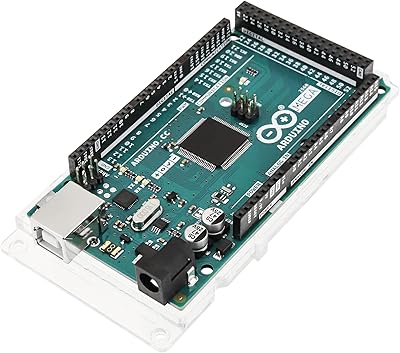
Arduino Mega 2560 REV3
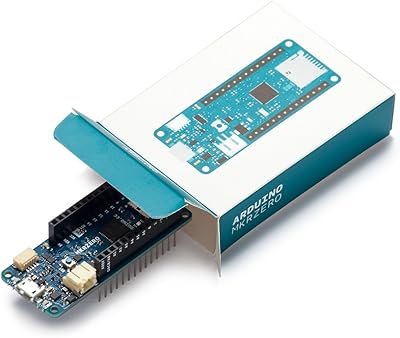
Arduino MKR Zero ABX00012
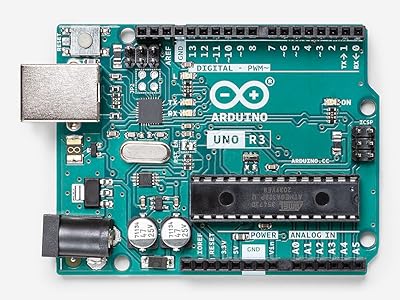
Arduino Uno REV3 Microcontroller Board
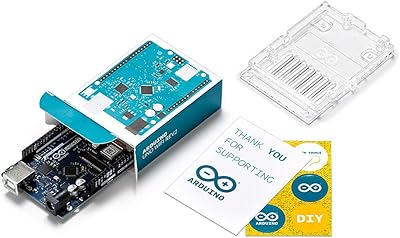
Arduino UNO WiFi REV2 Microcontroller Board
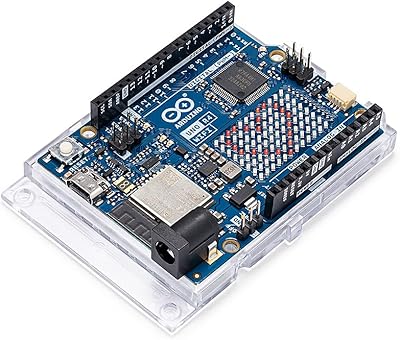
Arduino UNO R4 WiFi
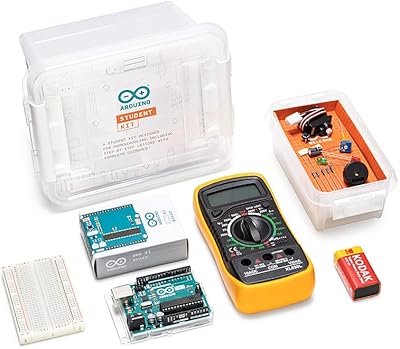
Arduino Student Kit AKX00025