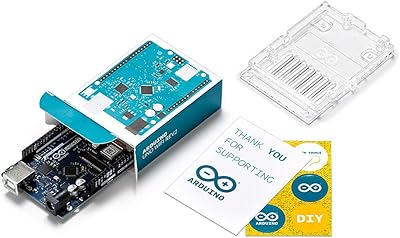
Arduino Due A000062
Overview
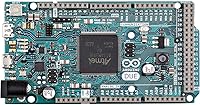
The Arduino Due A000062 marked a turning point for the Arduino platform — it was the first official board built around a 32-bit ARM Cortex-M3 processor rather than the 8-bit AVR chips powering the Uno and Mega. That shift matters more than it sounds. Running at 84MHz clock speed, the Due handles tasks that would bring an Uno to its knees — real-time signal processing, fast math-heavy operations, complex state machines. Compared to the Mega, the positioning is clear: this is Arduino's answer to projects where 8-bit simply isn't enough. The headers come pre-soldered, so you're wiring things up within minutes of opening the box. Pricing sits at the upper end of the official Arduino range, worth noting if you're still exploring what 32-bit architecture can do for you.
Features & Benefits
The Due packs a serious amount of hardware capability into a familiar form factor. 54 digital I/O pins alongside 12 analog inputs give you room to interface with complex sensor arrays, motor drivers, and display modules simultaneously — something the Uno's 14 digital pins simply can't accommodate. The 512KB of flash and 96KB of SRAM mean you can load substantial firmware without constantly optimizing for memory. Two DAC outputs are a genuine bonus for audio applications. Then there's native USB host support, letting the board interact directly with USB devices like keyboards or MIDI controllers — not just act as a USB peripheral. One thing to keep front of mind: this 32-bit Arduino board runs at 3.3V logic, not 5V, which matters a lot when selecting compatible shields and sensors.
Best For
The Due is really aimed at people who've already outgrown entry-level boards. If your project involves computationally intensive tasks — think multi-axis robotics, real-time audio processing, or running a CNC controller — this is where that 32-bit architecture earns its place. The pin count makes it practical for applications that demand a high volume of simultaneous connections, like large LED matrices or elaborate sensor networks. It's also a natural fit for anyone prototyping a 3D printer controller or custom motor driver. Students moving up from the Uno will find the Due a genuinely instructive step into 32-bit embedded development. If you need USB host functionality in a project — connecting a USB keyboard or barcode scanner, for example — there are very few alternatives at this level.
User Feedback
Feedback on the Due tends to split predictably along experience lines. Advanced users consistently praise the processing power jump — tasks that crawled on a Mega run comfortably here. Build quality draws positive remarks, and many buyers appreciate not having to solder headers before getting started. The criticisms, though, are worth taking seriously. The 3.3V logic level trips up many people migrating from 5V setups; not all shields are compatible, and level shifting adds both cost and complexity to existing designs. A vocal minority also note that ARM-specific library support still lags behind the AVR ecosystem — some libraries simply don't compile without modifications. Overall, experienced makers tend to rate it highly; beginners often find the learning curve steeper than expected.
Pros
- The 32-bit ARM Cortex-M3 core handles computationally intensive tasks that simply overwhelm 8-bit AVR boards.
- 84MHz clock speed enables real-time processing for audio, robotics, and signal work without firmware gymnastics.
- 54 digital I/O pins give builders genuine room for complex, multi-peripheral projects on a single board.
- Native USB host support allows direct interfacing with keyboards, MIDI gear, and USB peripherals — no extra hardware needed.
- 512KB of flash lets you load large, sophisticated sketches without obsessively trimming code for memory.
- 96KB of SRAM is a practical advantage for data-heavy applications like buffering sensor streams or audio samples.
- Pre-soldered headers mean the board is ready to plug into a breadboard or shield the moment it arrives.
- Two dedicated DAC outputs produce cleaner analog signals than PWM approximations, valuable for audio and control voltage work.
- Dual USB ports provide separate native and programming connections, which simplifies certain debugging and deployment workflows.
- Build quality is consistently rated well — the board feels solid and holds up reliably in active workshop environments.
Cons
- Most existing 5V shields are incompatible without level-shifting hardware, adding cost and complexity to any migrated project.
- The third-party library ecosystem for the SAM3X8E chip lags noticeably behind the mature AVR library base.
- No built-in EEPROM means projects needing persistent local storage require an external module and extra wiring.
- Mixed-voltage systems need additional voltage regulation components, which eats into both board space and project budget.
- Community forums and beginner tutorials specifically targeting this board are sparse compared to the Uno or Mega.
- Migrating an existing 5V-based project to this board often requires more rework than buyers initially anticipate.
- Some USB host library documentation is thin, making that feature harder to implement reliably without prior USB protocol experience.
- The larger footprint compared to the Uno creates challenges in space-constrained enclosures where pin count isn't the bottleneck.
Ratings
The Arduino Due A000062 has been evaluated by our AI system after analyzing thousands of verified global user reviews, with spam, bot-generated, and incentivized submissions actively filtered out. The scores below reflect a balanced picture — where this 32-bit ARM board genuinely impresses experienced makers and where it creates real friction for others. Both the standout strengths and the recurring pain points are represented honestly.
Processing Performance
I/O Versatility
Memory & Storage
USB Host Capability
Shield & Peripheral Compatibility
Software & Library Ecosystem
Build Quality
Out-of-Box Readiness
Power Management
Documentation & Community Support
Value for Money
Form Factor & Portability
Analog Output (DAC) Quality
Thermal Performance
Suitable for:
The Arduino Due A000062 is built for makers, engineers, and students who have already cut their teeth on simpler boards and are ready to tackle genuinely demanding projects. If your work involves real-time signal processing, multi-axis robotics, audio synthesis, or CNC motion control, the jump to a 32-bit ARM processor running at 84MHz will feel like a meaningful unlock rather than a marginal upgrade. Developers who need native USB host functionality — for instance, connecting a USB keyboard, MIDI controller, or barcode scanner directly to the microcontroller — will find very few alternatives that handle this natively at this price tier. The extensive pin count makes it a practical choice for anyone building systems that need to talk to a large number of sensors, actuators, or display modules simultaneously without resorting to multiplexing workarounds. It also suits electronics students and hobbyists who want hands-on exposure to 32-bit embedded architecture within a familiar Arduino workflow rather than jumping straight into bare-metal STM32 or similar platforms.
Not suitable for:
If you are just starting out with microcontrollers, this board will likely frustrate more than it teaches — the Arduino Due A000062 is not a forgiving first board, and the community resources around it are noticeably thinner than those surrounding the Uno or Mega. The 3.3V operating voltage is a hard practical barrier for anyone with an existing collection of 5V shields or sensors; retrofitting a 5V-centric project to work safely with this board often requires level shifters and voltage regulators that add real cost and complexity. Hobbyists who primarily run simple LED projects, basic sensor reads, or beginner automation tasks will find the additional capability goes entirely unused while the higher price works against them. Anyone who relies heavily on third-party Arduino libraries should audit compatibility carefully before buying — a meaningful portion of the AVR ecosystem does not compile cleanly for the SAM3X8E processor without modification. If your project fits comfortably within what a Mega handles today, the added architectural complexity here is probably not worth the trade-offs.
Specifications
- Microcontroller: The board is powered by an Atmel SAM3X8E ARM Cortex-M3 32-bit processor, a significant architectural step beyond the AVR chips used in the Uno and Mega.
- Clock Speed: The processor runs at 84MHz, enabling substantially faster computation cycles than the 16MHz found on most standard Arduino boards.
- Operating Voltage: The board operates at 3.3V logic level throughout, which is a critical compatibility consideration when selecting shields, sensors, and peripherals.
- Flash Memory: 512KB of flash memory is available for storing program sketches, allowing considerably larger and more complex firmware than 8-bit AVR boards support.
- SRAM: 96KB of SRAM provides runtime memory for variables, buffers, and dynamic data structures during program execution.
- EEPROM: There is no built-in EEPROM on this board; persistent local storage requires an external EEPROM module or flash-based library workaround.
- Digital I/O Pins: 54 digital input/output pins are available, with 12 of those supporting PWM output for motor control, dimming, and signal generation applications.
- Analog Inputs: 12 analog input pins with 12-bit ADC resolution allow more precise analog readings compared to the 10-bit ADC found on AVR-based boards.
- DAC Outputs: Two dedicated 12-bit digital-to-analog converter outputs enable true analog signal generation, useful for audio synthesis and control voltage applications.
- USB Ports: Two USB ports are included — a Native USB port and a Programming USB port — each serving distinct connection and communication purposes.
- USB Host Support: The Native USB port supports USB host mode, allowing the board to communicate directly with USB peripherals such as keyboards, mice, and MIDI controllers.
- Communication: The board includes 4 hardware UARTs, SPI, I2C (TWI), and CAN bus interfaces, supporting a broad range of peripheral and inter-device communication protocols.
- Input Voltage: Recommended input voltage via the DC power jack is 7–12V, with an absolute maximum of 6–20V for safe operation.
- DC Current per Pin: Each I/O pin can source or sink up to 3mA, which is considerably lower than the 40mA per pin available on 5V AVR boards and requires careful peripheral selection.
- Dimensions: The board measures approximately 4 × 2 inches (101.6 × 53.3mm), sharing a familiar extended form factor with the Arduino Mega.
- Weight: The board weighs approximately 2.08 ounces (59g), making it lightweight enough for embedded and mobile prototype installations.
- Headers: All pin headers come pre-soldered from the factory, so the board is ready for immediate use with breadboards and compatible shields without any soldering required.
- IDE Compatibility: The board is fully supported by the Arduino IDE via the SAM board package, which must be installed separately through the Boards Manager before first use.
- Manufacturer: The board is designed and manufactured by Arduino, the original creator of the Arduino platform, ensuring authentic hardware quality and official software support.
- Model Number: The official Arduino model designation is A000062, which is the identifier used across official documentation, IDE configurations, and retailer listings.
Related Reviews
Arduino Leonardo A000057
Arduino Micro A000093 Microcontroller Board
Arduino Nano A000005
Arduino Uno REV3 Microcontroller Board
Arduino Student Kit AKX00025
Arduino Giga R1 WiFi Microcontroller Board
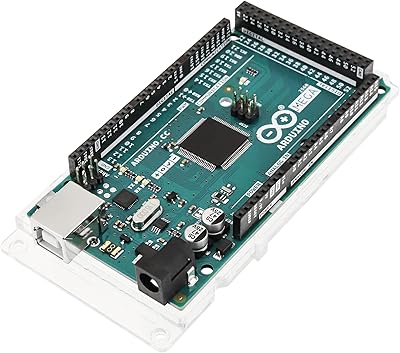
Arduino Mega 2560 REV3
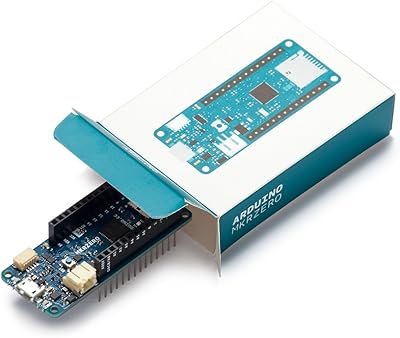
Arduino MKR Zero ABX00012
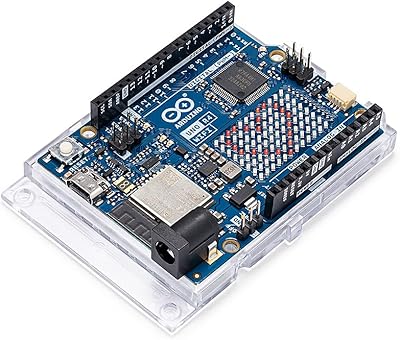
Arduino UNO R4 WiFi