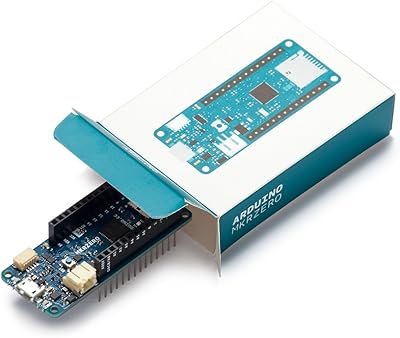
Arduino Nano 33 IoT with Headers
Overview
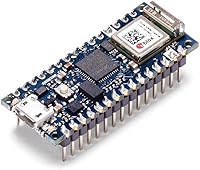
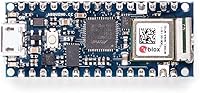
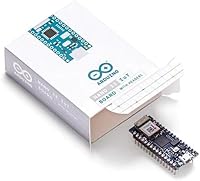
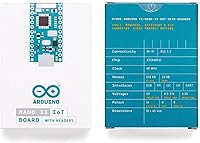
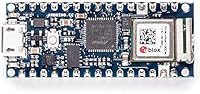
The Arduino Nano 33 IoT with Headers is a compact microcontroller board that packs WiFi and Bluetooth connectivity into the familiar Nano footprint — just 45mm x 18mm. Built around a SAMD21 Cortex-M0+ running at 48MHz, it pairs that processor with a u-blox NINA-W102 module for wireless communication. The with-headers variant ships with pins already soldered, so it drops straight into a breadboard without any prep work. Worth flagging early: this runs on 3.3V logic, not 5V like older Nano boards, which matters if you are migrating existing hardware or shields. An onboard DC-DC converter accepts up to 21V input, making battery-powered builds entirely practical.
Features & Benefits
The Nano 33 IoT packs a surprising amount of capability into its small frame. The pre-certified wireless module means you can connect to WiFi and Bluetooth networks without worrying about RF compliance — that certification holds even as you modify your application code. There is also an ECC608A crypto chip on board, which handles key storage and authentication at the hardware level, protecting device identity in networked deployments rather than relying on software alone. A 6-axis IMU covers both accelerometer and gyroscope data, opening the door to motion-triggered logic or orientation tracking. FreeRTOS support lets you schedule multiple tasks concurrently, which becomes valuable as projects grow in complexity.
Best For
This Nano IoT board hits a sweet spot for hobbyists and students who want to build connected projects without stacking separate wireless modules onto a basic board. It is a natural fit for wearable or robotics builds that need both motion data and a network connection in a tight space. Developers already comfortable with the classic Nano footprint will find the pin layout immediately familiar, cutting ramp-up time considerably. The efficient power regulation also makes it worth considering for battery-powered deployments — remote sensors, portable data loggers, or field-mounted devices all benefit. Classroom settings teaching embedded IoT security concepts will also find it a capable, hands-on reference platform.
User Feedback
Community reception for this compact Arduino module has been broadly positive, with most users pointing to the reliable wireless performance and the convenience of pre-installed headers as standout qualities. Makers building home automation nodes and classroom IoT demos regularly report solid results. That said, the most consistent complaint comes from beginners who expect 5V logic compatibility and run into issues connecting older sensors or modules — a legitimate concern worth researching before purchasing. Some users have also flagged driver installation hiccups on certain Windows configurations, though this typically resolves with updated board manager packages. Overall ratings sit high, but newcomers should budget extra time for the WiFiNINA library learning curve.
Pros
- WiFi and BLE are built in — no extra shields or wiring needed to get a connected project running.
- Pre-soldered headers mean the board drops straight into a breadboard, ready to test immediately.
- The ECC608A crypto chip stores credentials in hardware, keeping device authentication off your firmware.
- A 6-axis IMU opens up gesture, motion, and orientation projects without sourcing a separate sensor.
- The onboard DC-DC converter accepts up to 21V, making LiPo and multi-cell battery packs straightforward power sources.
- FreeRTOS support lets more advanced users structure concurrent tasks cleanly as project complexity grows.
- Pin layout matches the classic Nano footprint, so existing wiring diagrams and shields carry over without modification.
- The pre-certified wireless module maintains RF compliance even after application code changes — no re-testing headaches.
- At 45mm x 18mm, this compact Arduino module fits into enclosures and wearables where larger boards simply cannot go.
Cons
- 3.3V logic is a genuine hardware risk for users with 5V sensors — damage can happen instantly without level shifting.
- Only 32KB of SRAM fills up fast once WiFi, TLS, and application logic are loaded simultaneously.
- The WiFiNINA library has a steeper setup curve than ESP32-native alternatives, frustrating beginners early on.
- Driver recognition issues on certain Windows setups require manual troubleshooting before the first upload.
- Deep sleep current draw is higher than dedicated low-power boards, limiting very long battery runtimes.
- Official documentation for advanced features — crypto chip integration, FreeRTOS usage, low-power modes — is thin.
- Simultaneous WiFi and BLE operation can introduce instability in certain firmware configurations.
- Classic Bluetooth BR/EDR is not supported, only BLE, which surprises users who assume full Bluetooth compatibility.
- A small but consistent number of buyers report dead-on-arrival or early wireless module failures.
- At this price, competing ESP32 boards offer significantly more memory and raw performance for general-purpose builds.
Ratings
The Arduino Nano 33 IoT with Headers has been evaluated by our AI system after analyzing thousands of verified global user reviews, with spam, bot-generated, and incentivized submissions actively filtered out. The result is an honest scorecard that captures what real makers, students, and embedded developers actually experienced — including the friction points that polished marketing materials tend to skip. Both the genuine strengths and the recurring frustrations are reflected transparently below.
Wireless Connectivity
Board Size & Form Factor
Pre-Soldered Headers
3.3V Logic Compatibility
IoT Security (Crypto Chip)
Motion Sensing (IMU)
Power Management
Processing Performance
Software & Library Support
Build Quality & Durability
Ease of Setup
Value for Money
Documentation & Community
Bluetooth Performance
Suitable for:
The Arduino Nano 33 IoT with Headers is a well-matched board for hobbyists, students, and intermediate makers who want to build connected projects without assembling wireless functionality from separate modules. If you are working on a compact IoT prototype — a home environment monitor, a BLE-enabled wearable, a battery-powered field sensor — this board covers the hardware essentials in a single footprint. Students in embedded systems or IoT security courses will find the combination of WiFi, BLE, and a hardware crypto chip genuinely instructive rather than just theoretical. Developers who already have experience with the classic Nano family will feel at home immediately, since the pin layout carries over and the Arduino IDE workflow is identical. The pre-soldered headers make it particularly practical for anyone who wants to iterate quickly on a breadboard rather than spending time on soldering before the first test.
Not suitable for:
The Arduino Nano 33 IoT with Headers is a poor fit for anyone coming directly from 5V Arduino boards without first auditing every sensor and module in their parts bin — the 3.3V logic is a hard constraint, not a minor footnote, and connecting the wrong component can cause immediate hardware damage. Absolute beginners who struggled with a basic Uno sketch will find the WiFiNINA library configuration and occasional driver issues compounding that difficulty rather than easing it. If your project demands heavy computation, significant data buffering, or complex real-time processing, the 32KB of SRAM and 256KB of flash will become limiting walls faster than expected. Makers who need full classic Bluetooth rather than BLE should look elsewhere, as the u-blox module only supports Bluetooth Low Energy. And if you are planning a final production build where board height matters, be aware that the headerless variant is the cleaner choice — the pre-soldered pins here are convenient for prototyping but not for flush PCB integration.
Specifications
- Microcontroller: Powered by the SAMD21 Cortex-M0+ processor running at 48 MHz for reliable handling of typical IoT workloads.
- Flash Memory: 256 KB of onboard flash storage for holding application firmware and program code.
- SRAM: 32 KB of SRAM available for runtime variables, buffers, and stack — a meaningful constraint for memory-intensive sketches.
- Operating Voltage: All GPIO and logic lines operate at 3.3V; connecting 5V peripherals directly without level shifting may damage the board.
- Input Voltage: Accepts supply input from approximately 4.5V up to 21V via the onboard DC-DC step-down converter.
- Wireless Module: Uses the u-blox NINA-W102 module, which is pre-certified for WiFi 802.11 b/g/n and Bluetooth Low Energy 4.2.
- Security Chip: An Atmel ECC608A crypto element provides hardware-based key storage and authentication for secured IoT device identity.
- IMU: An LSM6DS3 6-axis inertial measurement unit delivers 3-axis accelerometer and 3-axis gyroscope readings for motion sensing applications.
- Form Factor: The board measures 45mm x 18mm, maintaining the standard Nano footprint for compatibility with existing Nano-based layouts.
- Weight: The board weighs approximately 0.35 oz (around 10g), making it practical for lightweight wearable and portable builds.
- Connectors: Two rows of 15 pre-soldered through-hole header pins, one on each side, with 2.54mm standard pitch spacing.
- Pin Compatibility: Pin layout is compatible with the original Arduino Nano, allowing most existing Nano shields and wiring diagrams to transfer directly.
- Operating System: Supports FreeRTOS, enabling real-time multitasking and concurrent task scheduling within the firmware.
- USB Interface: Connects to a host computer via Micro-USB for programming, serial monitoring, and power delivery during development.
- Clock Speed: The SAMD21 core runs at up to 48 MHz, providing sufficient throughput for sensor polling, wireless communication, and lightweight data processing.
- Bluetooth Type: Only Bluetooth Low Energy (BLE) is supported; classic Bluetooth BR/EDR is not available on this board.
- Power Output: The 3.3V pin can supply current to external peripherals at meaningful output current levels, backed by the efficient DC-DC supply.
- RF Certification: The pre-certified u-blox module maintains RF regulatory compliance even as users modify application code running on the host processor.
Related Reviews
Arduino Nano RP2040 Connect with Headers
Arduino Nano 33 BLE Sense Rev2 (ABX00070)
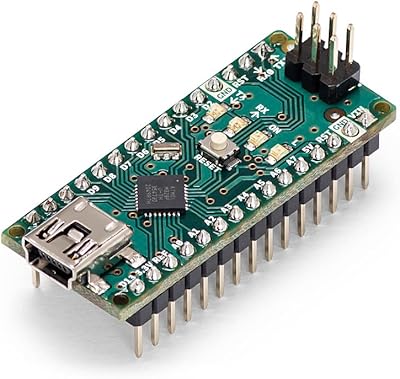
Arduino Nano A000005
Arduino OPLA AKX00026 IoT Kit
Arduino Due A000062
Bluesound Node Nano
FiiO Retro Nano Bluetooth DAC AMP
Arduino Micro A000093 Microcontroller Board
Arduino Leonardo A000057