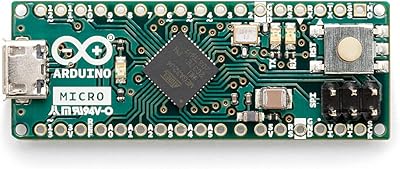
Arduino Uno REV3 Microcontroller Board
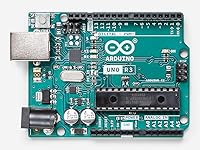
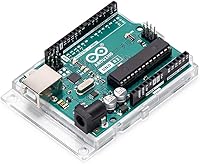
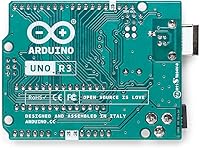

Overview
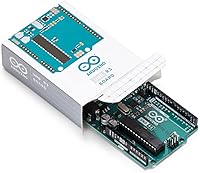
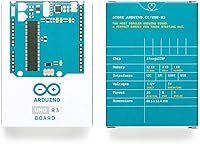
The Arduino Uno REV3 Microcontroller Board has been a fixture in electronics workshops and classrooms since its introduction in the late 2000s, and it has never really lost its footing. While newer, faster boards have come along, this microcontroller board occupies a unique position — simple enough for a complete beginner to wire up on a weekend afternoon, yet capable enough to handle a surprising range of real projects. Its staying power comes down to one thing: approachability without compromise. It sits at the entry point of the Arduino ecosystem, where documentation, community support, and compatible hardware are essentially unlimited.
Features & Benefits
At its core, the Uno REV3 runs on the ATmega328P chip, ticking along at 16 MHz — modest by modern standards, but more than adequate for the vast majority of hobby and educational projects. The 32KB of flash memory gives you enough room for well-developed sketches, and the combination of 14 digital I/O pins and 6 analog inputs means you can connect a wide variety of sensors, motors, and displays without running out of ports too quickly. Six of those digital pins support PWM output, which is handy for controlling motor speed or LED brightness. Plug it into your computer via the USB-B port and you are uploading code within minutes.
Best For
This Arduino board makes most sense for students encountering electronics for the first time, teachers building hands-on curricula, and hobbyists who just want to get something working without fighting obscure toolchain issues. It is also a solid pick for anyone building robotics or IoT prototypes where simplicity and reliable documentation matter more than raw computing power. If you are coming from visual or block-based coding environments and ready to write real C/C++ code, the Uno REV3 offers a gentle but genuine on-ramp. One caveat: if your project demands heavy computation, wireless connectivity, or substantial memory, you will likely outgrow it.
User Feedback
Across thousands of verified ratings, this microcontroller board earns consistently high marks — and it is not hard to see why. Buyers frequently praise how quickly they can go from unboxing to running their first sketch, and many highlight the quality of community documentation as a genuine differentiator. The honest criticisms are worth noting: experienced makers often mention that the 2KB of SRAM starts to feel tight as projects grow more complex, and several buyers have flagged the importance of purchasing from reputable sellers to avoid clones that look identical but perform inconsistently. On value, most reviewers consider it a fair and dependable investment.
Pros
- Getting started is genuinely fast — most beginners are uploading their first sketch within an hour of unboxing.
- The Arduino IDE is free, beginner-friendly, and works on Windows, macOS, and Linux without configuration headaches.
- An enormous library ecosystem means you rarely have to write driver code from scratch for common sensors and modules.
- The shield-compatible form factor lets you stack add-on boards for displays, motor control, and wireless functions easily.
- Community support is exceptional — nearly every problem a beginner encounters has already been answered in a forum thread.
- The board handles both USB and external barrel-jack power, making it flexible for bench work and standalone deployments.
- Its 14 digital I/O pins and 6 analog inputs cover the needs of most introductory and intermediate projects without modification.
- Build quality on genuine Arduino boards is noticeably solid, with consistent pin tolerances and reliable USB connectivity.
- The Uno REV3 is widely used in education, so finding compatible project kits, textbooks, and courses is straightforward.
- At its price point, it represents a low-risk entry into embedded development with strong long-term value for learning.
Cons
- Only 2KB of SRAM means memory-hungry projects — like those parsing JSON or managing large arrays — will hit a wall fast.
- No built-in wireless capability; adding Wi-Fi or Bluetooth requires extra modules, extra wiring, and extra complexity.
- The USB-B connector is bulky and less convenient than the micro or USB-C ports found on many competing boards.
- Counterfeit and low-quality clone boards are common online, and they can be difficult to distinguish from genuine units by appearance alone.
- 32KB of flash storage fills up faster than expected once libraries are included, leaving less room for actual project logic.
- The board has no native support for real-time operating systems, which limits its usefulness in time-critical applications.
- Debugging options are limited compared to more advanced microcontroller platforms — you largely rely on serial print statements.
- Clock speed of 16 MHz is adequate for simple tasks but becomes a bottleneck in projects involving signal processing or rapid data polling.
- Experienced developers may find the abstraction layer of the Arduino framework too restrictive for fine-grained hardware control.
- There is no onboard voltage regulation for 3.3V peripherals beyond a limited current output, which can cause issues with certain modern sensors.
Ratings
The scores below for the Arduino Uno REV3 Microcontroller Board were generated by our AI after analyzing thousands of verified global buyer reviews, with spam, bot-submitted, and incentivized feedback actively filtered out. The results reflect a genuine cross-section of real-world experiences — from first-time students to seasoned hobbyists — and both the strengths and the honest frustrations are represented transparently in every category.
Ease of Setup
Build Quality
Community & Documentation
Memory & Processing
IDE Compatibility
Pin Versatility
Power Flexibility
Shield Ecosystem
Value for Money
Connectivity Options
Beginner Learning Curve
Physical Footprint
Long-Term Reliability
Educational Suitability
Suitable for:
The Arduino Uno REV3 Microcontroller Board is the kind of tool that genuinely earns its reputation among people who are just starting out with electronics and embedded programming. Students taking their first steps in a STEM curriculum will find the learning curve manageable, especially given the volume of tutorials, project guides, and forum threads that exist specifically for this board. Teachers and workshop organizers appreciate it because the hardware is standardized, meaning every student in a class can follow the same instructions without compatibility headaches. Hobbyists who want to prototype a sensor array, build a small robot, or automate something around the house will find that the board handles these tasks comfortably without requiring deep hardware expertise. It also suits developers who are transitioning from visual programming environments and want a reliable, well-documented platform to cut their teeth on real C/C++ code — the support ecosystem essentially acts as a built-in safety net when things go wrong.
Not suitable for:
If your project has grown beyond the basics, the Arduino Uno REV3 Microcontroller Board will start to show its limits fairly quickly. The 2KB of SRAM is genuinely tight once you start managing multiple data structures, parsing network responses, or handling complex sensor fusion — and no amount of clever coding fully eliminates that ceiling. Makers building projects that require wireless communication, Bluetooth, or Wi-Fi will need additional hardware modules, whereas competing boards at a similar price point often include these capabilities onboard. Professional developers or engineers working on production-grade embedded systems will find the ATmega328P underpowered and the tooling too hobbyist-oriented for serious deployment. Anyone expecting plug-and-play smartphone integration or a graphical programming environment out of the box should also look elsewhere — this board rewards people who are willing to read documentation and troubleshoot.
Specifications
- Microcontroller: Powered by the ATmega328P chip from Atmel, a well-established 8-bit AVR microcontroller widely supported across hobbyist and educational platforms.
- Clock Speed: Runs at 16 MHz, which is sufficient for most sensor reading, motor control, and basic data processing tasks common in beginner and intermediate projects.
- Flash Memory: Offers 32KB of flash storage for your sketches, though approximately 0.5KB is reserved by the bootloader, leaving around 31.5KB for user code.
- SRAM: Includes 2KB of SRAM for runtime variables and data, which can become a limiting factor in projects that manage large data arrays or complex logic.
- EEPROM: Provides 1KB of EEPROM storage, allowing small amounts of data to persist on the board even after power is removed.
- Digital I/O Pins: Features 14 digital input/output pins, six of which support PWM output at approximately 490 Hz, useful for dimming LEDs or controlling motor speed.
- Analog Inputs: Includes 6 analog input pins with 10-bit resolution, capable of reading voltage levels between 0V and 5V across 1,024 discrete steps.
- Operating Voltage: Operates at 5V logic levels, which is compatible with a wide range of common sensors, displays, and actuator modules.
- Input Voltage: Accepts an external power supply between 7V and 12V via the onboard barrel jack connector, with 12V being the recommended upper limit.
- USB Interface: Uses a USB Type-B port for connecting to a computer, enabling sketch uploading and serial monitor communication through the Arduino IDE.
- Dimensions: Measures 3.15 x 2.17 x 0.98 inches, a compact footprint that fits neatly into most project enclosures and breadboard setups.
- Weight: Weighs approximately 1.6 ounces, making it light enough to mount easily in wearable prototypes or small enclosures without adding meaningful mass.
- Form Factor: Follows the standard Uno shield-compatible layout, meaning it accepts a broad ecosystem of stackable expansion boards for wireless, display, and motor functions.
- Compatible IDE: Fully supported by the free Arduino IDE, available for Windows, macOS, and Linux, with access to thousands of community-contributed libraries.
- Power Source: Can be powered via USB from a computer, an external DC barrel jack, or the onboard Vin pin, giving flexible options for both bench and field use.
- 3.3V Output: Provides a 3.3V regulated output pin capable of supplying up to 50mA, suitable for powering low-current peripherals that require lower logic voltage.
- Manufacturer: Produced by Arduino, the original company behind the platform, ensuring compliance with official specifications and consistent quality control.
- Availability: Listed as an active, non-discontinued product, meaning replacement units, official documentation, and firmware updates remain readily accessible.
Related Reviews
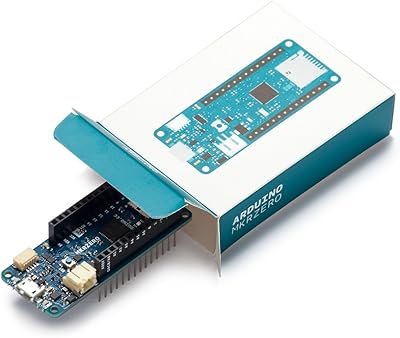
Arduino MKR Zero ABX00012
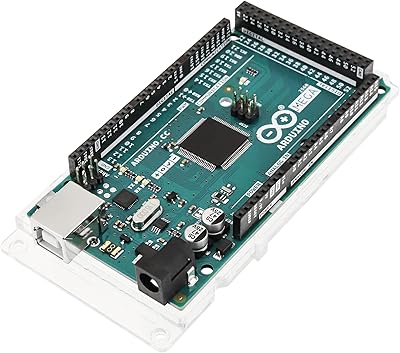
Arduino Mega 2560 REV3
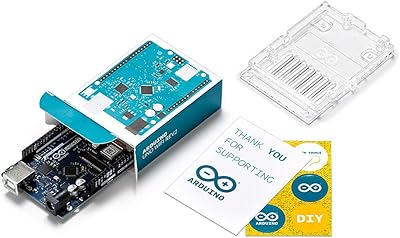
Arduino UNO WiFi REV2 Microcontroller Board
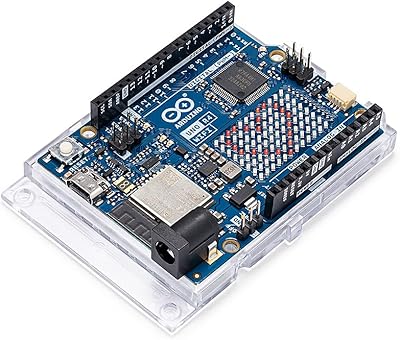
Arduino UNO R4 WiFi
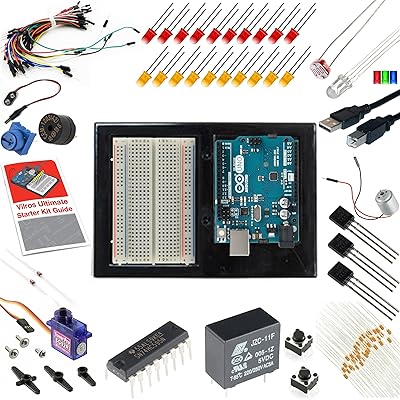
Vilros Arduino Uno R3 Starter Kit
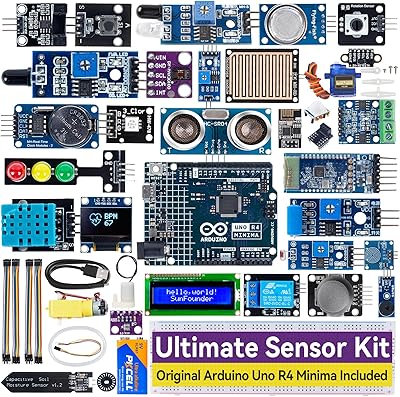
SunFounder Ultimate Sensor Kit Arduino R4 Minima
Boogie Board Scribble n' Play Drawing Board
Arduino Nano A000005
Arduino Leonardo A000057